Hi!👋 I am your Mentornaut - a helpful mentor to help you navigate through your AI learning journey. Click here to engage me anytime.


AI Productivity at Work: Ask, Delegate, Build
BeginnerLevel
245+Students Enrolled
1 HrDuration
About this Course
- This course shows leaders and professionals how AI already changes knowledge work, and how to bring that change into their own teams with confidence.
- Learn a simple framework of three levels, Ask, Delegate, and Build, that applies equally to Copilot, ChatGPT, Claude, and Gemini.
- Watch live demos across marketing, sales, healthcare, and banking, where Copilot produces finished work and challenges the thinking behind it.
- Finish with a practical 30-day plan that turns a few personal AI wins into shared habits across your whole team.
Course Benefits
- Understand where AI genuinely saves time and lifts quality, backed by research from MIT, Harvard Business School, and Anthropic.
- Give your team clear guidance on which AI tool to use for which kind of work, instead of leaving the choice to guesswork.
- Learn to brief AI well and to use it as a thinking partner that challenges your plans before you present them.
- See how a custom agent turns your team's know-how into a reusable assistant that anyone can use, without writing code.
- Walk away with a ready-to-use 30-day plan that turns individual AI experiments into shared team habits.
Learning Outcomes

Match Tool to the Task
Know what Copilot, ChatGPT, Claude, Gemini, Perplexity each do best.
Delegate Tasks to AI
Hand complete tasks to agents like Researcher and review the output.
Build Your Own Agent
Combine instructions, knowledge and skills into an agent.
Who Should Enroll
- Business leaders and function heads who want their teams to get real, everyday value from the AI tools they have.
- L&D and HR leaders who plan AI enablement programmes and need a clear picture of what good adoption looks like.
- Managers in marketing, sales, finance, and operations who want to hand repetitive reports and analysis to AI.
- Technology and digital leaders who roll out Microsoft 365 Copilot and want practical use cases and agent ideas.
Course Curriculum
Move from understanding AI to using it with confidence. Each video builds on the last, from research-backed foundations to live Copilot demos and a custom agent build, ending with a 30-day plan for your team.

Learn how to use AI effectively at work, from choosing the right tools and working with Copilot to building custom agents and creating a practical 30-day plan for your team.
1. Does AI Really Make You More Productive?
2. Copilot vs ChatGPT vs Claude vs Gemini
3. Copilot in Action: 3 Real Work Demos
4. Build Your Own AI Agent Without Code
5. Your 30-Day Plan to Start Using AI
Get this Course Now
With this course you’ll get
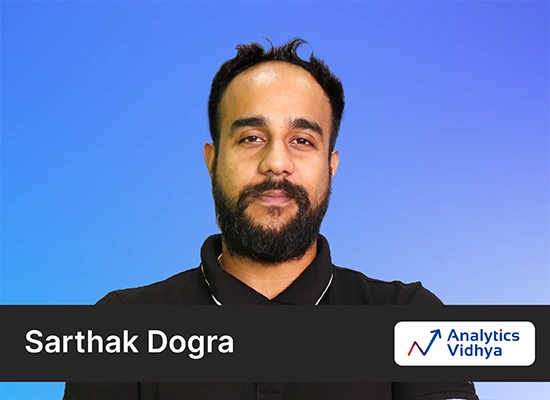
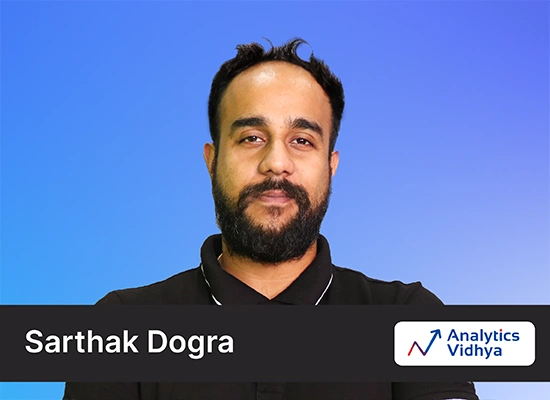
- Sarthak Dogra
Instructor
- Beginner
Level
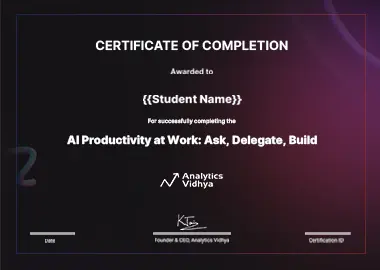
Certificate of completion
Earn a professional certificate upon course completion
- Industry-Recognized Credential
- Career Advancement Credential
- Shareable Achievement
Frequently Asked Questions
Looking for answers to other questions?
This course shows how AI already changes everyday knowledge work and how leaders bring that change into their teams. It introduces a simple framework of three levels, Ask, Delegate, and Build, and then shows each level in action through live Microsoft 365 Copilot demos in marketing, sales, healthcare, and banking. It ends with a practical 30-day plan for your team.
The course serves business leaders, function heads, L&D and HR leaders, and managers who want their teams to get real value from AI. It also suits professionals who want to see practical, corporate use cases of Copilot and custom agents before they adopt them in their own work.
No. Every demo uses plain-language prompts, and the custom agent in the course is built without writing a single line of code. If you can describe a task clearly to a colleague, you can follow every video.
The live demos use Microsoft 365 Copilot, since most enterprises already have it. The course also explains what ChatGPT, Claude, Gemini, Perplexity, and creation tools such as Lovable and Runway each do best. The Ask, Delegate, and Build framework applies to every major tool, so the lessons carry over to whichever tool your team uses.
You can follow the ideas without any licence. To try the demos yourself, some features need a Microsoft 365 Copilot licence, including the Researcher agent. Skills in Agent Builder are currently in preview, so their availability depends on your organisation's settings.
Yes. The course shows how to review AI output before you share it, why teams should use only approved tools for company data, and where human judgment stays essential. For deeper guidance on data protection, approvals, and accountability, our separate governance course covers the topic in detail.
Related courses
Expand your knowledge with these related courses and expand way beyond

1 Hour1 Lesson4.8
Building AI agents with Amazon Bedrock AgentCore

40 Minutes 0
Claude Code: The Coding Assistant

2 Hours 30 Minutes 6 Lessons 0
Mastering Claude Cowork

3 Hours8 Lessons 0
FastAPI for AI Engineers: The Complete Guide to Building Scalable AI APIs

1 Hour3 Lessons 0
Stop Doing It Manually: Tasks You Should Hand to Cowork
1 Hour1 Lesson0
Why AI Needs a Human in the Loop
1 Hour0
The Forward Deployed Engineer: Taking AI From Pilot to Production
Popular free courses
Discover our most popular courses to boost your skills
1 Hour1 Lesson1
AI Productivity at Work: Ask, Delegate, Build
1 Hour3 Lessons 3
Stop Doing It Manually: Tasks You Should Hand to Cowork
1 Hour1 Lesson1
Why AI Needs a Human in the Loop
2 Hours 30 Minutes 6 Lessons 6
Mastering Claude Cowork
3 Hours8 Lessons 8
FastAPI for AI Engineers: The Complete Guide to Building Scalable AI APIs
1 Hour0
The Forward Deployed Engineer: Taking AI From Pilot to Production

1 Hour 30 Minutes 1 Lesson1
Advanced Strands Agents with MCP
2 Hours1 Lesson1
Building Multi Agent Systems with Strands Agents

6 Hours3 Lessons 3
Building & Evaluating Agentic AI Systems

2 Hours0
Building RAG Applications

1 Hour 30 Minutes 3 Lessons 3
Foundations of LangGraph
6 Hours4 Lessons 4
Claude Code Mastery: AI-Augmented Software Engineering
1 Hour3 Lessons 3
Mastering Claude Cowork - Part 2
6 Hours5 Lessons 5
Building Generative AI Systems with No-Code (Using n8n)
30 Minutes 5 Lessons 5
Loop Engineering Explained
3 Hours1 Lesson1
AI Interview Questions & Answers Masterclass
3 Hours3 Lessons 3
Agentic AI Masterclass: Building Multi-Agent Systems with AutoGen, LangGraph & CrewAI

2 Hours5 Lessons 5
LLMOps in Action: Build, Deploy & Scale RAG-Powered AI Systems
1 Hour 30 Minutes 2 Lessons 2
Graph RAG: Build Knowledge Graph Powered Retrieval Systems
1 Hour 30 Minutes 4 Lessons 4
Mastering Google Antigravity
40 Minutes 0
NotebookLM Essentials to Pro: The Complete Practical Guide
40 Minutes 0
Foundations of Vector Database
1 Hour5 Lessons 5
Gemini 3: The AI That Thinks, Sees and Creates

1 Hour1 Lesson1
RIP Data Scientists
1 Hour2 Lessons 2
Vibe Coding with Cursor
2 Hours4 Lessons 4
GenAI to Build Exciting Games
1 Hour1 Lesson1
MCP: Unlock AI integrations with real-world demos
1 Hour2 Lessons 2
ChatGPT as Your Assistant
2 Hours6 Lessons 6
Data Science Course
2 Hours 30 Minutes 4 Lessons 4
LangChain Fundamentals

50 Minutes 2 Lessons 2
Introduction to CrewAI: Building a Researcher Assistant Agent

2 Hours2 Lessons 2
Understanding the working of Neural Networks

1 Hour2 Lessons 2
Vibe Coding with Replit

2 Hours5 Lessons 5
Online Excel Course for Beginners
2 Hours1 Lesson1
A Complete MLops Journey

2 Hours3 Lessons 3
Data Analysis with Apache Hive
1 Hour1 Lesson1
No Code Predictive Analytics with Orange

45 Minutes 1 Lesson1
Building Intelligent Chatbots using AI
1 Hour2 Lessons 2
GenAI for Everyone

4 Hours5 Lessons 5
A B C of Coding to Build AI Agents
30 Hours9 Lessons 9
Data Science Learning Path
9 Hours7 Lessons 7
GenAI Learning Path
5 Hours5 Lessons 5
Real World Projects on RAG
12 Hours10 Lessons 10
Data Analyst Learning Path
9 Hours5 Lessons 5
Vibe Coding Learning Path
30 Minutes 1 Lesson1
Getting Started with Kimi K2
2 Hours2 Lessons 2
Getting Started with Tableau

40 Minutes 2 Lessons 2
How to Build an Image Generator Web App with Zero Coding

2 Hours2 Lessons 2
Building and Evaluating RAG System
40 Minutes 1 Lesson1
Guide to Vibe Coding in Windsurf

30 Minutes 1 Lesson1
Build Products 10x Faster with GenAI
30 Minutes 1 Lesson1
Building a Collaborative Multi-Agent system

2 Hours4 Lessons 4
Building Smarter LLMs with Mamba and State Space Model
1 Hour2 Lessons 2
Nano Banana : Image Magic with Gemini 2.5 Flash

1 Hour1 Lesson1
n8n - A Complete Guide to Automation Tool

2 Hours6 Lessons 6
Building ML Pipelines using MLflow & DVC
1 Hour6 Lessons 6
Generative AI on AWS

1 Hour3 Lessons 3
Model Deployment using FastAPI
30 Minutes 6 Lessons 6
Demystifying OpenAI Agents SDK
30 Minutes 1 Lesson1
Build a Document Retriever Search Engine with LangChain

1 Hour1 Lesson1
Exploring Stability. AI

45 Minutes 6 Lessons 6
Knowledge Bases & Memory for Agentic AI

1 Hour1 Lesson1
Building Data Analyst AI Agent

40 Minutes 1 Lesson1
Building Scalable Industry Applications with RAG and Agents
1 Hour2 Lessons 2
OpenEngage: Build a complete AI Driven Marketing Engine
1 Hour1 Lesson1
Building a Deep Research AI Agent

5 Hours4 Lessons 4
Mastering Multimodal RAG & Embeddings with Amazon Nova & Bedrock

60 Minutes 3 Lessons 3
Frameworks for effective Problem Solving

1 Hour6 Lessons 6
Framework to Choose the Right LLM For your Business
1 Hour3 Lessons 3
Introduction to AI & ML

3 Hours6 Lessons 6
Microsoft Excel Formulas & Functions
15 Minutes 7 Lessons 7
Tableau for Beginners
5 Hours4 Lessons 4
Introduction to Natural Language Processing
1 Hour20 Lessons 20
Introduction to Python
1 Hour 15 Minutes 3 Lessons 3
Docker for Absolute Beginners
1 Hour3 Lessons 3
Foundations of Data Science

1 Hour 20 Minutes 1 Lesson1
Building Agentic AI System with Bedrock
3 Hours9 Lessons 9
Build Data Pipelines with Apache Airflow
1 Hour1 Lesson1
Building a Sentiment Classification Pipeline with DistilBert and Airflow
3 Hours3 Lessons 3
Introduction to Transformers and Attention Mechanisms

40 Minutes 1 Lesson1
Mastering Agentic Conversation Pattern with AG2

1 Hour1 Lesson1
Coding a ChatGPT-style Language Model From Scratch in Pytorch

30 Minutes 1 Lesson1
Navigating LLM Tradeoffs Techniques for Speed & Accuracy
1 Hour1 Lesson1
Data Preprocessing on a Real-World Problem
1 Hour 20 Minutes 6 Lessons 6
Getting Started With Large Language Models
4 Hours4 Lessons 4
Exploring-natural-language processing using deep learning
30 Minutes 5 Lessons 5
Ensemble Learning and Ensemble Learning Techniques
2 Hours4 Lessons 4
Evaluation Metrics for Machine Learning Models
1 Hour3 Lessons 3
Exploring OpenAI o3 and o4-mini

1 Hour1 Lesson1
Deep Dive Into QwQ-32B
30 Minutes 1 Lesson1
Build a Resume Review Agentic System with CrewAI
1 Hour 30 Minutes 3 Lessons 3
Getting Started with OpenAI o3-mini

30 Minutes 30 Lessons 30
Reimagining GenAI: Common Mistakes and Best Practices for Success
2 Hours3 Lessons 3
Building LLM Applications using Prompt Engineering
1 Hour6 Lessons 6
Bagging and Boosting ML Algorithms
1 Hour 20 Minutes 1 Lesson1
Understanding Linear Regression
1 Hour1 Lesson1
The A to Z of Unsupervised ML
2 Hours3 Lessons 3
Build your first RAG system using LlamaIndex
9 Hours4 Lessons 4
Getting Started with Deep Learning
1 Hour2 Lessons 2
Dreambooth: Stable DIffusion for Custom Images

1 Hour2 Lessons 2
Nano Course: Building Large Language Models for Code
9 Hours 30 Minutes 5 Lessons 5
Building Data Stories using Excel and Tableau
30 Minutes 2 Lessons 2
Naive Bayes from Scratch
3 Hours2 Lessons 2
Building Agent using AutoGen
3 Hours 30 Minutes 2 Lessons 2
Analyzing Data with Power BI
30 Minutes 1 Lesson1
Foundations of Model Context Protocol
30 Minutes 1 Lesson1
Revolutionizing Query Resolution with a RAG System Assisted by Agents
20 Minutes 6 Lessons 6
xAI Grok 3: Smartest AI on Earth

1 Hour1 Lesson1
DeepSeek from Scratch
34 Minutes 2 Lessons 2
Getting Started with DeepSeek-AI
30 Minutes 1 Lesson1
End to end RAG Application Development with LangChain and Streamlit

1 Hour1 Lesson1
Learning Autonomous Driving Behaviors with LLMs and RL

1 Hour1 Lesson1
GenAI for Quantitative Finance & Control Implementation

1 Hour1 Lesson1
Creating Problem-Solving Agents with GenAI for Actions
4 Hours3 Lessons 3
Generative AI - A Way of Life
30 Minutes 5 Lessons 5
K-Nearest Neighbors (KNN) Algorithm in Python and R

1 Hour 30 Minutes 9 Lessons 9
Fundamentals of Regression Analysis
1 Hour9 Lessons 9
Pandas for Data Analysis in Python

45 Minutes 1 Lesson1
Building a Customized Newsletter AI Agent

2 Hours4 Lessons 4
Agentic AI Design Patterns
30 Minutes 1 Lesson1
Build a QA RAG system with Langchain
1 Hour1 Lesson1
Improving Real World RAG Systems :Key Challenges
34 Hours1 Lesson1
Building Your First Computer Vision Model
1 Hour 10 Minutes 1 Lesson1
MidJourney: From Inspiration to Implementation
1 Hour 10 Minutes 2 Lessons 2
Building Text Classification Models in NLP

38 Minutes 1 Lesson1
Nano Course Cutting Edge LLM Tricks
19 Minutes 1 Lesson1
Introduction to Data Visualization
1 Hour5 Lessons 5
Introduction to Business Analytics
31 Minutes 4 Lessons 4
Introduction to PyTorch for Deep Learning
30 Minutes 4 Lessons 4
Time Series Forecasting using Python
2 Hours3 Lessons 3
Build Your 2025 Winning Data Science Resume with AI
2 Hours2 Lessons 2
Essential : SQL Skills for Data Beginners
2 Hours3 Lessons 3
A comprehensive Learning path to become a Data Analyst

1 Hour1 Lesson1
Mastering Multilingual GenAI Open-Weight for Indic Language
2 Hours5 Lessons 5
A Comprehensive Learning Path to Become a Data Scientist in 2025
1 Hour1 Lesson1
Introduction to Cloud
30 Minutes 5 Lessons 5
Dimensionality Reduction for Machine Learning
30 Minutes 1 Lesson1
Getting Started with Decision Trees
30 Minutes 1 Lesson1
Twitter Sentiment Analysis (Using Python)
30 Minutes 1 Lesson1
Big Mart Sales Prediction Using R
30 Minutes 1 Lesson1
Loan Prediction Practice Problem (Using Python)
Contact Us Today
Take the first step towards a future of innovation & excellence with Analytics Vidhya
Unlock Your AI & ML Potential
Get Expert Guidance
Need Support? We’ve Got Your Back Anytime!
+91-8068342847 | +91-8046107668
10AM - 7PM (IST) Mon-Sun[email protected]
You'll hear back in 24 hours