
AI agents are evolving from answering questions to taking actions inside browsers. They can now open pages, click buttons, fill forms, extract data, and automate multi step workflows across websites.
Moonshot AI’s Kimi WebBridge brings this capability to Chrome and Edge, allowing local AI agents to safely interact with real browser sessions. In this article, we explore how WebBridge works and why browser automation is becoming essential for agentic AI systems.
Table of contents
What is Kimi WebBridge?
Kimi WebBridge is an AI agent browser extension. WebBridge is not a cloud-based browser automation solution that launches a browser remote, but rather it runs directly in your browser, using your existing login sessions. The agent can then interact with web pages as would a human user, more closely.
From a simple point of view, Kimi WebBridge is a bridge between:
Your local AI agent:
- The browser extension that you installed.The extension that you installed on your browser.
- The web version of the Chrome or Edge browser you are using the browser .
- The sites that you are currently signed into.
According to the official description in the Chrome Web Store, the extension is able to open a webpage, click, fill in forms, extract information, and automate web operations using AI. This is version 1.9.7, which was updated on 11 May 2026, as seen in the Chrome listing.
How Kimi WebBridge Works
Kimi WebBridge is a local-first application. Kimi’s help documents claim it operates with three things: Local bridge service, Browser extension, and Local security isolation. The instructions are sent from the agent to the local bridge and then the local bridge sends the instructions to the extension to perform actions in the browser with the chrome DevTool protocol and then executes locally on the user’s device.
CDP (also known as Chrome DevTools Protocol) is the protocol for instrumenting, inspecting, debugging and profiling Chromium based browsers at the browser level. Unveils browser domains (DOM, Network, Page, Runtime, Input and more).
This means that WebBridge isn’t simply taking HTML without any interpretation. It’s providing an agent controlled operational access for browser actions, including:
- Open a URL
- Click an element
- Fill a form
- Capture a screenshot
- Read page content
- Extract tables or structured text
- Use existing logged-in sessions
Kimi’s documentation lists these as core features, including web navigation, element clicking, form filling, screenshots, content extraction, and login session persistence.
Kimi WebBridge Architecture
A practical mental model for Kimi WebBridge looks like this:
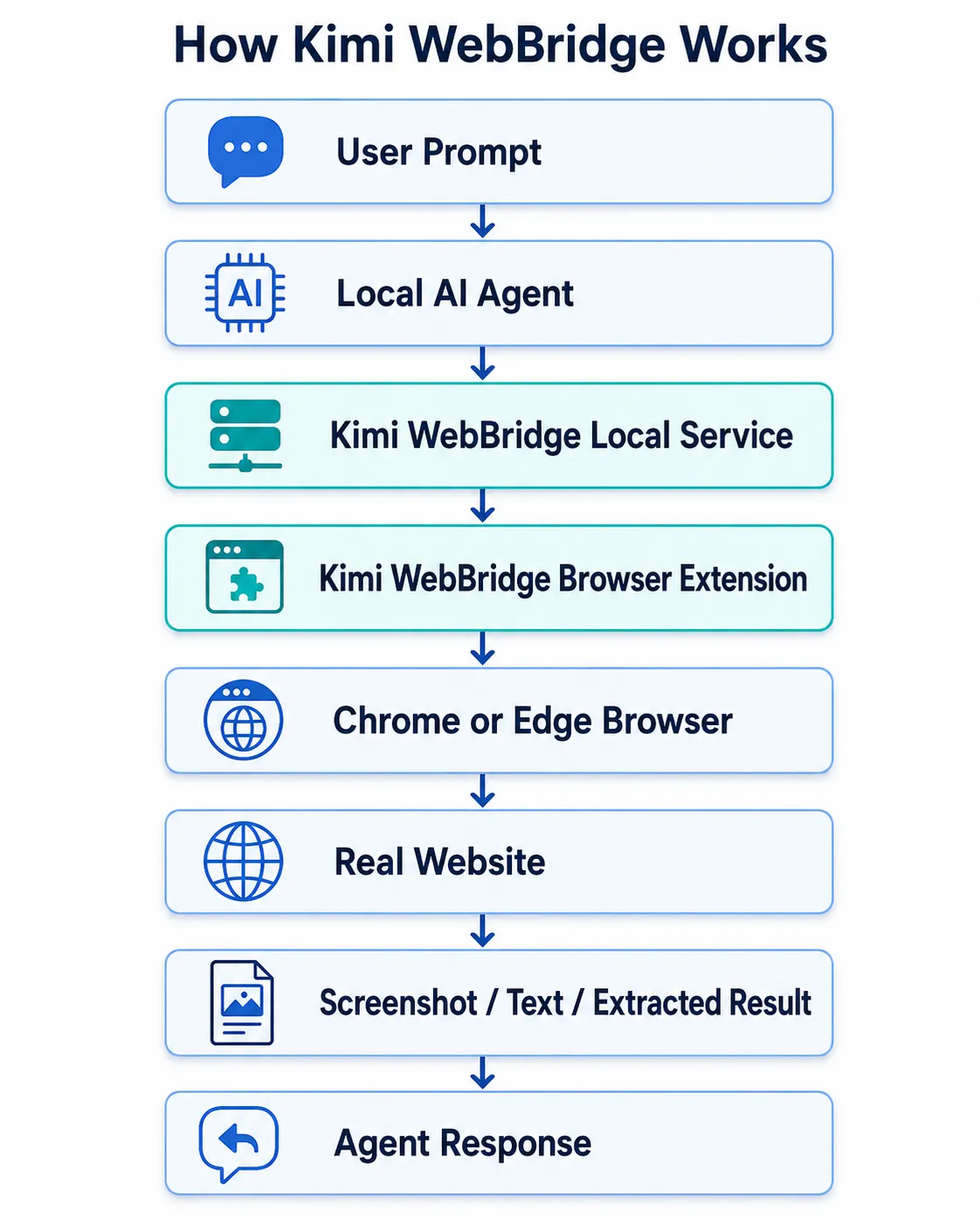
The most critical design decision is that WebBridge is run locally. When using WebBridge, login states and web page content are not left on the user’s machine, Kimi says.
This comes in handy for enterprise applications that need to shield sensitive applications, internal dashboards, subscribed sessions, or private customer data from third party remote browsers.
Installation and Setup
Prerequisites
Before starting, you need:
- Chrome or Edge browser
- Kimi WebBridge extension
- A local agent such as Kimi Code, Claude Code, Cursor, Codex, Hermes, or OpenClaw
- Terminal access
- Logged-in websites for the workflows you want to automate
Kimi’s official page lists supported AI agents including Kimi Code, Claude Code, Cursor, Codex, Hermes, and OpenClaw.
Step 1: Install the Extension
You can download it through the browser extension store. Kimi’s help center lists Chrome Web Store for Chrome users and Edge Add-ons for Edge users.
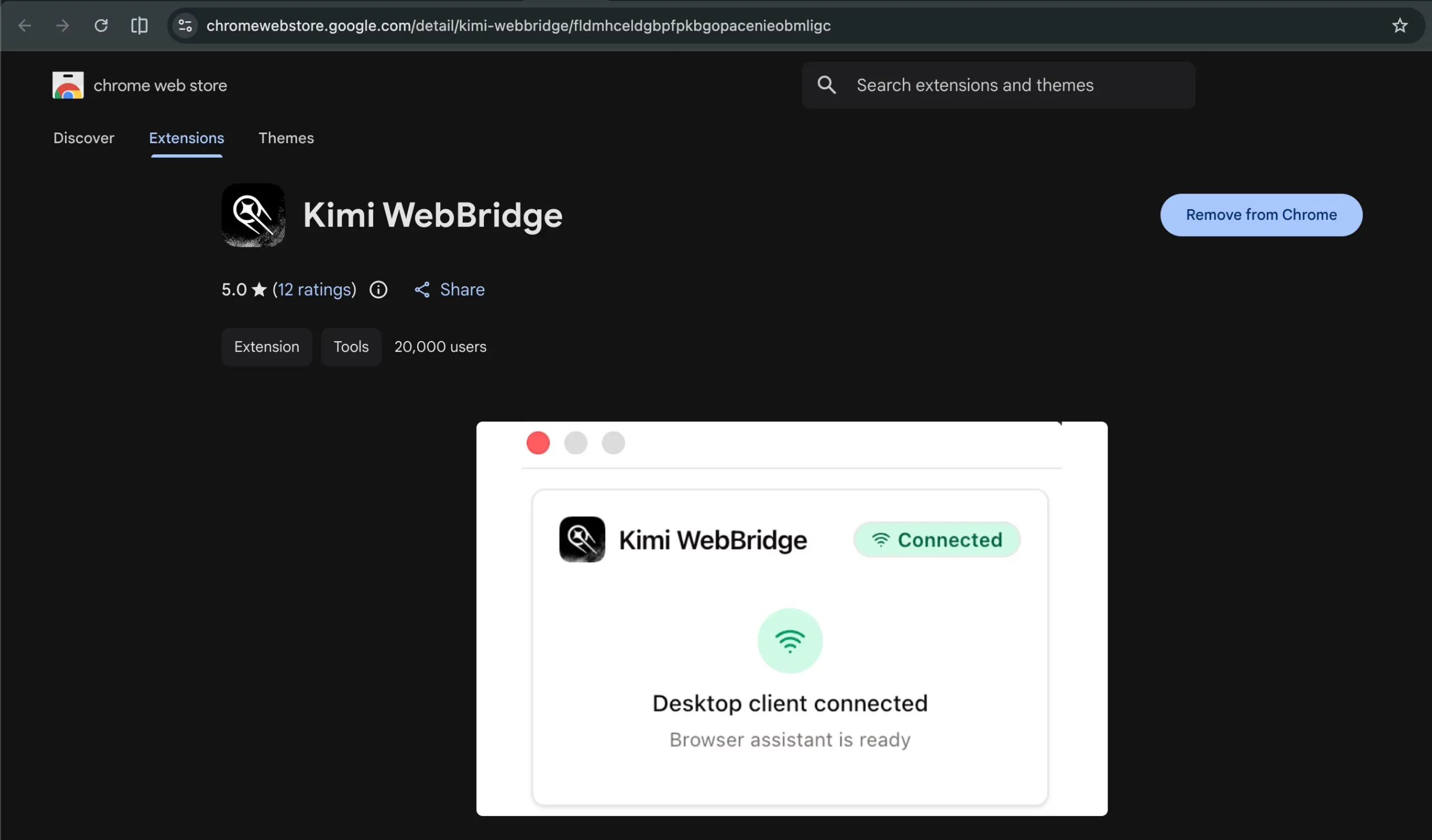
Step 2: Pin the Extension
Once installed, add WebBridge to the browser toolbar. This will make it easier to determine if it is plugged in or not. Kimi’s docs suggest fixing it to the wall to make it more accessible.
Step 3: Connect WebBridge to a Local Agent
When WebBridge is installed locally, there is a local setup command on Kimi’s official feature page for connecting WebBridge to your agent:
curl -fsSL https://kimi-web-img.moonshot.cn/webbridge/install.sh | bash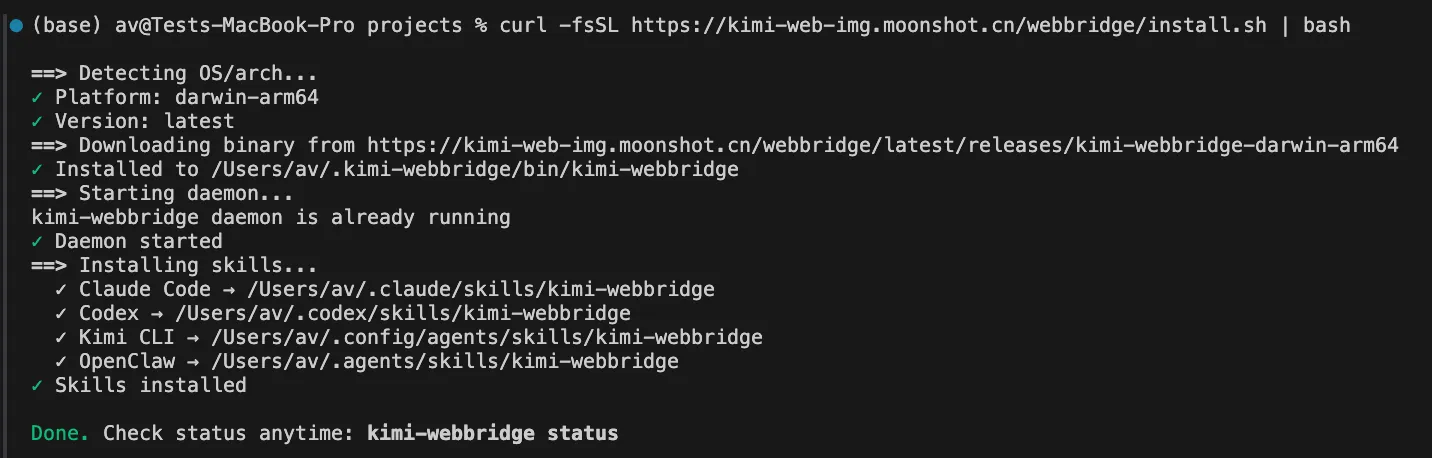
In the official page, it is stated that you copy the command into your agent and Kimi WebBridge will connect automatically.
To check the status of the Kimi WebBridge run kimi-webbridge status command if says connected then you are good to go, if not then try running the following command and check the status again.
export PATH="$PATH:/Users/{your-pc-username}/.kimi-webbridge/bin"
source ~/.zshrc
Step 4: Check Connection Status
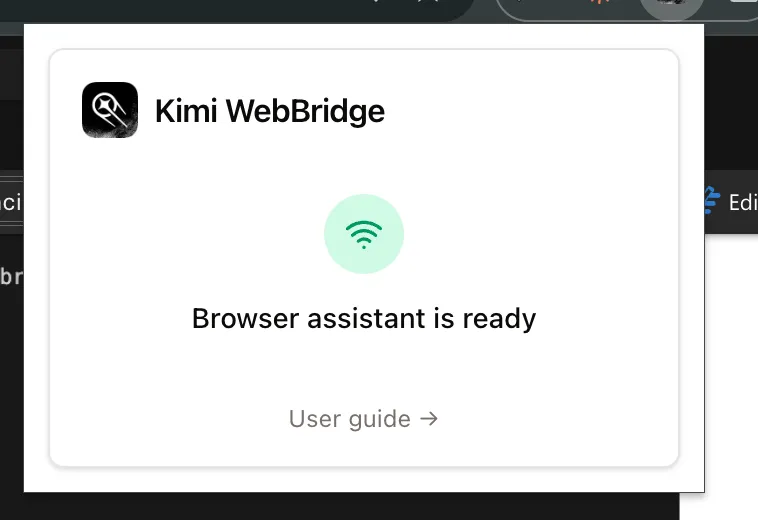
Click into the WebBridge icon on the bottom of the browser. Kimi says “Connected” status indicates that WebBridge is functioning correctly and is able to communicate with the agent. “Disconnected”: There are issues with configuration. Try rerunning the connection command.
Step 5: Using the Agent
Here we will be using Claude code, Kimi automatically installed skill files in your available agents such as Codex, Claude Code, Hermes etc while installation. Now only open them up and use /kimi-webbridge in order to utilise this skill.
Do not begin with banking, production admin dashboards or enterprise sensitive systems. Test on public websites, documentation pages, demo applications or test environment.
Prompt: “Open the Analytics Vidhya blog homepage. Find 2 recent AI agent articles. Extract the title, author, last updated date, and one-line summary into a markdown table.”
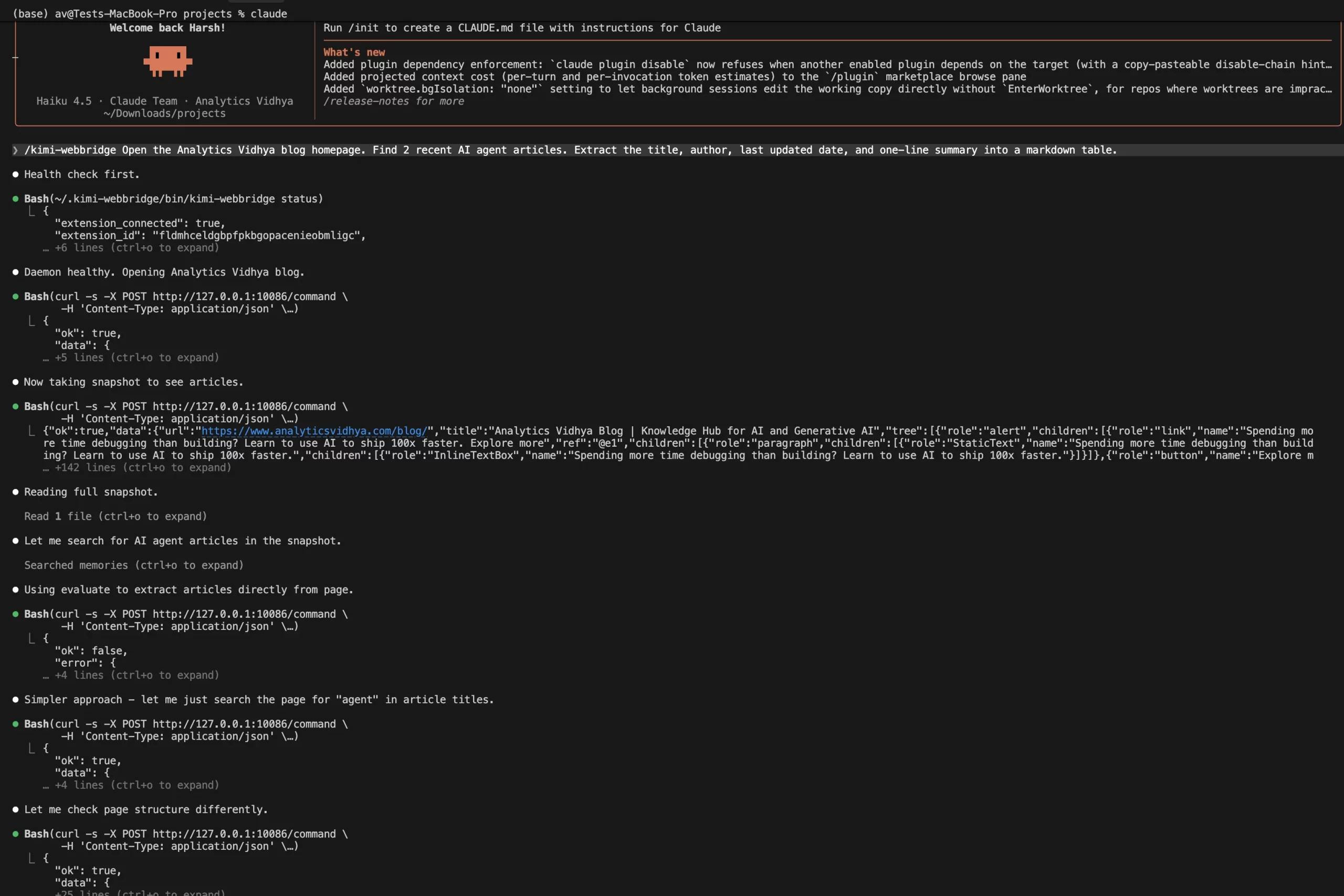
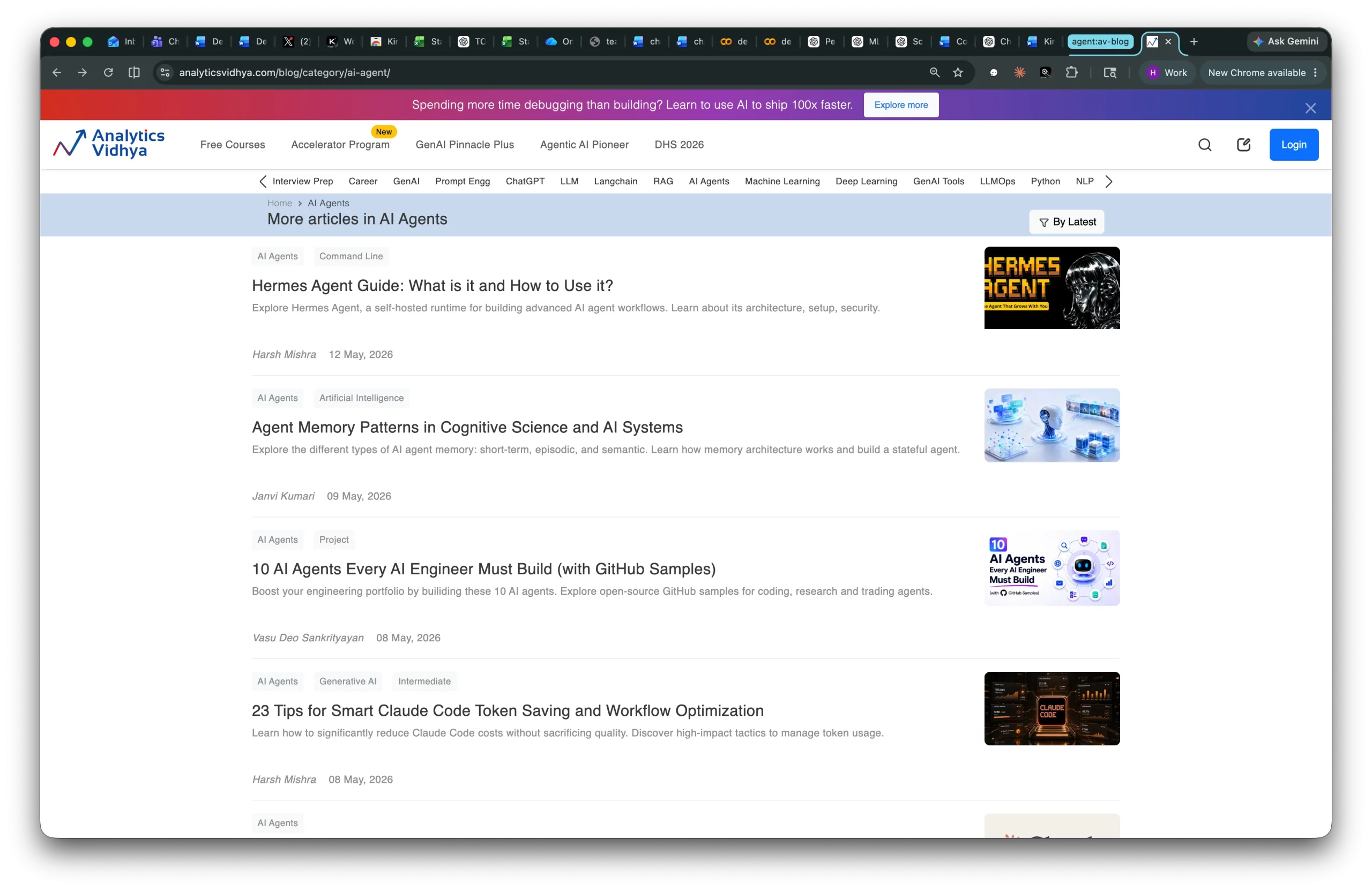
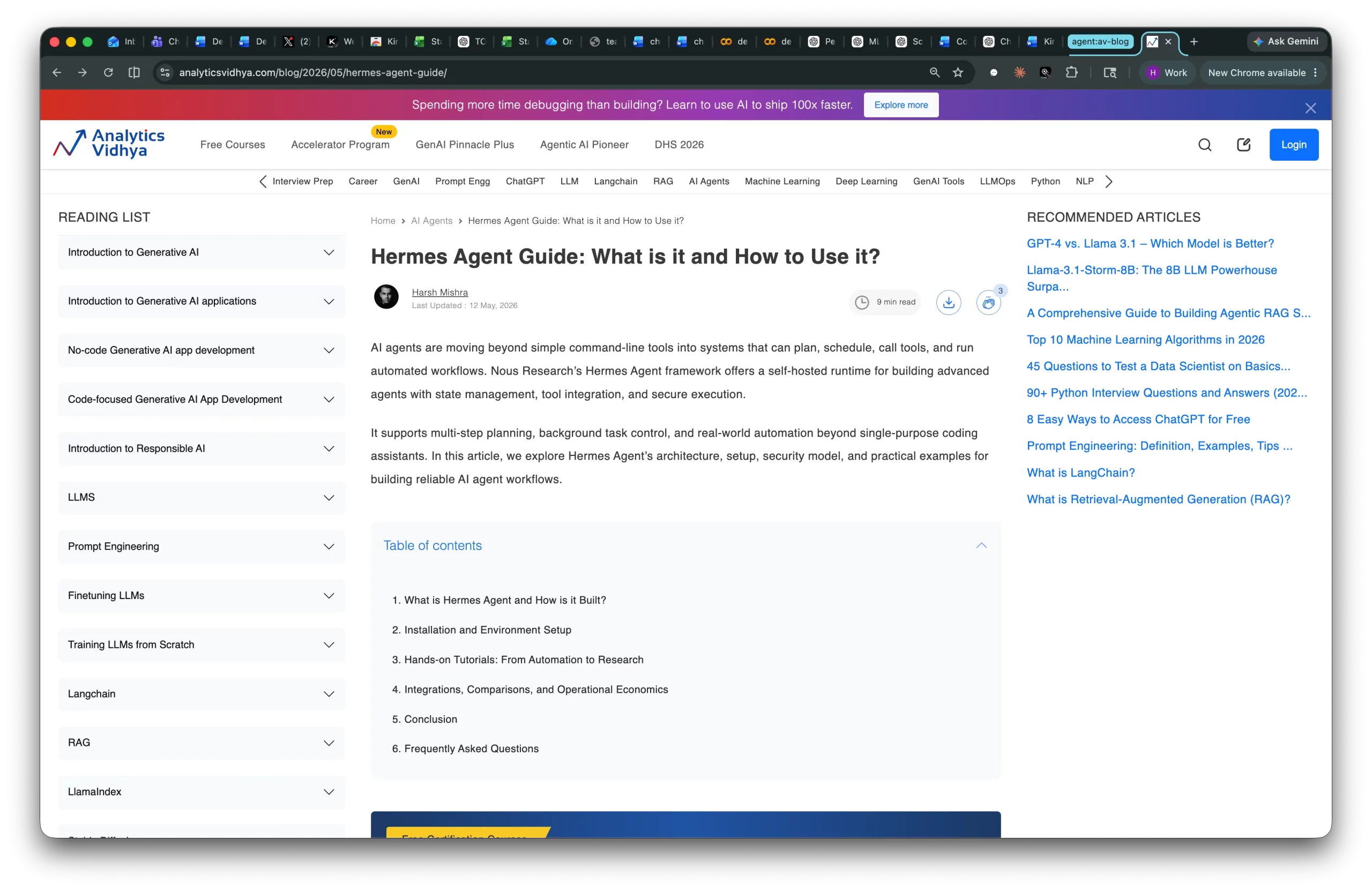
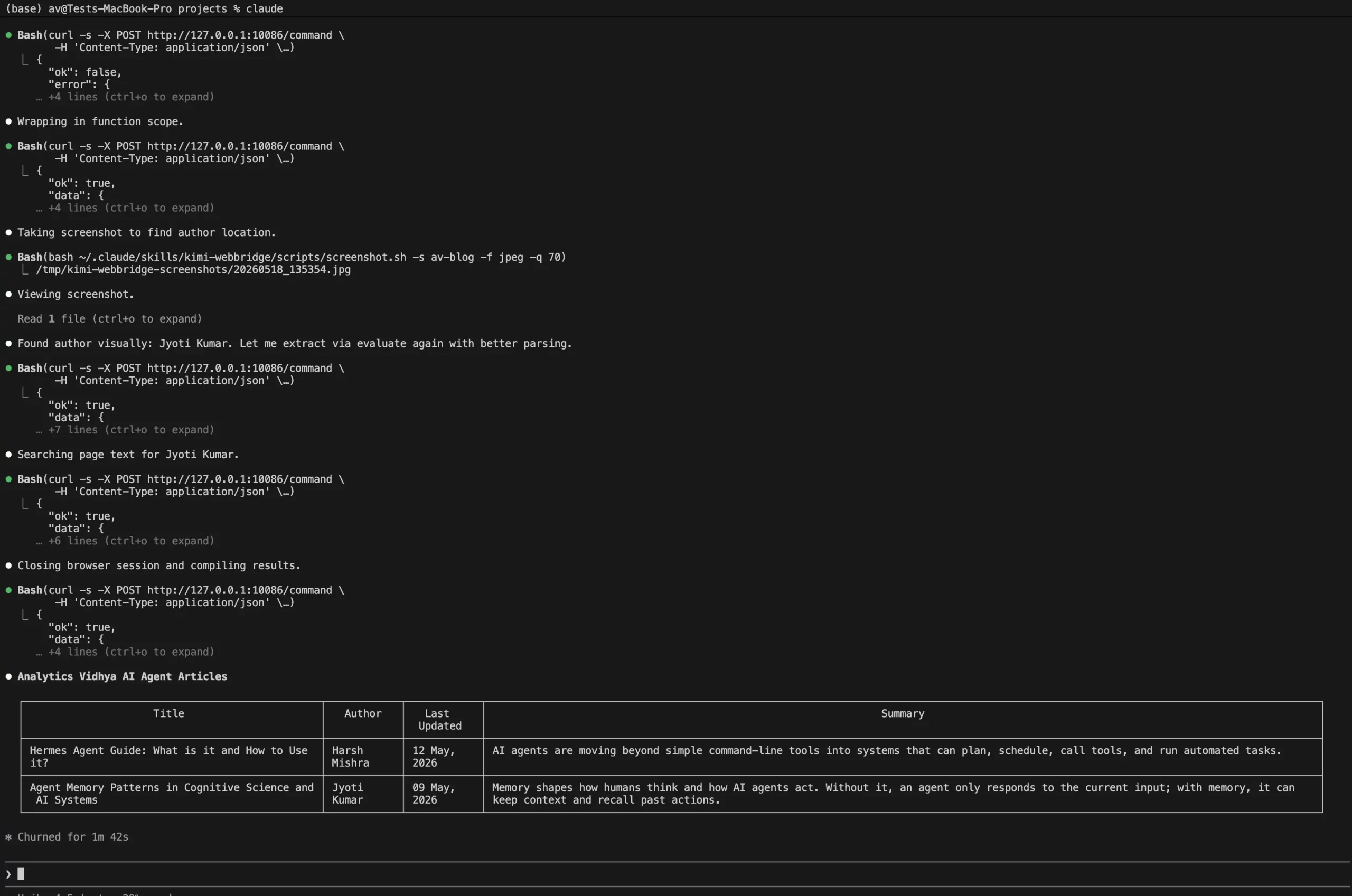
This tests navigation, reading, extraction, and summarization without requiring any risky action.
Hands-on Workflow: Research Automation
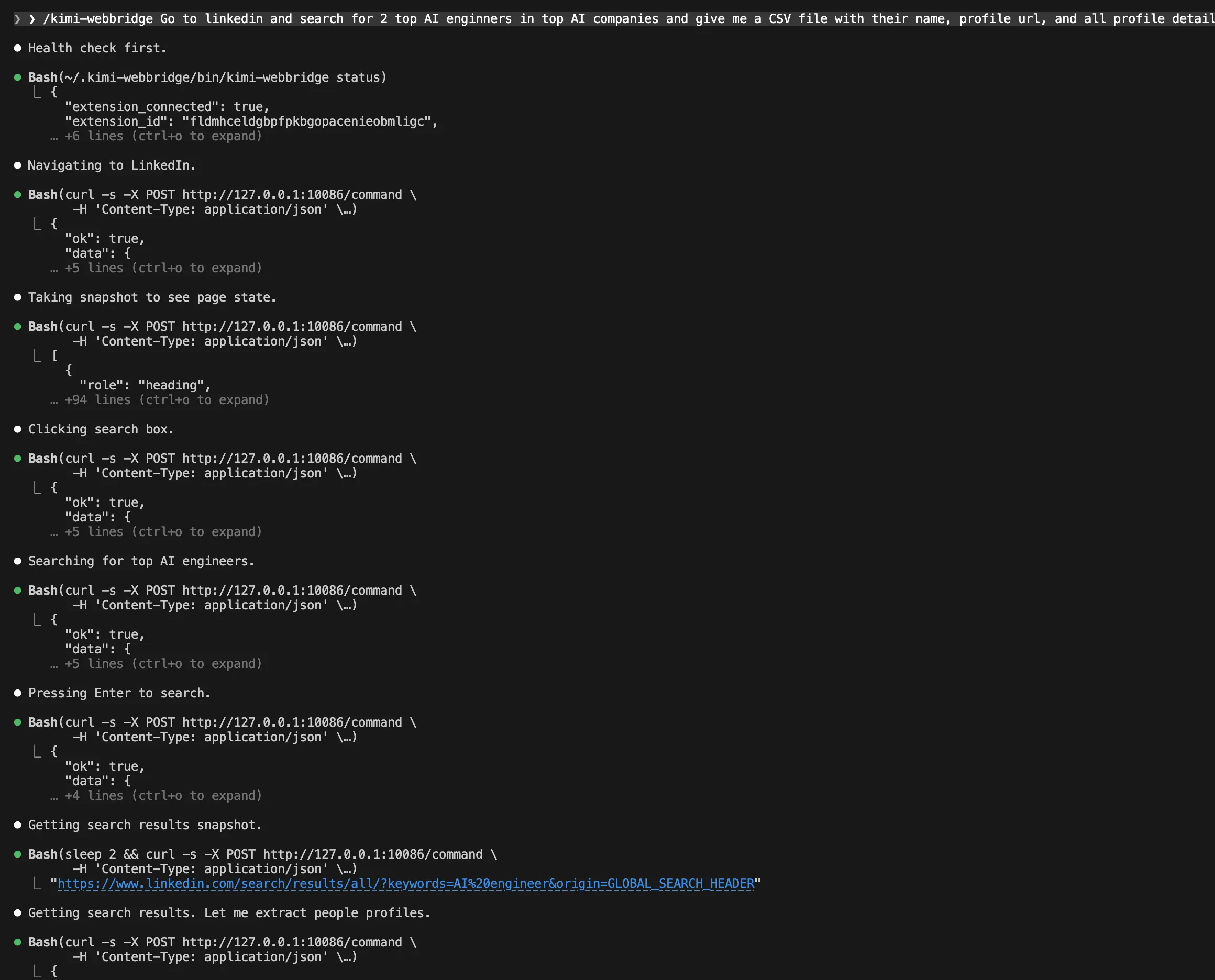
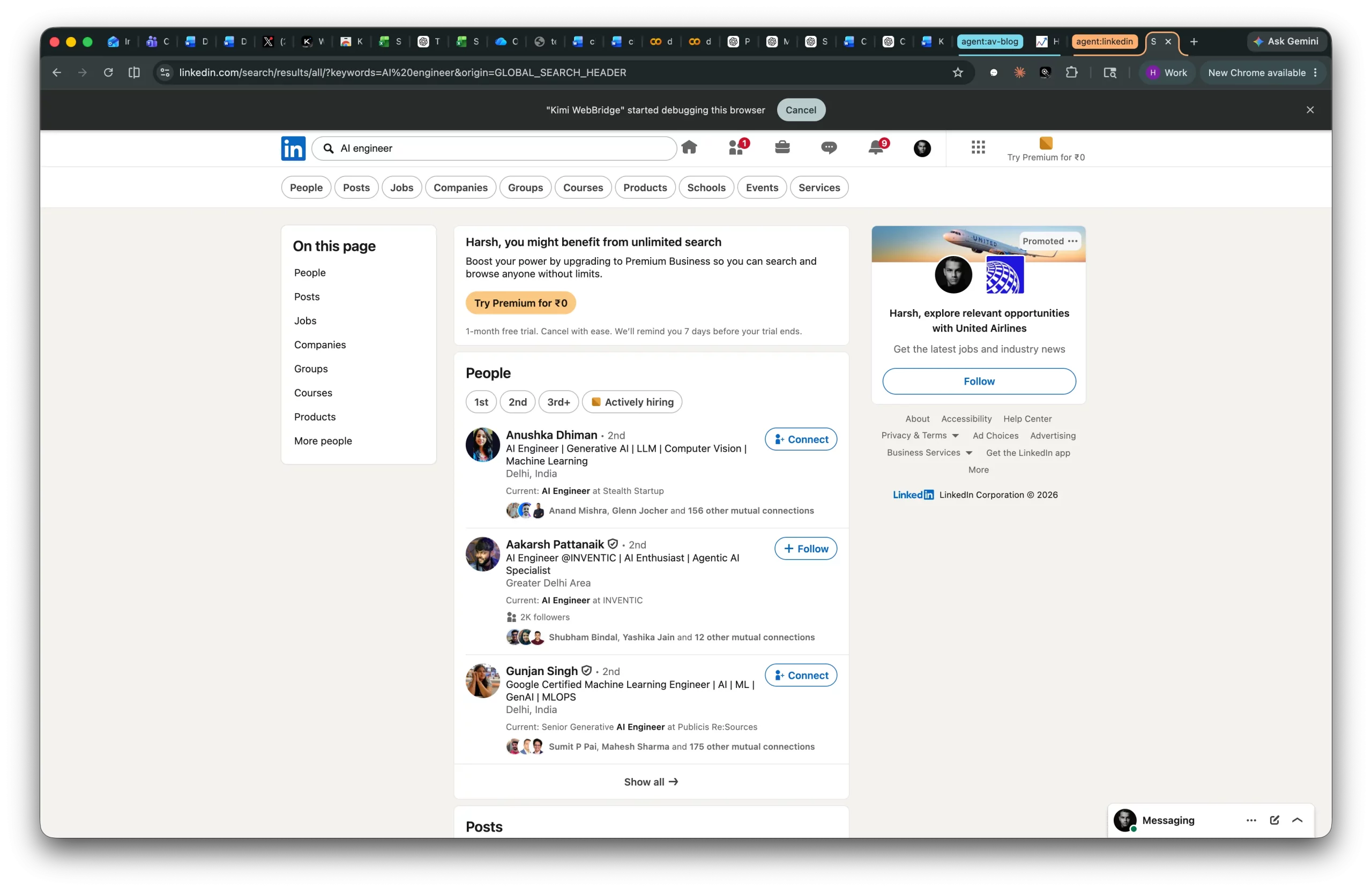
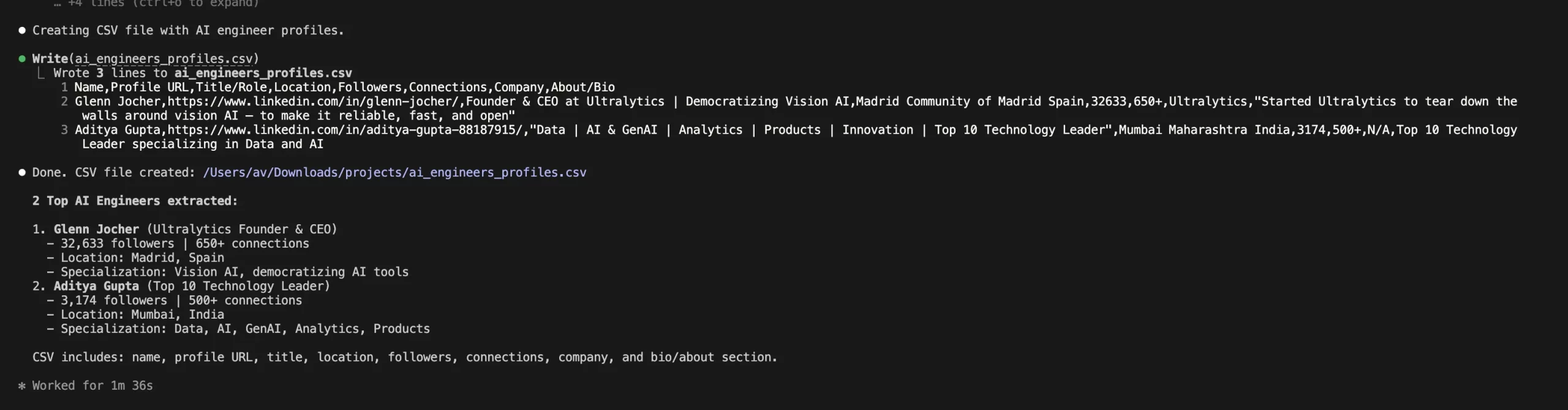
Prompt: “/kimi-webbridge Go to linkedin and search for 2 top AI enginners in top AI companies and give me a CSV file with their name, profile url, and all profile details”
What WebBridge Did?
The agent:
- Open search on Linkedin
- Visit pages one by one
- Read visible content
- Extract structured details
- Return a clean table
Output:

Technical Value
This is useful for analysts, content teams, product managers, and strategy teams. Instead of manually opening 10 tabs and copying notes, the agent can operate the browser and structure the findings.
Advantages and Disadvantages of Kimi WebBridge
| Advantages | Disadvantages & Limitations |
|---|---|
|
1. Local-first Browser Automation WebBridge runs locally on the user’s machine, reducing exposure compared with cloud-browser automation workflows handling authenticated sessions. |
1. Limited Browser Support Currently supports Chrome and Edge only. Safari and Firefox are not first-class supported targets. |
|
2. Works With Existing Login Sessions Uses the user’s active Chrome or Edge session, making it useful for websites without APIs or platforms requiring authentication. |
2. Local Setup Can Be Friction-heavy Every machine requires individual installation and setup, which becomes difficult to scale across large organizations. |
|
3. Agent-agnostic Positioning Compatible with tools like Kimi Code, Claude Code, Cursor, Codex, Hermes, and OpenClaw, making it more flexible than a closed ecosystem tool. |
3. Dynamic Pages Can Fail Modern apps using React, shadow DOMs, lazy loading, popups, or anti-bot systems may cause automation instability or failures. |
|
4. Useful for Real Business Workflows Supports practical automation use cases such as ecommerce price comparison, form filling, data entry, and research workflows. |
4. Extension Conflicts Are Possible Browser extensions like scrapers, screen recorders, and AI assistants may interfere with clicks, snapshots, screenshots, and page evaluation. |
|
5. Built on Browser-native Control Built on Chrome DevTools Protocol (CDP), allowing low-level browser instrumentation, inspection, debugging, and HTML parsing. |
5. Local-first Does Not Mean Risk-free Extensions with Debugger API access can still introduce security risks through browser manipulation or traffic monitoring. |
|
Overall WebBridge is strongest for teams wanting browser-native automation while keeping sessions local and compatible with multiple coding agents. |
6. Agent Safety Remains a Challenge Browser agents can perform real actions, making guardrails like audit logs, confirmation gates, allowlisted domains, and safe browsing profiles important for enterprise use. |
Security and Governance Considerations
For Enterprise, it’s not just about “Can this automate work?” It’s the “Can this automate work safely?” question.
Use these controls:
- Create a dedicated browser profile for agent work.
- Use least-privilege accounts.
- Avoid admin accounts for early testing.
- Use read-only access where possible.
- Require confirmation before submit, delete, purchase, approve, or send actions.
- Disable conflicting extensions.
- Keep WebBridge updated.
- Log prompts, actions, and outputs.
- Test on staging environments first.
- Define domain allowlists for enterprise workflows.
Low-risk workflows should be initiated, such as research, extraction, comparison, summarization, and report generation, in a safe enterprise rollout. Payment processes, account changes, customer communication, and production admin processes are examples of high-risk workflows that should include explicit human approval.
Kimi WebBridge vs Playwright MCP vs Browserbase
| Tool | Best For | Browser Location | Strength | Trade-off |
| Kimi WebBridge | Local agent controlling your real browser | Local Chrome or Edge | Uses existing login sessions and runs locally | Limited to supported browsers and local setup |
| Playwright MCP | Developer-centric browser automation through MCP | Usually local or configured browser environment | Provides browser automation capabilities using Playwright and lets LLMs interact with pages through structured accessibility snapshots | More developer setup and less focused on existing personal browser sessions |
| Browserbase | Scalable cloud browser automation | Cloud browsers | Provides production infrastructure for automated browsers at scale | Cloud browser model may not fit all private-session workflows |
The playwright server, an MCP server from Microsoft, offers browser automation capabilities with Playwright and allows the LLM to interact with a web page via a structured accessibility snapshot.
According to Browserbase, it’s “a cloud platform for headless browser automation providing infrastructure for running automated web browsers at scale.”
The problem is Kimi WebBridge operates on the local control of the user’s own Chrome or Edge browser session.
Conclusion
Kimi WebBridge is an important step in browser agents, allowing AI agents to operate directly inside real Chrome or Edge browsers using existing login sessions. It supports workflows like research, dashboard extraction, price comparison, recruiting, and form automation while keeping execution local instead of cloud-based.
Its local-first design and compatibility with tools like Claude Code and Cursor make it appealing for developers and technical teams. At the same time, because browser agents can perform real actions, teams still need safeguards like confirmation gates, clean browser profiles, and controlled testing.
WebBridge is a strong sign that AI agents are moving beyond chat interfaces into browsers, tools, and business workflows.
Harsh Mishra is an AI/ML Engineer who spends more time talking to Large Language Models than actual humans. Passionate about GenAI, NLP, and making machines smarter (so they don’t replace him just yet). When not optimizing models, he’s probably optimizing his coffee intake. 🚀☕







