Have an idea for a lesson illustration, a project chart, or a comic for your next presentation? Nano Banana 2.1 lets you explore these formats with text prompts, making it easier to try different visual styles without switching between tools.
In this article, we test Nano Banana 2.1 across four practical tasks: a clay illustration, a bar chart, a linocut photo transformation, and a debugging comic, looking at what worked, what fell short, and which details needed closer attention.
Table of contents
Nano Banana 2.1: What’s New
Nano Banana 2.1 generates and edits images. Its exact API name is gemini-nano-banana-2.1, and it is Google’s recommended successor to Nano Banana 2. Free to access and use by all users, makes it the go-to image generation model going forward.
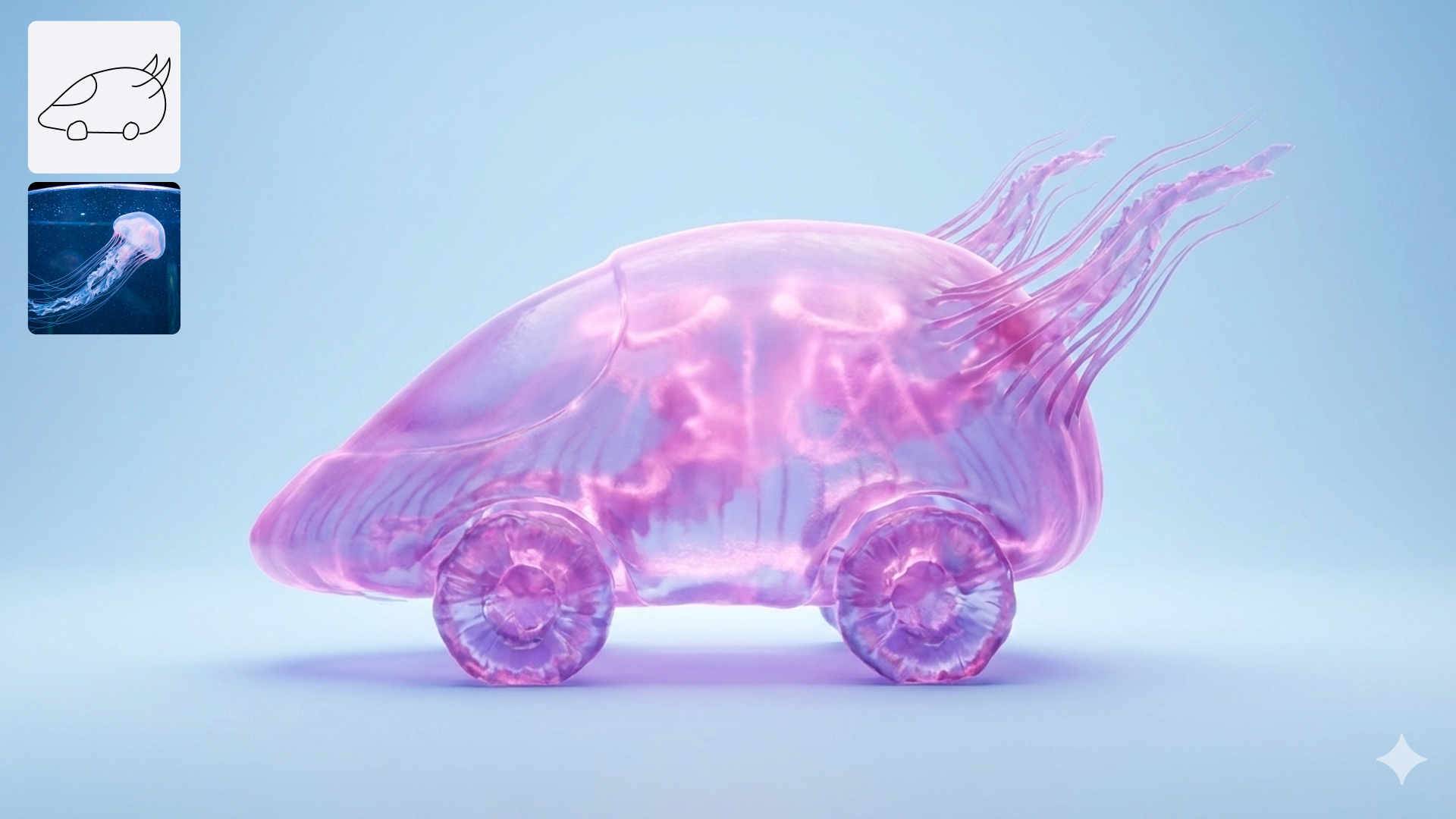
Our tests cover detailed briefs, readable text and reference transformations. Google lists 1K, 2K and 4K output and adjustable thinking levels: exposed options depend on your interface.
Accessing Nano Banana 2.1
You can access Nano Banana 2.1 via:
- Webapp: You can access Nano Banana 2.1 using the Gemini Webapp (gemini.google.com).
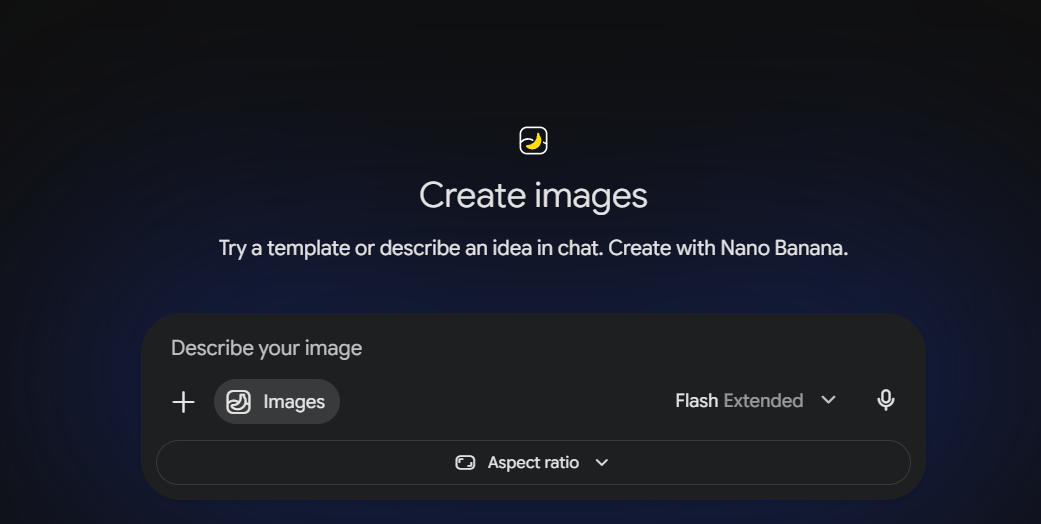
- Google AI Studio: Open Nano Banana 2.1 in Google AI Studio (https://aistudio.google.com). Sign In with an account having Pro subscription in it.
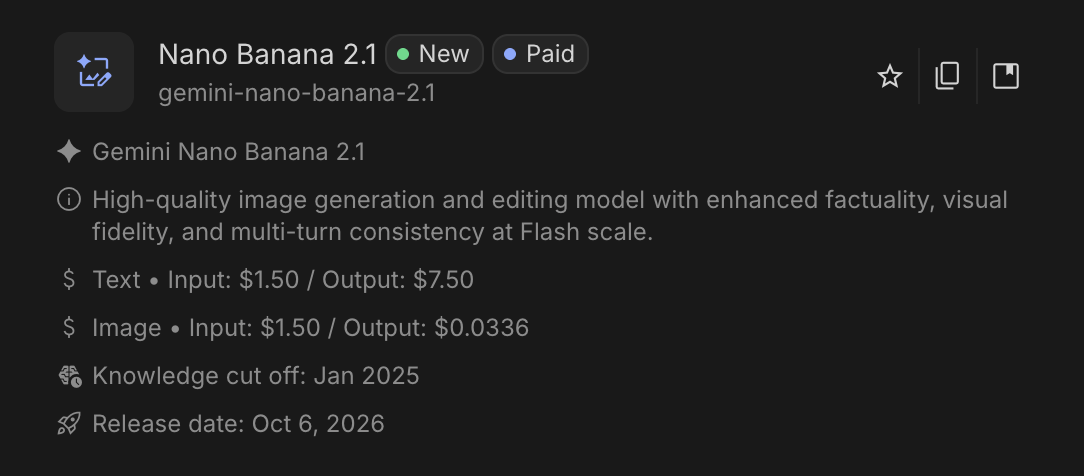
- Gemini API: You can access Nano Banana 2.1 using the API key calling the model
gemini-nano-banana-2.1. Google lists a standard API 1K output-image price of $0.0336: $1.68 for 50 image outputs alone.
Hands on tests
I’d be performing the tests on Nano Banana 2.1 on Google AI Studio.
1. Explaining RAG with clay
Retrieval-augmented generation, or RAG, can be introduced through a familiar idea: look up relevant material before answering a question.
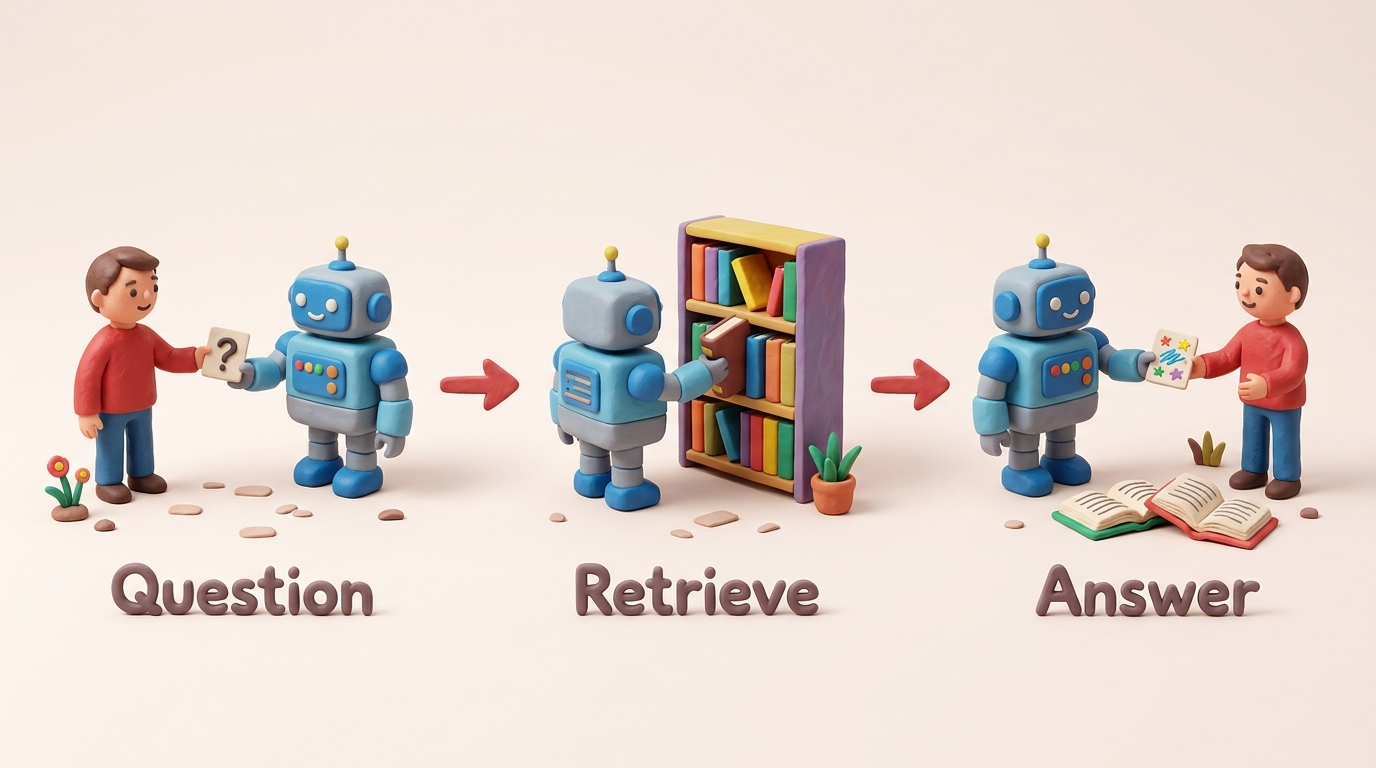
I asked for a clay scene with a clear sequence, recurring characters and short labels. Two retrieved books gave us a literal detail to check.
Prompt
Make a single landscape 16:9 teaching illustration in a handmade clay-diorama style explaining retrieval-augmented generation. Arrange three clearly separated stages from left to right: (1) a person hands a small card with a question mark to a friendly robot; (2) the same robot selects two books from a small library shelf; (3) the robot gives the person an answer card, with the two selected books open beside it. Connect the stages with simple left-to-right arrows. Put exactly these three short labels below the stages: “Question”, “Retrieve”, “Answer”. Soft studio lighting, visible clay texture, a pale background, cheerful but uncluttered. No other text, numbers or logos.
Verdict
The three stages appeared sequentially with accurate labels and cohesive clay styling. However, Retrieve showed only one book in hand, leaving the two-book details ambiguous.
2. Plotting accurate bar proportions
The clay scene asks the model to explain an idea. This next task asks it to respect numbers.
Prompt
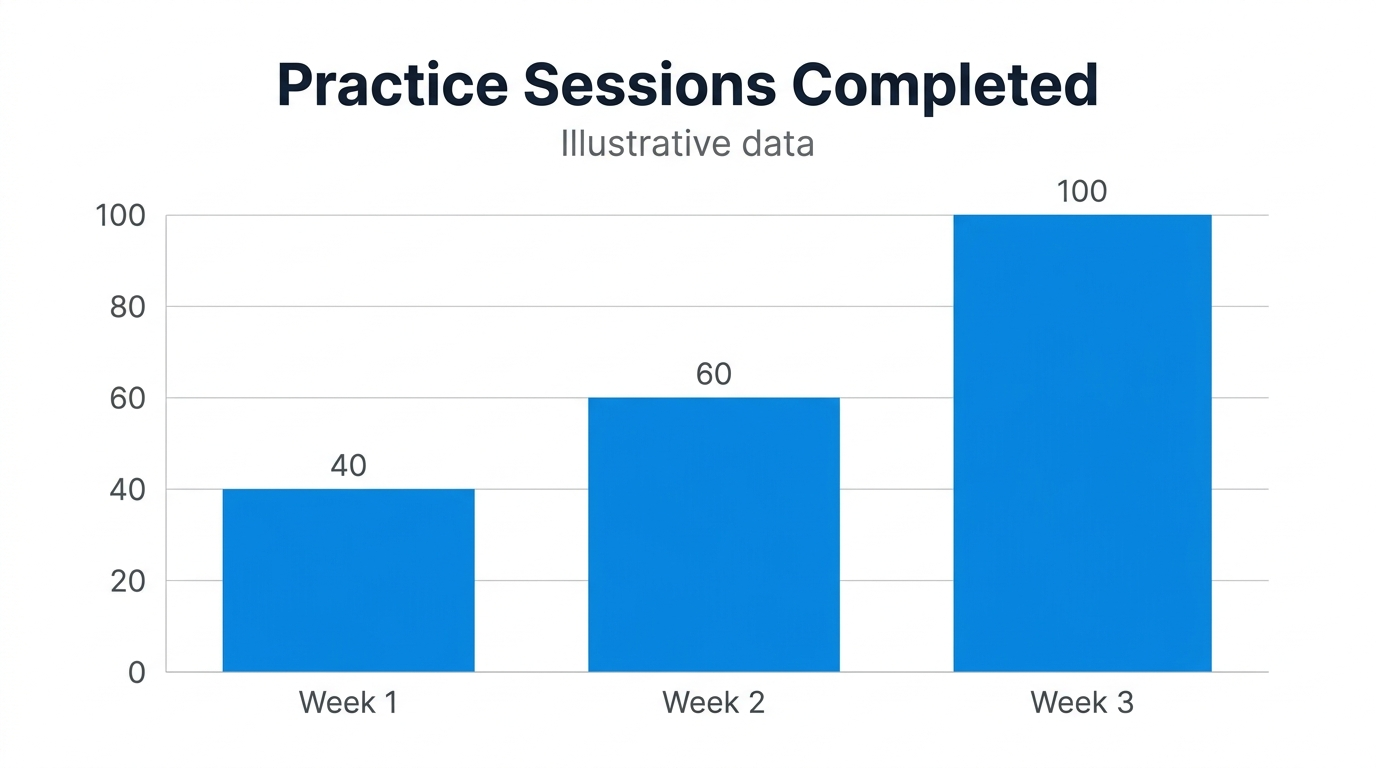
Create a clean 16:9 vertical bar chart titled “Practice Sessions Completed” using exactly this fictional data: Week 1 = 40, Week 2 = 60, Week 3 = 100. Use a white background and three blue bars of equal width. The vertical axis must start at 0 and end at 100, with ticks at 0, 20, 40, 60, 80 and 100. Place the exact value above each bar and the exact week label below it. Bar heights must be proportional to the values. No 3D effects, broken axes, extra bars or decorative objects. Add only the subtitle “Illustrative data” under the title.
Verdict
The labels, titles, and axes were accurate, with measured bar heights matching the requested 0.40 : 0.60 : 1.00 ratio on a shared baseline.
3. Transforming a photograph into a linocut
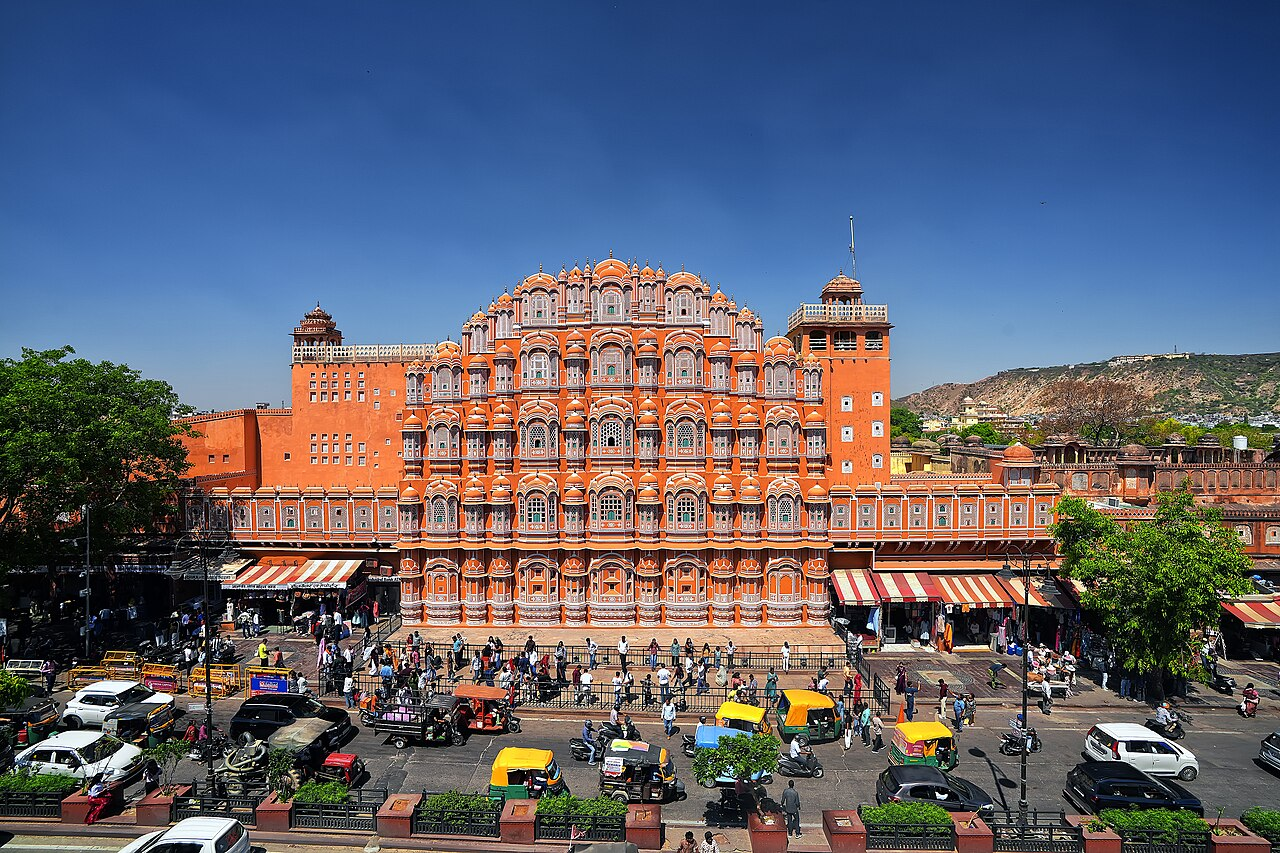
The next reference is Hawa Mahal in Jaipur. Its stepped roofline and repeated arched windows give us recognizable architecture to check.
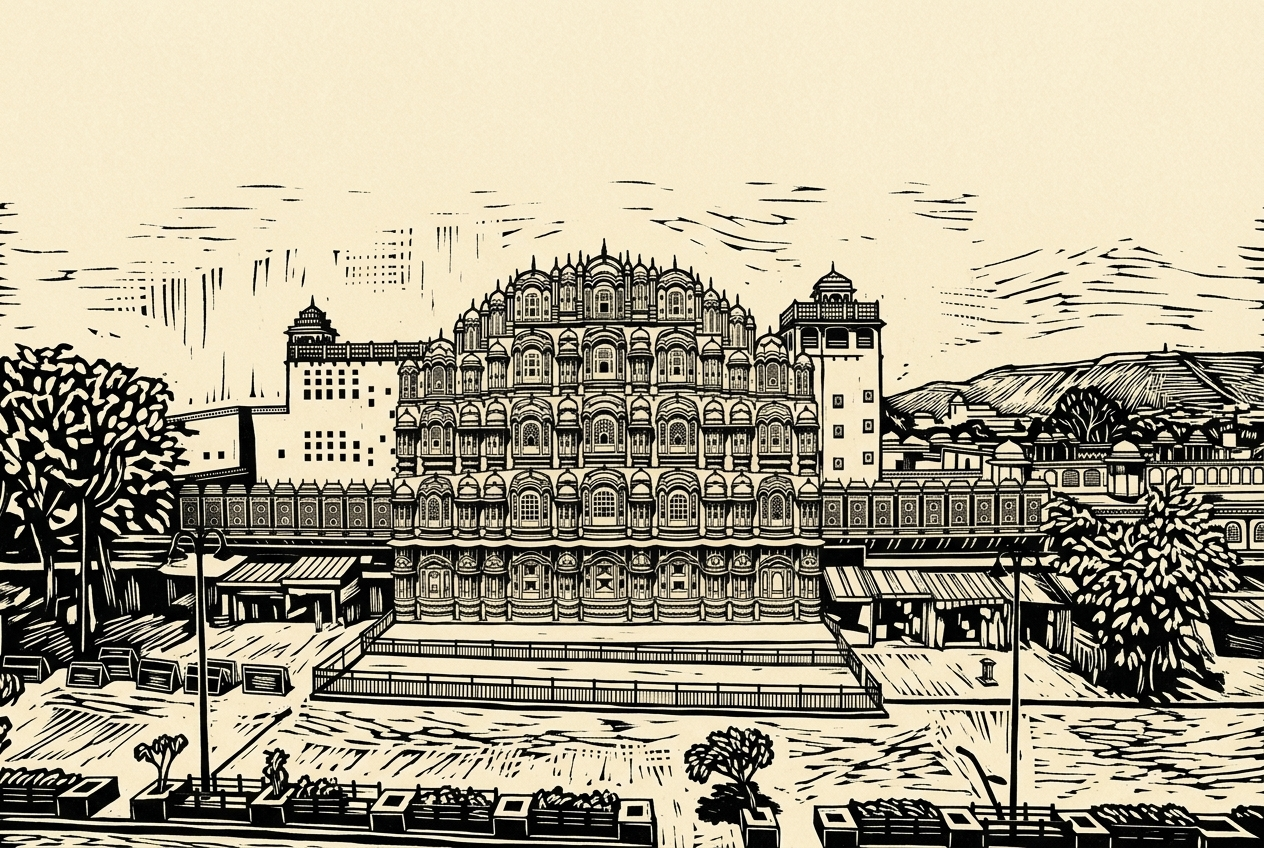
I wanted a change in visual language: bold black shapes and carved hatching on cream paper. The main building and viewpoint still needed to carry through.
Prompt
Transform this photograph into a black-and-cream linocut print. Preserve the main building’s silhouette, its visible windows and doors, the viewing angle, and the major foreground and background elements. Use bold carved contours, simplified shapes and visible hatch marks rather than photographic shading. Keep only black ink and warm cream paper. Do not add people, vehicles, buildings, text, signatures or borders. Keep the original aspect ratio.
Output:
Verdict
The linocut style and Hawa Mahal silhouette were well rendered, but the busy street traffic was omitted, replacing the foreground with an empty forecourt.
4. Creating a debugging comic
A comic needs a recognizable character, changing poses and a story you can follow. The setting is familiar to anyone who has stared too long at a programming mistake. One person. One laptop. One missing letter.
Prompt
Create one three-panel comic strip in a clean, expressive 2D cartoon style, arranged left to right. The same adult programmer appears in every panel: short curly black hair, round glasses, mustard-yellow hoodie and blue jeans. Panel 1: at a desk, they stare at a laptop in frustration; one speech bubble says “It worked yesterday.” Panel 2: they lean closer and notice a tiny typo on the laptop; one speech bubble says “One missing letter.” Panel 3: they smile as the program finally runs; one speech bubble says “Found it!” Keep the desk and laptop recognizable across all panels, with different poses and expressions. Clear panel borders, readable speech bubbles, no extra people, words, titles or logos. Landscape 16:9.
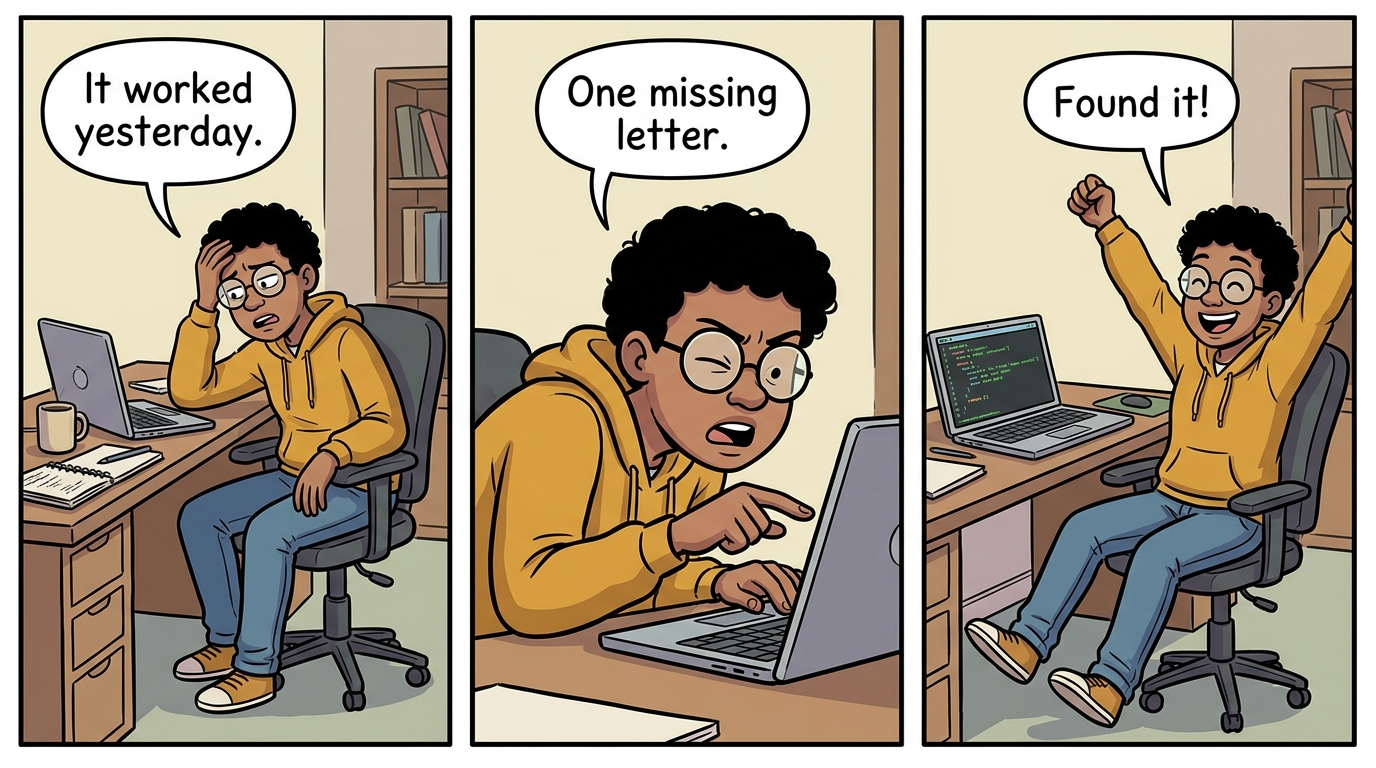
Verdict
Panels, bubbles, and character details remained consistent throughout the sequence, though the specific typo on the screen was not readable.
What the four tests tell us
| Task | What happened in our run | What you should check |
| Clay RAG explanation | Clear sequence and labels; two-book selection was less explicit | Whether the analogy teaches the intended idea |
| Fictional practice chart | Correct labels, scale and measured bar proportions | Numbers, baseline and bar proportions |
| Hawa Mahal linocut | Strong print style; busy foreground largely disappeared | Recognizable source details and unintended changes |
| Debugging comic | Clear progression and consistent character; typo not legible | Panel order, character details and speech bubbles |
The chart was the most encouraging result because its visual geometry held up to a concrete check. The comic and clay scene were useful communication drafts. The photo transformation exposed the clearest miss: a beautiful style change also erased an important part of the source.
That distinction matters when you write a brief. Decide which details are essential to the job, then check those first.
Conclusion
Nano Banana 2.1 strikes an impressive balance between rapid generation speed, tight prompt adherence, and versatile practical utility across various creative tasks: from structured charts to stylized illustrations. However, users should remain mindful of its potential limitations, such as the unexpected omission of key foreground elements during complex image transformations, requiring manual review for brief-critical projects.
Read more: Nano Banana vs Qwen Image
Frequently Asked Questions
Q1. How do I know I am testing Nano Banana 2.1?
A. Select gemini-nano-banana-2.1 in AI Studio and check the model label before running your prompt.
Q2. Can I use it to make charts for my data project?
A. This example had correct values and proportions. Check both, and use data-linked plotting tools for final reports.
Q3. What should I include in an image prompt?
A. Specify the subject, layout, style, exact text and details to preserve. Supply references where useful, and inspect the result before making a targeted correction.
Studying, evaluating, and explaining AI systems for over 6 years.
“𝘖𝘯𝘤𝘦 𝘮𝘦𝘯 𝘵𝘶𝘳𝘯𝘦𝘥 𝘵𝘩𝘦𝘪𝘳 𝘵𝘩𝘪𝘯𝘬𝘪𝘯𝘨 𝘰𝘷𝘦𝘳 𝘵𝘰 𝘮𝘢𝘤𝘩𝘪𝘯𝘦𝘴 𝘪𝘯 𝘵𝘩𝘦 𝘩𝘰𝘱𝘦 𝘵𝘩𝘢𝘵 𝘵𝘩𝘪𝘴 𝘸𝘰𝘶𝘭𝘥 𝘴𝘦𝘵 𝘵𝘩𝘦𝘮 𝘧𝘳𝘦𝘦. 𝘉𝘶𝘵 𝘵𝘩𝘢𝘵 𝘰𝘯𝘭𝘺 𝘱𝘦𝘳𝘮𝘪𝘵𝘵𝘦𝘥 𝘰𝘵𝘩𝘦𝘳 𝘮𝘦𝘯 𝘸𝘪𝘵𝘩 𝘮𝘢𝘤𝘩𝘪𝘯𝘦𝘴 𝘵𝘰 𝘦𝘯𝘴𝘭𝘢𝘷𝘦 𝘵𝘩𝘦𝘮.” — 𝖥𝗋𝖺𝗇𝗄 𝖧𝖾𝗋𝖻𝖾𝗋𝗍, 𝖣𝗎𝗇𝖾