
Open-weight models are driving the latest excitement in the AI landscape. Running powerful models locally improves privacy, cuts costs, and enables offline use. But the open-source models are far and few! But Google‘s Gemma 4 is here to change that!
This guide walks through what Gemma 4 is, would explores its variants, and outlines the hardware needed for its performance. You’ll also see how to test your setup and build a Second Brain AI project powered by Google’s Gemma 4. We’ll also use Claude Code CLI to streamline development and integrate workflows.
Table of contents
Understanding Gemma 4
Gemma is Google’s family of open-weight language models, and Gemma 4 marks a significant step forward. It brings stronger reasoning, better efficiency, and broader multimodal support, handling not just text but also images, with some variants extending to audio and video. The models are designed to run locally, making them practical for privacy-sensitive and offline use cases.
Read more: Gemma 4: Hands-On
Gemma 4 Variants
There are 4 different Gemma 4 variants. These include E2B, E4B, 26B A4B, and 31B. The E2B and E4B are abbreviated to the meaning of effective parameters. These models are appropriate to edge devices. The 26B A4B is based on Mixture-of-Experts (MoE) architecture. The Dense architecture is used in the 31B.
| Model | Effective/Active Params | Total Params | Architecture | Context Window |
|---|---|---|---|---|
| E2B | 2.3B effective | 5.1B with embeddings | Dense + PLE | 128K tokens |
| E4B | 4.5B effective | 8B with embeddings | Dense + PLE | 128K tokens |
| 26B-A4B | 3.8B active | 25.2B total | Mixture-of-Experts (MoE) | 256K tokens |
| 31B | 30.7B active | 30.7B total | Dense Transformer | 256K tokens |
The MoE structure permits effectiveness. Only particular professionals come into play over some task. This renders bigger models to be manageable. The Dense architecture employs all the parameters. All the Gemma 4 variations have their own advantages.
Setting Up Gemma 4 on Your PC with Ollama
Ollama gives a simple approach. It assists in the easy running of local LLMs. Ollama is user-friendly. Its installation is simple. It manages models efficiently. Ollama 4 is locally available in Gemma 4 with Ollama.
Installation Guide
Install Ollama on your PC. Install the application using the Ollama official site. Drag the application to your Applications. Open Ollama from there. It operates in your menu bar.
Then download Gemma 4 models. Open your terminal. Enter the ollama pull command. Indicate the appropriate tags.
- For E2B: ollama pull
gemma4:e2b - For E4B: ollama pull
gemma4:e4b - For 26B A4B: ollama pull
gemma4:26b - For 31B: ollama pull
gemma4:31b
This fetches the model files. You now have Gemma 4 locally with Ollama.

Hardware Configuration
Take into account the hardware of your PC. Gemma 4 variants have varying needs.
- In E2B and E4B: These models are compatible with most of the modern laptops. They need a minimum of 8GB of RAM. According to a recent survey, 75 percent of the developers have 16GB RAM or higher. Such variants are appropriate.
- In the case of 26B A4B: More resources are required in this model. It uses about 16GB or above of VRAM. This is appropriate to the high-end laptops or workstations.
- In the case of 31B: The most resource-intensive variant is this one. It requires 24GB or above of VRAM. This is the strength of Apple Silicon Macs (M1/M2/M3/M4). These models enjoy the advantage of having a common memory structure.
Running and Testing the Model
Run the model from your terminal. Use the ollama run command.
ollama run gemma4:e2b (Replace e2b with your chosen variant).The model will load. You can then enter prompts.

Example Prompts:
- Text Generation: “Write a short poem about the ocean.”
- Coding Question: “Explain how to sort a list in Python.”
- Reasoning/Summarization: “Summarize the key points of climate change in two sentences.”
Observe the response times. The bigger models are slower. It is easy to interact with Gemma 4 locally with Ollama.
Hands-on Project Development with Claude Code CLI and Gemma 4
We are going to create a Second Brain that is powered by AI. This project provides answers to your local files. It also summarizes documents. This part demonstrates its development. Claude Code CLI will be our coding assistant. Notably, we shall set Claude Code CLI to work with Gemma 4 locally and Ollama as its large language model. This renders our whole development and project local and private.
Setting up Claude Code CLI to use Gemma 4
Claude Code CLI is an agentic coding tool. It operates directly in your terminal. It helps with code generation, debugging, and refactoring.
Installation:
Claude Code CLI works on macOS (10.15+), Linux, and Windows (10+ via WSL/Git Bash). It needs a minimum of 4GB RAM. 8GB or more is better.
For macOS and Linux, the recommended native installer is:
curl -fsSL https://claude.ai/install.sh | bashFor macOS users, Homebrew is an option:
brew install --cask claude-codeConnecting Claude Code CLI to Gemma 4 via Ollama:
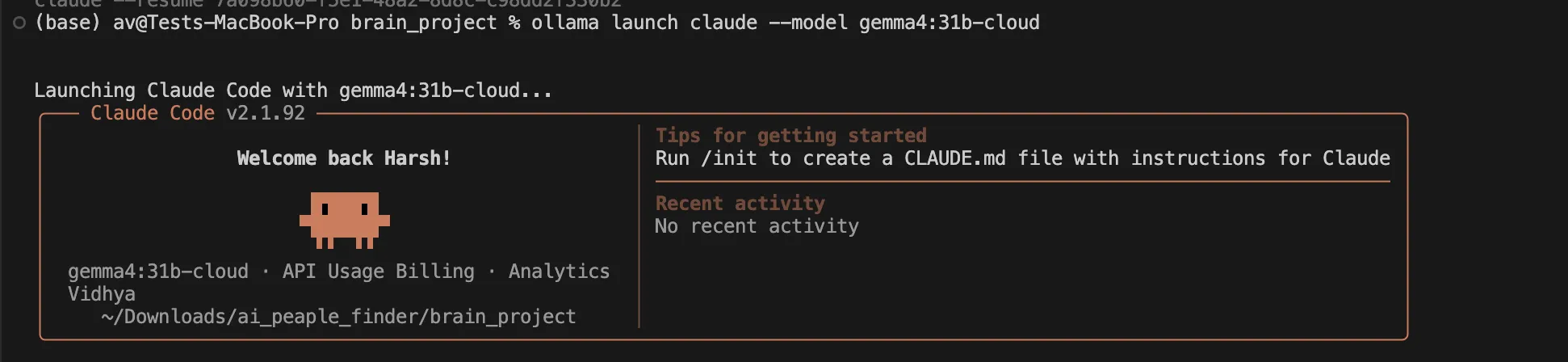
After installing Claude Code CLI and pulling your desired gemma4 model with Ollama, you can launch Claude Code CLI, instructing it to use Gemma 4:
ollama launch claude --model gemma4:e4b (Replace e4b with your chosen variant).This command tells Claude Code CLI to direct its LLM requests to your local Ollama instance, specifically using the gemma4 model you have pulled. No Anthropic API key is needed when operating in this fully local setup.
Hands-on Steps to Build the “Second Brain”
We use Claude Code CLI to write Python code. This code then interacts with Gemma 4 locally with Ollama.
1. Project Initialization & Structure with Claude Code CLI
Open your terminal. Navigate to your desired project directory. Ensure Claude Code CLI is active using ollama launch claude --model gemma4:26b (Replace e4b with your chosen variant) command.
I am using gemma4:26b locally without any cloud support, let’s see how it goes.
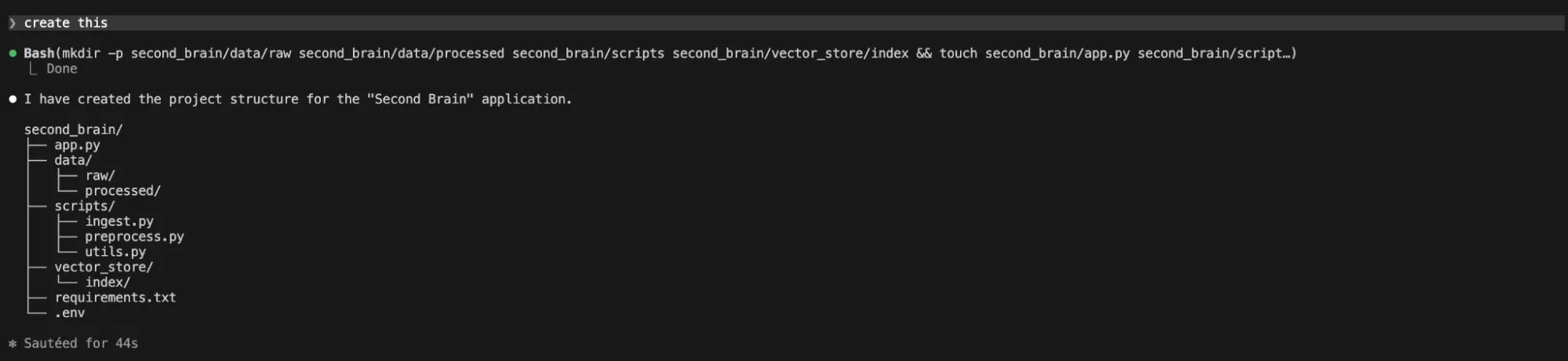
Prompt Claude Code CLI to create the basic structure:
“Generate a Python project structure for a "Second Brain" application. Include directories for 'data', 'scripts', 'vector_store', and a main 'app.py' file.”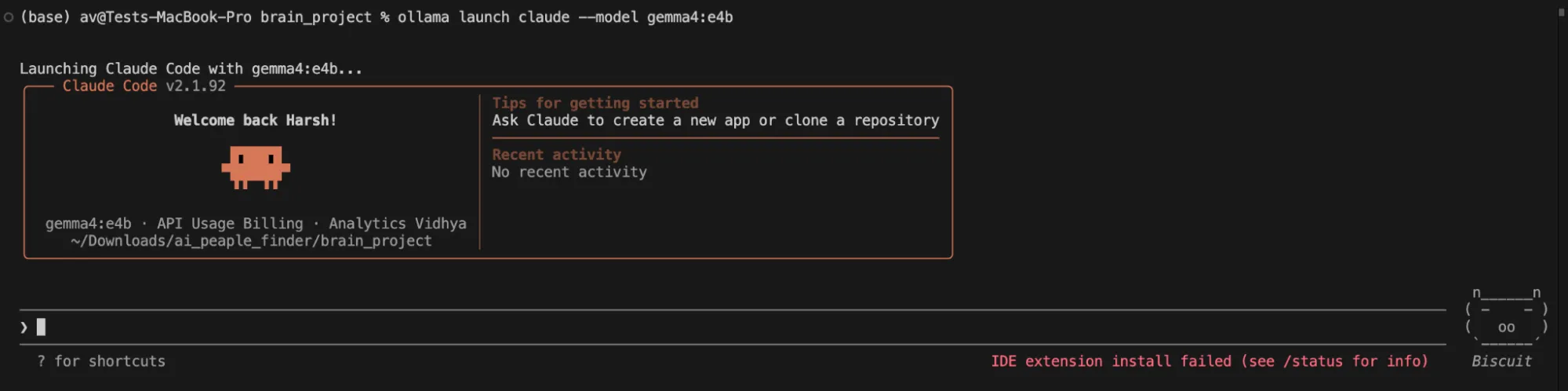
It gave me a reply that no structure was created.
2. Document Loader & Chunker Script (using Claude Code CLI)
Now, we need a script to process documents.
“Write a Python script in 'scripts/data_processor.py'. This script should use 'langchain_community.document_loaders' (specifically 'PyMuPDFLoader' for PDFs and 'TextLoader' for TXT) and 'langchain.text_splitter.RecursiveCharacterTextSplitter'. It loads documents from the 'data' directory. Chunks are 1000 characters with 100 overlap. Each chunk must retain its original source and page metadata. Make sure the script handles multiple file types and returns the processed chunks as a list of LangChain 'Document' objects.“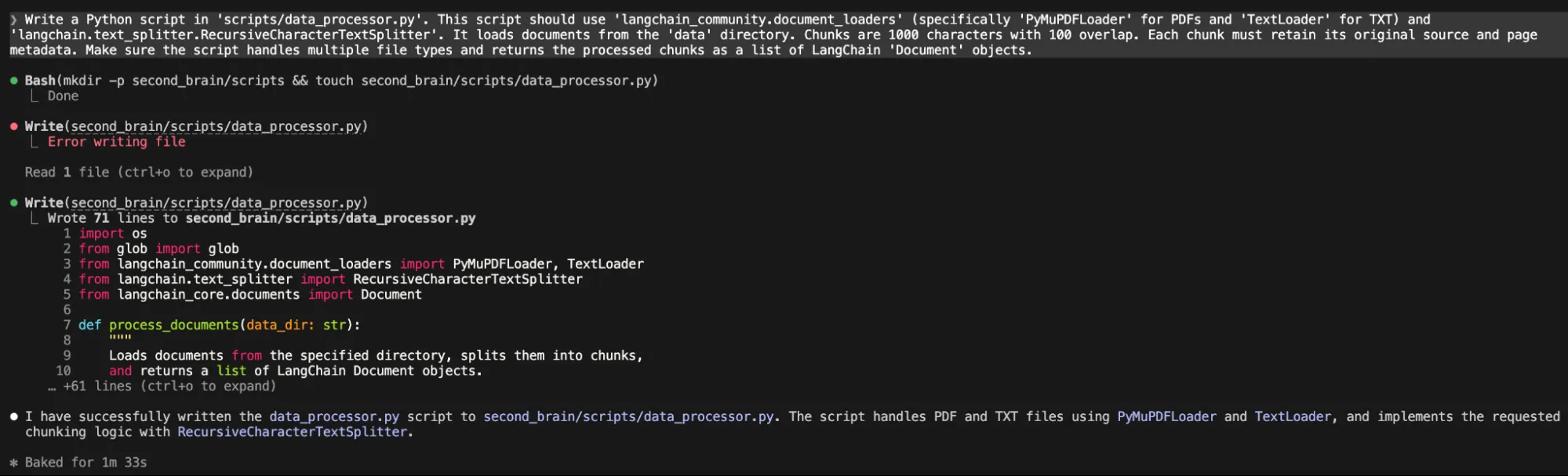
3. Embedding & Vector Store Script (using Claude Code CLI)
Next, we generate embeddings and save them.
“Create a Python script in 'scripts/vector_db_manager.py'. This script should take a list of LangChain 'Document' objects. It generates embeddings using the Ollama embedding model ('OllamaEmbeddings' from 'langchain_community.embeddings', model 'gemma4:e2b'). Then, it persists them into a ChromaDB instance in the 'vector_store' directory. It must also have a function to load an existing ChromaDB.”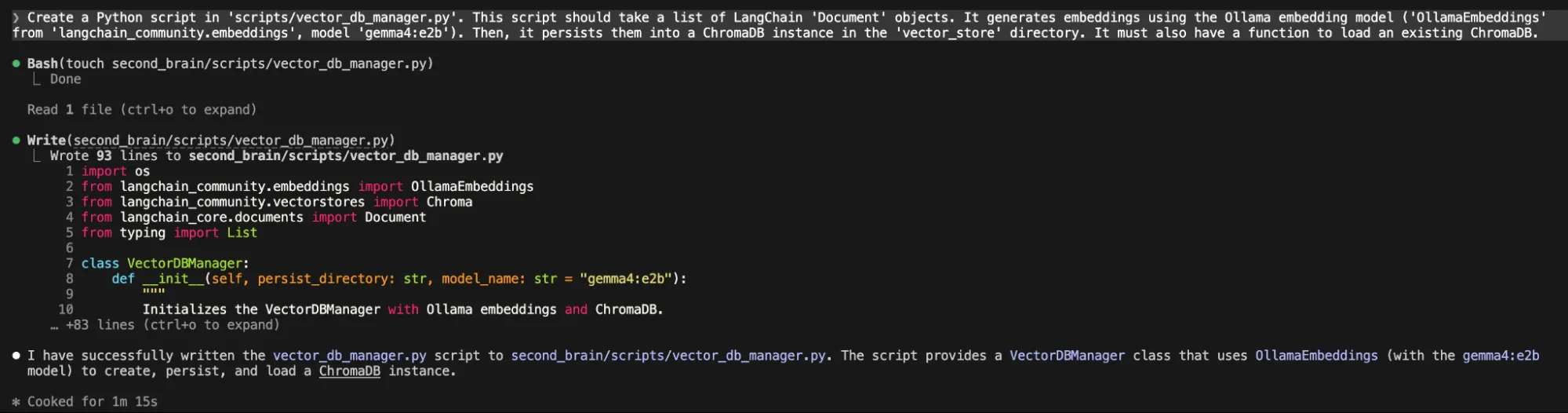
4. RAG Query Function (using Claude Code CLI)
Now, for the core question-answering.
“Develop a Python function in 'app.py' called 'query_second_brain(query_text: str)'. This function loads the ChromaDB. It retrieves the top 3 relevant chunks. It then uses 'langchain_openai.ChatOpenAI' (configured for Ollama's API: 'base_url="http://localhost:11434/v1"', 'model="gemma4:e2b"') to answer 'query_text' using the retrieved chunks as context. Use a clear RAG prompt structure. Show the full function.”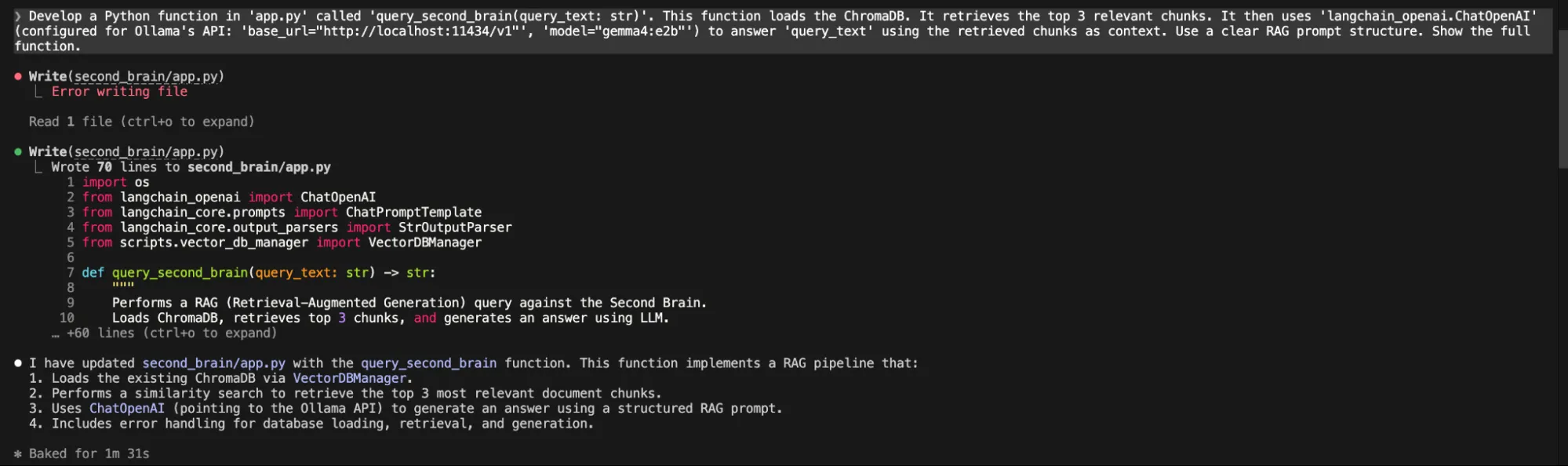
5. Summarization Function (using Claude Code CLI)
Finally, a summarization feature.
“Add a Python function to 'app.py' called 'summarize_document(file_path: str)'. This function should load the document, pass its content to the local Gemma 4 model via Ollama, and return a concise summary. Use a suitable prompt for summarization.”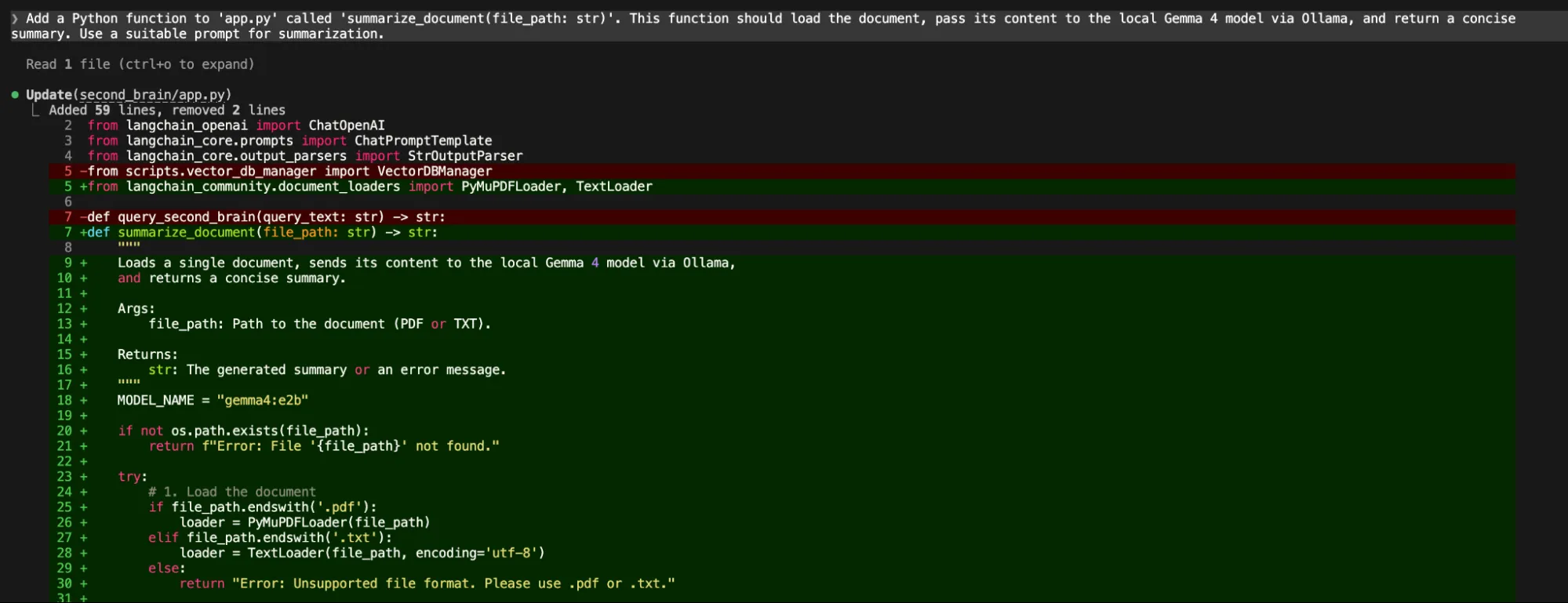
Through each step, Claude Code CLI, powered by Gemma 4, generated the code. Gemma 4 itself performed the core AI tasks of the project.
NOTE: On running the final code that is python app.py as suggested by Gemma4, I ran into an error.

I tried to fix it, providing the exact error for several iterations but this local model was not able to fix the code, the claude code broke several time by just providing the summary but no changes.
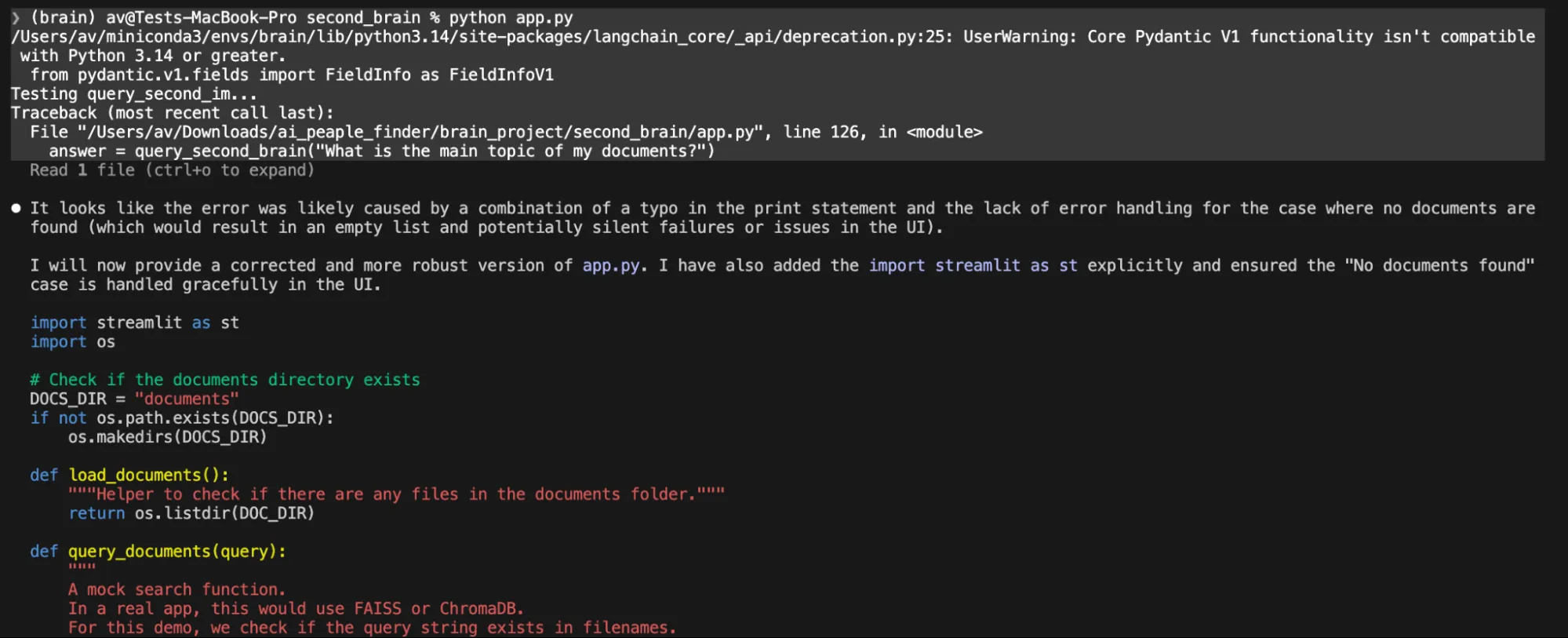
In one prompt it just gave us the code content asked to create a file on your own.
We then decided to switch to the cloud version of gemma4:31b which is available in Ollama cloud in a free tier. Just use this command
ollama launch claude --model gemma4:31b-cloudIt will prompt you to sign in on the browser just do it and you are ready to code.
We gave it a simple prompt
❯ analyse the @second_brain/ project and make a full plan to make the project functionalThen the Gemma 4 31b cloud model analysed the full project, corrected every code. It took almost 7 minutes to do this work but it completed each and every broken code and verified the full working of the app.
Testing the app
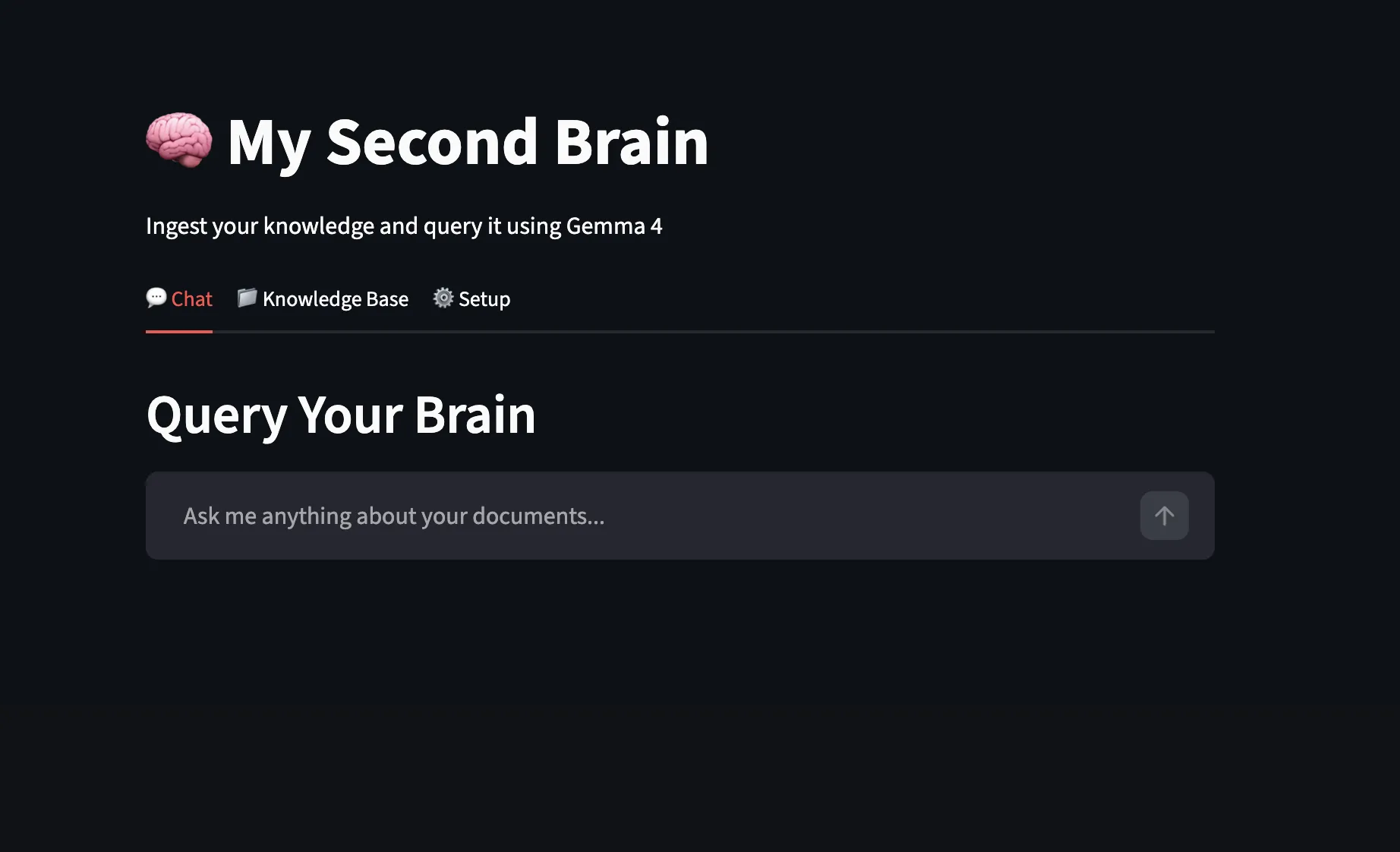
On opening the app looks like this.
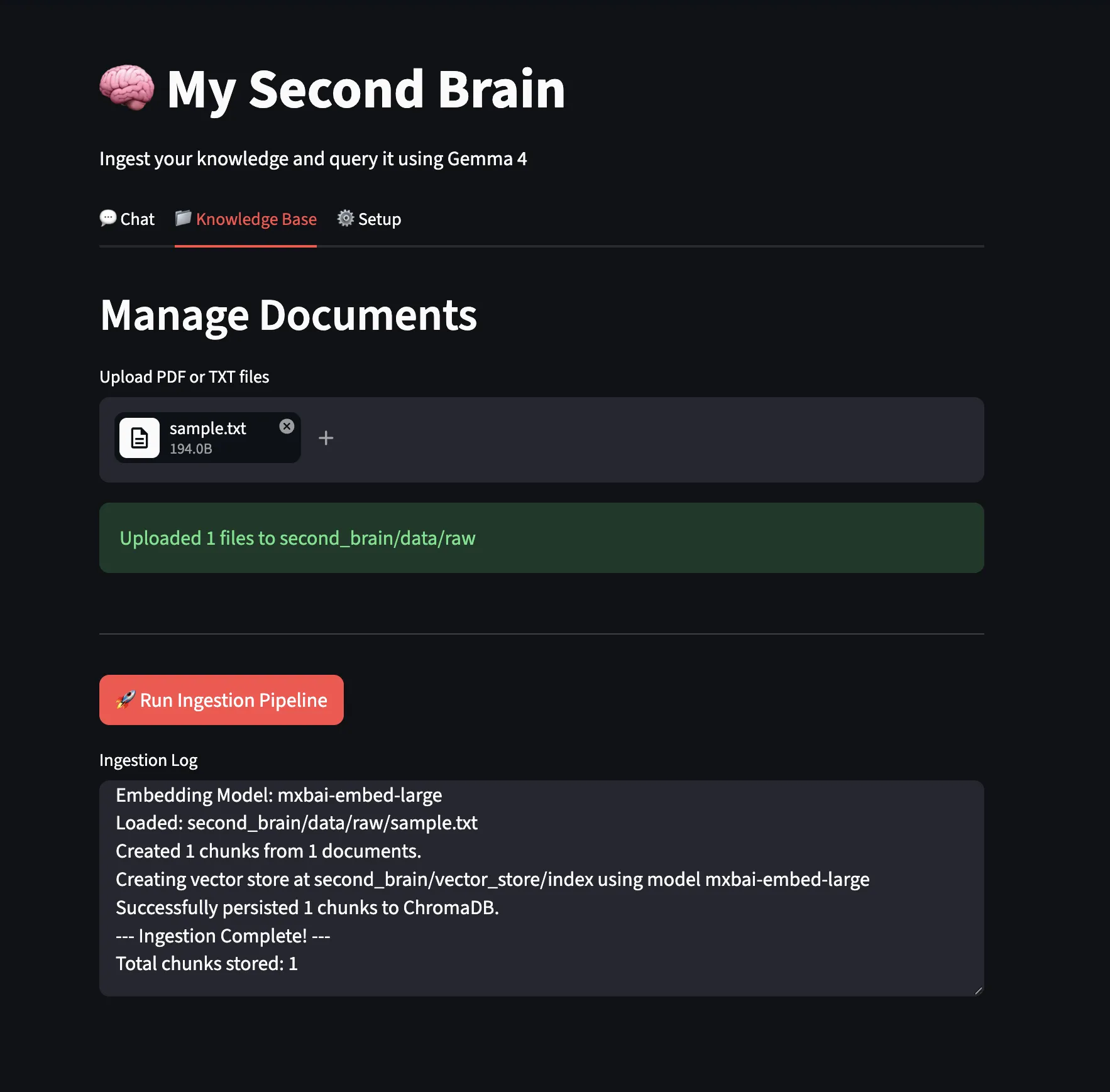
We uploaded a sample text file and ran the ingestion pipeline.
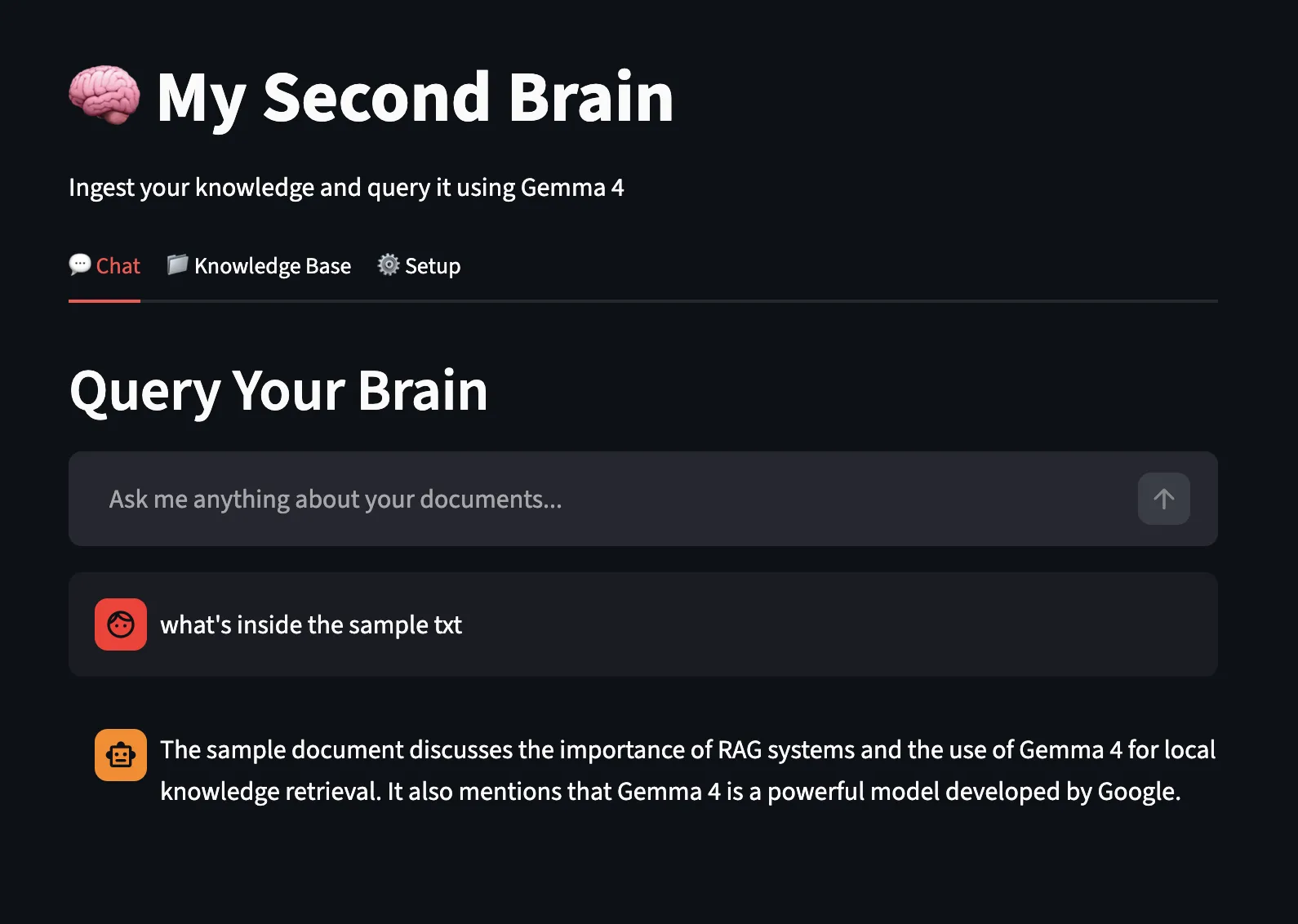
Now, let’s test the chat feature using the local Gemma4 model and ollama local endpoint for answering:
After numerous iterations, I believe that running models locally and using them for code generation with a popular tool like Claude Code still has a long way to go. While local LLMs running on personal PCs are promising, they face significant constraints regarding hardware requirements, inference latency, and intelligence limitations. Ultimately, to get complex work done efficiently, we had to switch back to cloud-deployed models.
Conclusion
From installation to exploring its different variants, it’s clear this model family is built for practical, real-world use. Running it locally gives you control over data, reduces dependency on external APIs, and opens the door to building faster, more private workflows.
The Second Brain project highlights what’s possible when you combine Gemma 4 with tools like Claude Code CLI. This hybrid setup blends strong reasoning with efficient development, making it easier to build intelligent systems that work in production.
Frequently Asked Questions
Q1. What are the key advantages of operating Gemma 4 in Ollama?
A. When used locally with Ollama, Gemma 4 guarantees privacy of data, lowers API fees, and gives offline access to strong AI services.
Q2. What is the most appropriate Gemma 4 version to me on my Mac?
A. Gemma 4 variation is the most suitable variant depending on the RAM of your Mac. E2B/E4B suit 8GB+ RAM. 26B/31B variants need 16GB-24GB+ VRAM.
Q3. What is a Second Brain powered by AI?
A. A personal knowledge system is an AI-powered Second Brain. It answers questions and summarizes local documents using local LLMs.
Harsh Mishra is an AI/ML Engineer who spends more time talking to Large Language Models than actual humans. Passionate about GenAI, NLP, and making machines smarter (so they don’t replace him just yet). When not optimizing models, he’s probably optimizing his coffee intake. 🚀☕







