
Modern AI applications rely on intelligent agents that think, cooperate, and execute complex workflows, while single-agent systems struggle with scalability, coordination, and long-term context. AgentScope AI addresses this by offering a modular, extensible framework for building structured multi-agent systems, enabling role assignment, memory control, tool integration, and efficient communication without unnecessary complexity for developers and researchers alike seeking practical guidance today now clearly. In this article, we provide a practical overview of its architecture, features, comparisons, and real-world use cases.
Table of contents
- What is AgentScope and Who Created It?
- Why AgentScope Exists: The Problem It Solves
- Core Concepts and Architecture of AgentScope
- Key Capabilities of AgentScope
- QuickStart with AgentScope
- Creating a Multi-Agent Workflow with AgentScope
- Real-World Use Cases of AgentScope
- When to Choose AgentScope
- More Examples to Try On
- Conclusion
- Frequently Asked Questions
What is AgentScope and Who Created It?
AgentScope is an open-source multi-agent framework for AI agent systems which are structured, scalable, and production-ready. Its main focus is on clear abstractions, modular design along with communication between agents rather than ad-hoc prompt chaining.
The AI systems community’s researchers and engineers primarily created AgentScope to overcome the obstacles of coordination and observability in intricate agent workflows. The fact that it can be used in research and production environments makes it a rigour-laden, reproducible and extensible framework that can still be reliable and experimental at the same time.
Also Read: Single-Agent vs Multi-Agent Systems
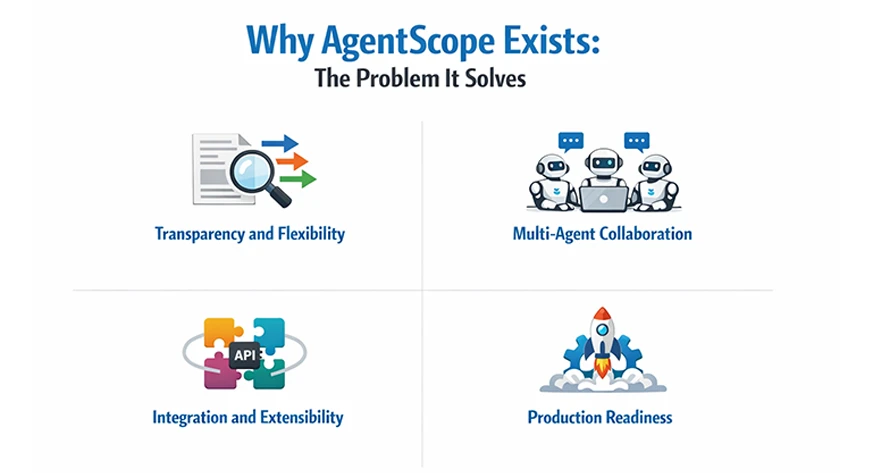
Why AgentScope Exists: The Problem It Solves
As LLM applications grow more complex, developers increasingly rely on multiple agents working together. However, many teams struggle with managing agent interactions, shared state, and long-term memory reliably.
AgentScope solves these problems by introducing explicit agent abstractions, message-passing mechanisms, and structured memory management. Its core goals include:
- Transparency and Flexibility: The complete functioning of an agent’s pipeline, which includes prompts, memory contents, API calls, and tool usage, is visible to the developer. You are allowed to stop an agent in the middle of its reasoning process, check or change its prompt, and continue execution without any difficulties.
- Multi-Agent Collaboration: When it comes to performing complicated tasks, the need for multiple specialized agents is preferred over just one big agent. AgentScope has built-in support for coordinating many agents together.
- Integration and Extensibility: AgentScope was designed with extensibility and interoperability in mind. It uses the latest standards like the MCP and A2A for communication, which not only allow it to connect with external services but also to operate within other agent frameworks.
- Production Readiness: The characteristics of many early agent frameworks did not include the capability for production deployment. AgentScope aspires to be “production-ready” right from the start.
In conclusion, AgentScope is designed to make the development of complex, agent-based AI systems easier. It provides modular building blocks and orchestration tools, thus occupying the middle ground between simple LLM utilities and scalable multi-agent platforms.
Core Concepts and Architecture of AgentScope
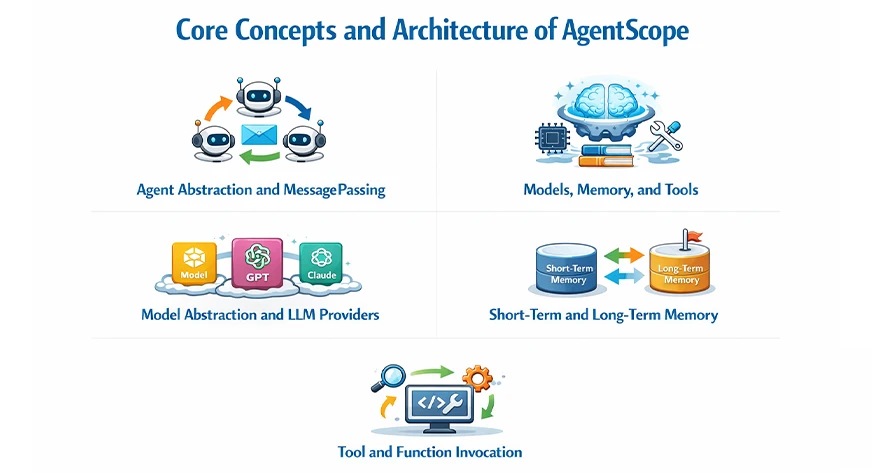
- Agent Abstraction and Message Passing: AgentScope symbolizes every agent as a standalone entity with a specific function, psychological state, and choice-making process. Agents do not exchange implicit secret context, thus minimizing the occurrence of unpredictable actions.
- Models, Memory, and Tools: AgentScope divides intelligence, memory, and execution into separate components. This partitioning enables the developers to make changes to each part without disrupting the entire system.
- Model Abstraction and LLM Providers: AgentScope abstracts LLMs behind a consolidated interface, henceforth allowing smooth transitions between providers. Developers can choose between OpenAI, Anthropic, open-source models, or local inference engines.
- Short-Term and Long-Term Memory: AgentScope differentiates between short-term conversational memory and long-term persistent memory. Short-term memory provides the context for immediate reasoning, whereas long-term memory retains knowledge that lasts.
- Tool and Function Invocation: AgentScope gives agents the opportunity to call external tools via structured function execution. These tools could consist of APIs, databases, code execution environments, or enterprise systems.
Key Capabilities of AgentScope
AgentScope is an all-in-one package of several powerful features which allows multi-agent workflows. Here are some principal strengths of the framework already mentioned:
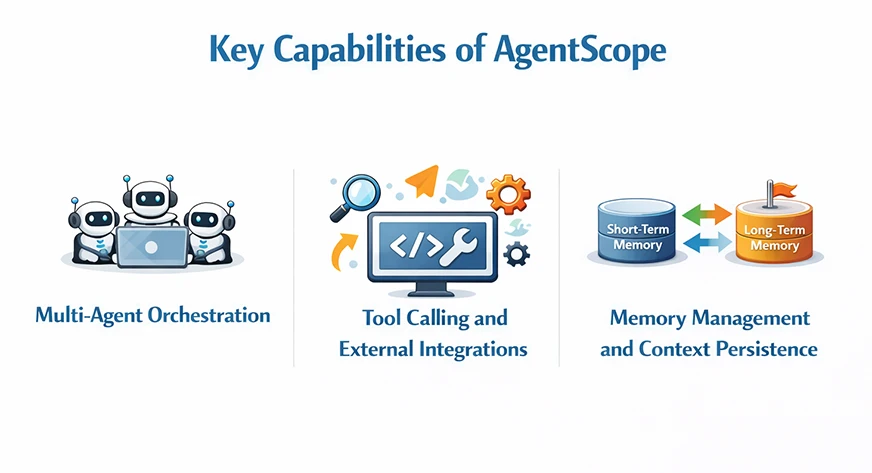
- Multi-Agent Orchestration: AgentScope is a master in the orchestration of numerous agents working to achieve either overlapping or opposing goals. Moreover, the developers have the option to create a hierarchical, peer-to-peer, or even a coordinator-worker approach.
async with MsgHub(
    participants=[agent1, agent2, agent3],
    announcement=Msg("Host", "Introduce yourselves.", "assistant"),
) as hub:
    await sequential_pipeline([agent1, agent2, agent3])

    # Add or remove agents on the fly
    hub.add(agent4)
    hub.delete(agent3)

await hub.broadcast(Msg("Host", "Wrap up."), to=[])- Tool Calling and External Integrations: AgentScope has a smooth and straightforward integration with the external systems via tool calling mechanisms. This feature helps to turn agents from simple conversational entities into efficient automation components that carry out actions.
- Memory Management and Context Persistence: With AgentScope, the developers have the power of explicitly controlling the context of the agents’ storage and retrieval. Thus, they decide what information gets retained and what gets to be transient. The benefits of this transparency include the prevention of context bloating, fewer hallucinations, and reliability in the long term.
QuickStart with AgentScope
If you follow the official quickstart, the process of getting AgentScope up and running is quite straightforward. The framework necessitates Python version 3.10 or above. Installation can be performed either through PyPI or from the source:
From PyPI:
Run the following commands in the command-line:
pip install agentscope to install the most recent version of AgentScope and its dependencies. (If you are using the uv environment, execute uv pip install agentscope as described in the docs)
From Source:
Step 1: Clone the GitHub repository:
git clone -b main https://github.com/agentscope-ai/agentscope.git
cd agentscope
Step 2: Install in editable mode:
pip install -e . This will install AgentScope in your Python environment, linking to your local copy. You can also use uv pip install -e . if using an uv environment.
After the installation, you should have access to the AgentScope classes within Python code. The Hello AgentScope example of the repository presents a very basic conversation loop with a ReActAgent and a UserAgent.
AgentScope doesn’t require any extra server configurations; it simply is a Python library. Following the installation, you will be able to create agents, design pipelines, and do some testing immediately.
Creating a Multi-Agent Workflow with AgentScope
Let’s create a functional multi-agent system in which two AI models, Claude and ChatGPT, possess different roles and compete with each other: Claude generates problems while GPT attempts to solve them. We shall explain each part of the code and see how AgentScope actually manages to perform this interaction.
1. Setting Up the Environment
Importing Required Libraries
import os
import asyncio
from typing import List

from pydantic import BaseModel
from agentscope.agent import ReActAgent
from agentscope.formatter import OpenAIChatFormatter, AnthropicChatFormatter
from agentscope.message import Msg
from agentscope.model import OpenAIChatModel, AnthropicChatModel
from agentscope.pipeline import MsgHub
All the necessary modules from AgentScope and Python’s standard library are imported. The ReActAgent class is used to create the intelligent agents whereas the formatters ensure that messages are prepared accordingly for the various AI models. Msg is the communication method between agents provided by AgentScope.
Configuring API Keys and Model Names
os.environ["OPENAI_API_KEY"] = "your_openai_api_key"
os.environ["ANTHROPIC_API_KEY"] = "your_claude_api_key"

OPENAI_API_KEY = os.environ["OPENAI_API_KEY"]
ANTHROPIC_API_KEY = os.environ["ANTHROPIC_API_KEY"]

CLAUDE_MODEL_NAME = "claude-sonnet-4-20250514"
GPT_SOLVER_MODEL_NAME = "gpt-4.1-mini"
This setup will help in authenticating the API credentials for both OpenAI and Anthropic. And to access a particular model we have to pass the specific model’s name also.
2. Defining Data Structures for Tracking Results
Round Log Structure:
class RoundLog(BaseModel):
    round_index: int
    creator_model: str
    solver_model: str
    problem: str
    solver_answer: str
    judge_decision: str
    solver_score: int
    creator_score: int
This data model holds all the information regarding every round of the contest in real-time. Participating models, generated problems, solver’s feedback, and current scores are being recorded thus making it easy to review and analyze each interaction.
Global Score Structure:
class GlobalScore(BaseModel):
    total_rounds: int
    creator_model: str
    solver_model: str
    creator_score: int
    solver_score: int
    rounds: List[RoundLog]
The overall competition results across all rounds are kept in this structure. It preserves the final scores and the entire rounds history thus offering us a comprehensive view of agents’ performance in the complete workflow.
3. Creating a Text Extraction Helper
Normalizing Agent Messages
def extract_text(msg) -> str:
    """Normalize an AgentScope message (or similar) into a plain string."""
    if isinstance(msg, str):
        return msg

    get_tc = getattr(msg, "get_text_content", None)
    if callable(get_tc):
        text = get_tc()
        if isinstance(text, str):
            return text

    content = getattr(msg, "content", None)
    if isinstance(content, str):
        return content

    if isinstance(content, list):
        parts = []
        for block in content:
            if isinstance(block, dict) and "text" in block:
                parts.append(block["text"])
        if parts:
            return "\n".join(parts)

    text_attr = getattr(msg, "text", None)
    if isinstance(text_attr, str):
        return text_attr

    messages_attr = getattr(msg, "messages", None)
    if isinstance(messages_attr, list) and messages_attr:
        last = messages_attr[-1]
        last_content = getattr(last, "content", None)
        if isinstance(last_content, str):
            return last_content

        last_text = getattr(last, "text", None)
        if isinstance(last_text, str):
            return last_text

    return ""
Our function here is a supporting one that allows us to obtain readable text from agent responses with reliability regardless of the message format. Different AI models have different structures for their responses so this function takes care of all the different formats and turns them into simple strings we can work with.
4. Building the Agent Creators
Creating the Problem Creator Agent (Claude)
def create_creator_agent() -> ReActAgent:
    return ReActAgent(
        name="ClaudeCreator",
        sys_prompt=(
            "You are Claude Sonnet, acting as a problem creator. "
            "Your task: in each round, create ONE realistic everyday problem that "
            "some people might face (e.g., scheduling, budgeting, productivity, "
            "communication, personal decision making). "
            "The problem should:\n"
            "- Be clearly described in 3–6 sentences.\n"
            "- Be self-contained and solvable with reasoning and common sense.\n"
            "- NOT require private data or external tools.\n"
            "Return ONLY the problem description, no solution."
        ),
        model=AnthropicChatModel(
            model_name=CLAUDE_MODEL_NAME,
            api_key=ANTHROPIC_API_KEY,
            stream=False,
        ),
        formatter=AnthropicChatFormatter(),
    )
This utility produces an assistant that takes on the role of Claude and invents realistic problems of everyday life that are not necessarily such. The system prompt specifies the kind of problems to be created, primarily making it the scenarios where reasoning is needed but no external tools or private information are required for solving them.
Creating the Problem Solver Agent (GPT)
def create_solver_agent() -> ReActAgent:
    return ReActAgent(
        name="GPTSolver",
        sys_prompt=(
            "You are GPT-4.1 mini, acting as a problem solver. "
            "You will receive a realistic everyday problem. "
            "Your task:\n"
            "- Understand the problem.\n"
            "- Propose a clear, actionable solution.\n"
            "- Explain your reasoning in 3–8 sentences.\n"
            "If the problem is unclear or impossible to solve with the given "
            "information, you MUST explicitly say: "
            "\"I cannot solve this problem with the information provided.\""
        ),
        model=OpenAIChatModel(
            model_name=GPT_SOLVER_MODEL_NAME,
            api_key=OPENAI_API_KEY,
            stream=False,
        ),
        formatter=OpenAIChatFormatter(),
    )
This tool also gives birth to another agent powered by GPT-4.1 mini whose main task is to find a solution to the problem. The system prompt dictates that it must give a clear solution along with the reasoning, and most importantly, to recognize when a problem cannot be solved; this frank recognition is essential for proper scoring in the competition.
5. Implementing the Judging Logic
Determining Solution Success
def solver_succeeded(solver_answer: str) -> bool:
    """Heuristic: did the solver manage to solve the problem?"""
    text = solver_answer.lower()

    failure_markers = [
        "i cannot solve this problem",
        "i can't solve this problem",
        "cannot solve with the information provided",
        "not enough information",
        "insufficient information",
    ]

    return not any(marker in text for marker in failure_markers)
This judging function is simple yet powerful. If the solver has actually provided a solution or confessed failure the function will check. By searching for certain expressions that show the solver was not able to manage the issue, the winner of every round can be decided automatically without the need for human intervention.
6. Running the Multi-Round Competition
Main Competition Loop
async def run_competition(num_rounds: int = 5) -> GlobalScore:
    creator_agent = create_creator_agent()
    solver_agent = create_solver_agent()
    creator_score = 0
    solver_score = 0
    round_logs: List[RoundLog] = []

    for i in range(1, num_rounds + 1):
        print(f"\n========== ROUND {i} ==========\n")

        # Step 1: Claude creates a problem
        creator_msg = await creator_agent(
            Msg(
                role="user",
                content="Create one realistic everyday problem now.",
                name="user",
            ),
        )

        problem_text = extract_text(creator_msg)
        print("Problem created by Claude:\n")
        print(problem_text)
        print("\n---\n")

        # Step 2: GPT-4.1 mini tries to solve it
        solver_msg = await solver_agent(
            Msg(
                role="user",
                content=(
                    "Here is the problem you must solve:\n\n"
                    f"{problem_text}\n\n"
                    "Provide your solution and reasoning."
                ),
                name="user",
            ),
        )

        solver_text = extract_text(solver_msg)
        print("GPT-4.1 mini's solution:\n")
        print(solver_text)
        print("\n---\n")

        # Step 3: Judge the result
        if solver_succeeded(solver_text):
            solver_score += 1
            judge_decision = "Solver (GPT-4.1 mini) successfully solved the problem."
        else:
            creator_score += 1
            judge_decision = (
                "Creator (Claude Sonnet) gets the point; solver failed or admitted failure."
            )

        print("Judge decision:", judge_decision)
        print(f"Current score -> Claude: {creator_score}, GPT-4.1 mini: {solver_score}")

        round_logs.append(
            RoundLog(
                round_index=i,
                creator_model=CLAUDE_MODEL_NAME,
                solver_model=GPT_SOLVER_MODEL_NAME,
                problem=problem_text,
                solver_answer=solver_text,
                judge_decision=judge_decision,
                solver_score=solver_score,
                creator_score=creator_score,
            )
        )

    global_score = GlobalScore(
        total_rounds=num_rounds,
        creator_model=CLAUDE_MODEL_NAME,
        solver_model=GPT_SOLVER_MODEL_NAME,
        creator_score=creator_score,
        solver_score=solver_score,
        rounds=round_logs,
    )

    # Final summary print
    print("\n========== FINAL RESULT ==========\n")
    print(f"Total rounds: {num_rounds}")
    print(f"Creator (Claude Sonnet) score: {creator_score}")
    print(f"Solver (GPT-4.1 mini) score: {solver_score}")

    if solver_score > creator_score:
        print("\nOverall winner: GPT-4.1 mini (solver)")
    elif creator_score > solver_score:
        print("\nOverall winner: Claude Sonnet (creator)")
    else:
        print("\nOverall result: Draw")

    return global_score
This represents the core of our multi-agent process. Every round Claude proposes an issue, GPT tries to solve it, and we decide the scores are updated and everything is logged. The async/await pattern makes the execution smooth, and after all the rounds are over, we present the complete results that indicate which AI model was overall better.
7. Starting the Competition
global_result = await run_competition(num_rounds=5)This single statement is the starting point of the entire multi-agent competition for 5 rounds. Since we are using await, this runs perfectly in Jupyter notebooks or other async-enabled environments, and the global_result variable will store all the detailed statistics and logs from the entire competition
Real-World Use Cases of AgentScope
AgentScope is a highly versatile tool that finds practical applications in a wide range of areas including research, automation, and corporate markets. It can be deployed for both experimental and production purposes.
- Research and Analysis Agents: The very first area of application is research analysis agents. AgentScope is one of the best solutions to create a research assistant agent that can collect information without any help.
- Data Processing and Automation Pipelines: Another possible application of AgentScope is in the area of data processing and automation. It can manage pipelines where the data goes through different stages of AI processing. In this kind of system, one agent might clean data or apply filters, another might run an analysis or create a visual representation, and a third one might generate a summary report.
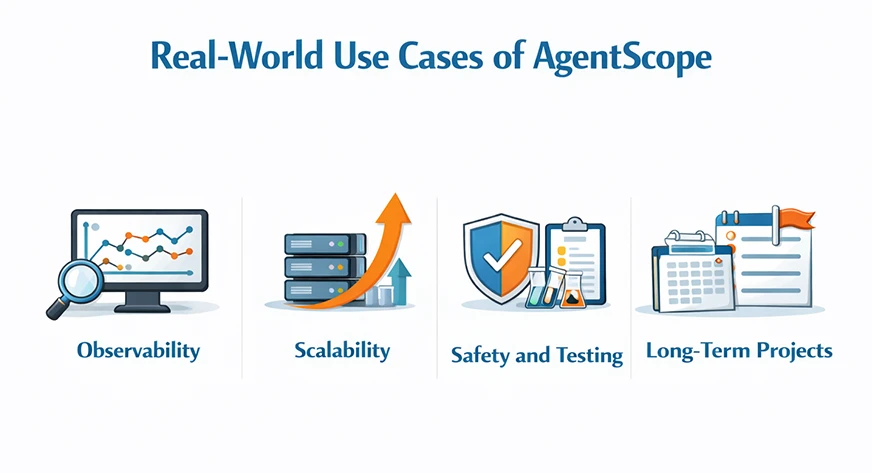
- Enterprise and Production AI Workflows: Lastly, AgentScope is created for high-end enterprise and production AI applications. It caters to the requirements of the real world through its features that are built-in:
- Observability
- Scalability
- Safety and Testing
- Long-term Projects
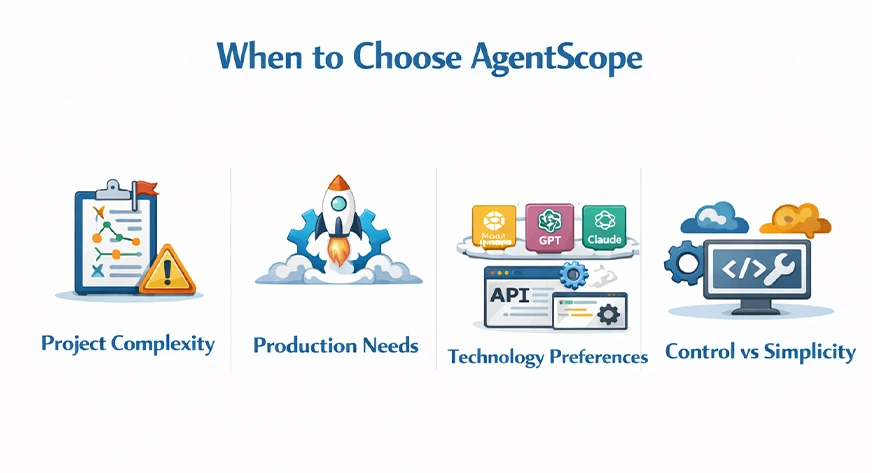
When to Choose AgentScope
AgentScope is your go-to solution when you require a multi-agent system that is scalable, maintainable, and production-ready. It is a good choice for teams that need to have a clear understanding and oversight. It may be heavier than the lightweight frameworks but it will definitely repay the effort when the systems become more complicated.
- Project Complexity: If your application really requires the cooperation of several agents, such as the case in a customer support system with specialized bots, or a research analysis pipeline, then AgentScope’s built-in orchestration and memory will help you a lot.
- Production Needs: AgentScope puts a great emphasis on being production-ready. If you need strong logging, Kubernetes deployment, and evaluation, then AgentScope is the one to choose.
- Technology Preferences: In case you are using Alibaba Cloud or need support for models like DashScope, then AgentScope will be your perfect match as it provides native integrations. Moreover, it is compatible with most common LLMs (OpenAI, Anthropic, etc.).
- Control vs Simplicity: AgentScope gives very detailed control and visibility. If you want to go through every prompt and message, then it’s a very suitable choice.
More Examples to Try On
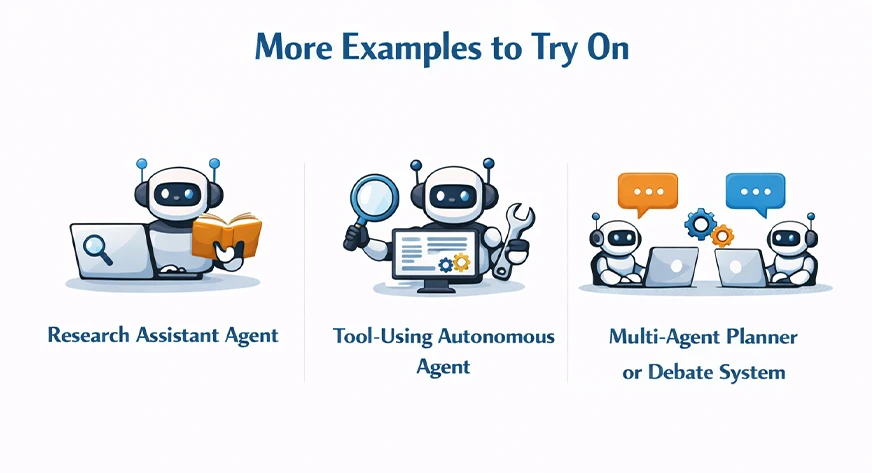
Developers take the opportunity to experiment with concrete examples to get the most out of AgentScope and get an insight into its design philosophy. Such patterns represent typical instances of agentic behaviors.
- Research Assistant Agent: The research assistant agent is capable of finding sources, condensing the results, and suggesting insights. Assistant agents verify sources or provide counter arguments to the conclusions.
- Tool-Using Autonomous Agent: The autonomous tool-using agent is able to access APIs, execute scripts and modify databases. A supervisory agent keeps track of the actions and checks the results.
- Multi-Agent Planner or Debate System: The agents working as planners come up with strategies while the agents involved in the debate challenge the assumptions. A judge agent amalgamates the final verdicts.
Conclusion
AgentScope AI is the perfect tool for making scalable and multi-agent systems that are clear and have control. It is the best solution in case several AI agents need to perform the task together, with no confusion in workflows and mastery of memory management. It is the use of explicit abstractions, structured messaging, and modular memory design that brings this technology forward and solves a lot of issues that are commonly associated with prompt-centric frameworks.
By following this guide; you now have a complete comprehension of the architecture, installation, and capabilities of AgentScope. For teams building large-scale agentic applications, AgentScope acts as a future-proof approach that combines flexibility and engineering discipline in quite a balanced way. That is how the multi-agent systems will be the main part of AI workflows, and frameworks like AgentScope will be the ones to set the standard for the next generation of intelligent systems.
Frequently Asked Questions
Q1. What is AgentScope AI?
A. AgentScope AI is an open-source framework for building scalable, structured, multi-agent AI systems. pasted
Q2. Who created AgentScope?
A. It was created by AI researchers and engineers focused on coordination and observability. pasted
Q3. Why was AgentScope developed?
A. To solve coordination, memory, and scalability issues in multi-agent workflows.
Hello! I'm Vipin, a passionate data science and machine learning enthusiast with a strong foundation in data analysis, machine learning algorithms, and programming. I have hands-on experience in building models, managing messy data, and solving real-world problems. My goal is to apply data-driven insights to create practical solutions that drive results. I'm eager to contribute my skills in a collaborative environment while continuing to learn and grow in the fields of Data Science, Machine Learning, and NLP.







