Tired of juggling multiple software subscriptions for editing images, managing projects, signing documents, and more? Open-source alternatives offer a refreshing way to get things done without piling up recurring bills. Many provide powerful features, greater flexibility, and more control over your tools.
In this article, we explore ten open-source alternatives to popular paid software, starting with PhotoCraft for image editing. We’ll cover what each tool does, how to get started, and the limitations worth knowing before making the switch.
1. PhotoCraft
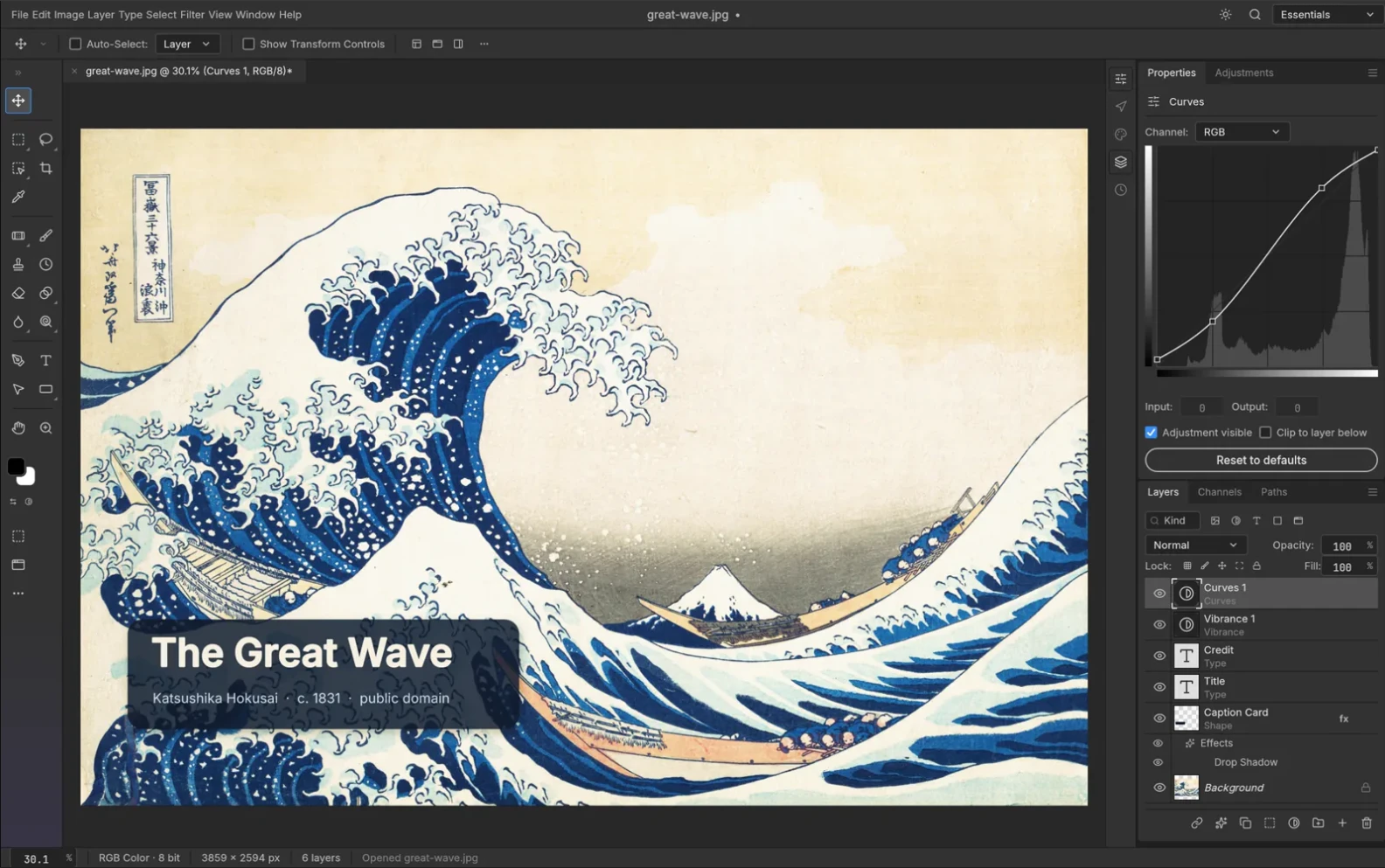
Replaces: Adobe Photoshop for image editing.
PhotoCraft is the fresh Photoshop-style editor to explore. It supports layers, masks, adjustment layers, editable text, and layered PSD/PSB files. You could update a poster’s headline and background while keeping both editable.
Its interface, command-line tool, and MCP server share a command engine. That gives technical creators a route into repeatable image edits, alongside the familiar editing layout.
PhotoCraft gets the first spot because image editing is only part of the story. It belongs to a wider family of open-source creative apps:
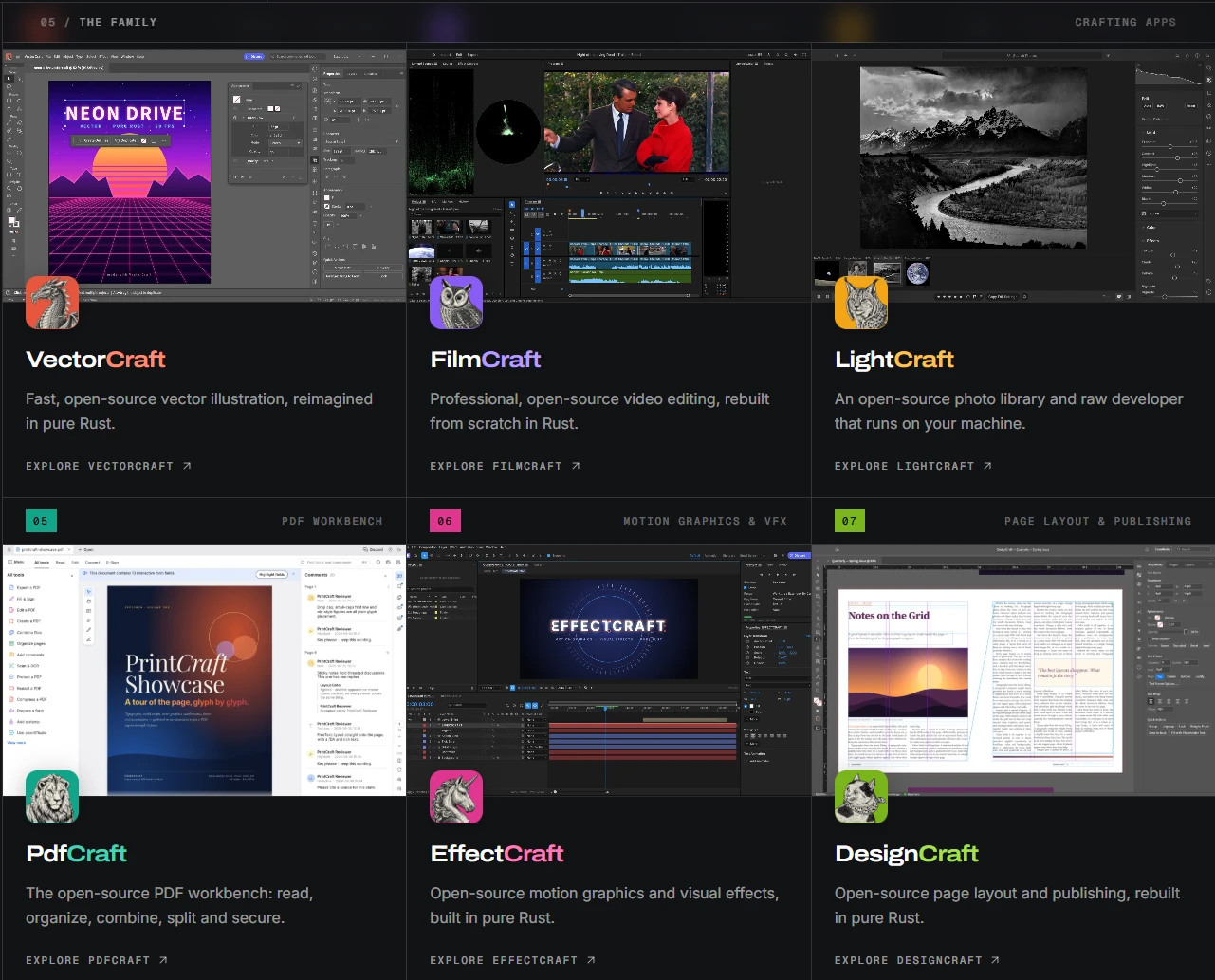
That’s right! You can find an open-source alternative to all of Adobe’s suite applications at the Getartcraft page (the parent of Photocraft project).
2. Plane
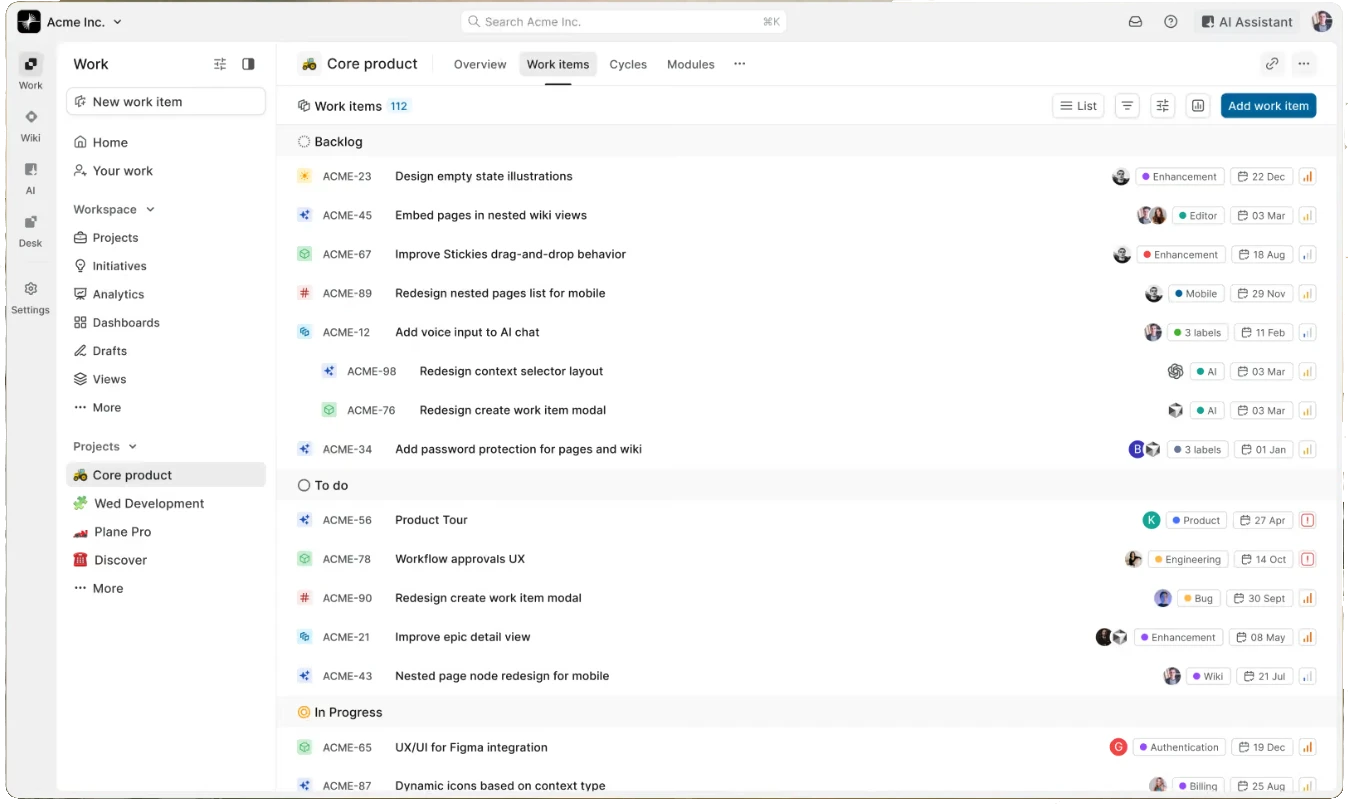
Replaces: Jira for project tracking.
Plane’s open-source Community Edition handles the Jira-style job of organising work items, bugs, and progress. Cycles group work into sprint-like periods, while modules divide larger projects into manageable parts.
For a model deployment, you could track data cleaning, evaluation, API development, and reported bugs in one project. Saved views let different teammates focus on the issues relevant to them. Attach reproduction steps to a bug, then filter a view to show problems awaiting a fix.
Try it with: Create a small backlog, assign owners, and run one cycle before moving a team.
Before you switch: Community is AGPL-licensed and self-hosted. Commercial features and migration tools differ; expect server upkeep and check your required integrations.
3. Activepieces
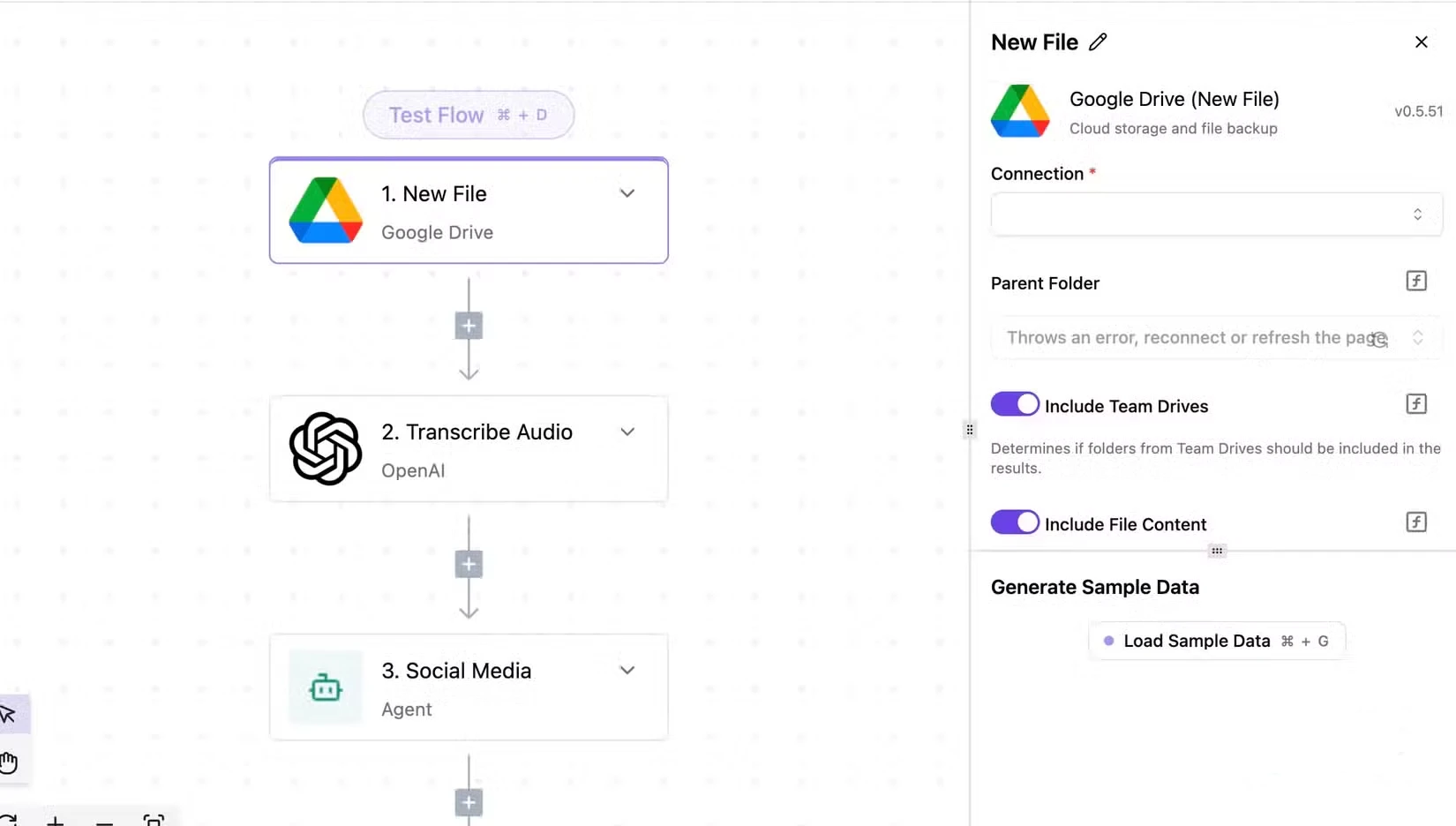
Replaces: Zapier for workflow automation.
Activepieces uses the same basic idea that makes Zapier useful: a trigger starts a flow, then actions do the work. A form submission could add a Google Sheets row and notify an internal channel.
Integrations are called pieces, and developers can extend them in TypeScript. The MIT Community Edition has no run-credit meter, making it interesting for repeated app automation on infrastructure you operate. Branches, loops, and retries help when a workflow needs conditional steps or a failed action must run again.
Try it with: Build one trigger-to-spreadsheet flow and inspect its run history with sample inputs.
Before you switch: Hosting and connected services can cost money. Community excludes features such as SSO and audit logs; hosted plans have separate limits.
4. Immich
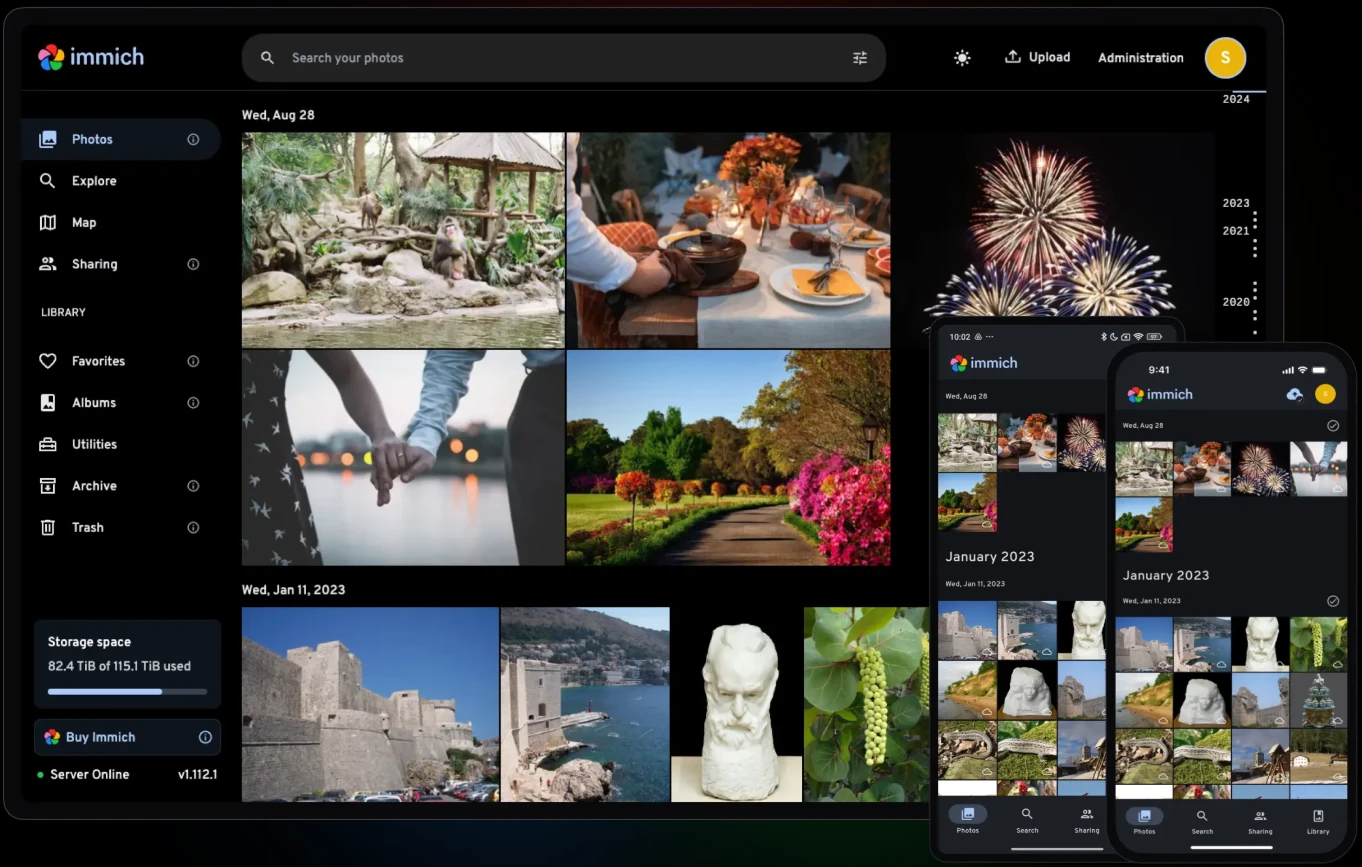
Replaces: Google One for photo backup and storage.
Immich is an option when your growing Google Photos library pushes you toward paid Google One storage. Mobile uploads, albums, face recognition, and search help you browse photos on a server you control.
If you already run a Docker-capable home server or NAS that meets Immich’s hardware requirements, you have a useful starting point. Connect the phone app, choose a small album, and see how the library fits your devices.
Try it with: Upload a small album, check dates, and verify that its originals can be restored.
Before you switch: You supply the server and storage. Back up original media separately from the database; hardware and upkeep can erase subscription savings.
5. Stirling PDF
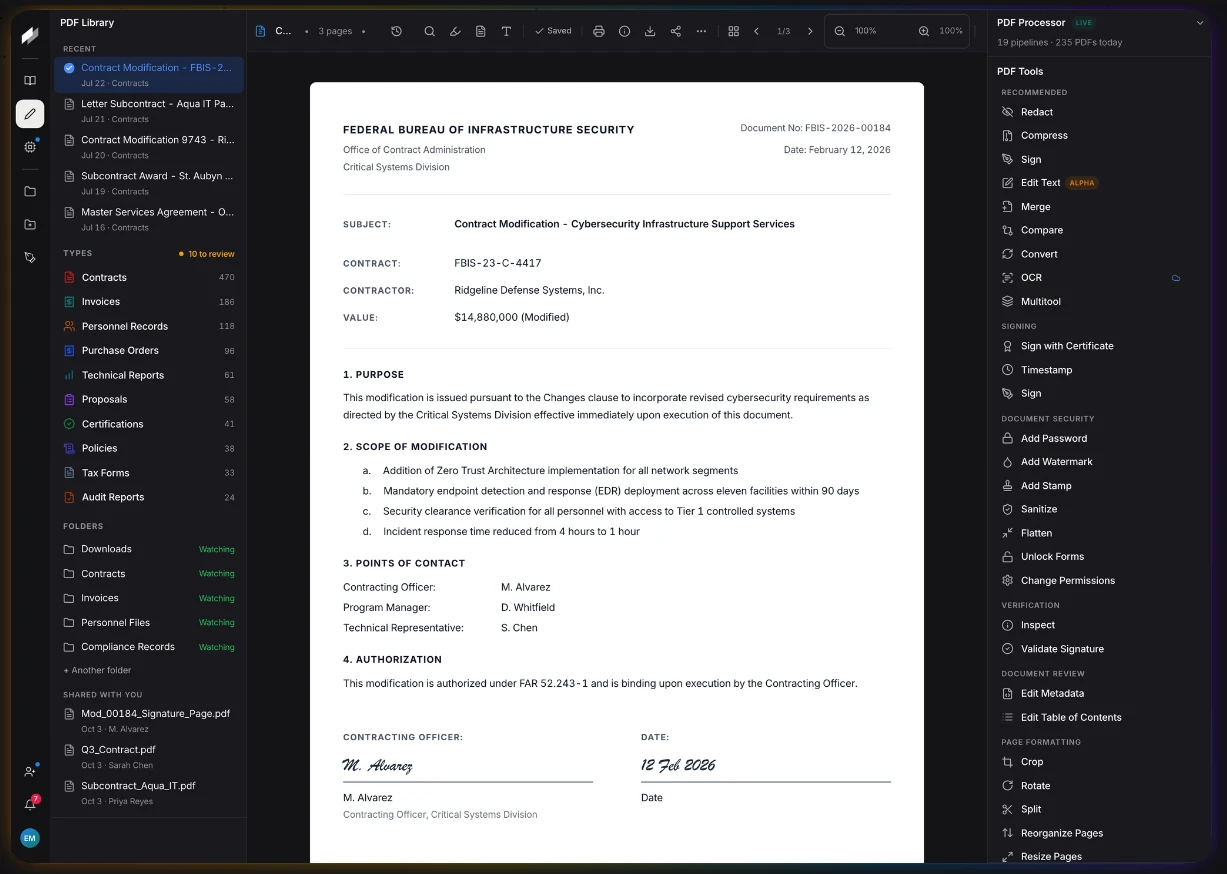
Replaces: Adobe Acrobat Pro for PDF processing.
Stirling PDF addresses the Acrobat job people often need just before a deadline: combine documents, rearrange pages, split a file, or make a scan searchable with OCR. An application packet is a good example.
It offers desktop, browser, and self-hosted routes. Its free core covers useful PDF operations, so occasional document processing needn’t automatically mean another subscription.
Try it with: Combine sample PDFs, reorder the pages, and inspect the downloaded result.
Before you switch: It is open-core. Some desktop tools need Cloud or a server; AI/API processing and administration can have separate allowances or costs.
6. OpenScreen
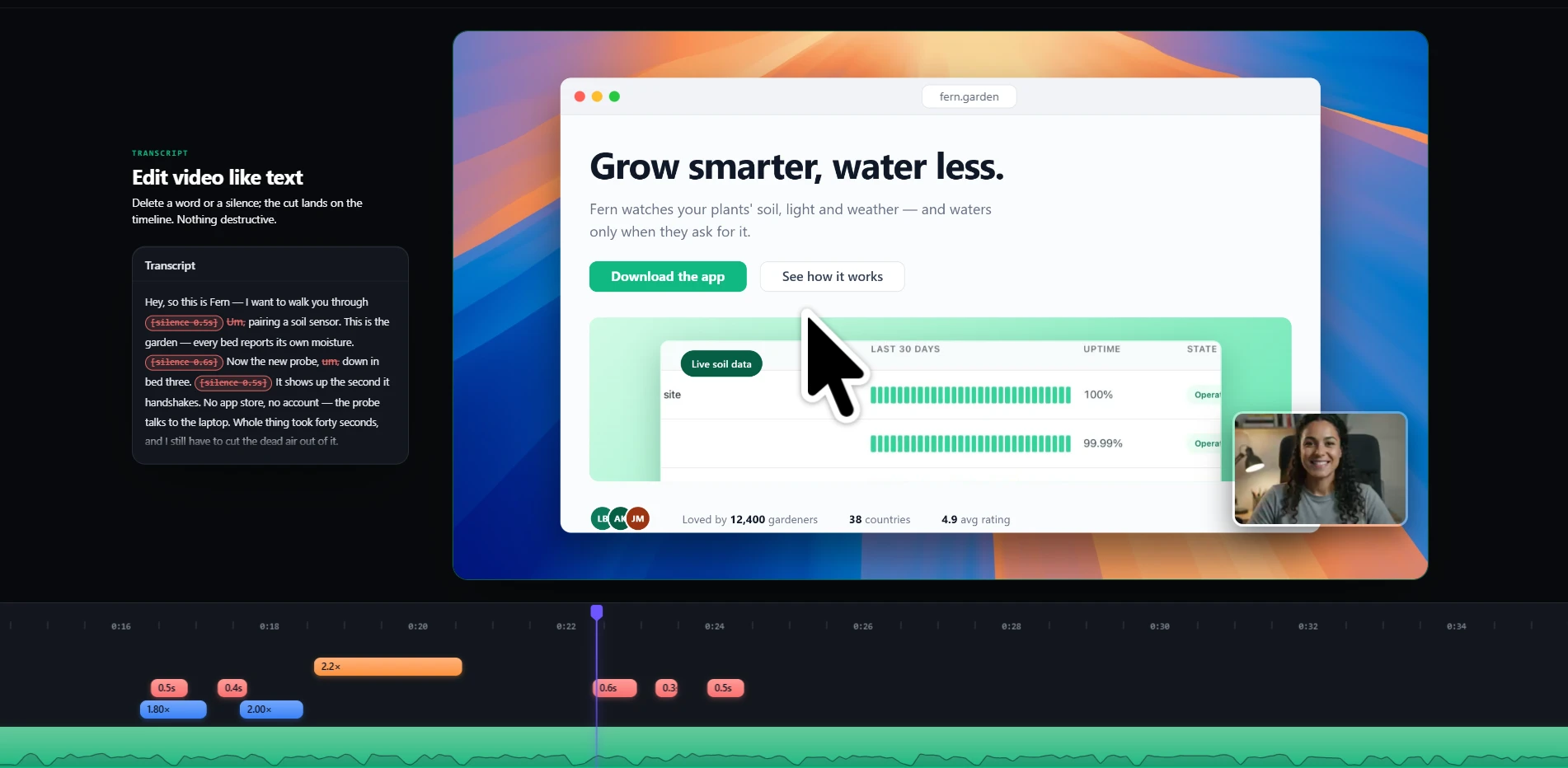
Replaces: Screen Studio for polished screen recordings and product demos.
OpenScreen records your screen and turns the footage into a walkthrough with automatic zooms, smooth cursor movement and a webcam overlay. It runs on Windows, macOS and Linux, and is free for personal and commercial use.
The useful part is polishing the recording without rebuilding it in a separate video editor. Trim pauses, highlight a button with a zoom, adjust the background and export an MP4 or GIF for a tutorial, product page or project update.
Try it with: Record a one-minute walkthrough of your app, zoom into its main feature and export a demo for your README.
Before you switch: Check screen and system-audio capture on your operating system. Optional AI editing uses your own provider API key and can incur charges.
7. RustDesk
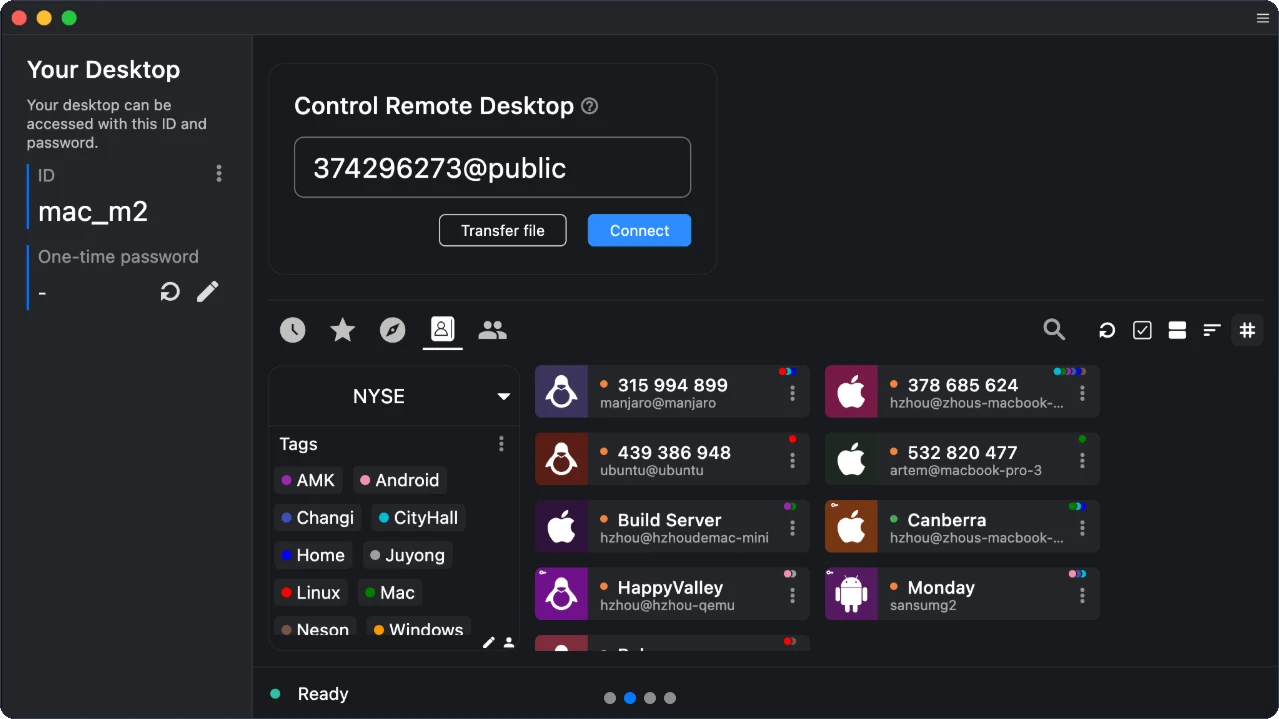
Replaces: TeamViewer for remote computer access.
RustDesk covers the TeamViewer-style task of viewing and controlling a remote desktop. You can help a relative fix a setting or reach your second computer, with file-transfer and permission controls available.
A first trial can use its public servers. You can also self-host the open-source ID and relay backend when you want control over that connection infrastructure.
Try it with: Connect two computers you control and try an approved session plus a harmless file transfer.
Before you switch: Paid Server Pro adds team administration. Self-hosting needs network setup and maintenance; existing TeamViewer device settings won’t automatically migrate.
8. Documenso
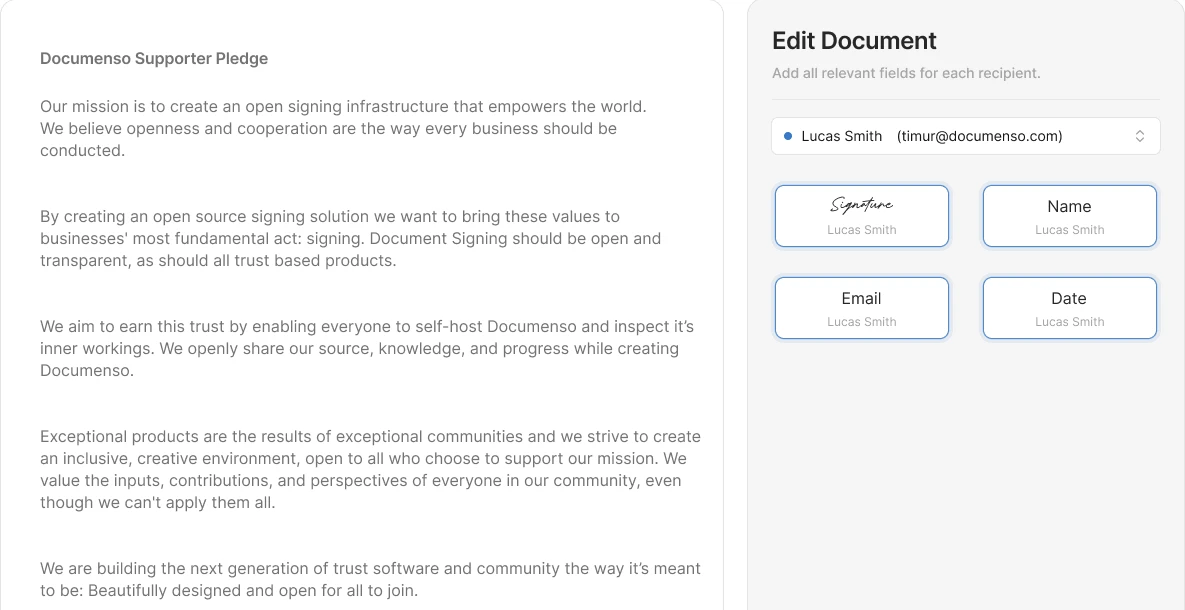
Replaces: DocuSign for electronic signatures.
Documenso handles the DocuSign-style workflow: upload a PDF, add recipients, place signature and date fields, and send it for signing. The sender can track pending and completed documents.
For example, recreate a one-page project acceptance form as a reusable template. Set the fields and recipient roles once, then use the template for later signing requests.
Try it with: Send a sample document to your own second address and inspect the completed PDF.
Before you switch: Community self-hosting needs email and a signing certificate. Hosted and enterprise options can cost money; assess your required signing and compliance features.
9. Listmonk
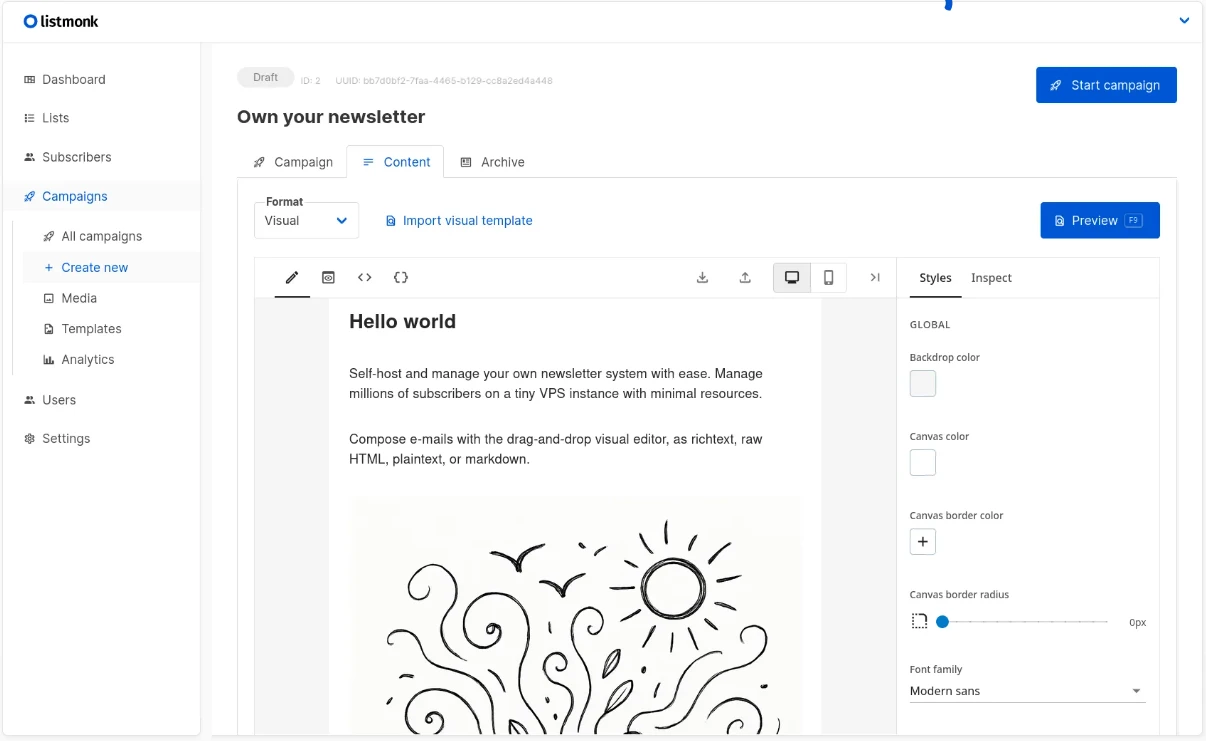
Replaces: Mailchimp for email campaigns.
listmonk takes over Mailchimp’s newsletter and subscriber-list job. It supports campaign templates, segmentation, analytics, and bounce handling, with PostgreSQL storing subscriber data.
You could send a monthly update about your research project to an opted-in audience. The important distinction is delivery: listmonk manages the campaign, while an SMTP server or email service actually sends it.
Try it with: Configure SMTP and send a test newsletter to a small list of your own addresses.
Before you switch: Hosting and sending volume can cost money. Contact imports don’t transfer Mailchimp journeys or historic analytics; preserve unsubscribe status.
10. OpenWhispr
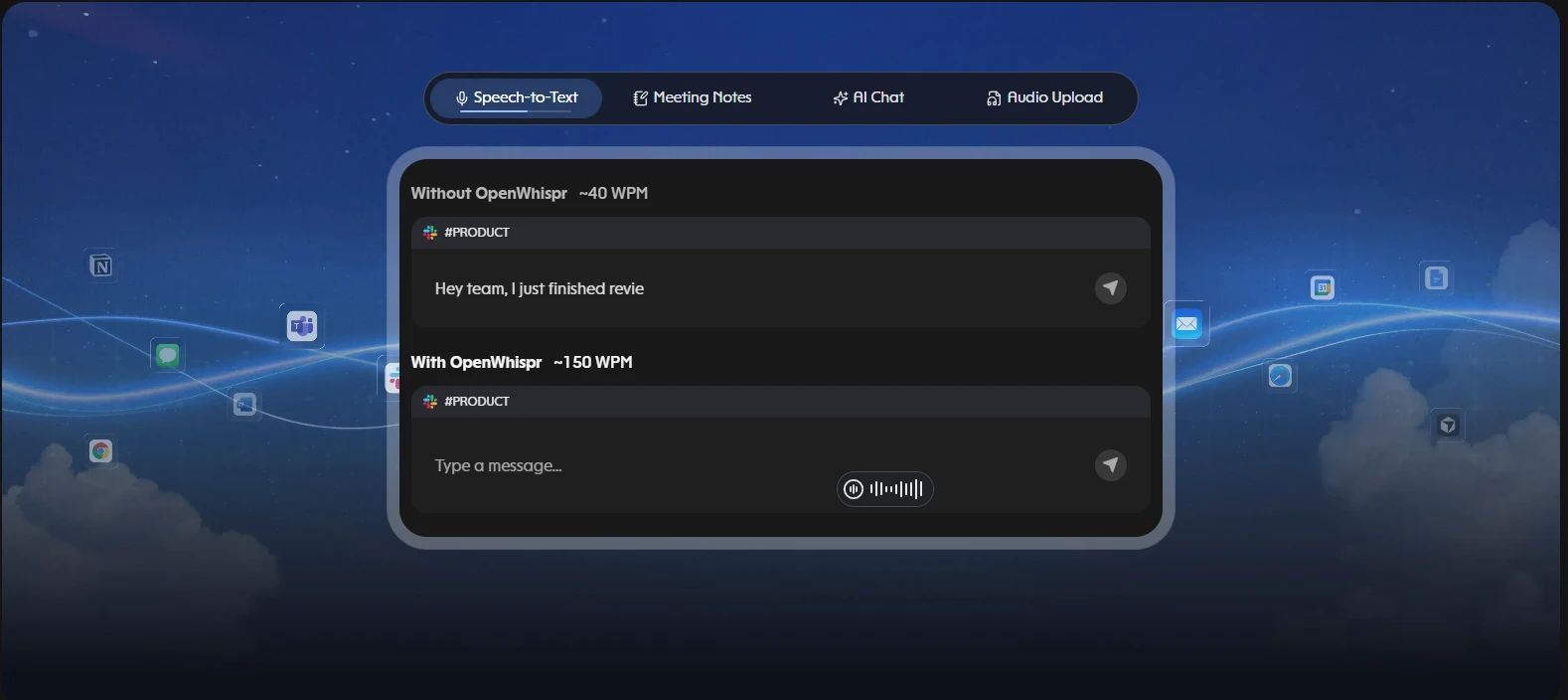
Replaces: Wispr Flow for voice dictation.
OpenWhispr replaces the Wispr Flow-style dictation job: press a hotkey, speak, and paste the transcription at your cursor. Desktop builds support Windows, macOS, and Linux.
Its MIT-licensed app can use local models such as Whisper or NVIDIA Parakeet. Unlimited local dictation is free, so you could draft a project update by speaking into your editor after downloading a model.
Try it with: Dictate a short status note and check technical terms, names, and numbers.
Before you switch: Speed and accuracy depend on the model and hardware. Cloud plans and provider API calls can cost money; Running it locally avoids those transcription charges.
Conclusion
Start with one recurring task. Try OpenWhispr for dictation, Stirling PDF for document processing, or RustDesk on two devices. Explore PhotoCraft with duplicate files while it develops. Each trial should end with something you can inspect: text, a processed document, a connection, or an edited image.
For server-based tools, include hosting, backups, and maintenance in the decision. A free codebase doesn’t run itself. Complete one representative workflow and check the result before moving your archive, customers, or team. That’s when an alternative becomes useful.
Read more: JEV vs LLM as a Judge: The AI Evaluation Comparison
Frequently Asked Questions
Q1. Are these ten tools entirely free?
A. Their open-source cores are free. Hosting, storage, delivery, APIs, and optional commercial features may cost money.
Q2. Is PhotoCraft ready for professional Photoshop work?
A. Not yet. Its maintainers describe it as early alpha with important professional-workflow gaps.
Q3. Can I import everything from my current app?
A. No universal migration exists. Check exports, attachments, templates, history, and settings before switching.
Studying, evaluating, and explaining AI systems for over 6 years.
“𝘖𝘯𝘤𝘦 𝘮𝘦𝘯 𝘵𝘶𝘳𝘯𝘦𝘥 𝘵𝘩𝘦𝘪𝘳 𝘵𝘩𝘪𝘯𝘬𝘪𝘯𝘨 𝘰𝘷𝘦𝘳 𝘵𝘰 𝘮𝘢𝘤𝘩𝘪𝘯𝘦𝘴 𝘪𝘯 𝘵𝘩𝘦 𝘩𝘰𝘱𝘦 𝘵𝘩𝘢𝘵 𝘵𝘩𝘪𝘴 𝘸𝘰𝘶𝘭𝘥 𝘴𝘦𝘵 𝘵𝘩𝘦𝘮 𝘧𝘳𝘦𝘦. 𝘉𝘶𝘵 𝘵𝘩𝘢𝘵 𝘰𝘯𝘭𝘺 𝘱𝘦𝘳𝘮𝘪𝘵𝘵𝘦𝘥 𝘰𝘵𝘩𝘦𝘳 𝘮𝘦𝘯 𝘸𝘪𝘵𝘩 𝘮𝘢𝘤𝘩𝘪𝘯𝘦𝘴 𝘵𝘰 𝘦𝘯𝘴𝘭𝘢𝘷𝘦 𝘵𝘩𝘦𝘮.” — 𝖥𝗋𝖺𝗇𝗄 𝖧𝖾𝗋𝖻𝖾𝗋𝗍, 𝖣𝗎𝗇𝖾