
Building an LLM prototype is quick. A few lines of Python, a prompt, and it works. But Production is a different game altogether. You start seeing vague answers, hallucinations, latency spikes, and strange failures where the model clearly “knows” something but still gets it wrong. Since everything runs on probabilities, debugging becomes tricky. Why did a search for boots turn into shoes? The system made a choice, but you can’t easily trace the reasoning.
To tackle this, we’ll build FuseCommerce, an advanced e-commerce support system designed for visibility and control. Using Langfuse, we’ll create an agentic workflow with semantic search and intent classification, while keeping every decision transparent. In this article, we’ll turn a fragile prototype into an observable, production-ready LLM system.
Table of contents
What is Langfuse?
Langfuse functions as an open-source platform for LLM engineering which enables teams to work together on debugging and analysing and developing their LLM applications. The platform functions as DevTools for AI agents.
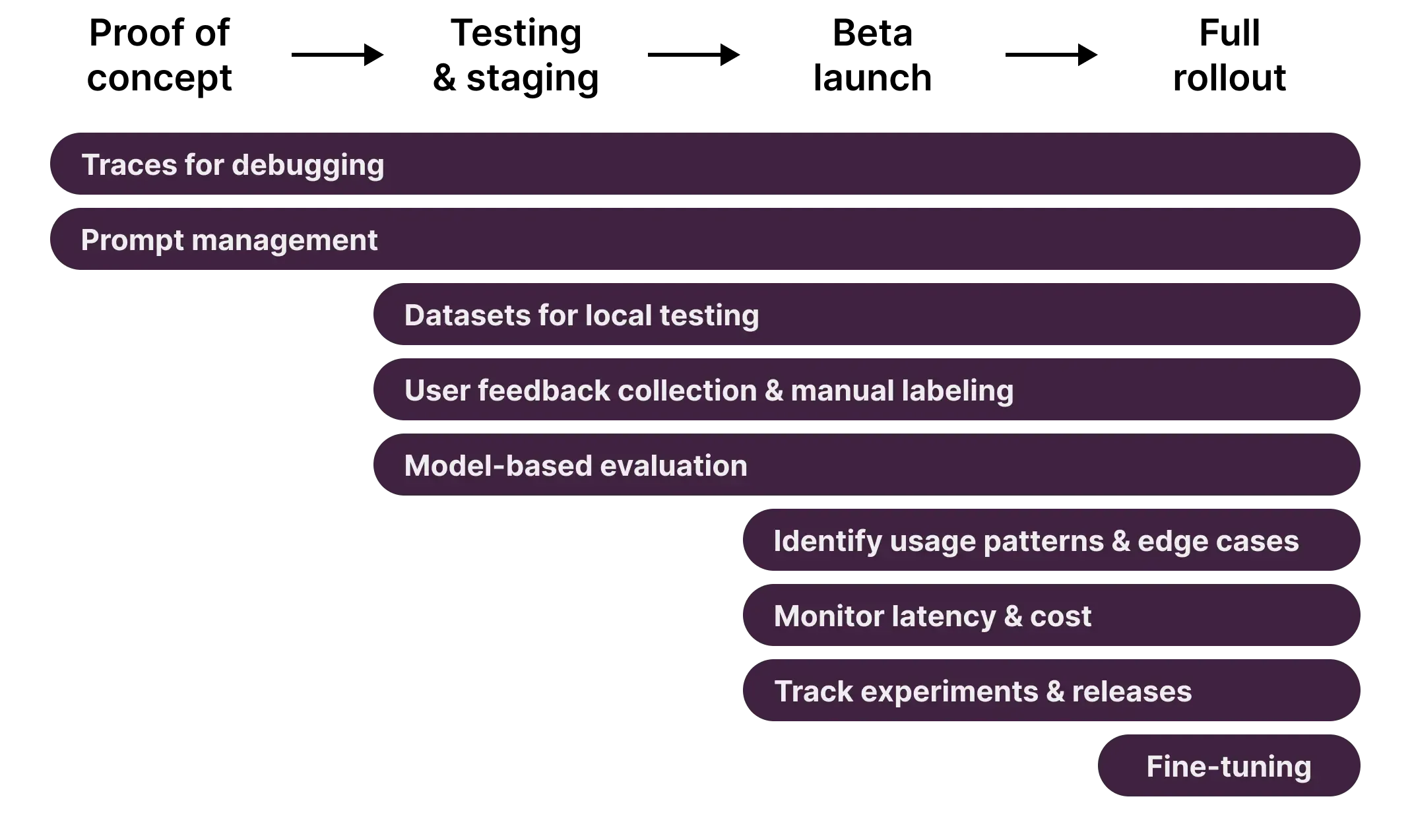
The system offers three main functionalities which include:
- Tracing which displays all execution paths through the system including LLM calls and database queries and tool usage.
- Metrics which delivers real-time monitoring of latency and cost and token usage.
- Evaluation which gathers user feedback through a thumbs up and thumbs down system that directly connects to the specific generation which produced the feedback.
- The system enables testing through Dataset Management which allows users to curate their testing inputs and outputs.
In this project Langfuse functions as our main logging system which helps us create an automated system that enhances its own performance.
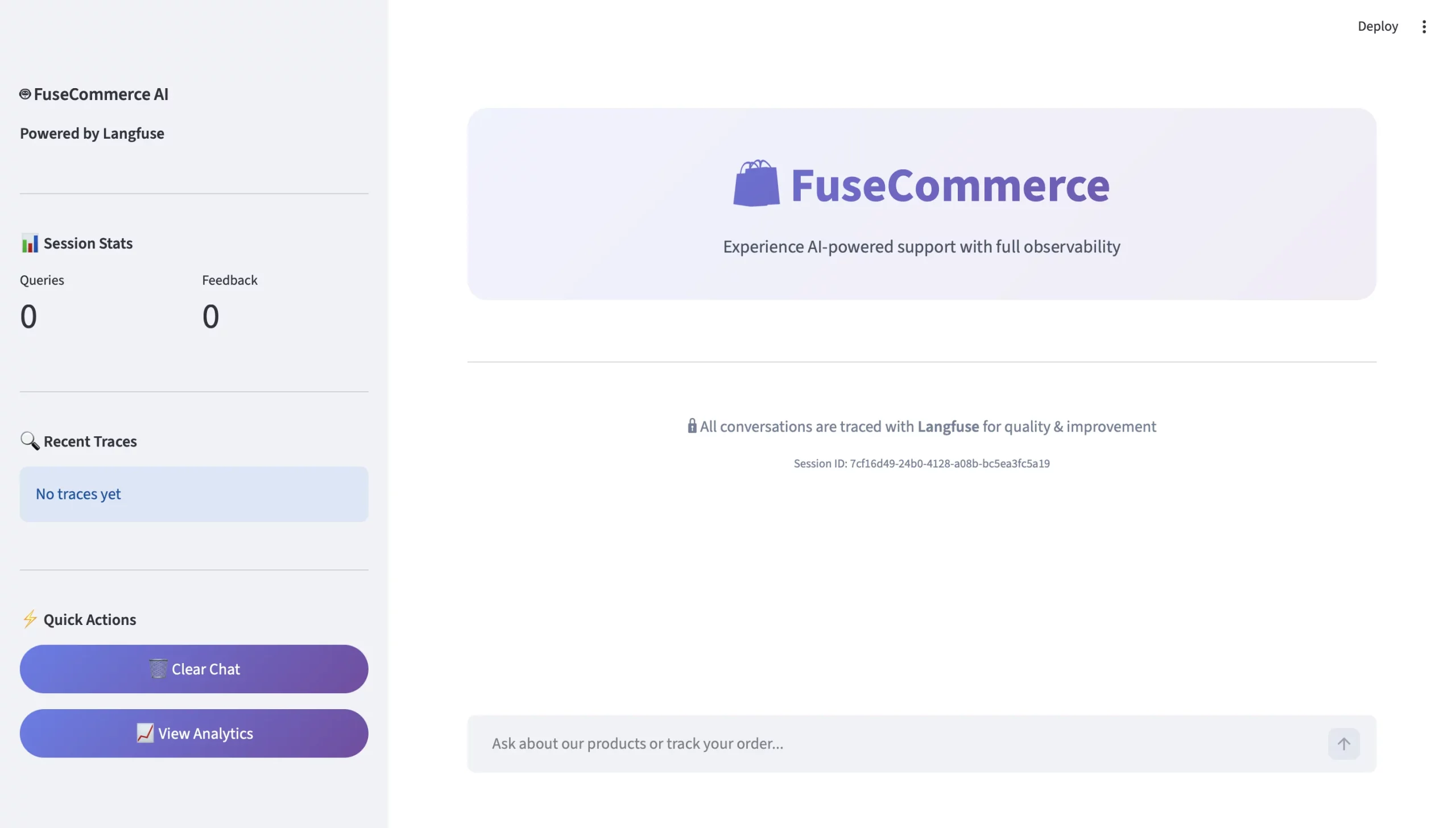
What We Are Creating: FuseCommerce…
We will be developing a smart customer support representative for a technology retail business named “FuseCommerce.”
In contrast to a standard LLM wrapper, the following elements will be included:
- Cognitive Routing – The ability to analyse (think through) what to say before responding – including determining the reason(s) for interaction (i.e. wanting to buy something vs checking on an order vs wanting to talk about something).
- Semantic Memory – The capability to know and represent ideas as concepts (ex: how “gaming gear” and a “Mechanical Mouse” are conceptually linked) via vector embedding.
- Visual Reasoning (including a stunning user interface) – A means of visually displaying (to the customer) what the agent is doing.
The Role of Langfuse in the Project
Langfuse is the backbone of the agent being used for this work. It allows us to follow the unique steps of our agent (intent classification, retrieval, generation) and shows us how they all work together, allowing us to pinpoint where something went wrong if an answer is incorrect.
- Traceability – We will seek to capture all the steps of an agent on Langfuse using spans. When a user receives an incorrect answer, we can use span tracking or a trace to identify exactly where in the agent’s process the error occurred.
- Session Tracking – We will capture all interactions between the user and agent within one grouping that is identified by their `
session_id` on Langfuse dashboard to allow us to replay all user interaction for context. - Feedback Loop – We will build user feedback buttons directly into the trace, so if a user downvotes an answer, we will be able to find out immediately which retrieval or prompt the user experienced that led them to downvote the answer.
Getting Started
You can quickly and easily begin the installation process for the agent.
Prerequisites
- Python version >= 3.10
- Free Account with Langfuse Cloud (see at https://cloud.langfuse.com)
- Google Cloud project – Enabled for accessing Gemini API
Installation
The first thing you need to do is install the following dependencies which consist of the Langfuse SDK and Google’s Generative AI.
pip install langfuse streamlit google-generativeai python-dotenv numpy scikit-learn 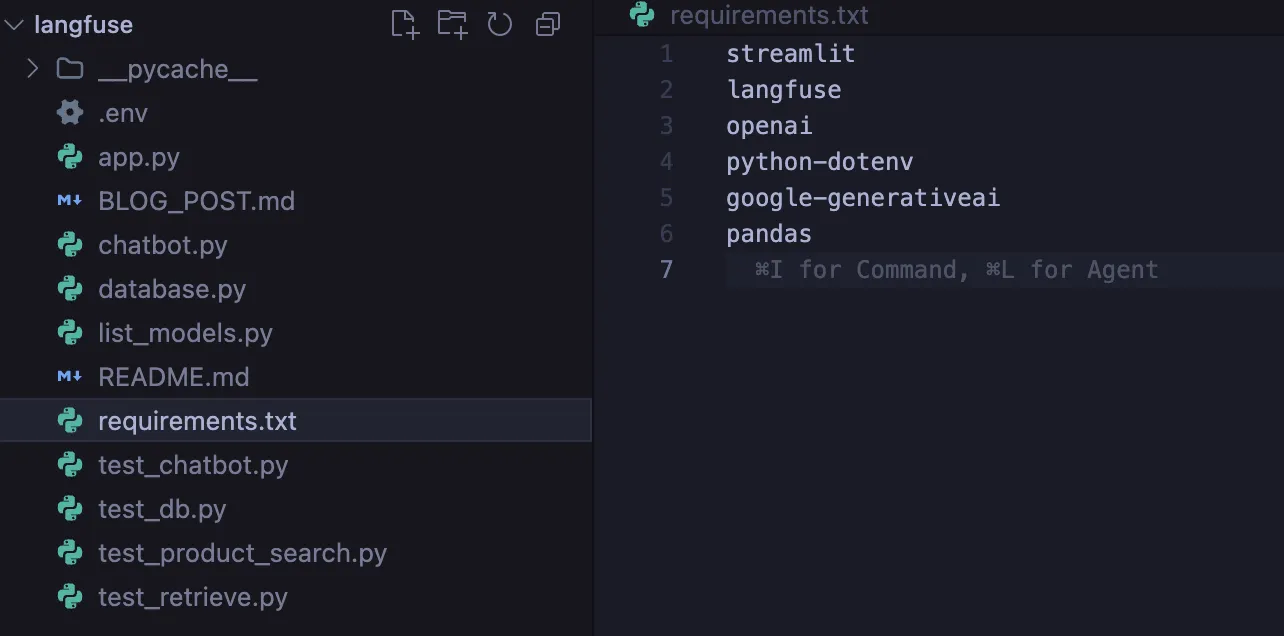
Configuration
After you finish installing the libraries, you will need to create a .env file where your credentials will be stored in a secure way.
GOOGLE_API_KEY=your_gemini_key
LANGFUSE_PUBLIC_KEY=pk-lf-...
LANGFUSE_SECRET_KEY=sk-lf-...
LANGFUSE_HOST=https://cloud.langfuse.com
How To Build?
Step 1: The Semantic Knowledge Base
A traditional keyword search can break down if a user uses different words, i.e., the use of synonyms. Therefore, we want to leverage Vector Embeddings to build out a semantic search engine.
Purely through math, i.e., Cosine Similarity, we will create a “meaning vector” for each of our products.
# db.py
from sklearn.metrics.pairwise import cosine_similarity
import google.generativeai as genai


def semantic_search(query):
    # Create a vector representation of the query
    query_embedding = genai.embed_content(
        model="models/text-embedding-004",
        content=query
    )["embedding"]

    # Using math, find the nearest meanings to the query
    similarities = cosine_similarity([query_embedding], product_vectors)
    return get_top_matches(similarities)
Step 2: The “Brain” of Intelligent routing
When users say “Hello,” we are able to classify user intent using a classifier so that we can avoid searching the database.
You will see that we also automatically detect input, output, and latency using the @langfuse.observe decorator. Like magic!
@langfuse.observe(as_type="generation")
def classify_user_intent(user_input):
    prompt = f"""
    Use the following user input to classify the user's intent into one of the three categories:
    1. PRODUCT_SEARCH
    2. ORDER_STATUS
    3. GENERAL_CHAT

    Input: {user_input}
    """

    # Call Gemini model here...
    intent = "PRODUCT_SEARCH"  # Placeholder return value

    return intent
Step 3: The Agent’s Workflow
We stitch our process together. The agent will Perceive, Get Input, Think (Classifies) and then Act (Route).
We use the method lf_client.update_current_trace to tag the conversation with metadata information such as the session_id.
@langfuse.observe()  # Root Trace
def handle_customer_user_input(user_input, session_id):
    # Tag the session
    langfuse.update_current_trace(session_id=session_id)

    # Think
    intent = get_classified_intent(user_input)

    # Act based on classified intent
    if intent == "PRODUCT_SEARCH":
        context = use_semantic_search(user_input)
    elif intent == "ORDER_STATUS":
        context = check_order_status(user_input)
    else:
        context = None  # Optional fallback for GENERAL_CHAT or unknown intents

    # Return the response
    response = generate_ai_response(context, intent)
    return response
Step 4: User Interface and Feedback System
We create an enhanced Streamlit user interface. A significant change is that feedback buttons will provide a feedback score back to Langfuse based on the individual trace ID associated with the specific user conversation.
# app.py
col1, col2 = st.columns(2)

if col1.button("👍"):
    lf_client.score(trace_id=trace_id, name="user-satisfaction", value=1)

if col2.button("👎"):
    lf_client.score(trace_id=trace_id, name="user-satisfaction", value=0)
Inputs, Outputs and Analyzing Results
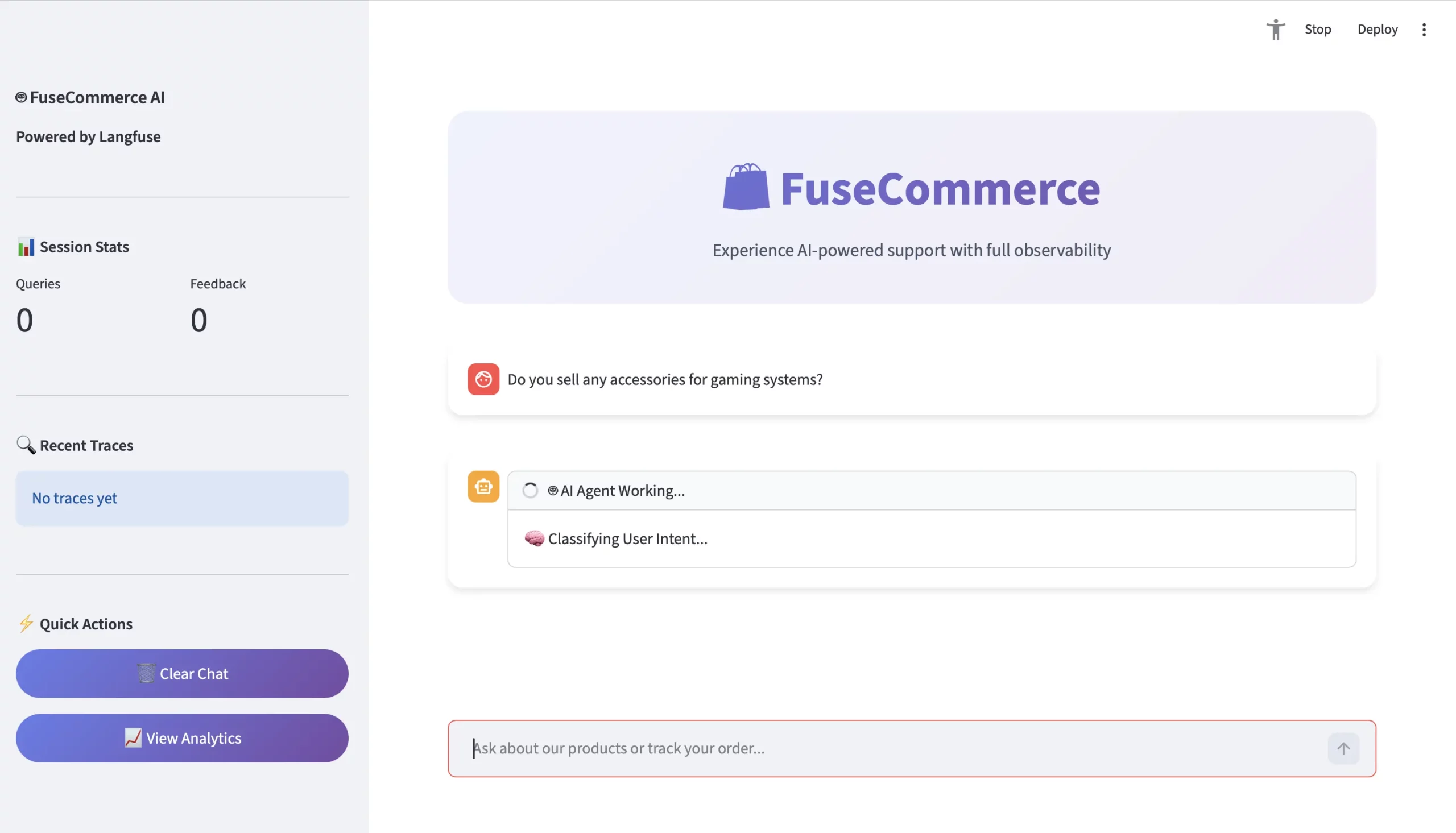
Let’s take a closer look at a user’s inquiry: “Do you sell any accessories for gaming systems?”
- The Inquiry
- User: “Do you sell any accessories for gaming systems?”
- Context: No exact match on the keyword “accessory”.
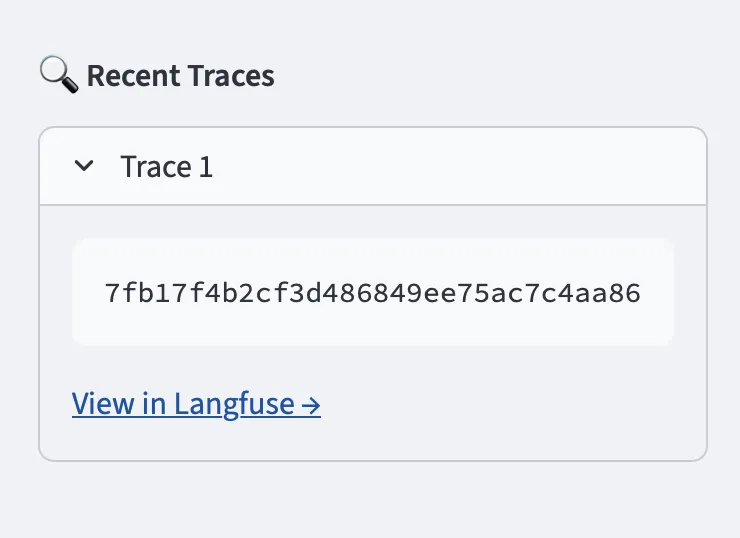
- The Trace (Langfuse Point of Perspective)
Langfuse will create a trace view to visualize the nested hierarchy:
TRACE: agent-conversation (1.5 seconds)
- Generation: classify_intent –> Output = PRODUCT_SEARCH
- Span: retrieve_knowledge –> Semantic Search = geometrically maps gaming data to Quantum Wireless Mouse and UltraView Monitor.
- Generation: generate_ai_response –> Output = “Yes! For gaming systems, we’ll recommend the Quantum Wireless Mouse…”
- Analysis
Once the user clicks thumbs up, Langfuse receives a score of 1. You will have a total sum of thumbs up clicks per day to view the average daily. You also will have a cumulative visual dashboard to view:
- Average Latency: Does your semantic search slow??
- Intent Accuracy: Is the routing hallucinating??
- Cost / Session: How much does it cost to use Gemini??
Conclusion
Through our implementation of Langfuse we transformed a hidden-functioning chatbot system into an open-visible operational system. We established user trust through our development of product functions.
We proved that our agent possesses “thinking” abilities through Intent Classification while it can “understand” things through Semantic Search and it can “acquire” knowledge through user Feedback scores. This architectural design serves as the basis for contemporary AI systems which operate in real-world environments.
Frequently Asked Questions
Q1. What problem does Langfuse solve in LLM applications?
A. Langfuse provides tracing, metrics, and evaluation tools to debug, monitor, and improve LLM agents in production.
Q2. How does FuseCommerce intelligently route user queries?
A. It uses intent classification to detect query type, then routes to semantic search, order lookup, or general chat logic.
Q3. How does the system improve over time?
A. User feedback is logged per trace, enabling performance monitoring and iterative optimization of prompts, retrieval, and routing.
Data Science Trainee at Analytics Vidhya
I am currently working as a Data Science Trainee at Analytics Vidhya, where I focus on building data-driven solutions and applying AI/ML techniques to solve real-world business problems. My work allows me to explore advanced analytics, machine learning, and AI applications that empower organizations to make smarter, evidence-based decisions.
With a strong foundation in computer science, software development, and data analytics, I am passionate about leveraging AI to create impactful, scalable solutions that bridge the gap between technology and business.
📩 You can also reach out to me at [email protected]




