Generative AI models are changing how we create content, whether it’s text, images, video, or code. With Google’s Gen AI Python SDK, you can now access and interact with Google’s generative AI models in your Python applications more easily, in addition to using the Gemini Developer API and Vertex AI APIs. That means developers can more readily create applications, including chatbots, content generators, or creative tools. In this article, we will cover everything you need to know to get started using the Google Gen AI Python SDK.
Also read: Build an LLM Model using Google Gemini API
Table of contents
What is the Google Gen AI Python SDK?
The Google Gen AI Python SDK is a client library for developers to use Google’s generative AI abilities easily using Python. It provides:
- Support for Gemini Developer API (Google’s advanced text and multimodal generative models)
- Integration with Vertex AI APIs for enterprise-scale AI workloads
- Support for generating text, images, videos, embeddings, chat conversations, and more
- Tools for file management, caching, and async support
- Advanced function calling and schema enforcement features
This SDK also abstracts much of the complexity around API calls and allows you to focus on building AI-powered applications.
Installation
Installing the SDK is simple. Run:
pip install google-genaiThe above command will install the Google Gen AI Python SDK package using pip. This command downloads everything you need for the Python environment to start up the Google generative AI services, including the resources and all dependencies.
Imports and Client Setup
Once you have installed the SDK, create a Python file and import the SDK:
from google import genai
from google.genai import types
The SDK has two modules – genai and types. The genai module creates a client used for API interaction, while the types module has data structures and classes that serve as helpers used to build requests and configure request parameters.
You will create an instance of the client for each interaction with the Google generative AI models. You will instantiate the client with different methods depending on the API you are using.
For the Gemini Developer API, you can instantiate the client by passing along your API key:
client = genai.Client(api_key='YOUR_GEMINI_API_KEY')You instantiate the client you can interact with the Gemini Developer API by passing in your API key. This client will take care of the access token and request management.
Optional: Using Google Cloud Vertex AI
client = genai.Client(
   vertexai=True,
   project='your-project-id',
   location='us-central1'
)
If you are going to use Google Cloud Vertex AI, you will initialise the client differently by specifying the project ID and the location.
Note: Using Vertex AI is optional. You can create your project ID here.
If you do not use Vertex AI, you can simply use the API key method above.
API Version and Configuration
By default, the SDK uses beta endpoints to access beta features. However, if you want to use stable APIs, you can specify the API version using the http_options argument:
from google.genai import types

client = genai.Client(
   vertexai=True,
   project='your-project-id',
   location='us-central1',
   http_options=types.HttpOptions(api_version='v1')
)
It is up to you how you want to proceed to balance stability with cutting-edge features.
Using Environment Variables (Optional)
Instead of directly passing keys, we should first set environment variables:
Gemini Developer API:
export GEMINI_API_KEY='your-api-key'Vertex AI:
export GOOGLE_GENAI_USE_VERTEXAI=true
export GOOGLE_CLOUD_PROJECT='your-project-id'
export GOOGLE_CLOUD_LOCATION='us-central1'
Then, initialize the client simply with:
client = genai.Client()Google Gen AI Python SDK Use Cases
Here are the various ways you can put Google Gen AI Python SDK’s capabilities to use once set up.
Content Generation
The primary function of the SDK is to generate AI content. You provide prompts in various forms, such as simple strings, structured content, or complex multimodal inputs.
Basic Text Generation
response = client.models.generate_content(
   model='gemini-2.0-flash-001',
   contents='Why Does the sun rises from east'
)
print(response.text)
Output

This sends a prompt to the model and returns the generated answer.
Structured Content Inputs
You can insert structured content across various roles, like user or model for chatbot, conversational, or multi-turn contexts.
from google.genai import types


content = types.Content(
   role='user',
   parts=[types.Part.from_text(text='Tell me a fun fact about work.')]
)
response = client.models.generate_content(model='gemini-2.0-flash-001', contents=content)
print(response.text)
Output

The SDK internally translates many different input types to a structured data format for the model.
File Upload and Usage
The Gemini Developers API allows you to upload files for the model to process. This is great for summarization, or content extraction:
file = client.files.upload(file='/content/sample_file.txt')
response = client.models.generate_content(
   model='gemini-2.0-flash-001',
   contents=[file, 'Please summarize this file.']
)
print(response.text)
Output

This is an ideal approach for adding AI functionality to document-based tasks.
Function Calling
A unique capability is the ability to pass Python functions as “tools” for the model to invoke automatically while generating the completion.
def get_current_weather(location: str) -> str:
   return 'sunny'


response = client.models.generate_content(
   model='gemini-2.0-flash-001',
   contents='What is the weather like in Ranchi?',
   config=types.GenerateContentConfig(tools=[get_current_weather])
)
print(response.text)
Output

This enables dynamic, real-time data integration within AI responses.
Advanced Configuration
You have the ability to customize generation with parameters such as temperature, max_output_tokens, and safety settings to manage randomness, length, and filter harmful content.
config = types.GenerateContentConfig(
   temperature=0.3,
   max_output_tokens=100,
   safety_settings=[types.SafetySetting(category='HARM_CATEGORY_HATE_SPEECH', threshold='BLOCK_ONLY_HIGH')]
)


response = client.models.generate_content(
   model='gemini-2.0-flash-001',
   contents='''Offer some encouraging words for someone starting a new journey.''',
   config=config
)
print(response.text)
Output

This can provide granularity over content quality and safety.
Multimedia Support: Images and Videos
The SDK allows you to generate and edit images and generate videos (in preview).
- Generate images using text prompts.
- Upscale or adjust images generated.
- Generate videos from text or images.
Example of Image Generation:
response = client.models.generate_images(
   model='imagen-3.0-generate-002',
   prompt='A tranquil beach with crystal-clear water and colorful seashells on the shore.',
   config=types.GenerateImagesConfig(number_of_images=1)
)
response.generated_images[0].image.show()
Output

Example of Video Generation:
import time
operation = client.models.generate_videos(
   model='veo-2.0-generate-001',
   prompt='A cat DJ spinning vinyl records at a futuristic nightclub with holographic beats.',
   config=types.GenerateVideosConfig(number_of_videos=1, duration_seconds=5)
)


while not operation.done:
   time.sleep(20)
   operation = client.operations.get(operation)
video = operation.response.generated_videos[0].video
video.show()
Output:
This allows for creative, multimodal AI apps.
Chat and Conversations
You can start chat sessions that preserve context throughout your messages:
chat = client.chats.create(model='gemini-2.0-flash-001')
response = chat.send_message('Tell me a story')
print(response.text)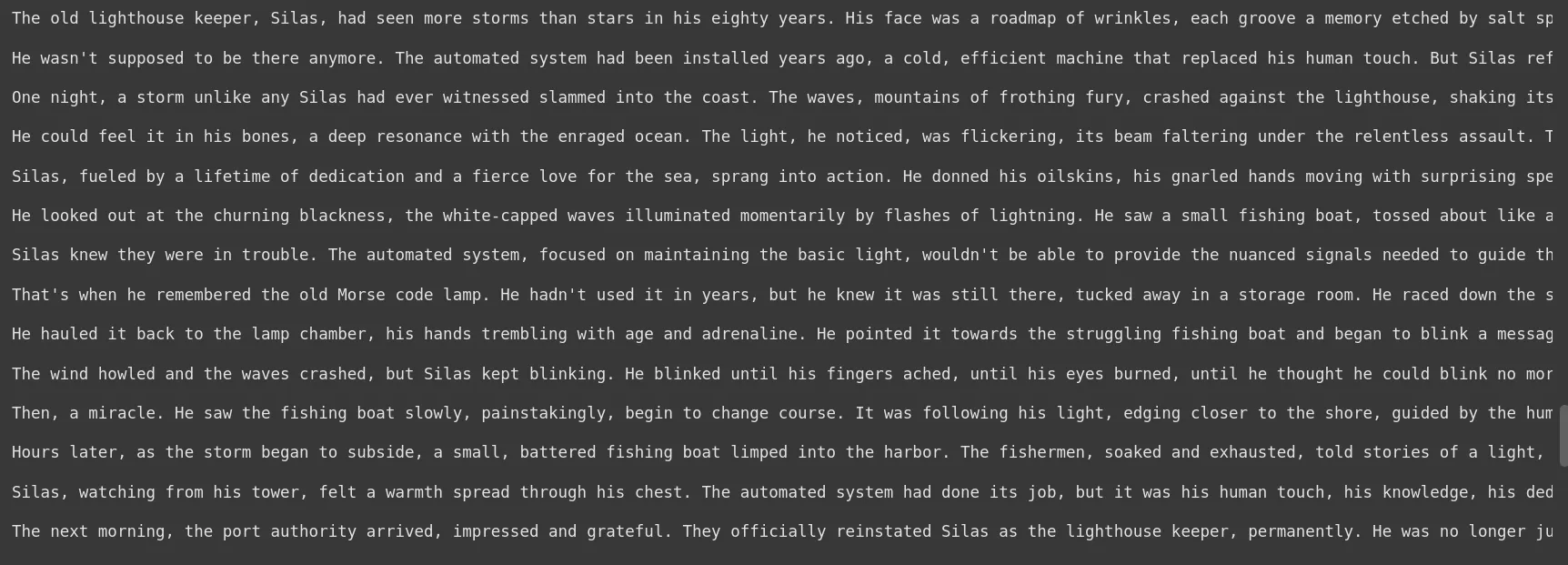
response = chat.send_message('Summarize that story in one sentence')
print(response.text)
This is useful for creating conversational AI that remembers earlier dialogue.
Asynchronous Support
All main API methods have async functions for better integration into async Python apps:
response = await client.aio.models.generate_content(
   model='gemini-2.0-flash-001',
   contents='Tell a Horror story in 200 words.'
)
print(response.text)
Token Counting
Token counting tracks how many tokens (pieces of text) are in your input. This helps you stay within model limits and make cost-effective decisions.
token_count = client.models.count_tokens(
   model='gemini-2.0-flash-001',
   contents='Why does the sky have a blue hue instead of other colors?'
)
print(token_count)
Embeddings
Embeddings turn your text into numeric vectors that represent its meaning, which can be used for search, clustering, and AI evaluation.
embedding = client.models.embed_content(
   model='text-embedding-004',
   contents='Why does the sky have a blue hue instead of other colors?'
)
print(embedding)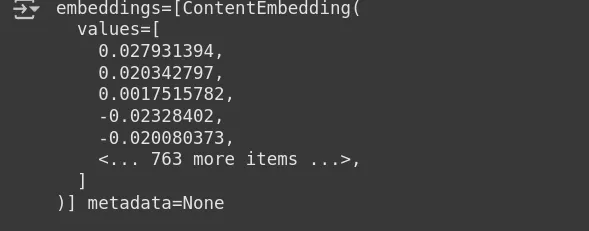
Using the SDK, you can easily count tokens and make embeddings to improve and enhance your AI applications.
Conclusion
The Google Gen AI Python SDK is a robust, versatile tool that allows developers to access Google’s top generative AI models in their Python projects. From text generation, chat, and chatbot, to image/video generation, function calling, and much more it provides a robust feature set with simple interfaces. With an easy package installation, simple client configuration process, and support for async programming and multimedia, the SDK makes building applications that leverage AI significantly easier. Whether you’re a beginner or seasoned developer, using the SDK is relatively painless but powerful when it comes to incorporating generative AI into your workflows.
Frequently Asked Questions
What is the Google Gen AI Python SDK?
It’s a Python library for using Google’s Gen AI services and models in Python code
How do I install the SDK?
You run pip install google-genai. If you want to use the SDK asynchronously, run pip install google-genai[aiohttp].
How do I authenticate the client?
On client creation, you can pass in an API Key or set the environment variables GEMINI_API_KEY or set Google Cloud credentials for Vertex AI.
Does the SDK use multimedia?
Yes, the SDK can perform operations where images and files are concerned, upload and edit them, and use them in structured content.
What inputs can I use for generate_content?
generate_content takes plain strings, lists of messages, structured prompts where you assign roles, and multipart content (text along with images or files).
What is function calling?
The function calling feature allows the model to call Python functions dynamically during the session. Therefore, allowing you to have a workflow that calls external logic or computing.
Can I configure the behaviour of the models?
Yes, on generate_content, you can use the generation_config parameter with arguments such as temperature (to control randomness), and max_output_tokens (to limit the model response).
Hi, I am Janvi, a passionate data science enthusiast currently working at Analytics Vidhya. My journey into the world of data began with a deep curiosity about how we can extract meaningful insights from complex datasets.