Alibaba’s Qwen is on a mission to make Gen AI better and more accessible to everyone. Today, they launched Image Edit – a model that can edit any image for you, the way you want it. The best part? It’s free, easy to use, and it’s giving all the major models a run for their money. In this blog, let’s dive deep into Qwen’s Image Edit feature. We will understand how to access it, its key features, and test its capabilities.
Let us see if Qwen Image Edit is “Qwen-tastic” or not.
Table of contents
What is Qwen’s Image Edit?
Image Edit is the Image editing version of the recently released Qwen’s image generation model called Qwen-Image. This model allows you to edit any image exactly the way you want. All you have to do is give a text prompt to explain to the model the output that you are expecting, and within seconds, the model generates the result that you want.
How does the Qwen Image Edit feature work?
The model by itself is built upon a very compact image generation model called “20B Qwen-Image”. But the editing model extends the capabilities of the image generation model to image editing tasks like rendering text, adding or removing elements, etc. Two tasks happen simultaneously within this image editing model:
- The input image is fed into Qwen2.5-VL to allow visual semantic control.
- The input image is also fed into the VAE or Variational Autoencoder for controlling the visual appearance of the generated images.
This allows the model to achieve greater performance in both the editing tasks: semantic and appearance.
What are the Key Features of Qwen Image Edit?
While the model offers exciting progress in the image editing capabilities, some of its key highlights are:
- Enhanced Image Editing: The model offers both low-level visual appearance editing and high-level visual semantic editing. In the low-level editing, it caters to tasks like adding, removing, or modifying elements while the rest of the image stays as it is. In the high-level editing, it caters to tasks like IP creation, object rotation, or style transfer, changing the overall pixels of the image.
- Superior Text Editing: The model excels at editing the text within the images, be it adding certain sections, removing them, or simply modifying the text while the original font style, size, and style stay the same.
- Performance: The model achieves excellent scores when evaluated on different image editing tasks.
How to access Qwen Image Edit?
The latest Image Edit model offered by Qwen can be accessed by:
- Head over to https://chat.qwen.ai/
- Select any model from the drop-down (present at the top left side)
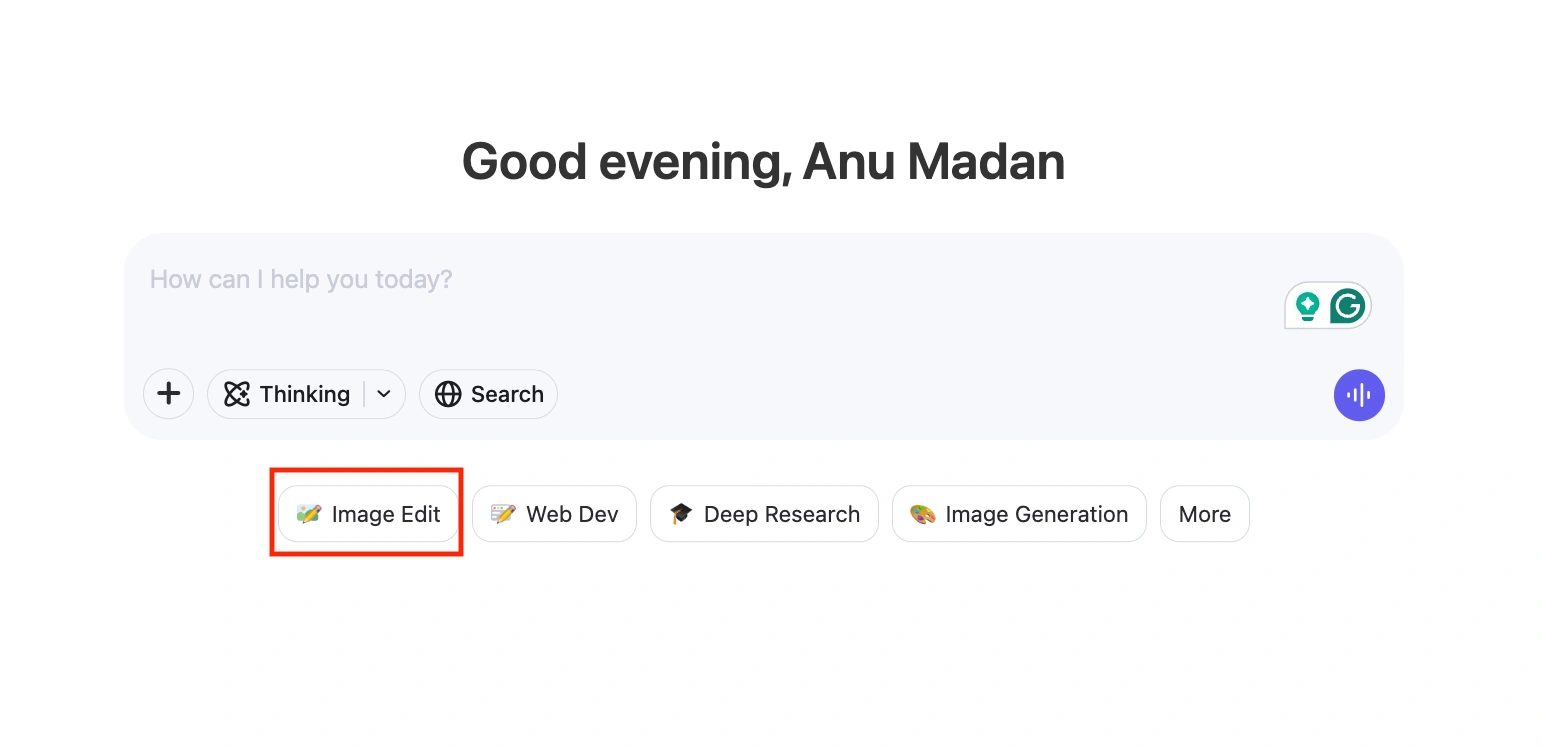
- Then, from the features listed below the text box, select the “Image Edit” option.
- Upload your image and add your prompt in the text box.
Hands-On
Now that we know all about this model’s features and how to access it, let’s test how it performs on actual tasks. For demonstration purposes, we’d be using the web interface of the model to get the responses. This would make its access and consequent analysis easier. We will test the model on three tasks:
- Adding/Removing objects in the image
Prompt: “Add a TV screen in the vacant space in the middle.”
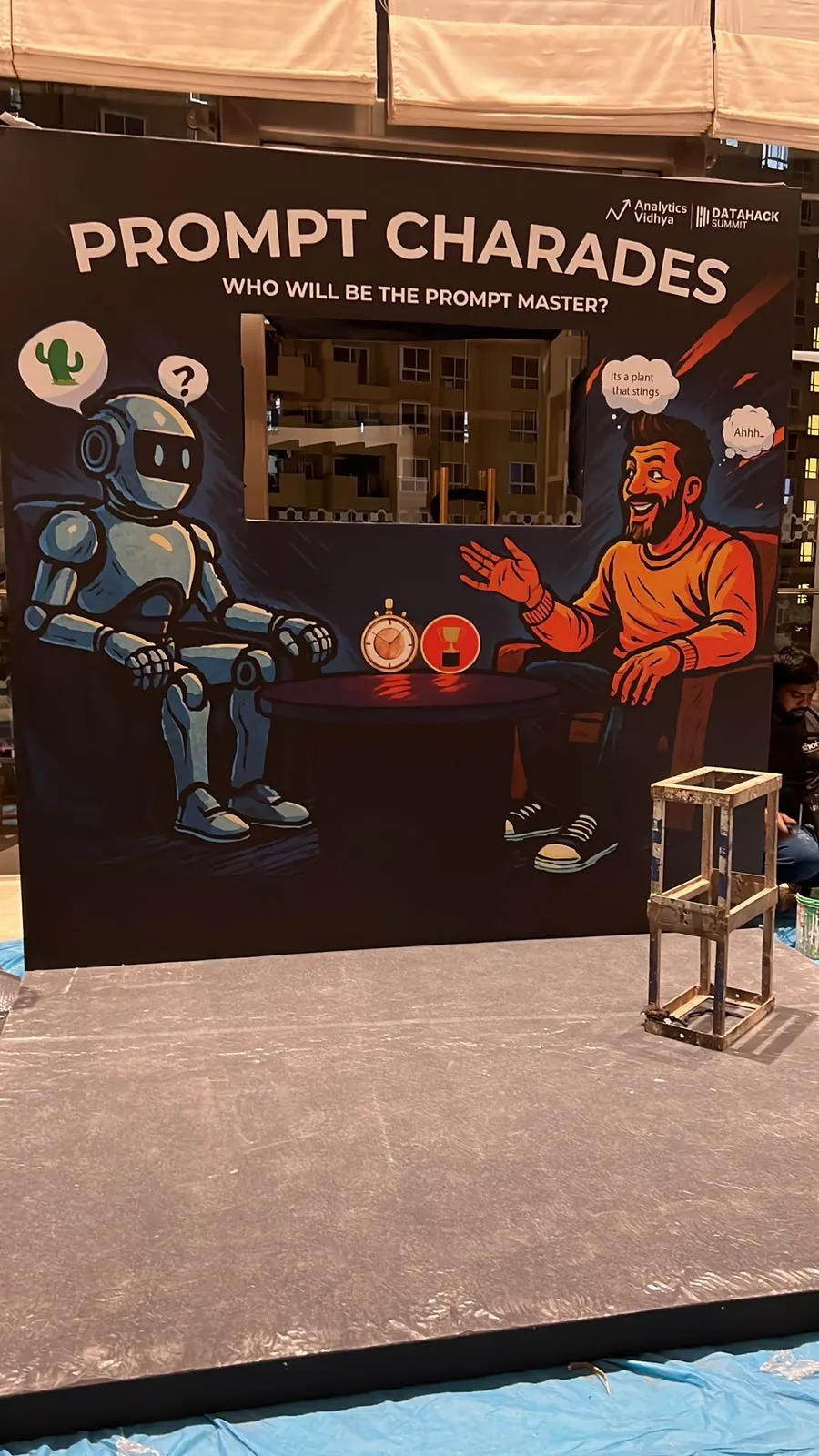
Response:
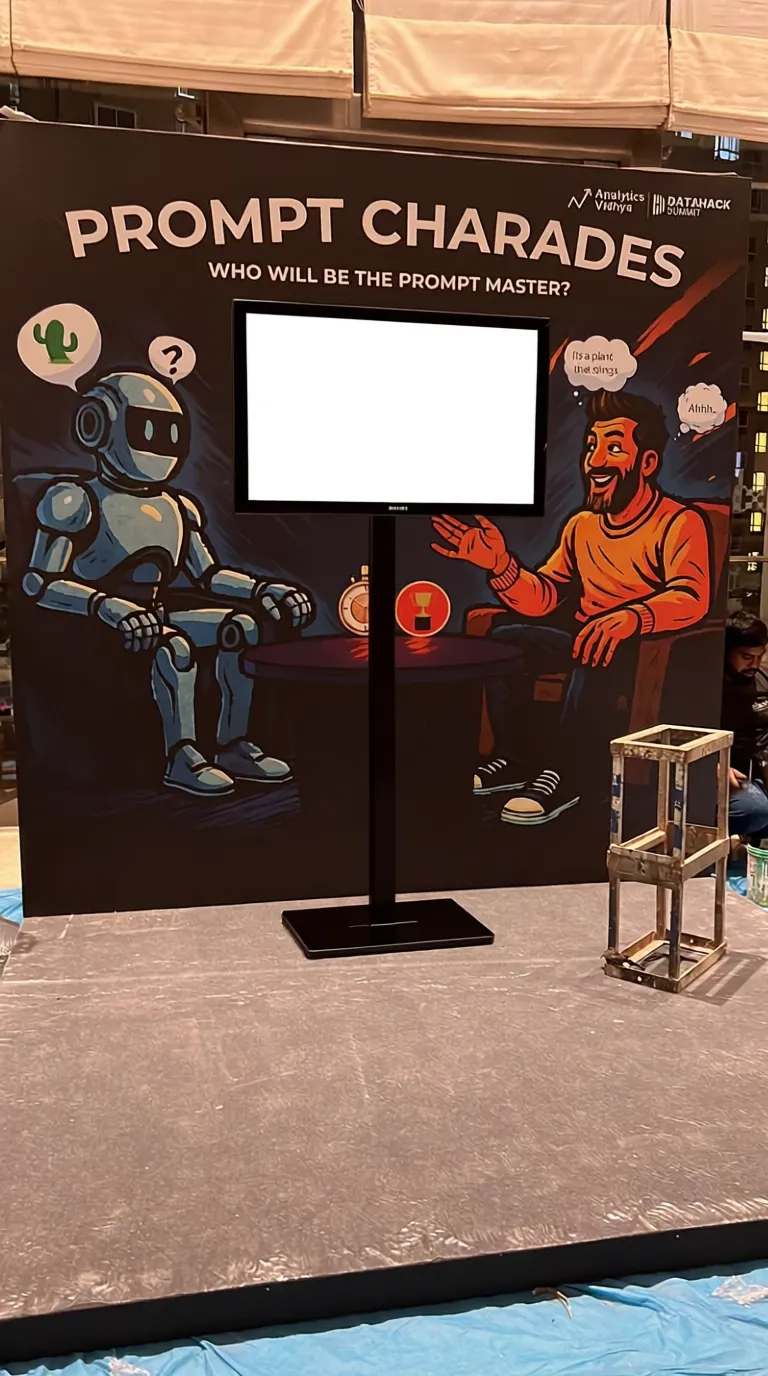
Observation: The model was able to add a TV screen at the desired location. But the text surrounding the area got a bit fuzzy, especially the text. Overall, a good result given the short prompt.
Prompt: “Remove the white chair and replace it with a white couch.”
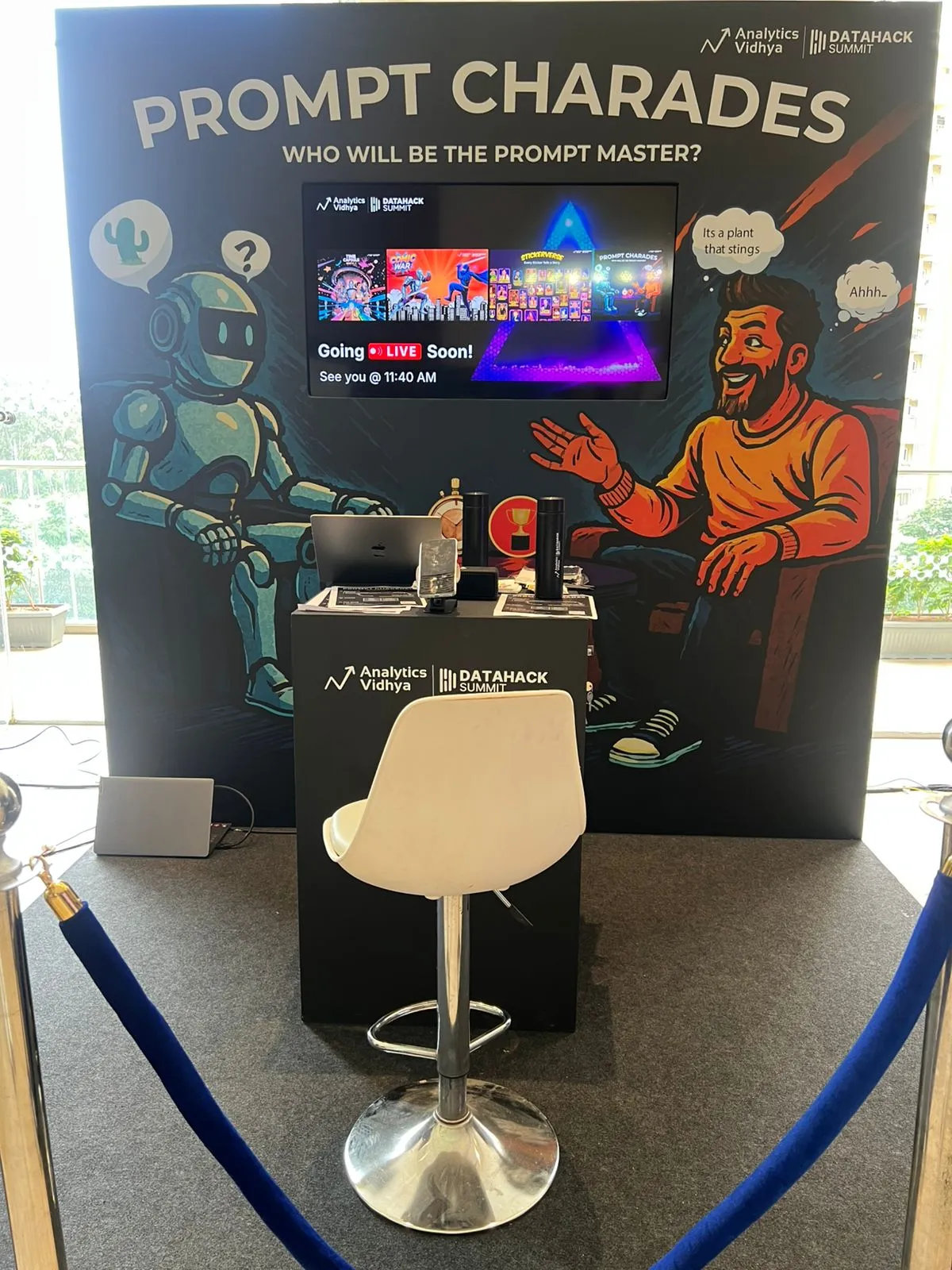
Response:
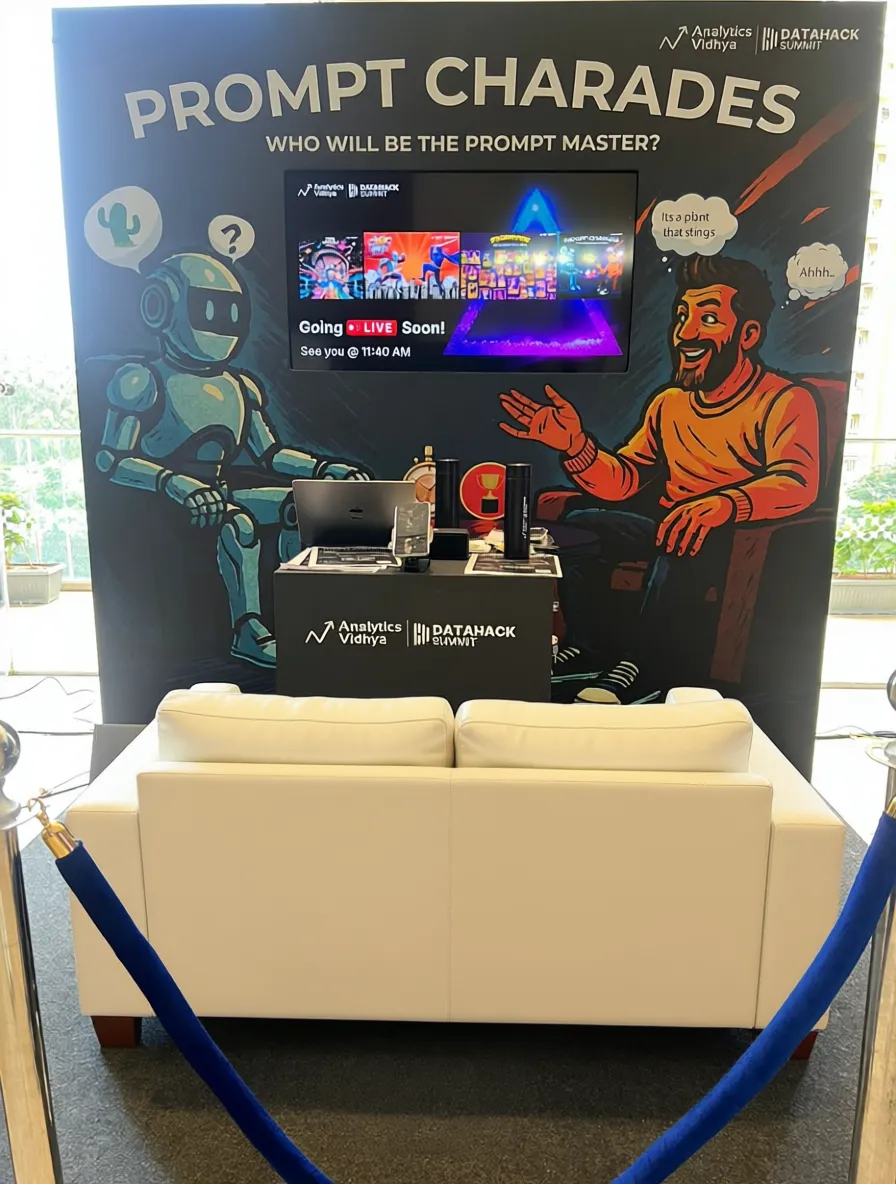
Observation: The model was able to alter the image convincingly. But as before, some of the surrounding text got fuzzy. But overall, a good result.
- Changing the Background
Prompt: “Change the background to an office building.”
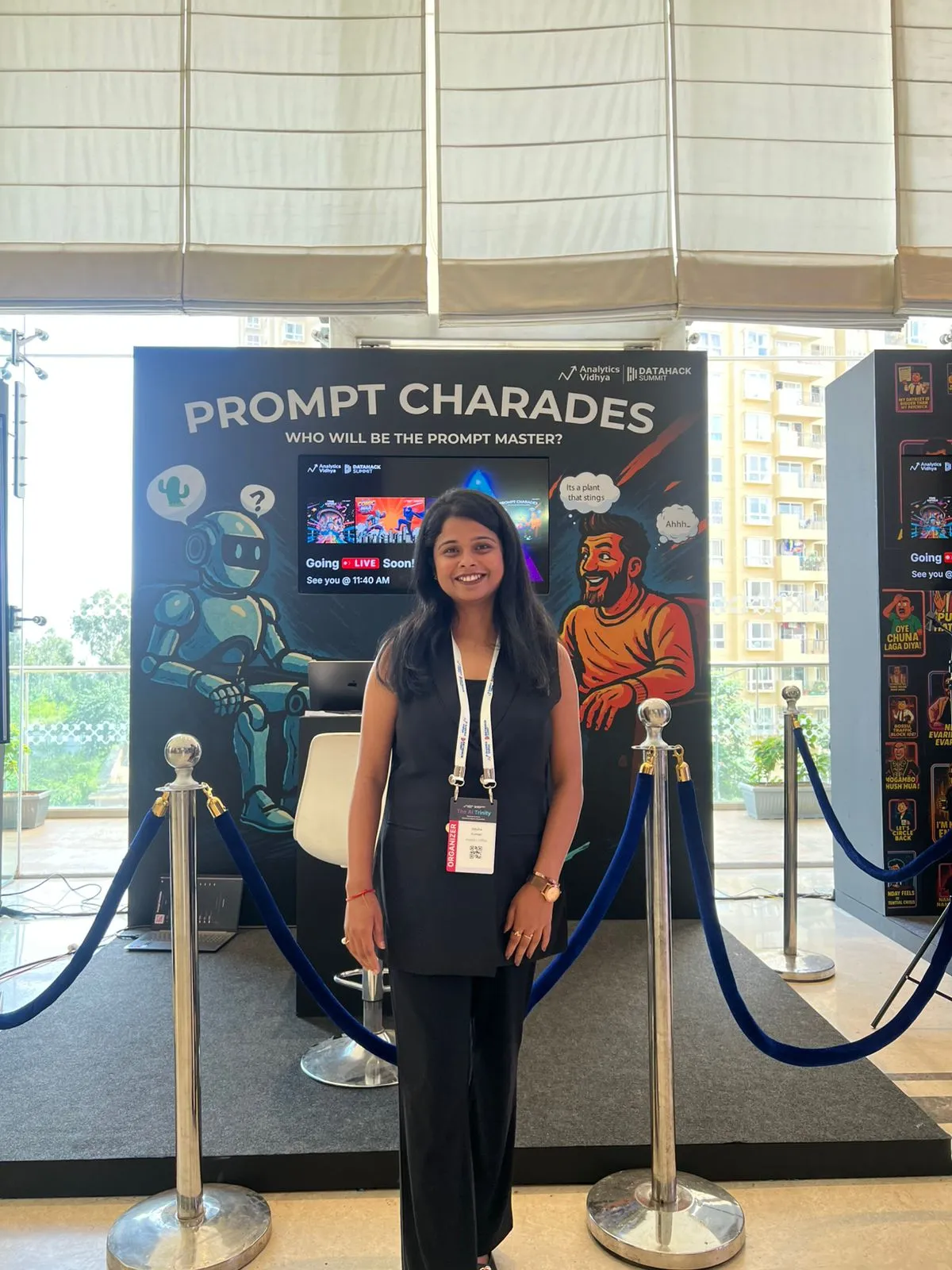
Response:
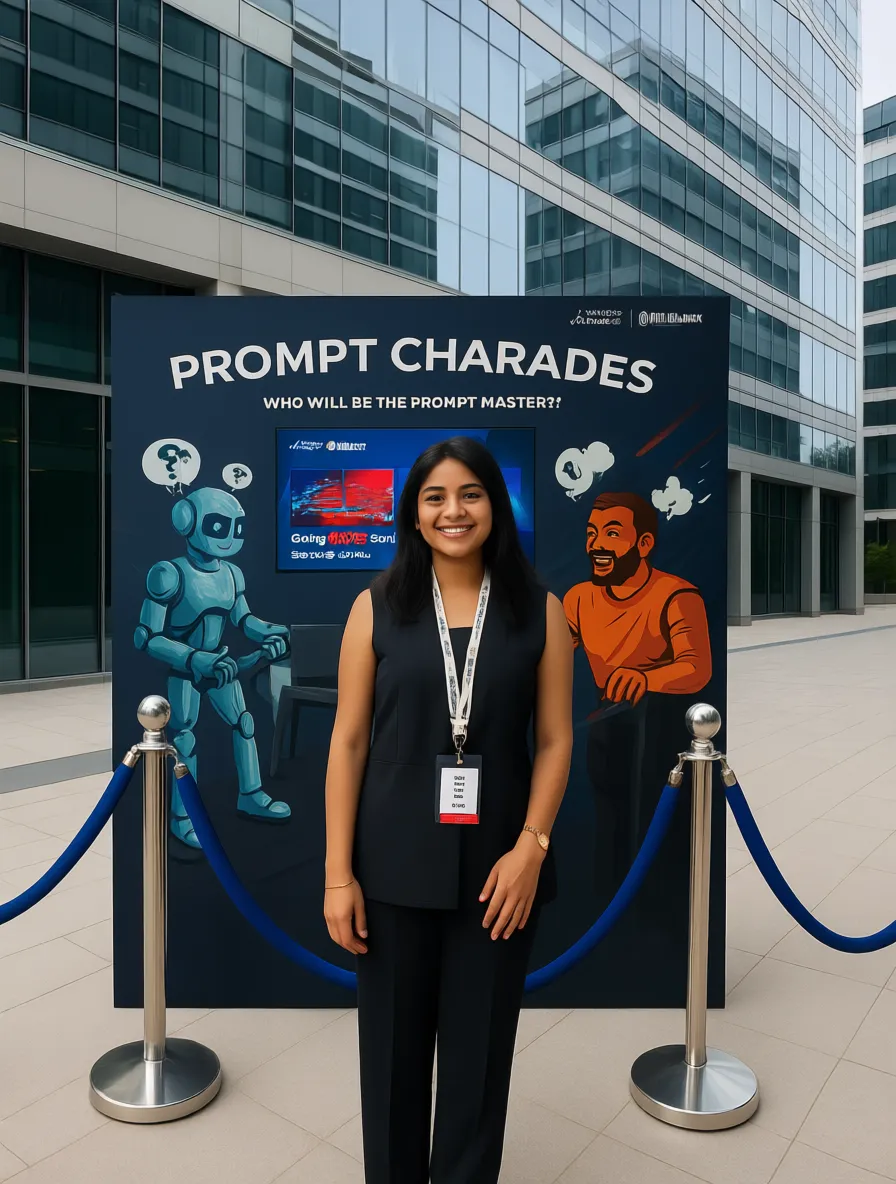
Observation: Nah! The background got changed to the correct setting, but everything else got altered. The subject of the image (the girl), the details of the imagery behind her, all got changed. It’s as if to make up for the change requested, the entire image was recreated.
- Changing text within the image
Prompt: “Change the text ‘Prompt Charades’ to ‘Guess that Word’.”
Response:
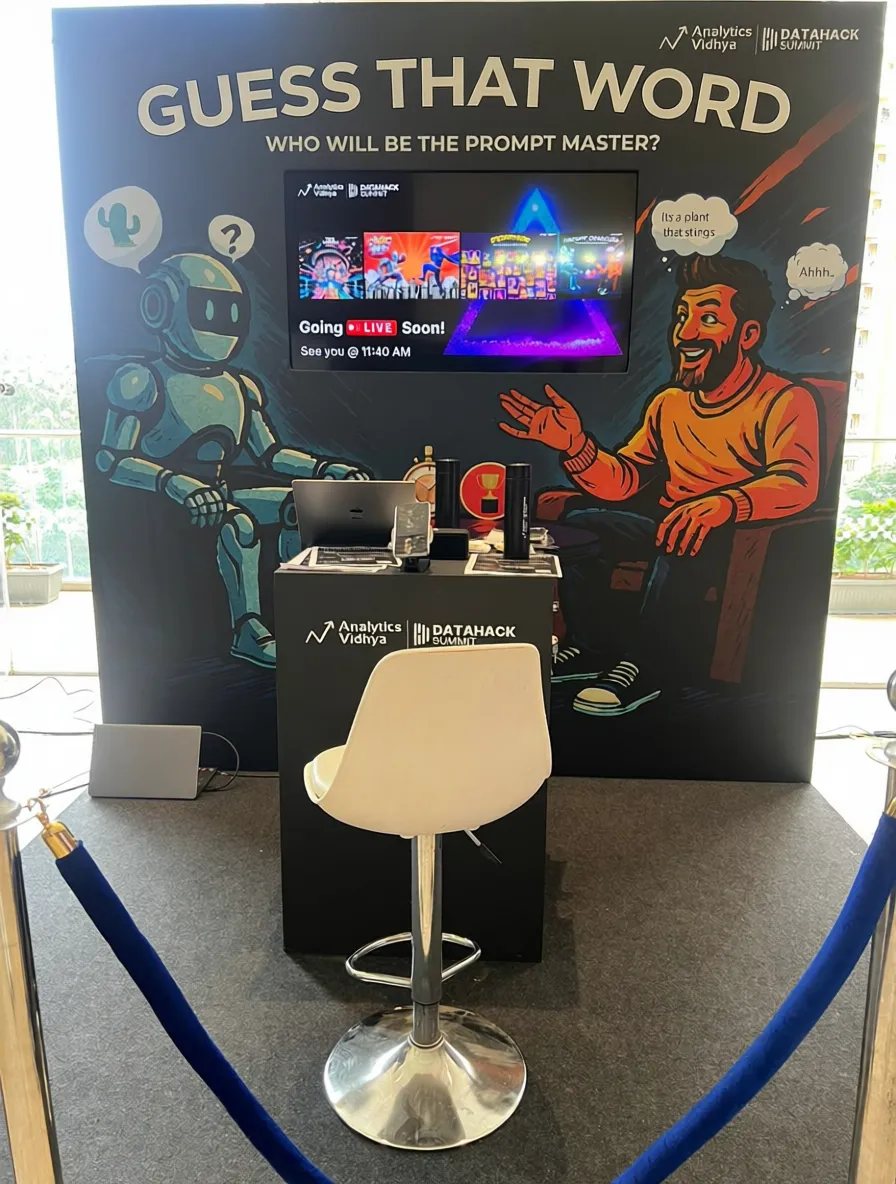
Observation: The model did an amazing job of altering the given text without impacting the surrounding text. Nice result.
Qwen-Image-Edit: Drawbacks
The model is great at editing images: be it adding a background, reworking the text, or modifying certain parts of the image. But there are still a lot of areas the model can improve in. Some of the key drawbacks that I found in the model were:
- Currently, the model does not allow you to select a particular section of the image to edit. You give the prompt to the entire image. This method relies on the model’s ability to discern the point of interest from the given image, which may not prove to be reliable.
- The model currently supports only Chinese and English for text editing features.
Conclusion
Qwen Image Edit is a big step forward in making AI-powered image editing both powerful and accessible. It handles a lot of image processing, from adding new objects to tweaking text, surprisingly well, considering it’s completely free. Of course, it’s not flawless. You can’t select specific areas to edit with pinpoint accuracy, and it doesn’t support as many languages as one would desire. But despite these limitations, it’s clear that Alibaba is genuinely committed to bringing practical, open-access generative AI tools to everyday users. If you’re even a little curious about AI-driven design or just want to play around with creative edits, Image Edit is worth checking out.
Frequently Asked Questions
Q1. What is Qwen Image Edit?
A. Qwen Image Edit is Alibaba’s free AI-powered tool that lets you edit any image using text prompts—whether it’s adding objects, changing backgrounds, or modifying text.
Q2. How is Qwen Image Edit different from Qwen-Image?
A. Qwen-Image generates new images, while Qwen Image Edit modifies existing images with semantic and visual editing capabilities.
Q3. Do I need coding skills to use Qwen Image Edit?
A. No. You can use it directly via the web interface at chat.qwen.ai. Just upload your image and enter a prompt.
Q4. Can I choose a specific region of the image to edit?
A. Not yet. The model edits the entire image based on your prompt, which sometimes affects surrounding details.
Q5. What languages does Qwen Image Edit support for text editing?
A. Currently, it supports only English and Chinese for text-related edits.
Anu Madan is an expert in instructional design, content writing, and B2B marketing, with a talent for transforming complex ideas into impactful narratives. With her focus on Generative AI, she crafts insightful, innovative content that educates, inspires, and drives meaningful engagement.