It is that time of the year again when work begins to slow down and the weather turns pleasant. Families and friends start coming together to celebrate the festive season and welcome the new year. As you prepare for Christmas and New Year celebrations, you can now create personalized greeting cards easily using AI. These cards feel more thoughtful than plain text messages and leave a stronger impression on the receiver. They help you express emotions better while saving time and effort. Let us look at the steps and prompts needed to create such cards using AI.
Table of contents
AI Tools for Creating Personalized Cards
There are several AI tools available out there which can be used to create personalized images. But, in this blog, we will be using the best 2 image generation models out there:
If you want to explore more such tools, you can find them in our article – top 10 image generation models of 2026.
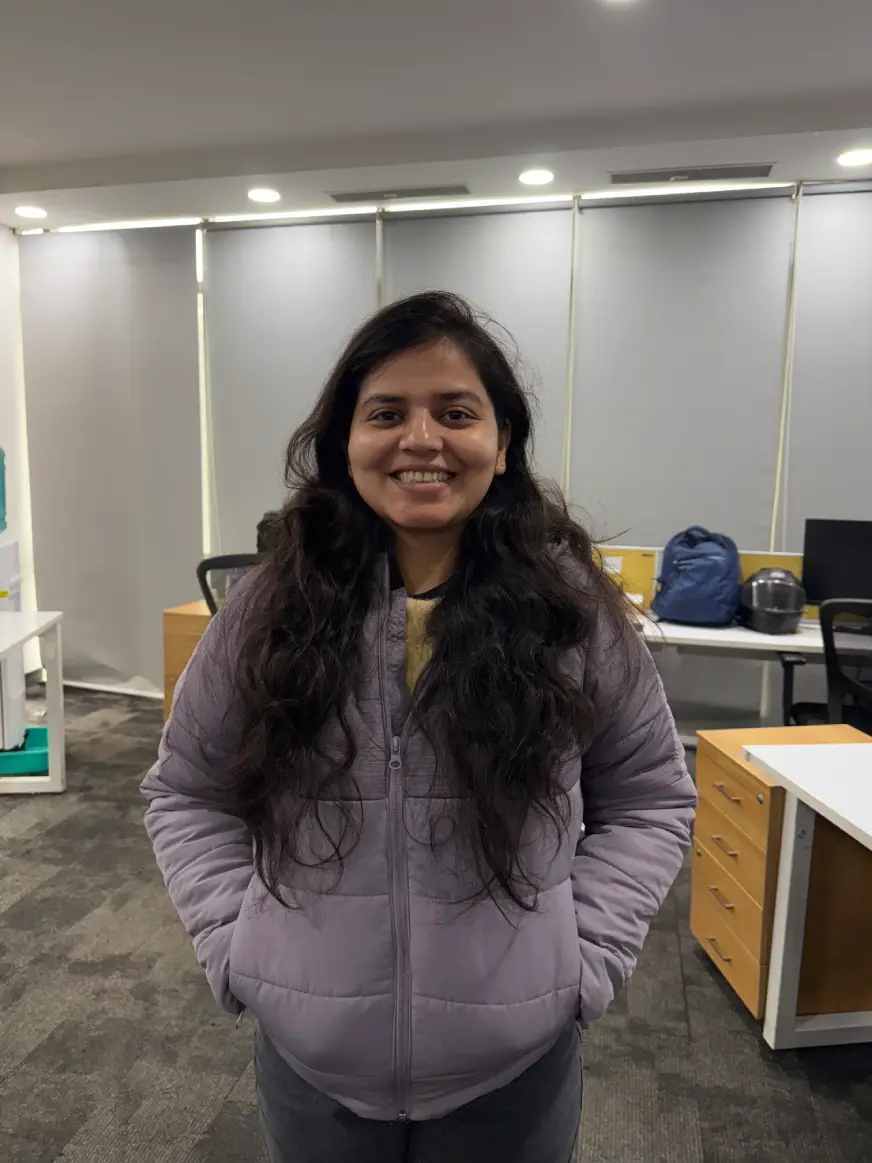
I will be using this image for all the tasks below:
Creating Personalized Christmas Cards Using AI
Part 1: Getting Personalized Messaged
First we will ask ChatGPT to create a personalized message for us using the following prompt:
Write a warm and heartfelt Christmas message for my family.
The message should express love, gratitude, and togetherness.
Keep the tone cozy and emotional, suitable for parents and close relatives.
The message must be only 1–2 short lines, simple and genuine.
Avoid clichés and overly formal language.
Output by ChatGPT Image 1.5:
So grateful for our love, laughter, and the comfort of being
together this Christmas.
Thank you for always being my home and my strength.
Output by Gemini:
You make Christmas feel like home, no matter where I am.
Thank you for all the warmth you bring to my life.
If you want to know how to use ChatGPT and Gemini, checkout the following free courses:
Part 2: Generating Christmas Card Images
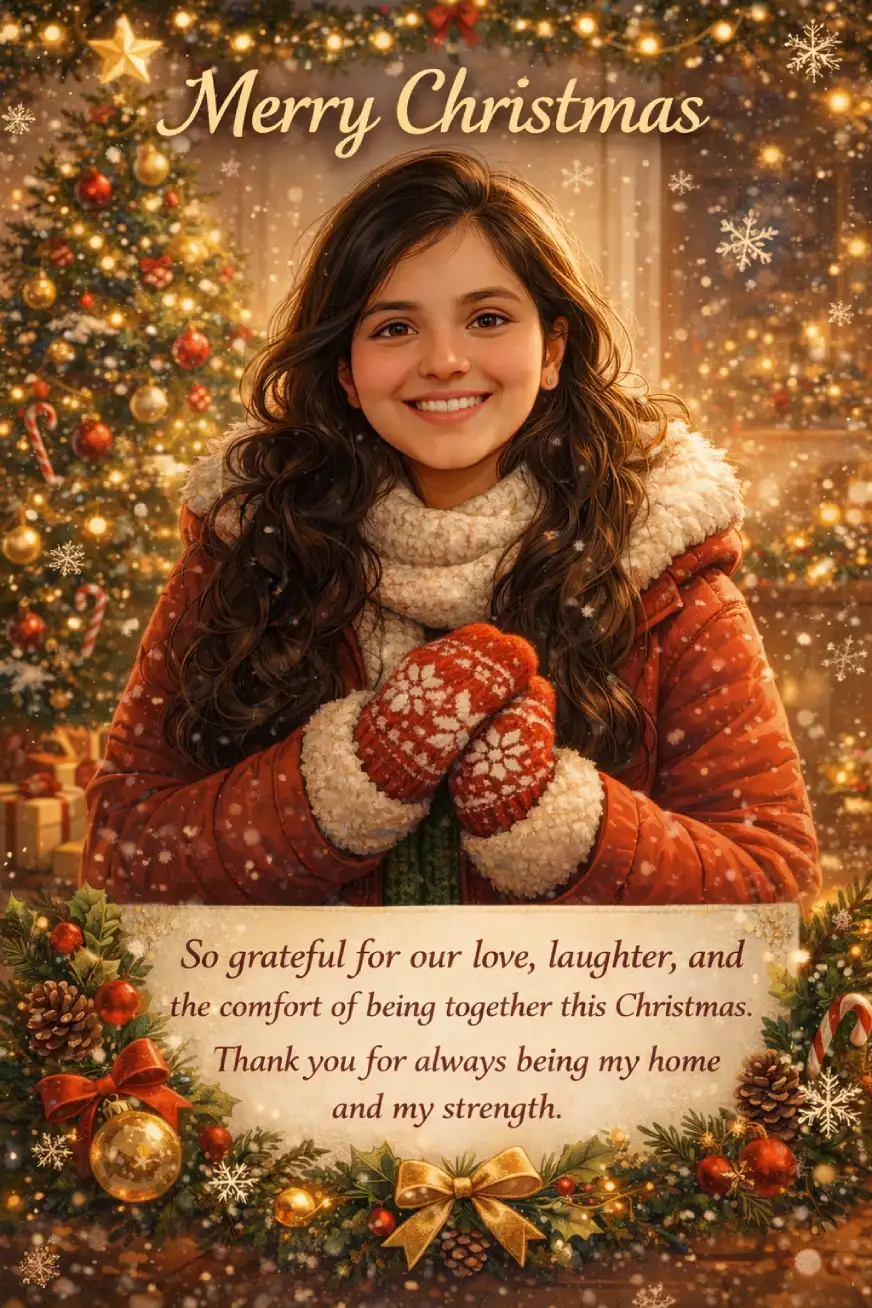
Let’s create an image now using the following prompt:
Create an animated, illustrated portrait of me using the uploaded photo as reference.
The illustration should clearly resemble my facial features in a soft, animated style.
Set the theme as Christmas with warm, festive vibes.
Show me smiling gently, wearing cozy winter clothing in red, green, white, or gold tones.
Add Christmas elements like a decorated tree, fairy lights, snowflakes, and ornaments.
Add this message in the card – “So grateful for our love, laughter, and the comfort of being together this Christmas. Thank you for always being my home and my strength.”
The final image should feel warm, joyful, and suitable for sharing with family and friends.
Output:
Prompt for Nano Banana Pro:
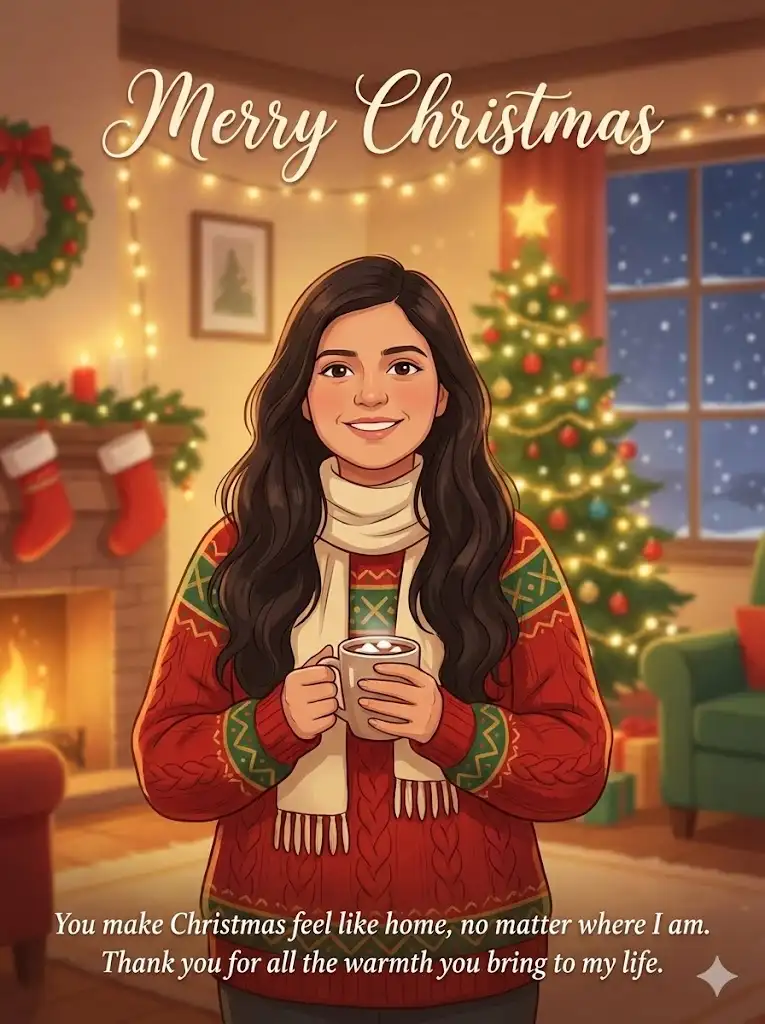
Create an animated, illustrated portrait of me using the uploaded photo as reference.
The illustration should clearly resemble my facial features in a soft, animated style.
Set the theme as Christmas with warm, festive vibes.
Show me smiling gently, wearing cozy winter clothing in red, green, white, or gold tones.
Add Christmas elements like a decorated tree, fairy lights, snowflakes, and ornaments.
Add this message in the card – “You make Christmas feel like home, no matter where I am.
Thank you for all the warmth you bring to my life.”
Write Merry Christmas at the top
The final image should feel warm, joyful, and suitable for sharing with family and friends.
Output:
[BONUS] Learn how to use Nano Banana Pro for Free!
Christmas Card: ChatGPT Image 1.5 vs Nano Banana Pro
For the Christmas card, ChatGPT Image 1.5 generated a far better card than Nano Banana Pro. The lighting feels natural and cozy, the facial resemblance to the reference photo is stronger, and the overall scene has depth that makes it look like a festive photograph rather than a digital illustration. Elements like fairy lights, the Christmas tree, and snow blend organically into the background.
Creating Personalized New Year Cards Using AI
Part 1: Generate a New Year Message
Write a thoughtful and hopeful New Year message for my friends and family.
Focus on gratitude for the past year and good wishes for the year ahead. Keep the tone calm, warm, and sincere.
The message must be only 1–2 short lines, suitable for a New Year greeting card.
Avoid dramatic or generic phrases.
Output by ChatGPT
Thankful for all we shared this year and for the love that carried us through.
Wishing us a new year filled with good health, peace, and togetherness.
Output by Gemini
Grateful for the warmth you brought to my year.
Wishing you a new chapter filled with simple joys and meaningful moments.
Part 2: Generate the New Year Card Image
ChatGPT Image 1.5 Prompt:
Create an animated, illustrated portrait of me using the uploaded photo as reference.
The character should resemble me clearly, but in a clean, modern animated illustration style.
Set the theme as New Year celebration with festive energy.
Show me smiling confidently in stylish festive attire with colors like black, gold, silver, or deep blue.
Add celebratory elements such as fireworks, glowing lights, confetti, and a subtle city or party-style background.
Add this quote without breaking in the image “Thankful for all we shared this year and for the love that carried us through.
Wishing us a new year filled with good health, peace, and togetherness.”
The overall vibe should feel joyful, hopeful, and celebratory, suitable for a New Year greeting card.
Use bright highlights, clean composition, and a high-quality finished look.Output:

Prompt for Nano Banana Pro:
Create an animated, illustrated portrait of me using the uploaded photo as reference.
The character should resemble me clearly, but in a clean, modern animated illustration style.
Set the theme as New Year celebration with festive energy.
Show me smiling confidently in stylish festive attire with colors like black, gold, silver, or deep blue.
Add celebratory elements such as fireworks, glowing lights, confetti, and a subtle city or party-style background.
Add this quote without breaking in the image “Grateful for the warmth you brought to my year.
Wishing you a new chapter filled with simple joys and meaningful moments.”
The overall vibe should feel joyful, hopeful, and celebratory, suitable for a New Year greeting card.
Use bright highlights, clean composition, and a high-quality finished look.
Output:
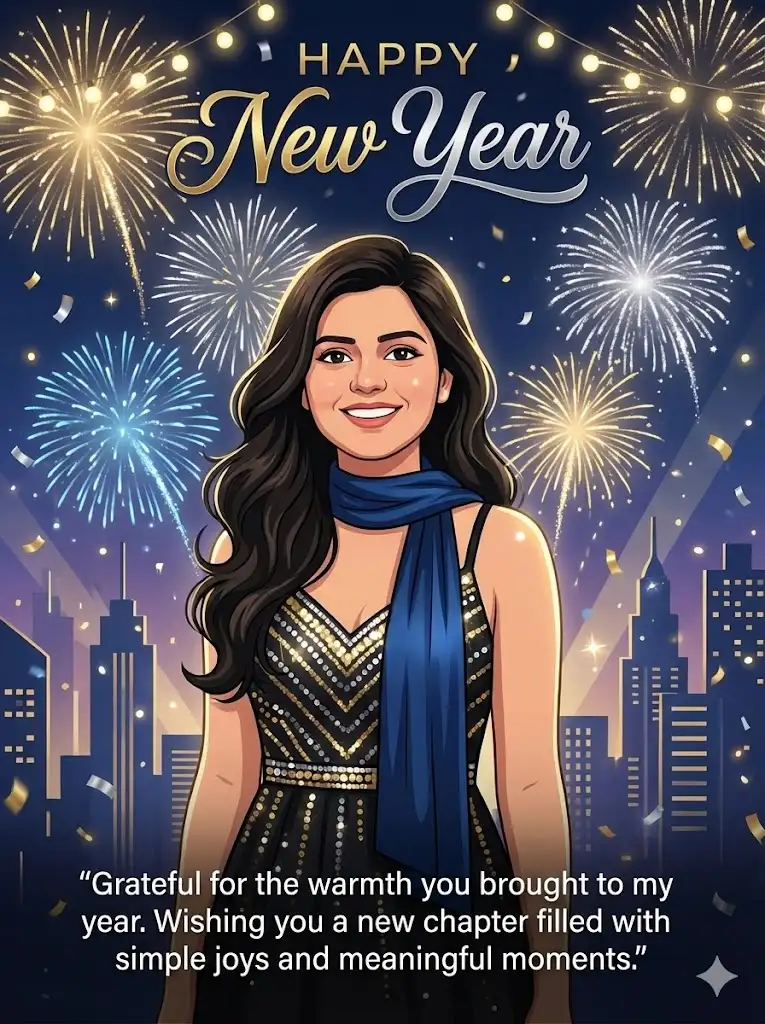
New Year Card: ChatGPT Image 1.5 vs Nano Banana Pro
ChatGPT Image 1.5 again stands out with richer visuals and better composition. The fireworks, lighting, and celebratory effects feel dynamic and well integrated, giving the image a premium, high-energy look. Facial details and expressions are more accurate, and the overall image feels polished and share-ready without additional editing.
Find more examples here: Nano Banana Pro vs ChatGPT Image 1.5
Conclusion
Creating personalized Christmas and New Year cards no longer needs design skills, long hours, or generic templates. With the help of AI image generation models, you can turn a simple photo and a thoughtful message into a greeting that truly feels personal. Whether you choose ChatGPT Image 1.5 for its realism and emotional warmth or Nano Banana Pro for its clean, illustrated style, both tools make it easy to create festive cards that stand out.
Which output did you like better? Let me know in the comments below.
Wishing you a warm Christmas and a joyful start to the New Year. 🎄✨
Hello, I am Nitika, a tech-savvy Content Creator and Marketer. Creativity and learning new things come naturally to me. I have expertise in creating result-driven content strategies. I am well versed in SEO Management, Keyword Operations, Web Content Writing, Communication, Content Strategy, Editing, and Writing.