Do you recall when high-quality, professional designs meant spending big bucks to hire graphic designers, if not spending in the thousands for that Adobe Creative Suite Premium and watching hours of tutorials? Well, those days have finally come to an end. Yesterday, Canva dropped its biggest design, marketing, and automation product launch yet – Creative Operating System or Creative OS. After trying out its features myself, I’m pretty convinced that this is not just the hype. The all-new Canva Creative Operating System is about to change your whole paradigm of thinking about design, marketing, and creativity via AI.
Table of contents
- What Is Canva Creative Operating System?
- Video 2.0: Finally, a Video Editor That Gets Creators
- The AI Revolution: Meet the Canva Design Model
- Ask @Canva: Your AI Creative Partner
- Canva Forms + Sheets + Code: The Web Design Trio
- Canva Email Design: RIP Complicated Email Builders
- Canva Grow: Marketing Automation That Makes Sense
- Brand Kit 2.0: Consistency Without the Chaos
- Why This Matters: The Imagination Era
- Who Benefits Most from This Launch?
- The Catch (Because There’s Always a Catch)
- How to Get Started with Canva’s Creative OS?
- Conclusion
What Is Canva Creative Operating System?
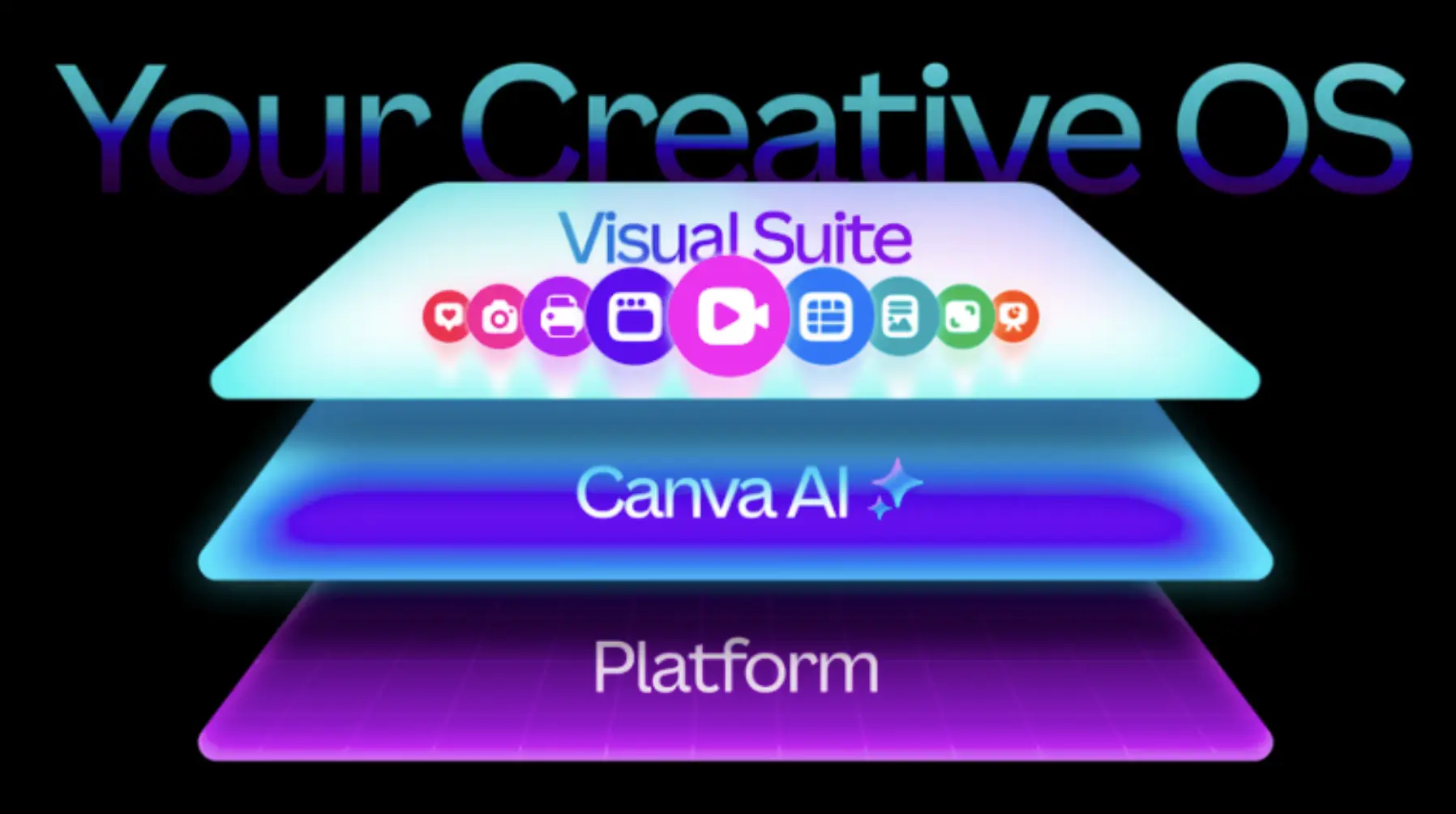
Consider it a design software launch equivalent to that of the iPhone. Smartphones combined communication, photography, and computing into the same device. The new Canva Creative Operating System is doing the same by integrating all the things together that a creator needs. This might be design tools, marketing automation, or a branding toolset. This all-in-one platform offers everything without any complexity. It has three primary pillars:
- Visual Suite – Your creative toolbelt on steroids
- Canva AI – The first design-based AI model in the world
- Platform – Marketing and brand tools that actually talk to each other.
Let’s get to know these pillars one by one and why each of these matters for creators in the real scenario.
Video 2.0: Finally, a Video Editor That Gets Creators
If you’ve ever opened Premiere Pro and immediately felt overwhelmed or tried editing on your phone and wanted to throw it across the room, Video 2.0 within the Canva Creative Operating System is your redemption arc.
What Makes It Different?
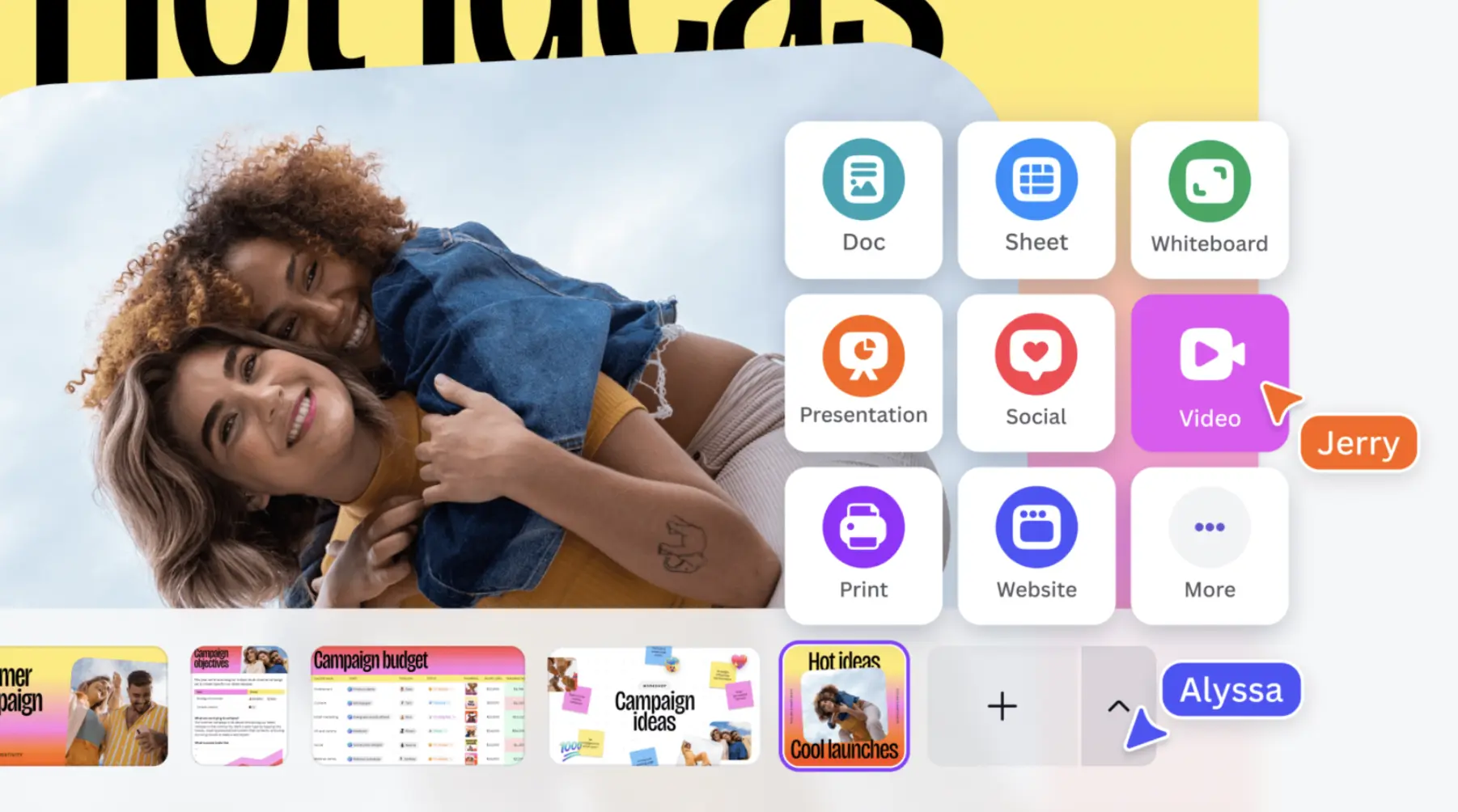
Magic Video is the showstopper. Upload your raw clips and type in what you want (high-energy product reveal for Instagram Reels, for example), and see the AI edit and assemble your video together for you, with transitions, cuts to the beat, and effects to match current TikTok trends, all with minimal effort on your end.
Also read: Top 10 AI video generators you can use for free
But here’s the big one: unlike others that automatically slap a watermark on everything, Canva keeps your videos 100% you, with no branding or limitations. Just export and post.
Pro creators can benefit from the on-trend template library that updates based on what is performing on TikTok, Reels, and Shorts right now, so there is no more guessing about what works; you can start from something that has already worked.
The AI Revolution: Meet the Canva Design Model
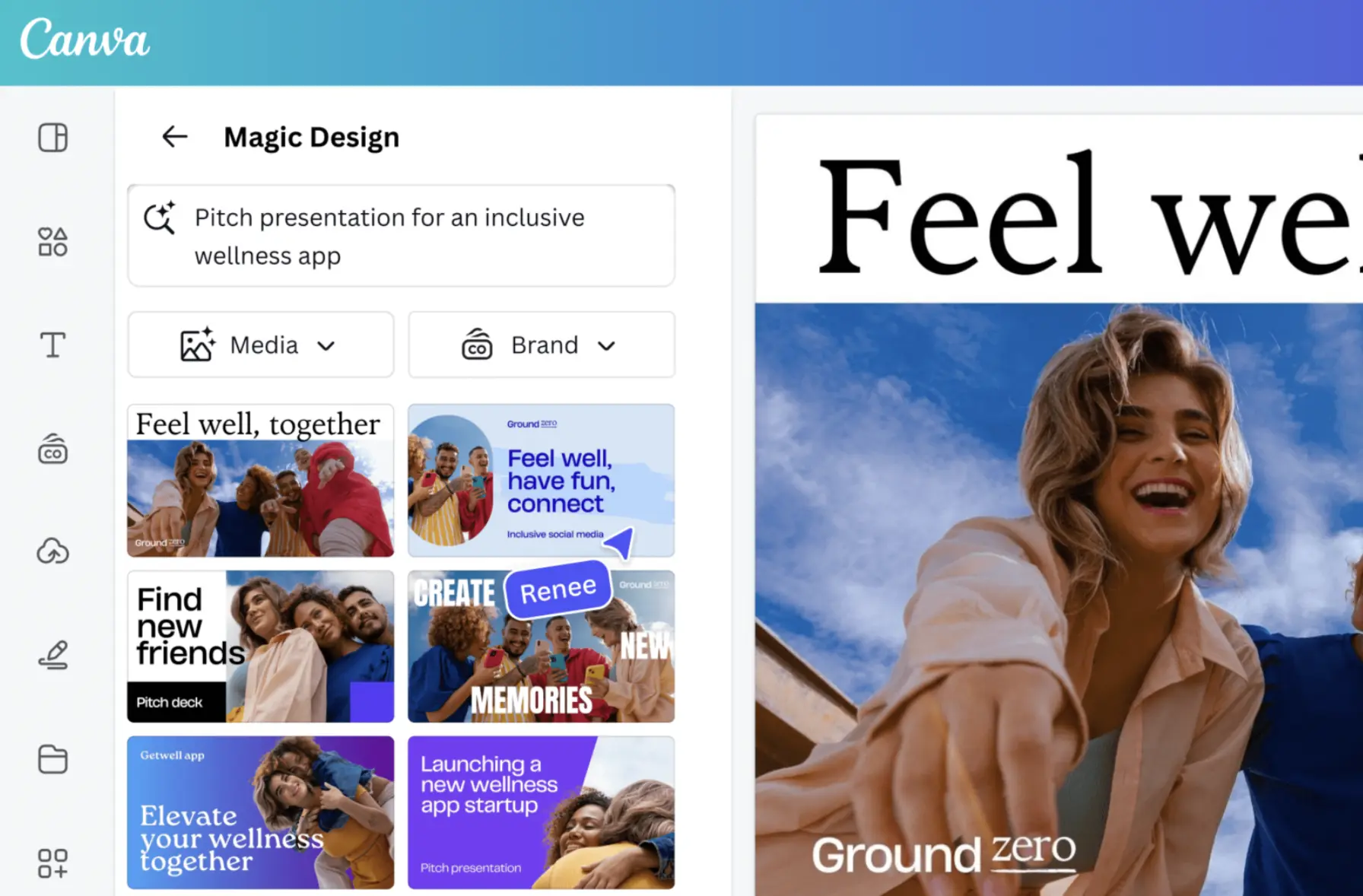
This is where things get really interesting. While most AI tools (e.g., DALL-E, Midjourney) make beautiful visuals, you can’t further edit them the way you want. You have a final image, and good luck if you want to change anything after the fact. But the new Canva Design Model within its Creative Operating System is uniquely different. It is the first AI trained directly on design principles, including things like layers, hierarchy, typography, spacing, and brand consistency. When Canva generates a visual, you get an editable design file, not just a flat pixelated version.
What Makes it Different?
AI-Powered Designs are able to complete full projects in seconds:
- Social media posts that are formatted properly, including size
- Multi-slide presentations that are consistently formatted
- Website layouts that include functional elements
- Marketing emails that are responsive
AI-Powered Elements fill in the gaps:
- The icon style you need, simply generate it for you.
- Background missing for the perfect visual, magic background generated for you in the layout style.
- Want 3D elements and do not want to use Blender, there is a new 3D Content Generator with 3D art built for you.
Lastly, the Style Match feature Canva offers is super smart. It analyses your existing design components and generates new elements that you can use that match perfectly and aren’t just “close enough.”
Ask @Canva: Your AI Creative Partner
This would be one of my favorite features. Let’s say you’re working on an official design that you have to submit by the end of the day, and you’re stuck on whether the headline is designed correctly. Simply tag @Canva in the comments. The Canva AI within its Creative Operating System not only reviews but also makes it the best.
What Makes It Different?
The AI agent evaluates your design context and provides feedback that is more context-specific, relevant, and particular to your design (e.g., “You may want to shorten this headline a bit,” or “This color doesn’t work with your brand colors – would you like to suggest some new colors for your brand?”). It is akin to having a creative director or a professional graphic designer looking over your shoulder – except, it doesn’t get tired, it doesn’t judge, and it responds in milliseconds.
Canva Forms + Sheets + Code: The Web Design Trio
For those of you involved in web design and development, this combination of Canva’s features is a quiet revolution in its own. Here’s a real case scenario: imagine a freelance photographer could establish a booking form that requests client information and auto-populates a pricing calculator while allowing them to send auto-confirmation emails and organize all their sheets, all without hitting a single key in Zapier or hiring a coder.
What Makes It Different?
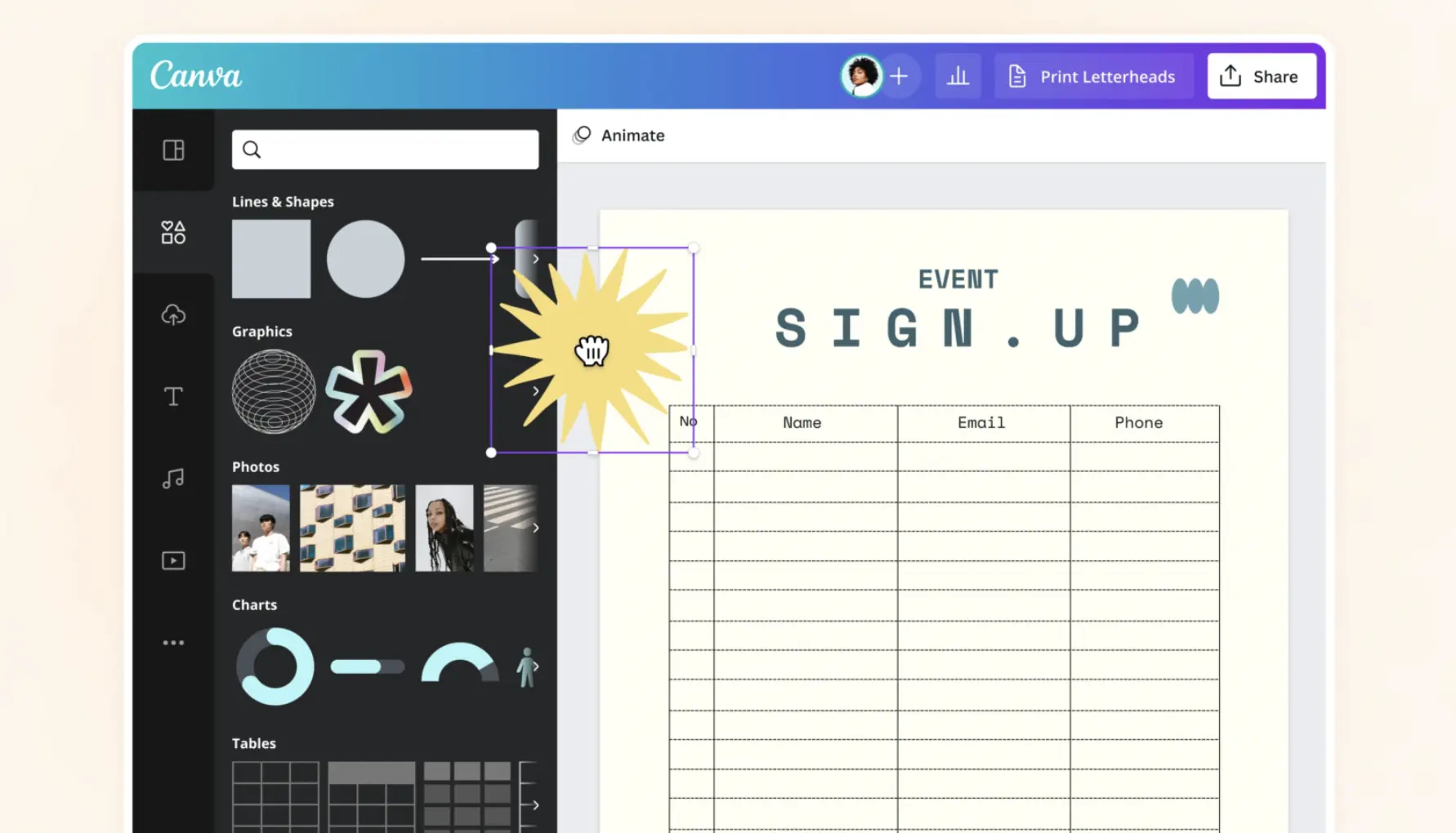
If you’re not aware of it, Canva Forms allows you to add interactivity to any design, especially if you are using Canva Websites. Imagine the possibilities of building contact forms, surveys, RSVP forms, and so on without writing a single line of code.
All responses can then be automatically sent to Canva Sheets when someone completes a form. You are then able to organize, manage, and analyze all your forms data without opening Excel or Google Sheets.
With Canva Code, you can build many interactive tools like custom calculators, booking systems, or interactive portfolios. Most significantly, you can now publish your code-based pages to be standalone websites with their own URLS. Publishing code in your design will not require you to embed it in an existing website.
Here is a step-by-step process for using Canva Forms within your website:
- Create a form in Canva by adding your preferred fields. Canva forms will record all the answers and then push them to the Canva sheets automatically.
- Now, create a Canva sheet and then connect it with the form created in step one.
- Add Canva code to enhace the layout or add some more features.
Canva Email Design: RIP Complicated Email Builders
Email marketing tools have a reputation for being cumbersome. You have drag-and-drop builders that have the unpredictability of not actually being able to put things where you want them. You have templates that simply break the minute you customize them.
Canva Email Design, part of the Canva Creative Operating System, brings the easy, intuitive, visual design experience everyone loves to email marketing campaigns. You’ll be able to design beautiful campaigns, preview desktop and mobile, send test emails, and export clean HTML for any email platform.
The AI integration option allows users to generate email copy, create images, and get design feedback; all while staying inside the workflow.
Canva Grow: Marketing Automation That Makes Sense
This is where Canva transitions from a design platform into a marketing automation platform. Canva Grow creates a closed loop for ads:
- Inspiration – View the best performing ads in your market
- Creation – AI scans your site and creates ad variants in your brand voice
- Publishing – Publish your ad directly to Meta (more coming soon!)
- Analytics – Scan for performance and AI insights about improvement
Small businesses and solo marketers, this is your lever. You no longer need to jump between Hootsuite, Canva, Meta Business Suite, and Google Analytics. It is all interconnected now. You can directly create an ad using the Canva AI and then connect it with your Meta account to post instantaneously. Once you have connected your ad account with Canva, it will show the real insights and will also provide AI recommendations on how you can improve your overall branding.
Brand Kit 2.0: Consistency Without the Chaos
It can be extremely difficult to maintain brand consistency as teams expand. There are many people who will interpret the brand guidelines differently, as everyone has a different mindset and perspective. Assets are stored every which way, and outdated logos show up in documents and presentations. The new Brand Kit system solves these challenges with an online, centralized home for all logos, colors, fonts, tone guidelines, templates, etc.- all in one organized, visual space.
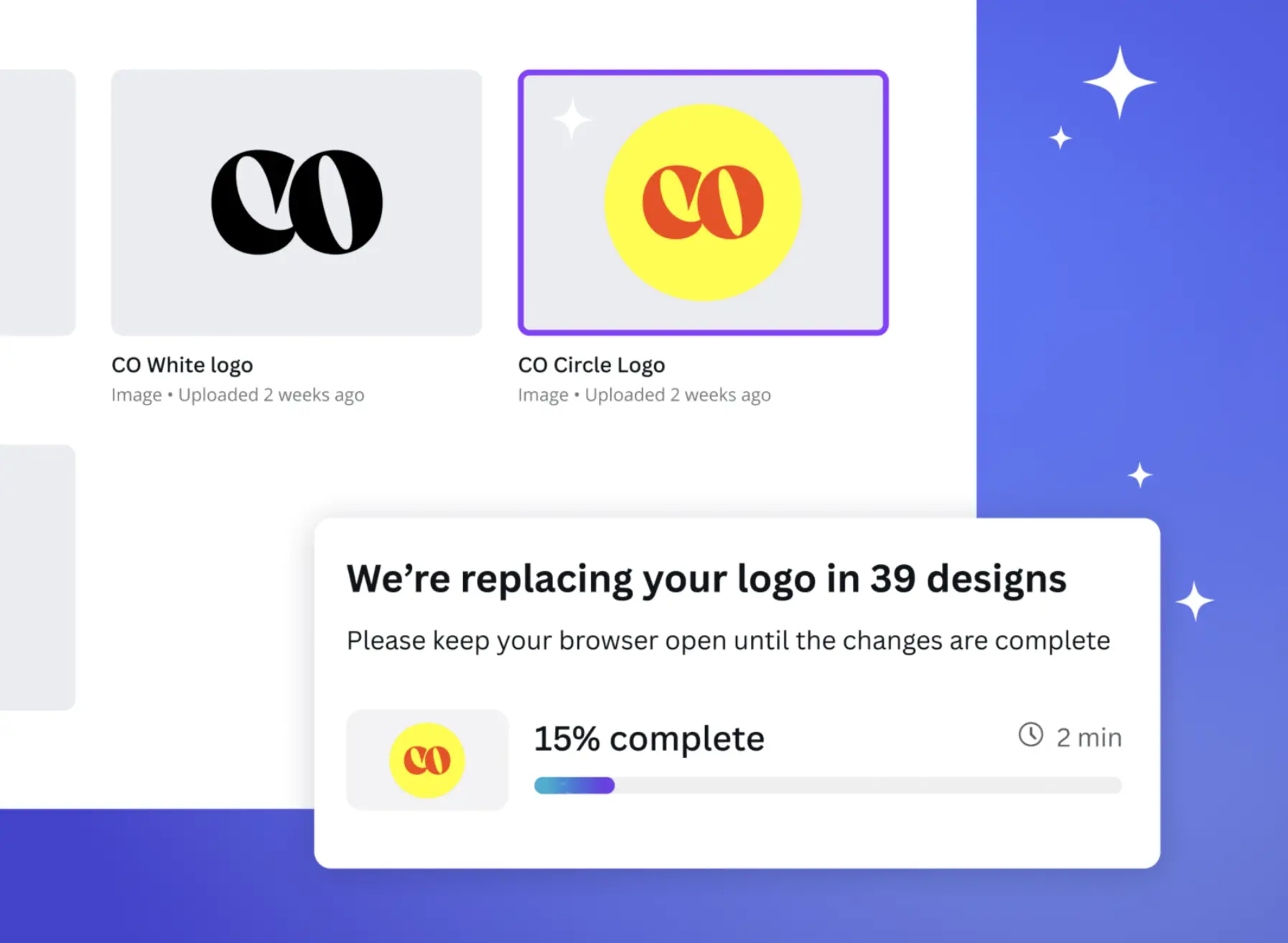
Here’s the kicker – contextual brand guidance is built into the editor for teammates to access when they need it most. No more searching through brand guideline PDFs. Additionally, when AI generates designs with your Brand Kit connected, it automatically uses your approved colors, fonts, and style. Everything you create will be on-brand.
Why This Matters: The Imagination Era
Canva’s betting on a transformative shift from the “Information Era” to what they call the “Imagination Era.” Here the constraint isn’t access to knowledge, but the ability to turn creative ideas into reality.
Every feature in this launch removes friction between imagination and execution:
- Can’t code? AI-Powered Elements generates it.
- Don’t know design principles? The Design Model applies them automatically.
- Stuck on creative decisions? Ask @Canva for feedback.
- Need professional tools? Affinity is free.
Who Benefits Most from This Launch?
Wondering whether the new Canva launch helps you. Here is some help:
- Content Creators: Being trend-aware now will benefit Video 2.0 and reel templates for faster turnaround without sacrificing quality.
- Small Business Owners: Canva Grow feature will offer enterprise-level marketing tools at minimal pricing and will be a key differentiator!
- Marketing Teams: An all-in-one integrated platform to eliminate using multiple tools and maintain consistency on-brand.
- Freelancers: Have simple and professional tools (Affinity) plus easy collaboration for clients (Canva) all in one ecosystem.
- Educators and Nonprofits: You already get Canva Pro for FREE, and now with all these future-forward features!
The Catch (Because There’s Always a Catch)
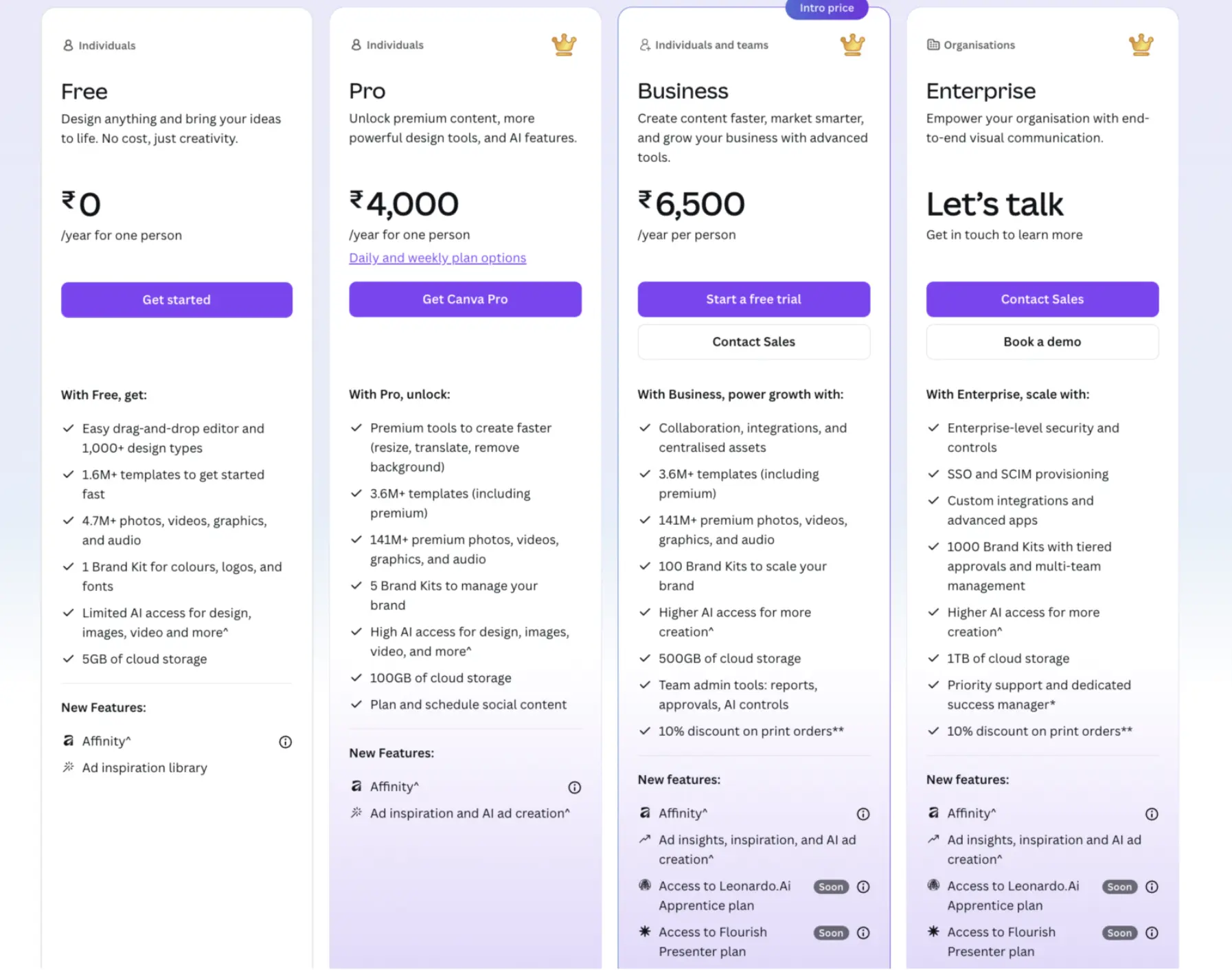
Most of the features of the Canva Creative Operating System are available only using a Canva Pro or higher plan. The free version is usable and still powerful, but AI features, Brand Kits, and the Canva Grow service are hidden behind the paywall. Even so, for most professionals and businesses, the cost is still very attractive, especially given the fact that you are really only replacing the cost of multiple subscriptions (e.g., to a video editor, an email builder, social scheduling, and analytics tools).
How to Get Started with Canva’s Creative OS?
- Access the Platform: Access the platform canva.com either by signing up as a new user or directly logging in via your Gmail account.
- Explore the New Features First: Go to the Canva homepage. You’ll see multiple features. Go to AI-powered design and enter your prompt to develop an entire project right from scratch.
- Revamp your Brand Kit: If you happen to have a premium account, allocate some time to set up your new Brand Kit properly. You will be happy you did this whenever you start a new project in the future.
- Give Video 2.0 a spin: Upload a few raw videos and let Magic Video do its thing. Then compare the overall time you spent on your current manual method versus the AI Magic video method.
- Experiment with Canva Grow: If you’re running ads, then connect your Meta account to Canva Grow and check on the AI recommendations. Then compare to what your current results are.
- Touch on Affinity: Download the app and explore the professional-style tools. There is an investment into the learning curve, but most certainly, you will find a much higher quality ceiling than standard Canva designs.
Conclusion
Canva’s Creative Operating System is not just an upgrade – it is a wholly new creative operating system. Canva has literally made something greater than the sum of all parts by bringing design, AI, and marketing together in one place. Will it be perfect? No piece of software is perfect. Will there be a learning curve? Yes, particularly with the more complex features within their platform.
But if you’ve ever been frustrated when your tool seems to be limiting you, or frustrated by the workflow of creative tools in general, then this announcement is worth your time. The Imagination Era of Canva may sound like marketing jargon, but when you can honestly take a rough idea and, within a few clicks, transform it into a polished, published, trackable campaign in a matter of minutes instead of multiple days, then that is not just an advancement but a revolution.
Gen AI Intern at Analytics Vidhya
Department of Computer Science, Vellore Institute of Technology, Vellore, India
I am currently working as a Gen AI Intern at Analytics Vidhya, where I contribute to innovative AI-driven solutions that empower businesses to leverage data effectively. As a final-year Computer Science student at Vellore Institute of Technology, I bring a solid foundation in software development, data analytics, and machine learning to my role.
Feel free to connect with me at [email protected]