Last week, a GitHub notification arrived while I was asleep: a bug had been reproduced in staging, documented with screenshots, and assigned to the right engineer. A bot I set up four days earlier did the work overnight.
That is the gap Grok Bot is designed to close. Instead of suggesting what to do, it can execute the workflow itself. In this article, we build two practical bots: one for reproducing bugs and another for catching churn before renewal.
Table of contents
What is Grok Bot?
Grok Bot provides customized cloud computing machines for every agent. These computers can be used to browse the web and execute commands. The bot takes care of logging into your apps and completing your assignments. It is not just a text display.
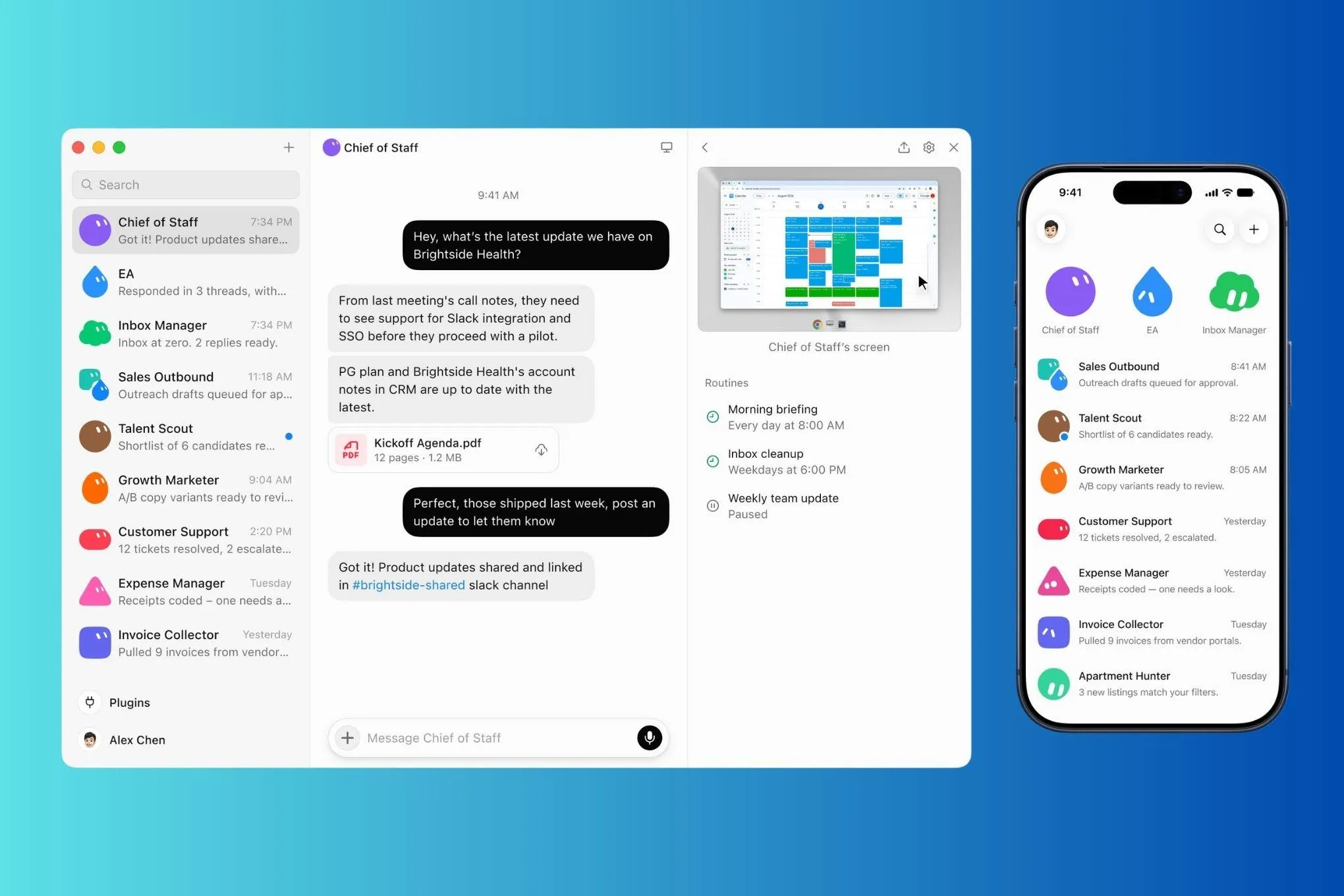
The finished job is delivered to the appropriate place. xAI launched the first beta version of the product on August 11, 2026. Use the desktop or iOS client to access the program.
In order to understand how all of this works, three concepts need to be defined:
- Skills refer to the instructions used to complete a particular task.
- Routines are the events or schedules that trigger the bot to start working.
- Plugins refer to the approved connections to applications such as Slack, GitHub, users’ emails, etc.
Get that right and the bot runs itself. Get them wrong and you’ll babysit it forever.
What Does Grok Bot Cost?
First comes the money question. There is no free Grok Bot plan. The free version of Grok allows for about ten queries every two hours. You will need any previous paid plan to access it. Here is what to be careful with in terms of pricing for a service:
This plan has changed pricing one time already, so check the plans page before subscribing. There is a 7-day free trial provided. You will have to provide your credit card but won’t be charged until the eighth day.
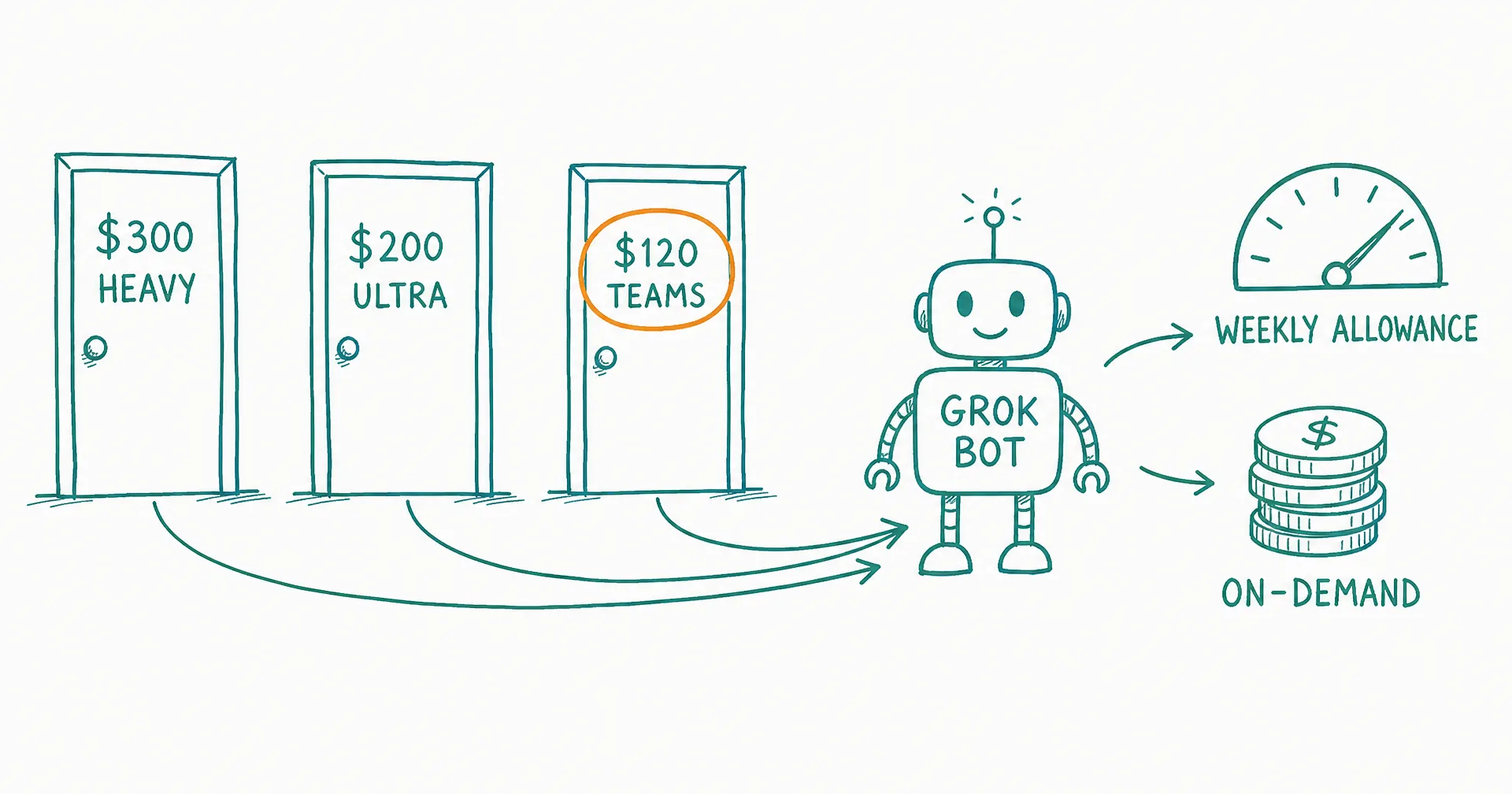
Now comes the part that causes confusion. The subscription fee is the price per seat, which is not the same as an invoice price. The usage price is calculated based on a weekly limit; if you exceed it, you will have to pay token fees.
Setting Up Grok Bot: A Step-by-Step Walkthrough
The installation process is as simple as can be. There is no need for any configurations or commands.
- To start using the program, all you need to do is to locate it in your application store or download it from the x platform. Any platform will work for you; they only need to be compatible, which is what early versions were all about.
- To ensure that everything will be running properly and without any issues, you should login using the account with paid subscription. If you need to change the account later, you will need to build your agents from scratch.
- The next step is to verify the plan and switch to the Grok Bot version if you are eligible for it. If you are a SuperGrok customer, you can continue using it.
- To set up the agent, give it a name, choose the color, form and type of it, and set the description. You would need to follow the steps and connect it to the plugins through settings.
Hands-on Task: Grok Bot on My Own Repo, Screen by Screen
I created an agent called Bug-Repro with the aim of developing a bot which can reproduce the bugs reported in a bug tracking system. Here’s what actually happened:
Step 1: Share the spec instead of the bug
The agent initiated nicely by saying: “Give me a bug and I would try to reproduce it.”
There is no way to give a direct reply to it. Give a bug to it and get a reproduction for that. A request for assistance is a one-time thing but a capability is necessary to be developed.
That is why I have used the first message as a full specification:
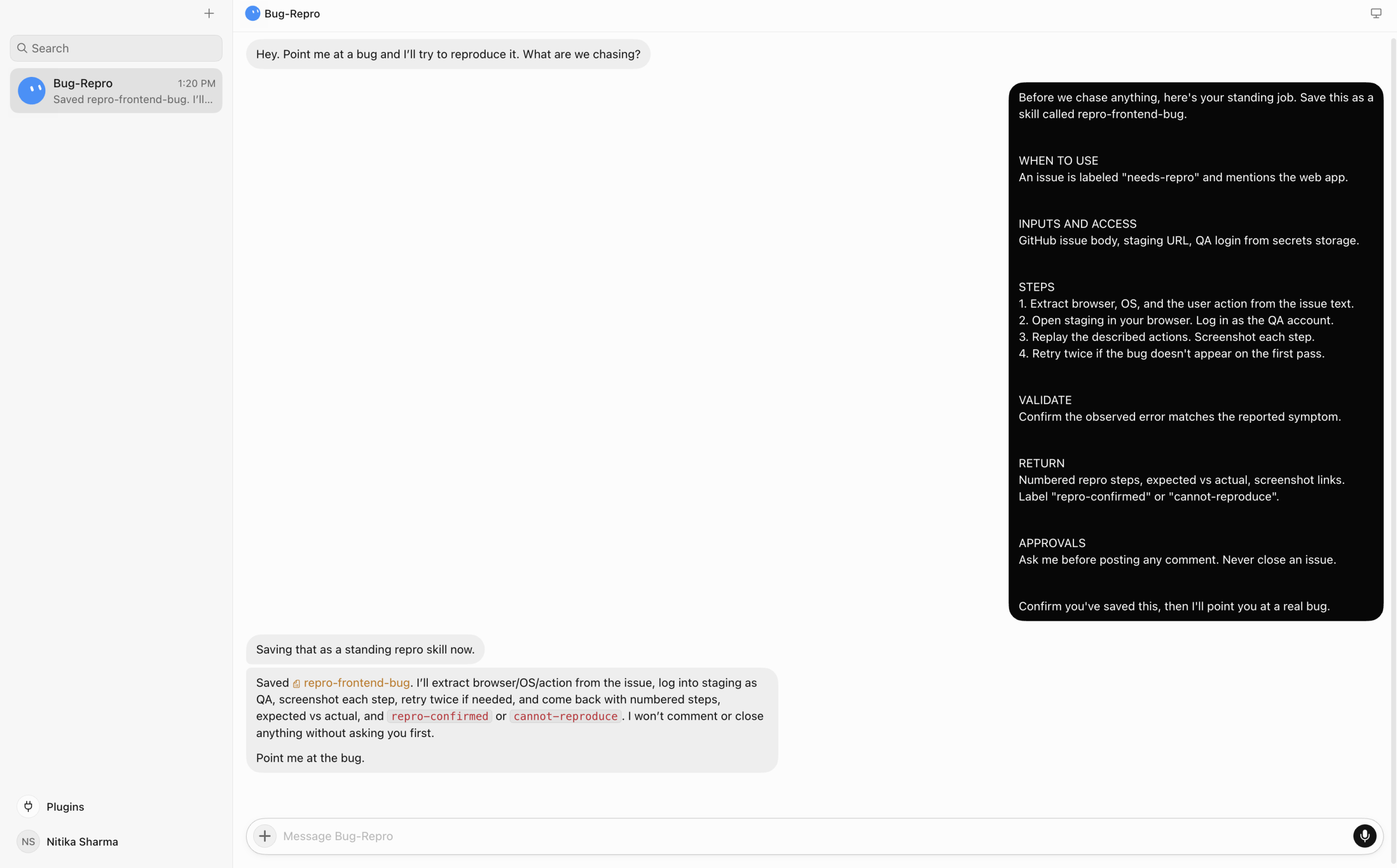
It ran through the entire contract, including the approvals clause. Those six headings correspond to the requirements of a skill as outlined in xAI’s documentation. Validation and approvals ensure that a bot does not make erroneous statements with too much confidence.
Step 2: Connect GitHub through Plugins
Search “github” under Plugins and hit Add.
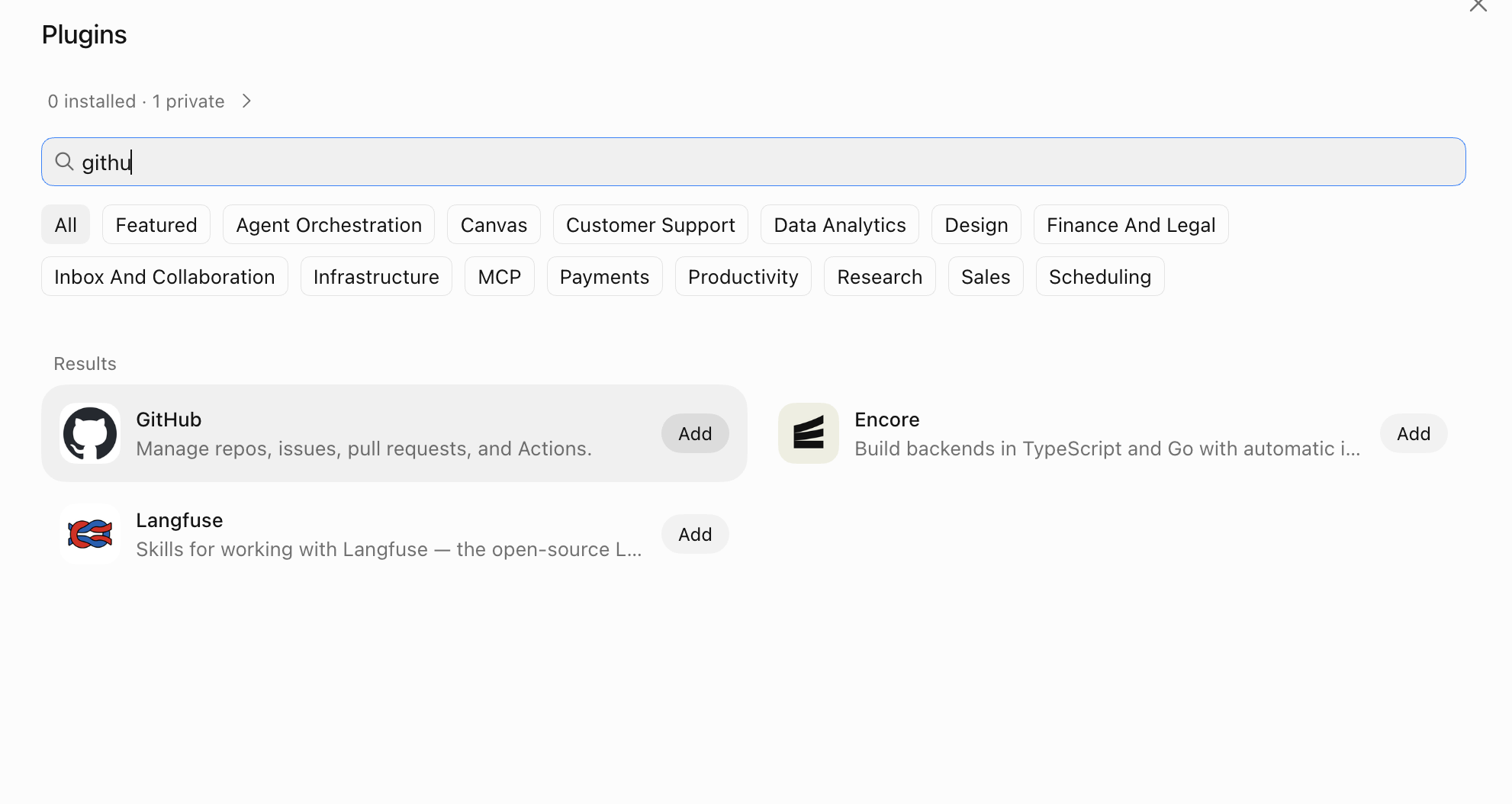
The connector then asks for a personal access token.
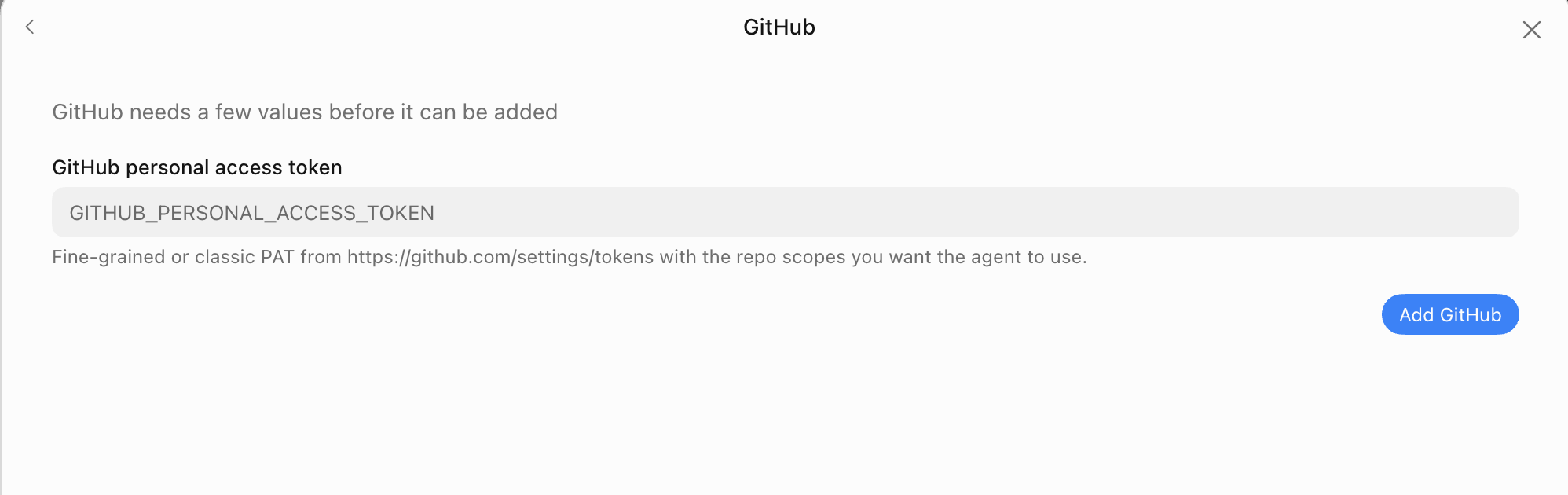
Insert the token in the place. It’s kept as a secret. Writing it into a chat is a mistake as that message is on a cloud server that every bot can access.
Keep your scope limited while testing:
Repository access: Only select repositories → your-org/your-repo

Permissions:
  Issues     → Read and write
  Metadata   → Read-only
Problems and metadata only. Nothing else. The bot never needs to have your code to recreate UI errors.
Step 3: Scoping before reproduction.
I’m not ready to report it as an issue just yet. The thing is, my repository is for a multiplayer setup, so it doesn’t fit the usual assumptions. A lot of the bugs need to be tested with two clients running at the same time.
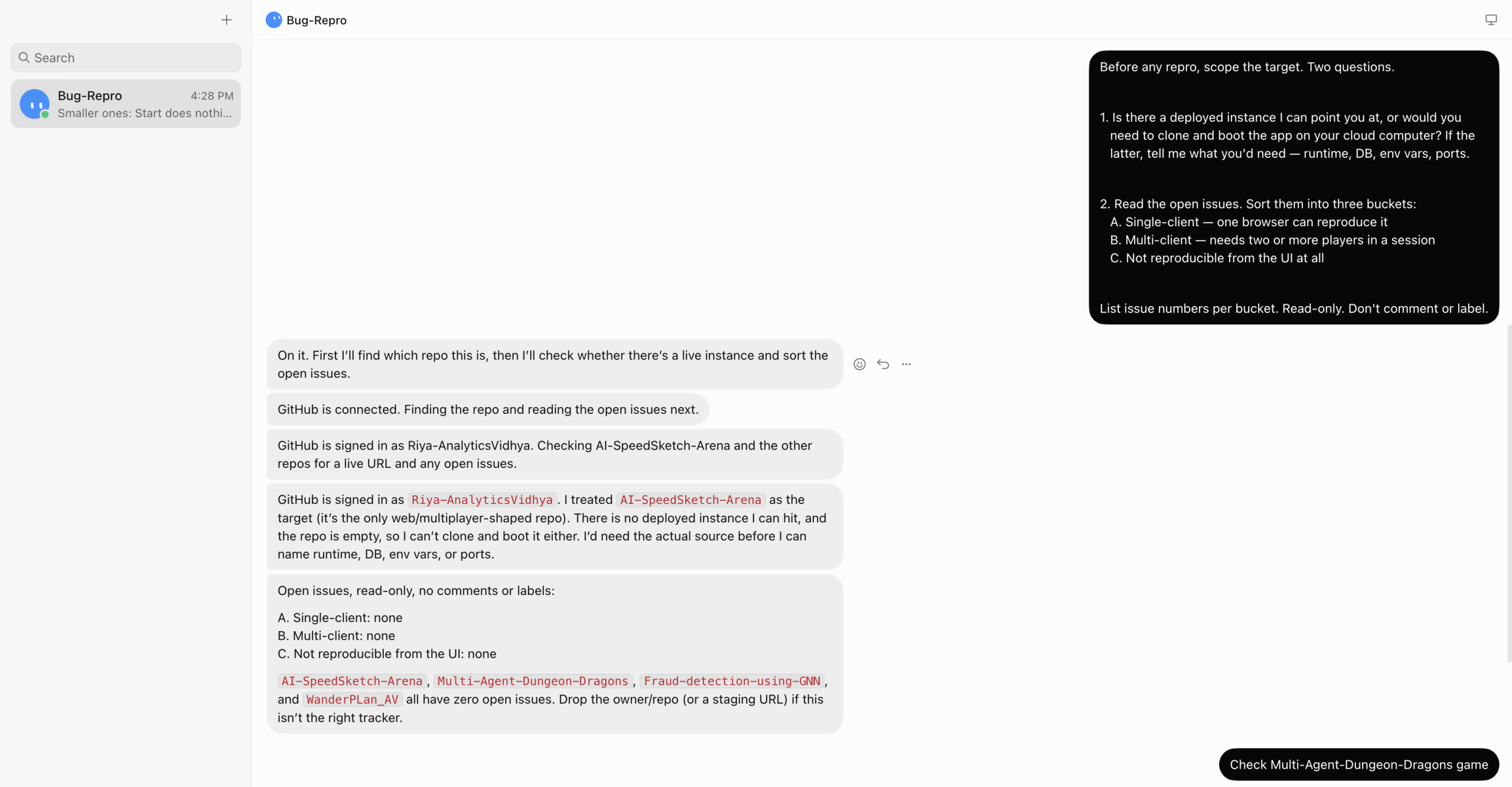
Good thing I asked. It guessed the wrong repo and found no deployed instance. Then it reported zero open issues across four repos.
Step 4: Point it at the right repo
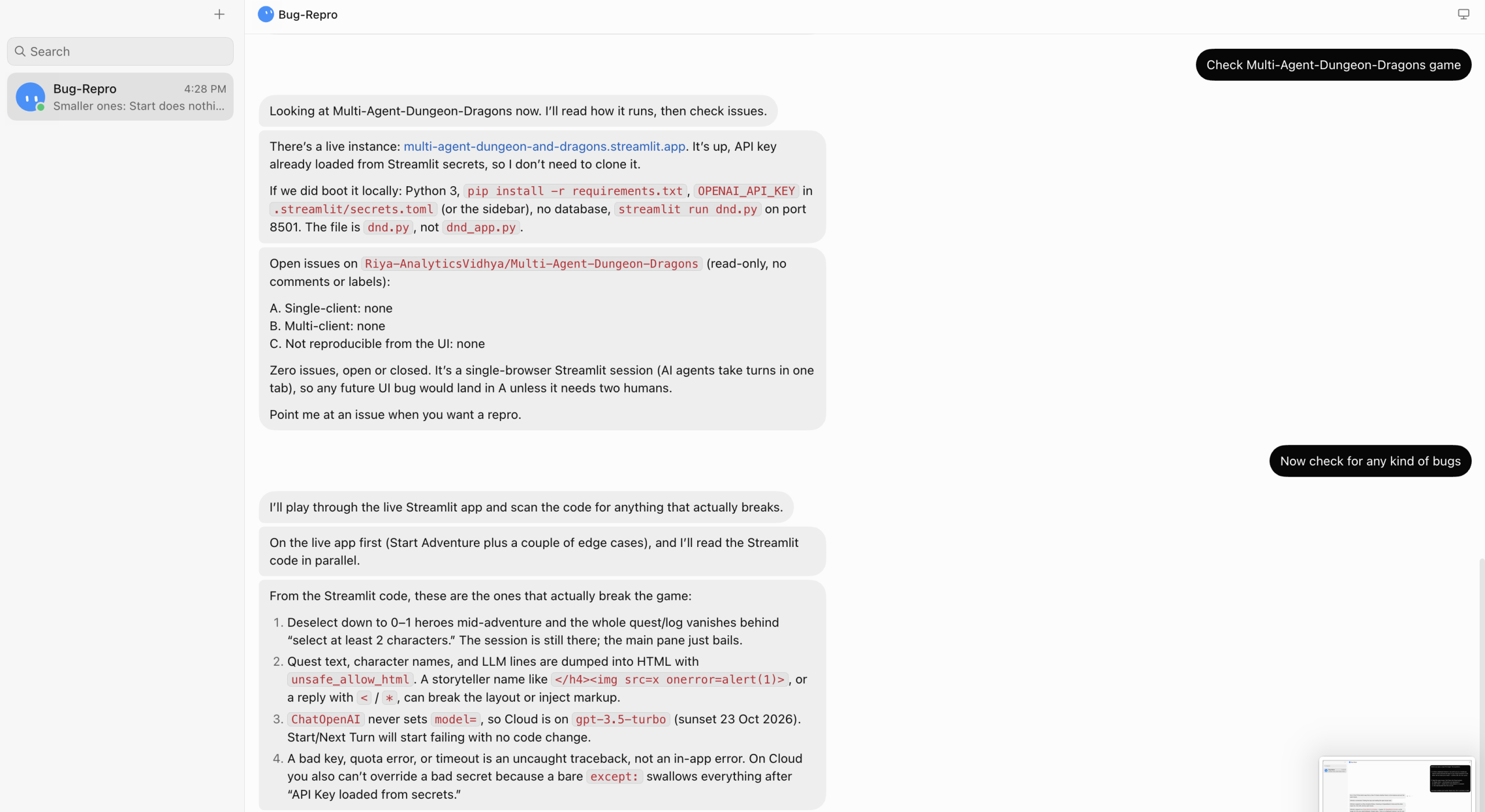
At this moment, it is actually good. It detected the live Streamlit app, so there is no need for operating a clone, it automatically discovered the local boot recipe. It was as follows: the commands were pip install -r requirements.txt, the key in the compendium .streamlit/secrets.toml, streamlit run dnd.py on port 8501.
Step 5: Changing the task
The assumption I was based on was having a bug-tracking tool with an infinite number of bugs. I had a blank one. Hence, I switched the task of bug reproduction to the task of bug finding.
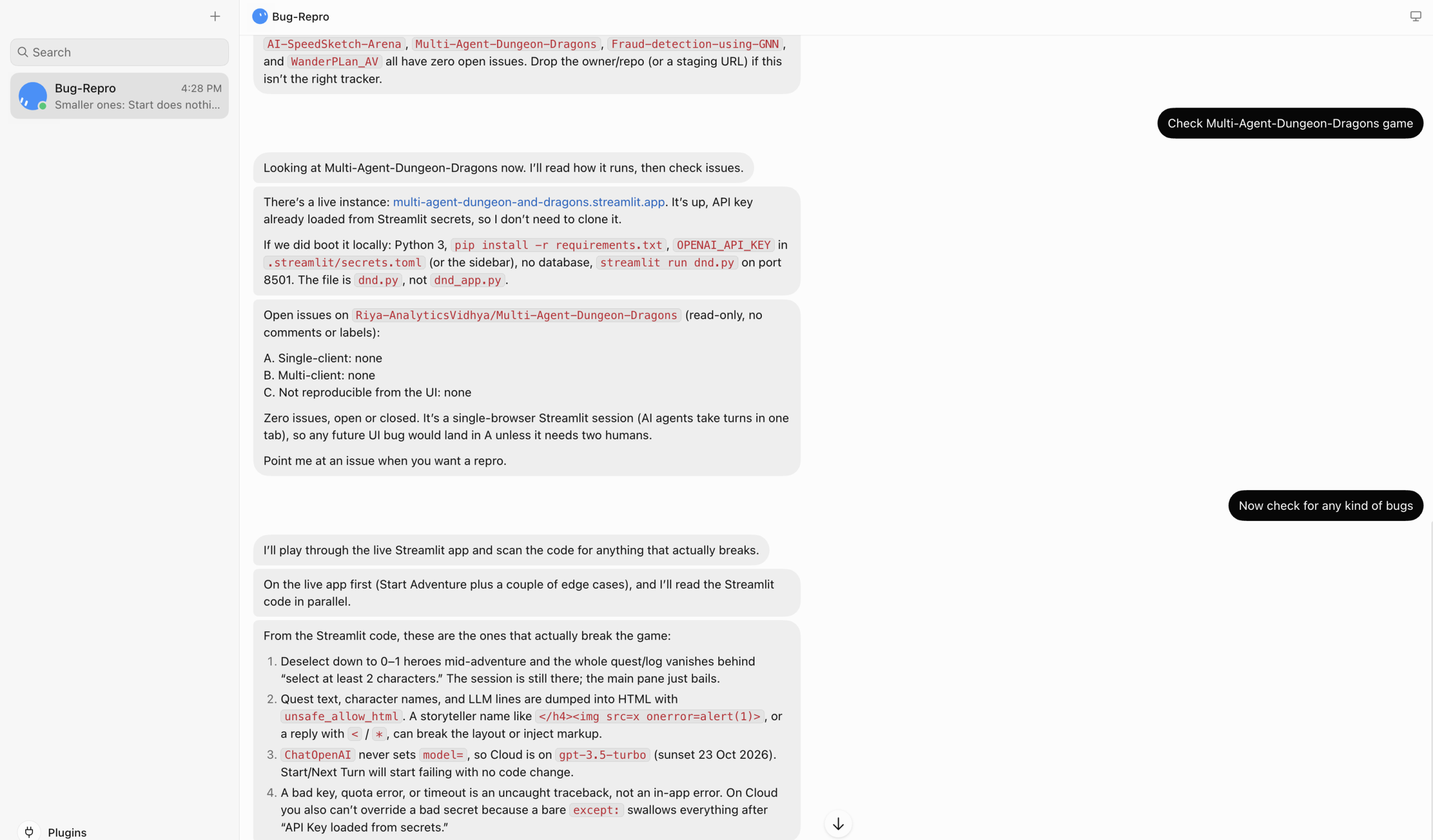
It operated the live application and assessed the source code simultaneously. Four genuine bugs emerged:
- When deselecting one hero, the quest log is deleted as a result of a validation mistake.
- Character names are printed using unsafe_allow_html, which means that gets executed.
- ChatOpenAI never defines a model, and as a result, the model is used without notice before it becomes obsolete.
- The use of before-except swallowing exceptions and quota errors is problematic, as it creates raw traces.
The second bug is an actual XSS issue, which makes it impossible to reach this point without reporting the problem.
Here is a full run:
Can Grok Bot Agents Hand Work to Each Other?
This is where both builds come together. Group the two bots into a chat group. Two to six bots may take part in communication.
The account-health bot identifies a customer who suffered major session issues after some release. It gives the host date to the QA bot. The QA then checks whether a known frontend issue got through with this release.
With no one moving between the chats, the routing is possible using those fields in the description of the bugs. My reason for nagging is now clear. But the memory is in fact different for each bot. Each bot has its own memory. The information they share will be the files of the cloud computer.
The task of clean transfer can be done either in the form of a file. One of the bots can write at_risk.csv and the following bot will read it. Sending long reports via chat will lead to a loss of details.
What Trips People Up with Grok Bot
I have personally committed almost all of these errors so make sure that you don’t:
- Creating a mega-bot. Narrow agents run and fail more effectively.
- Blindly trusting browser automation. The process is disrupted silently by CAPTCHAs and layout changes. Always use a real connector, if you have one to use.
- Neglecting to run routine tasks after you switch off your computer. You lose everything the moment you delete it because no undo option is available right after the deletion. So, make sure to pause before you delete.
- Skipping the test runs. The test run will perform some real actions, so the designated environment should be a staging one.
- Hitting weekly token caps. General triggers will eat your whole quota very quickly. So, make sure to narrow down your rules.
An additional catch is that website redesign might invalidate the recorded actions.
Conclusion
The trick with Grok Bot is that results go into the actual device. However, it’s not the model that is significant; it is the skill specification, narrow trigger, as well as the approval gate.
First, begin with just one bot and one process. Choose something tedious that you do every week. Evaluate it one week later and rectify any issues faced.
Your on-call engineer will be grateful.
Frequently Asked Questions
Q1. What is Grok Bot?
A. Grok Bot is an AI agent that uses cloud computers, web browsing, commands, and plugins to complete tasks automatically.
Q2. Does Grok Bot have a free plan?
A. No. Grok Bot requires a paid plan, with pricing based on the subscription and usage limits.
Q3. Can Grok Bot agents work together?
A. Yes. Two to six bots can communicate in a chat group and pass information through shared cloud files.
Data Science Trainee at Analytics Vidhya
I am currently working as a Data Science Trainee at Analytics Vidhya, where I focus on building data-driven solutions and applying AI/ML techniques to solve real-world business problems. My work allows me to explore advanced analytics, machine learning, and AI applications that empower organizations to make smarter, evidence-based decisions.
With a strong foundation in computer science, software development, and data analytics, I am passionate about leveraging AI to create impactful, scalable solutions that bridge the gap between technology and business.
📩 You can also reach out to me at [email protected]