
In the last few months, one AI tool has dominated expert recommendations and trending lists: NotebookLM. And for good reason. Whether you’re working with documents, presentations, reports, videos, or websites, essentially any form of content, be it text, audio, or video, NotebookLM can analyze and restructure it to fit your needs. So far, its most talked-about features have included generating summaries, creating interactive podcasts, and building mind maps from diverse data sources. Now, NotebookLM has introduced even more exciting capabilities like video overviews, detailed reports, and more.
In this blog, we’ll explore NotebookLM’s latest Video Overview feature along with its other functionalities, showing you how and why to use them! Get your Notebooks ready.
Table of contents
What are the latest features of NotebookLM?
NotebookLM is an AI-powered research and writing assistant developed by Google Labs. Powered by Google’s latest Gemini model, it helps users organize and analyze large amounts of information from multiple sources. Simply upload your documents, and NotebookLM instantly processes them, allowing you to chat with your data, extract key insights, and seamlessly share findings across Google Apps.
The best part? NotebookLM is completely free, with a paid plan available for higher usage limits. Even the free tier provides full access to all core features.
- Video overviews: You can now generate video summaries of your upload data sources. This is a visual counterpart of its audio overview features, where NotebookLM generates visual slide decks for your task.
- Reports: As you work with multiple sources, collect information, analyse it – NotebookLM will convert it into reports that can be shared with your colleagues. The reports feature in NotebookLM comes with 4 different choices, you can choose from: Briefing doc, Study guide, FAQ, and Timeline.
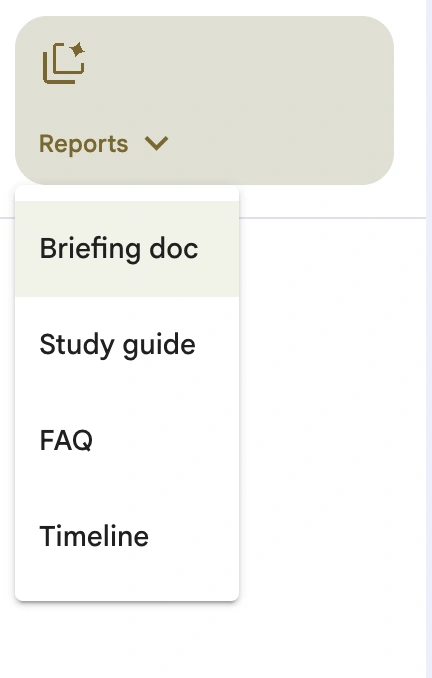
- Multiple outputs: You can create multiple outputs from a single data source, meaning you can convert the same data into a mindmap, a podcast, a report, or a video.
- Multitask with Podcasts: With its latest changes, NotebookLM now allows you to listen to the audio overviews generated by it as you work with its other features.
- Diverse Inputs: Initially, all the cool outputs were limited to only a single data source – meaning that you could only use one document or YouTube video, or website to generate your mindmap or podcast. Not anymore – you can now work with multiple sources and create outputs by merging all of them.
Also Read: 7 Things You Didn’t Know You Could Do With NotebookLM
Let’s experience each of these features to solve a few of our everyday problems and check for ourselves if NotebookLM saves us some time or not.
Working with NotebookLM
To open NotebookLM, either go to its website or check your Google Apps.
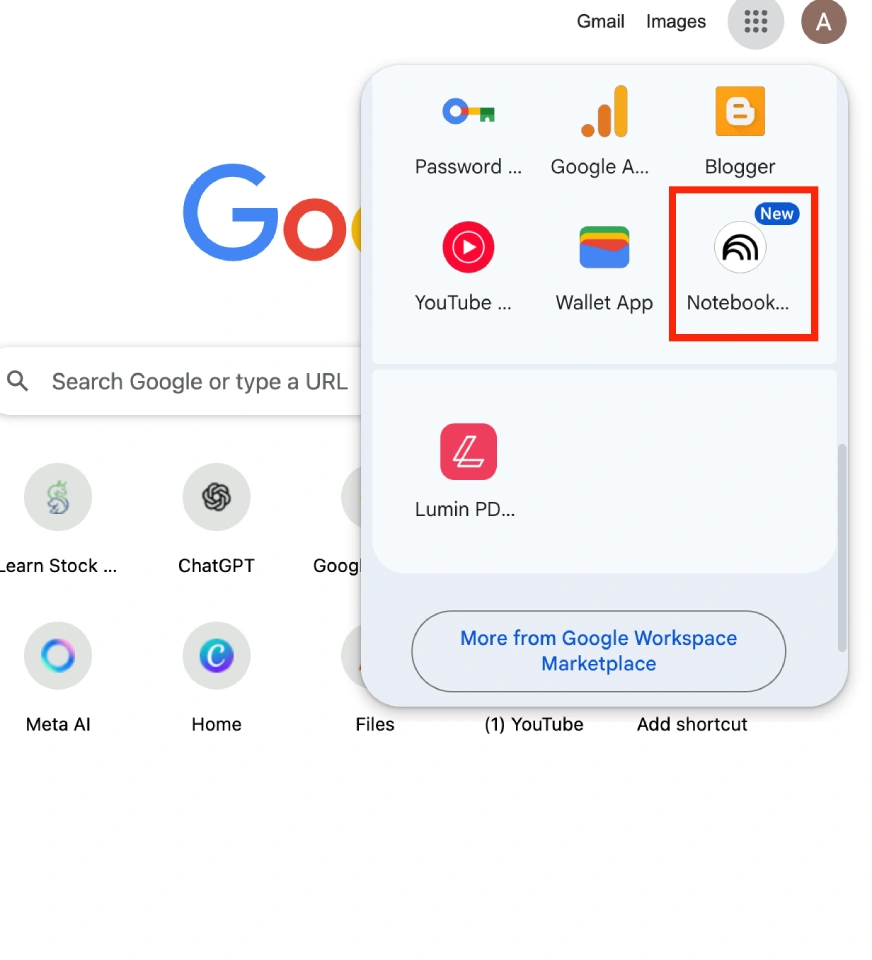
Let’s walk through each feature:
Task 1: Creating Video Overviews
Problem Statement: There is a report that you need to convert into a presentation for a stakeholder meeting. 🔗 Report
Output:
I tested NotebookLM by uploading a 40-page research paper and tasked it with creating a presentation. After processing the document, it produced an 8-minute video complete with visuals, key data points, and narration. The output was impressive: a polished, minimalist presentation featuring:
- Relevant images and tables extracted from the paper
- Clear audio narration guiding through each section
- A balanced design avoiding text overload, ready for immediate sharing.
Task 2: Generating Reports
Problem Statement: Convert a youtube video into a detailed a summary document. 🔗 Video
Output:
I tested NotebookLM by inputting a 4-hour YouTube video. Within seconds, it generated a remarkably well-structured summary report. The output:
- Presented key information in clear bullet points
- Organized content under relevant headings
- Captured all essential details concisely
This experience convinced me NotebookLM is the ultimate tool for transforming lengthy content into digestible formats. I’ll never need to manually summarize content again.
Task 3: Multiple Outputs
Problem statement: You need to prepare for a meeting regarding Directorate General of Foreign Trade and also create a briefing document and a presentation for the same.
Output:
I needed to prepare for a meeting on India’s foreign trade policies, so I turned to NotebookLM with a website containing 10 complex policy documents. In one go, it delivered everything I needed:
- An FAQ quiz to test my understanding
- A concise briefing document covering key points
- A presentation-ready PPT with clear visuals
NotebookLM transformed hours of research into meeting-ready materials instantly – handling multiple complex tasks simultaneously with perfect execution.
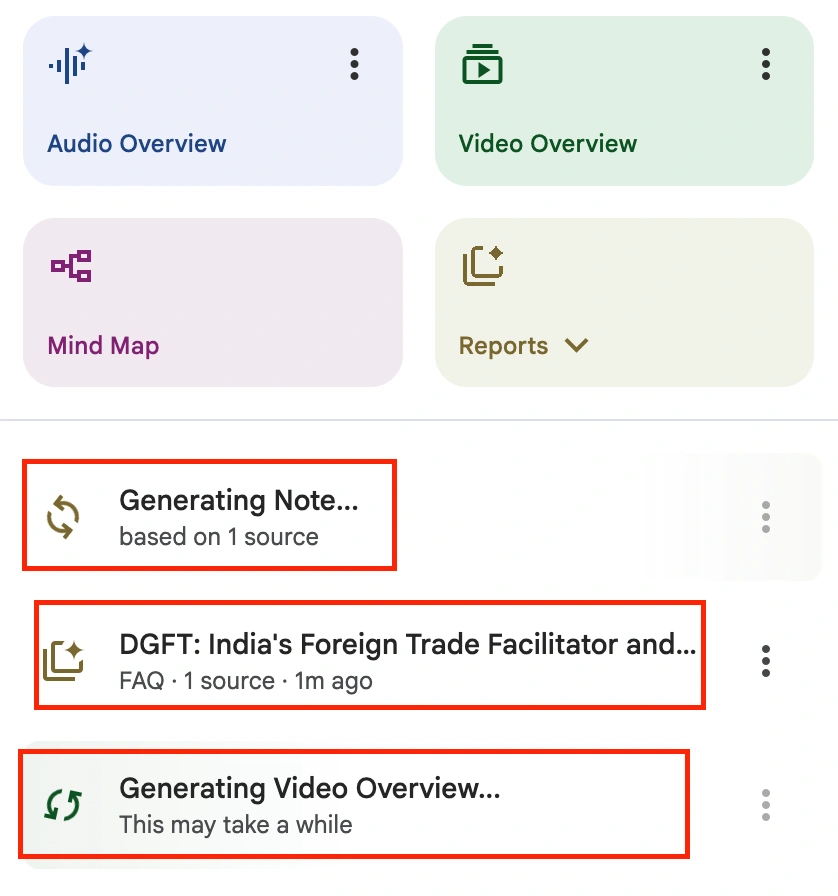
- NotebookLM first generated an FAQ list that helped me test my knowledge of the trade policies. While I felt the questions could have covered more ground, they provided a solid foundation for my preparation, highlighting key areas I needed to review before the meeting.
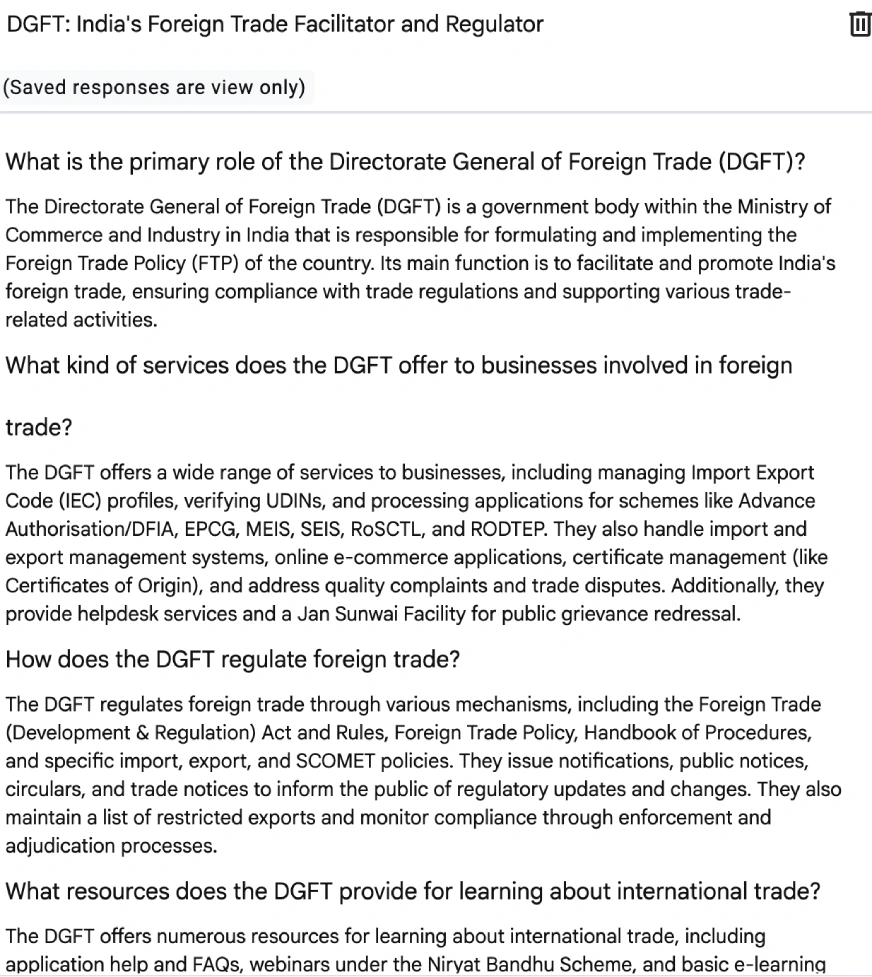
- Next, NotebookLM generated the briefing document and it delivered perfectly. Every critical point was included, with clear headings and logically organized subpoints that made the complex trade policies easy to follow. The structure was so well thought-out that the document was meeting-ready immediately.
- The video presentation took about 9 minutes to generate but compared to the full day it would have taken me to create manually, that’s a huge win. And honestly? Even with that extra time, I doubt I could’ve made something this clean, simple, and effective on my own!
This single feature condensed nearly two days of work into just 10 minutes. If that’s not AI-powered efficiency at its best, I don’t know what is!
Task 4: Multitasking with Podcasts
Problem Statement: You need to prepare for an interview and you have all the sources available, but do not have time to sit and read through them and you need a quick guide to help you revise all the key terms.🔗 Source 1, Source 2, Source 3
Output:
For my interview preparation, I needed NotebookLM to analyze three sources and create a podcast combining relevant information from all of them. Instead of converting a single source to audio, you can select multiple sources first. Then, enter your prompt in the central text box for example, I used: “List all key data science interview topics and essential focus areas from these materials.” After generating the response, use the “Save as note” option at the bottom to later convert it into an audio format for on-the-go listening.
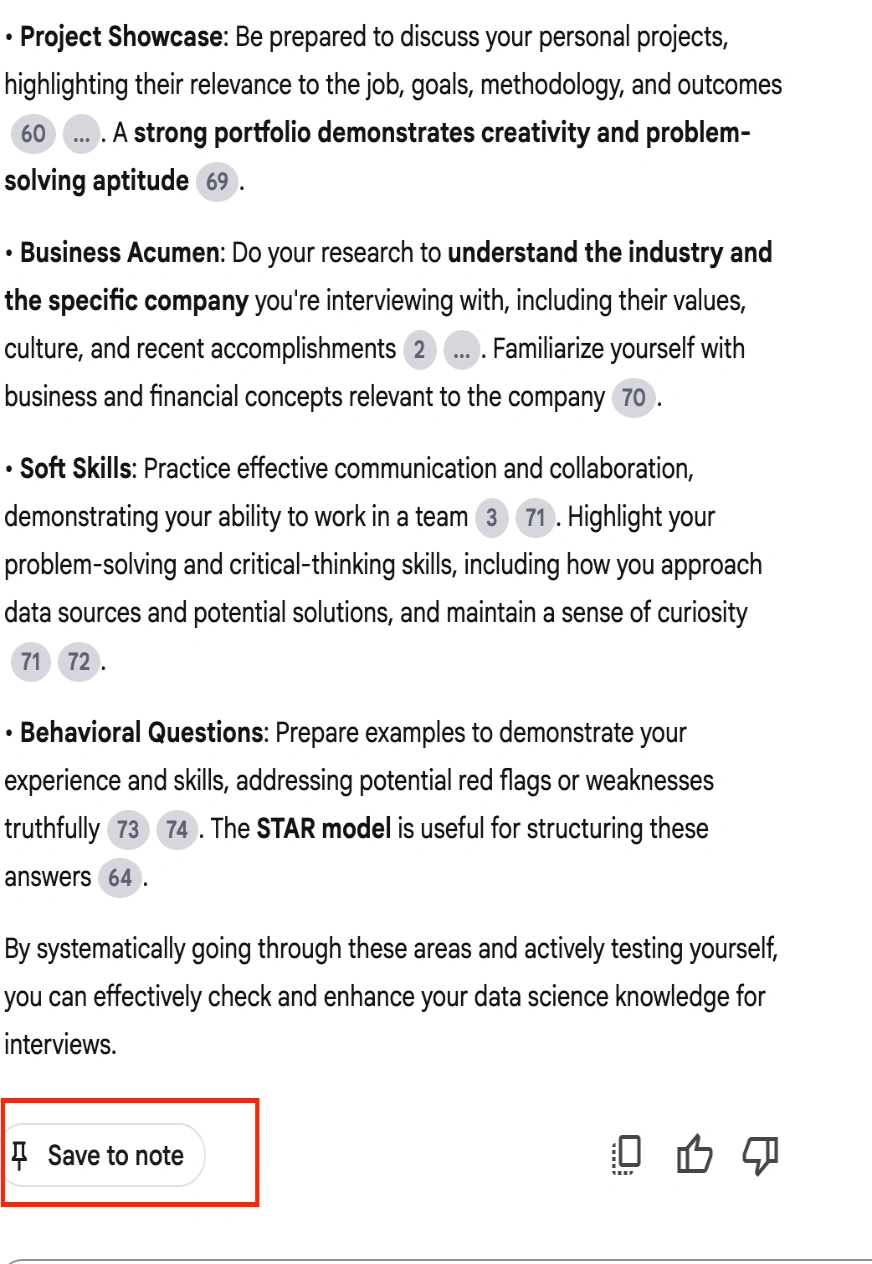
Click on it and you will find that this chat has been saved as a note and you can now access it from the right side “Studio” panel.
Now you click on this Note, and at the bottom left corner, you will find the button to convert it as a source.
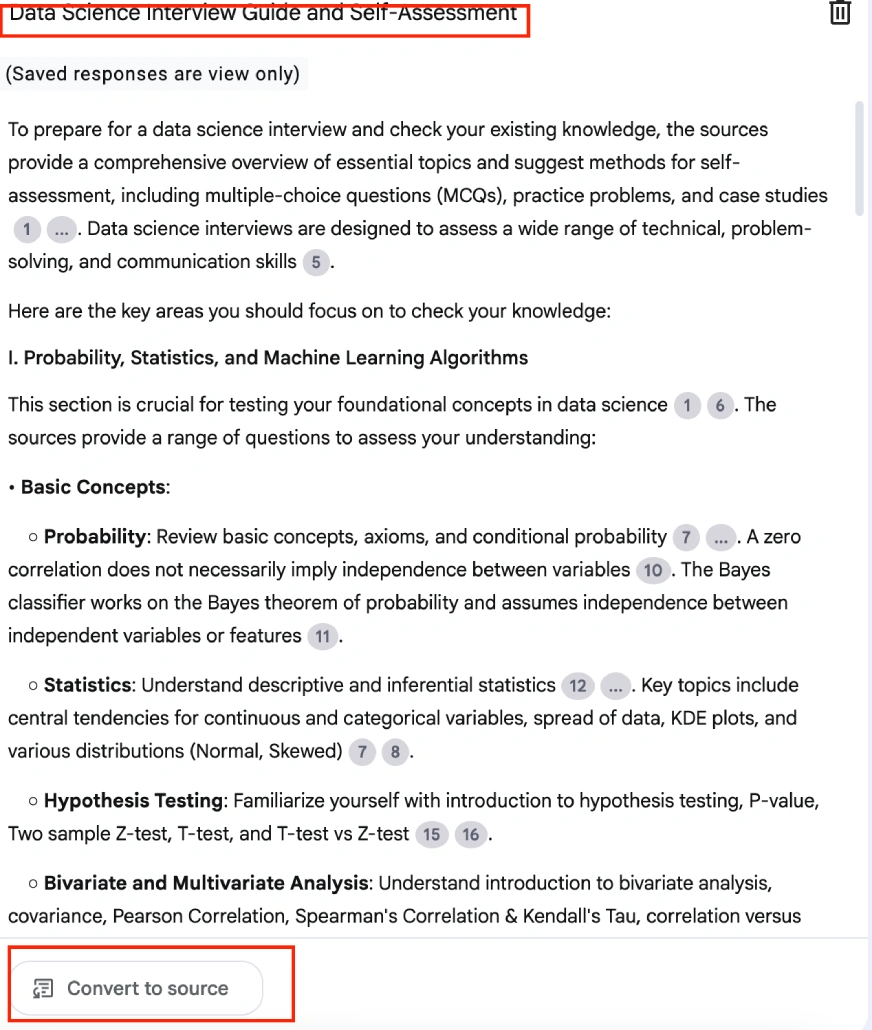
Click on it and you find it in the “Sources” Panel on the left side of the screen. From these, you can select it and convert it into the form you need. I wanted to convert it into a podcast, and hence I clicked on “audio overviews.”🔗 Link to the audio
To prepare a study guide for my preparation, I selected all the sources and simply clicked on the Reports section and selected “Study Guide.”
The tool generated a 21-minute podcast covering all my interview preparation needs, plus a concise study guide for quick revision. If this isn’t the ultimate preparation aid, I don’t know what is!
Task 5: Diverse Inputs
Problem Statement: I have a video, a document, and some websites that I need to go through for a competitive analysis on Flipkart (e-commerce website). Sources: Website, Youtube, Document
Output:
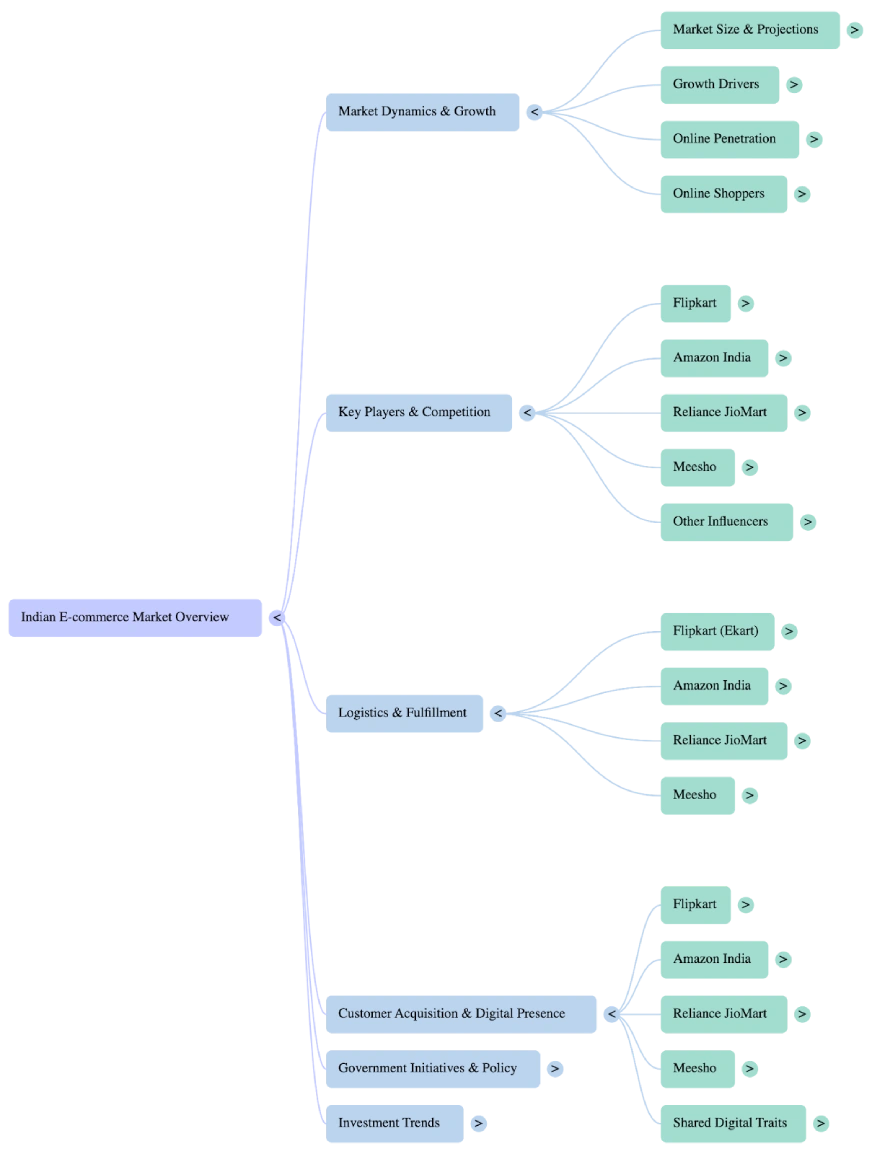
For this task, I used NotebookLM to analyze multiple input sources and generate a comprehensive mindmap of Flipkart’s business. After uploading and selecting all the materials, it instantly created a structured visual breakdown, covering market dynamics, competition, logistics, and other key aspects, making complex information easy to navigate.
Where can you use NotebookLM’s latest features?
Video overviews, comprehensive reports, and multi-source analysis – combined with NotebookLM’s core summarization capabilities – create a truly game-changing tool. These advanced features enable diverse applications, including:
- Studying for an exam or preparing for an interview
- Creating content for social media
- Delivering powerful presentations
- Reserach and documentation
- Collaborating over ideas
These are just a few of NotebookLM’s many unique applications. The more you use it, the more intuitive it becomes, and the more tasks you’ll find it can streamline. It’s a dependable AI tool that transforms your content into reliable, actionable insights.
Conclusion
I’ve always been a fan of NotebookLM – it’s one of the most sensible and well-designed AI tools available. Every feature is thoughtfully crafted to solve specific daily challenges. The new video overviews and Studio UI enhancements are particularly impressive, generating presentation-ready slide videos with audio narration in seconds. The output quality is consistently professional enough for any stakeholder meeting. I highly recommend trying NotebookLM – it’s genuinely designed to make our lives easier.
Anu Madan is an expert in instructional design, content writing, and B2B marketing, with a talent for transforming complex ideas into impactful narratives. With her focus on Generative AI, she crafts insightful, innovative content that educates, inspires, and drives meaningful engagement.







