Google’s latest image generation AI tool has taken the world by storm. Nicknamed Nano Banana, the AI image generator is basically Gemini 2.5 Flash Image, an AI model dedicated to creating super-realistic and high-quality images within seconds. And just like any other new-age tech, Nano Banana is going viral thanks to a recent trend – 3D figurines made from selfies.
In case you are not aware of the trend as yet (living under a rock?), know that Google Nano Banana allows you to transform your 2D photos into hyper-realistic 3D figurines. All this, with no coding, no modelling, or no complicated UI. Simply upload your selfie, enter a prompt, and boom – your 3D figurine is here.
What’s the holdup then? Let’s get to making your own 3D figurine so you can share it on your social accounts pronto!
Table of contents
A Little About Google Nano Banana AI First
As mentioned, Nano Banana, aka Gemini 2.5 Flash, is the latest image generation model from the house of Google. More than an image generation model, Nano Banana comes as an image editing model. Why? The update now allows you to blend multiple images into a single image, as well as perform other editing tasks on it. Creating a 3D figurine is one such application.
It’s not just a filter. It’s a full AI transformation pipeline, designed to analyse your face, body pose, angles, and texture, and then build a 3D model with remarkably lifelike proportions. All you need is a good photo. The rest? Nano Banana does the heavy lifting.
If you are interested, my teammate Nitika recently compared the Nano Banana with GPT-5 for their image generational capabilities. You can check out the comparison here.
How Does It Work?
Nano Banana AI uses a combination of computer vision, depth estimation, and neural rendering to convert 2D inputs into 3D figurines. Here’s what happens:
- Your uploaded photo is scanned using facial landmark detection.
- Pose estimation models determine the angle and body position.
- A deep-learning model reconstructs depth, contours, and skin textures.
- The output is then wrapped into a virtual 3D figurine format with custom lighting.
The result is a tiny but dynamic 3D version of you, ready to be posted, shared, or downloaded.
Also Read: 4 Ways to Access Nano Banana for Free
Step-by-Step: How to Create Your 3D Figurine
Time needed: 5 minutes
Now that we know what goes behind the scenes in the creation of a 3D figurine, here are the exact steps you need to follow to create your own 3D figurine using Google’s Nano Banana AI.
- Make your Gemini Account
Visit the official Gemini website.
- Select the right model
In the drop-down menu below the Gemini logo, select Gemini 2.5 Flash. In the Tools section within the chat window, click on Create Image. You will also see a Banana image right next to the option, indicating Nano Banana.
- Add photo
From the Add Files section right next to Tools, click on Upload File. Here, you can upload a clear photo of yourself that you want transformed into a 3D figurine.
- Use the right prompt
Use the following prompt for the image generation. You can simply copy/paste it, or make your own changes to the prompt.
“Transform the person in the uploaded image into a high-detail 1/6 scale collectible 3D figurine in a realistic sculpted style, with sharp texturing and lifelike facial features. The figurine is posed heroically on a polished wooden tabletop, lit by natural daylight from a nearby window. It stands on a circular frosted glass base, clean with no labels or text. Behind it is a tilted tablet showing a paused frame of the digital sculpting software mid-process. Beside the figurine lies a premium toy packaging box inspired by Japanese anime collectibles, featuring full-colour illustrations of the same figurine in action poses. Ensure the scene feels photorealistic, cinematic, and crafted for professional display, suitable for collectors and online storefront previews.” - Wait for your photo
Wait 10–30 seconds while the AI processes your image. View the result: A 3D figurine will appear on screen. Click on the Download option in the top-right corner of the image. You can then share the image wherever you wish.
Output:
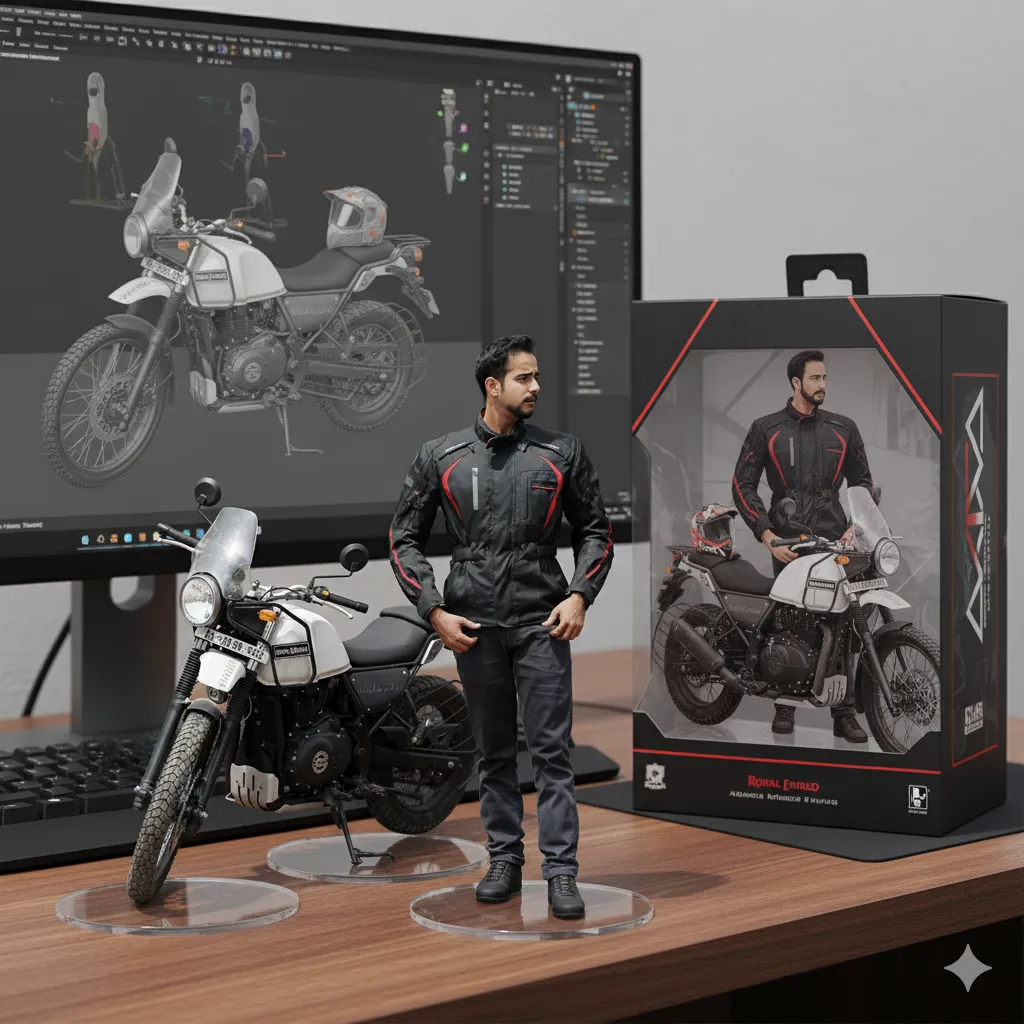
You don’t need an account, app, or credit card. It’s completely free (at least for now).
Tips to Get the Best Results
Here’s how to make sure your Nano Banana 3D figurine turns out amazing:
- Lighting is key: Natural daylight or soft indoor lighting works best.
- Face the camera: Front-facing photos with clear features are ideal.
- Avoid hats, heavy makeup, or sunglasses.
- Keep the background clean to avoid confusing the AI.
- Don’t use group shots: Only one person should be in the photo.
- A good photo = a great figurine. Simple as that.
Pro Tip: In case you wish to have figurines of objects in the background as well (as that of the cars and the bike in my image above), make sure to specify that within the prompt.
Where to Use These 3D Figurines?
From story highlights to virtual avatars, Nano Banana 3D figurines are popping up everywhere. People are using them as:
- Social media PFPs (Profile Pics)
- Gaming avatars or NPCs
- Birthday or anniversary e-cards
- Influencer branding tools
- Creative content for YouTube or TikTok edits
It’s fun, unique, and surprisingly professional-looking for something so simple.
Also Read:
- 15 Nano Banana Prompts to Try Today!
- Is Nano Banana Better than GPT 5? Let’s Find Out!
- Nano Banana vs Qwen: Which is Better?
- End-to-End Marketing Automation Using Nano Banana + n8n
- How to Create Videos Using Nano Banana + Veo 3?
- 12 Nano Banana Prompts to Convert Your Photos into Retro Images
Try It Yourself
AI isn’t just generating text anymore. Tools like Nano Banana are reshaping how we express ourselves visually. And Nano Banana 3D figurines might just be the start of a new wave of hyper-personalised content.
If you haven’t tried it yet, now’s the time. Visit the official website, upload your photo, and watch as AI turns you into your very own digital mini-me. Just be warned: you might not stop at one!








Animate the scene so the person gently brushes the figurine with subtle, precise hand movements while the person’s face remains unchanged and consistent. The figurine stays steady on its acrylic base throughout. Add a smooth, cinematic camera orbit that slowly moves from left to right around roughly the same position, maintaining composition and lighting continuity.
OpenAI’s 4o Image Generation is SUPER COOL
A 3D figurine of my image created through Google’s Nano Banana AI