
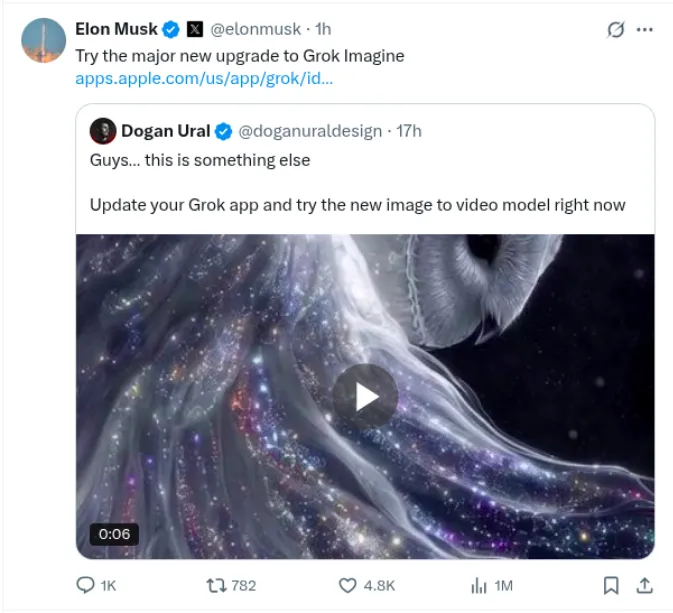
The AI content creation world has undergone a massive shift as xAI just released an update to Grok. Imagine that creators around the world are calling ‘something completely different.’ If you haven’t updated your Grok app yet, you are missing out on what may be the biggest advancement in AI-based video creation this year. It’s Grok Imagine Image-to-Video capabilities.
Table of contents
What’s New in Grok Imagine?
Grok Imagine has new image-to-video capabilities powered by xAI’s proprietary Aurora engine that can create photorealistic 6-second videos from still images with the audio matching the visuals. This is not just a different AI tool; it is changing the way creators think about content creation.
Key Features That Set Grok Imagine Apart
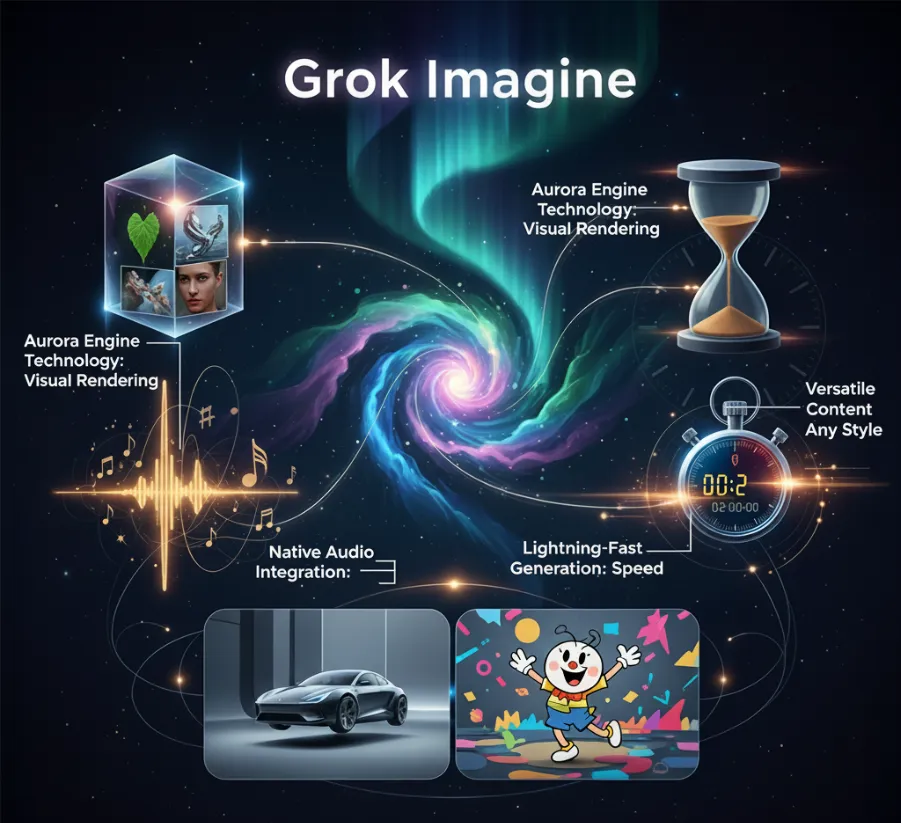
- Aurora Engine Technology: The unique Aurora model produces photorealistic rendering with accurate interpretation of your stimuli that brings your vision once conceived through to reality.
- Native Audio Integration: Unlike other competitors, who generate videos without any audio and must add a soundtrack in a video editing software, Grok Imagine generates a video that is audible, along with visuals, and matches the storyline visually.
- Lightning-Fast Generation: A task that would have taken 2 hours in video editing software could take just 2 seconds, importing the image and describing the motion to follow along the photo.
- Versatile Content Creation: Grok Imagine can do everything from a professional demonstration of a commercial product to a quirky cartoon; it is well-equipped to handle all of your creative ideas.
How to Access Grok Imagine’s Image-to-Video Feature
Getting started with Grok Imagine is pretty straightforward:
- Update Your App: Download or update the Grok app from the App Store
- Access Grok Imagine: Navigate to the Imagine section within the app
- Upload Your Image: Select any image from your library or capture a new one
- Describe the Motion: Use text prompts to specify how you want the image animated
- Generate & Download: Within seconds, receive your video complete with synchronized audio
Generation of Images via Prompt is available for free for all, but for Video Generation using the Images, you need to unlock Super Grok access; in simple terms, you’ll need a paid tier.
Real-World Applications: Hands-on Video Demonstrations
Let’s bring some fun to those static images with the lively audio and visuals.
1. Human-Centric Content: Bringing People to Life
The ability to change a stationary portrait into a moment that comes alive. The image-to-video model provides a realistic portrayal of human motion through video; for example, a professional job headshot can evolve to an exciting introduction video featuring a series of movements, slight facials, natural blinking, and gestures. Content creators are leveraging this area for personal greeting messages, testimonial animations, and social media engagement content that evokes a human feeling.
Task 1: Image to Video Generation
Input:

Output:
Task 2: Prompt to Image to Video Generation
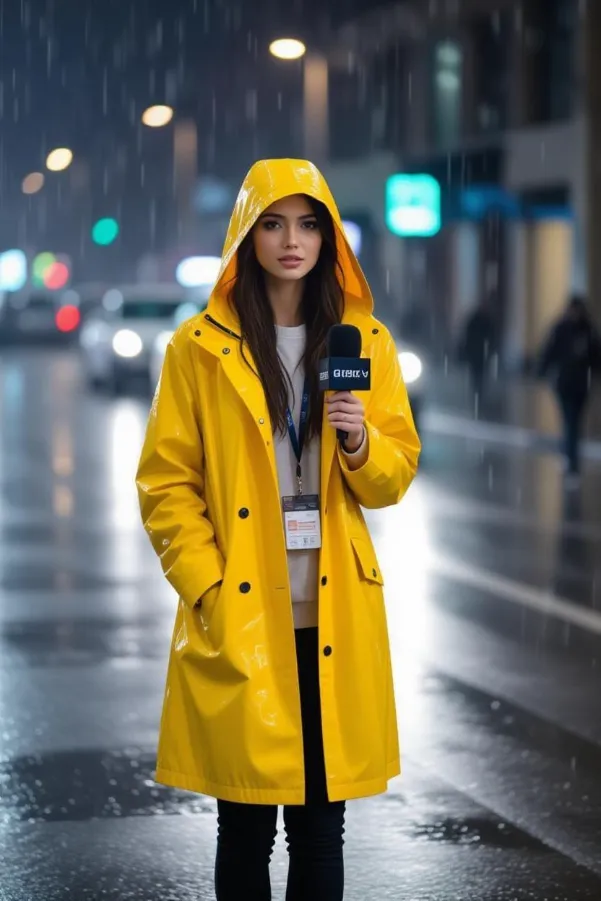
Prompt: “Full handheld shot captures a drenched female reporter in a bright yellow raincoat.“
Image Output:
Video Output:
2. Cartoon & Animation Magic: Disney Meets AI
This is the area where Grok Imagine really excels. Upload a cartoon character illustration, then sit back and watch it animate with smooth animation, seamlessly better than that at a conventional animation studio. The AI understands cartoon physics, exaggerated facial expressions, and stylized motion pathways. If you are working with children’s entertainment, marketing animation, or social media video memes, the cartoon-to-video capability will create professional-quality animation, which would typically take an entire animation team.
Task 1: Image to Video Generation
Input:
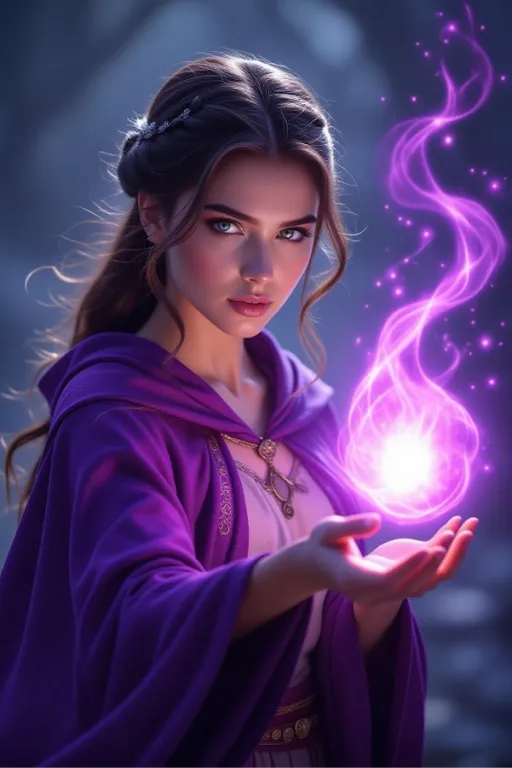
Output:
Task 2: Prompt to Image to Video Generation
Prompt: A squadron of gold-armored squirrels riding into battle atop giant acorns, banners snapping in the wind.
Output Image:

Output Video:
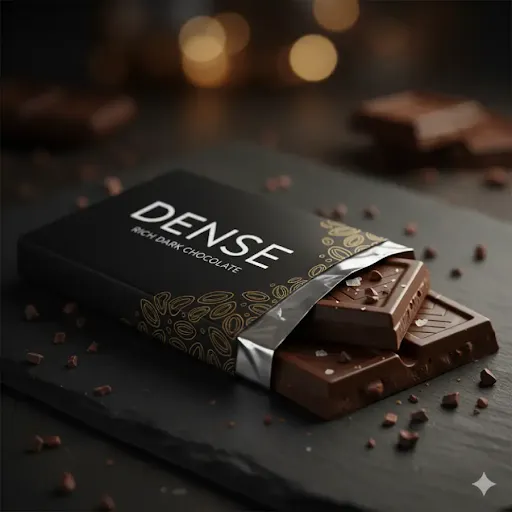
3. Product Showcase Revolution: E-Commerce Game-Changer
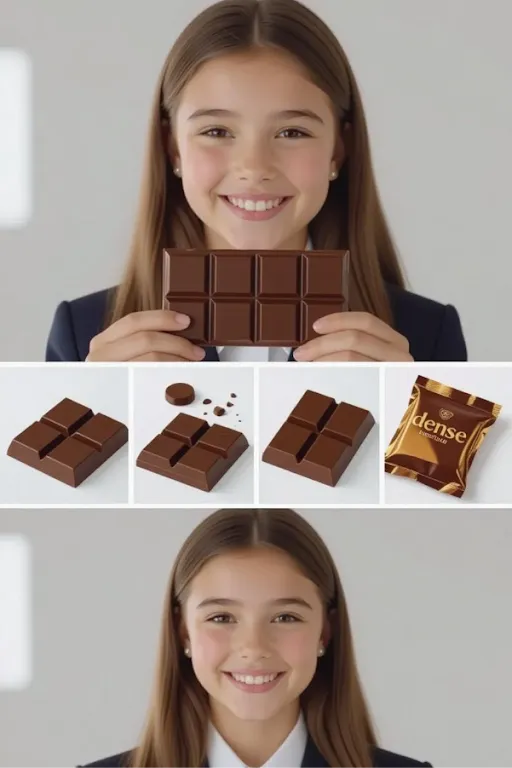
If you are an e-commerce seller or marketer, this is for you. You can add to your product photography a 360-degree view, a demonstration of use, or a lifestyle scene. A basic photograph of a watch becomes a luxury advertisement by having the wrist elegantly turn to show the watch. A simple photograph of a coffee maker becomes a video of making coffee in the morning. The accompanying audio enhances the experience by adding sounds to the scene. Think about the sounds coffee makes when it brews, watches ticking, or the soft fabric sounds as someone runs their fingers over it. You create a real product experience that engages users and guides them to a purchase.
Task 1: Image to Video Generation
Input:
Output:
Task 2: Prompt to Image to Video Generation
Prompt:
{

"start_image_reference": "[attached image of the schoolgirl holding the Dense chocolate bar]",

"video_script": {

"scenes": [

{

"description": "The video begins with a close-up of the schoolgirl smiling.",

"camera": "close-up",

"duration": "2 seconds"

},

{

"description": "The camera quickly pulls back and pans to show a rapid series of shots of the chocolate bar itself.",

"camera": "pull back, pan, quick cuts",

"shots": [

"close-up of a square breaking off",

"slow-motion view of the chocolate melting",

"shot of the 'Dense' packaging shimmering"

],

"duration": "5 seconds"

},

{

"description": "The video returns to the schoolgirl, who winks at the camera as the scene fades.",

"camera": "final close-up",

"duration": "3 seconds"

}

],

"overall_style": {

"visual": "High-energy, modern, vibrant colors, sharp focus",

"audio": {

"music": "Upbeat, modern pop music with a strong beat",

"sound_effects": [

"satisfying 'crunch'",

"subtle 'whoosh' sound as camera moves"

],

"voice_over": {

"text": "Don't just eat chocolate. Experience it. Dense. Bold. Unforgettable.",

"tone": "confident, energetic, female voice"

}

}

},

"text_overlays": [

{

"text": "Dense Chocolate",

"animation": "flash on screen, then fade",

"timing": "appears during chocolate bar shots"

},

{

"text": "Taste the richness.",

"animation": "appears as a logo tagline",

"timing": "appears at the end of the video"

}

]

}

}
Output Image:
Output Video:
4. Historical & Professional Reimagining: Time Travel Through AI
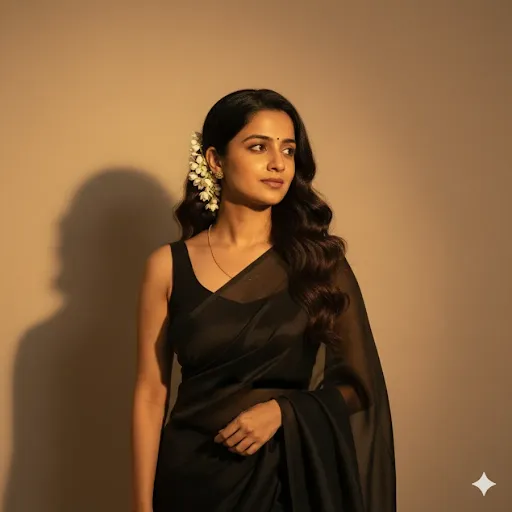
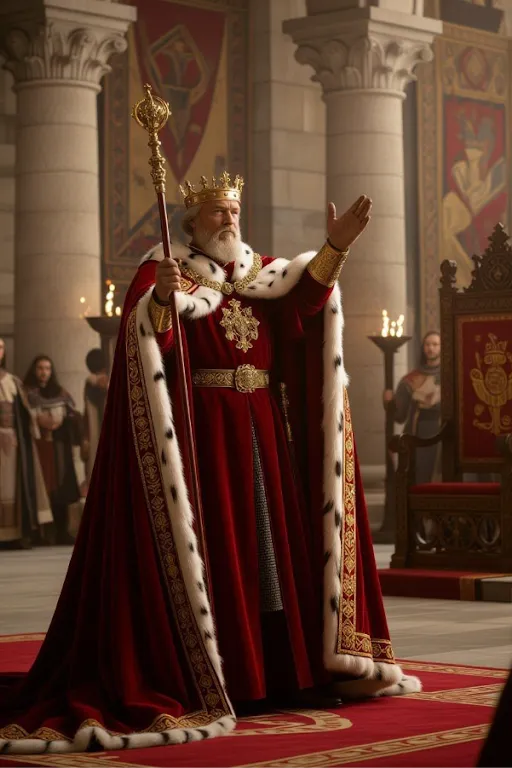
This is where it gets interesting: if you upload the image of a historical person, ancient artifact, or period costume, Grok Imagine will create videos that recreate historical settings. For example, you could take a painting of a medieval king and turn it into a king addressing his court in regal fashion. Or, you could take an archaeological image and animate it to show what ancient civilization might have looked like in motion. This feature is invaluable for educators, documentary creators, and history lovers alike, as it will bring the past to life.
Task 1: Image to Video Generation
Input:
Output:
Task 2: Prompt to Image to Video Generation
Prompt:
A majestic medieval king in a golden crown and royal crimson robes, standing in a grand throne room with stone pillars and tapestries. The king slowly raises his scepter in a commanding gesture, his regal cape flowing majestically. He turns his head with authority, surveying his court with a powerful gaze.
Image Output:
Video Output:
Why Creators Are Calling This a Revolution?
The creative community has shared an energetic response with their videos since the update. Creators are sharing that they have developed content that went viral in a matter of minutes, with some even mentioning they made five successful videos with Grok Imagine, all in the same timeframe. The timing to market is like nothing I’ve seen before. What took teams, budgets, filming, and weeks of production can now be accomplished in a coffee break.
The Future of Content Creation is Here
Grok Imagine fuses high-quality image generation with the ability to make 6-second videos with sound, a true advancement in AI-empowered content creation that is now accessible to all. If you are a social media influencer, digital marketer, educator, or creative professional, this will open opportunities for video creation in a way that was impossible up until today.
The cost opposition to making professional-quality video content has been removed. You no longer need expensive cameras, high-level tech, or hours of editing. The only thing holding you back with Grok Imagine is your imagination.
Conclusion
The Grok Imagine update is more than an incremental update rather it’s a paradigm shift in how we create content. As AI evolves, tools like this will continue to blur the line between professionally produced works and common creativity. The dilemma is not, “should I try this?” but “what am I going to create first?”
Update your Grok app now and see the future of video creation! Your static images are just waiting to come to life.
Are you ready to transform your content strategy? Download the Grok app and create professional, AI-generated videos with synchronized audio in seconds. The future of content is here, don’t get left behind!
Frequently Asked Questions
Q1. What makes Grok Imagine’s new update different from other AI video tools?
A. It transforms still images into 6-second photorealistic videos with synchronized audio using xAI’s Aurora engine, something few, if any, other AI tools currently offer.
Q2. Can Grok Imagine handle different content types?
A. Yes. It works for portraits, animations, e-commerce showcases, and even historical recreations: adapting motion, style, and sound to suit each use case.
Q3. How can I access Grok Imagine’s image-to-video feature?
A. Just update or install the Grok app, go to the “Imagine” section, upload an image, describe the motion, and your video generates instantly.
Data Science Trainee at Analytics Vidhya
I am currently working as a Data Science Trainee at Analytics Vidhya, where I focus on building data-driven solutions and applying AI/ML techniques to solve real-world business problems. My work allows me to explore advanced analytics, machine learning, and AI applications that empower organizations to make smarter, evidence-based decisions.
With a strong foundation in computer science, software development, and data analytics, I am passionate about leveraging AI to create impactful, scalable solutions that bridge the gap between technology and business.
📩 You can also reach out to me at [email protected]







