Vibe coding is the latest trend among developers, and it doesn’t seem to be going anywhere for the time being. In fact, most of the bigwigs of the tech industry are fast associating their products and solutions with it. The latest in line is Google, which has now introduced a new vibe coding feature in the Google AI Studio. Meaning – you can now produce code for apps with a simple prompt in English. The exciting part – it doesn’t just stop at that.
The new vibe coding setup on Google AI Studio brings with it a host of features that will let anyone bring their creative app ideas to life. How? Read on, as we cover everything in detail here.
Table of contents
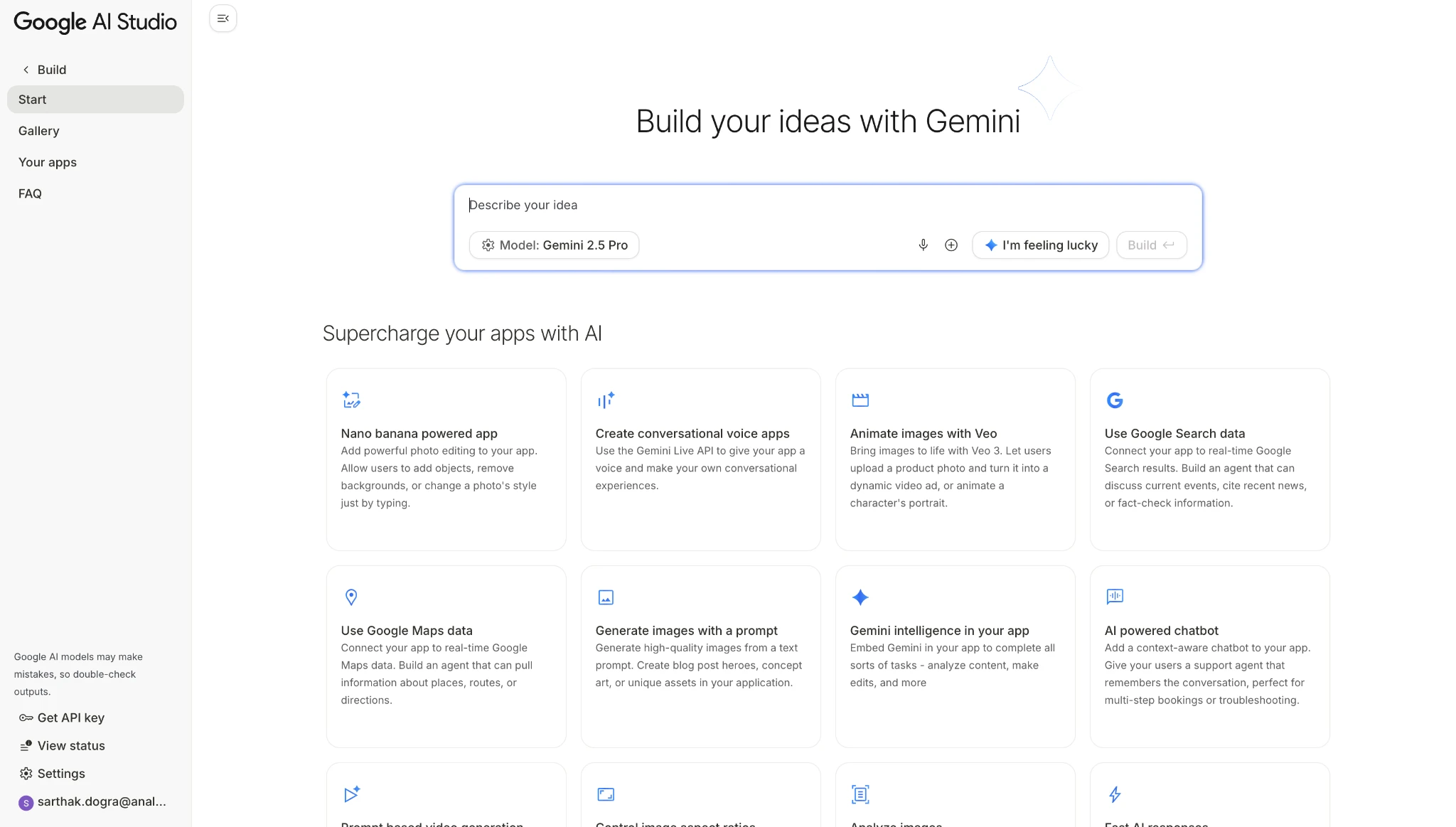
What is Google AI Studio Vibe Coding?
For those unaware, vibe coding is a whole new way to build apps. In essence, vibe coding lets you describe your idea in plain English, as the AI platform enabling it brings the idea to life. The process eliminates any complex syntax, boilerplate chaos, and entry barrier for non-coders.
Google AI Studio vibe coding is yet another attempt in this direction. Google positions it as a bridge between creativity and execution. It allows non-coders to prototype quickly, and lets experienced developers skip grunt work and jump straight to refining their ideas.
Under the hood, vibe coding uses Gemini models to handle everything, from UI generation to backend logic. That means you can ideate, test, and iterate faster than ever before.
Key Features of Google AI Studio Vibe Coding
Google AI Studio vibe coding isn’t just about turning prompts into code. It’s about giving both developers and non-developers a fast, fluid way to build.
Here are some of the standout features that make it powerful:
1. Prompt-to-App Generation
This is the core of vibe coding on Google AI Studio. You type what you want to build in plain English, and it writes the code for you. No boilerplate or tedious setup, simply functional output. Imagine typing something like, “Build a travel checklist app with a text field and save button.” Within seconds, the studio generates a working interface and underlying logic that you can preview, tweak, or deploy immediately.
This lowers the barrier for beginners while supercharging experienced devs who want to skip repetitive tasks. It’s prompt engineering that delivers production-grade code to boost your coding efforts.
2. Inspiration on Demand
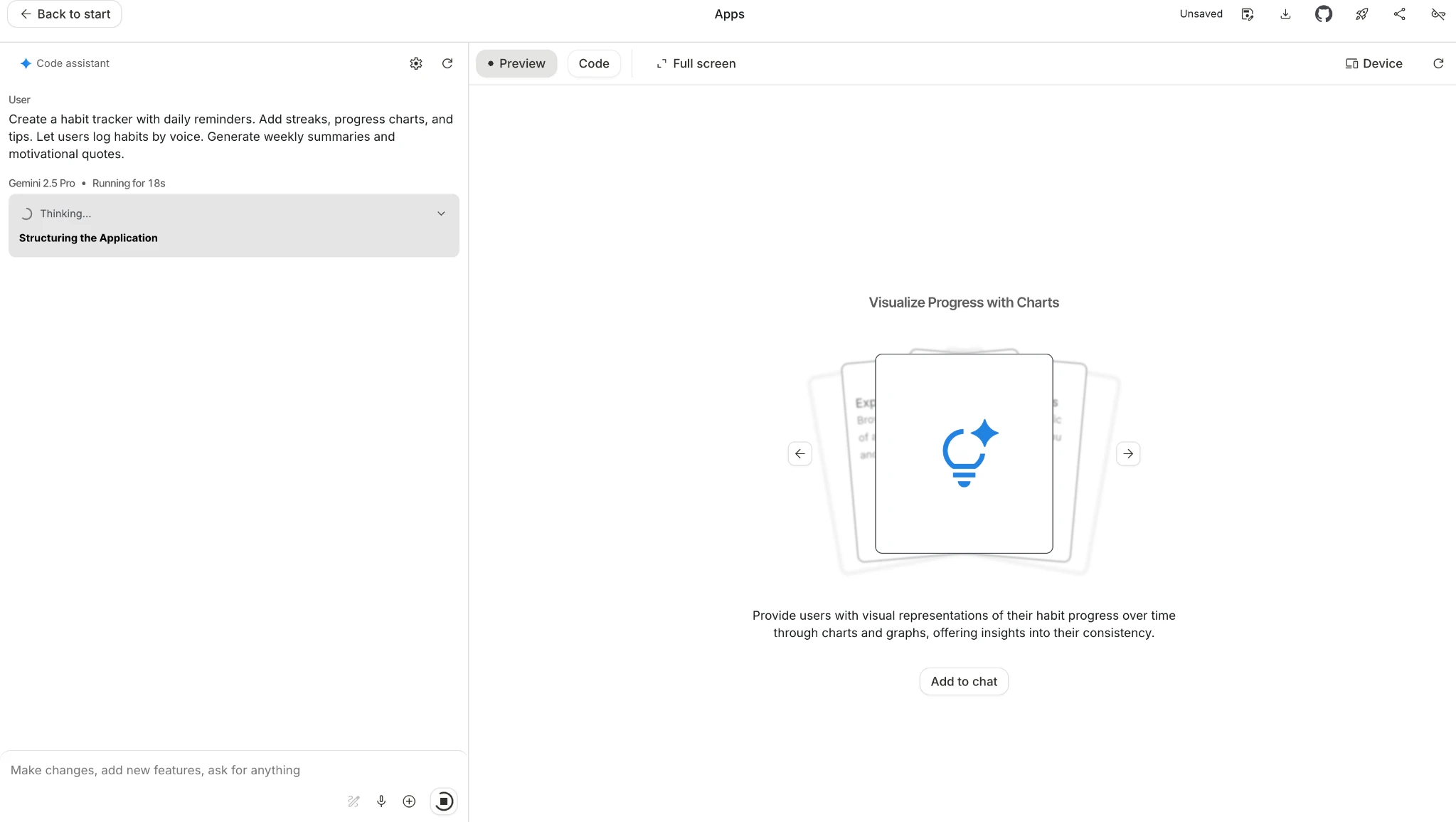
Sometimes, you don’t know what to build, i.e., until you see it. That’s why Google AI Studio now comes with a reimagined App Gallery. It’s a visual library packed with ready-to-explore project ideas. You can browse these ideas, preview them instantly, study the starter code, and remix any app into your own.
And it doesn’t stop there. Google has also added a Brainstorming Loading Screen that cycles through context-aware suggestions while your app builds. Think of it as an idea engine running quietly in the background. Inspiration strikes, you tweak a prompt, and boom, a new build is born.
3. Interactive Editing
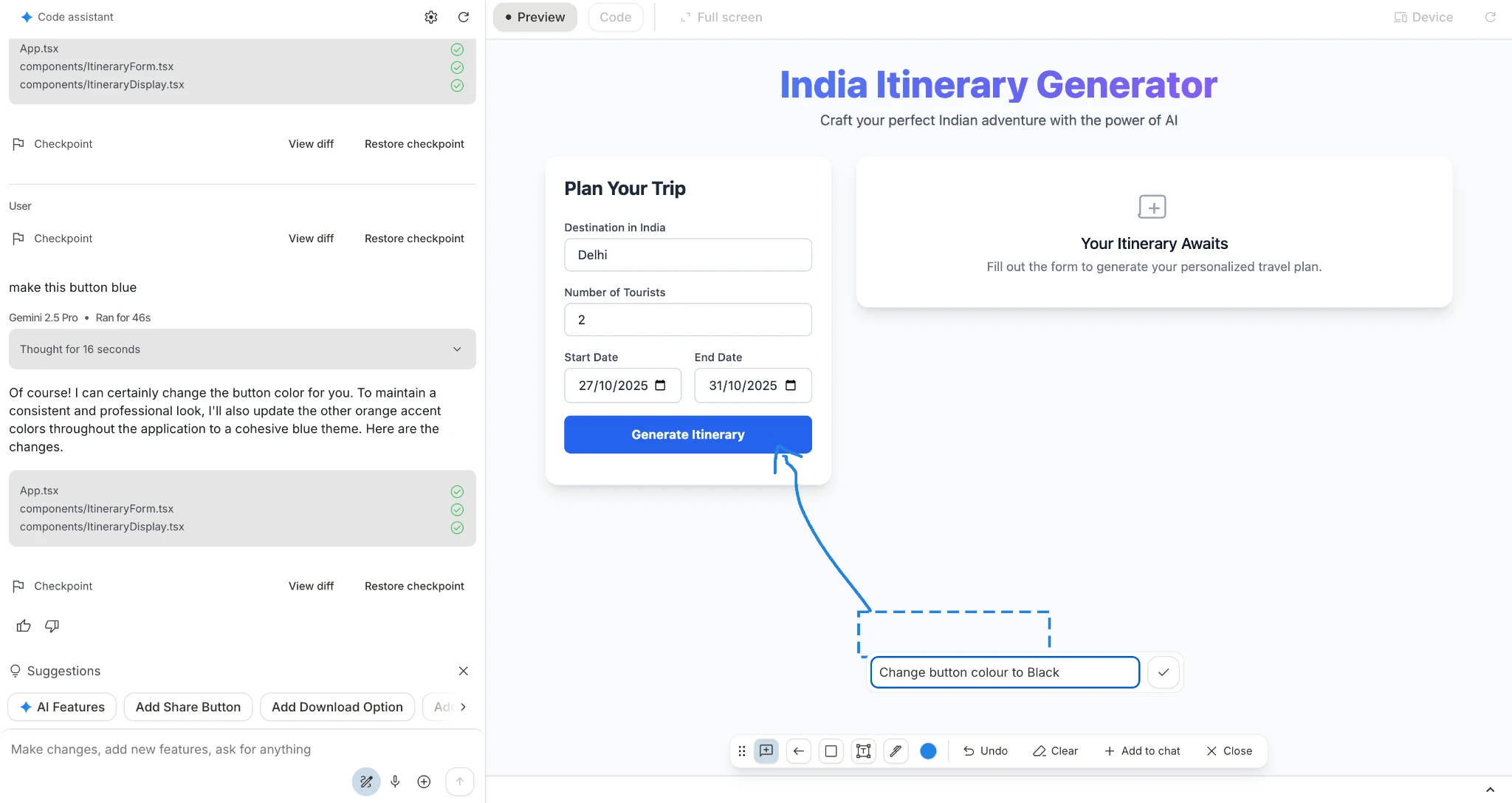
With Google AI Studio vibe coding, you can interact with the generated app like you’re pair programming with Gemini. Using the built-in Annotation Mode, you may highlight a specific element and say, “Add a dark mode,” or “make the button larger,” and the interface updates live.
This means no hunting for the right file or manual refactoring. This makes iteration fluid, letting you shape the app step by step. Google’s demo shows developers rapidly switching designs, adding new functions, and refining layouts without ever leaving the chat interface. This sort of app-building surely feels more like brainstorming.
4. Zero APK Hassles
Building multi-modal apps used to mean wrestling with messy SDKs, scattered APIs, and endless integration headaches. With Google AI Studio, that entire layer of complexity disappears. You can now build powerful apps using Google’s own model ecosystem. Gemini for logic and reasoning, Imagen for images, Veo for video, and Gemini TTS or Native Audio for sound. Want to stitch these together into one seamless app? Just describe it.
For example: “Build a magic mirror that turns my selfie into a painting and narrates the result.” AI Studio automatically wires up Imagen, Gemini, and TTS without any manual setup or APK chaos.
5. Gemini Integration
Vibe coding on Google AI Studio runs on Gemini, Google’s most advanced AI model. That means it doesn’t just output code blindly; it understands structure, intent, and context. Gemini handles everything from UI components to backend logic, so you can go from “idea” to “MVP” fast. For example, when someone asks for a note-taking app with a search bar and history, Gemini generates multiple interlinked components that just work together. This deep integration makes the tool smarter over time. The more developers use it, the more context it learns, leading to cleaner, more accurate builds.
6. Rapid Prototyping
Traditional app development is slow. You plan, code, debug, and repeat. With Google AI Studio vibe coding, that entire cycle collapses into minutes. You can draft an idea in a single sentence and get a functioning prototype almost instantly. Want to test a new feature? Just describe it and hit enter. This is just about perfect for hackathons, MVPs, or teams validating concepts. You spend less time coding, more time creating.
As is clear, these new features on the Google AI Studio are designed to let anyone bring their creative ideas to life with minimal friction.
7. Seamless Momentum
Running out of free quota shouldn’t break your flow. With Google AI Studio vibe coding, you can simply plug in your own API key and keep building without interruption. So no more forced pauses or lost progress.
Once your free tier renews, the system switches back automatically. Meanwhile, you can create, test, and ship without worrying about limits.
Hands-on Vibe Coding with Google AI Studio
Follow these steps to start building your app fast.
- Open Google AI Studio.
- Select Vibe Coding from the home screen.
- Sign in and confirm your project.
- Describe your app in plain English.
- Click Build to generate the first draft.
- Use Google AI Studio vibe coding to refine.
- Ask for UI tweaks and new features.
- Preview changes in the live canvas.
- Test flows with sample inputs.
- Fix issues by chatting, not coding.
- Save, version, and share your build.
- Export code or deploy your prototype.
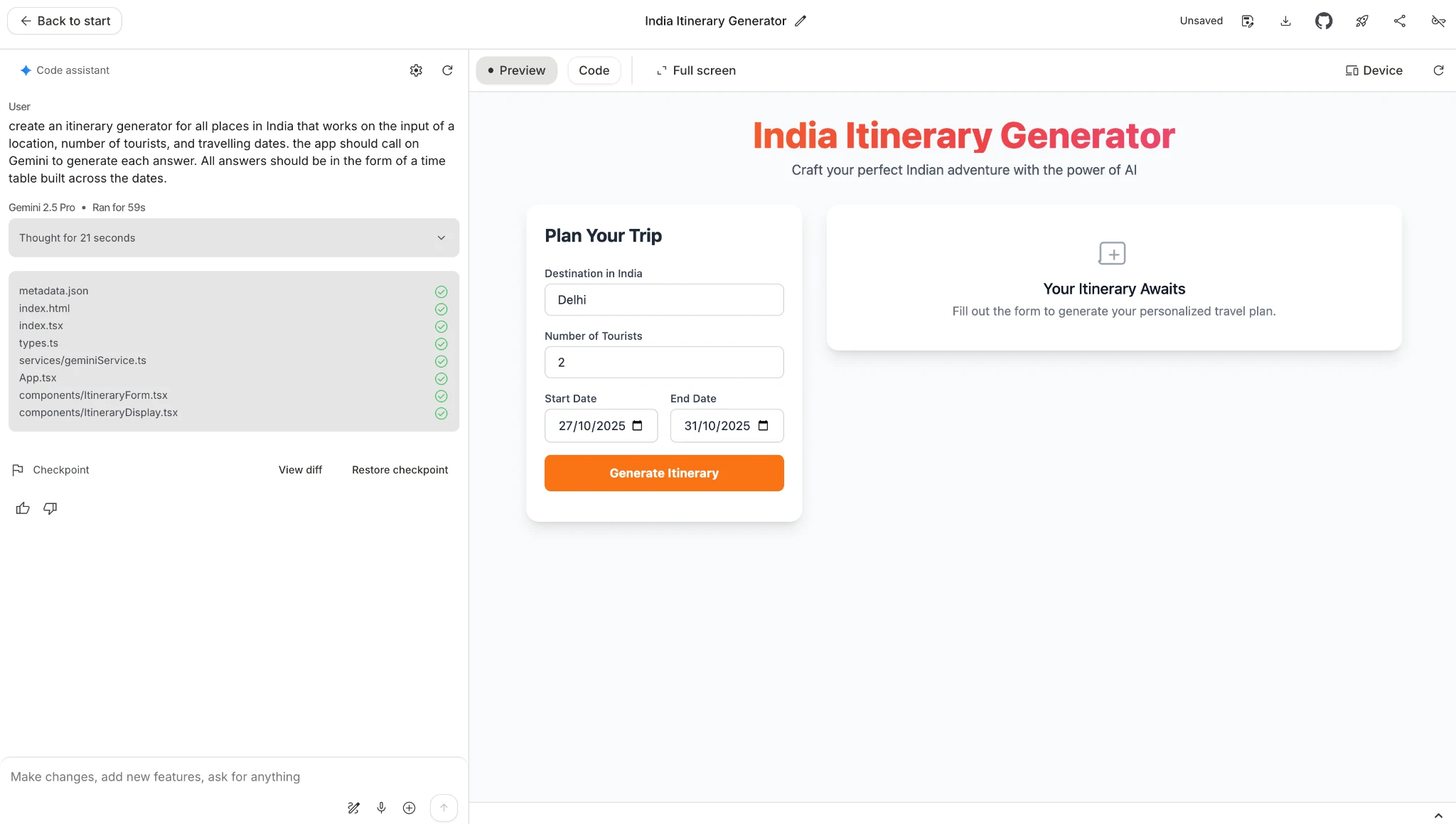
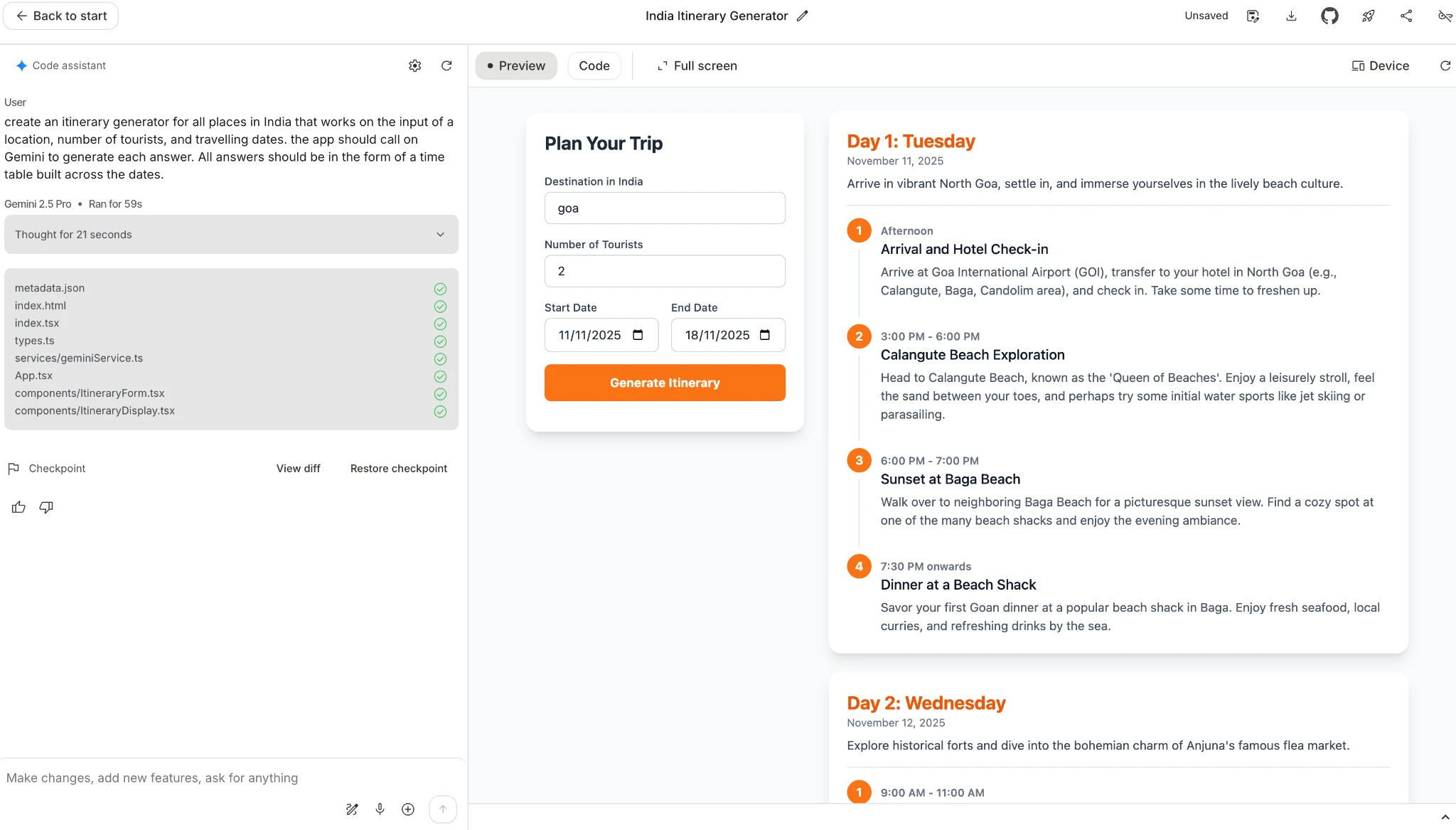
I tested the vibe coding capabilities on the Google AI Studio with an itinerary generator for tourist locations in India. Here is the prompt I used:
Prompt: create an itinerary generator for all places in India that works on the input of a location, number of tourists, and travelling dates. the app should call on Gemini to generate each answer. All answers should be in the form of a time table built across the dates.
Within minutes, Google AI Studio was able to generate a working app that performed exactly as I asked it to. You can check out the working app in the screenshots below.
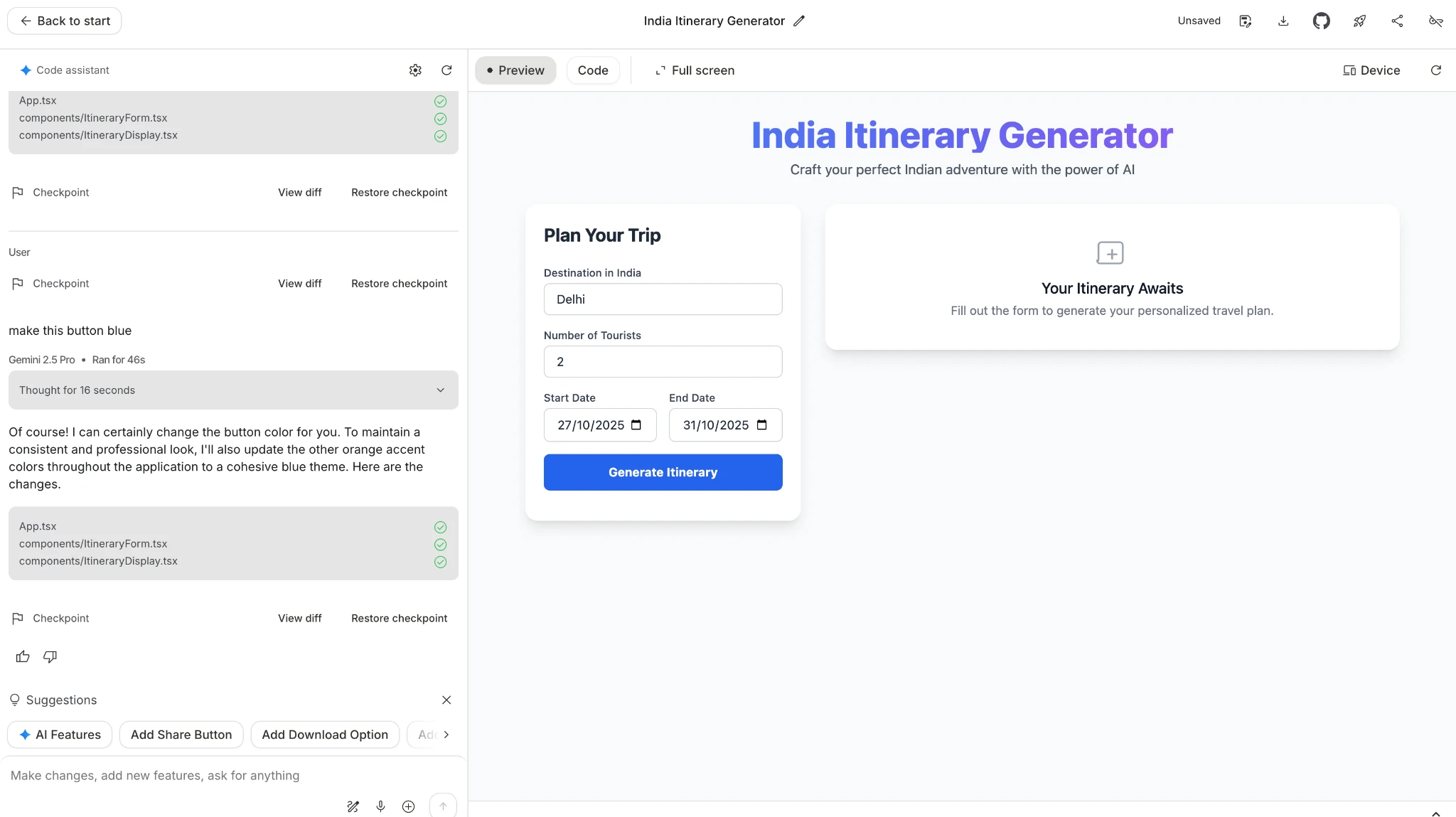
I even tested the Annotate app option to make subtle changes to the app (turning the button to Blue). AI Studio was smart enough to also change the orange accent colors throughout the application to match a new cohesive blue theme. Check out the changes in the screenshot below.
Conclusion
Today, vibe coding is more of a statement – the future of app development isn’t locked behind complex SDKs or endless lines of code anymore. It’s becoming conversational. Google AI Studio Vibe Coding proves exactly that.
In just a few minutes, an idea can move from a plain English prompt to a working, functional prototype. All without touching a single framework or dependency. Whether it’s generating itineraries, designing a UI, or wiring up Gemini, Imagen, and Veo in the background, Vibe Coding removes the friction that slows innovation down.
What stands out most is how accessible it is. Just as the hands-on here proves, a few well-structured prompts are all it takes to build something real. Interactive editing, multimodal support, and smart design adaptation make the tool feel less like a coding platform and more like a creative partner.
For solo creators, small teams, or anyone who’s ever had an app idea but didn’t know where to start, Google AI Studio now bridges a solid gap.
Which makes me wonder, will the next big app be coded line by line, or simply prompted in a few English sentences?






