
Finally, Gemini 3 is here, and it is breaking the internet. People are posting about Gemini’s front-end capabilities. So, I decided to try it. Now, imagine if you provided a screenshot and AI wrote all the code to mock the UI in the image? Such a level of front-end development by humans requires precision and patience. Developers often spend hours translating static designs into responsive code. I wanted to speed up this process with vibe coding on Gemini 3 Pro.
For this, I built an AI agent to automate the conversion of designs to code. This project tests the capabilities of multimodal AI and vibe coding on Gemini 3 Pro. My goal was to create a screenshot-to-code tool in just two prompts.
Table of contents
Why I Chose Gemini 3 Pro
Google released Gemini 3 Pro just a day after Grok 4.1, with both claiming significant upgrades. Google’s model, however, leads the industry in reasoning and technical tasks. It tops the WebDev Arena leaderboard for coding accuracy. I chose it for its specific strengths in vibe coding. This method allows creators to focus on the “feel” of an app while the AI handles syntax.
Gemini 3 Pro offers distinct advantages for this specific build:
- Multimodal AI: The model interprets pixels with developer-level insight. It understands layout hierarchy, padding, and component relationships better than text-only models.
- Agentic Capabilities: It manages a multi-file architecture. It tracks the state across different files without losing context.
- Context Window: The model holds the entire codebase in its memory. This prevents logic errors when updating specific components.
The Blueprint: What We Are Building
I wanted a robust prototyping tool. The goal was to convert a static screenshot into a live, editable React project. For this, the AI agent needed to build these core features:
- One-click parsing: The user uploads an image, and the system generates structured code.
- Live Preview: The interface must show the code and the visual result side-by-side.
- Privacy: The app must process data in the browser. It should not store images on a server.
- Export: Users must be able to download the final project as a ZIP file.
I acted as the product manager. Gemini 3 Pro acted as the senior engineer.
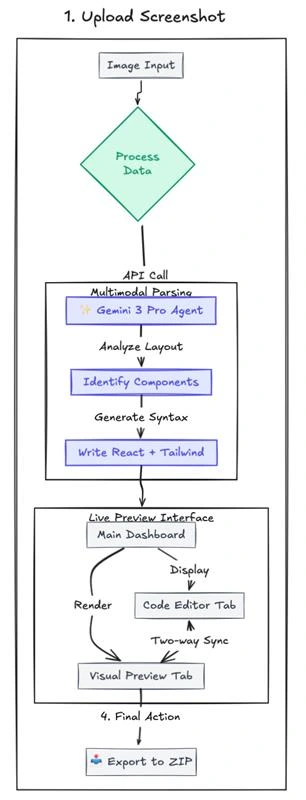
Hands-On: Building the Agent
I built this complex application in two steps. I relied on the model to make architectural decisions.
To start with, head over to https://aistudio.google.com/apps.
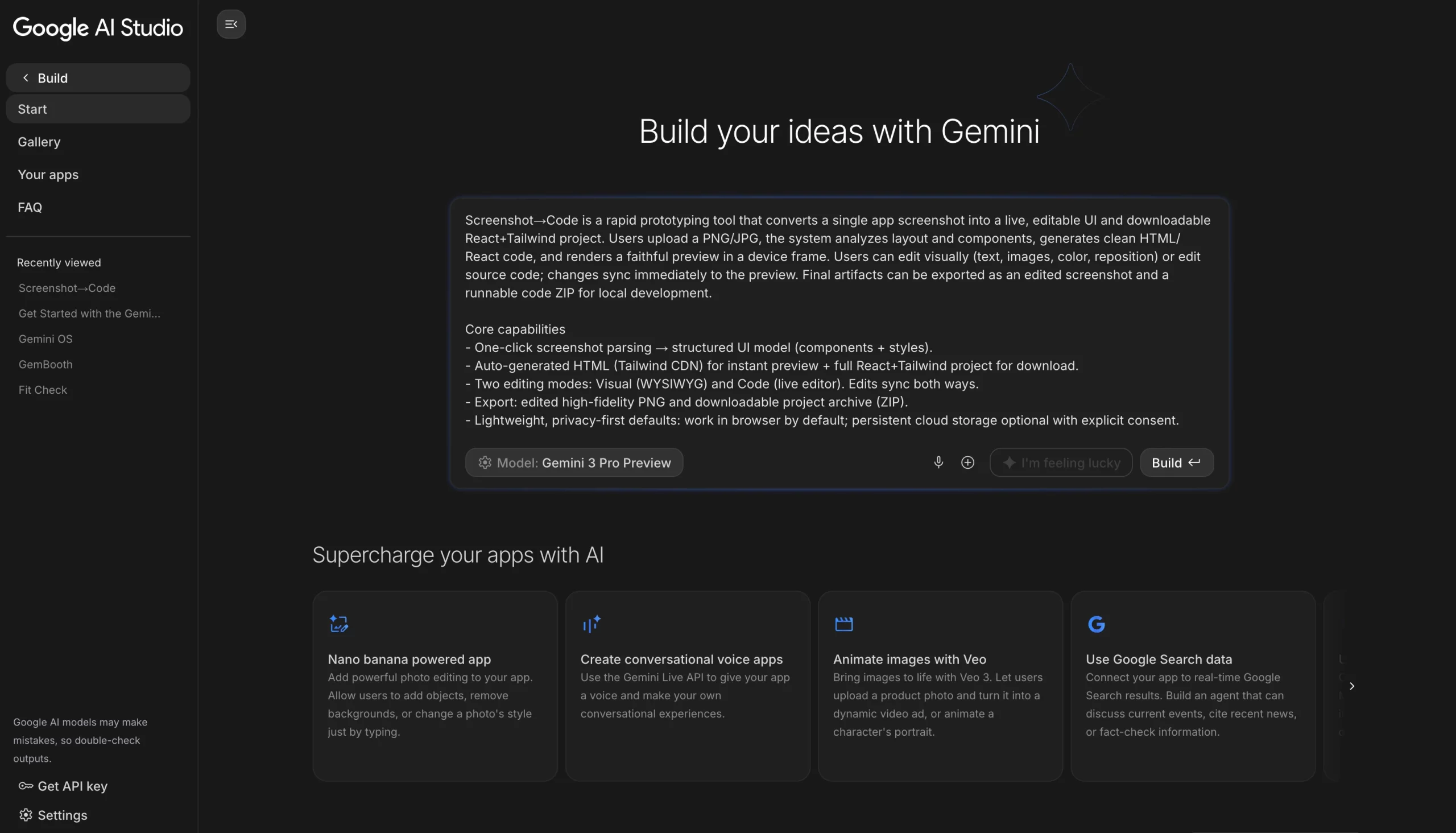
Now select your model to Gemini 3 Pro.
Phase 1: The “God Prompt”
Many developers write simple prompts. They ask for isolated components like a navbar. I took a different approach by feeding Gemini 3 Pro a complete Product Requirements Document (PRD).
For this, I described the screenshot-to-code tool in detail and listed the primary users, such as designers and front-end engineers. I then defined the security requirements explicitly and told the AI agent, “Here is the specification. Build the entire application.”
Don’t worry, I didn’t write it myself either. I took help from ChatGPT and explained the whole app, then asked it to give me a short PRD.
First Prompt:
Screenshot→Code is a rapid prototyping tool that converts a single app screenshot into a live, editable UI and downloadable React+Tailwind project. Users upload a PNG/JPG, the system analyzes the layout and components, generates clean HTML/React code, and renders a faithful preview in a device frame. Users can edit visually (text, images, color, reposition) or edit source code; changes sync immediately to the preview. Final artifacts can be exported as an edited screenshot and a runnable code ZIP for local development.
Core capabilities
- One-click screenshot parsing → structured UI model (components + styles).
- Auto-generated HTML (Tailwind CDN) for instant preview + full React+Tailwind project for download.
- Two editing modes: Visual (WYSIWYG) and Code (live editor). Edits sync both ways.
- Export: edited high-fidelity PNG and downloadable project archive (ZIP).
- Lightweight, privacy-first defaults: work in browser by default; persistent cloud storage optional with explicit consent.
Primary users
- Designers who want to extract UI into code.
- Frontend engineers accelerating component creation.
- Product teams making quick interactive prototypes.
Security & privacy
Uploaded images remain in user session by default; explicit opt-in required for server storage. PII warning and purge controls provided.
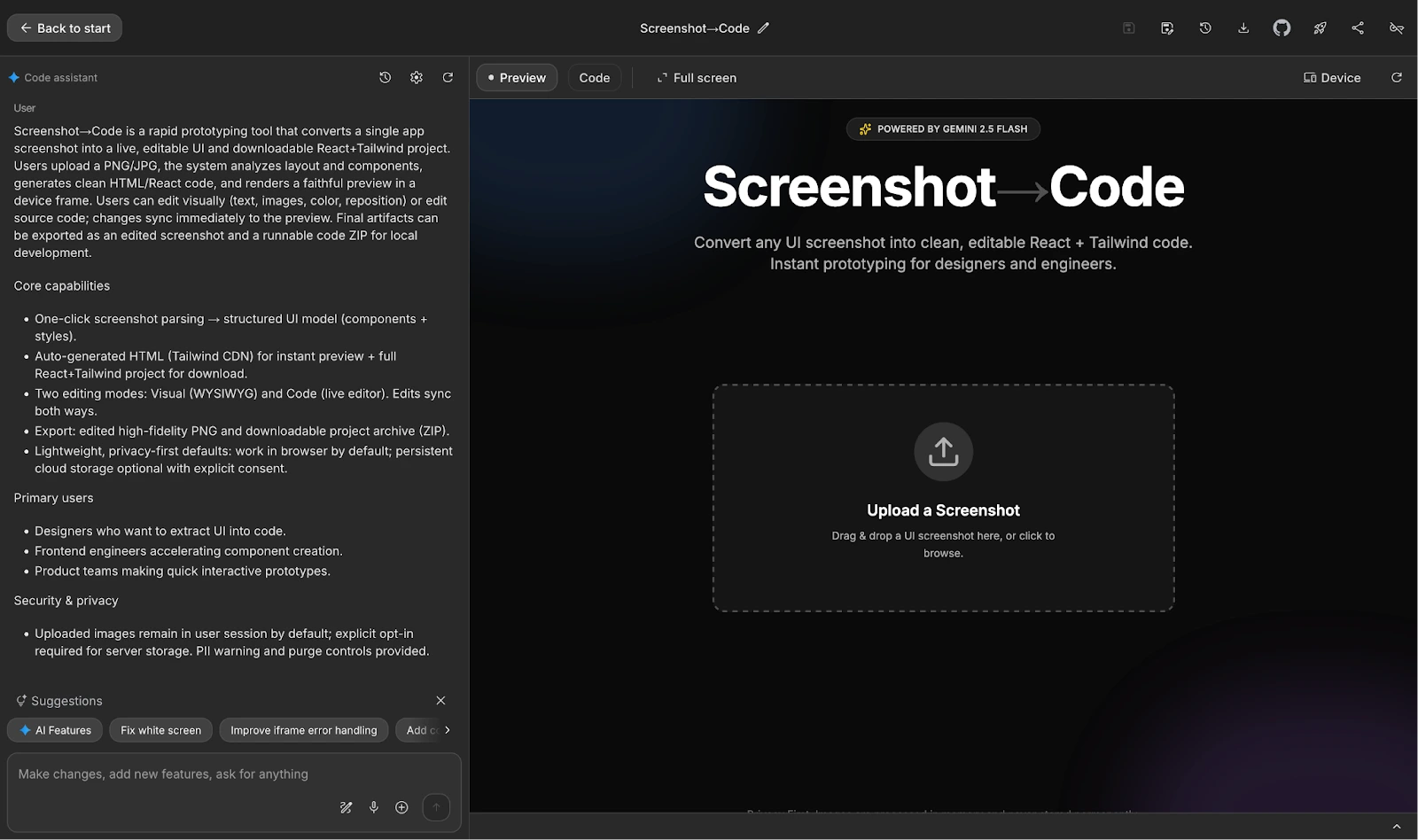
The Result:
Gemini 3 Pro generated the complete file structure. It created the main application logic and the preview window component. It selected a modern tech stack including React, Tailwind CSS, and Lucide React for icons. The AI agent correctly implemented the logic to switch between “Code” and “Visual” tabs.
Phase 2: The “White Screen” Incident
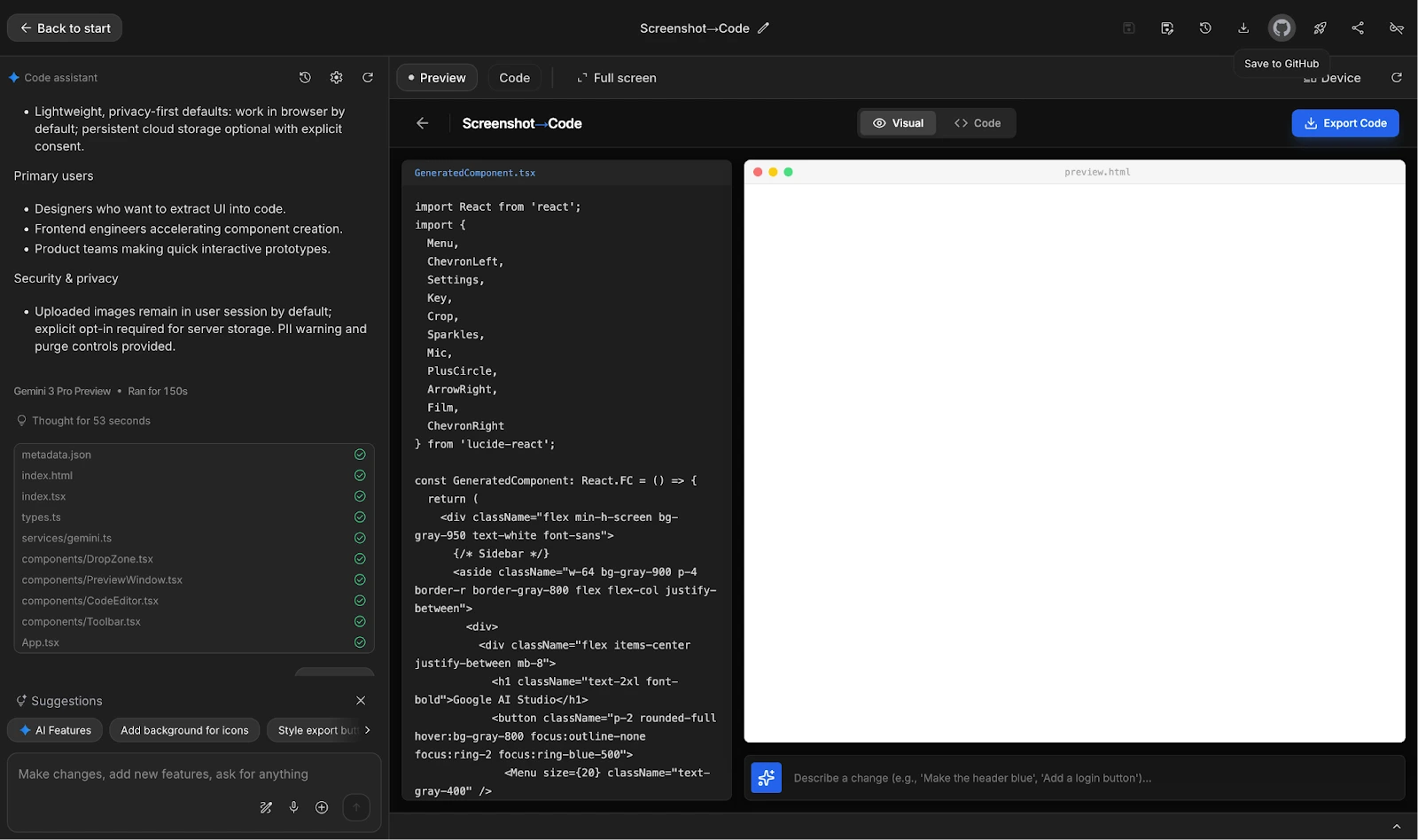
I used the following screenshot to test our app and put it inside “Upload a Screenshot” in the app.
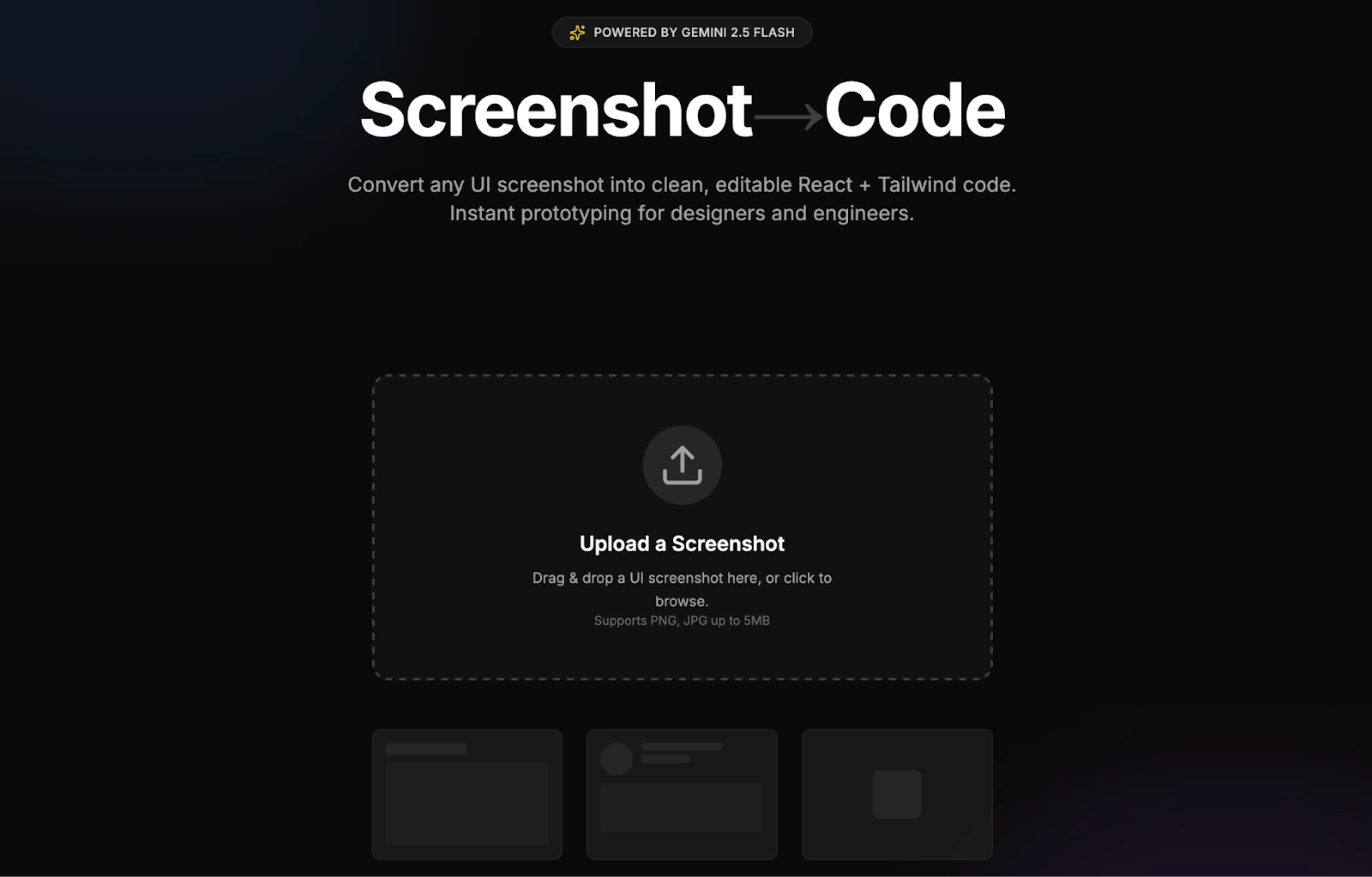
The first iteration was impressive but incomplete. I loaded the application and uploaded a screenshot of the same app, but the visual tab remained blank. This is a common issue with iframe rendering in dynamic apps. The code logic was sound, but the browser could not execute it.
I did not fix this manually. I asked Gemini 3 Pro to diagnose the bug.
My Second Prompt:
“Why can’t I see anything on the Visual tab and it is white even after GeneratedComponent.tsx is generated. FIx it”
The Fix:
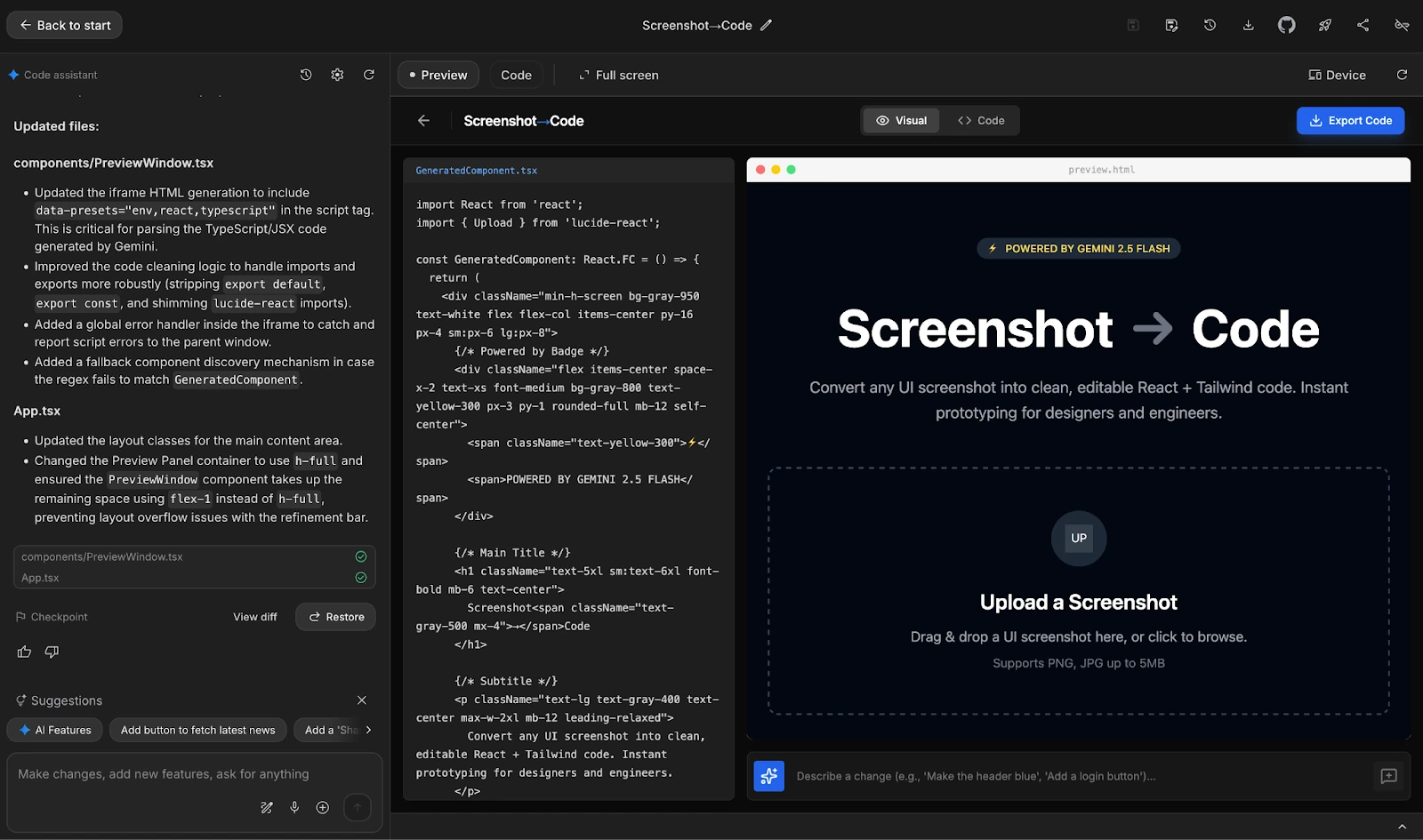
The model identified the missing dependencies immediately. The iframe needed specific data presets to parse TypeScript.
Gemini 3 Pro updated PreviewWindow.tsx with these fixes:
- It added data presets for env, react, and typescript.
- It improved the code cleaning logic to strip export default statements.
- It added a global error handler to catch script errors in the parent window.
- It implemented a fallback discovery mechanism.
This fix worked immediately. The screenshot-to-code tool rendered the UI without errors.
The Final Polish: “Powered By Harsh Mishra”
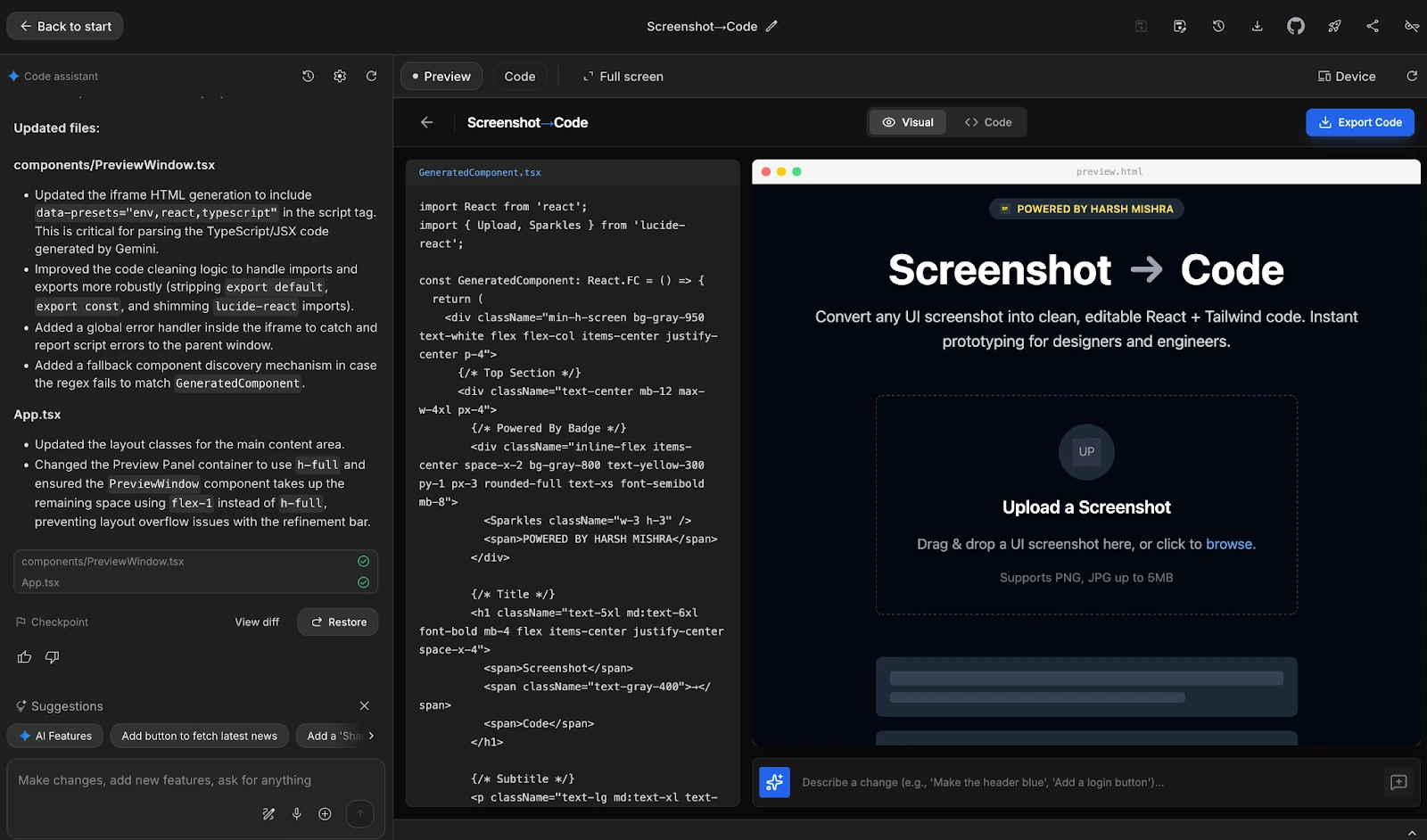
The app was functional, but I wanted a personal touch. The original output included a generic “Powered by Gemin 2.5 Flashi” badge. I wanted to claim the work.
I instructed the AI agent to update the text from the “Describe a change text field”. It changed the badge to display “Powered by Harsh Mishra” with a yellow lightning bolt icon.

The final UI is professional. It features a dark theme with high contrast. The upload zone uses dashed borders and clear typography. The gradients match the modern aesthetic I requested. This level of detail validates the power of vibe coding on Gemini 3 Pro.
My Take: The Future of App Development
Building this screenshot to code tool shifted my perspective. A project of this complexity usually takes days. I completed it in minutes. Gemini 3 Pro functions less like a chatbot and more like a partner while vibe coding.
Vibe coding changes the role of the developer. We now manage agents rather than write syntax. You provide the vision, and the multimodal AI executes the logic. This shift allows us to focus on user experience and product value.
Gemini 3 Pro proves that AI tools handle production-level complexity. It maintained context, fixed obscure bugs, and delivered a polished UI.
You can try the Screenshot-to-Code app here: https://ai.studio/apps/drive/1PfOYRLP-QAAepG128DvJIt18Vofbbrx2
Conclusion
I successfully built a React application using Gemini 3 Pro in two prompts. The AI agent handled the architecture, styling, and debugging. This project demonstrates the efficiency of multimodal AI in real-world workflows. Tools like this screenshot-to-code app are just the beginning. The barrier to entry for software development is lowering. Vibe coding allows anyone with a clear idea to build software, while AI models like Gemini 3 Pro provide the technical expertise on demand.
The future of coding is not about typing long code; it is about directing intelligent agents. Now, head over to AI Studio and build your own application with no cost.
Frequently Asked Questions
What makes Gemini 3 Pro different from previous models?
Gemini 3 Pro features advanced reasoning and multimodal AI capabilities, allowing it to understand complex visual and logical contexts better.
Can I use this method to build other types of apps?
Yes, the vibe coding approach works for various applications, provided you supply a detailed Product Requirements Document (PRD).
Did you write any code manually for this project?
No, I used the AI agent to generate, debug, and refine all the code for the screenshot to code tool.
How does the app handle user privacy?
The app processes images within the browser session and does not store user data on external servers by default.
Harsh Mishra is an AI/ML Engineer who spends more time talking to Large Language Models than actual humans. Passionate about GenAI, NLP, and making machines smarter (so they don’t replace him just yet). When not optimizing models, he’s probably optimizing his coffee intake. 🚀☕






