
While scrolling through your YouTube feed, you might have come to a realization. It’s almost impossible to figure out AI-generated content from humane content. And this problem isn’t limited to YouTube, but has plagued content throughout the internet. With releases like Nano banana, ChatGPT and Qwen pushing the boundaries for what was possible before, it has become a hassle to find that human touch online.
But like most problems of the modern age, Google has come in clutch for this one. With SynthID, they propose a system of watermarking AI generated content industry wide. This guide will acquaint you with the technology, determine how good it is, and how you can use it to detect AI-generated content yourself.
Table of contents
What is SynthID?
SynthID detection is an Invisible Watermarking tool that makes the content created or edited by Google’s AI generation tools have an imperceptible digital watermark embedded in their content. Google’s systems can read this watermark. It watermarks any AI-generated media created through Gemini or any other generative tool in the Google ecosystem.
This also highlights a problem: The tool works “confidently” with the media generated from generative tools only within Google’s ecosystem. It means SynthID can’t detect content from ChatGPT, Grok, or other non-Google models as AI-generated with high confidence. And…. Google is on its way to overcoming this by partnering with companies around the world to watermark their AI-generated content with SynthID. It’s part of their goal to improve transparency and trust in AI-generated content, across the internet.
SynthID works in the other way as well. It not only watermarks content but also detects media created by AI. This makes it the goto app for offering functionality similar to AI-detectors.
If you want to read the research paper that explains how the SynthID algorithm works, check it out on Nature.

Hands-On: How to detect AI-Generated Content?
Now that SynthID has been rolled out on Gemini, we can put it to test to see how well it performs in figuring out AI-generated content. I’d be testing it on the following tasks to test how well it performs in discerning multimodal AI-generated content:
- Identifying AI-generated Text
- Identifying AI-generated Video
- Identifying an AI-generated image produced by Gemini
- Identifying a non-AI image
- Identifying a hybrid image that is part human and part AI-generated
- Identifying an AI-generated image produced by ChatGPT
These will test SynthID’s ability to recognize the images it should flag, and how it handles those it shouldn’t.
Note: I’d be using Gemini App and Google AI Studio for performing different tasks, as Gemini App is currently limited in its features. The Text and Video AI-detection was performed on Google AI Studio.
1. Identifying AI-generated Text
For this task I’d be using the content from one of my previous articles: Why China is winning the AI race?
Response:
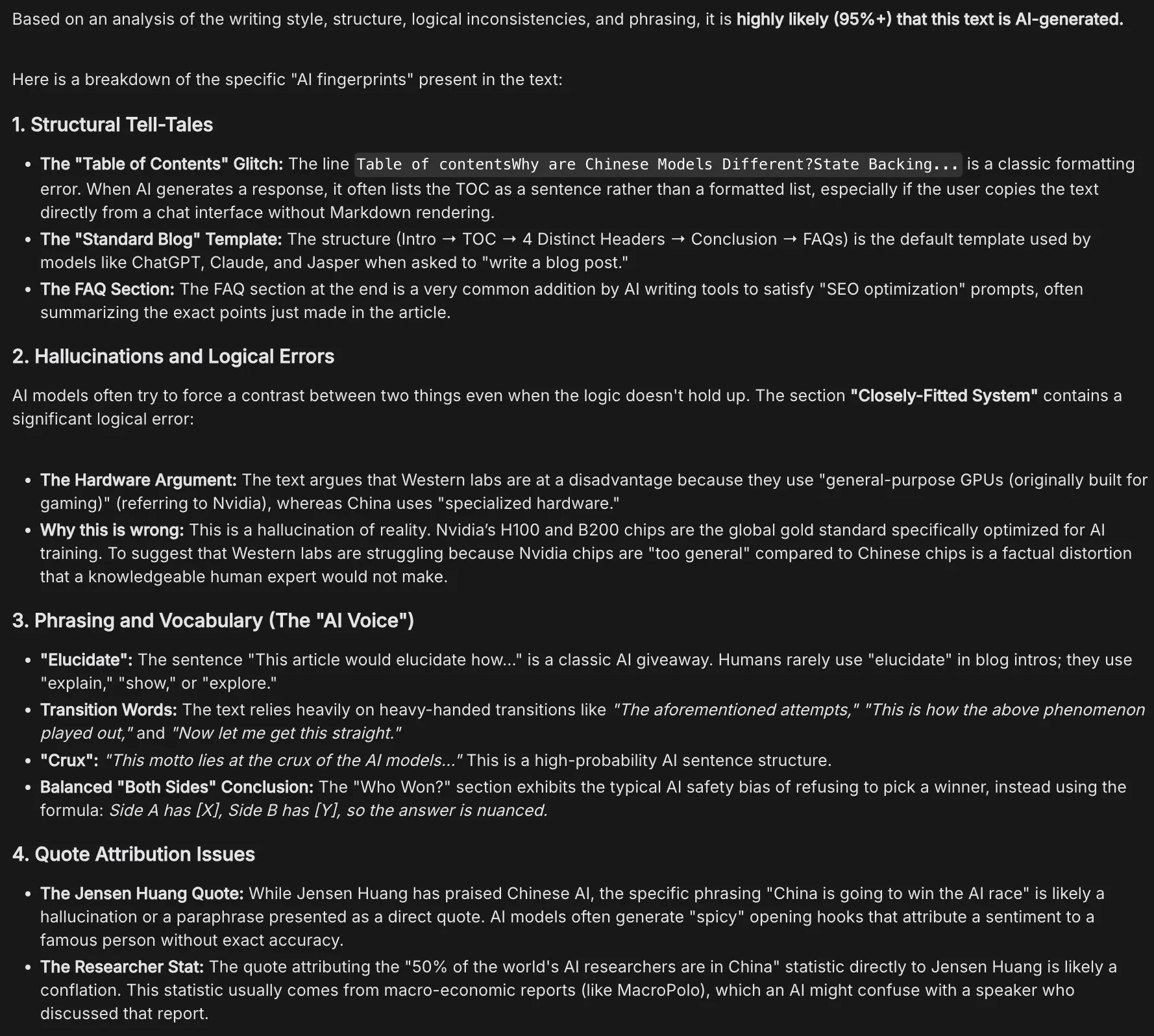

Cap! But to more convincingly prove why this isn’t true, the sections following the first one are all erroneous (first one could be attributed lack of structural understanding of the model). The third section Phrasing and Vocabulary especially takes the cake, as the model went full pedant figuring out problems in the text, which don’t even exist. It considered typical writing mannerisms, like grandiloquence (Yes, I am guilty) and balanced viewpoints, as red-flags.
The fourth section Quote Attribution Issues highlights the limited realtime information fetching capabilities of the model. The Jensen Huang quote, that could be found at this TOI article, was apparently a conflation!
I would advise against using the textual AI-detection capabilities of Gemini.
2. Identifying AI-generated Video
I’d be using the following AI-Generated video for this task:
Response:
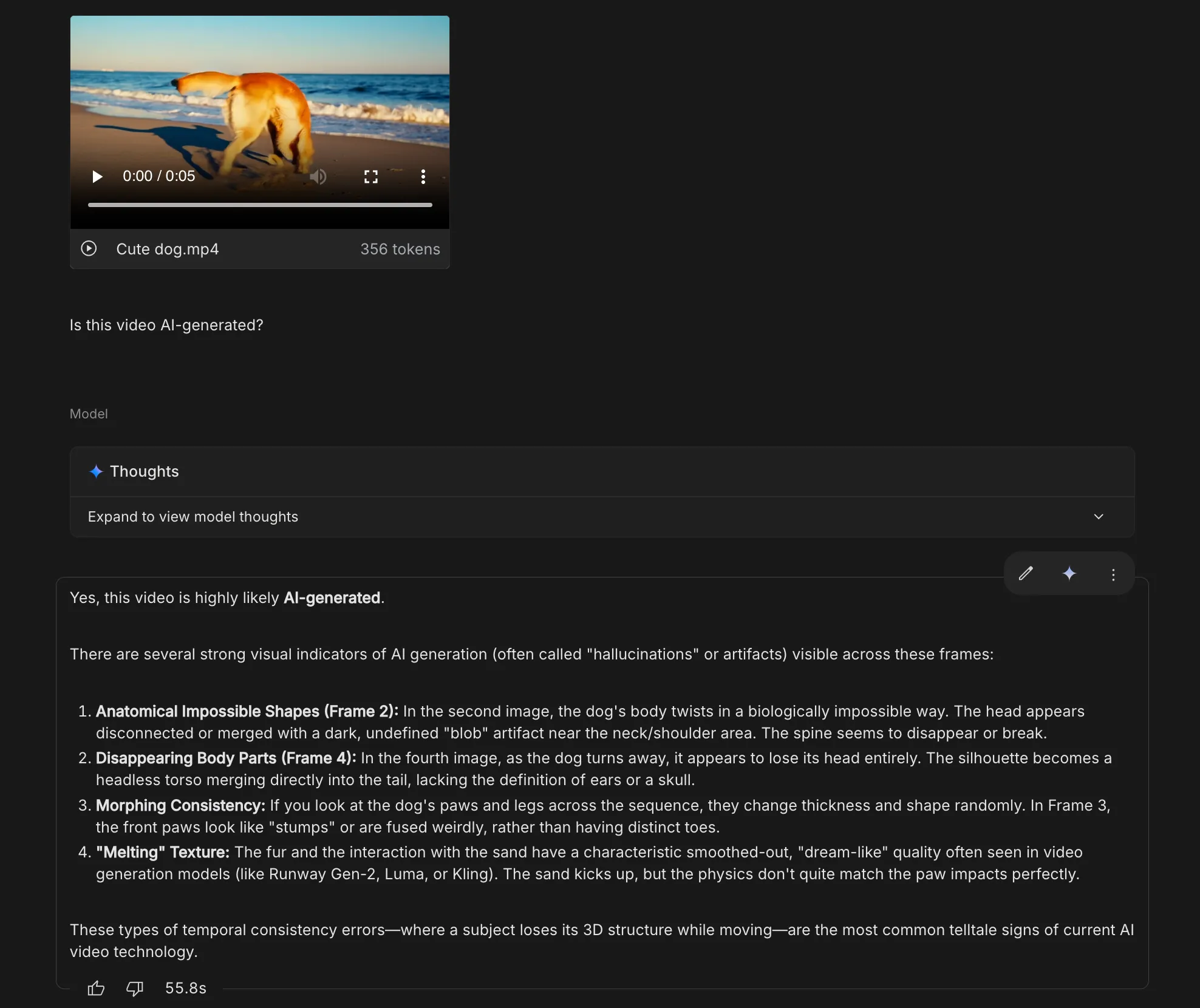
Right on the mark! The model was not only able to recognise that it was likely AI-generated, but also provided a possible rationale behind it. The points were convincing enough for to consider this video AI-generated.
3. Identifying an AI-Generated image produced by Gemini
I’d be using the following image for this task:

Response:
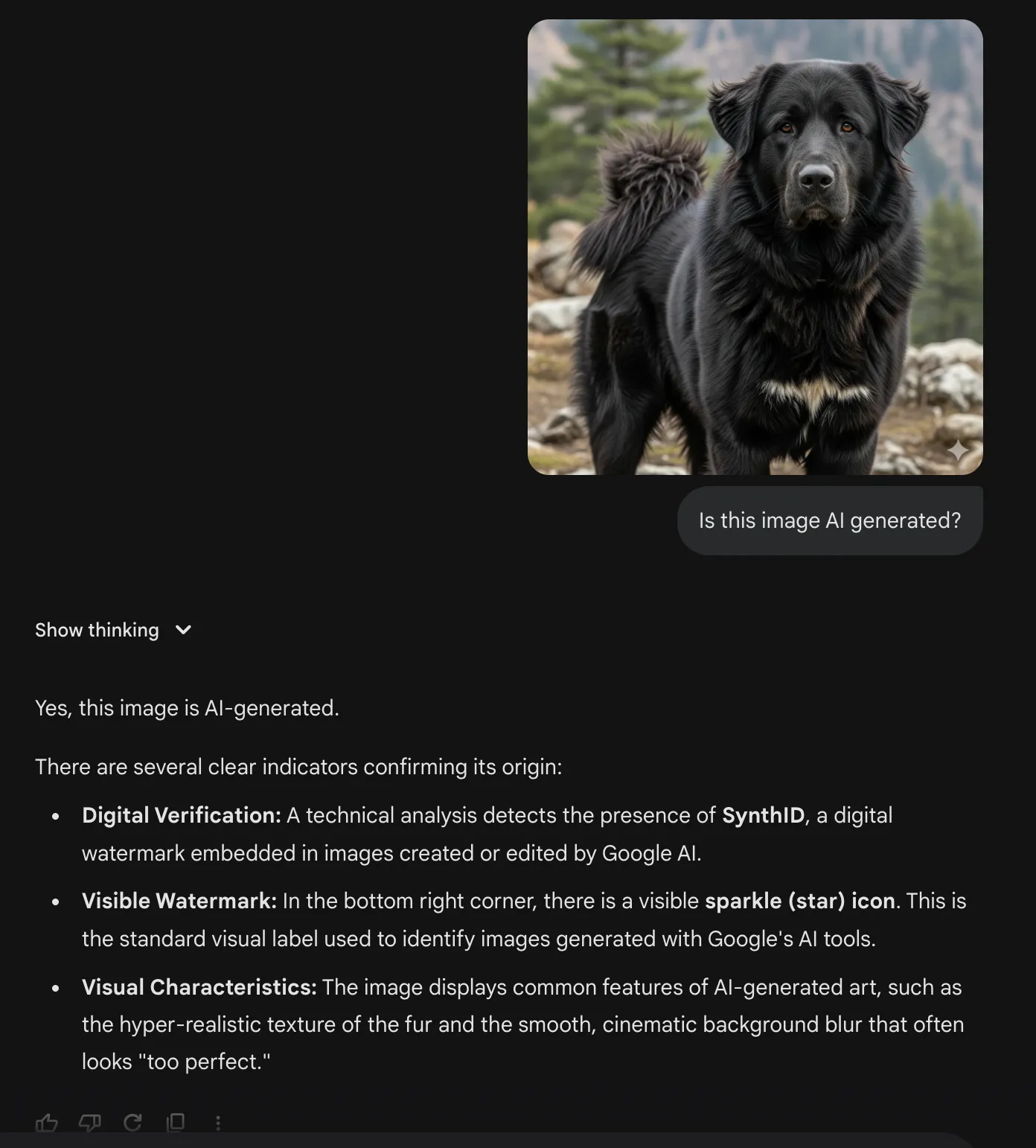
This was an easy one as the image had a visible watermark on it.
The thing that stood out to me (other than the minute long wait time) was that in its reasoning a clear call to the SynthID tool was made for final verification. Meaning the tool isn’t the only way for the model to recognise AI content.
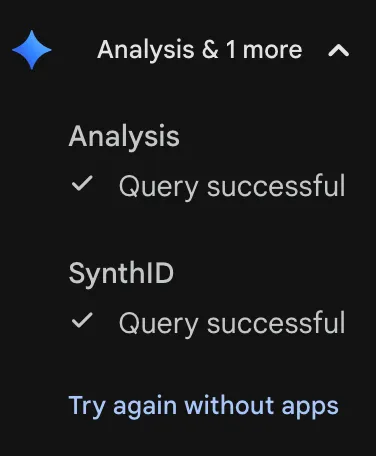
The model itself picks on the signs that could help in reaching a definitive result. SynthID is leveraged for final confirmation.
4. Identifying a Non-AI Image
I’d be using the following image for this task:

The image is as humane as it gets. Let’s see what Gemini thinks about it.
Response:
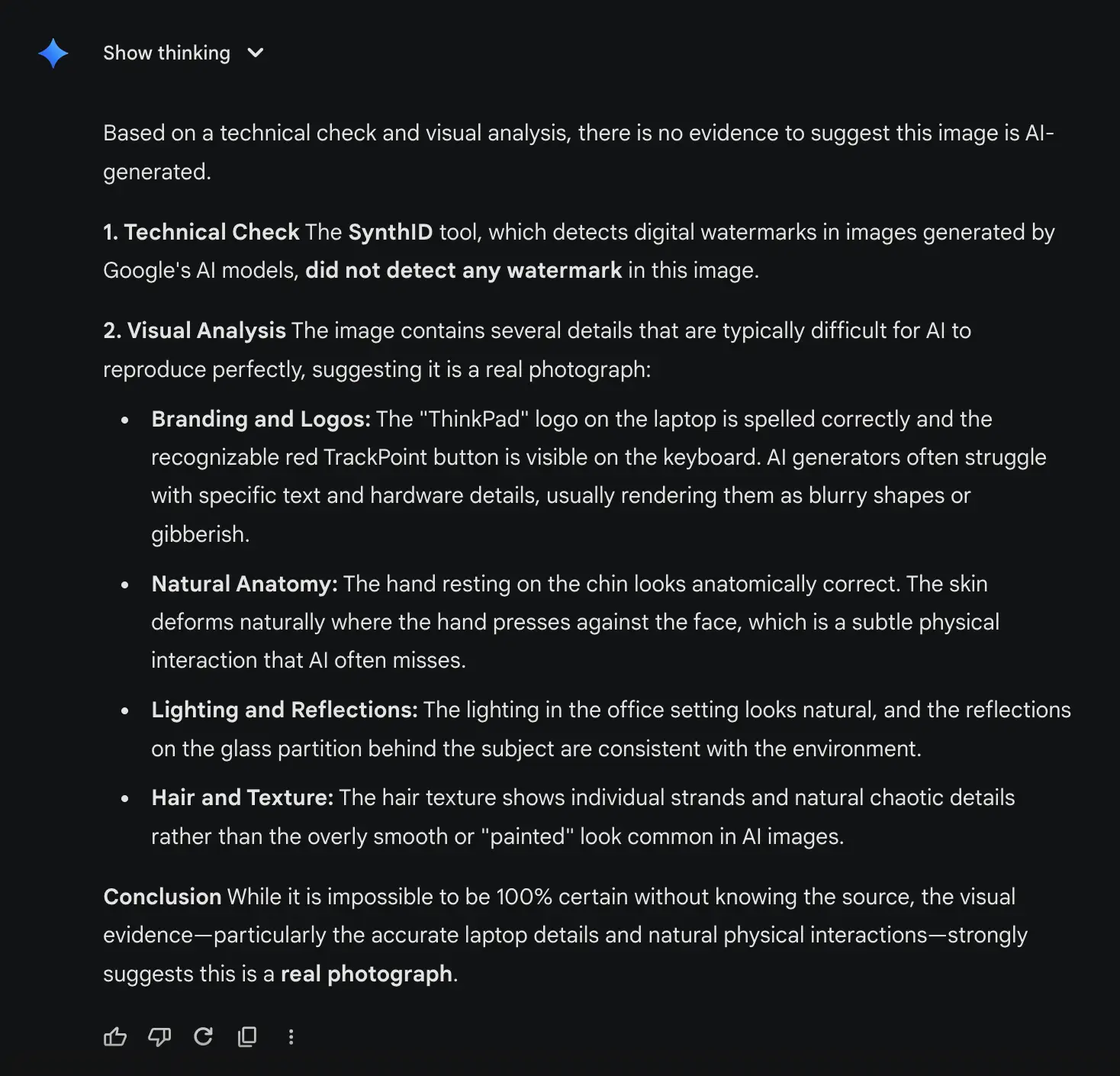
Correct observation from Gemini. The model also let it be known that since this is a real image and therefore doesn’t have an invisible watermark, it is impossible to be 100% certain about the conclusion. When all the major models start embedding SynthID in their content, this deduction would be a lot more confident.
5. Identifying a hybrid image that is part human and part AI-generated
For this test I’d be using the doctored version of the previous image:

Response:
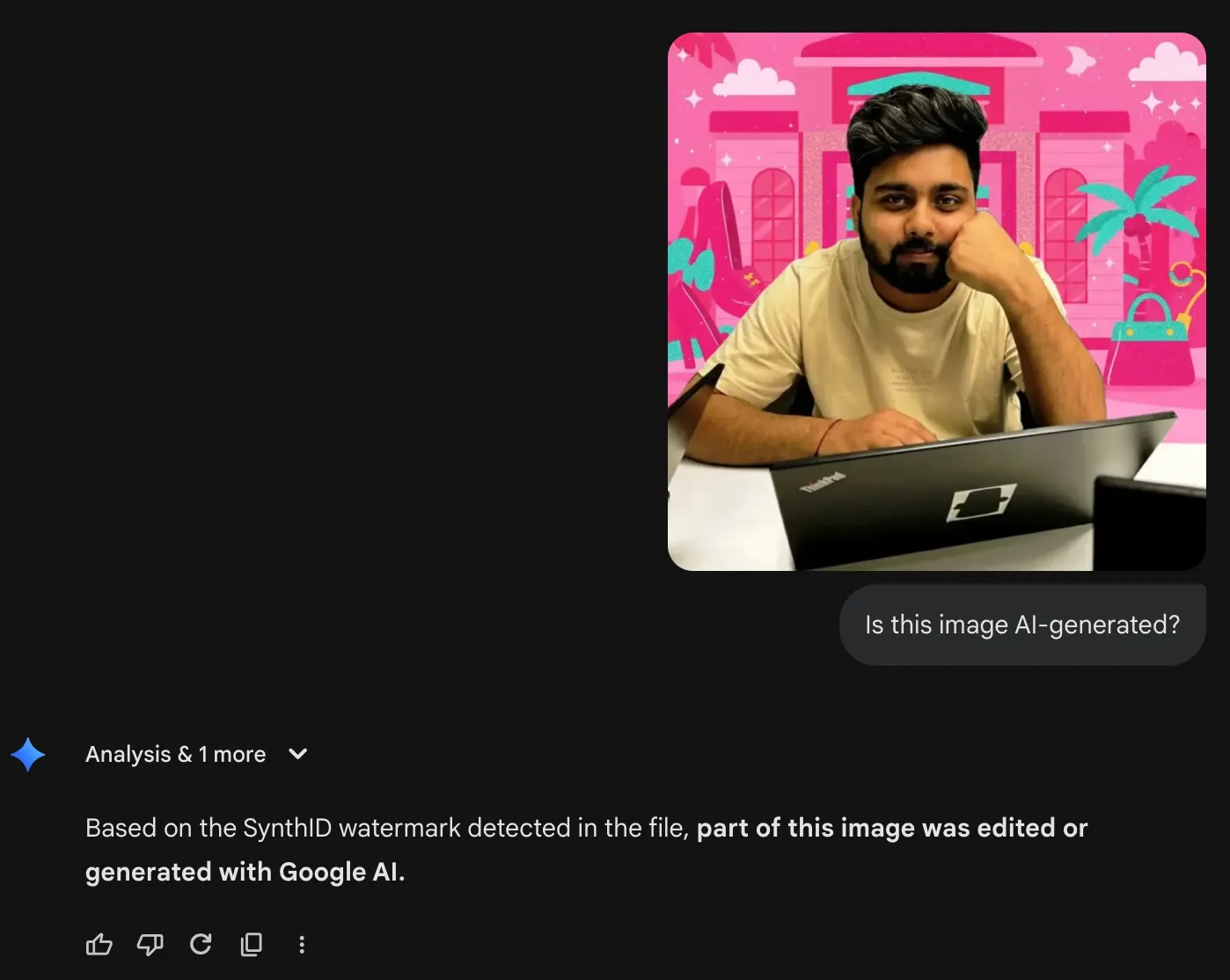
Right on the mark! The model correctly figured out the part of the image that has been digitally altered.
6. Identifying an AI-Generated image produced by ChatGPT
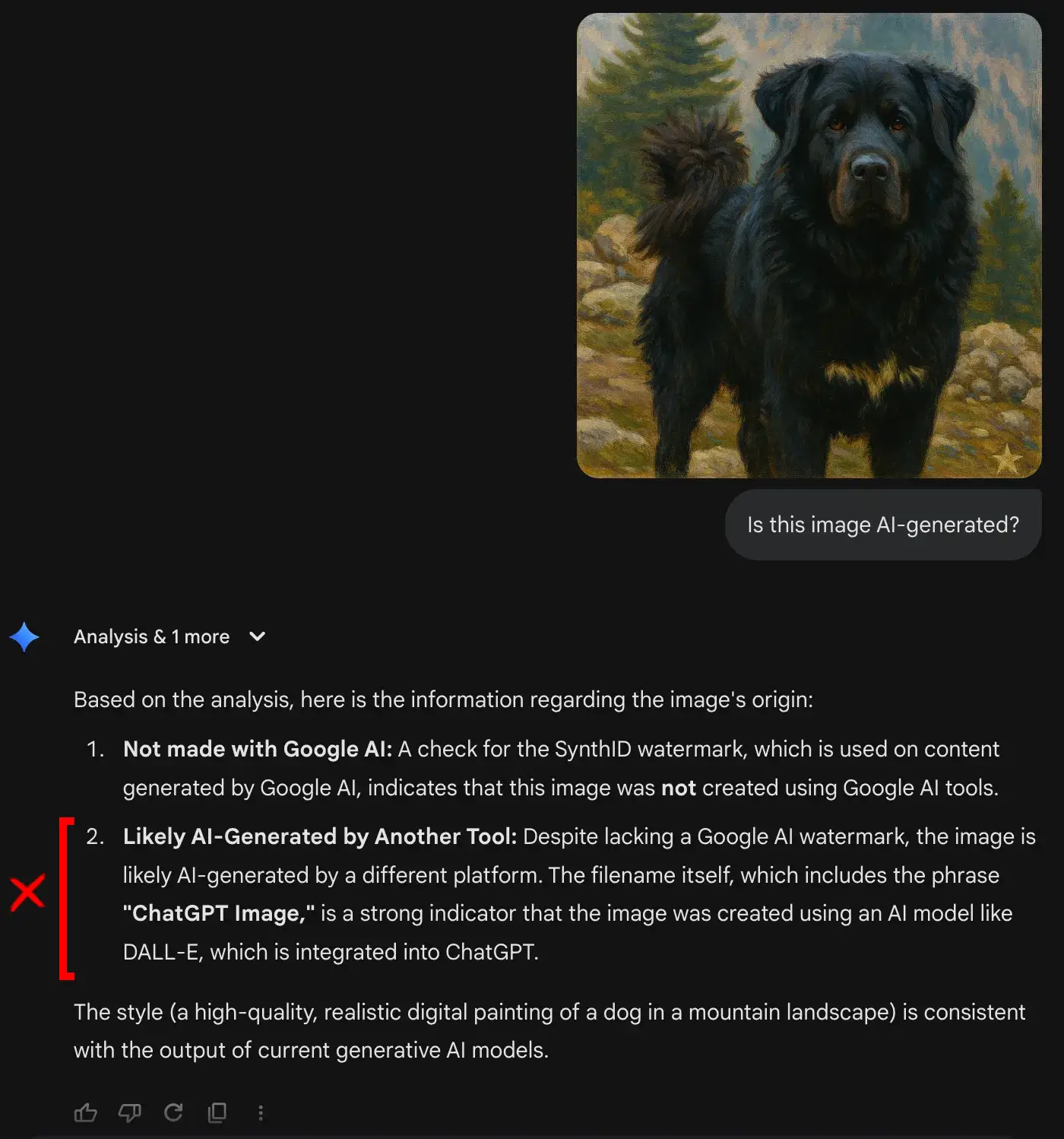
For this test, I’d be using the following image, which is a recreation of the dog image I had used in the first task, made by ChatGPT:

Response:
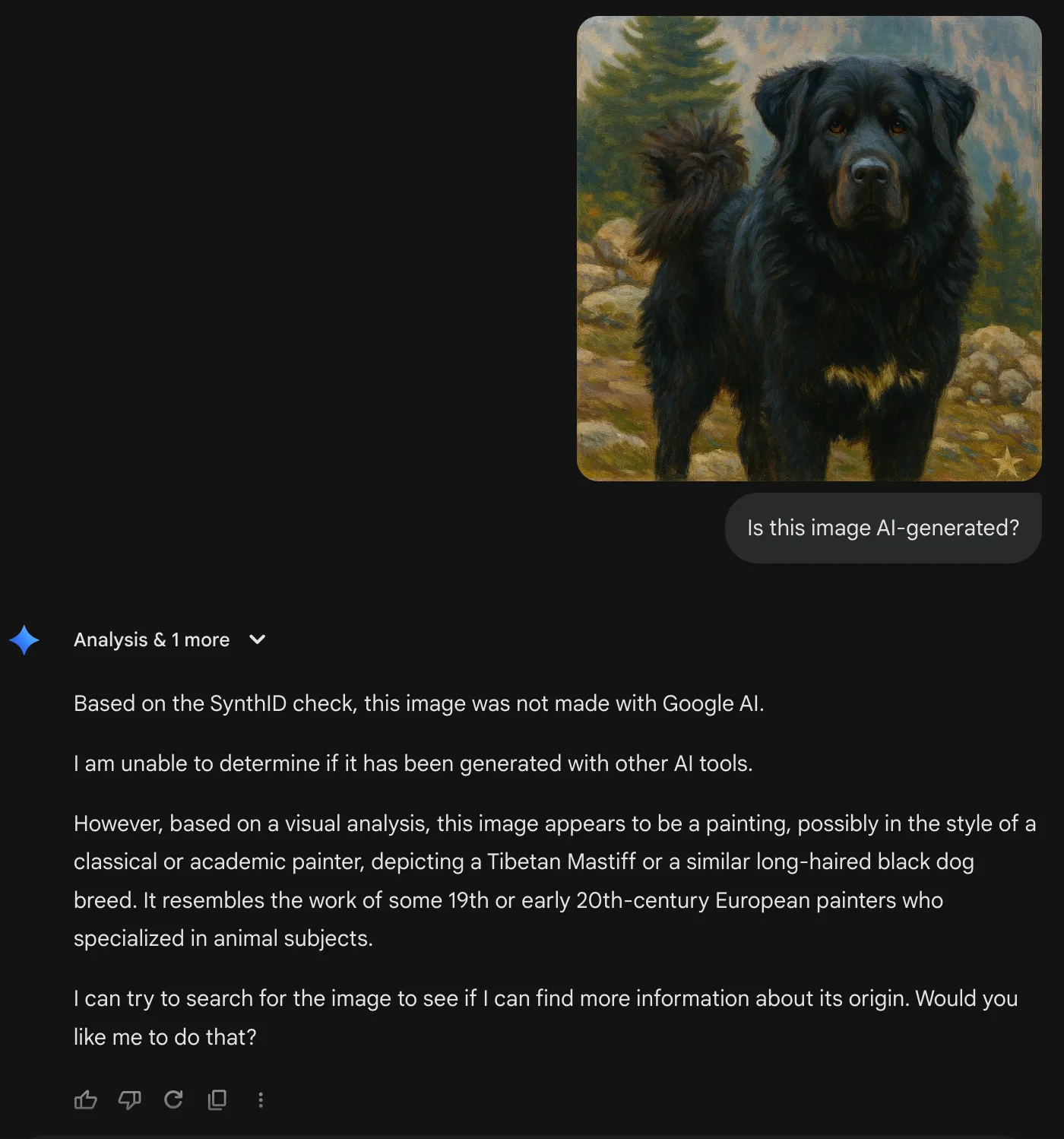
Lack of partners really hits the algorithm hard. The absence of SynthID in the image, led to the model analysing its contents and surmising wildly. The model concluded that it is possibly a painting, which isn’t the case.
Verdict
It was a wild ride. Where SynthID and Gemini in general shined with some modalities, their performance in the rest leaves a lot to be desired. Here are a few things I found out while using the SynthID functionality of Gemini:
- Looooooooong Response times: If thinking mode is enabled, response time for the model even with modest images (like the ones with a Gemini watermark) can be over 2 minutes.
- Frequent Crashes: If the image is proving difficult for the model to detect AI-content in, sometimes, Gemini would straight up crash. This was the case if AI-detection was attempted on thinking enabled chats.
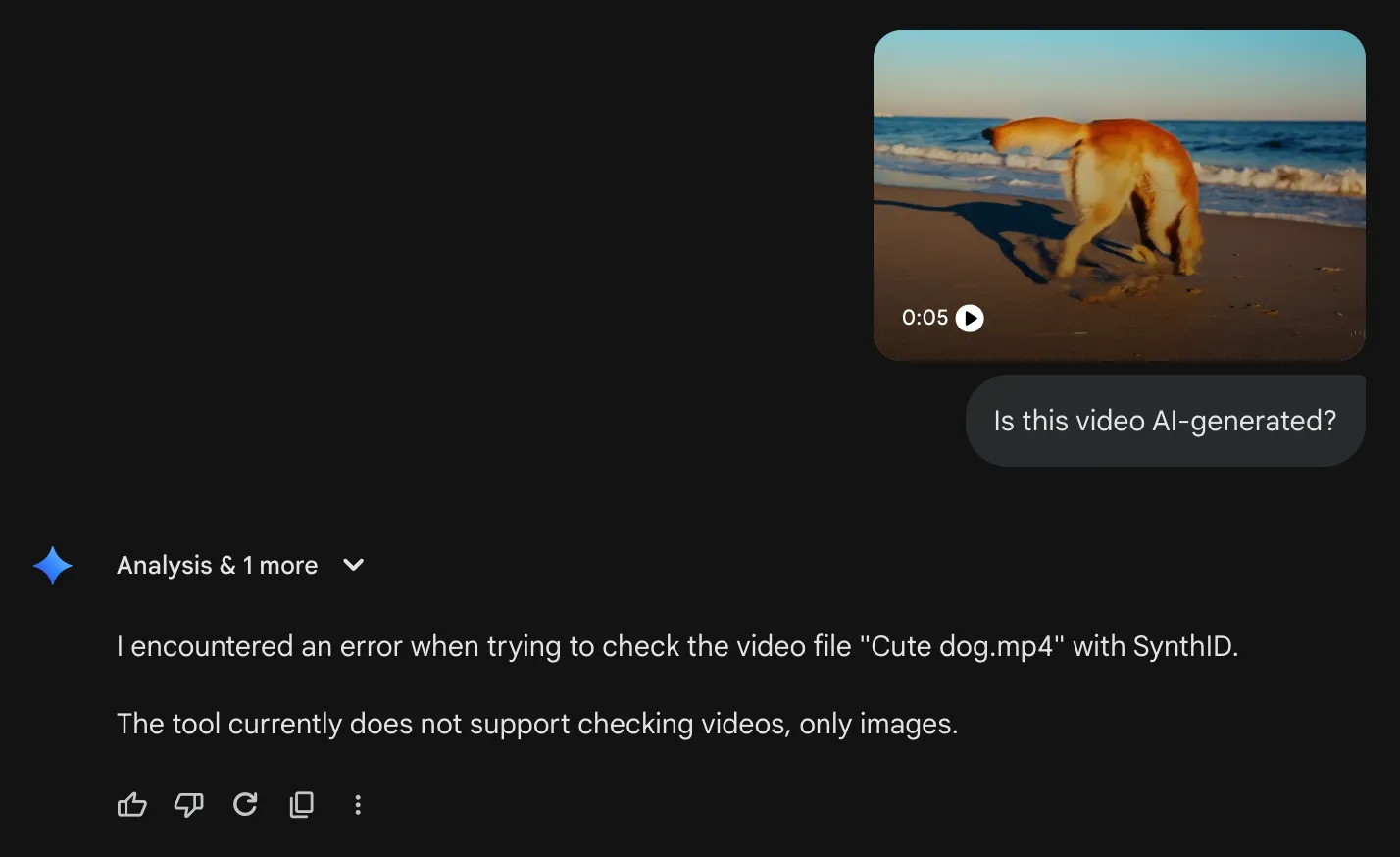
- Gemini App limitations: Gemini app can’t handle videos as of now. The responses hit the limit way too often, and the response quality is also way worse.
- Variation in response quality: Whereas the model detected confidently on image and videos, its response in AI-generated text wasn’t on par.
- Expedience over Excellence: The model tries to conject the results using vague information over protocol following. Meaning it would prefer telltale signs, than doing its AI-detection routine to come to a conclusion.
Conclusion
Is this the replacement for your AI-detector? Kind of. If the requirement is AI-detection of visual media, then the tool would prove useful. It performed exceptionally with images and videos and offered sound reasoning. With text, it felt a bit too dogmatic, where it was trying to backtrack everything to an AI-esque pattern.
But like many other offerings by Google, it’s a step in the right direction. The foundation is really solid. With more and more partners coming in to offer such watermarking on their AI-generation, the model would surely improve with time.
TLDR: Use Google AI Studio for content AI-detection.
Frequently Asked Questions
Q1. Is the tool good for AI-detection?
A. Read the article.
Q2. Does it offer Multi-modal content AI detection?
A. Yes it does. Use it on Google AI Studio, as Gemini app has limited features.
Q3. Is SynthID usable by users without a paid account?
A. Yes, it is.
I specialize in reviewing and refining AI-driven research, technical documentation, and content related to emerging AI technologies. My experience spans AI model training, data analysis, and information retrieval, allowing me to craft content that is both technically accurate and accessible.






