AI-based coding agents are changing developer workflows. Proof – the arrival of Gemini 3 Pro in the Gemini CLI. It shows a significant advancement. For instance, it provides advanced reasoning, enhanced tool usage, and natural-language coding right in the terminal. Developers will be able to generate, fix, and refactor code without needing to break their flow by switching contexts. This makes daily programming tasks more seamless, faster, and far more efficient.
The command line is still a developer’s most trusted space. Gemini 3 Pro provides precision and context-friendly assistance that enhances this trust further. You can articulate a task to it in plain language, and it will quickly provide helpful, project-based precision, right in the CLI. In this blog, we’ll explore Gemini 3 Pro in the CLI, review powerful features, and then test it out to determine Gemini 3 Pro’s effectiveness in addressing practical development workflows.
Table of contents
- What’s Special with Gemini 3 Pro?
- Unmatched Benchmark Performance
- Rich Reasoning and “Vibe Coding”
- Superior Multimodal Reasoning
- Advanced Language and Knowledge Understanding
- Long-Context and Agentic Capabilities
- How to Access Gemini CLI?
- Testing Gemini 3 Pro with CLI
- Overall Analysis of Gemini 3 Pro CLI Performance
- Conclusion
What’s Special with Gemini 3 Pro?
Gemini 3 Pro represents Google’s most advanced step in AI reasoning and multimodal capability. It can solve complex engineering tasks, engage in long-context workflows, demonstrate multimodal understanding, and perform high-stakes reasoning with reliability. This section enumerates the main advantages of Gemini 3 Pro, its benchmark performance, reasoning capabilities, and the value of the improvements for developers employing Gemini CLI.
Unmatched Benchmark Performance
Gemini 3 Pro demonstrates substantial performance improvement across core academic and real-world benchmarks. The performance improvements highlight how well Gemini 3 Pro performs relative to previous models with coding, math, reasoning, and tool-use tasks. Below are highlights of the performance benchmarks reported by Google.
Key Benchmark Highlights
- Gemini 3 Pro achieves 37.5% on Humanity’s Last Exam, a significant improvement over Gemini 2.5 Pro.
- 95% on AIME 2025 without tools, 100% on AIME 2025 with execution.
- 31.1% on ARC-AGI-2, a substantial improvement over the earlier use case.
- Leads multimodal benchmarks such as MMMU-Pro, achieving 81% accuracy.
Rich Reasoning and “Vibe Coding”
Gemini 3 Pro can create multi-step plans, provide deep insights, and build prototypes directly from natural language instructions. Google refers to this as “vibe coding,” where the model is able to build apps or assist others in building apps just based on a higher-level description.
Why This Matters?
- Faster prototyping based on natural language processes.
- Better architectural reasoning and design planning features.
- Strong agentic tool use that enhances and accelerates CLI-based programming.
Superior Multimodal Reasoning
Multimodal depth is one of the core strengths of the Gemini 3 Pro architecture. The model can reason with text, image, audio, and video in one unified architecture. The model is very well-suited for developers working on computer vision (e.g., robots) and data-rich tasks.
Multimodal Performance Highlights
- Great visual reasoning – 87.6% on Video-MMMU
- Greater cross-modality alignment for real-world scenes
- Better spatial understanding for reasoning in 3D
Advanced Language and Knowledge Understanding
The Gemini 3 Pro includes enhanced factual accuracy and knowledge grounding. Consequently, it minimizes hallucinations and increases trustworthiness for research, documentation, and engineering work.
Language Understanding Highlights
- 91.8% on multilingual MMLU
- Consistent long-chain reasoning scores
Long-Context and Agentic Capabilities
Gemini 3 Pro can operate over context sizes that are extremely large: it can read entire repositories, long PDFs, or discussions across multiple files. Gemini also has excellent agentic behavior when used with the Gemini CLI.
Agentic Performance Highlights
- 1 million token inputs and 64k token outputs.
- 54.2% on Terminal-Bench 2.0 for command execution tasks.
- 76.2% on SWE-Bench Verified for fixes to real code.
How to Access Gemini CLI?
Before proceeding with the installation, ensure that the system requirements are satisfied, and go through the things to keep in mind before installation.
System Requirements
| Requirement | Gemini CLI |
|---|---|
| Operating System | macOS, Windows, Linux (native) |
| Node.js Version | 18 or newer |
| npm | Required (comes with Node.js) |
| Git | Optional |
| RAM | Same as system requirements |
| Internet | Required |
| Authentication | Google account or API key |
NodeJS is a common prerequisite for both the CLIs. You can install Node.js by following the instructions on its official page from NodeJS.
Things to Keep in Mind
Prior to beginning the installation of Gemini 3 Pro using the command line interface (CLI), you should ensure you have installed the following prerequisite software for your computer’s operating system. First, you must install Node.js and npm (or yarn), and both software need to be in your computer’s system PATH. For the Gemini CLI, you will need Node.js 18 or a later version.
Your CLI will have to be authenticated either by an API key or by logging in via your Google account. On Windows, it is common for users to prefer to run CLI tools via WSL2 to have better compatibility and a more Unix-like environment.
It is also important to ensure you set your working directory to the project folder when running the CLI commands for Gemini, so that the CLI can read or write correctly to the project for project files and context.
Installation Steps
1. Check Prerequisites:
- Make sure to have at least Node.js 18+.
- Install a package manager, like npm or yarn.
- Make sure you have a working terminal/command-line (PowerShell, Terminal, WSL, etc). To install globally:
npm install -g @google/gemini-cli2. Authenticate with Gemini CLI using:
gemini auth login 3. Authenticate Gemini CLI
Run:
gemini auth loginNow this command will open a new browser window, after which you have to log in with your Google account. Alternatively, if you have a Gemini API key, you can use that too.
export GEMINI_API_KEY="YOUR_API_KEY"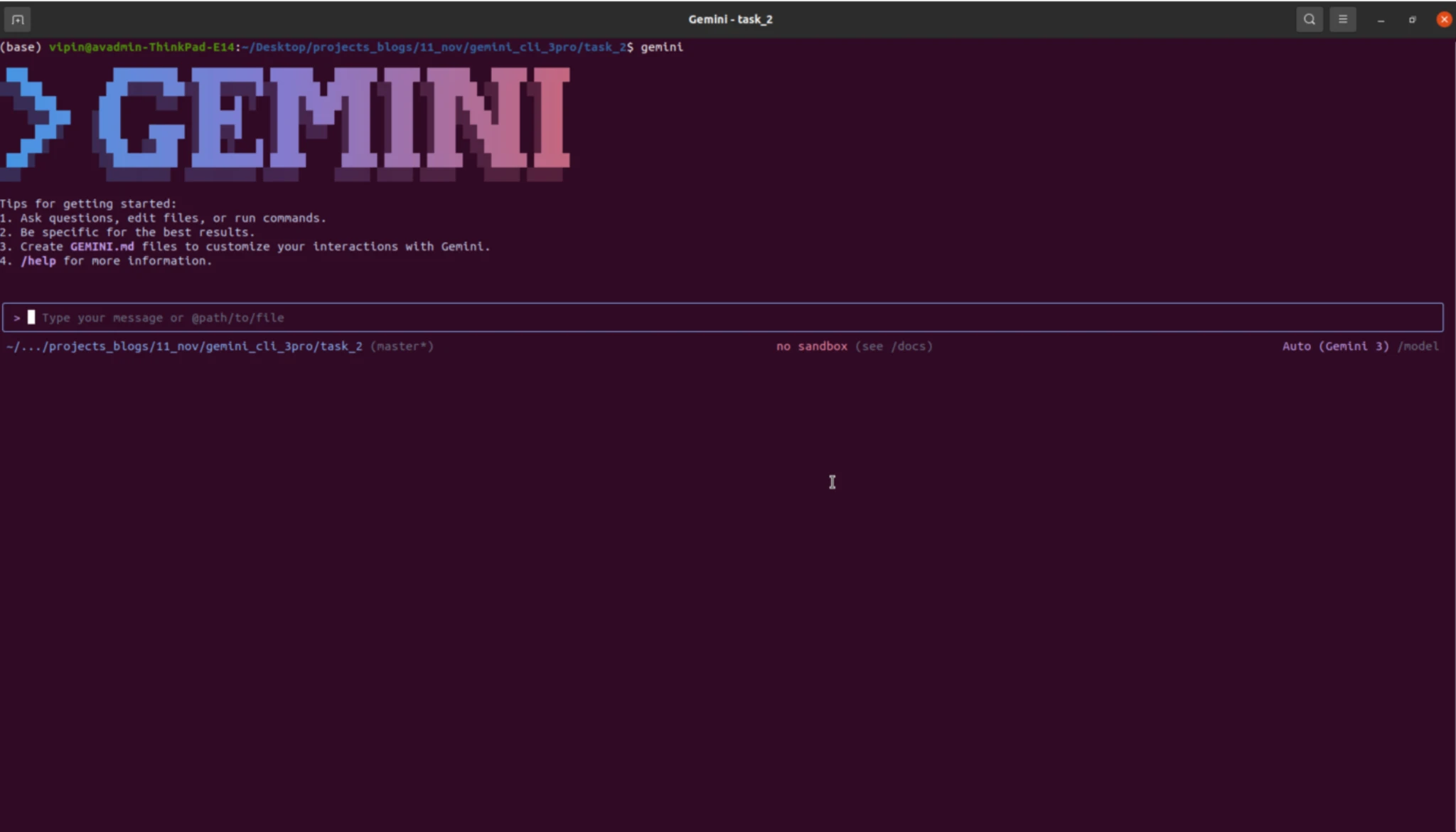
Running our CLI Instances
After completing the installation and authentication processes, users will immediately begin to take advantage of Gemini 3 Pro’s agent capabilities.
For simple inquiries, code snippets, and debugging assistance, use:
gemini ask "Explain why this regex isn't matching and propose a fix." Utilising this Mode will trigger Long Contextual Reasoning, for instance, over the user’s local directory, will provide:
- Parsing of the Project Directory, i.e., Parse File Tree
- Reading of the Project Directory Files (with appropriate permissions)
- The Ability to Suggest and Create “patches.”
- The Ability to Maintain and Retain Reasoning Across Multiple Commands.
gemini dev

> Refactor my authentication service to support JWT and show me the diff.
Also Read: Top 6 LLMs for Coding
Testing Gemini 3 Pro with CLI
The CLI is the basis of Gemini 3 Pro’s performance and evaluation via developer-centric, complex workloads, which can demonstrate the effectiveness of constructing Structured Code, providing Visual Complexity, and Building Complete Project(s) in One File.
Task 1: Creating a Game
Prompt:
Create a single-file Three.js 3D racing game with a neon Synthwave aesthetic. Include a procedural glowing highway, smooth WASD controls, boosts, drifts, obstacles, collectibles, enemies, and powerups, all wrapped in dynamic lighting, bloom, and CRT-style effects. Add a Synthwave soundtrack, responsive SFX, and a clean holographic HUD. Everything, graphics, shaders, logic must live inside one polished, responsive HTML file.
Analysis: Now, with the Gemini 3 CLI Pro, the developers were able to produce a well-designed, engaging, and very appealing to play 3D Racing Game that is easy to learn to play and contains great graphics. The “Neon” Synthwave style provides a brilliant and immersive atmosphere with its bright colours, light effects, and retro style, which create an environment for the player to play in that feels alive. The game’s controls are highly responsive, and the various features, such as boost, drift, obstacles, and powerups, create new gameplay opportunities and excitement.
Task 2: Build your own Portfolio
Prompt:
Act as a senior UI/UX designer and full-stack developer to create a modern, highly interactive single-page portfolio for a Data Scientist with 5 years of experience. Include an animated hero section, smooth scroll sections for About, Skills, Projects, and Work Experience, and highlight expertise in Machine Learning, Deep Learning, NLP, Generative AI, and Data Science using interactive skill cards, animated indicators, and hover-based project cards showing problem, approach, tech stack, and impact. Add a timeline-style experience section and a clean contact area with subtle micro-interactions. Use HTML with Framer Motion or GSAP, ensuring a minimal, professional design that is responsive, performant, accessible, and emphasizes real-world AI impact with polished animations.
Analysis: The Gemini 3 cli pro followed each instruction; therefore, the final output is a very modern, highly interactive, one-page portfolio that looks both Professional and Simple while being aesthetically pleasing. The overall design is very minimal, featuring a clean and minimalistic layout that uses smooth animations for enhancements rather than cluttering up the content with too many visual distractions.
Overall Analysis of Gemini 3 Pro CLI Performance
Gemini 3 CLI Pro’s demonstrated great results in both tasks. It has a great ability to convert concepts and ideas into polished, functional outcomes. The product was not only a polished and professional-looking portfolio, but also an appealing and well-written document that communicates skills and experiences, and how those skills have made a positive contribution to the world.
In addition, Gemini 3 produced a polished, professional, and visually stimulating racing game that has the potential to be played by multiple players at once, all of whom have a sense of safety and enjoyment while using the game. The output from both tasks was professionally designed and visually attractive, structured, functional, and consistent in quality, creativity, and attention to detail.
Also Read: Mastering Gemini 3 Pro API: A Complete Developer’s Guide
Conclusion
The Gemini 3 CLI Pro supports developers working with command lines in today’s techy world. Whether they are working on a creative piece or completing a project, Gemini 3 CLI Pro turns everyday language into something useful and helps creators keep up with their busy schedules without disrupting their thoughts. This product can create a 3D game and develop a website that is both simple and professional, all at the same time.
This tool shows the ability of an individual to build something creative while working collaboratively with others. As a whole, Gemini 3 has enabled developers to work smarter and faster by helping them to be productive, decrease the number of interruptions to complete their jobs, and make the development process feel natural and easy.
Hello! I'm Vipin, a passionate data science and machine learning enthusiast with a strong foundation in data analysis, machine learning algorithms, and programming. I have hands-on experience in building models, managing messy data, and solving real-world problems. My goal is to apply data-driven insights to create practical solutions that drive results. I'm eager to contribute my skills in a collaborative environment while continuing to learn and grow in the fields of Data Science, Machine Learning, and NLP.