
Text autocompletion and chat queries are no longer the only roles for AI agents. They now refactor repositories, generate documentation, review codebases, and run unattended workflows, creating new challenges in coordinating multiple agents without losing context, control, or code quality.
Maestro, the latest AI Agents orchestration platform, addresses this need as an application that creates long lived AI processes and developer workflows. It treats agents as observable, independent systems that mirror engineering practice. In this article, we examine what Maestro is and how to use it in our development workflows.
Table of contents
What is Maestro?
The Maestro is a desktop-based orchestration platform for using AI Agents to automate and manage your projects/repositories and run multiple AI Agents simultaneously. Each AI Agent runs in an isolated session (workspace, conversation history, execution context, etc.) to ensure no two agents interfere with each other. Currently, Maestro supports the following AI Agents:
- Claude Code
- OpenAI Codex
- OpenCode
Support for Gemini CLI, and Qwen Coder are planned for future releases.
By providing isolation of each Session, Automation capabilities, and a Developer-friendly Web or CLI interface, Maestro allows you to scale your use of AI in the way you want, without sacrificing speed, control, or visibility.
Features of Maestro
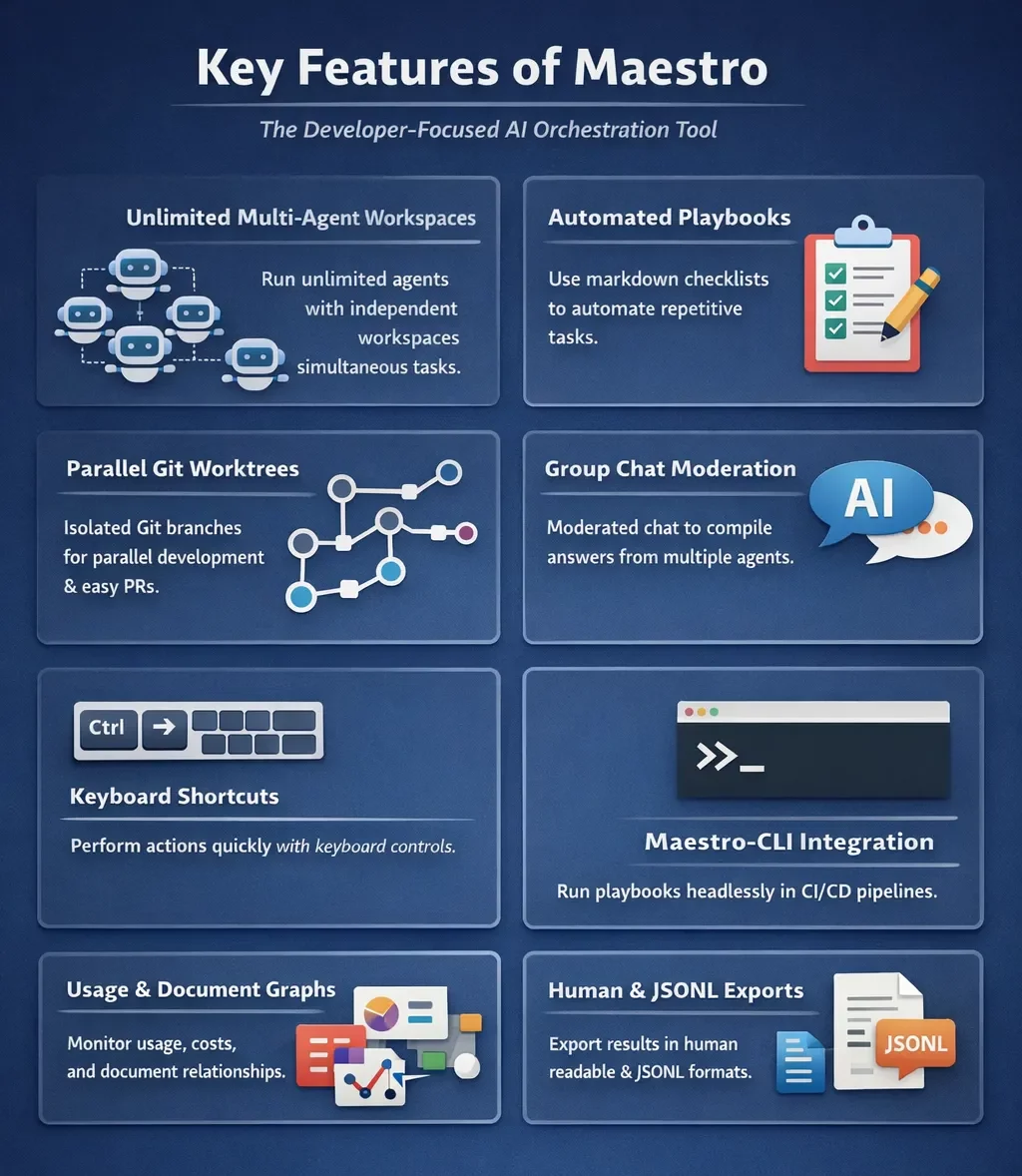
The developer-focused AI orchestration tool from Maestro has several fundamental features:
- There is the ability to run unlimited amounts of each type of agent simultaneously; this enables multi-agent use and gives each agent its own independent workspace and context, which allows work to be done at multiple locations simultaneously (e.g. code refactoring, generating test cases, or obtaining documentation).
- It can automate tasks using markdown formatted checklists (called playbooks), where each playbook entry is executed within its own instance of the course material and has a clean execution context. Playbooks are especially useful for refactoring/developing audit reports and also for performing any type of repetitive work.
- Using
Git "worktrees"allows true parallel development with each type of agent on an isolated Git branch. You can perform independent reviews on the work done by agents, create separate PRs for each and create PRs with one simple click. - You can perform nearly every action via keyboard actions. For example, switching records will be done quickly using keyboard actions. Toggling between the terminal and the AI will also be performed using keyboard actions.
- Using Maestro-cli, you can run playbooks without any form of graphical user interface (headless), integrate with CI/CD pipelines, and export their outputs in human readable format and JSONL format.
Architecture of Maestro
TypeScript has created a modularized architecture for Maestro that is also entirely quality tested. The following are the core components of the system:
- Session manager: Isolates agent contexts to prevent interference from one another.
- Automation layer: Executes markdown formatted playbooks.
- Git integration: Has native support for git repositories as well as branches, and diffs.
- Command system: Slash commands can be extended in search of custom workflows.
As a result of these core architectural features, Maestro will support long running executions, facilitate the ability to recover sessions smoothly, and support reliable parallel agent operations.
Comparing Maestro with Other Tools
Here’s a clear comparison of Maestro with popular AI orchestration solutions:
| Feature / Tool | Maestro | OpenDevin | AgentOps |
| Parallel Agents | Unlimited, isolated sessions | Limited | Limited |
| Git Worktree Support | Yes | No | No |
| Auto Run / Playbooks | Markdown-based automation | Manual tasks | Partial |
| Local-first | Yes | Cloud-dependent | Cloud-dependent |
| Group Chat | Multi-agent coordination | No | No |
| CLI Integration | Full CLI for automation | No | Limited |
| Analytics Dashboard | Usage and cost tracking | No | Monitoring only |
Getting Started with Maestro
Here are the steps for installing and using Maestro:
- You need to either clone the repository or download a release:
git clone https://github.com/pedramamini/Maestro.git
cd Maestro - You need to install the dependencies via the following command:
npm install - You need to start the development server:
npm run dev - You can connect to an AI agent:
- Claude Code – Anthropic’s AI for coding
- OpenAI Codex – OpenAI’s AI for coding
- OpenCode – Open Source AI for coding
The authentication process will differ by AI Agent, please refer to the prompts in the app for the necessary instructions.
Hands-On Task
In this task, we’ll build a Job Application agent with the help of Maestro’s wizard from scratch and we’ll observe how it performs.
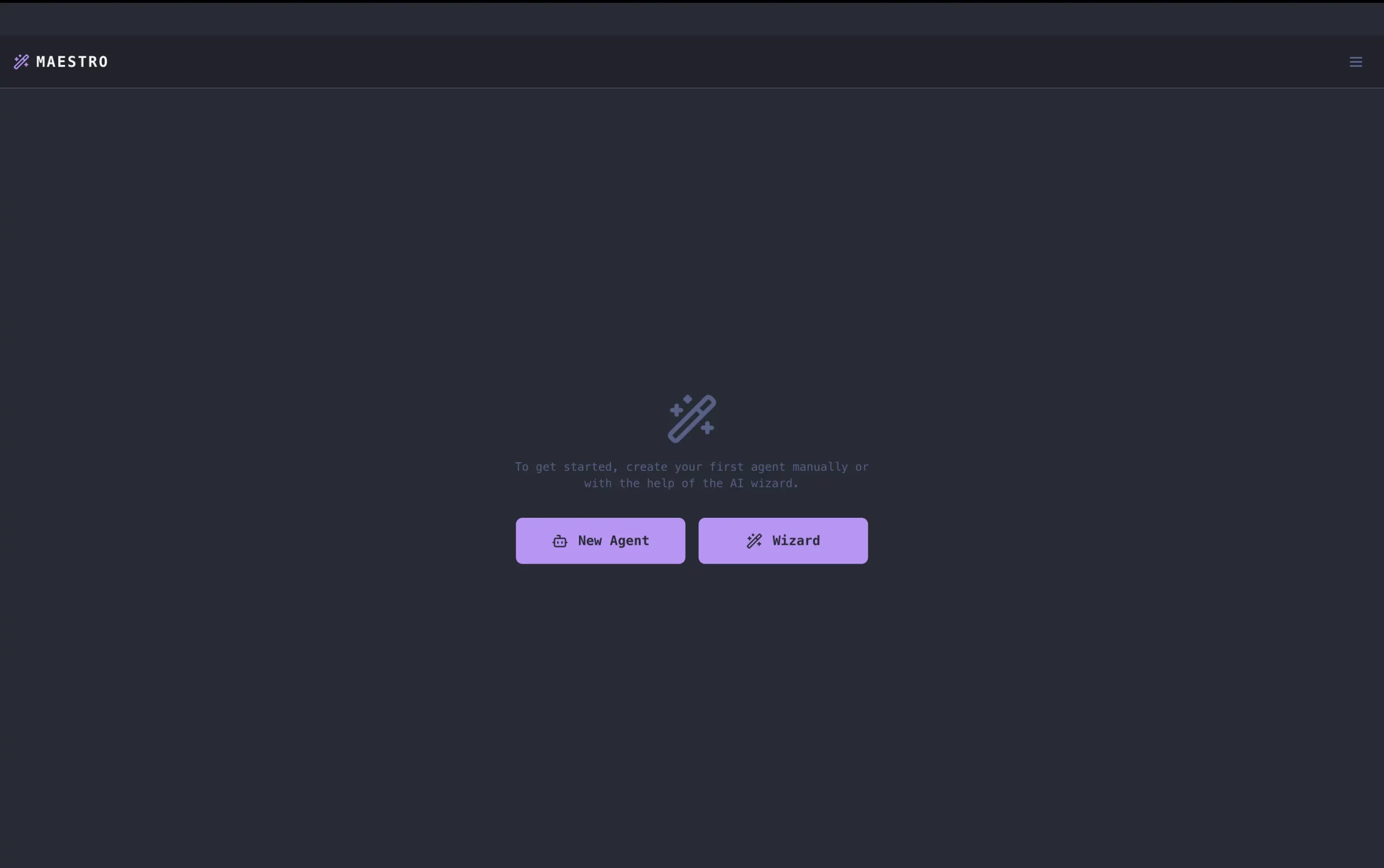
1. After the interface has been launched on npm run dev command, choose the Wizard button which will help us in building the agent.
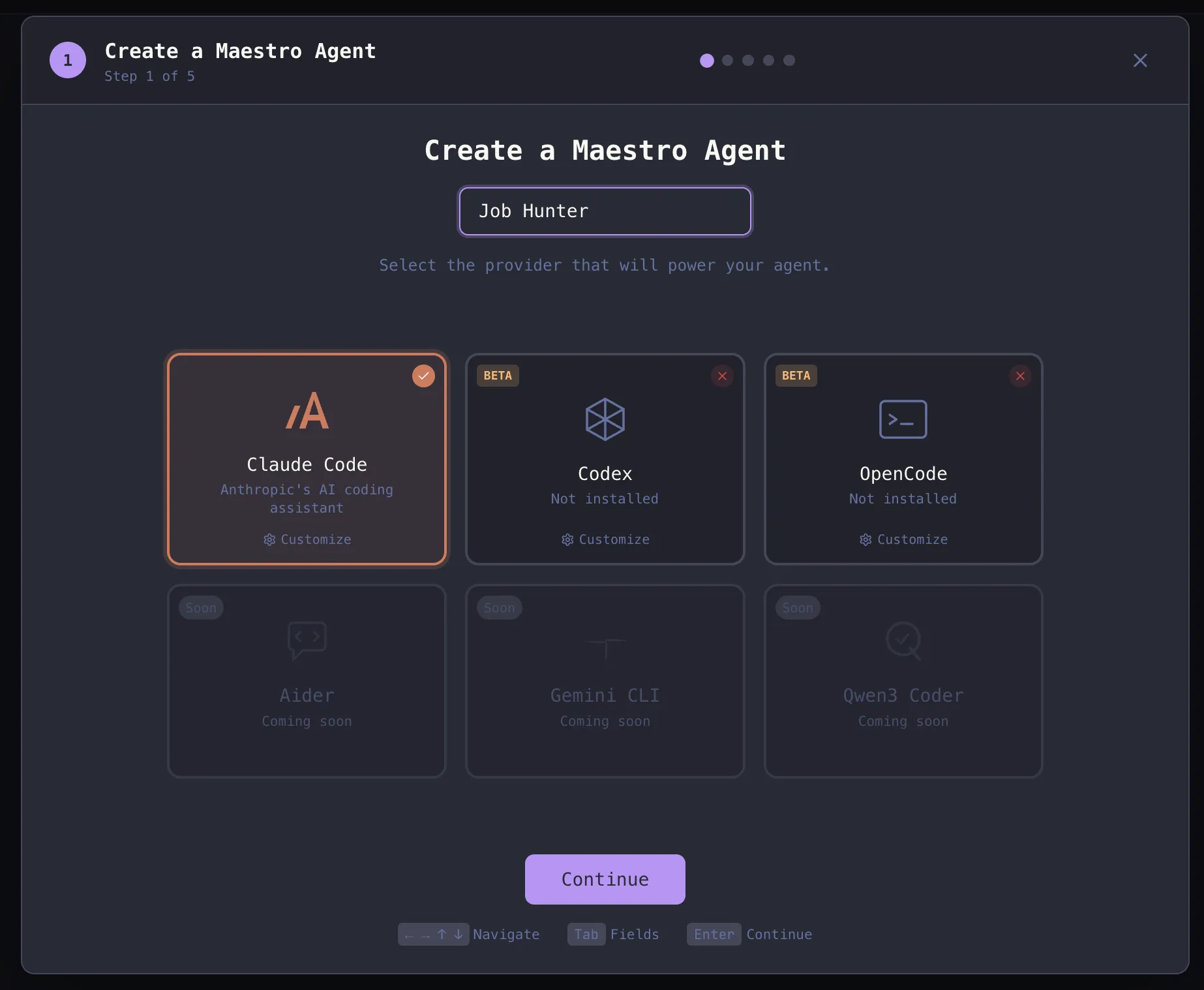
2. Integrate Claude Code or codex or Open Code and choose the name of the application.
3. Browse the location of the application and click ‘Continue’ to start the project.
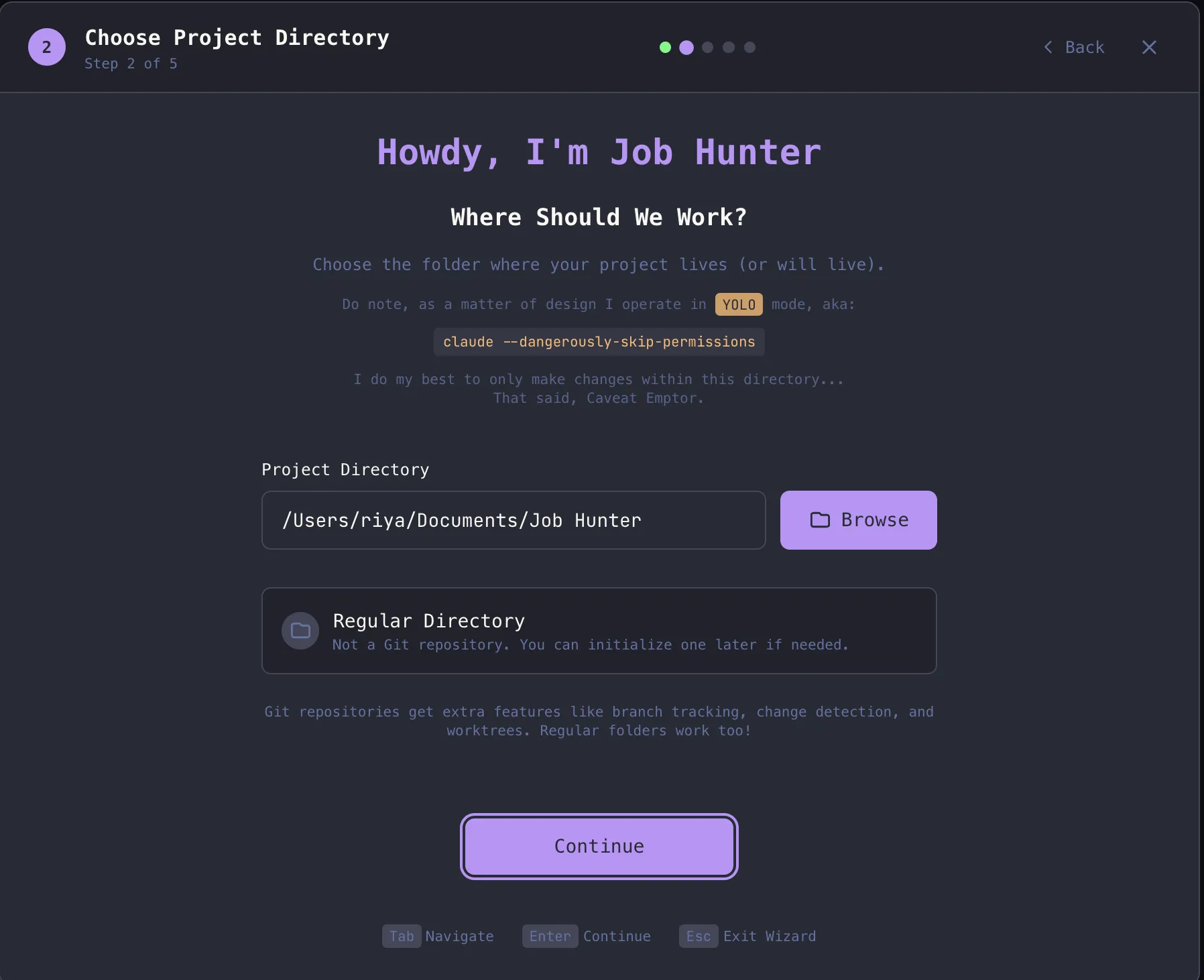
4. Provide the prompt to the Wizard and it will initiate the build.
Prompt: “Build a simple AI Job Application Agent with a React frontend and FastAPI backend.
The app should allow the user to enter:
- Name
- Skills
- Experience
- Preferred role
- Job description (text box)
When the user clicks “Generate Application”, the agent should:
- Analyze the job description
- Generate a tailored resume summary
- Generate a personalized cover letter
Display both outputs clearly on the UI.
Technical requirements:
- Use an LLM API (OpenAI or similar)
- FastAPI backend with a JobApplicationAgent class
- React frontend with a simple form and output display
- Show loading state while generating
Goal: Build a working prototype that generates a resume summary and cover letter based on user input and job description.”
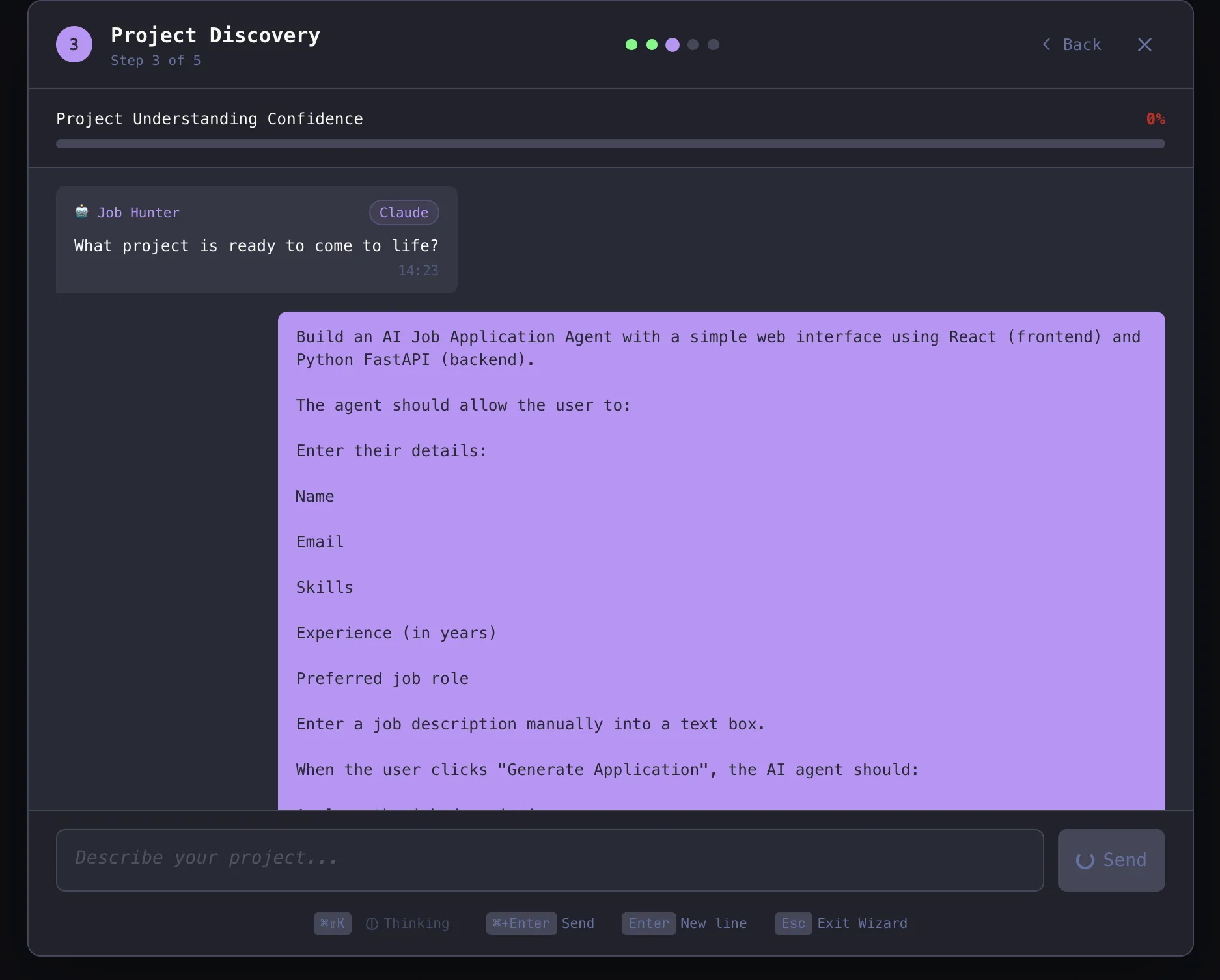
5. After it has structured the project in different phases, it starts the development process.
Output:
Review Analysis
Maestro has developed the full Job Application Agent application containing an operational React user interface (UI) and FastAPI back end. This agent demonstrates superior full stack development and good ability to integrate AI agents; it takes user input and creates unique resume summary and cover letter; and, as the filtering, selecting, etc. from the user interface flow through to the back end smoothly.
The core agent logic and LLM integrated successfully so that Maestro demonstrates a proficiency in creating working prototypes of AI agents from the ground up, although the outputs lacked sufficient quality and could benefit from improved prompt optimizing, as well as deeper personalization.
Therefore, in total, Maestro created a solid, functioning, foundational platform that has many opportunities for advancing agent functionality.
Conclusion
Maestro represents a shift in AI-assisted development. It enables developers to evolve from using AI in separate experiments to a structured scalable workflow. The features provided by Maestro, such as Auto Run, Git Worktrees, multiple-agent coordination/communication, and review possibilities through analytics; have been designed with the developer and AI practitioner in mind to allow control, visibility, and automation of projects on a larger scale.
If you want to explore Maestro:
- Use the GitHub repo: https://github.com/pedramamini/Maestro
- If you would like to contribute to Maestro, please review the guidelines in the Contributing file.
- Join the community via Discord for support and discussion.
Maestro is not just another tool. It’s an AI agent command center, designed with developers in mind.
Frequently Asked Questions
Q1. What problem does Maestro solve for developers?
A. Maestro coordinates multiple AI agents in isolated sessions, helping developers automate workflows, manage parallel tasks, and maintain control over large AI driven projects.
Q2. Which AI agents does Maestro currently support?
A. Maestro supports Claude Code, OpenAI Codex, and OpenCode, with planned support for Gemini CLI and Qwen Coder in future releases.
Q3. Can Maestro be used without a graphical interface?
A. Yes. Maestro CLI lets developers run playbooks headlessly, integrate with CI/CD pipelines, and export outputs in readable and structured formats.
Data Science Trainee at Analytics Vidhya
I am currently working as a Data Science Trainee at Analytics Vidhya, where I focus on building data-driven solutions and applying AI/ML techniques to solve real-world business problems. My work allows me to explore advanced analytics, machine learning, and AI applications that empower organizations to make smarter, evidence-based decisions.
With a strong foundation in computer science, software development, and data analytics, I am passionate about leveraging AI to create impactful, scalable solutions that bridge the gap between technology and business.
📩 You can also reach out to me at [email protected]





