
Google has made the Gemini ecosystem confusing as hell.
You have the Gemini App, which looks like a normal AI chatbot. Then you have Google AI Studio, which also looks like… a chatbot! But on steroids. So the obvious question is: why do both of these coexist?
Here’s the clean answer:
Gemini App is for using AI. Google AI Studio is for building with AI.
That’s the core difference. Everything else builds upon this.
Table of contents
- What is Gemini App?
- What is Google AI Studio?
- The Simple Comparison
- Purpose: Assistant vs Workbench
- Interface: Conversation vs Configuration
- User Type: General User vs Builder
- API Access: The Clearest Divider
- Usage Limits and Pricing
- Output Control: Natural Answers vs Structured Outputs
- Integrations: Google Apps vs Developer Stack
- Which One Should You Use?
- Final Takeaway
What is Gemini App?
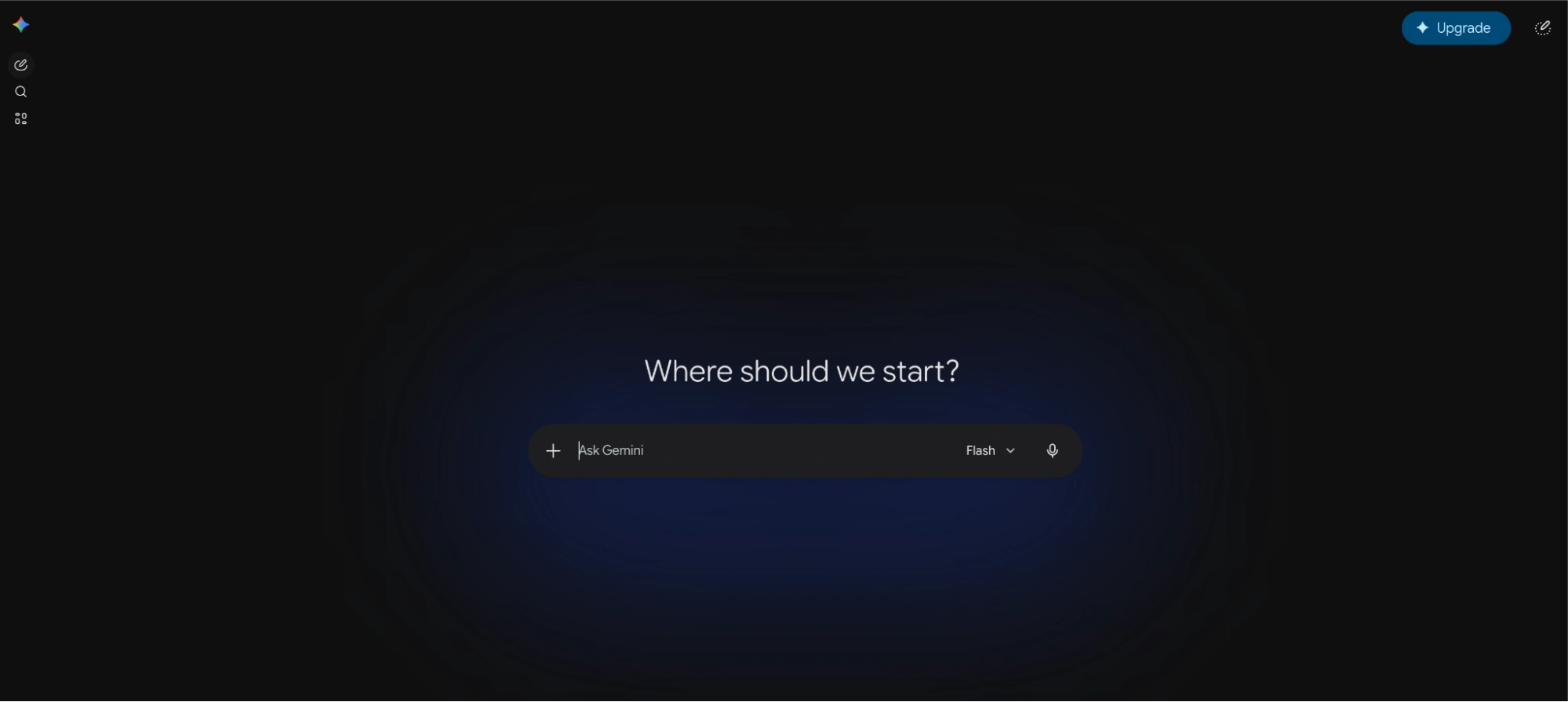
The Gemini App is Google’s consumer-facing AI assistant. Google describes Gemini as a personal AI assistant with features including:
- Writing, planning, and brainstorming
- Web and mobile app access
- Recent chats
- Connected apps
- File uploads
- Deep Research
- Image generation
- Video generation
- Google Workspace integrations such as Drive, Docs, and Gmail
In plain English, the Gemini App is built for the everyday user.
You open it to ask something and get an answer as a response.
It is not really designed for testing model behavior, tuning parameters, generating API keys, or preparing production workflows. It is designed to feel like an assistant.
Read more: Gemini 3.5 Flash: All Features Explained
What is Google AI Studio?
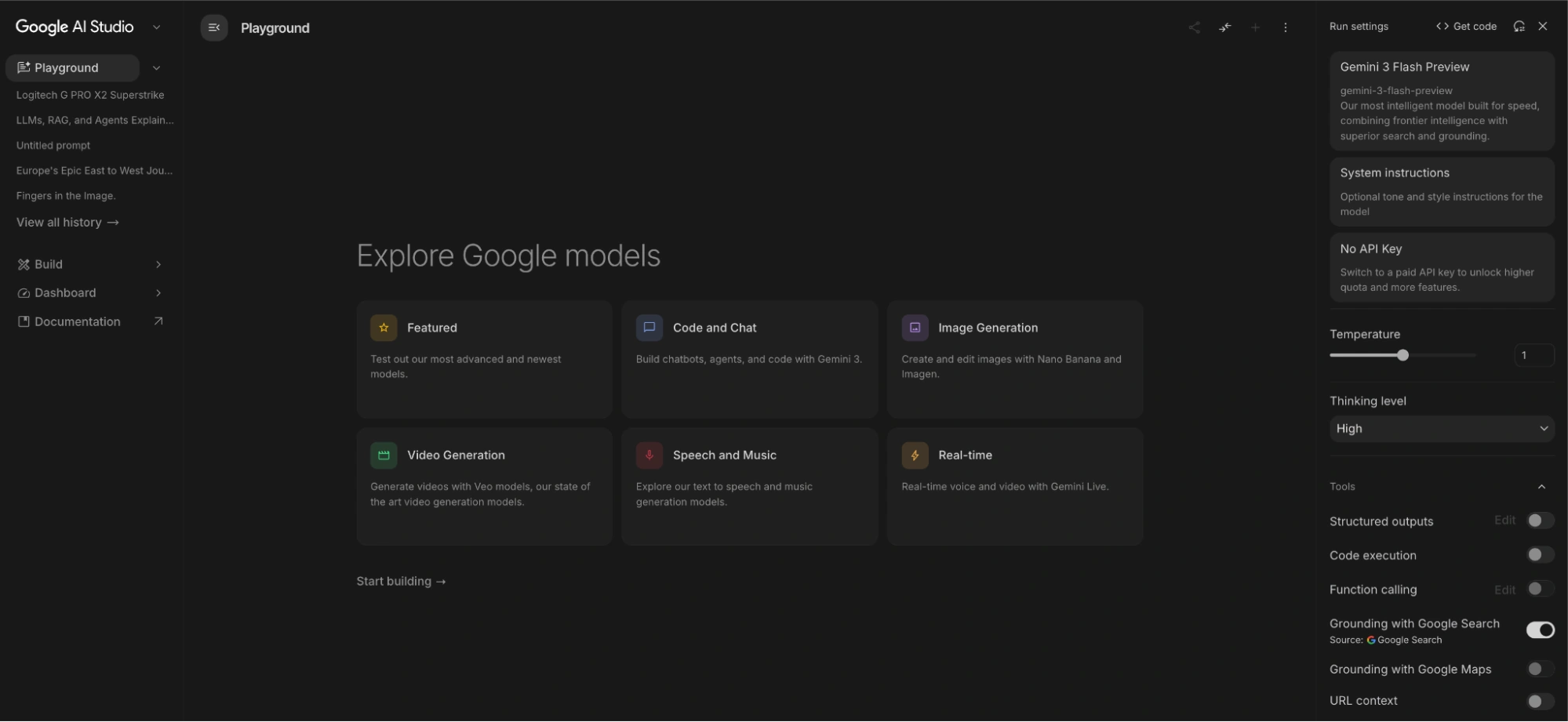
Google AI Studio is a developer and prototyping environment for Gemini models.
Google calls AI Studio “the fastest way to start building with Gemini” and positions it as the place to get a Gemini API key, prototype prompts, test multimodal inputs, and start integrating Gemini models into apps.
This is the version you use when you care about things like:
- API keys
- Model selection
- Prompt testing
- Token usage
- Safety settings
- Structured outputs
- Long context windows
- App integration
So AI Studio is not just another chatbot UI. It is more like a workbench.
Read more: Google AI Studio: All Feature Explained
The Simple Comparison
Here are the key differences explained in detail across the most important areas.
Purpose: Assistant vs Workbench
The biggest difference is intent.
A simple way to think about it:
Gemini App is where you use AI. AI Studio is where you design how AI should behave.
Interface: Conversation vs Configuration
The Gemini App is designed to feel simple.
Google AI Studio gives you more knobs and things to play around with.
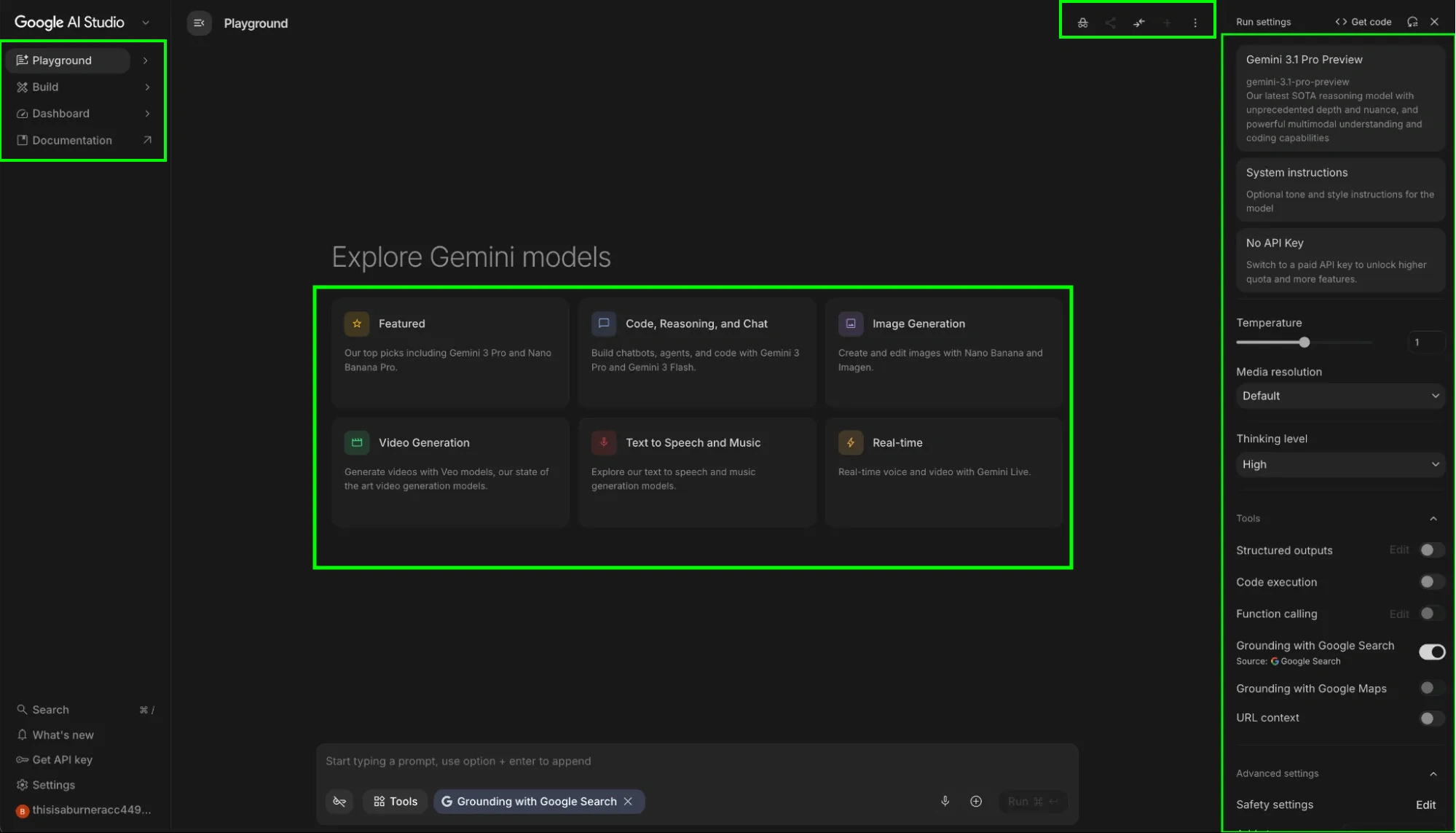
This is why AI Studio can feel more technical.
It is not trying to be the cleanest assistant experience. It is trying to offer a playground for you to understand how Gemini behaves under different conditions. The interface alone gives insight as to what they are for.
User Type: General User vs Builder
The Gemini App is made for people who want a ready-to-use AI assistant. That includes students, writers, marketers, analysts, founders, researchers, and everyday users.
Google AI Studio is made specifically for those who want more control over the model.
So no, AI Studio is not just a more advanced Gemini App. It is built for a different kind of user.
API Access: The Clearest Divider
This is one of the most important practical differences.
The Gemini App does not give you an API. Google AI Studio does using Gemini API.
The Gemini web app is for chatting with Gemini as an assistant. It does not give you API access. Google AI Studio does using the Gemini API.
So the distinction is:
- Gemini Web App = use Gemini directly
- Google AI Studio/Gemini API = build with Gemini programmatically
Usage Limits and Pricing
This is where people often get confused!
The Gemini App follows a consumer-style usage model. Gemini Apps use compute-based limits, which depend on factors like prompt complexity, model used, features used, and chat length. These limits refresh every five hours until the weekly limit is reached.
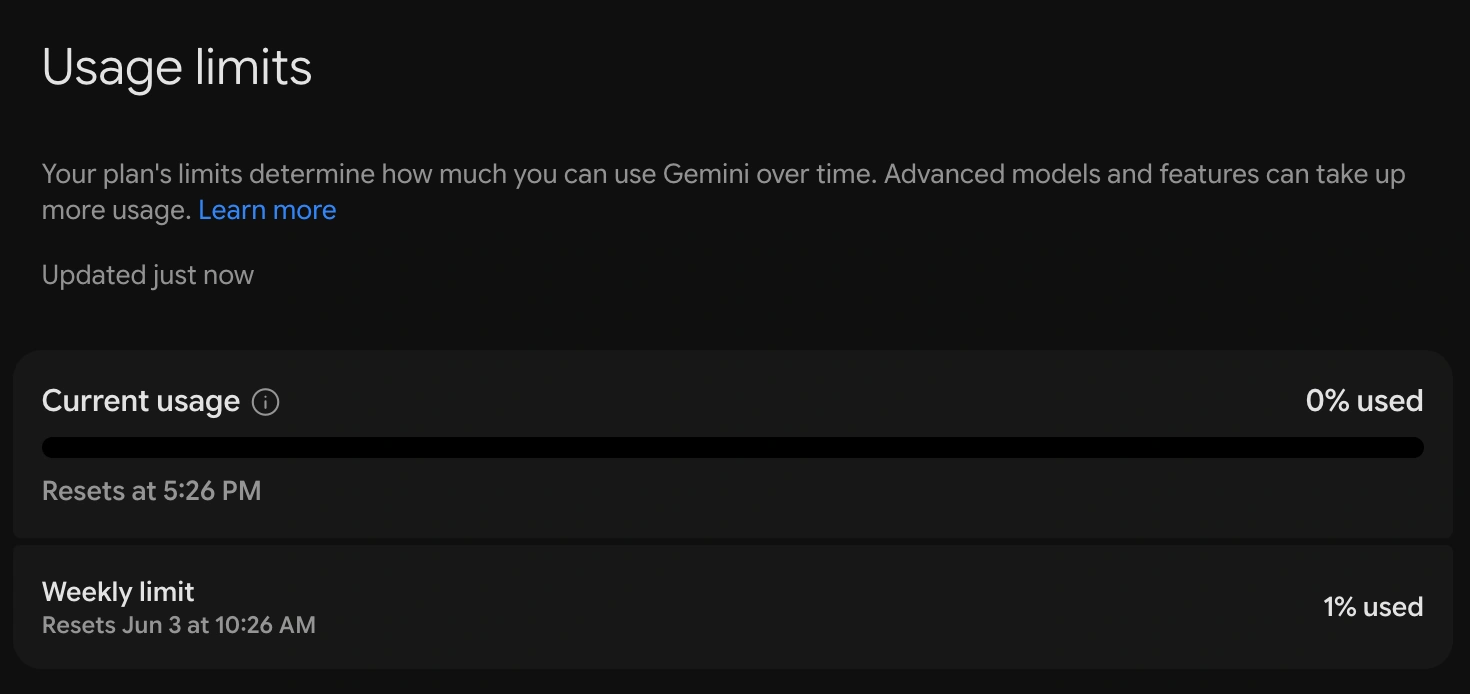
Consumer pricing: Gemini App
Google AI Studio and the Gemini API follow a developer-style usage model. API limits are measured through things like requests per minute, tokens per minute, and requests per day, and limits can vary by model, project, and usage tier.
API pricing: Gemini 3.5 Flash
Note: Gemini 3.5 Flash (gemini-3.5-flash) is used as an example to showcase API pricing.
The important point:
- Gemini App limits affect how much you can personally use Gemini.
- AI Studio/API limits affect how much your application can call Gemini.
A very different pricing mindset.
Output Control: Natural Answers vs Structured Outputs
The Gemini App is optimized for natural, assistant-style responses.
Gemini tries to be as conversational and considerate as possible. That is great when you want an explanation, draft, summary, or brainstorm.
But when you are building an app, natural language is often not enough/required. Apps usually need predictable formats.
For example:
This is one of AI Studio’s strongest use cases.
If your output needs to be repeatable, machine-readable, or production-safe, AI Studio is the better environment.
Integrations: Google Apps vs Developer Stack
The Gemini App is closely tied to Google’s consumer and Workspace ecosystem. Depending on your account and region, it can connect with Google apps and help across Gmail, Docs, Drive, Calendar, and similar surfaces.
Google AI Studio is tied to the developer ecosystem.
Example: You can expect a satisfactory response from Gemini app for the following prompt:
“Find my resume titled June 2023 from my drive and summarize it.”
Click here to see Gemini Web App response
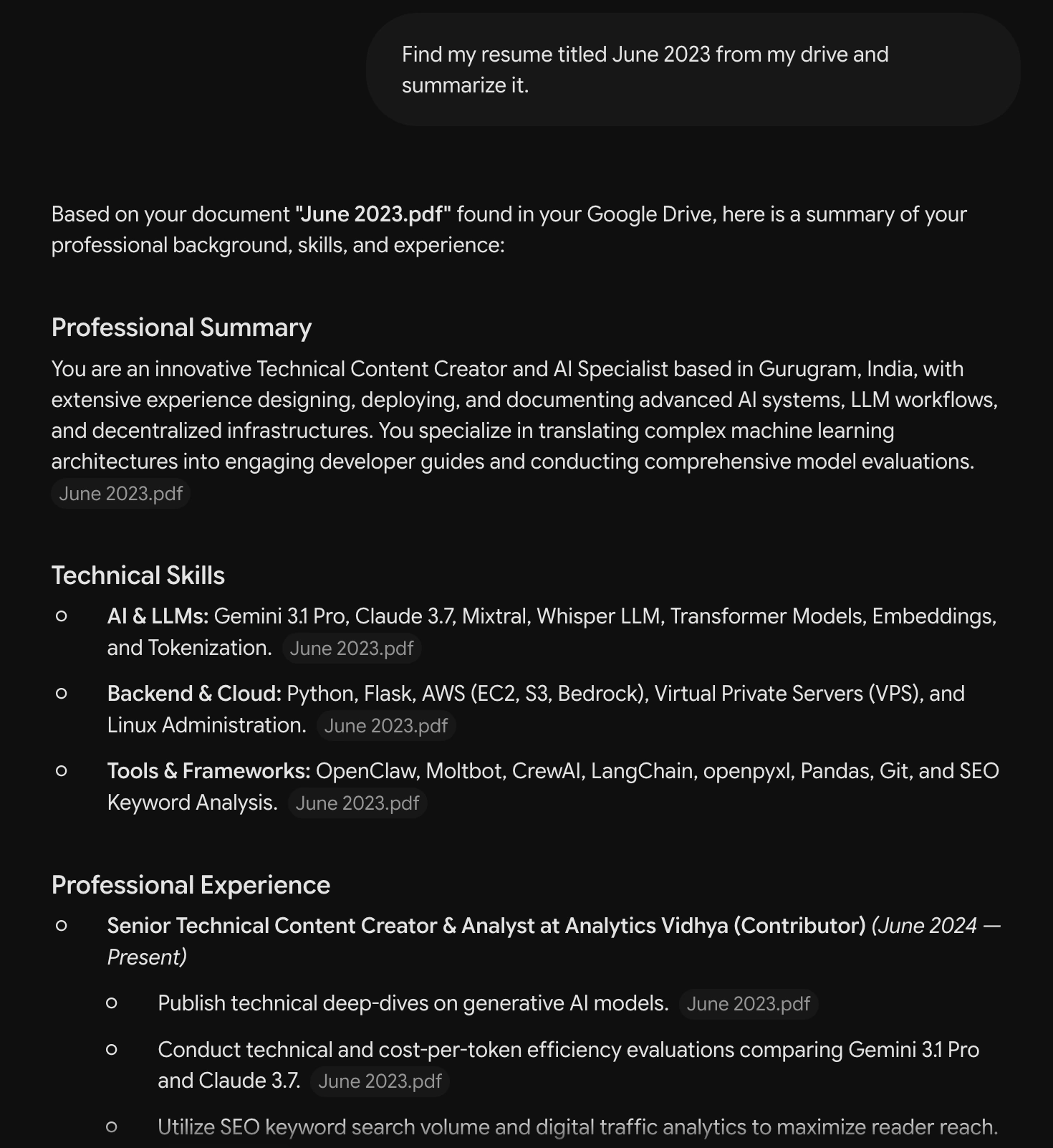
But this isn’t possible by any means on Google AI Studio. This is because AI Studio doesn’t allow Google Workspace integration. To get the same effect, you would have to manually upload the file on AI Studio.
This is another simple distinction:
Gemini App connects AI to your personal workspace. AI Studio connects Gemini models to your software.
Which One Should You Use?
Here is the simplest decision table:
Final Takeaway
Gemini App and Google AI Studio overlap because both are part of the Gemini ecosystem. But they are not trying to solve the same problem.
- The Gemini App is Google’s AI assistant for everyday use.
- The Google AI Studio is Google’s workspace for building with Gemini models.
My choice? Google AI Studio. It offers almost all that Gemini App does and plus some. The lack of workspace integration doesn’t really affect my day-to-day workflows. I would suggest everyone to at least try it out for a few days.
Studying, evaluating, and explaining AI systems for over 6 years.
“𝘖𝘯𝘤𝘦 𝘮𝘦𝘯 𝘵𝘶𝘳𝘯𝘦𝘥 𝘵𝘩𝘦𝘪𝘳 𝘵𝘩𝘪𝘯𝘬𝘪𝘯𝘨 𝘰𝘷𝘦𝘳 𝘵𝘰 𝘮𝘢𝘤𝘩𝘪𝘯𝘦𝘴 𝘪𝘯 𝘵𝘩𝘦 𝘩𝘰𝘱𝘦 𝘵𝘩𝘢𝘵 𝘵𝘩𝘪𝘴 𝘸𝘰𝘶𝘭𝘥 𝘴𝘦𝘵 𝘵𝘩𝘦𝘮 𝘧𝘳𝘦𝘦. 𝘉𝘶𝘵 𝘵𝘩𝘢𝘵 𝘰𝘯𝘭𝘺 𝘱𝘦𝘳𝘮𝘪𝘵𝘵𝘦𝘥 𝘰𝘵𝘩𝘦𝘳 𝘮𝘦𝘯 𝘸𝘪𝘵𝘩 𝘮𝘢𝘤𝘩𝘪𝘯𝘦𝘴 𝘵𝘰 𝘦𝘯𝘴𝘭𝘢𝘷𝘦 𝘵𝘩𝘦𝘮.” — 𝖥𝗋𝖺𝗇𝗄 𝖧𝖾𝗋𝖻𝖾𝗋𝗍, 𝖣𝗎𝗇𝖾





