The development of a modern web application can be a complicated puzzle. You have to do user authentication, maintain a database, and enable third-party provisions, such as maps. This process often takes days of coding. However, what if you could create a data-driven app just by describing it in a prompt? Now it is a possibility with the use of Google AI Studio. In this article, we shall demonstrate how dominant the new Firebase Authentication integration and Google Maps data are in AI features in the platform. We will discuss how one comprehensive prompt can build a full-stack AI app. We shall also explore VibeCheck, which illustrates a new phase in the history of natural language application development and speeds up the development of applications in Google AI Studio.
Table of contents
The Idea: A “Vibe-Based” Spot Finder
Suppose you wish to be in a neighborhood that fits your vibe. Maybe not a coffee shop you like, but a quiet place with good lighting to work. It will be difficult to search for it with such arbitrary conditions. This is what VibeCheck, a web application powered by AI, is to help with; it seeks places by their vibe.
To actualize this idea, I used Google AI Studio with a set of instructions. The task was to be a professional developer and designer to construct a complete application.
The following were the essential conditions:
- Core Functionality: Develop a Vibe-Based Local Finder called VibeCheck.
- Tech Stack: Firebase Authentication for user sign-in and Cloud Firestore for saving “Favorite Spots.” Use Google Maps data to discover and locate places using AI. The Gemini API would examine reviews of the place to come up with a determination of the vibe.
- User Workflow: There is a search bar in the centre of the page which takes natural language submissions. The application searches the places around, summarizes the reviews according to the keywords specified by the user as ‘vibe’, and shows the list.
- Design: A dark-mode with a sleek, modern interface that featured a split-screen view, a map, and the result cards matching the vibe on the same screen.
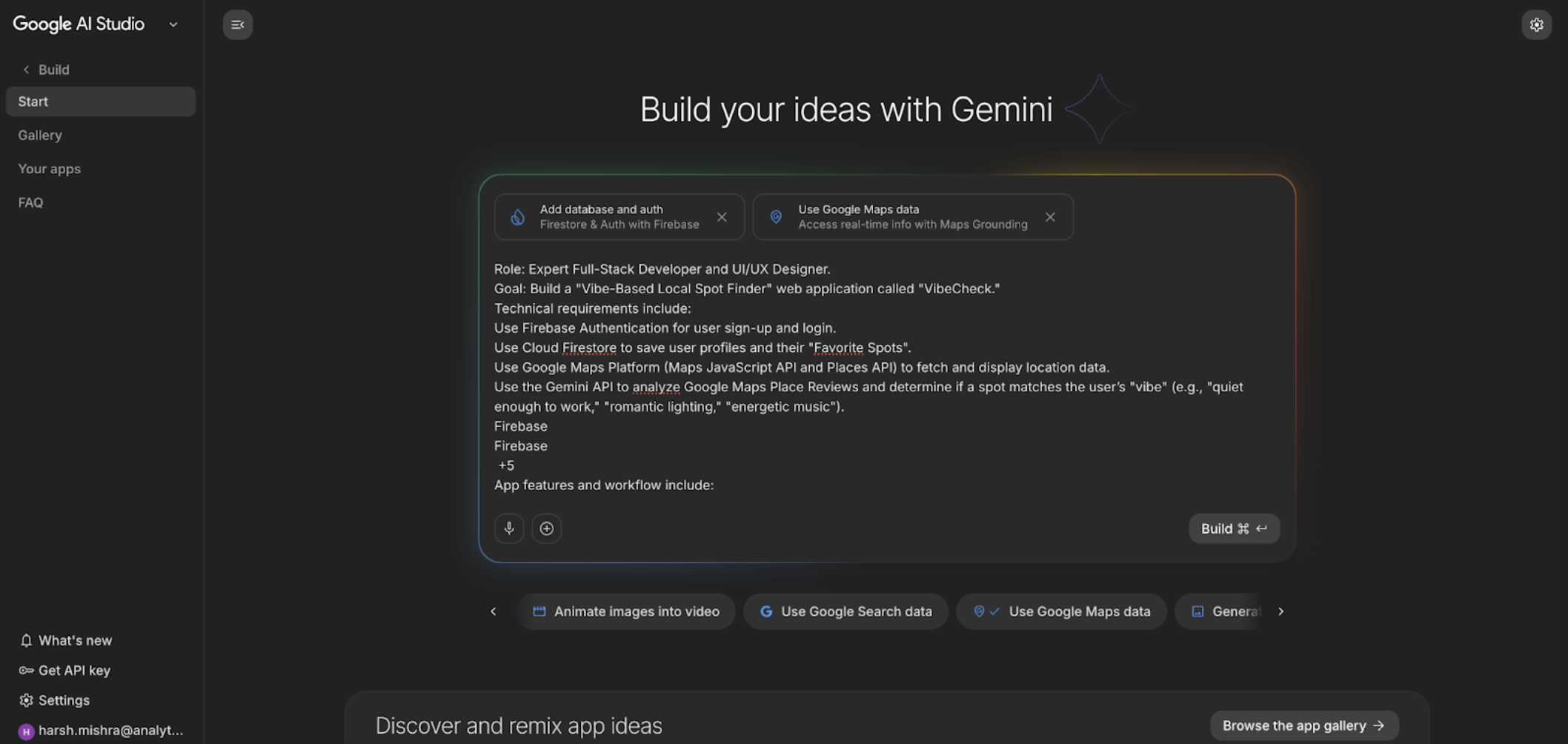
By selecting the ‘Add database and auth’ and ‘Use Google Maps data’ options, I put the AI to work.
From a Single Prompt to a Working App
Following the input of the prompt, AI Studio kicked off the construction of the application automatically. It did not just generate code; it created what felt like a full fleet of AI applications.
Prompt:
Role: Expert Full-Stack Developer and UI/UX Designer.
Goal: Build a “Vibe-Based Local Spot Finder” web application called “VibeCheck.”
Technical requirements include:
Use Firebase Authentication for user sign-up and login.
Use Cloud Firestore to save user profiles and their “Favorite Spots”.
Use Google Maps Platform (Maps JavaScript API and Places API) to fetch and display location data.
Use the Gemini API to analyze Google Maps Place Reviews and determine if a spot matches the user’s “vibe” (e.g., “quiet enough to work,” “romantic lighting,” “energetic music”).
App features and workflow include:
A large central search bar that accepts natural language prompts like: “Find me an Indian lunch place that is quiet enough for deep work.”
Retrieve nearby restaurants using the Nearby Search API.
For the top results, fetch the latest user reviews using Place Details.
Scan those reviews for keywords related to the user’s specific request (e.g., searching for “peaceful,” “laptop-friendly,” or “noise level”).
Show a split-screen view with a Google Map on the right and a list of “Vibe-Matched” cards on the left. Each card should show a “Vibe Score” based on the AI analysis.
Allow logged-in users to click a “Save” icon to store a restaurant in their Firestore-backed “Saved Spots” list.
The design should be:
Modern, minimalist, and clean. Use a “Dark Mode” aesthetic by default with neon accents (e.g., electric blue or violet) for a premium “vibe.”
A responsive layout for both desktop and mobile browsers.
The AI made a sequence of actions, which would normally take hours of manual labor:
- Project Set up: It set up the Firebase project and implemented the security rules required by Cloud Firestore.
- Installation of a Package: It installed all the necessary equipment, such as Firebase, react-google-maps/api, and react-firebase-hooks.
- Creation of the components: The AI has constructed the whole user interface, where React components were created for the navigation bar, search bar, and map display, as well as spot cards.
- Service Integration: It coded the service logic to couple the front end with the Gemini API, with which it enabled the core vibe analysis feature.
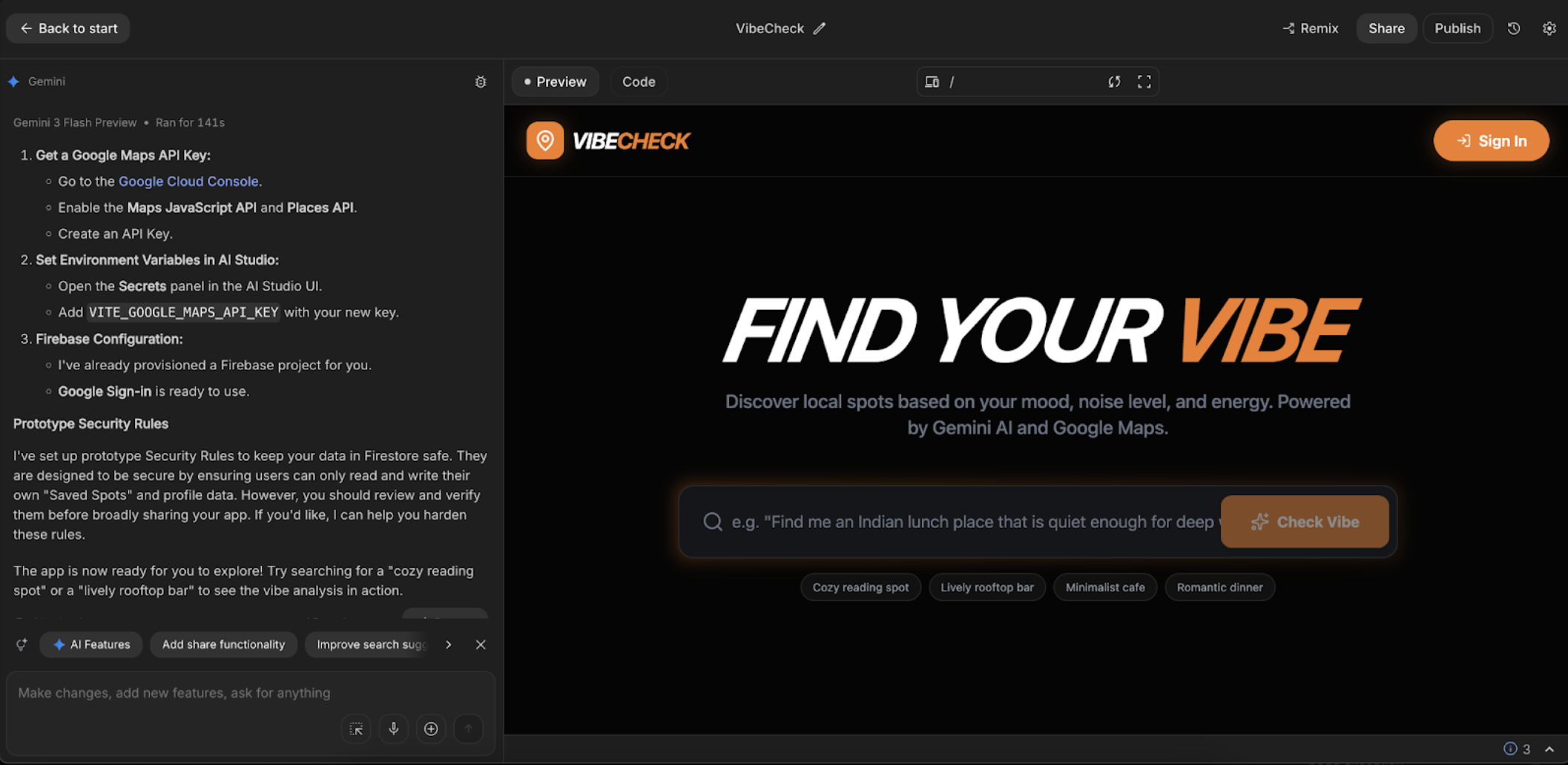
This automated process demonstrates the strength of the new Firebase Authentication integration and Google Maps data in the artificial intelligence tools, which process the complicated boilerplate code with ease.
Final Configuration: Adding the API Key
The Generative AI-created application was nearly finished. It had a clear and final guideline on how to enable it to work fully. The next step was to set up the Google Maps API key.
- Get a Google Maps API Key: For this, we need to go to the Google Cloud Console, where the Maps JavaScript API and Places API were enabled, and another API key was generated. Or, we can use the following link for a Demo MAP API https://developers.google.com/maps/documentation/javascript/demo-key
- Set Environment Variables: In the AI Studio UI, I opened the “Secrets” panel and added the new key with the name VITE_GOOGLE_MAPS_API_KEY.
The API key was set, and the data from Google Maps in the AI was on its way. The Firebase-authenticated integration was so well-integrated that the pre-built Firebase project supported Google Sign-in (as of intent) as it works.
Overcoming a Hurdle: The Infinite Loading Bug
Artificial intelligence development is strong, but not necessarily perfect. One of my first experiences with the system involved the typical developer issue: it got into an endless loading loop.
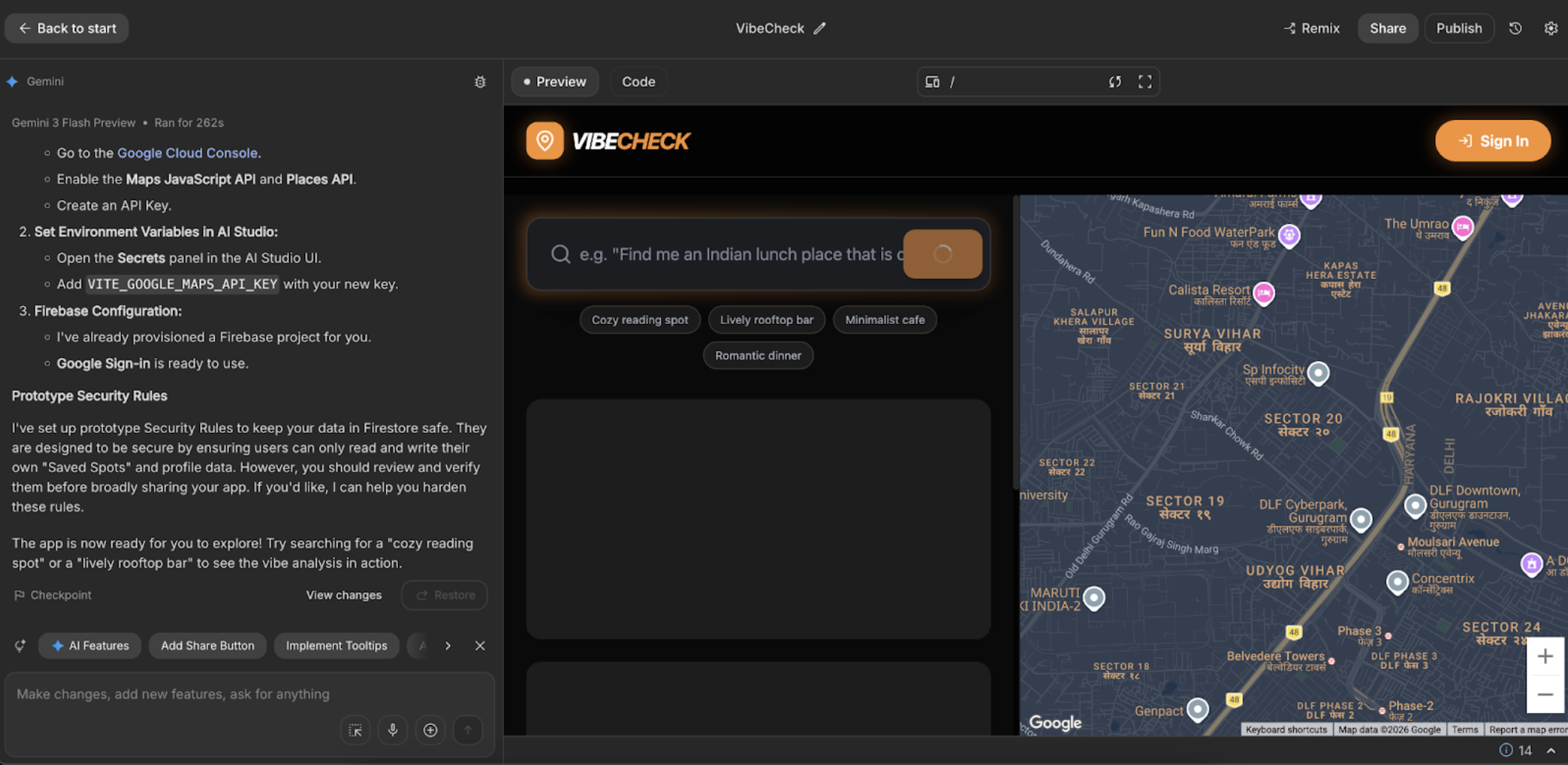
I did not get into the code to debug, but used the same conversational interface to rectify it. I just entered the following query in the AI: “This is loading forever,” and shared a screenshot. Herein lies the real promise of natural language app building that goes beyond making an app, and into troubleshooting.
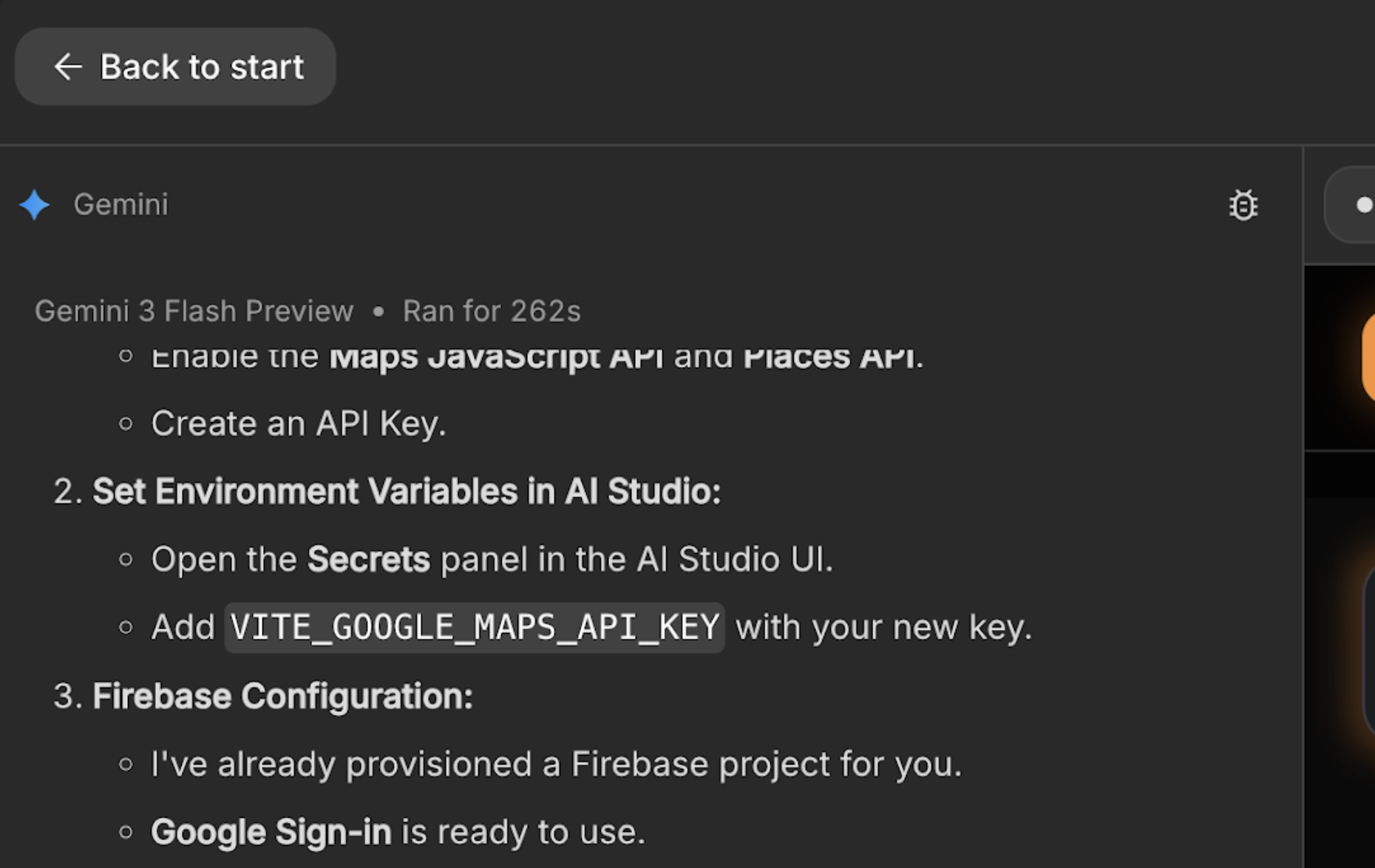
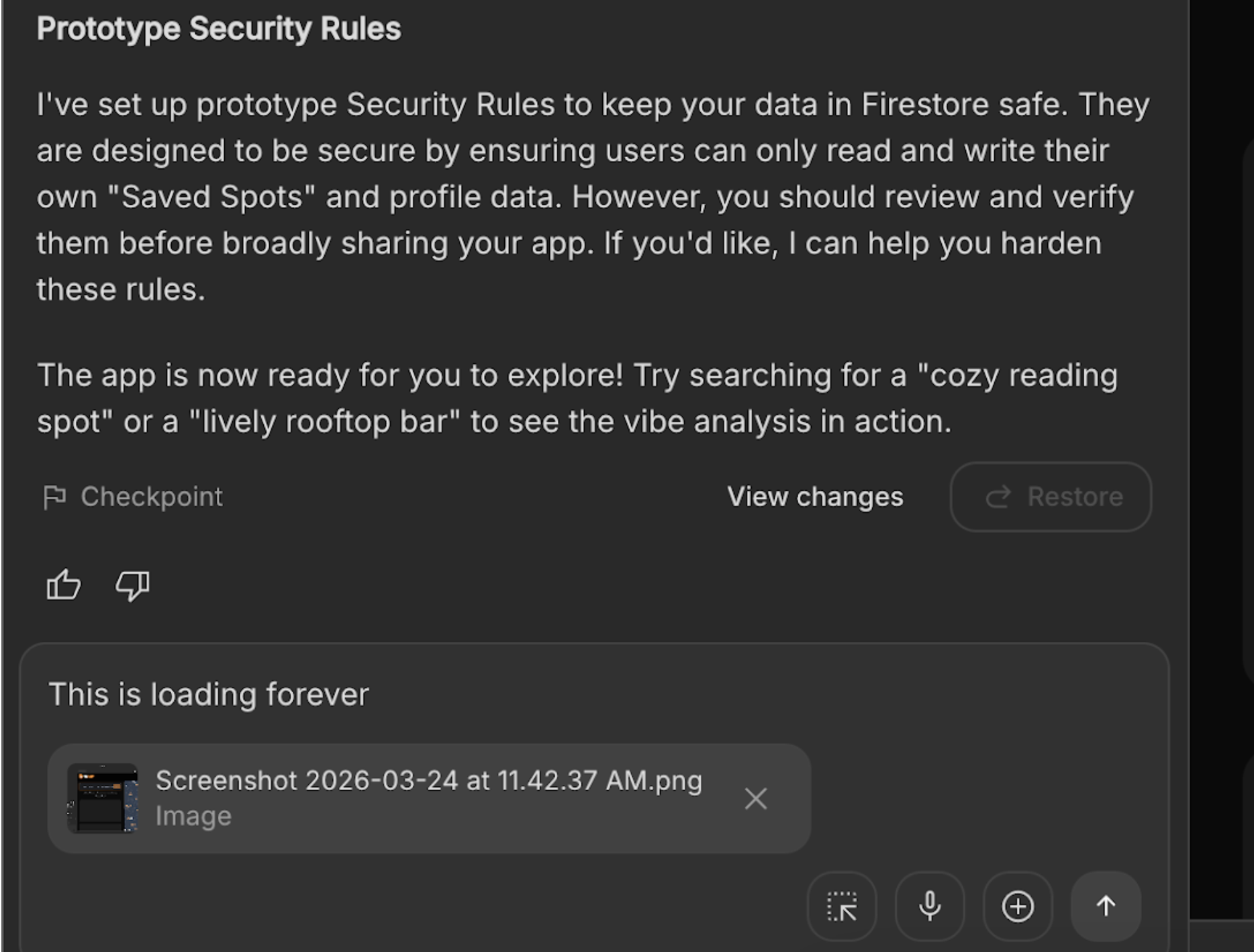
The AI was able to diagnose the problem very fast and describe the solution.
- The Problem: Gemini API had a certain limitation. With the use of the Google Maps tool, you are not able to set the value of responseMimeType to application/json and or response schema. This put the API request in a non-responsive state.
- The Fix: The AI rewrote the geminiService.ts file, and it eliminated the limited fields. It changed the prompt to expressly request a JSON array and implemented a convincing parsing logic to process the text response. It was also able to better handle errors within the primary App.tsx file to avoid the app from getting stuck.
Testing the App
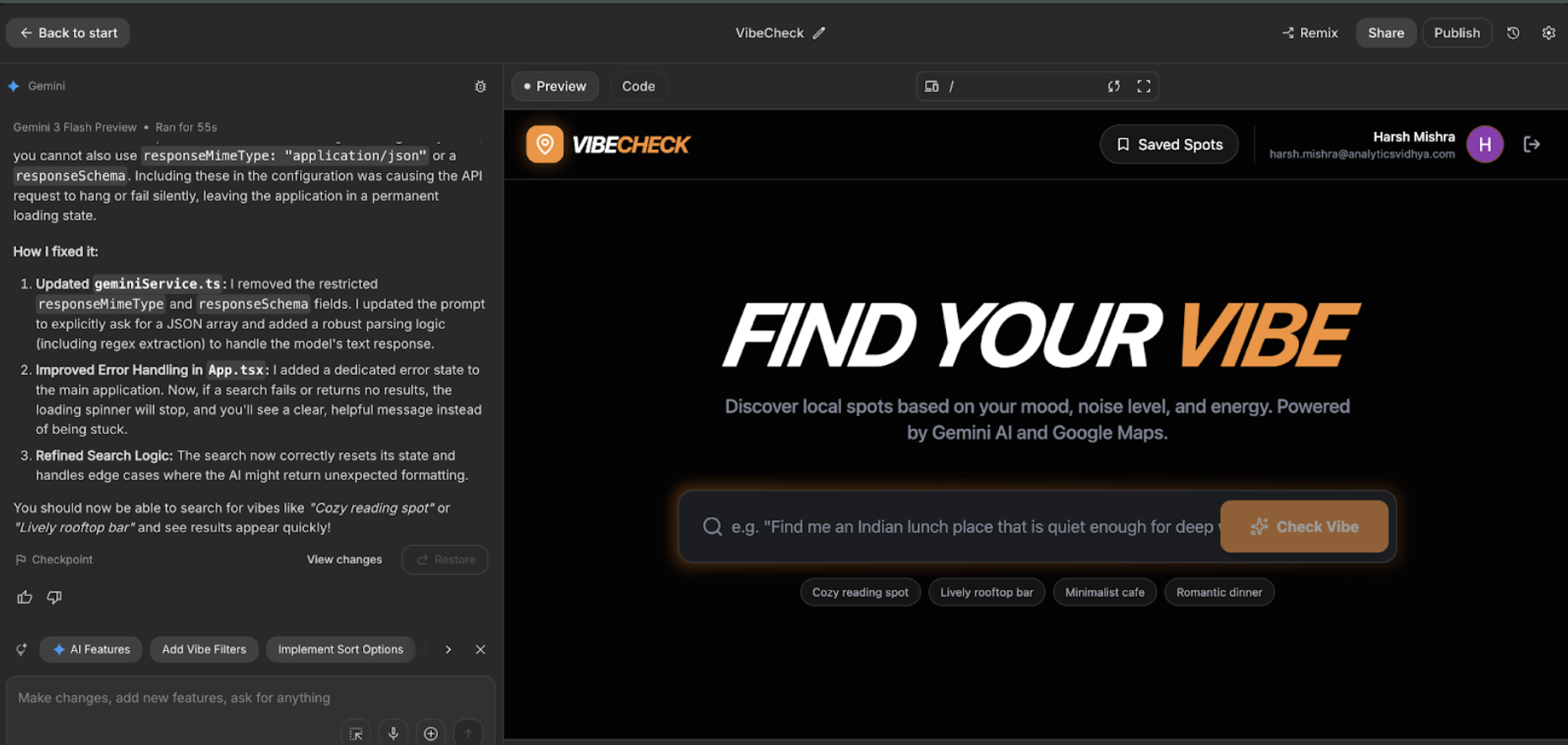
In minutes, the bug was fixed. It was now possible to do searches such as cozy reading spot and lively rooftop bar and retrieve quickly.
I was excited about the Firebase Auth feature, so I tested it first. I clicked on the sign-in button, and it immediately kicked off a popup and I was able to see my Google IDs to log in.
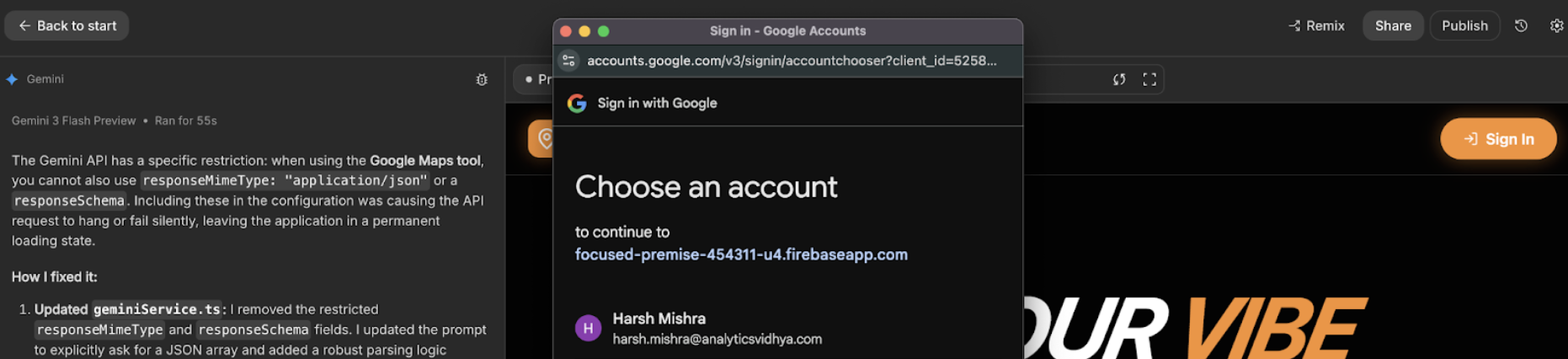
The login was successful using Google. Imagine I haven’t written a single line of code for this authentication.
Now I tested the app and prompted it to find a good bar for a party near me.
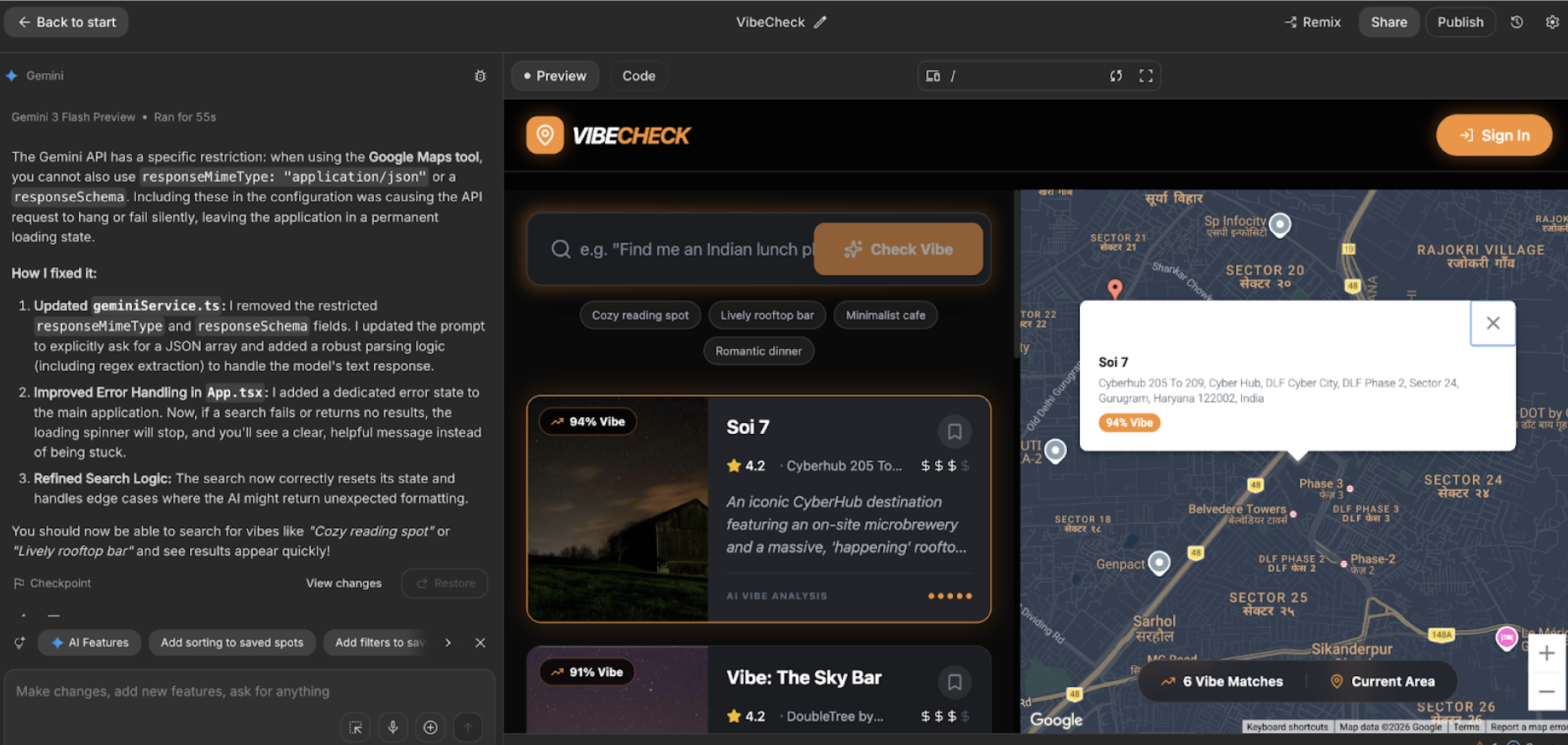
It listed down all the relevant bars according to my prompt. It also provided a summary according to the reviews of the bar.
You can access the full app and check out all the functions here:
https://ai.studio/apps/bd462924-3f0a-4c07-a669-aab634a437e0?fullscreenApplet=true
Why This Is a Game-Changer for Developers
This represents a big change in the workflow of application development in Google AI Studio.
- Blistering Performance: It made the transition from a concept to a fully deployed application with 3 minutes of work instead of days and weeks.
- Reduced Barrier to Entry: Developers do not require being proficient in all the components of the stack. The artificial intelligence manages the complex settings regarding Firebase Authentication implementation and linking up to Google Map data within AI.
- Conversational Development: Conversational app building allows building and debugging of applications in a natural language, thus making the process more convenient and effective.
Google AI Studio is changing software construction. It combines leading platforms such as Firebase and Google Maps as a part of an AI-driven and conversational workflow. This allows developers to bring their ideas to life more quickly than ever.
Conclusion
The end result is a smooth, fully operational full-stack AI application. Users sign in with their Google account, enter a vibe-based query, and get a list of suitable places. Every result card shows a Vibe Score based on a real review of the user. However, the map on the right shows the position of each review. Users can also save their favourite places, and the app stores them in their Firestore profile.
Frequently Asked Questions
What are the new features in Google AI Studio?
Google AI Studio now includes integrated tools for Firebase Authentication and Google Maps data, allowing you to build full-stack applications with user login and location features directly from a prompt.
How long did it take to build the VibeCheck app?
The AI generated the initial version of the application in about four minutes and spent another minute debugging it.
Do I need to be an expert in Firebase to use this?
No, the AI handles the initial Firebase project setup, configuration, and security rules, making it accessible even if you are not a Firebase expert.
Can I use this for production-ready applications?
The AI generates a strong prototype with good practices, but you should always review and harden security rules and test thoroughly before deploying to a broad audience.
Is this service free to use?
While AI Studio provides a platform for development, using services like the Google Maps API and Gemini API may incur costs based on your usage.
Harsh Mishra is an AI/ML Engineer who spends more time talking to Large Language Models than actual humans. Passionate about GenAI, NLP, and making machines smarter (so they don’t replace him just yet). When not optimizing models, he’s probably optimizing his coffee intake. 🚀☕