
When it comes to open-source AI models, DeepSeek is one of the first names that comes to mind. Known for being a community-first platform, the team has consistently taken user feedback seriously and turned it into actionable improvements. That’s why every new release from DeepSeek feels less like an incremental upgrade and more like a reflection of what the community actually needs. Their latest release, DeepSeek-V3.1-Terminus, is no exception. Positioned as their most refined model yet, it pushes the boundaries of agentic AI while directly addressing critical gaps users pointed out in earlier versions.
Table of contents
What is Deepseek-V3.1-Terminus?
DeepSeek-V3.1-Terminus is an updated iteration of the company’s hybrid reasoning model, DeepSeek-V3.1. The prior version was a big step forward, but Terminus seeks to deliver a more stable, reliable, and consistent experience. The name “Terminus” reflects that this release is the culmination of a definitive and final version of the “V3” series of models until a new architecture, V4, can come. The model has a total of 671 billion parameters (with 37 billion active at any given time) and continues the path forward as a powerful, efficient hybrid Mixture of Experts (MoE) model.
Key Features of Deepseek-V3.1-Terminus
Terminus capitalizes on V3.1’s key strengths and amplifies them, especially in areas that support real-world usage. Below is a summary of its features:
- Better Language Consistency: One of the important problematic points from the previous version was the infrequent mixing of Chinese/English and the odd characters that were generated. Terminus is aimed at offering a cleaner, more consistent output in its language, which is a big win for anyone developing multilingual applications.
- Enhanced Agent function: This is where Terminus gets the spotlight. The Code Agent and Search Agent functions of the model have been greatly improved. As a result, it is far more reliable at doing things like:
- Live web browsing and geographically specific information retrieval.
- Coding with structure and software engineering.
- Calling tools and multi-step reasoning when outside tools are necessary.
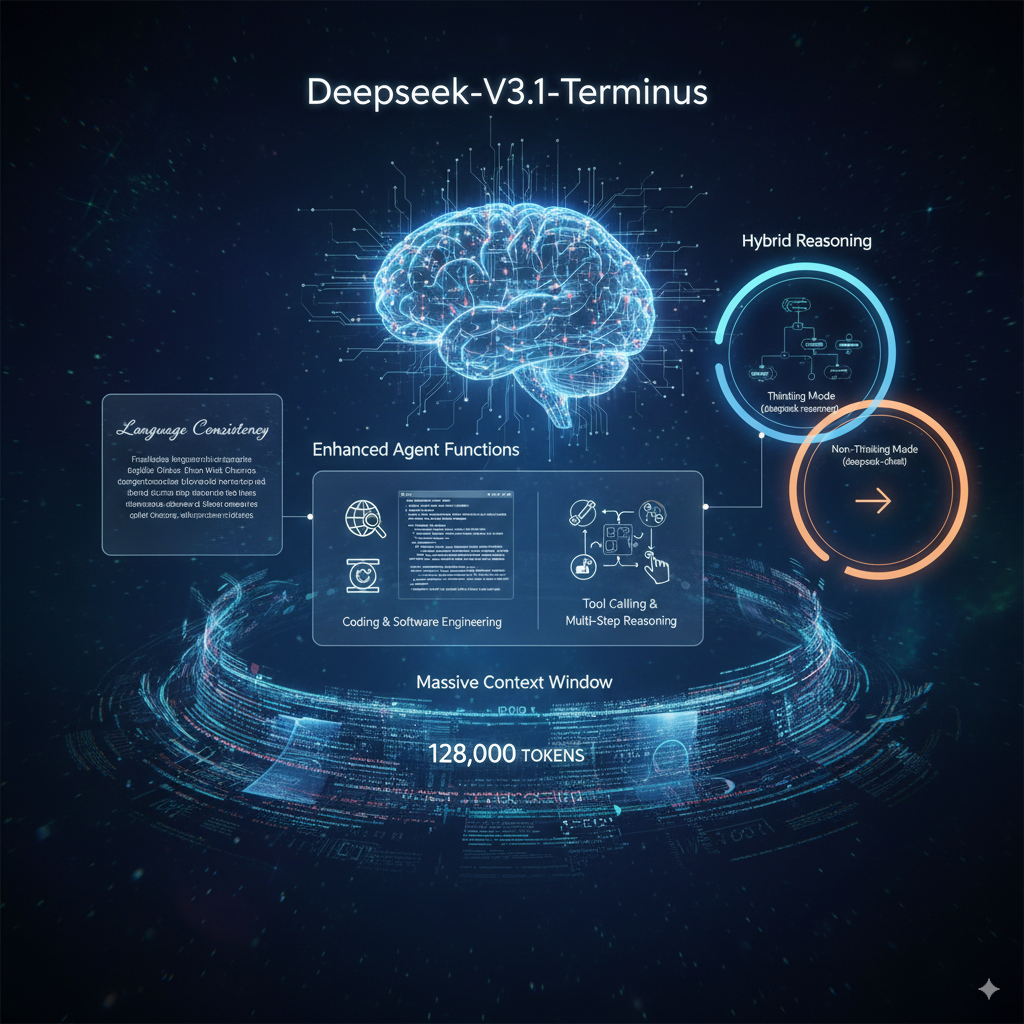
- Hybrid Reasoning: Terminus also has the dual-mode functionality of its predecessor.
- Thinking Mode (deepseek-reasoner): For complex, multi-step problems, the model can engage in a chain-of-thought process before it provides a conclusive answer. Speaking of the Thinking Mode, believe it or not, it also helps you with tasks with next to no pre-process.
- Non-Thinking Mode (deepseek-chat): For simple tasks, it quickly distills the answer for you and provides a direct answer.
- Massive Context Window: The model has the ability to support a sizable, whopping 128,000 token context window, which allows it to handle lengthy documents and large codebases in a single iteration.
| Model | Deepseek-V3.1-Terminus (Non-Thinking Mode) | Deepseek-V3.1-Terminus (Thinking Mode) |
|---|---|---|
| JSON Output | ✓ | ✓ |
| Function Calling | ✓ | ✗(1) |
| Chat Prefix Completion (Beta | ✓ | ✓ |
| FIM Completion (Beta) | ✓ | ✗ |
| Max Output | Default: 4KMaximum: 8K | Default: 32KMaximum: 64K |
| Context Length | 128K | 128K |
How to Get Started with Deepseek-V3.1-Terminus?
DeepSeek has distributed the model through multiple channels, reaching a wide range of users, from hobbyists to enterprise developers.
- Web and App: The easiest way to experience Terminus is directly through DeepSeek’s official web platform or mobile app. This provides an intuitive interface for immediate, no-setup engagement.
- API: For developers, the DeepSeek API is a solid option. The API is OpenAI-compatible, and you can use the familiar OpenAI SDK or any 3rd party software that works with the OpenAI API. All you need to do is change the base URL and your API key. Pricing is aggressive and competitive, with output tokens that are much cheaper than many premium model options.
| Model | Deepseek-V3.1-Terminus (Non-Thinking Mode) | Deepseek-V3.1-Terminus (Thinking Mode) |
|---|---|---|
| 1M INPUT TOKENS (CACHE HIT) | $0.07 | $0.07 |
| 1M INPUT TOKENS (CACHE MISS) | $0.56 | $0.56 |
| 1M OUTPUT TOKENS | $1.68 | $1.68 |
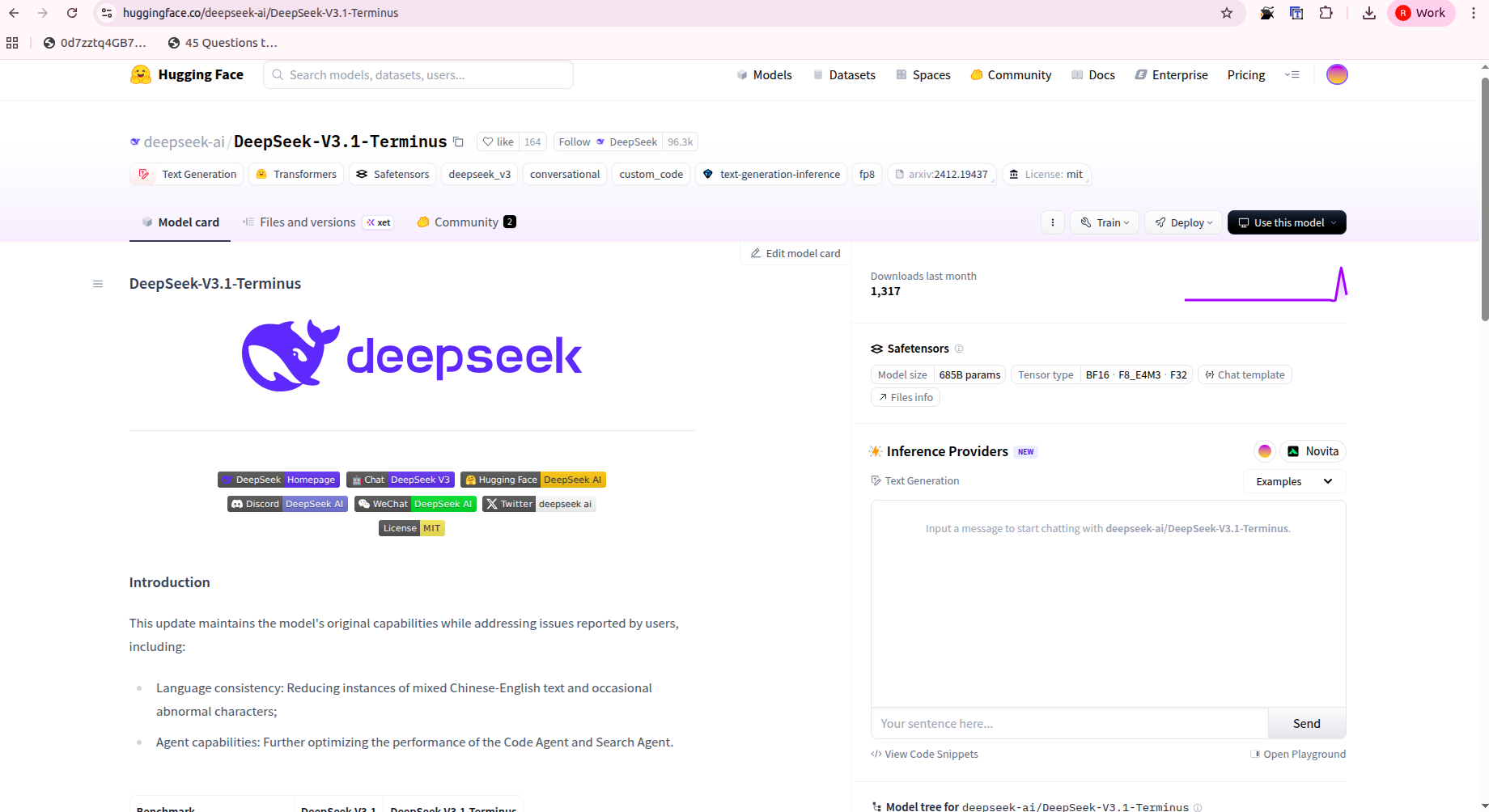
- Run Locally: If you are looking to self-host the model, the model weights are available on Hugging Face under an open-source, permissive MIT license. Running the model on your local machine will require significant hardware; however, the community has some helpful resources and guides that may optimize the experience, e.g., offloading MoE layers to the CPU will mitigate VRAM utilization.
Hands-On with the Web App
Using the web interface is as easy as it comes. Open DeepSeek and initiate a chat. You can use the “thinking” and “non-thinking” modes to compare styles and depth of responses. You can give the “thinking” mode a complex coding task or ask to browse the web for information, and you will immediately see the improvement in agentic ability as it develops its plan and executes the task.
Prompt for Search Agent:
“I need to plan a 7-day trip to Kyoto, Japan, for mid-November. The itinerary should focus on traditional culture, including temples, gardens, and tea ceremonies. Find the best time to see the autumn leaves, a list of three must-visit temples for ‘Momiji’ (autumn leaves), and a highly-rated traditional tea house with English-friendly services. Also, find a well-reviewed ryokan (traditional Japanese inn) in the Gion district. Organize all the information into a clear, day-by-day itinerary.”
Response:

Prompt for Coding Agent:
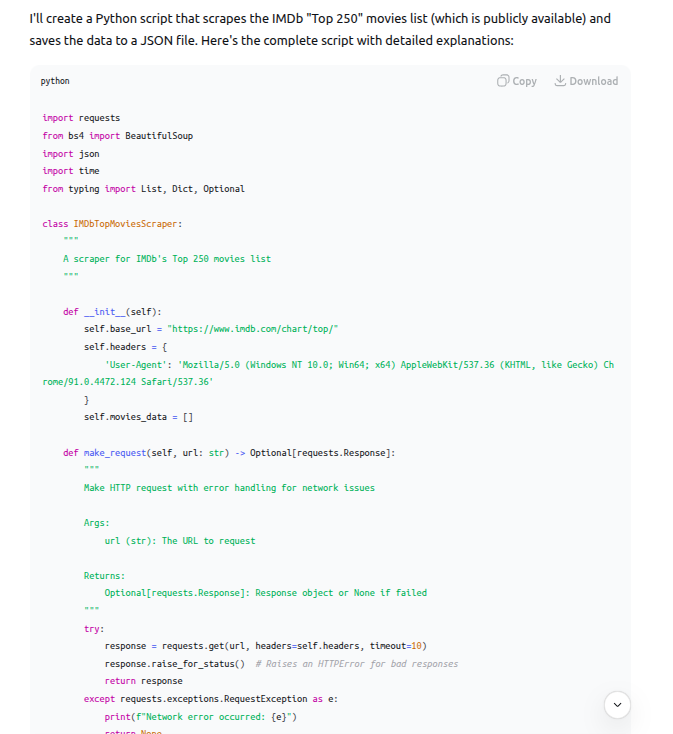
“I need a Python script that scrapes a public list of the top 100 films of all time from a website (you can choose a reliable source like IMDb, Rotten Tomatoes, or a well-known magazine’s list). The script should then save the film titles, release years, and a brief description for each movie into a JSON file. Include error handling for network issues or changes in the website’s structure. Can you generate the full script and explain each step of the process?”
Response:
My Review of DeepSeek-V3.1-Terminus
DeepSeek-V3.1-Terminus marks significant progress for anyone working with AI agents. I’ve used the previous version for a while, and while it was exceptionally impressive, it did present its moments of frustration, like when it sometimes mixed languages or got lost in multi-step coding tasks. The experience using Terminus felt like the development team listened to me. The language consistency is now rock solid, and I was honestly impressed with its ability to conduct a complex web search and synthesize information without a hiccup. It’s no longer just a powerful chat model; it’s a reliable and intelligent partner for complex, real-world tasks.
How to Run Deepseek-V3-Terminus Locally?
For those with more technical knowledge, you can run DeepSeek-V3.1-Terminus locally with more power and privacy.
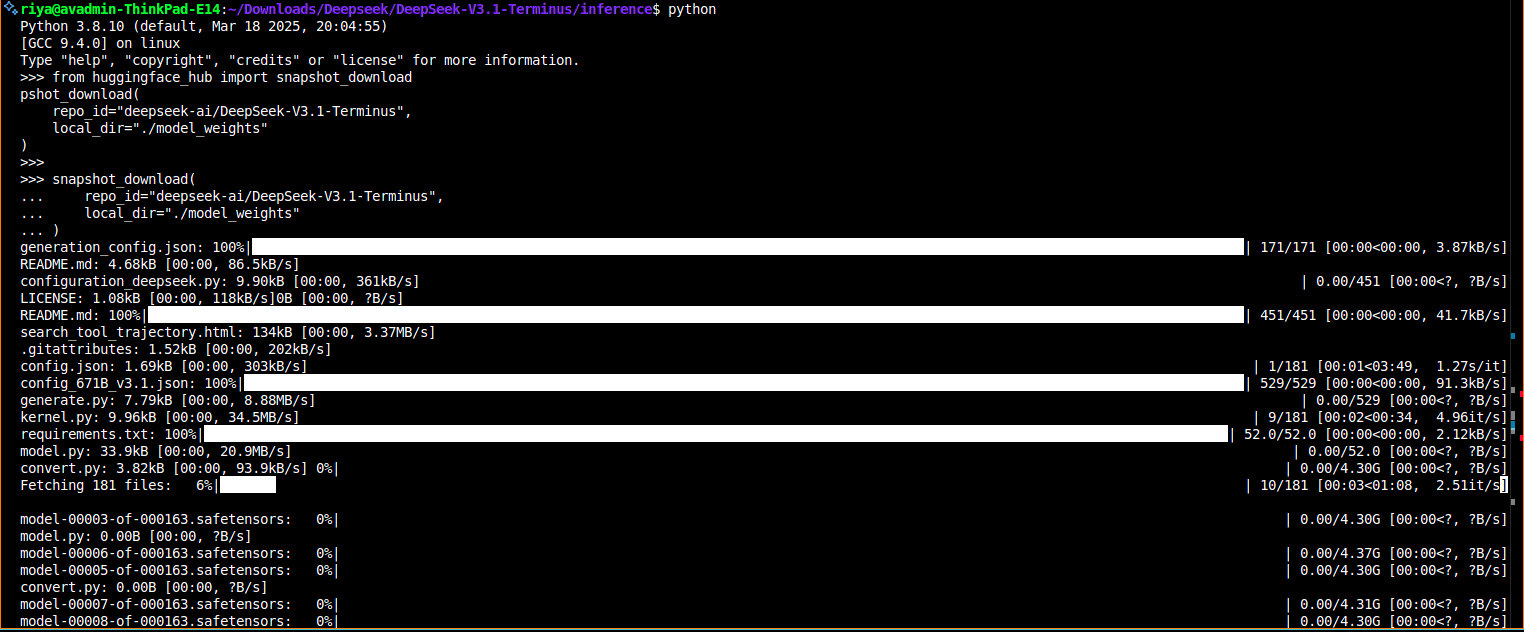
- Download the Weights: Go to the official DeepSeek AI Hugging Face page and download the model weights. The complete model contains 671 billion parameters and requires a substantial amount of disk space. If space is a concern, you may want to download a quantized version like one of the GGUF models.
- Use a Framework: Use a popular framework such as Llama.cpp or Ollama to load and run the model. These frameworks take care of the complexity of running large models on consumer hardware.
- Optimize for your hardware: Since the model is a Mixture of Experts, you can transfer some of the layers to the CPU to save on GPU VRAM. This may take some experimentation to find a sweet spot of speed and memory usage for your setup.
Setup Guide
Follow the following commands to set up the DeepSeek model on your local environment.
git clone https://huggingface.co/deepseek-ai/DeepSeek-V3.1-Terminus

cd DeepSeek-V3.1-Terminus

pip install -r requirements.txt

python inference/demo.py \

  --input "Implement a minimal Redis clone in Go that supports SET, GET, DEL." \

  --reasoning true \

  --max_tokens 2048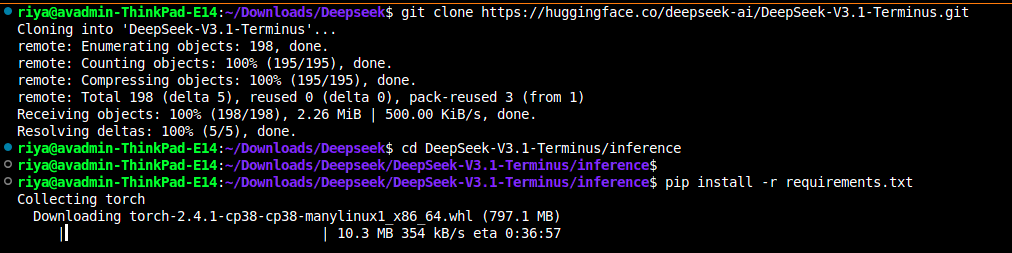
Benchmark Comparison
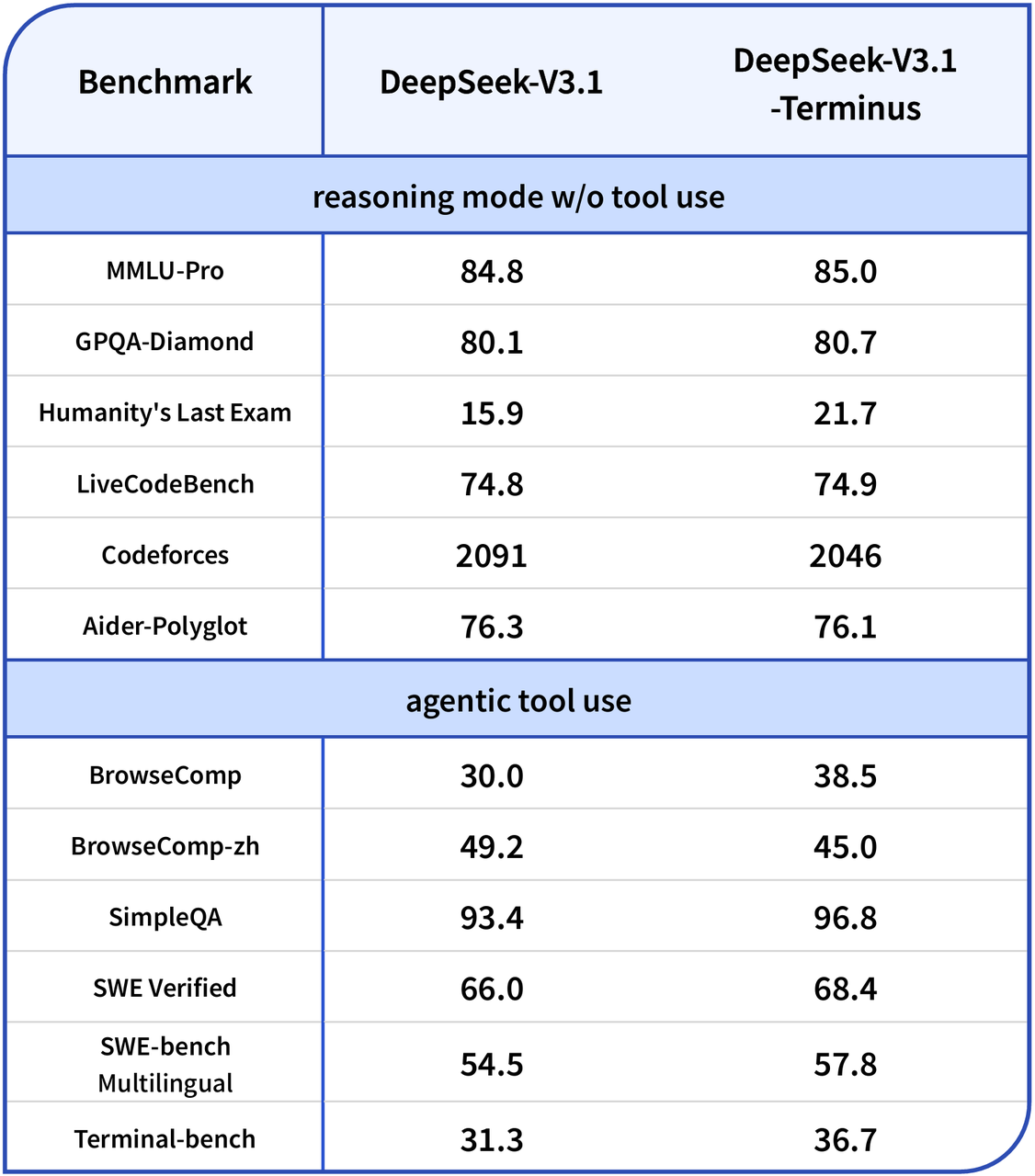
Although the performance on pure reasoning benchmarks has modest improvements, the highlight of Terminus is its performance on task-based agent performance. The model has made notable improvements on the following agent-based benchmarks:
- BrowseComp: Big increase from 30.0 to 38.5, indicating an improved ability to perform multi-step web searches.
- SWE Verified: Strong increase from 66.0 to 68.4, especially for software engineering tasks reliant on external tools.
- Terminal-bench: Significant improvement from 31.3 to 36.7, showing the Code Agent is better at handling command-line style tasks.
We should note a decrease in performance on the Chinese-language BrowseComp benchmark, which may indicate that the changes to the multilingual consistency improvements favored English performance. Regardless, it is clear that for any developer using agentic workflows and external tools, Terminus provides notable upgrades.
Conclusion
DeepSeek-V3.1-Terminus isn’t necessarily designed to break records across the board on every benchmark; no, this is an intentional and focused release centered on what’s important for practical use in the real world: even greater stability, reliability, and excellent agentic functionality for users. Addressing some of its previous inconsistencies and enhancing its ability to leverage tools, DeepSeek has prepared an excellent open-source model that has never felt so deployable and sensible. So whether you are a developer trying to build the next great AI assistant or just a technology lover wanting to see what’s next, Terminus is worth another look.
Read more: Building AI Applications using Deepseek V.3
Frequently Asked Questions
Q1. What is DeepSeek-V3.1-Terminus?
A. It’s the polished V3.1 release: a 671B-parameter MoE (37B active) built for stability, reliability, and cleaner multilingual output.
Q2. How do the two modes differ?
A. Non-Thinking (deepseek-chat) gives quick, direct answers and supports function calling. Thinking (deepseek-reasoner) does multi-step reasoning with larger outputs but no function calling.
Q3. What’s the context and output limits?
A. Both modes support a 128K context. Non-Thinking outputs: default 4K, max 8K. Thinking outputs: default 32K, max 64K.
Data Science Trainee at Analytics Vidhya
I am currently working as a Data Science Trainee at Analytics Vidhya, where I focus on building data-driven solutions and applying AI/ML techniques to solve real-world business problems. My work allows me to explore advanced analytics, machine learning, and AI applications that empower organizations to make smarter, evidence-based decisions.
With a strong foundation in computer science, software development, and data analytics, I am passionate about leveraging AI to create impactful, scalable solutions that bridge the gap between technology and business.
📩 You can also reach out to me at [email protected]







