Do you also think ChatGPT is useless? If not, you must’ve come across someone who does. People who say “I didn’t find it useful”, or “it couldn’t do what I told it to”, or the classic “AI is senseless“. While such people think the tool is weak, the fact is that they fail because their inputs are a mess. They type into it the way they send half-baked WhatsApp texts: vague, context-free, and somehow expecting magic in return. “Write this.” “Improve that.” “Give ideas.” Then, five minutes later, comes the verdict: ChatGPT workflows are overrated.
Want to fix that?
The real gap is between using ChatGPT casually and using it like a system. And the secret: give ChatGPT enough context to actually think in the right direction. Try to improve your inputs in this one segment, and watch magic happen.
Once you see the improved results, you will know how the top ChatGPT workflows stand apart.
Also read: We Tried The New GPT-5.4 And it is The Most Powerful ChatGPT Has Ever Been
Here, I share such practical, reusable ways to turn ChatGPT into a serious work companion for research, writing, analysis, planning, and day-to-day execution. These workflows will give you an idea of how to work with ChatGPT, saving you real hours every single week.
So, without any delay, let’s dive right in.
Table of contents
- Email Drafting and Reply Writing
- Blog Writing and Editing
- Presentation and Report Structuring
- Research and Document Summarisation
- Preparation for Meetings, Exams, and Key Tasks
- Weekly Planning and Scheduling
- Personal Productivity and Time Blocking
- Brainstorming and Idea Generation
- SOP and Playbook Creation
- Data Analysis and Insight Extraction
- Conclusion
1. Email Drafting and Reply Writing
One of the most commonly used ChatGPT workflows, this one writes new emails, improves rough drafts, or crafts replies without you wasting time on wording. It is useful when you know the message, but do not want to spend 15 minutes polishing every line.
Sample Prompt
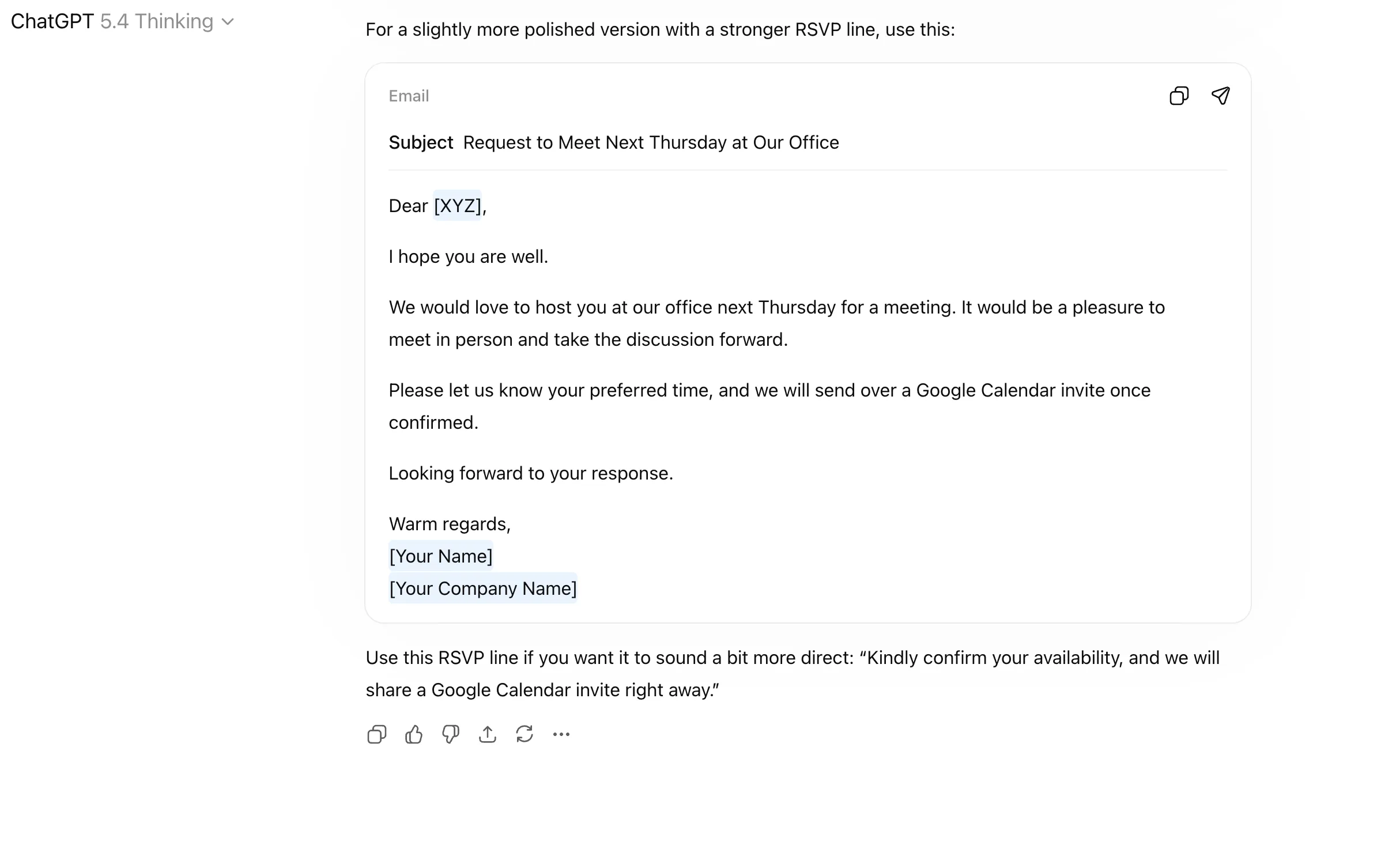
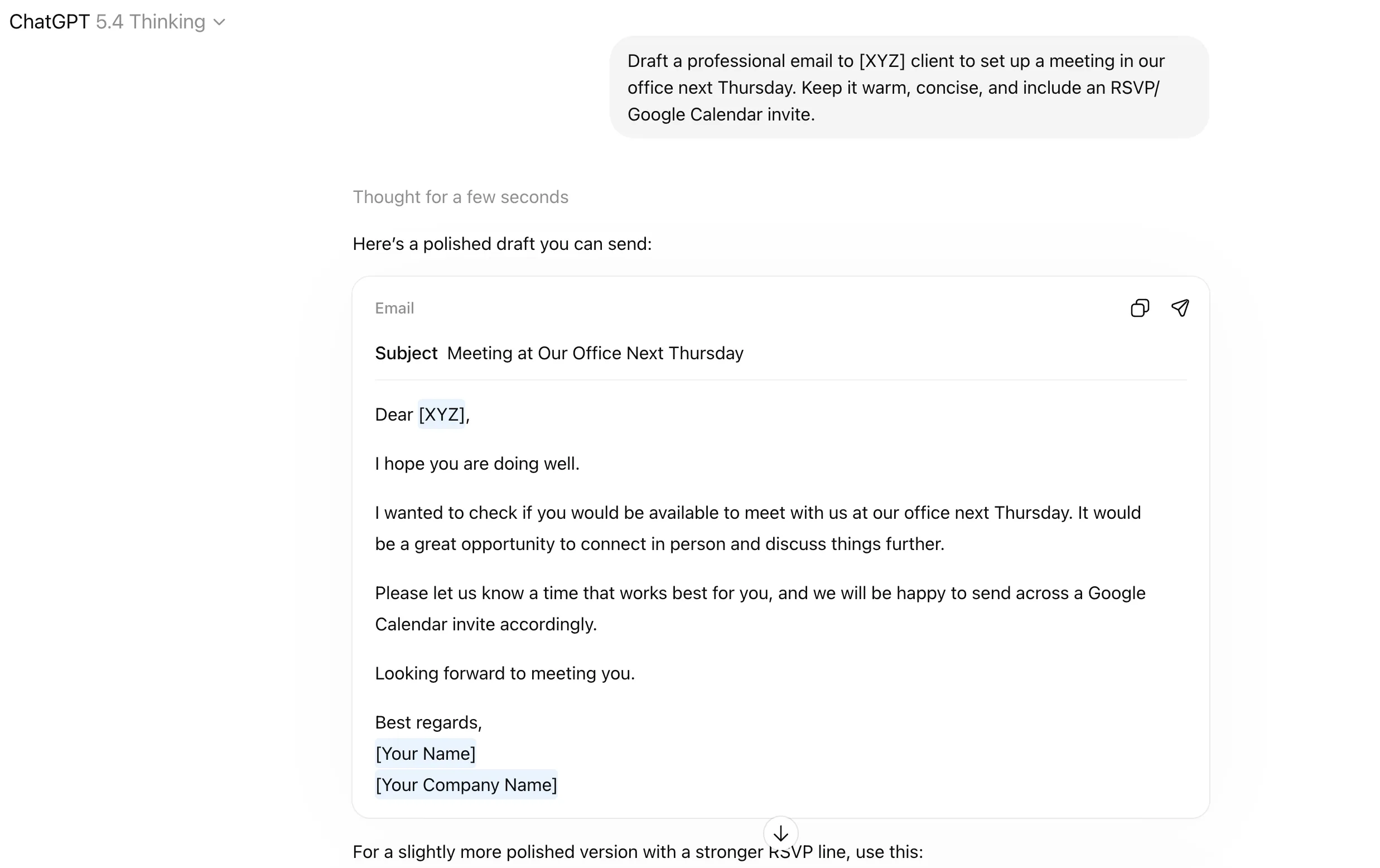
“Draft a professional email to [XYZ] client to set up a meeting in our office next Thursday. Keep it warm, concise, and include an RSVP/ Google Calendar invite.”
Output
And just like that, I have 2 email drafts in 2 seconds. I can use either, tweak them, or send them as they are.
How it Works
- Start with the goal of the email.
- Mention who it is going to.
- Specify the tone you want, such as formal, warm, direct, or persuasive.
- Add any points that must be included.
- For edits, ask ChatGPT to shorten it, rewrite it, or make it stronger/ more analytical etc. if needed.
Who Benefits
Managers, founders, sales teams, recruiters, consultants, freelancers, and anyone who spends too much time stuck with emails.
2. Blog Writing and Editing
This workflow helps turn rough ideas into a proper blog draft, and also improves existing writing through editing, rewriting, tightening, and tone correction. The real value is getting from messy thoughts to a polished article without burning hours.
Sample Prompts
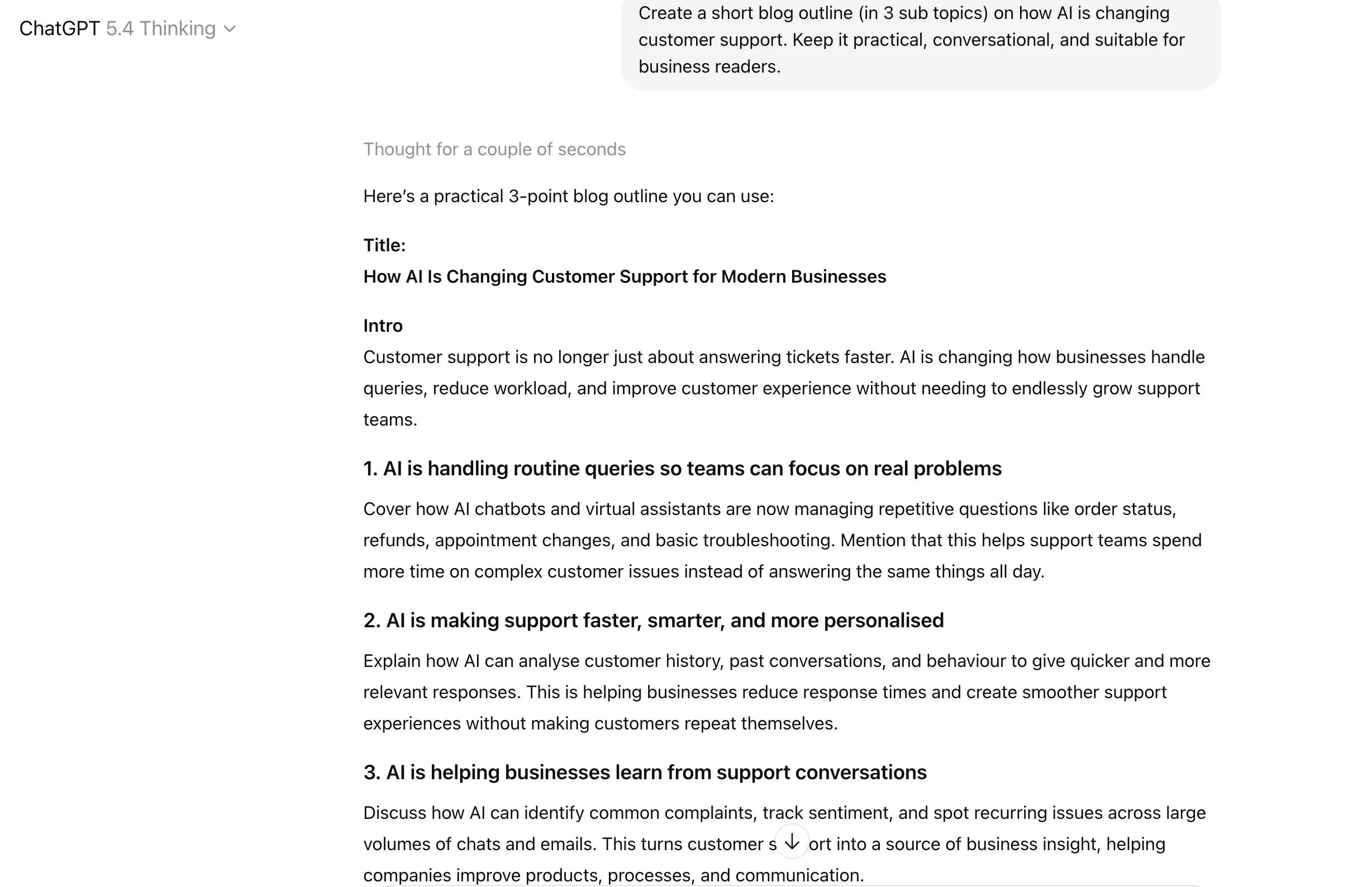
- “Create a short blog outline (within 3 sub topics) on how AI is changing customer support. Keep it practical, conversational, and suitable for business readers.”
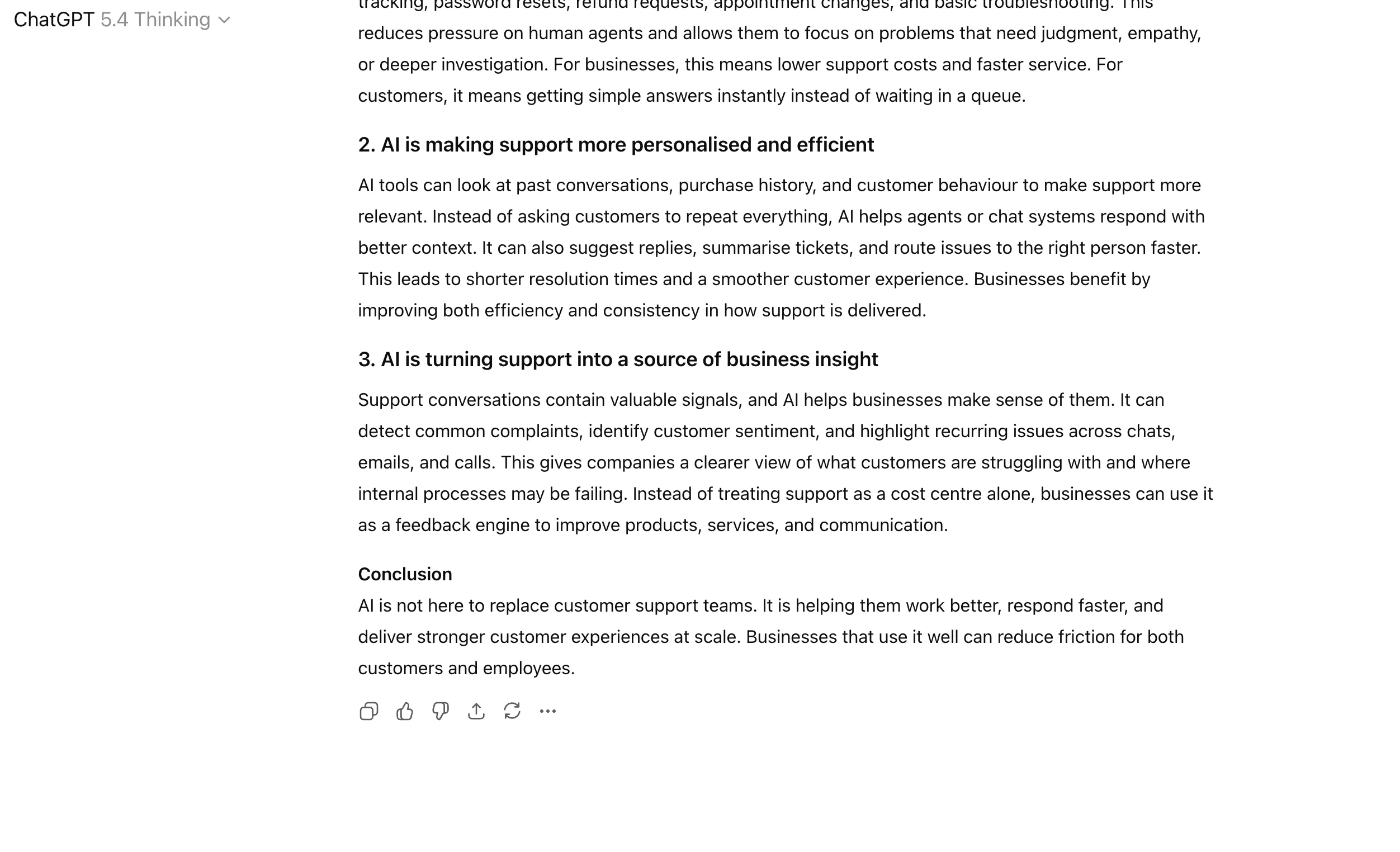
- “Write each of the sections in no more than 100 words”
Output
In two simple statements, I have the entire blog ready as desired. The best part – I can edit it as much as I like, using further prompts or my own inserts.

How it Works
- Use ChatGPT first to structure the article before asking it to draft.
- Give it the topic, target audience, tone, and any key angle you want covered.
- Ask for section-wise drafting instead of a full, generic article in one go.
- For edits, paste your own paragraphs back in and ask it to improve clarity, flow, and readability.
- Use it in rounds: outline first, draft second, edit third.
Who Benefits
Content writers, marketers, SEO teams, educators, founders, journalists, and professionals building authority through blogs or thought leadership.
Also read: AI Humanizer Secret: How ChatGPT Writes like Human
3. Presentation and Report Structuring
This workflow helps convert scattered notes, raw points, or messy research into a clean presentation or report structure. Most people are not bad at thinking. They are bad at arranging ideas in a logical flow. That is where ChatGPT helps.
Sample Prompt
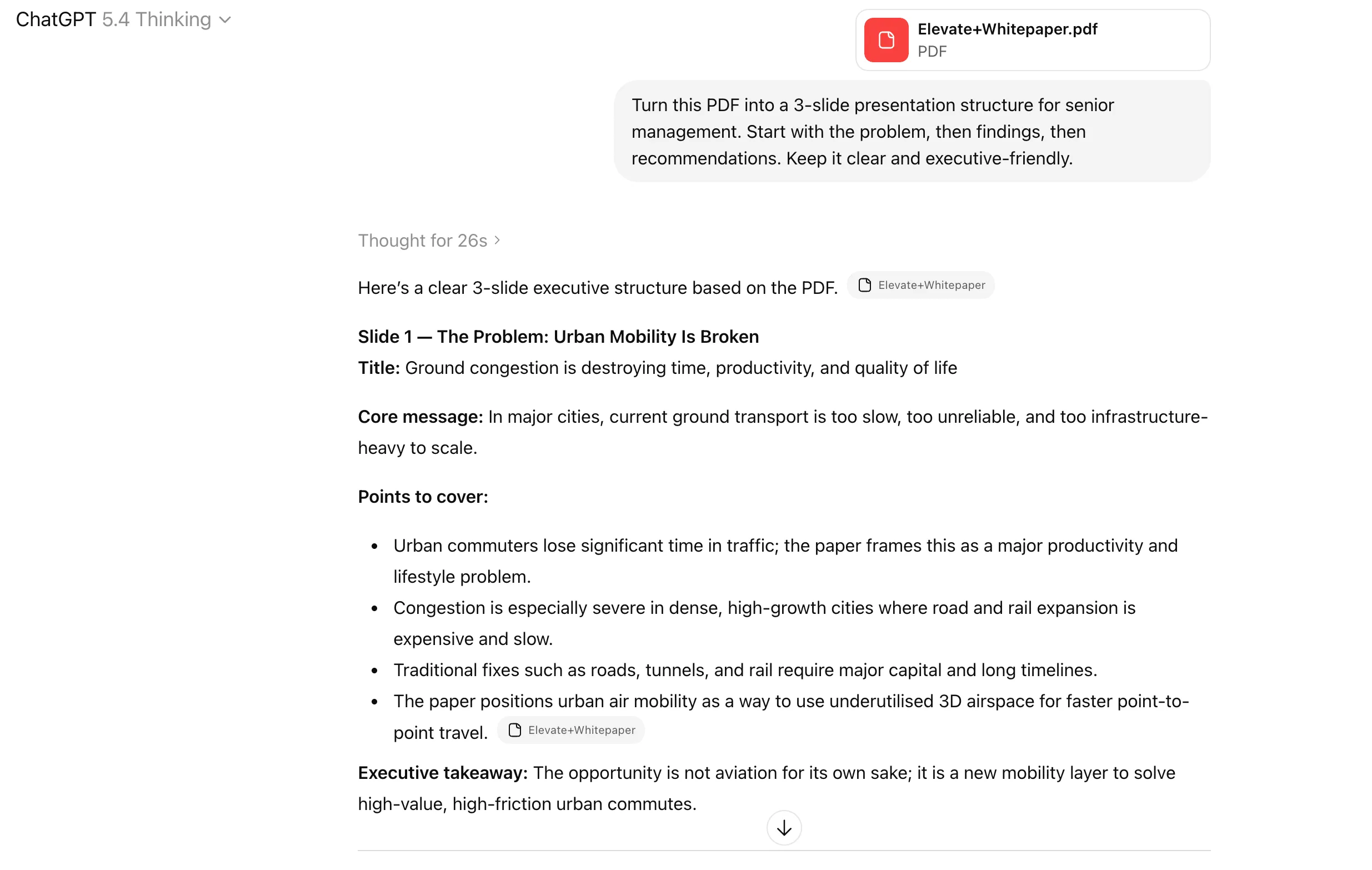
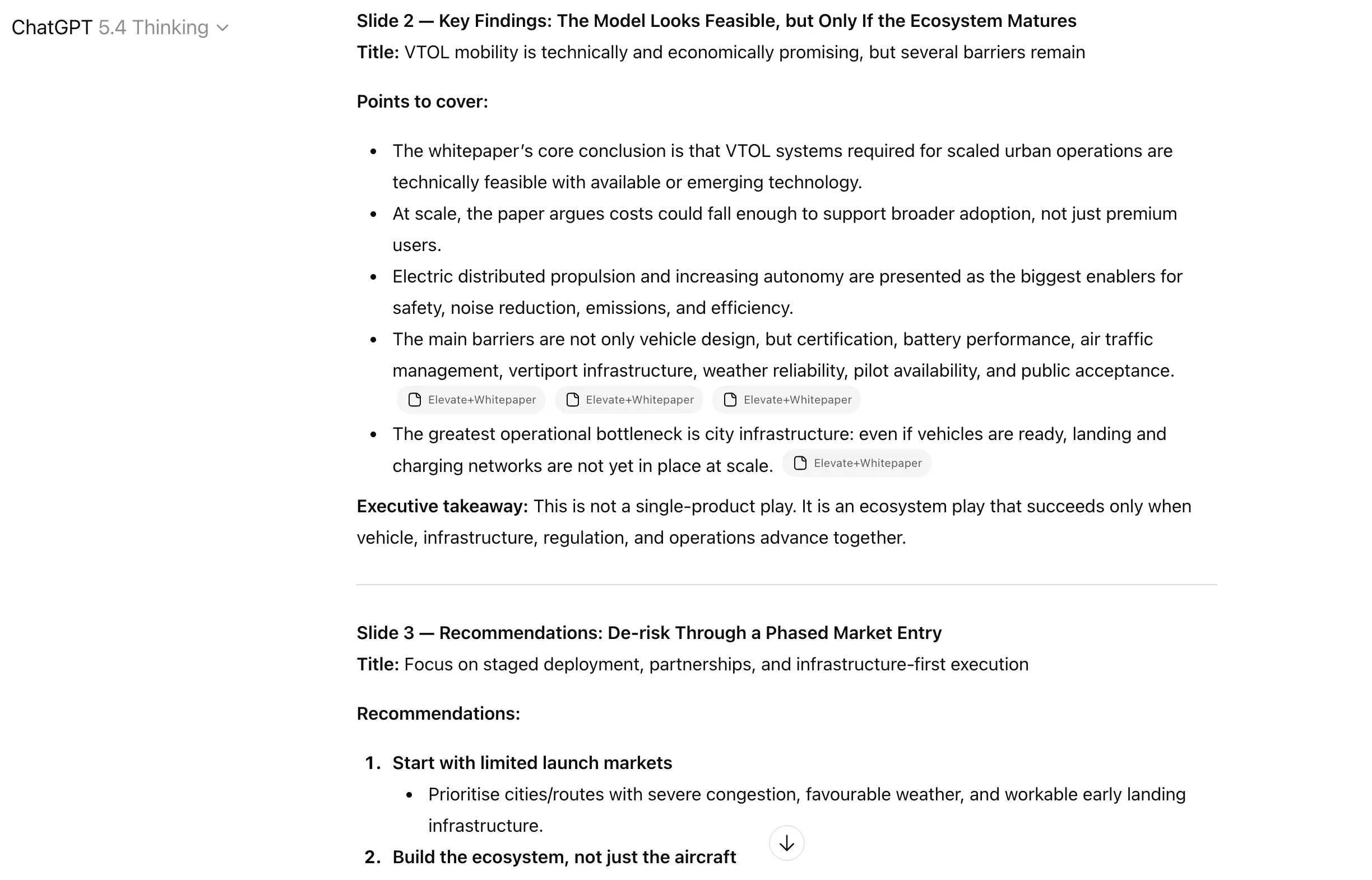
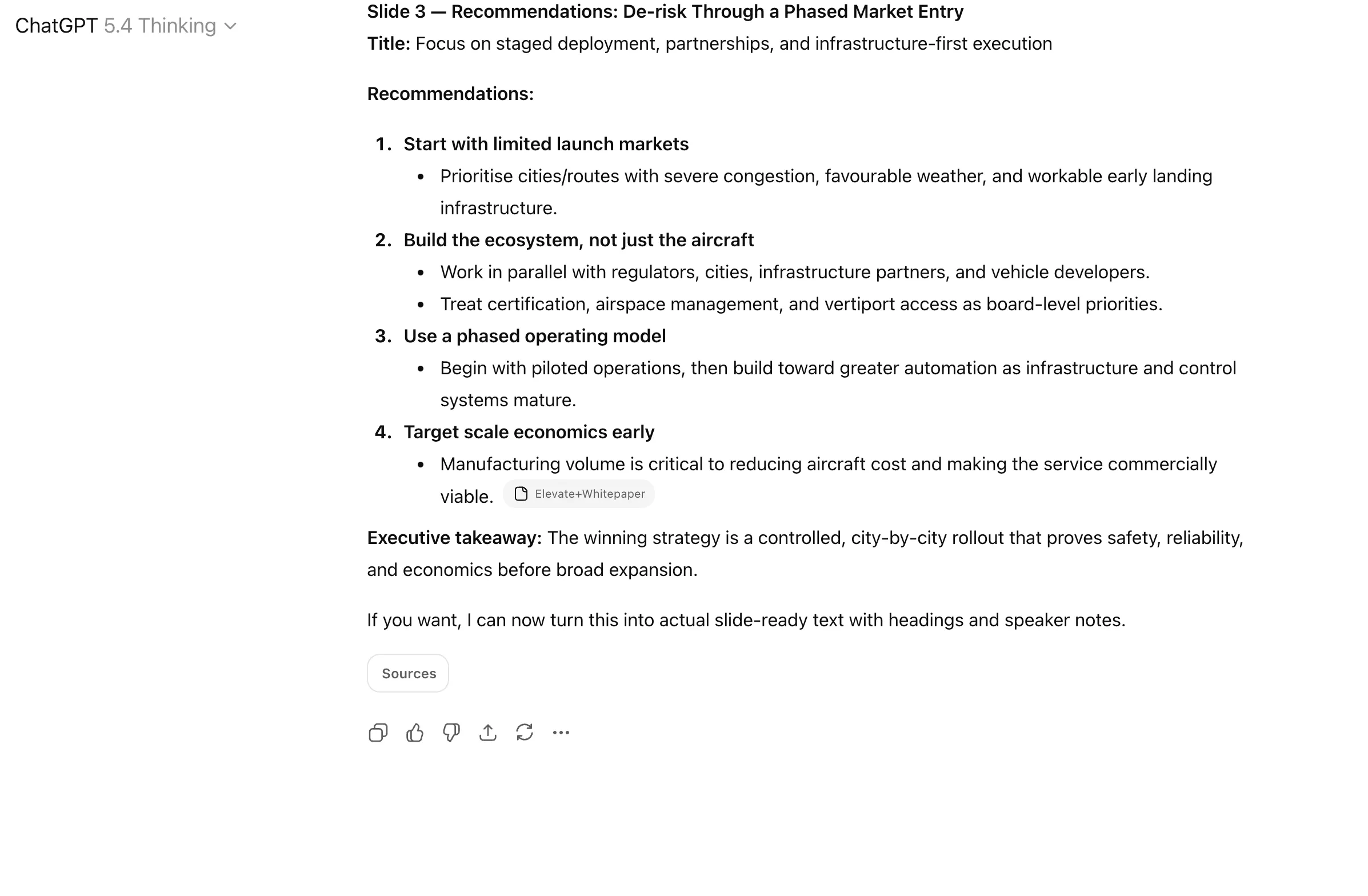
“Turn this PDF into a 3-slide presentation structure for senior management. Start with the problem, then findings, then recommendations. Keep it clear and executive-friendly.”
Output
Making presentations has never been easier, thanks to this ChatGPT prompt that helps you understand and envision any presentation info within minutes, so you can go on to design it just as easily. The best part – you can even tell ChatGPT to create the actual presentation if you like the structure. That is – all work done in a single prompt.
How it Works
- Paste in your raw bullets, notes, findings, or research points.
- Tell ChatGPT what format you need: report, slide deck, executive summary, or internal memo.
- Mention who the audience is, such as clients, leadership, investors, or team members.
- Ask it to create a logical structure with section headings or slide titles.
- Then ask it to tighten the wording and remove repetition.
Who Benefits
Consultants, analysts, founders, account managers, students, team leads, and anyone who needs to present information in a way that others can quickly understand.
4. Research and Document Summarisation
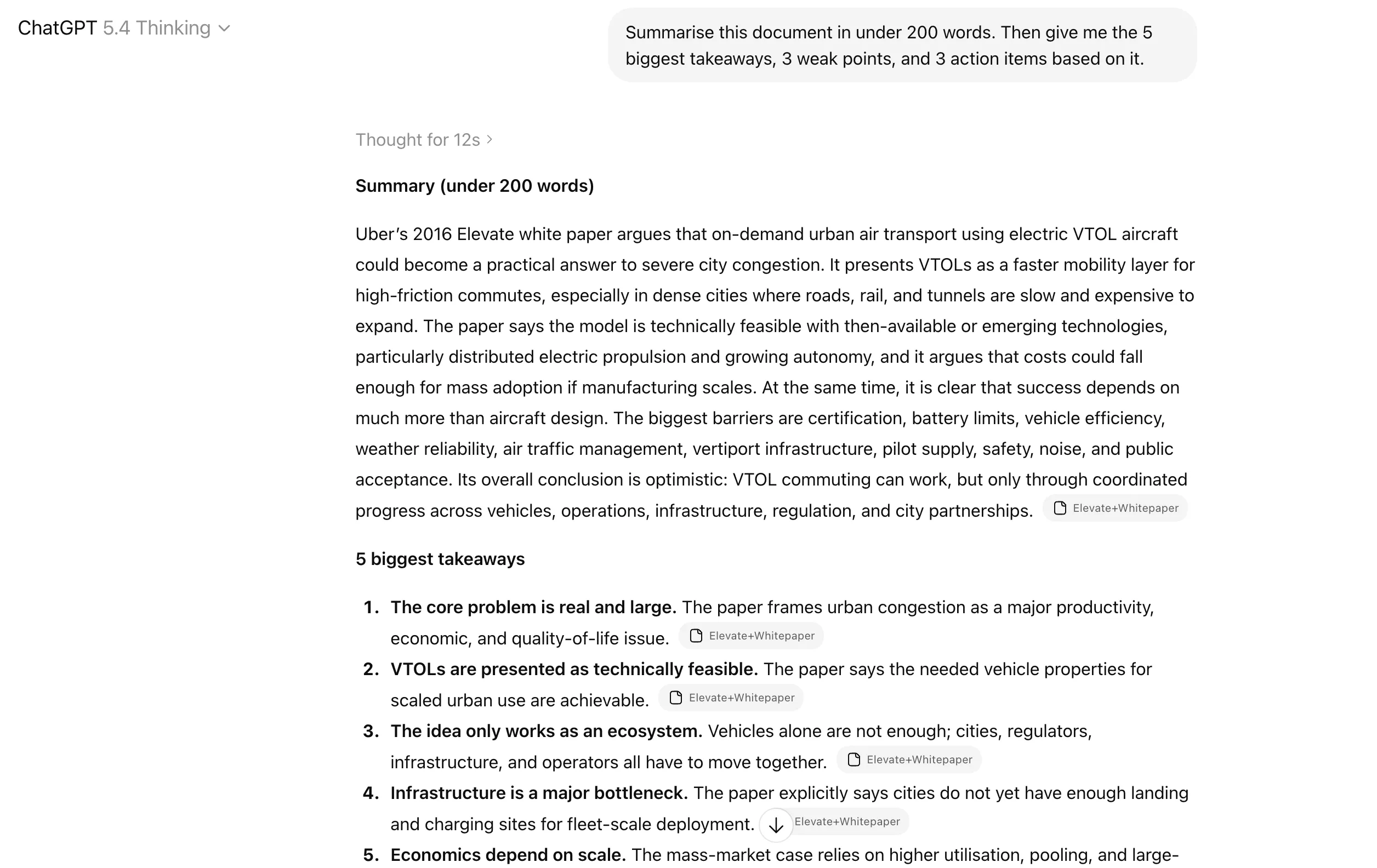
This workflow helps you take long reports, articles, PDFs, research papers, or internal documents and turn them into something usable. Instead of reading everything line by line, you use ChatGPT to pull out the core points, key takeaways, gaps, and action items.
Sample Prompt
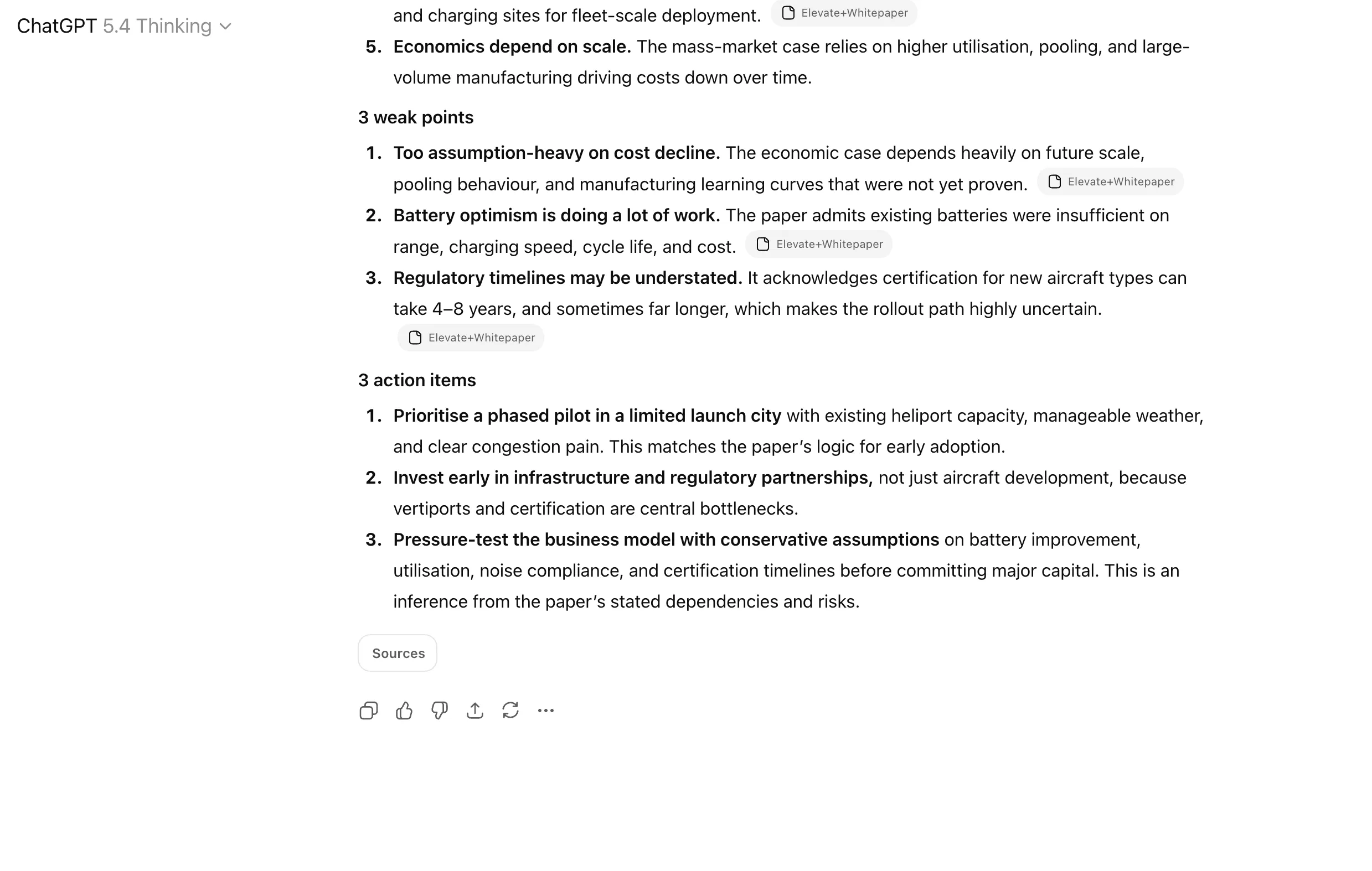
“Summarise this document in under 200 words. Then give me the 5 biggest takeaways, 3 weak points, and 3 action items based on it.”
Output
How it Works
- Paste the text, upload the file, or share the relevant extract.
- Tell ChatGPT the output format you want: summary, bullet points, insights, risks, or action items.
- Add a word limit if needed.
- Ask for different layers, such as key findings, assumptions, missed opportunities, or business implications.
- Use follow-up prompts to go deeper into any one section instead of trying to get everything perfectly in one go.
Who Benefits
Analysts, researchers, consultants, students, managers, founders, and anyone who has to process too much reading in too little time.
5. Preparation for Meetings, Exams, and Key Tasks
This workflow uses ChatGPT to help you prepare for something specific, whether that is a meeting, interview, exam, presentation, sales call, or important discussion. Instead of entering underprepared, you use it to simulate questions, organise talking points, and identify what you might miss.
Sample Prompt
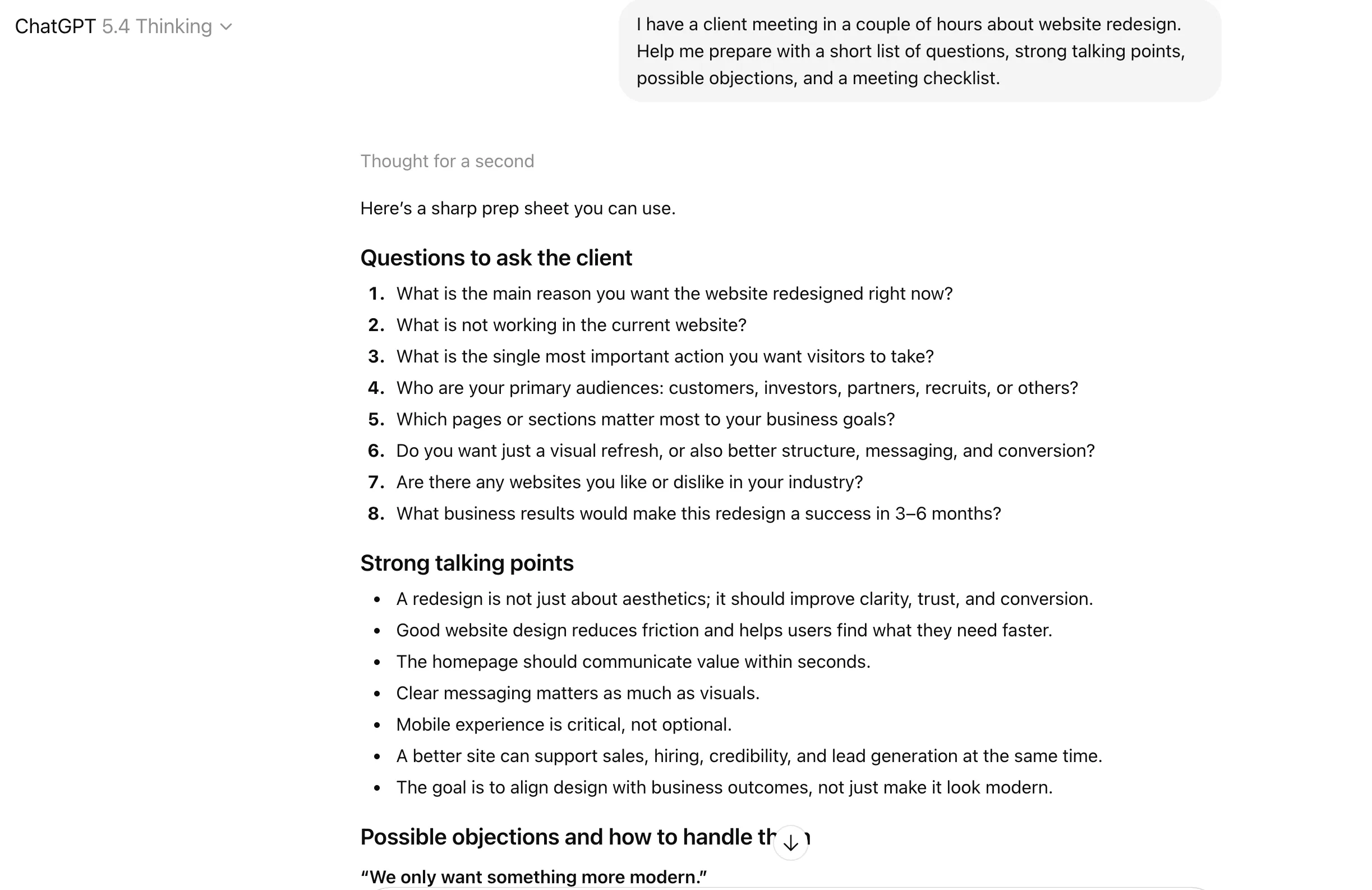
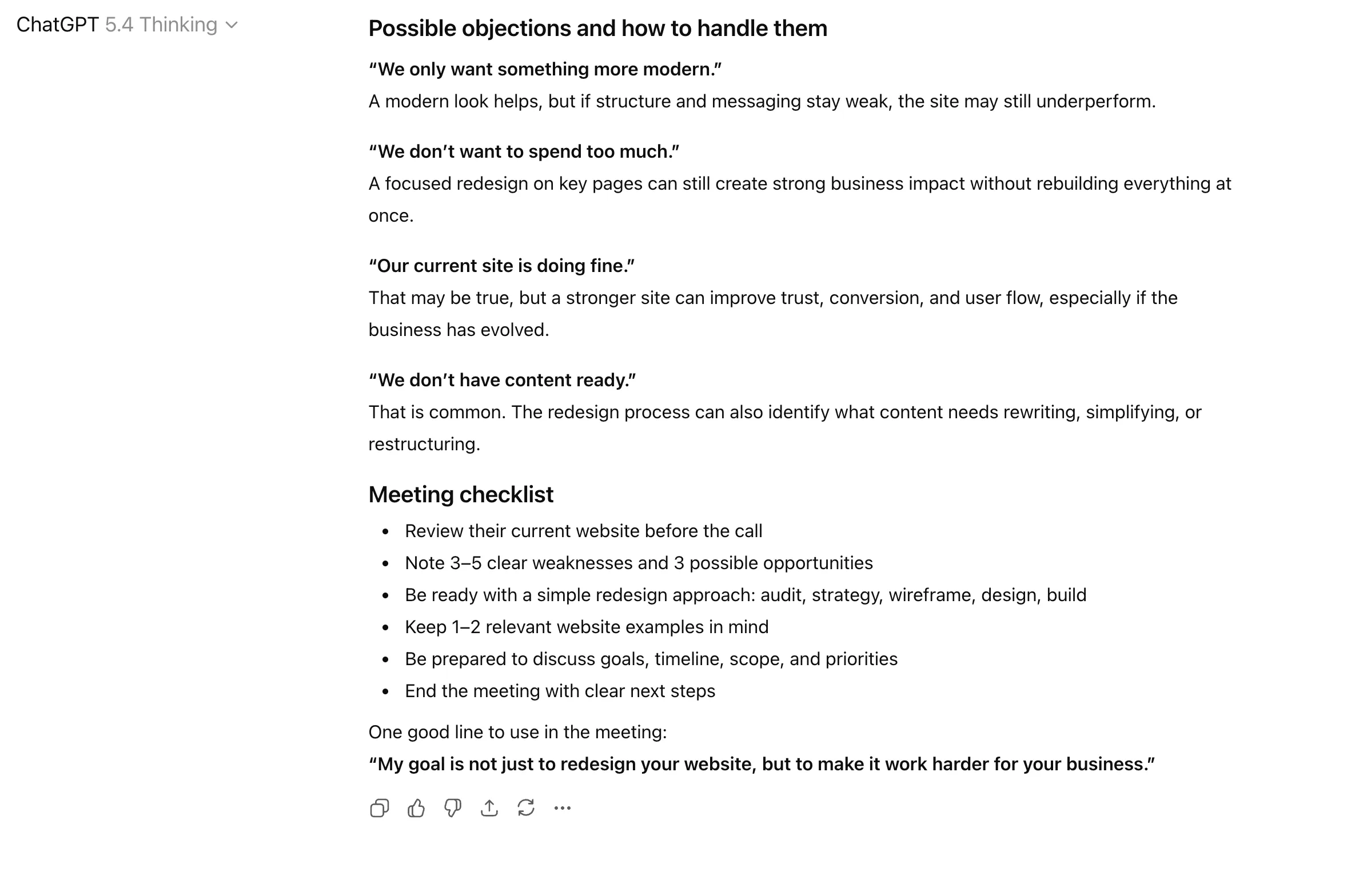
“I have a client meeting in a couple of hours about website redesign. Help me prepare with a short list of questions, strong talking points, possible objections, and a meeting checklist.”
Output
How it Works
- Start by telling ChatGPT what you are preparing for.
- Mention the context, such as topic, audience, level of difficulty, or expected outcome.
- Ask for likely questions, suggested answers, revision points, or a preparation checklist.
- Use it to role-play the scenario if needed.
- Then ask for a last-minute version: the top 5 things to remember before the event.
Who Benefits
Students, job seekers, sales professionals, consultants, managers, founders, and anyone who performs better when they walk in prepared instead of improvising everything live.
Also read: 16 NotebookLM Prompts Every Teacher Should Be Using in 2026
6. Weekly Planning and Scheduling
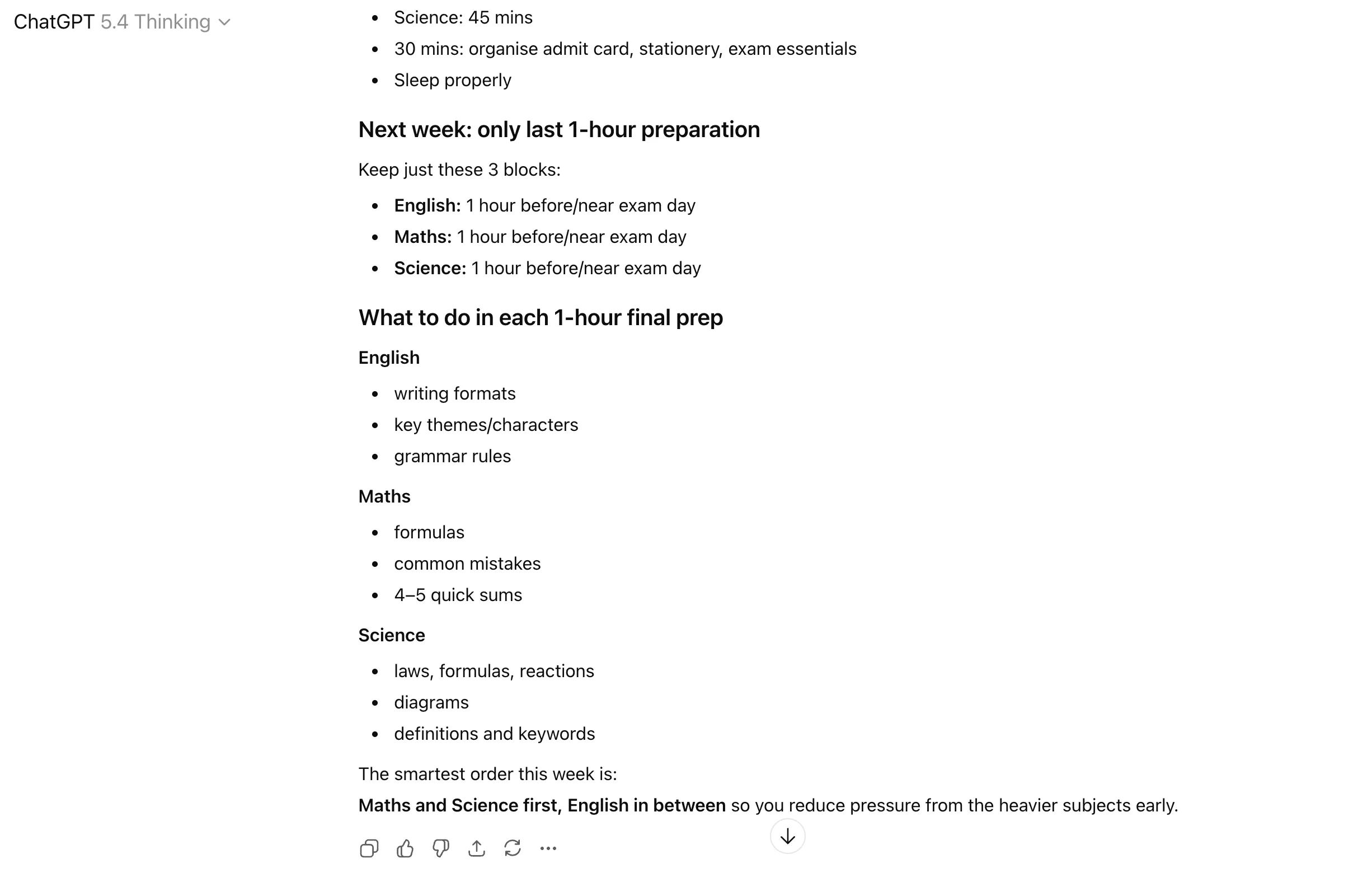
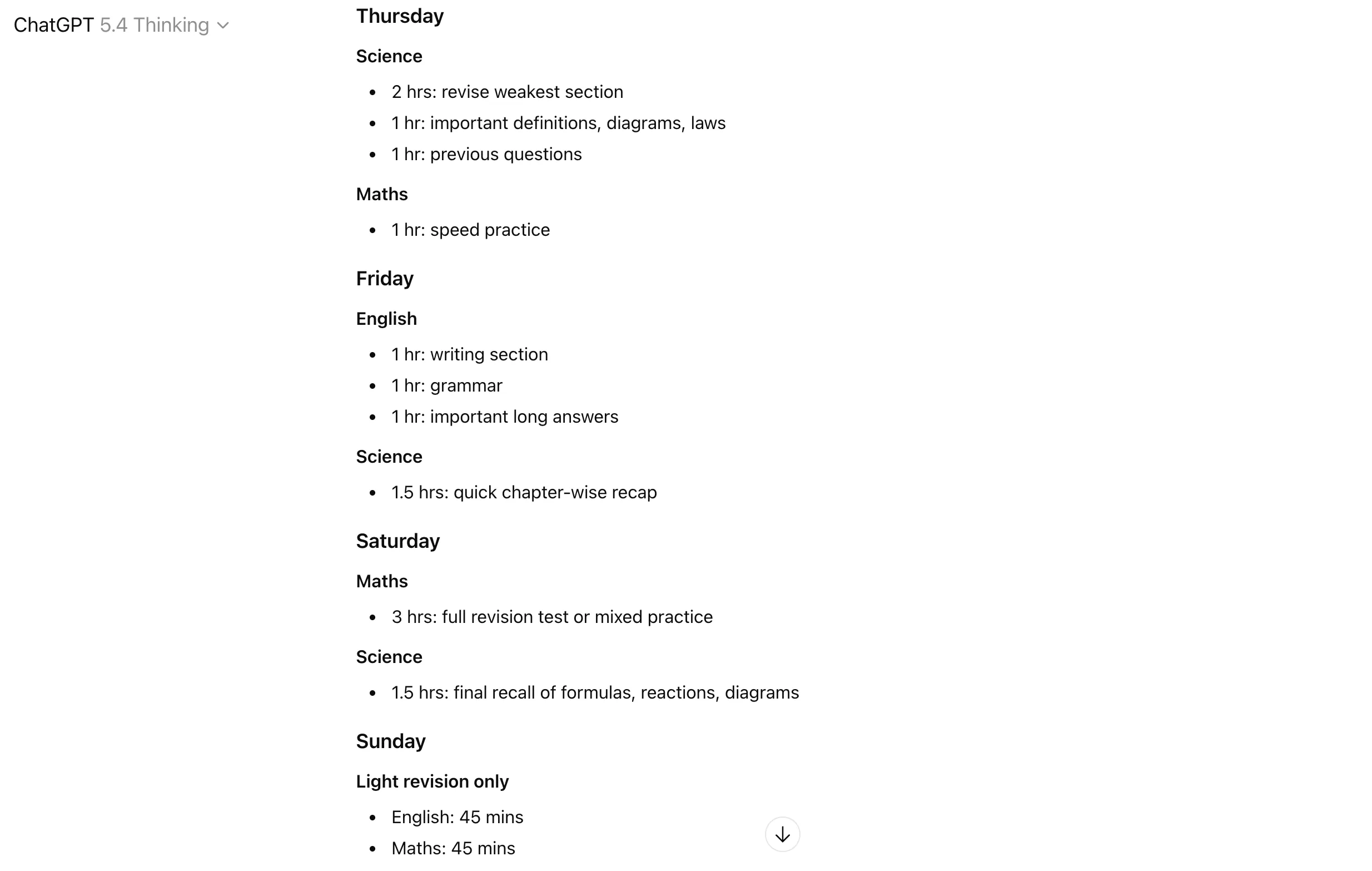
This workflow helps you organise the week before it starts running you over. Instead of carrying a vague mental list of things to do, you use ChatGPT to structure priorities, sequence tasks, and turn a messy workload into a realistic plan.
Sample Prompt
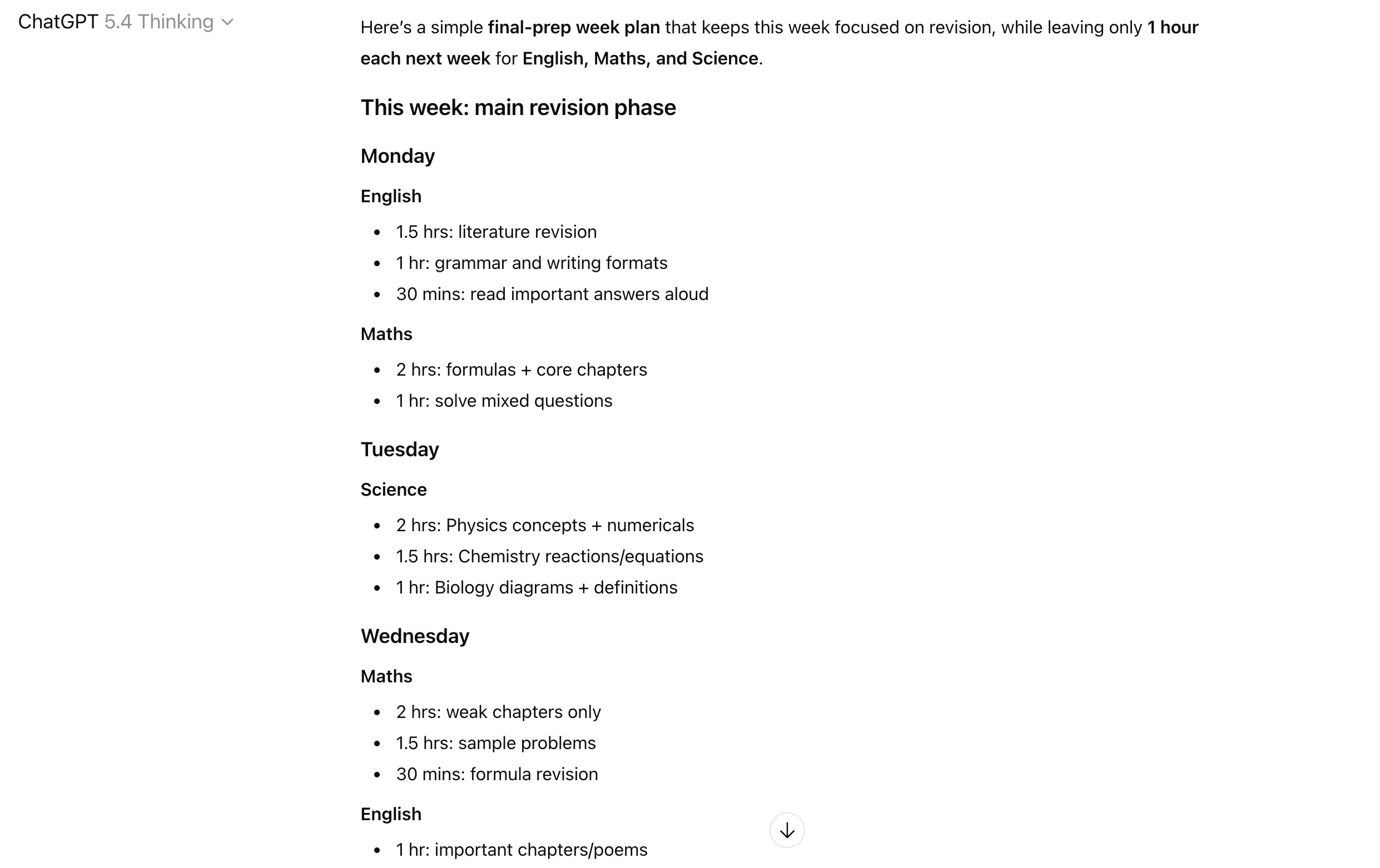
“Help me plan my week for final preparations for board exams. All the exams start next week, so just leave a last 1-hour preparation for each subject – English, Maths, Science – for the next week.”
Output
How it Works
- Give ChatGPT your tasks, deadlines, meetings, and time constraints.
- Mention how many hours or work blocks you realistically have.
- Ask it to prioritise the list instead of just arranging it.
- Use it to identify what should be done first, delegated, postponed, or grouped together.
- Then ask for a daily breakdown if you want a simple execution plan.
Who Benefits
Busy professionals, freelancers, managers, founders, students, and anyone whose productivity drops because everything feels urgent at once.
7. Personal Productivity and Time Blocking
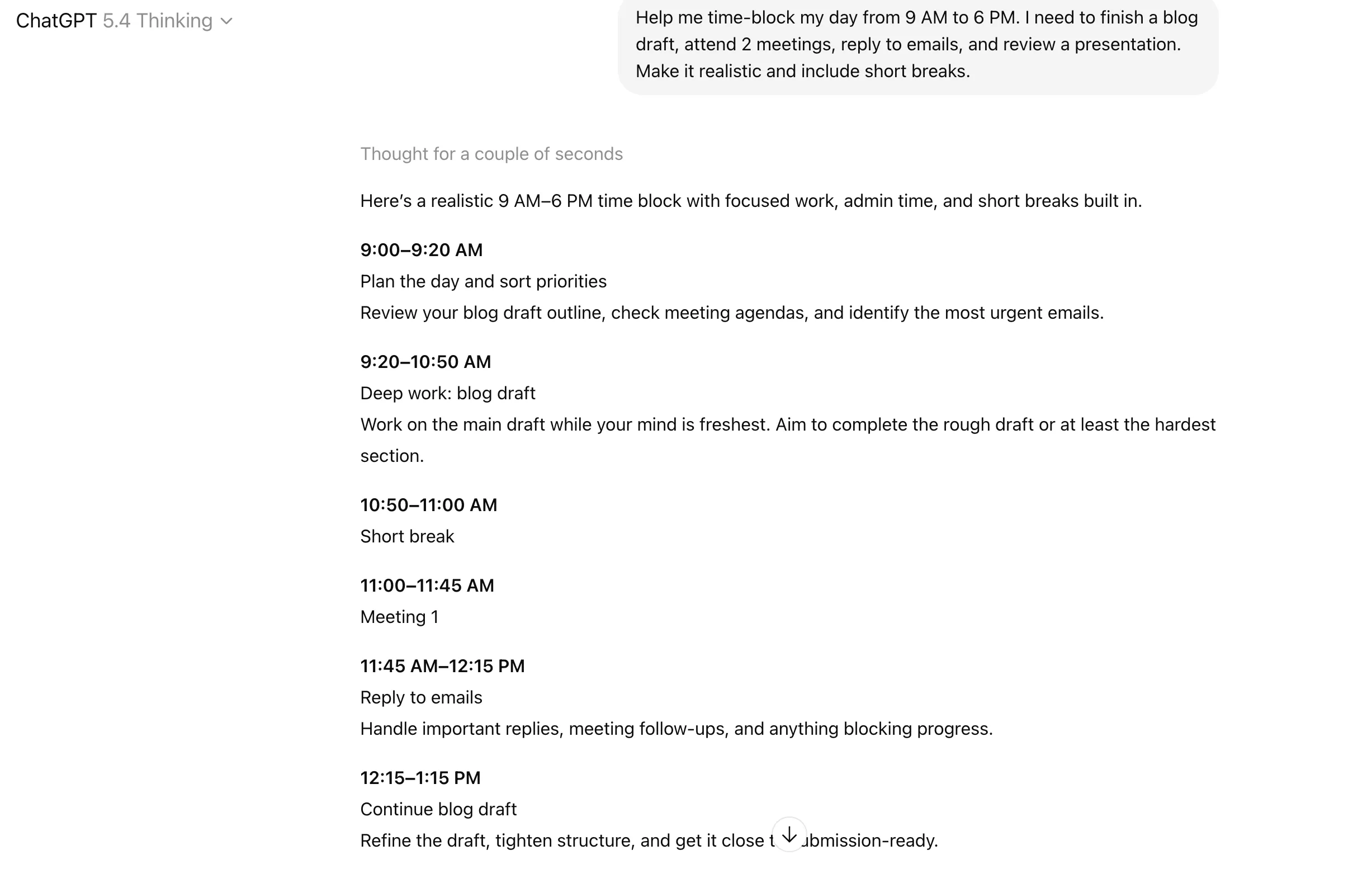
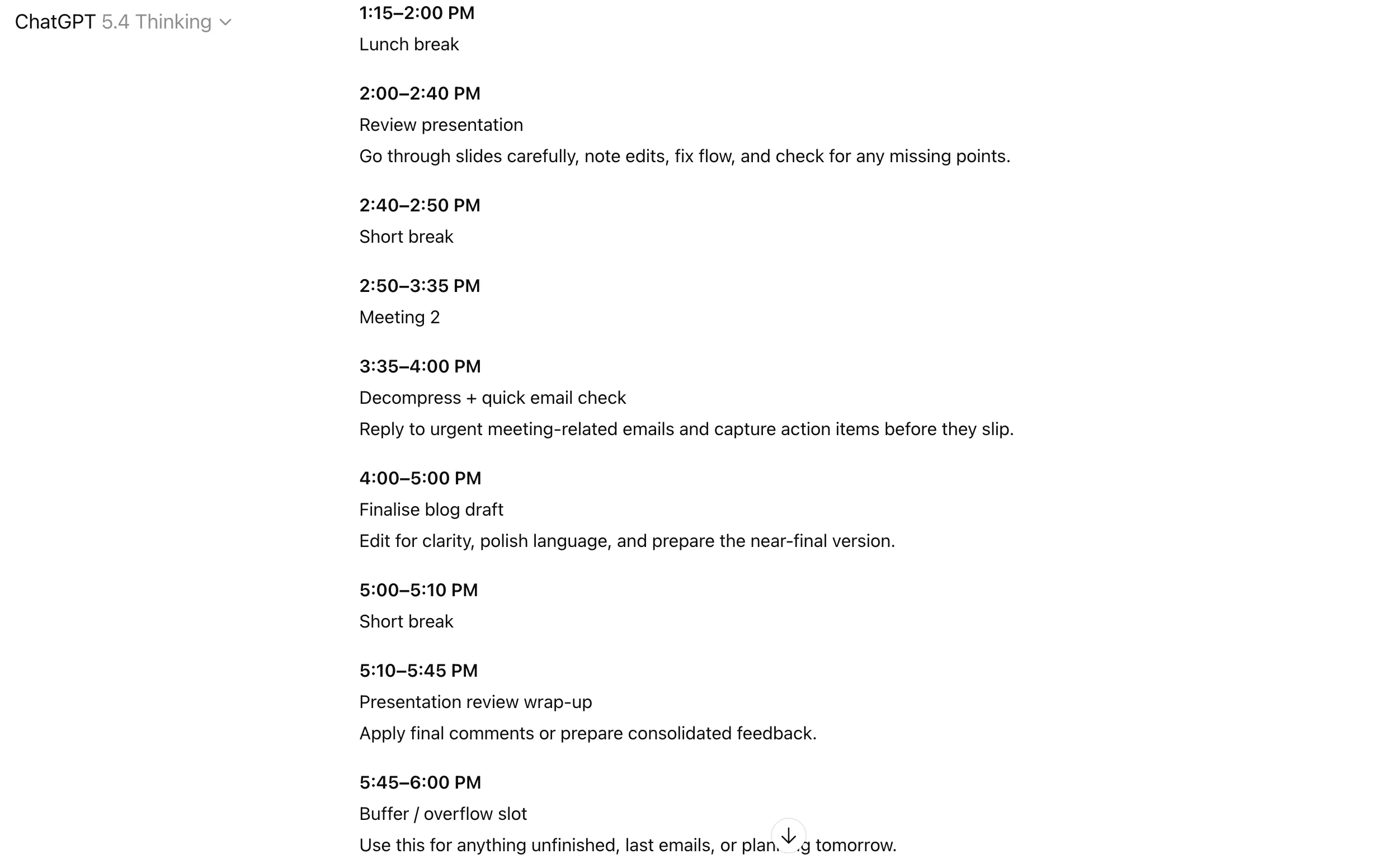
Such ChatGPT workflows help you turn an overloaded to-do list into a realistic workday. Instead of pretending you will somehow do 14 things in one afternoon, you use ChatGPT to break work into focused blocks and build a schedule you can actually follow.
Sample Prompt
“Help me time-block my day from 9 AM to 6 PM. I need to finish a blog draft, attend 2 meetings, reply to emails, and review a presentation. Make it realistic and include short breaks.”
Output
How it Works
- Start by sharing your tasks, deadlines, and fixed commitments.
- Mention your available working hours.
- Ask ChatGPT to group similar tasks together so your day feels less scattered.
- Use it to build a schedule with deep work blocks, admin work, and buffer time.
- Then ask it to make the plan more realistic if it feels too packed.
Who Benefits
Freelancers, managers, founders, students, remote workers, and anyone who feels busy all day but still ends up wondering where the day went.
8. Brainstorming and Idea Generation
This workflow uses ChatGPT to help you generate fresh ideas when you are stuck, repetitive, or too close to the problem. It works well for content angles, campaign hooks, product ideas, names, positioning, topic ideas, and creative directions.
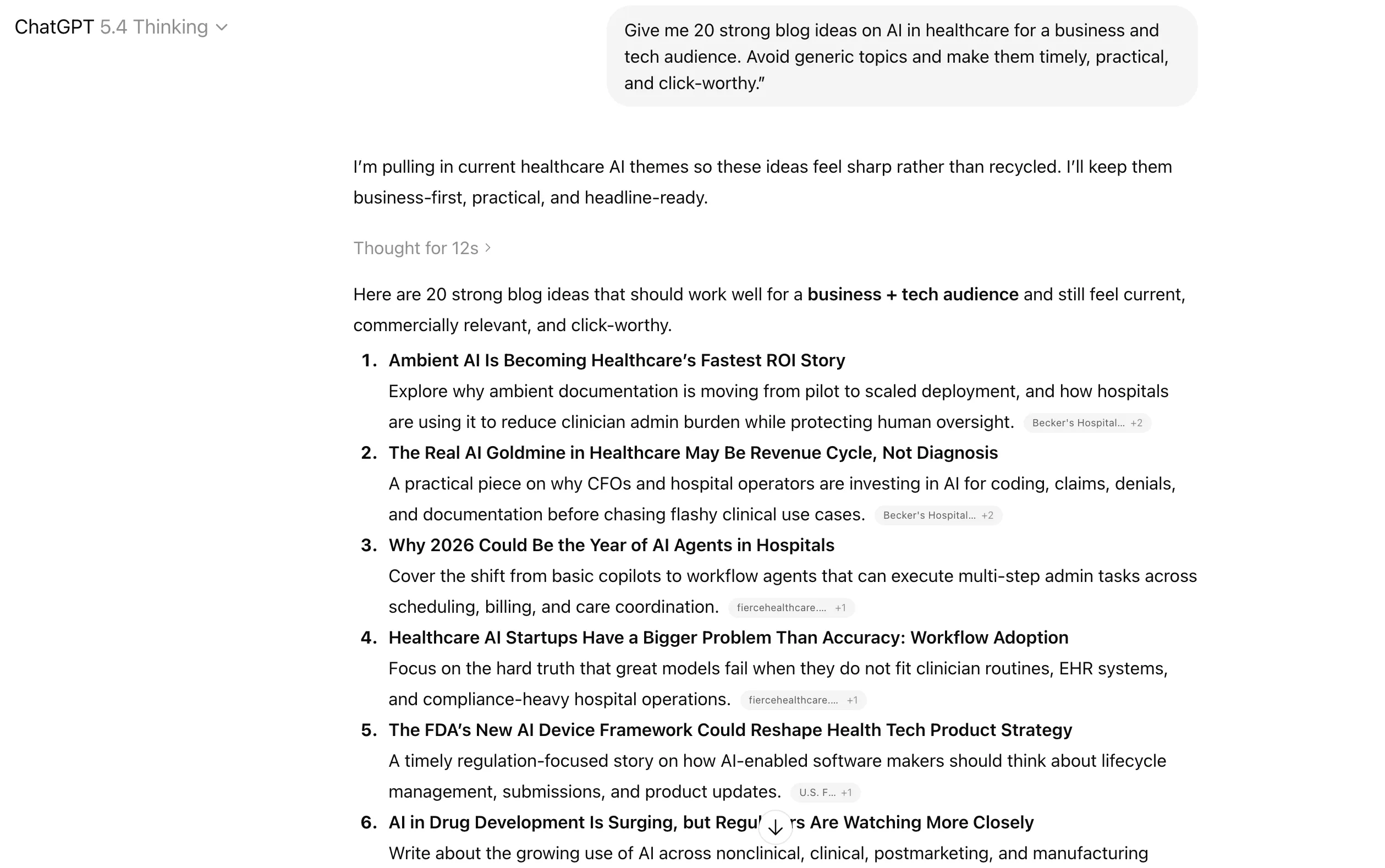
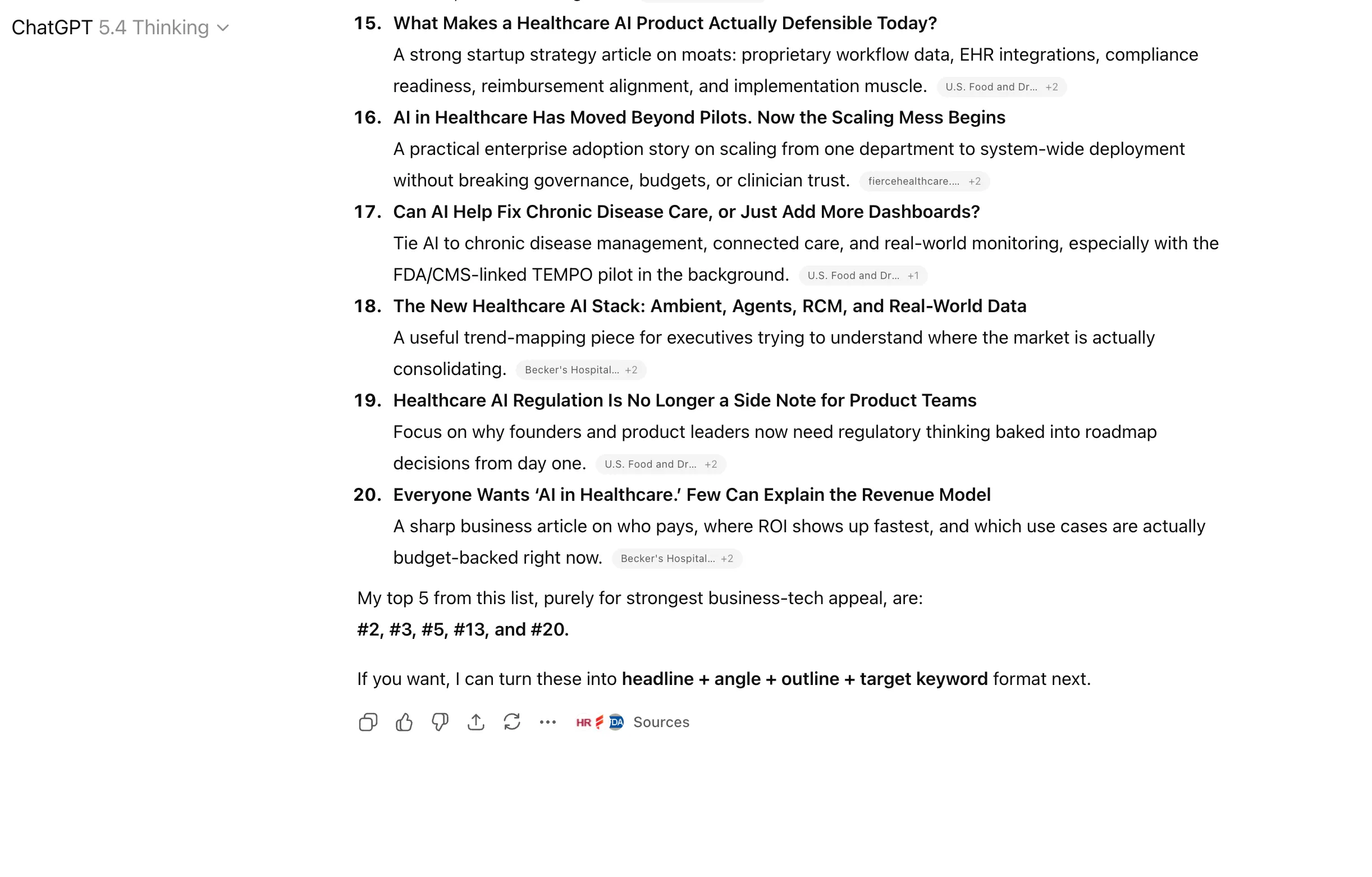
Sample Prompt
“Give me 20 strong blog ideas on AI in healthcare for a business and tech audience. Avoid generic topics and make them timely, practical, and click-worthy.”
Output

How it Works
- Give ChatGPT the topic, industry, and audience.
- Tell it what kind of ideas you want, such as creative, practical, contrarian, beginner-friendly, or high-authority.
- Add filters so the suggestions do not become vague or repetitive.
- Ask for multiple directions instead of just one list, such as safe ideas, bold ideas, and trend-based ideas.
- Then shortlist the best ones and ask ChatGPT to develop them further.
Who Benefits
Content creators, marketers, founders, strategists, writers, product teams, and anyone whose work depends on generating strong ideas consistently.
9. SOP and Playbook Creation
This workflow helps you turn scattered knowledge into a repeatable process. Instead of explaining the same task again and again, you use ChatGPT to structure it into a standard operating procedure or working playbook.
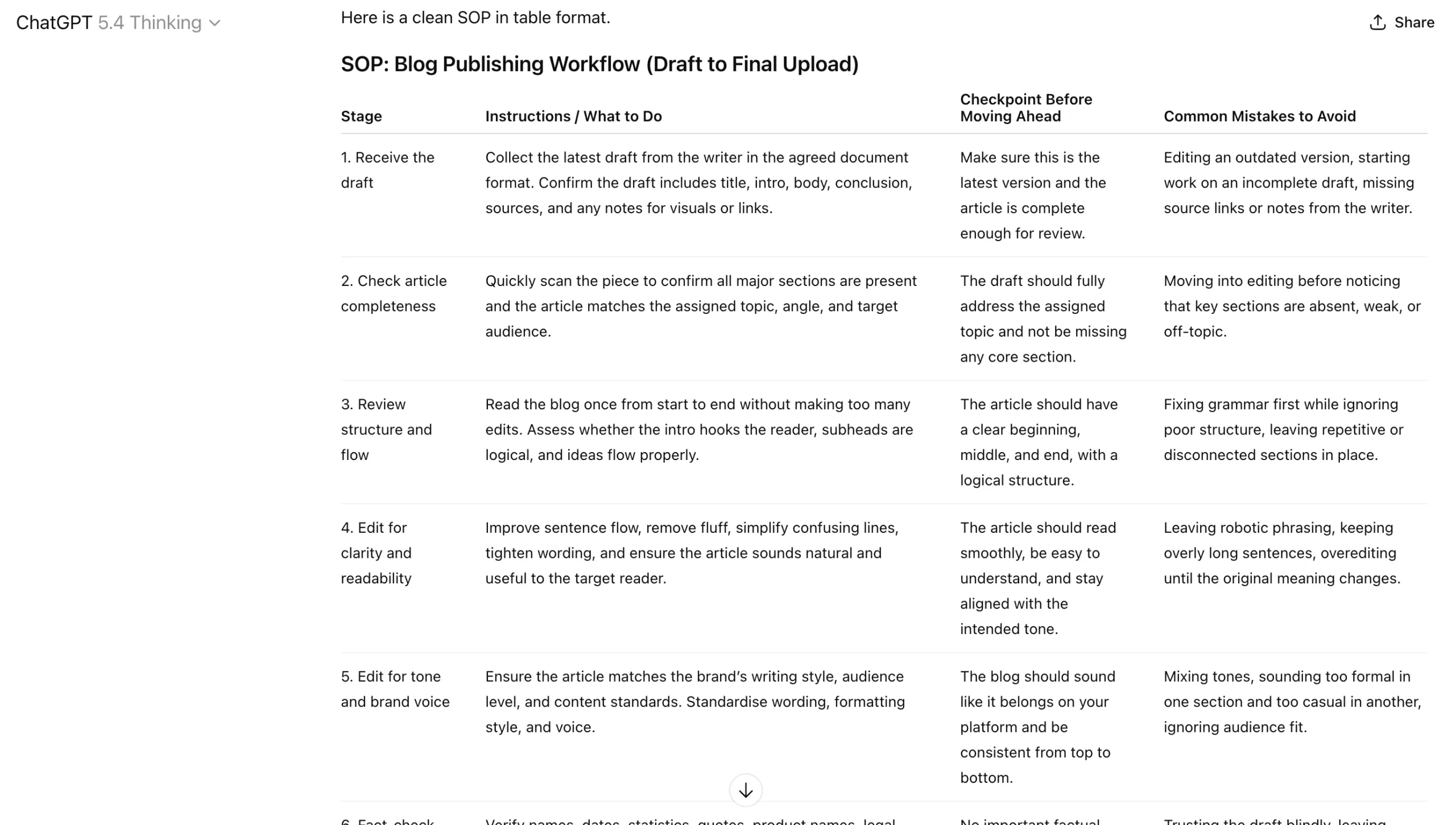
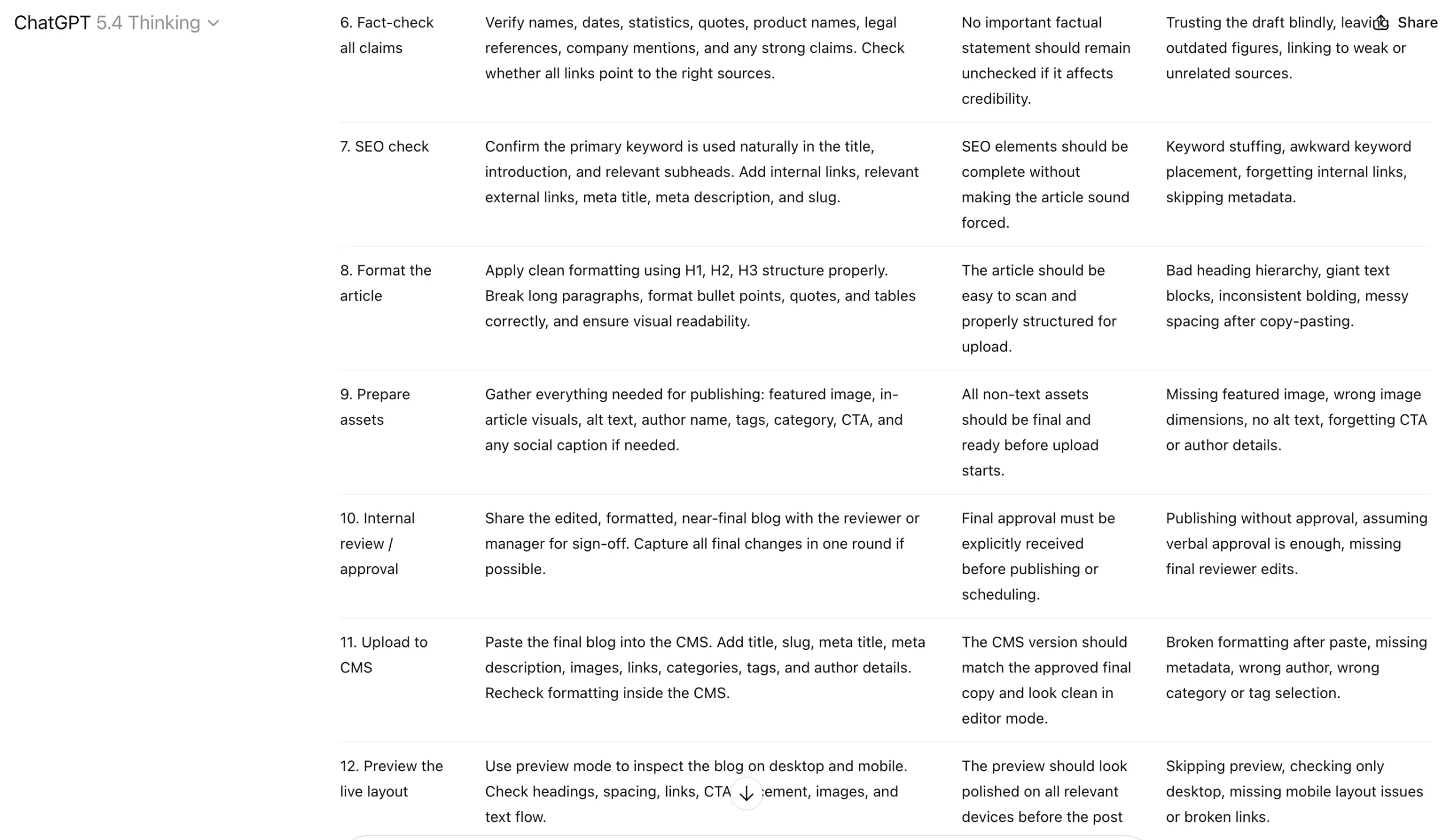
Sample Prompt
“Create a clear SOP in a table format, for my team for publishing a blog post from draft to final upload. Include instructions, checkpoints, and common mistakes to avoid.”
Output
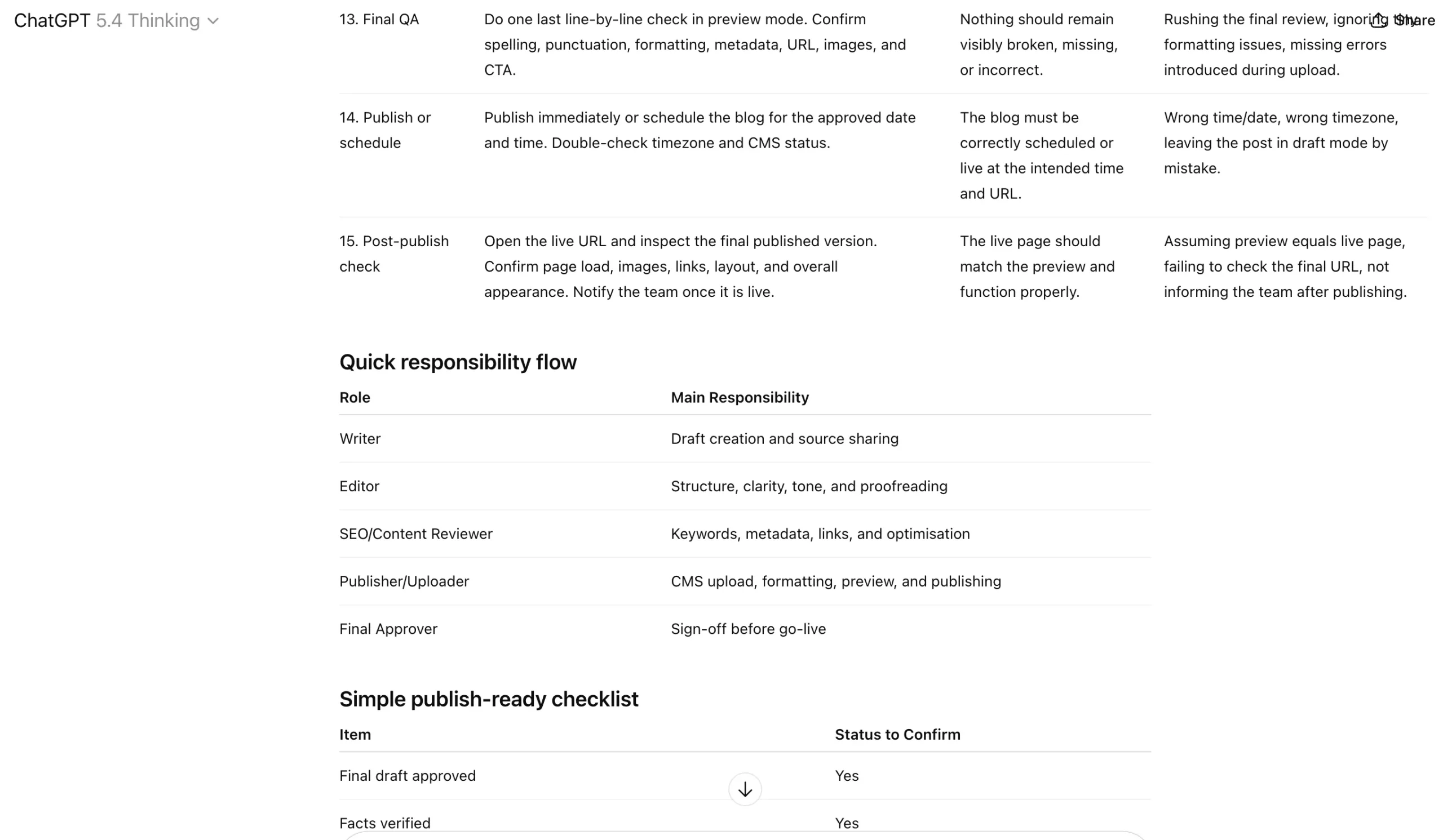
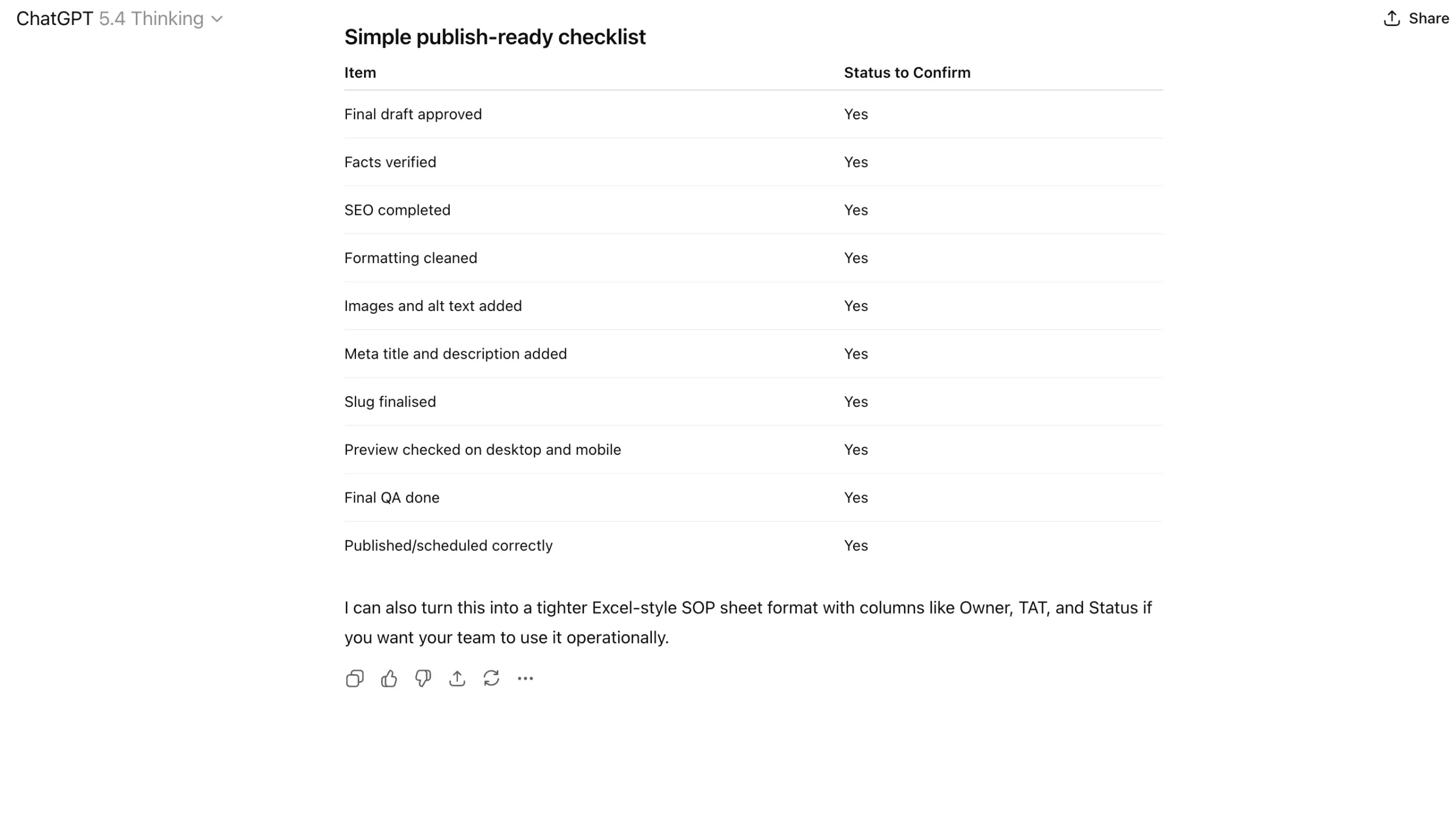
How it Works
- Start with the raw process, even if it is messy.
- Explain the goal of the task and who will use the SOP.
- Ask ChatGPT to break the work into steps, decision points, and quality checks.
- Use it to make the instructions simpler, clearer, and easier to follow.
- Then refine the output based on how detailed or beginner-friendly you need it to be.
Who Benefits
Team leads, founders, operations managers, agencies, freelancers scaling up, and anyone who wants to reduce confusion and make recurring work more consistent.
Also read: 7 Cool Google NotebookLM Features No One Told You
10. Data Analysis and Insight Extraction
Such ChatGPT workflows help you move from raw numbers to actual meaning. Instead of staring at a spreadsheet and hoping insights appear on their own, you use ChatGPT to identify trends, anomalies, comparisons, and implications faster.
Sample Prompt
“Here is a table of monthly website traffic, conversions, and bounce rate. Analyse the trends, point out anomalies, and tell me the 5 most important business insights in simple language.”
How it Works
- Paste the table, dataset, or summary metrics into ChatGPT.
- Mention what kind of analysis you want, such as trends, outliers, comparisons, or business takeaways.
- Ask it to explain the findings in plain language, not just repeat the numbers.
- Use follow-up prompts to dig deeper into any unusual pattern.
- Then ask it to turn the analysis into presentation-ready insights or an executive summary.
Who Benefits
Analysts, marketers, consultants, founders, product teams, students, and anyone who needs to make sense of performance data without spending hours manually interpreting it.
Conclusion
ChatGPT becomes truly useful only when you stop treating it like a toy for one-off prompts and start using it as a system for recurring work. That is the real difference between people who casually “try AI” and people who actually save time with it every week.
The workflows in this article prove that the biggest value of ChatGPT is not in doing flashy things. It is in handling the work that quietly eats up your hours: writing emails, shaping blogs, preparing for meetings, structuring plans, building SOPs, brainstorming ideas, and making sense of data. None of this removes human judgment. It simply helps you get to a strong first version much faster.
That is why the top ChatGPT workflows are not about clever prompts alone. They are about building repeatable ways to think, write, prepare, and execute better. Once you do that, ChatGPT stops being something you occasionally test for fun and starts becoming a serious productivity advantage.







