Coding assistants have moved beyond autocomplete into full agents that can read projects, run commands, edit files, and iterate toward outcomes. Tools like Claude Code and Codex both operate in this space, but take different approaches. Claude Code centers on a unified agent loop across environments, while Codex spreads capabilities across CLI, IDE extensions, cloud workflows, and delegated tasks.
This isn’t about model performance. It’s about workflow: control, intuitiveness, and how easily you can stay focused while working inside a real repository. In this article, we compare how each tool fits into the act of getting work done.
Table of contents
- Getting started with Claude Code and Codex CLI
- The first 10 minutes feel different
- The Translation Layer: How the concepts map?
- Repo instructions: CLAUDE.md vs AGENTS.md
- Memory: What gets remembered and how useful it really is?
- Permissions and planning: This is where the personality split becomes obvious
- Real bug-fix loop: Where the tools start to separate
- Undo, recovery, and reviewing changes
- Skills, hooks, and reusable workflows
- Which one should you choose?
- Conclusion
- Frequently Asked Questions
Getting started with Claude Code and Codex CLI
Before moving onto the real workflows, First let’s install both the tools in our system. Please make sure your system has node already installed.
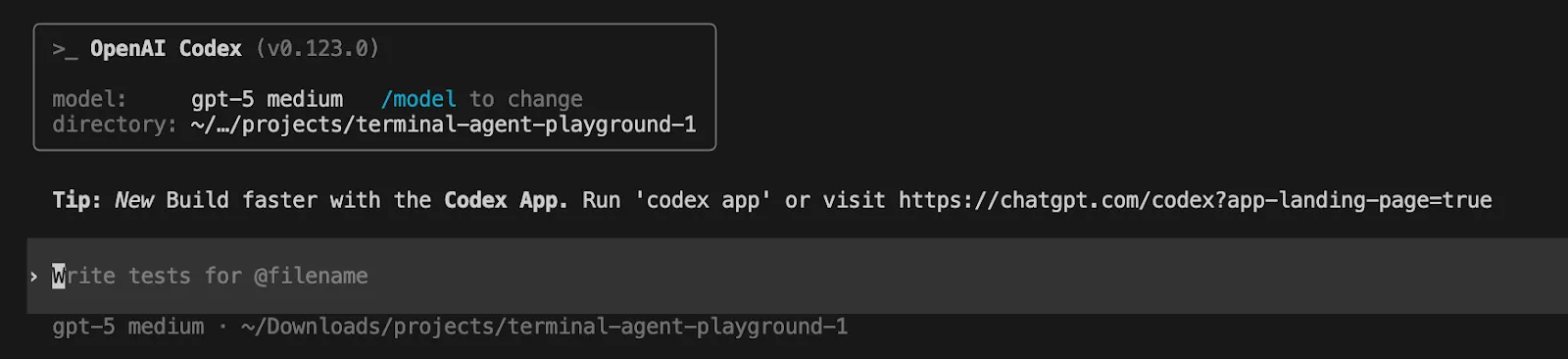
Codex CLI
Install the Codex CLI with npm. Open your terminal and run
npm i -g @openai/codexRun Codex in a terminal. It can inspect your repository, edit files, and run commands.
Codex
Sign in with an OpenAI account or API key
Claude Code
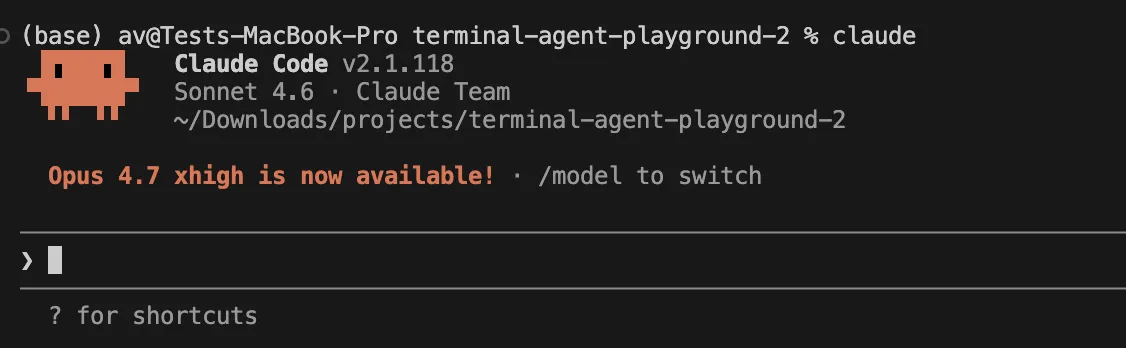
Install the Claude Code with npm. Open your terminal and run
npm install -g @anthropic-ai/claude-code Run in terminal by changing the directory to particular project
claude Sign in with an Anthropic Account
Now all set, let’s move to workflows.
The first 10 minutes feel different
Claude Code feels like an assisted partner. It wants to get a handle on the repo, suggest a plan, then proceed with the task with mode permission and checkpoints to keep it safe. Codex feels like a configurable runtime. It’s still conversational, but the focus is more on configuration, policies, worktrees, review, and cloud delegation.
If you are opening a repo for the first time, the hands-on difference shows up immediately.
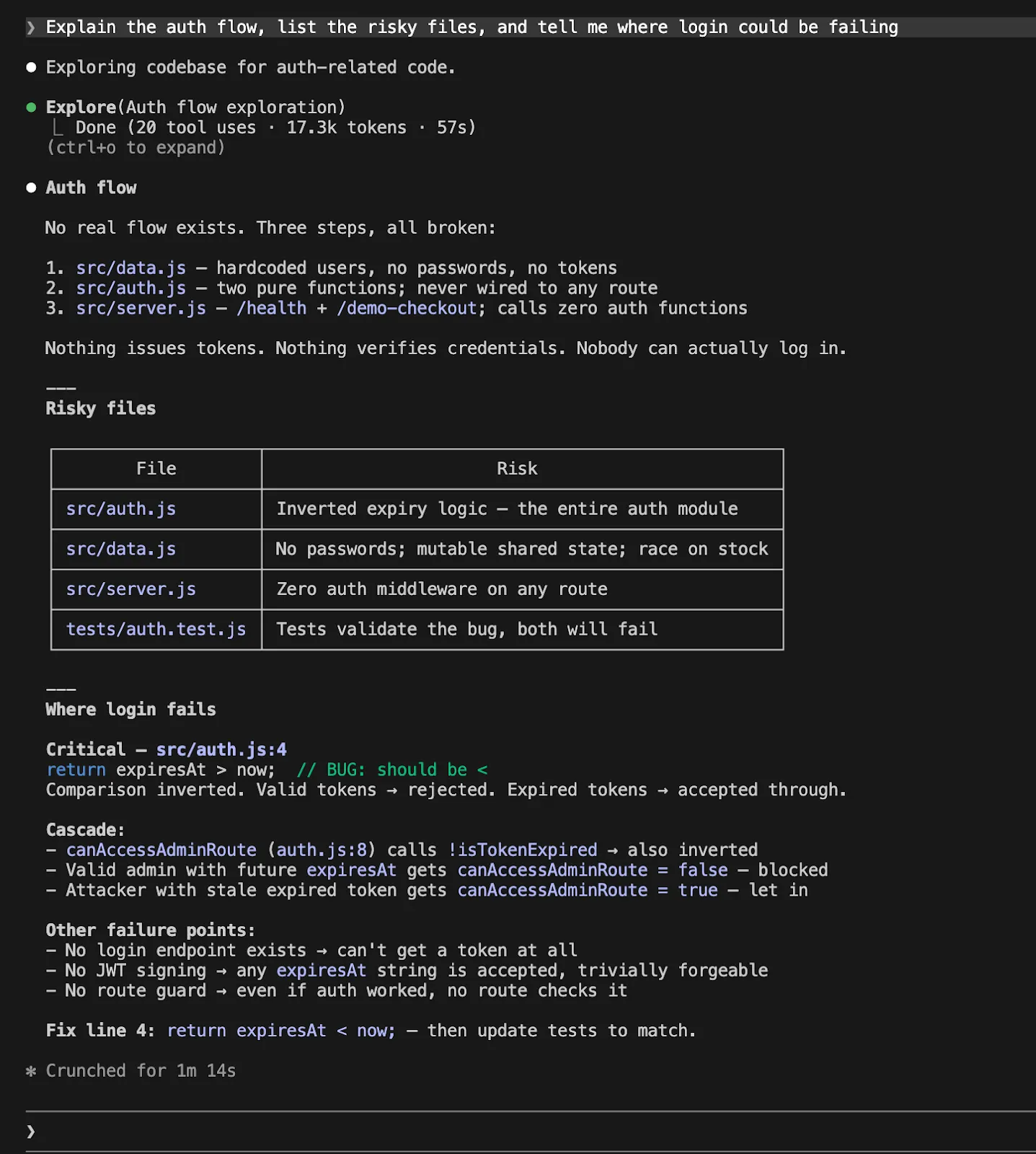
With Claude Code, a natural first move is:
Explain the auth flow, list the risky files, and tell me where login could be failing.
With Codex, the equivalent feels like:
Explain the auth flow, list the risky files, and tell me where login could be failing
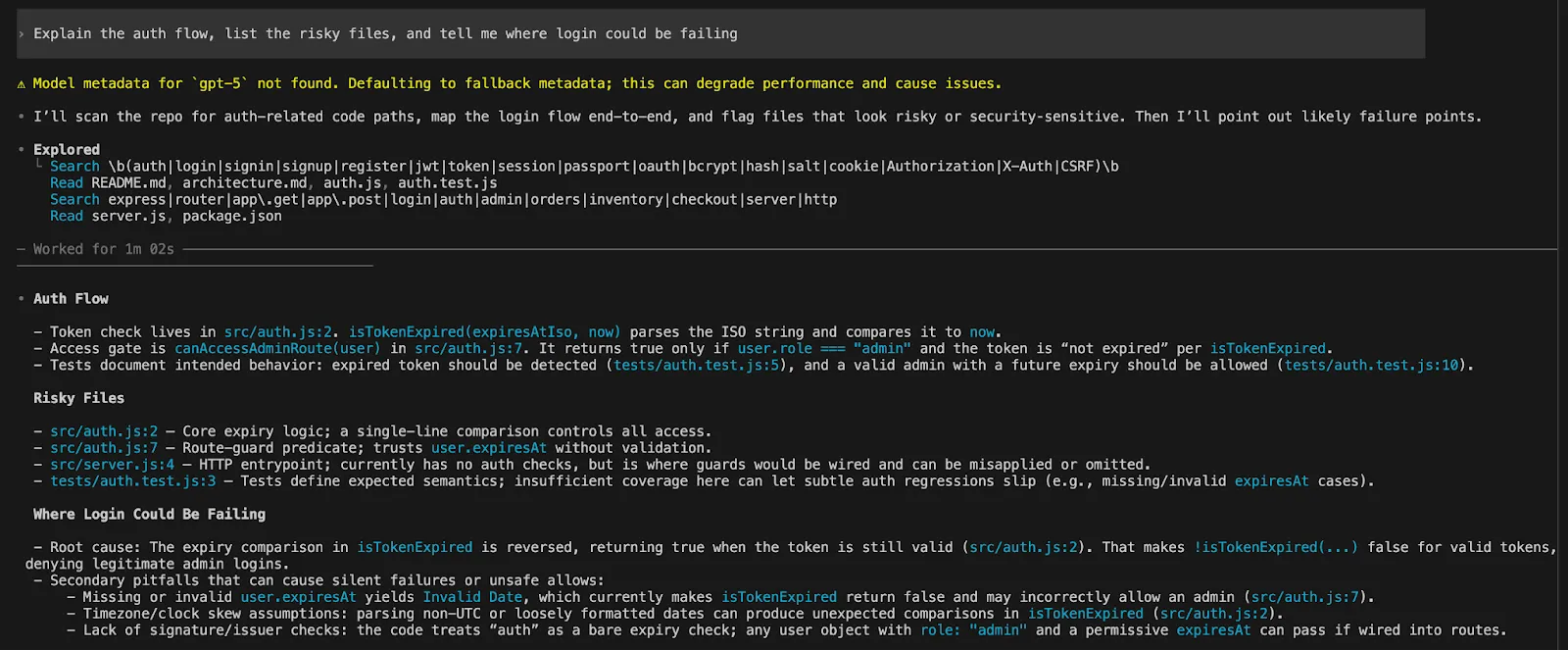
The same prompt, but the experience is very different. Claude often encourages you to plan and execute. With Codex it feels like it asks you to set the parameters of freedom, sandboxing and approvals before jumping in.
That difference matters. If you like being guided to productivity, you will like Claude Code more. If you like to design a system, Codex is more rewarding.
The Translation Layer: How the concepts map?
Much of the confusion of Claude Code vs Codex is due to different terminology.
| Aspect | Claude Code | Codex |
|---|---|---|
| Repo Instructions | Stored in CLAUDE.md | Stored in AGENTS.md |
| Memory | Auto memory | Explicit Memories system |
| Session State | Checkpoints and /rewind for code and session state | Emphasis on code reviews and structured code state |
| Code Management | Inline iteration with checkpoints | Worktrees and review-driven workflows |
| Remote Work | Remote Control resumes local sessions (runs on your desktop) | Remote connections, app-server workflows, and cloud delegation via web |
| Execution Model | Local-first, session continues on your machine | Local + remote + cloud execution split across environments |
| Agent Workflows | Supports subagents and parallel agent workflows | Explicit subagent workflows with structured orchestration |
| Parallelism | Built-in parallel agent execution | Parallelism via worktrees and orchestrated agents |
| Overall Approach | Unified, session-centric workflow | Distributed, system-oriented workflow |
This is the model to keep in mind when you read the rest of this article.
Repo instructions: CLAUDE.md vs AGENTS.md
This is a critical part of the article because it affects how the agent feels after the first day.
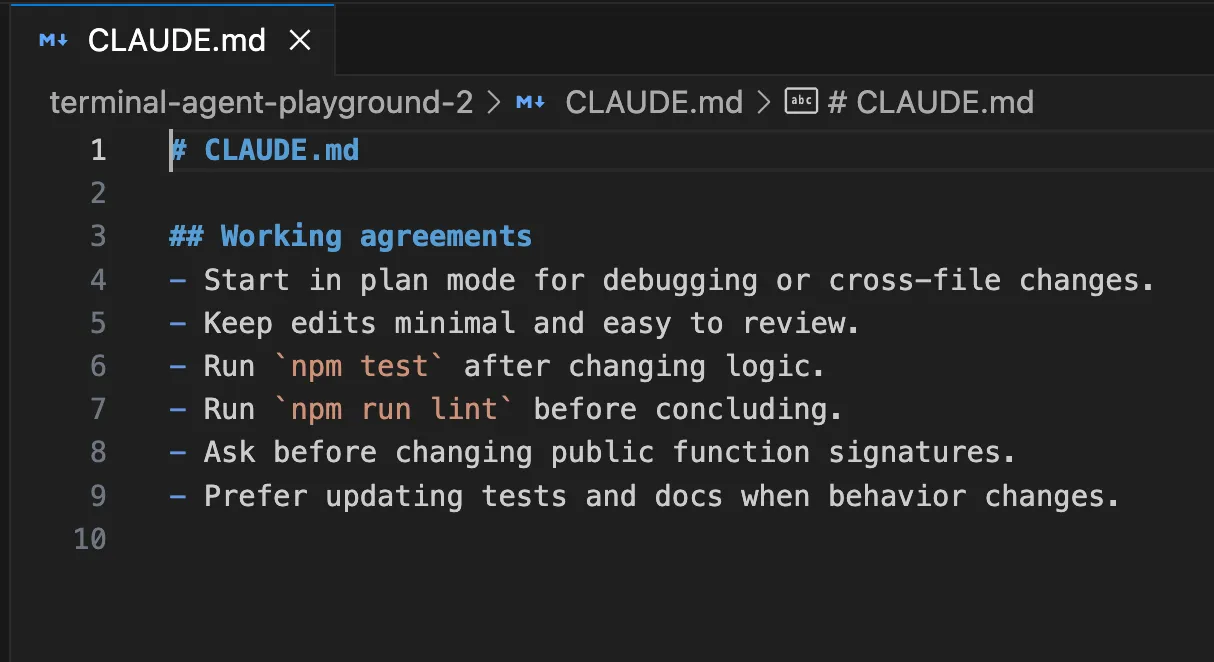
Claude Code loads CLAUDE.md at the beginning of each session and uses it as context for the project, your Workflow, or even your company. Anthropic’s documentation is clear that you should use CLAUDE.md to capture the rules you don’t want to repeat, and use auto memory for Claude’s learning.
The Codex solution uses AGENTS.md, but in a more sophisticated way. You could have a global ~/.codex/AGENTS.md, then AGENTS.md per repo, then sub AGENTS.override.md, all as part of the config.toml structure.
Here’s how it might work.
Here’s a useful CLAUDE.md for a Node repo:
A useful AGENTS.md for the same repo might look like this:
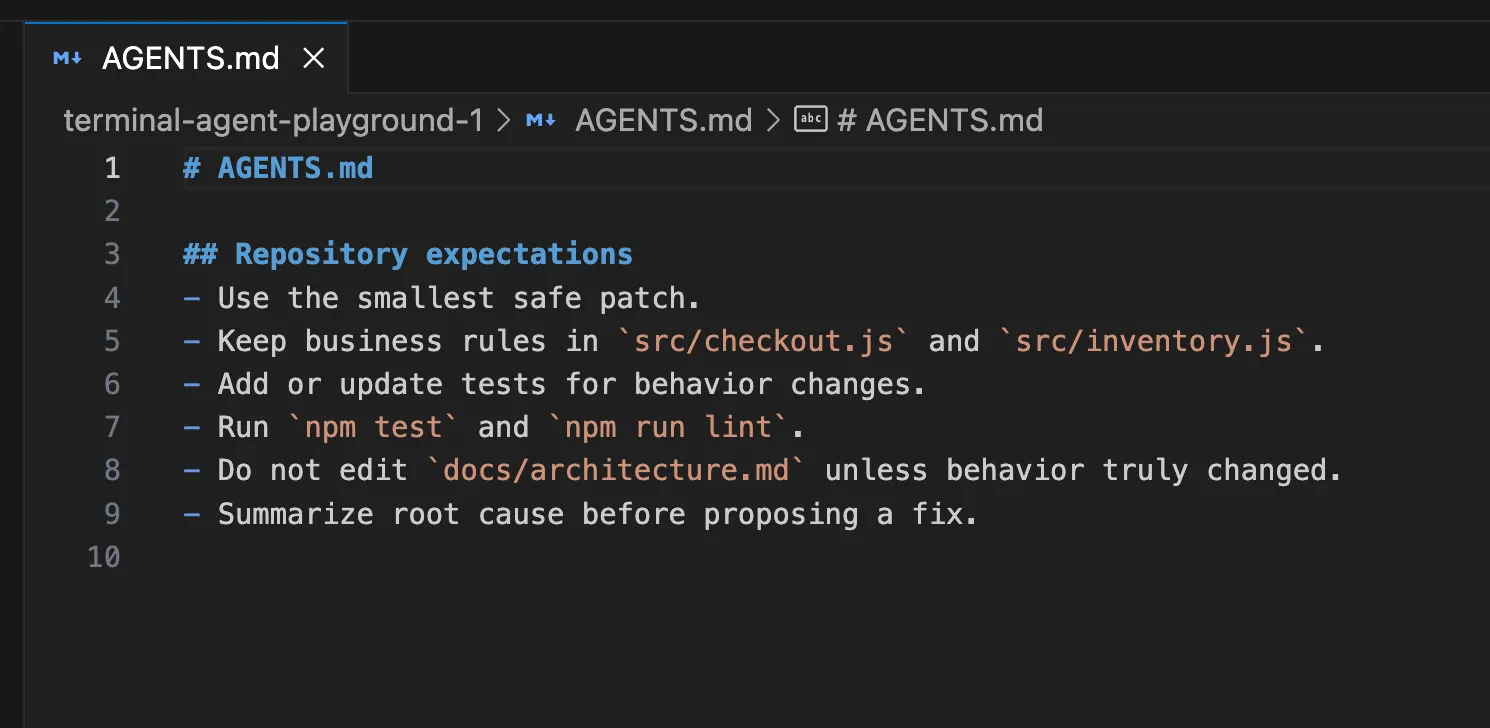
The hands-on lesson is simple. Do not wait until the agent disappoints you five times. Write the instruction file early. Both tools get much better once your standards live in the repo instead of in your head.
Memory: What gets remembered and how useful it really is?
The context window for Claude Code is wiped at the start of each session, but you can load your CLAUDE.md and auto memory. According to Anthropic, auto memory is notes that Claude writes based on your corrections and preferences, such as build commands, debugging hints and things it has noticed while editing in that tree.
Codex Memories are similar but they are slightly more explicit. Memories are disabled by default, are stored locally (in ~/.codex), and are for fixed preferences, common routines, project-specific conventions, and common gotchas. The OpenAI docs also advise not to store memories of rules as the only place for rules that must always be followed. Those still need to go in AGENTS.md or in documents in the repo.
This results in a great workflow.
If you are using Claude Code, you can have the agent learn the pace of the repo, then use CLAUDE.md for things you need to keep stable.
If you are using Codex, do not put the contract in Memories. Put the contract in AGENTS.md. Put your platform rules in config.toml. Let memories fill in the gaps.
This makes Codex feel more mechanical. Claude is more like a smart teammate.
Permissions and planning: This is where the personality split becomes obvious
Claude Code has very descriptive names for permission modes. The available modes are currently default, acceptEdits, plan, auto, dontAsk, and bypassPermissions. plan is particularly interesting as it allows Claude to plan and propose changes without touching your source, and auto is a research preview that uses an extra classifier to filter actions.
Codex describes this in terms of sandbox and approval policy. OpenAI’s documentation calls sandbox mode the technical sandbox and approval policy the rule for when to ask permission. Local Codex by default uses no networking and sandboxing under the OS, which is normally configured via ~/.codex/config.toml and, optionally, project-specific .codex/config.toml.
Here is the hands-on version.
If you want Claude Code to inspect a repo and produce a proposal before touching anything:
claude --permission-mode plan 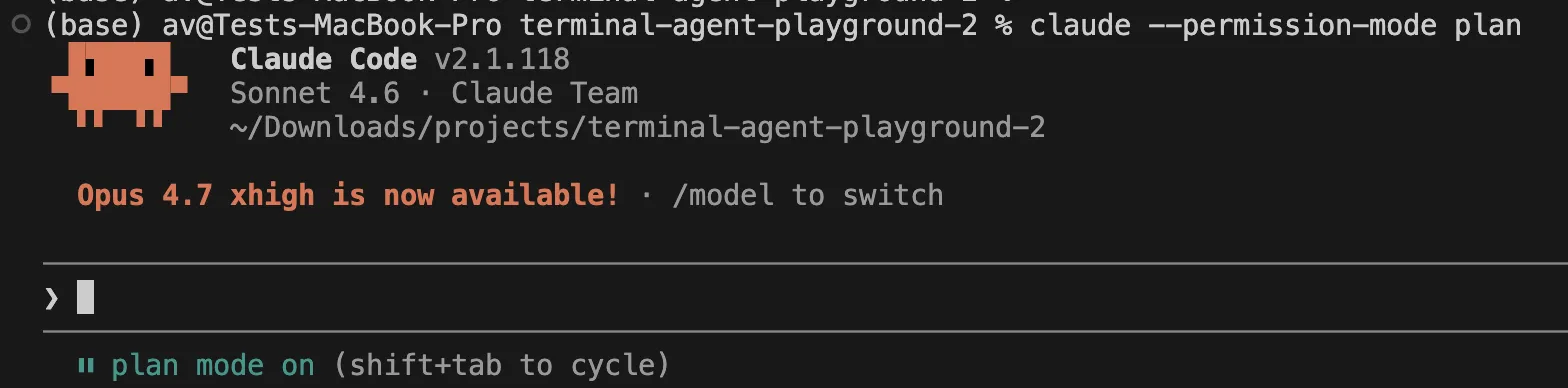
If you want Claude Code to move faster on safe file edits:
claude --permission-mode acceptEdits 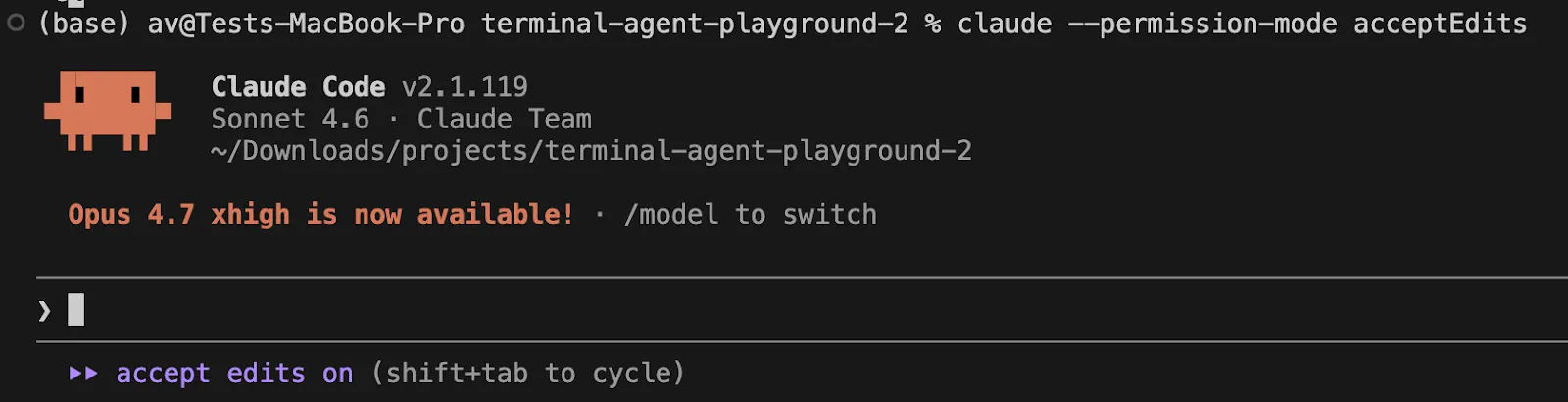
If you want Codex configured for a tighter read-only pass first, the OpenAI docs show patterns like this:
Open the .codex/config.toml file and add the following lines:
[profiles.readonly_quiet]
approval_policy = "never"
sandbox_mode = "read-only"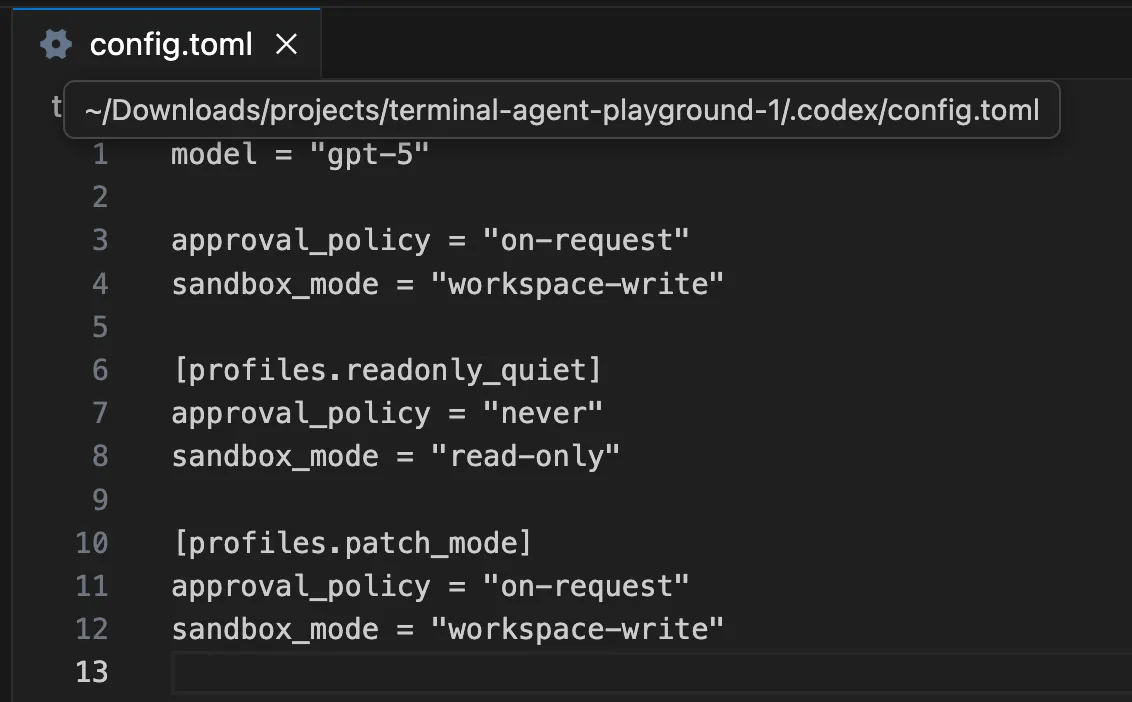
Then you can use that kind of profile for a first-pass audit and only relax it when you are ready.
This difference matters a lot in real teams. Claude exposes the safety model as an interaction pattern. Codex exposes it as a system configuration pattern.
Real bug-fix loop: Where the tools start to separate
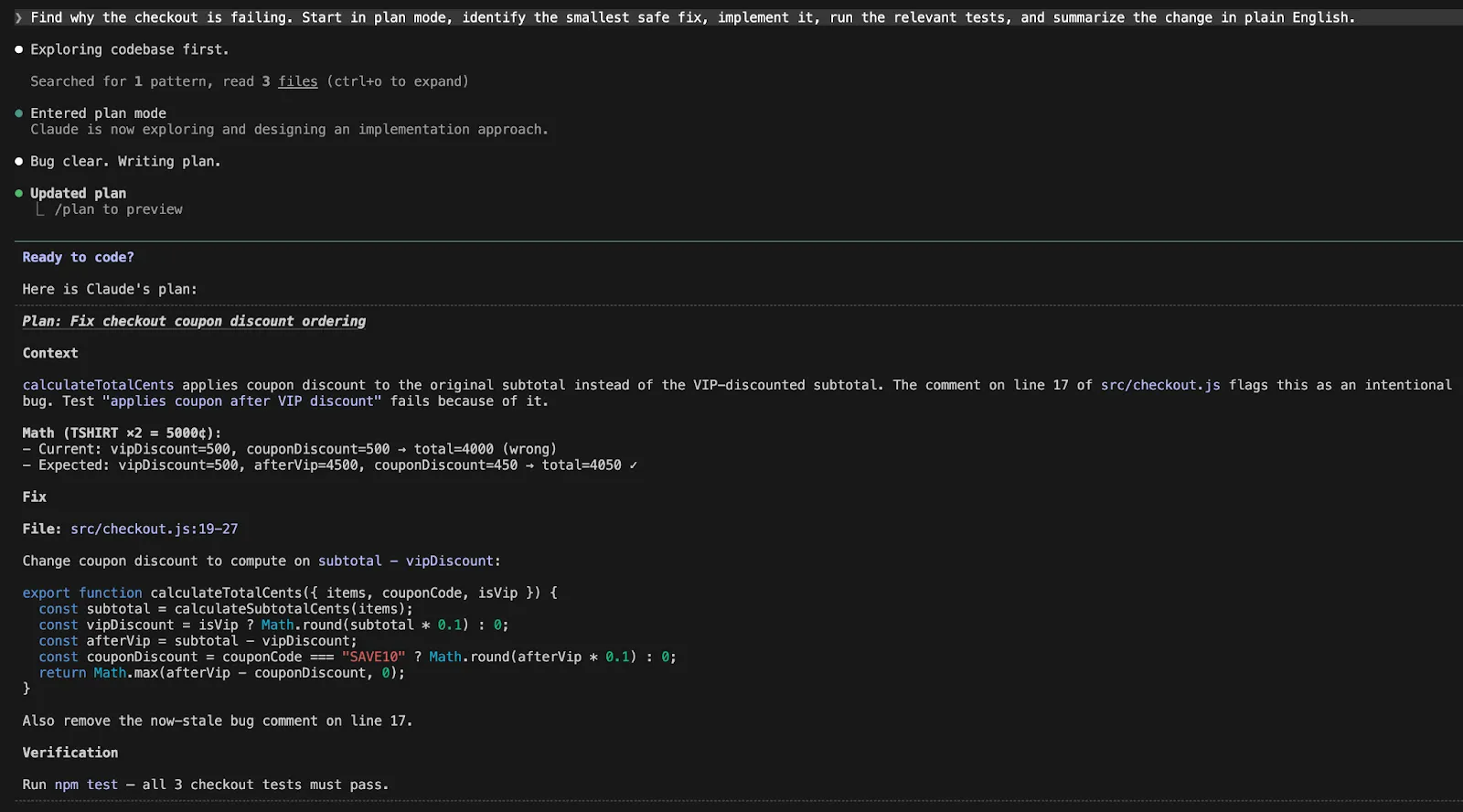
Let’s say your checkout test is failing and you want the agent to investigate, fix, verify, and explain the change.
A good Claude Code workflow looks like this:
Find why the checkout is failing. Start in plan mode, identify the smallest safe fix, implement it, run the relevant tests, and summarize the change in plain English.
A good Codex workflow looks like this:
Investigate the checkout failure, keep scope minimal, explain root cause first, then patch only the files required, run the smallest relevant test set, and show me the diff I should review.
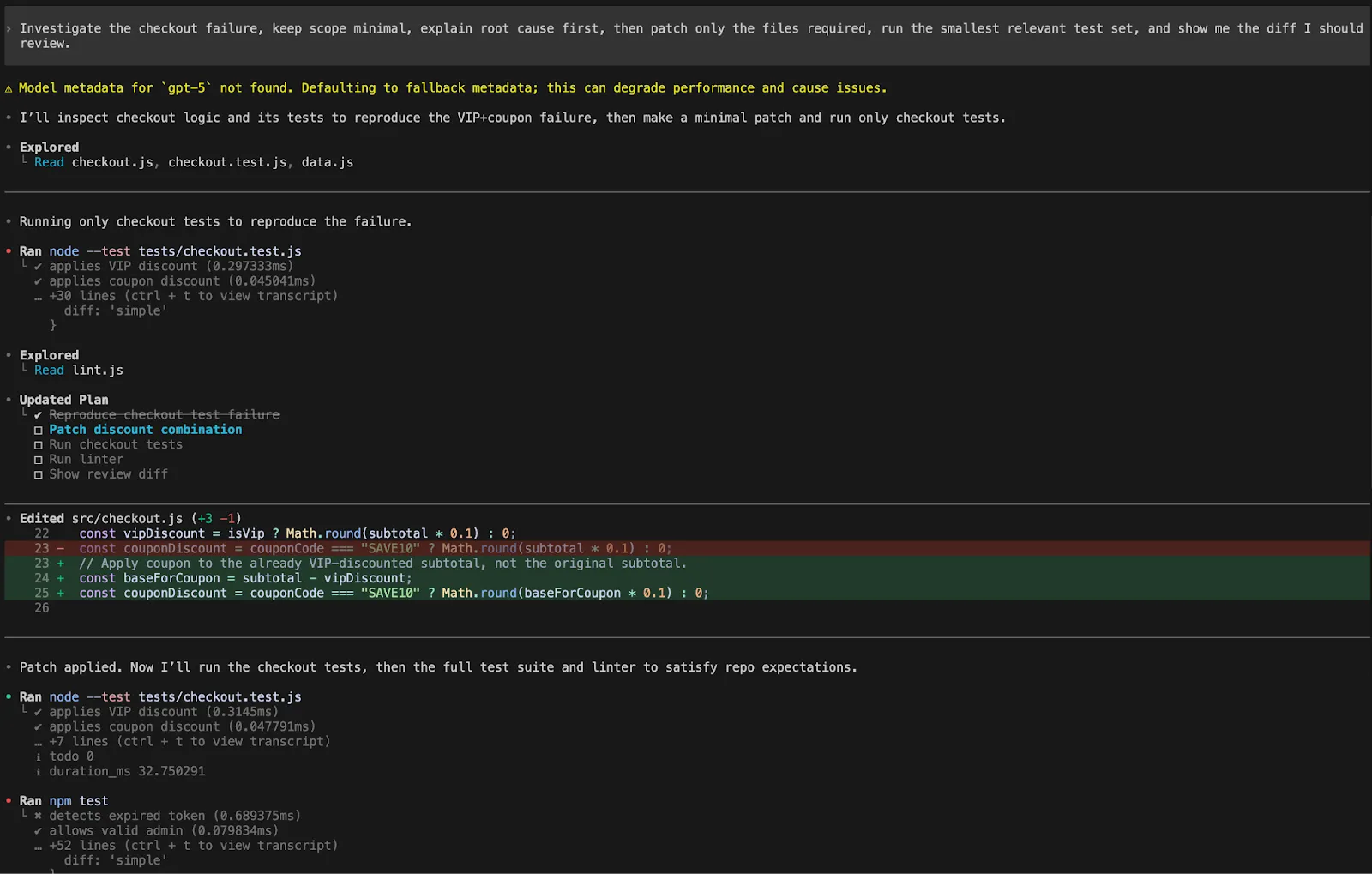
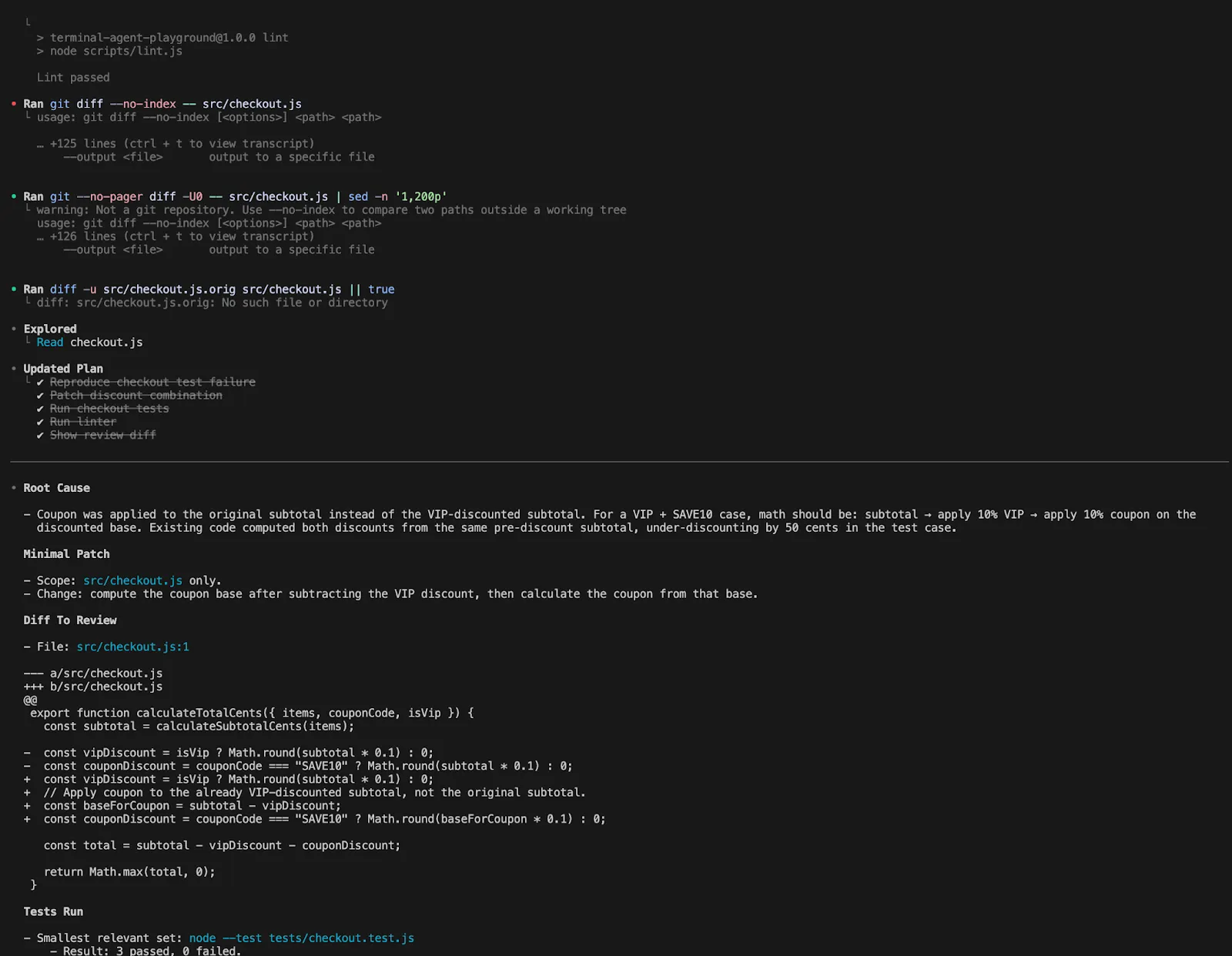
Notice the difference. With Claude Code, you naturally lean into flow. With Codex, you naturally lean into explicit scope and review language.
Both tools can do the loop, but they encourage slightly different styles of prompting.
Undo, recovery, and reviewing changes
Claude Code’s undo/rewind is a powerful feature. Anthropic claims that every user-prompted change makes a checkpoint, the checkpoints are persistent, and /rewind can restore code, conversation, or both. So you can “experiment” more without worrying about mistakes.
A “real” use case looks like this:
/rewind Then you choose whether to just rewind the code, just the chat, both, or start summarising from a particular point and continue.
And Codex addresses safety in another way. The review pane displays the changes in the repo, allows you to add inline comments and to stage, keep or revert lines. The app also uses worktrees so many things can happen while you work on your checkout.
So the practical split is this:
Claude says, “Try the risky thing. You can rewind.”
Codex says, “Let the work happen in isolation. Then inspect it carefully.”
Both are good. They just change how bold you feel while iterating.
Skills, hooks, and reusable workflows
This is the section where advanced users start building real leverage.
Claude Code skills use SKILL.md, and Anthropic claims Claude can automatically invoke skills as needed, or you can explicitly use slash commands (e.g. /review-pr or /deploy-staging). Claude also has hooks for running shell commands before or after Claude Code actions, such as formatting, linting or custom validation.
OpenAI’s docs for Codex focus on progressive disclosure. Codex loads skill metadata and only loads the full SKILL.md when it uses the skill. Codex also uses a built-in $skill-creator, and has hooks as an experimental extensibility framework (feature flag is in place).
Here is a concrete hands-on pattern you can use in either tool.
Create a reusable code-review skill that says:
---

name: backend-review

description: Review backend changes for auth bugs, migration risk, logging gaps, and test coverage regressions.

---
When invoked:
- Inspect changed files first
- Prioritize auth, data integrity, and silent failure modes
- Suggest the smallest fixes
- End with a short risk summary
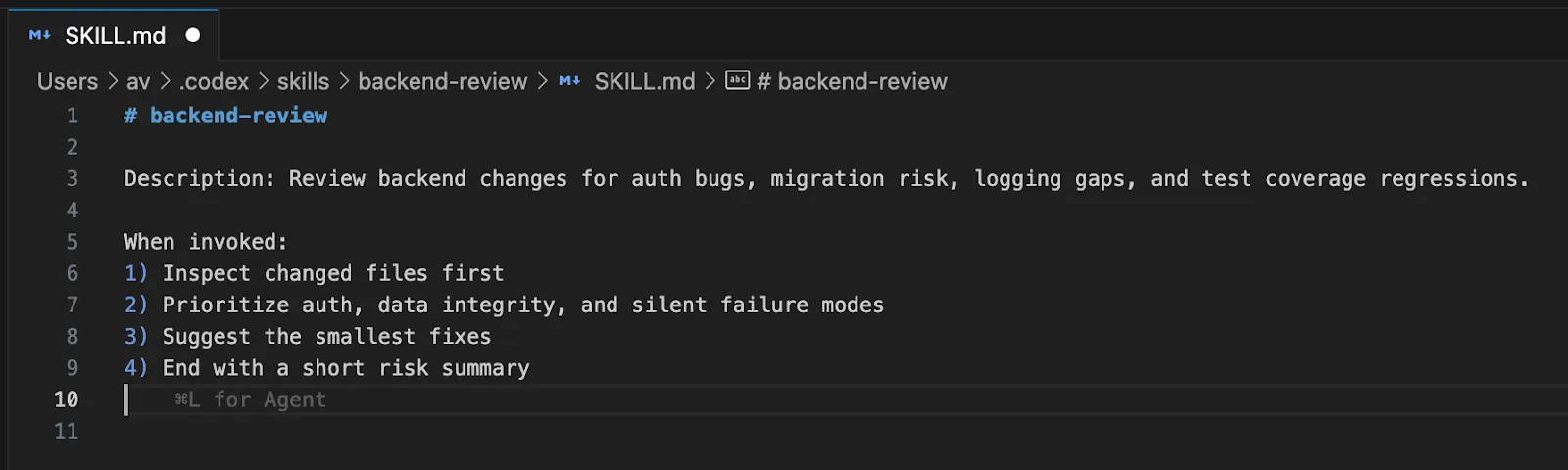
In Claude Code, that becomes something you can naturally call from the conversation. In Codex, that becomes a cleaner reusable unit in a more explicitly managed system.
Which one should you choose?
Based of the comparison and the features the two offer, here’s a comparison table to summarise it all:
| Aspect | Claude Code | Codex |
|---|---|---|
| Onboarding | Smoother, more guided experience | More setup, geared toward customization |
| Workflow Style | “Keep moving” flow with strong guidance | Modular, programmable workflow |
| Core Strength | Feels like an active pair programmer | Feels like a platform you can shape |
| Control Level | More implicit, agent-led | More explicit, user-controlled |
| Key Features | Checkpointing, plan mode, guided sessions | Configs, sandboxing, worktrees, remote and cloud delegation |
| Best For | Rapid prototyping, repo exploration, guided refactors | Structured, scalable engineering workflows |
| Interaction Style | Think with the agent | Manage and orchestrate the agent |
| Ideal User | Developers who want momentum and ease | Developers who want flexibility and system-level control |
| Overall Feel | A strong pair programmer | A customizable coding platform |
Conclusion
Claude Code wins on simplicity and “flow.” The /rewind feature is a top-tier safety net. The auto-memory system makes it feel smart over time. Choose Claude Code if you want aPair Programmer that just works. It is excellent for rapid prototyping and refactoring.
Codex wins on precision and configurability. The worktree model is perfect for complex automation. The policy-based permissions suit enterprise security needs. Choose Codex if you want to build a custom platform. It is a robust choice for systematized development.
These tools are not just competitors. They represent different futures for AI coding. One is a guided agent. The other is a programmable runtime. They are catered to different users and both assist in improving your workflows.
Frequently Asked Questions
Q1. What is the main difference between CLAUDE.md and AGENTS.md?
A. They serve the same purpose for repository instructions. Claude Code uses CLAUDE.md, while Codex uses AGENTS.md, but Claude can import AGENTS.md files for compatibility.
Q2. Can I use these agents for large, existing codebases?
A. Yes, both are repo-aware. They can index thousands of files to provide context and perform multi-file edits across the whole project.
Q3. Do these agents require an internet connection?
A. Yes, both need to communicate with LLM providers like Anthropic or OpenAI. Codex supports some local shell escapes, but the reasoning happens in the cloud.
Harsh Mishra is an AI/ML Engineer who spends more time talking to Large Language Models than actual humans. Passionate about GenAI, NLP, and making machines smarter (so they don’t replace him just yet). When not optimizing models, he’s probably optimizing his coffee intake. 🚀☕