
Imagine you are managing 100K+ purchase orders across all regions. How do you coordinate with the suppliers? How do you share status with the cross-functional teams? Is it through Excel sheets? How many Excel sheets do you need?
To further elaborate, the supply chain is not just about identifying supply, demand, on-hand inventory, tracking details, or any actionable insights using the data. It’s also being able to make business decisions quickly and optimize operations efficiently. This is where the seamless integration of self-service analytical reporting with embedded workflows comes into play, and this bridges the gap between insight and action.
Table of contents
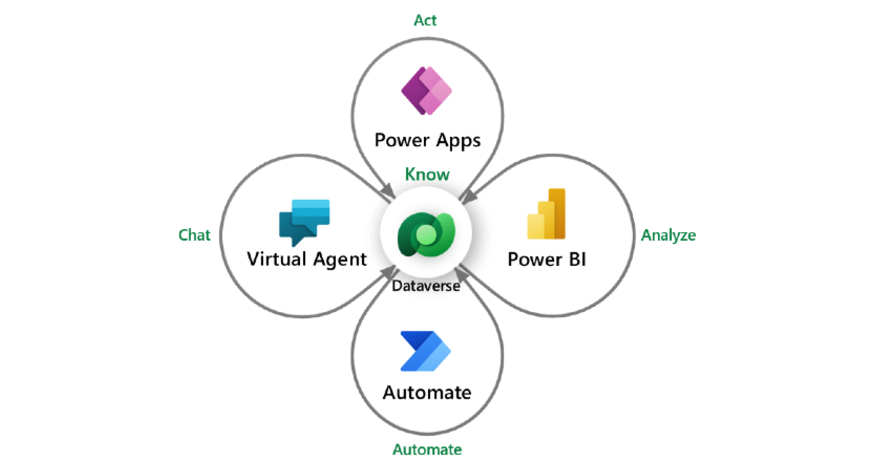
The Need for AI Automation
With the purpose of bringing AI Automation to supply chain operations, this article shows how I developed an automation-first analytics platform. The Critical Order Management Data tool is designed to bring innovative solutions to the global supply chain world. It can significantly increase your decision-making at scale and manage operations effectively. With the quickly shifting data space, I would say learning these techniques is necessary for effective decision-making at scale, irrespective of the domain you are working in.
Reinforcing this approach, Gartner predicted on June 17, 2025, that
“By 2027, 50% of business decisions will be augmented or automated by AI agents for decision intelligence.”
Some days, it gets very hard to manage thousands of critical purchase orders in a global supply chain with manual Excel, making it tough to get suppliers on board quickly, and lots and lots of team channels and emails. This means we often have a very high chance of slowing down our ability to react fast to urgent issues, which hinders customer satisfaction and finances.
This disjointed approach leads to:
- Slow response times to urgent requests
- Lots of manual work just to log and track what was happening
- Hardly any real-time view of where orders stood and what suppliers were saying
Basically, the problem wasn’t that we didn’t have enough information; it was that we didn’t have a smooth, automated way to turn all that raw data into clear, actionable insights and plug them directly into how we already work.
How It Was Built: A Step-by-Step Breakdown
Traditional dashboards can only take you so far. You will know which orders are delayed, which suppliers aren’t performing, or where inventory is stuck.
But what is the real challenge? It is quickly making business decisions without sifting through 50+ different Excel sheets, meeting with 10+ people, and chasing every email.
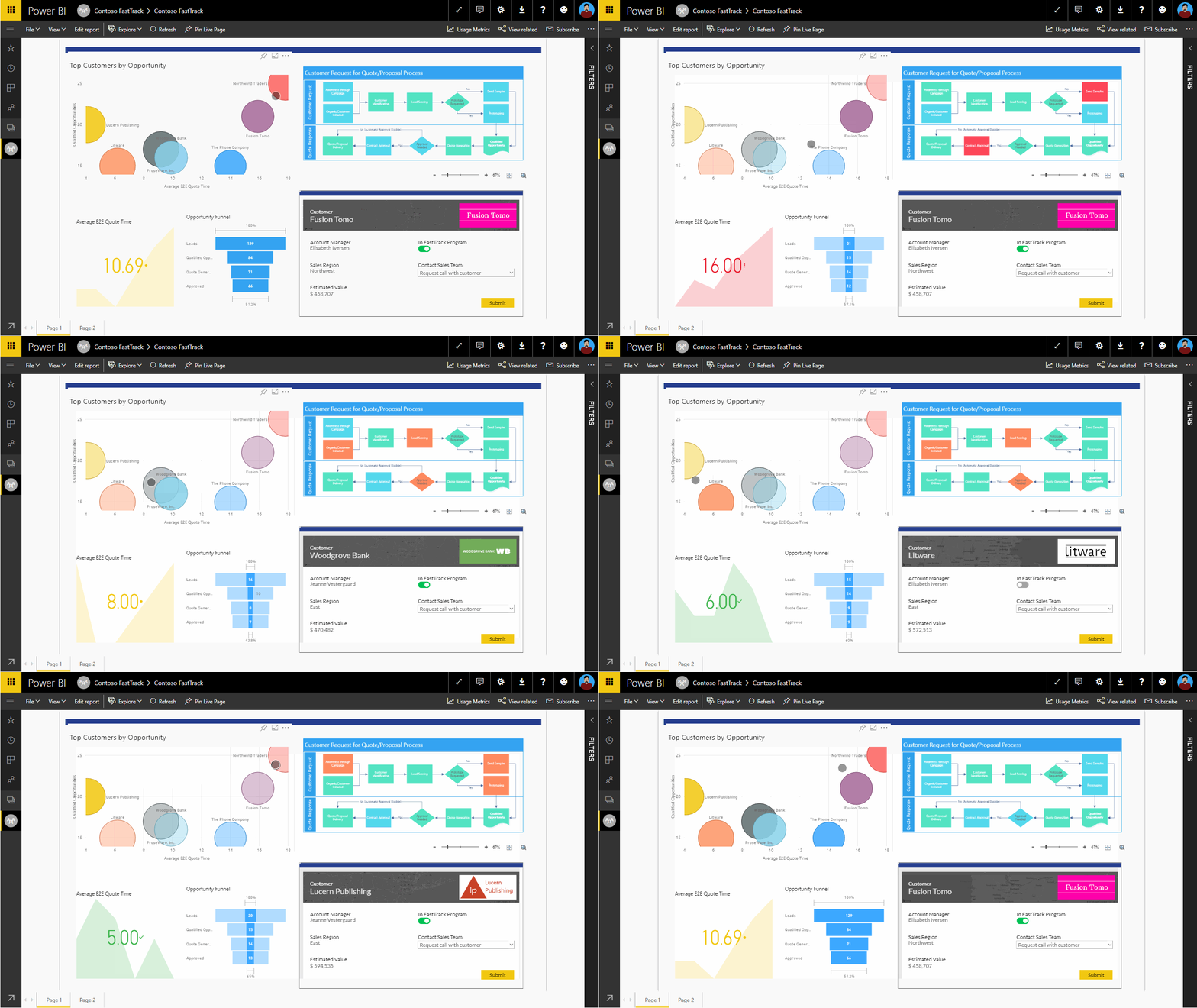
That’s exactly the gap I have decided to close with the Critical Order Management Data Tool, which is a smart, embedded solution designed to do more than just report. As an AI automation meant to help with supply chain management, it helps in quick decision-making by combining Power BI, Power Apps, Dataverse, Power Automate, and Microsoft Forms into one systematic tool.
Here’s how I built it, and why it works:
1. Power BI: The Central Hub
I started the solution with Power BI as a core central tool. It gave real-time visibility into the most critical purchase orders to business owners. Instead of juggling through 50+ Excel sheets, you can show the business users how they could now filter for exactly what they needed – by supplier, status, region, or risk level using bulk filters. You can also color-code critical purchase orders to make them easy to spot. And with bulk filtering, you could investigate a supplier’s track record or a PO’s lifecycle in just a few clicks and filter for 100+ records at the same time.
Do you know what the big win is? You have now turned a passive Power BI report into a proactive decision-making tool.
2. Power Apps + Dataverse: Bridging the Gap Between Seeing and Doing
Once you have the insights with Power BI, what’s next?
The next step was enabling instant action right from the dashboard. That’s where Power Apps came in. Power BI has always been a readable tool where you try to generate actionable insights or trends using the data. But with Power Apps embedded into the Power BI, you can interact with your report – I mean you can write into the report directly.
Isn’t it super awesome?
I embedded quick-action buttons directly into the reports as well: “Expedite,” “Hold,” “Acknowledge,” and these kinds of decisions the business teams were already making via email or Excel, now formalized into a systematic workflow.
Every action you do in Power Apps is captured in Dataverse too. For example, you could add comments to explain what you were doing and why. Those details were stored in Dataverse, creating a live audit trail without needing to chase down updates. No more outdated sheets. No more lost emails. Just a clean, centralized source of truth.
3. Power Automate: Making Things Happen Behind the Scenes
Now you have used Power BI as the central source of your views, Power Apps to interact with the report, and Dataverse to store those actions you made with Power Apps. What’s next?
With Power Automate, we made sure that taking action didn’t stop at a click. If someone expedited a Purchase order, the system should instantly trigger a chain reaction by sending real-time alerts to suppliers, automatically escalating critical issues based on severity using intelligent workflows, and logging every move for compliance and future analysis.
It removed the grunt work and let the system handle the busywork. Now, you could focus on solving problems, not pushing paper.
4. Microsoft Forms: Closing the Feedback Loop
The final piece was simple but powerful – it’s the feedback. I added a Microsoft Form for suppliers to respond quickly and easily. Their inputs flowed right back into the Power BI dashboard, giving the team a live pulse on partner updates and building a loop of continuous improvement.
Why Does It Work?
By pulling everything into one place – analytics, actions, automation, workflow, and feedback – the supply chain AI automation acts as a single source of truth that cuts through the noise. It didn’t just replace emails and spreadsheets; it changed how teams collaborated, made decisions, and tracked progress.
Better yet, the whole system was modular and reusable. The same approach can now be applied to other domains, from fraud detection to risk scoring, without starting from scratch.
It’s not just a tool. It’s a shift in how you work.
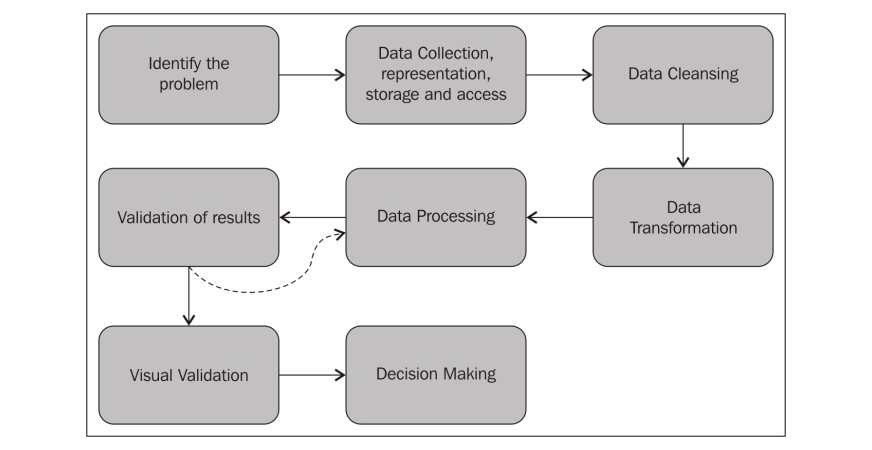
Want to Try Building It Yourself?
If you’re curious about how this supply chain AI automation works in real-world scenarios, here’s a hands-on tutorial you can explore.
👉 Complete Project with Power BI, Power Apps, Power Automate, and Dataverse
Credit: How to Power BI
What I Learned While Building It?
Here are a few tips and tricks that helped me during this development:
- Start Small, Then Scale: It’s tempting to roll out this tool at once, but I would recommend piloting with one region and scaling gradually.
- Choose Dataverse over Excel: For writebacks and real-time updates, Dataverse offers far better reliability, especially when dealing with large datasets and multiple users. With Excel, you might get duplicate records, which may break your workflow.
- Power Automate: Don’t put all your workflows in a single Power Automate flow. Break it into child flows as it makes testing, debugging, and long-term maintenance so much easier.
Conclusion: It’s More Than a Dashboard
This tool reinforced something I believe deeply: analytics should be part of the workflow, not like a separate tool that stands in silhouette. When insights are baked directly into the tools where work happens, everything moves faster—from decision-making to issue resolution. It significantly helps you without you toggling between tabs or waiting on email chains for approvals.
Monisha Athi Kesavan Premalatha is a distinguished Data Science and Analytics leader at Microsoft, where she spearheads innovation at the intersection of AI, strategy, and business transformation. Monisha’s unique ability to bridge technical depth with business acumen has earned her accolades such as the Microsoft - CMOF Outstanding Award and recognition as a Topmate Top 100 Data Coach. A passionate mentor and advocate for inclusive innovation, she actively shares thought leadership through her LinkedIn newsletter and global platforms like the 2025 Women in Data Science Conference.







