
Think of a world where your company is always awake, customers get their questions answered right away, accurately, and 24/7. This is not an outlandish future; this is a strong reality that you can build today, automating your sales process with WhatsApp using AI. Imagine a customer messaging you about your product, and nearly instantly receiving accurate answers from an AI that has fully “read” your actual product brochure. We’re going to walk you through how to build this intelligent WhatsApp chatbot using n8n and OpenAI models, transforming your customer service and sales experience.
Not in the mood to read? Watch this YouTube video for a succinct visual guide:
Table of contents
What is n8n?
n8n is an open-source agent-building and workflow automation tool that simplifies the integration of various applications and automates agent workflows with ease. Unlike other automation tools, n8n offers flexibility with self-hosting, eliminating vendor lock-in. As a no-code/low-code platform, it empowers even non-developers to build powerful automation pipelines effortlessly.
You can read my complete guide to n8n here, or watch my full video explaining it here.
Pre-Requisites for n8n Automation on WhatsApp Business
The following requirements must be met for a 24/7 response automation on WhatsApp Business using n8n.
n8n Platform: A running instance of the n8n workflow automation tool, the solution will utilize this platform with actions to create workflow automations.
OpenAI account + Credential: Access to OpenAI is required through the use of an OpenAI account. The solution uses OpenAI models to generate text embeddings and to fulfill the conversational aspects of the AI agent capabilities. You will have to use valid API credentials to authenticate with and interact with the OpenAI models.
WhatsApp Business account + Credential: To exchange messages in real-time, a verified WhatsApp Business Cloud account is essential. You will need to acquire the API keys to integrate components effectively.
Building Your Agent: A Step-by-Step Guide
The workflow for creating this automated WhatsApp sales assistant has two key parts: first, creating your product catalog vector store, and second, creating the WhatsApp AI agent itself, all of this using basic n8n no/zero-code automation. Here is how:
Part 1: Creating the Product Catalog Vector Store
This initial phase focuses on preparing your product information so your AI can understand and retrieve it efficiently:
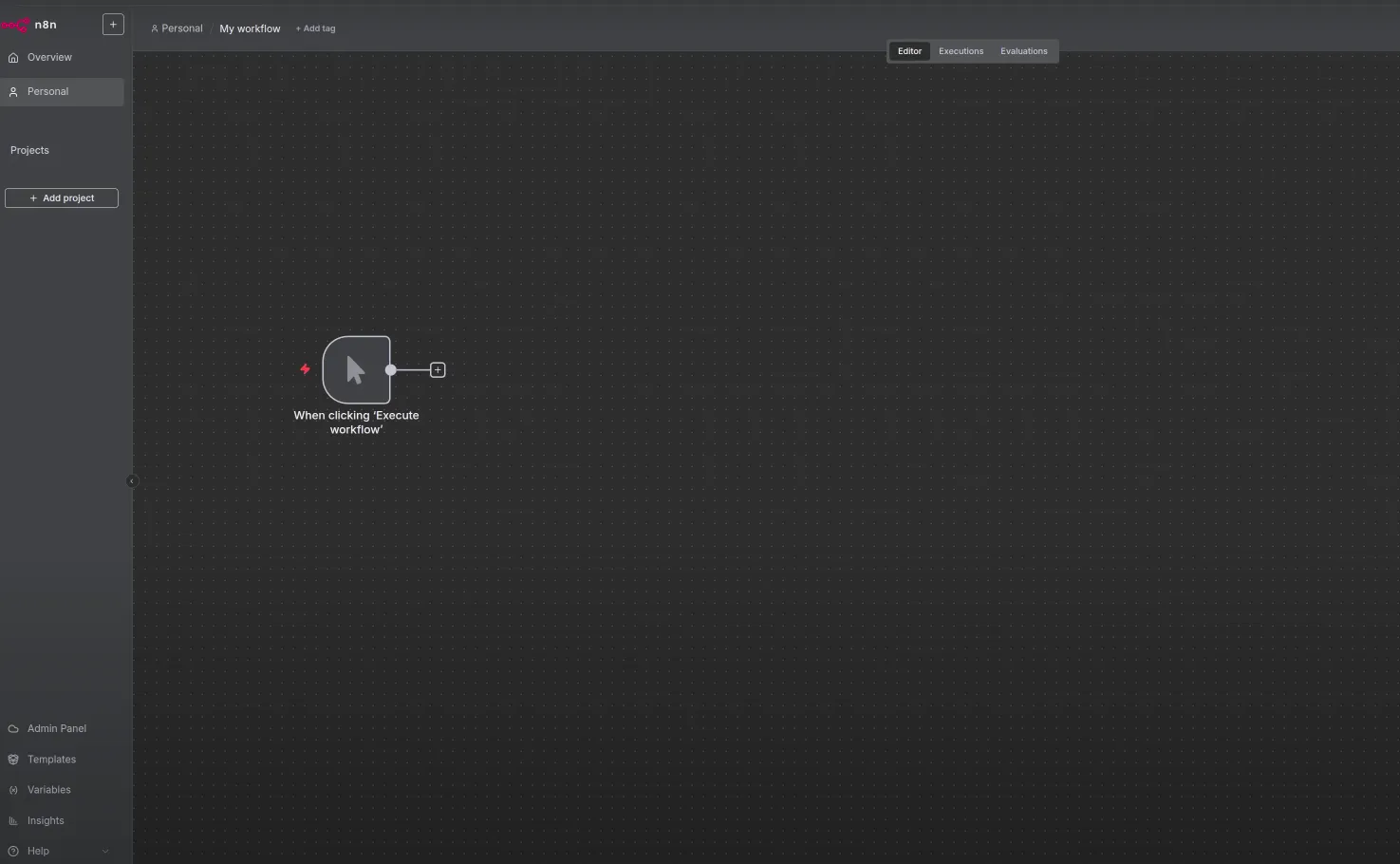
1. Start with a Manual Trigger
Begin your workflow by adding a manual trigger.
2. Fetch Your Brochure with an HTTP Node
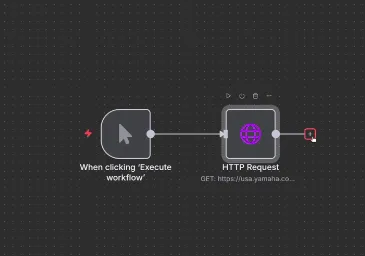
Next, add an HTTP node to retrieve your product brochure from the web. Set the method to “get” and authentication to “none.” You’ll provide the URL where your catalog is hosted; for example, a link to a PDF containing loudspeaker information.
3. Extract Information from the PDF
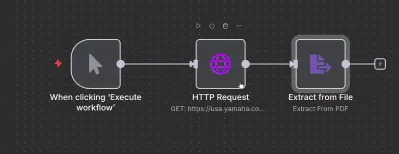
Once the PDF is fetched, you need to extract the information from it. Use an extract file node, specifically choosing “extract from PDF node” if your catalog link consists of a PDF.
4. Create Your Vector Store
With the information extracted, you’ll start creating a vector store using a simple vector store node.
- Select the operation “add document to vector store,” choosing “insert document”.
- Crucially, create your own memory key by selecting “by ID” and giving it a unique name, like “data store one.” This key will link your AI agent to this specific data later.
5. Generate Embeddings with OpenAI
Add an OpenAI embeddings node to create numerical representations (embeddings) of your brochure’s content.
- Provide your OpenAI credentials.
- In the document section, use the default data loader. Set the type of data to “JSON” and the mode to “load specific data,” using an expression to extract information from the previous PDF extraction step.
- Change the text splitting to “custom” and add a recursive character text splitter.
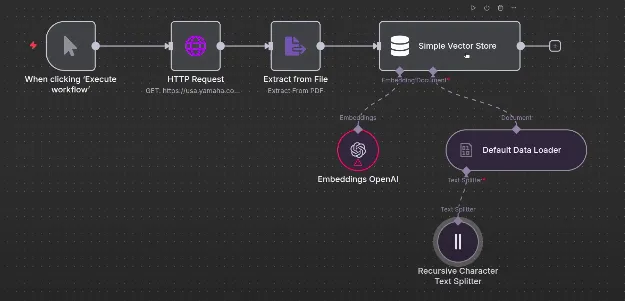
At this point, the first part of the workflow is complete. When triggered, it fetches your PDF, extracts its information, creates embeddings using OpenAI, and stores them in your simple vector store.
Part 2: Creating the WhatsApp AI Agent
Now, let’s build the interactive part: your AI agent for WhatsApp queries, using n8n automation:
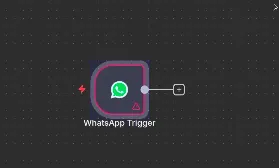
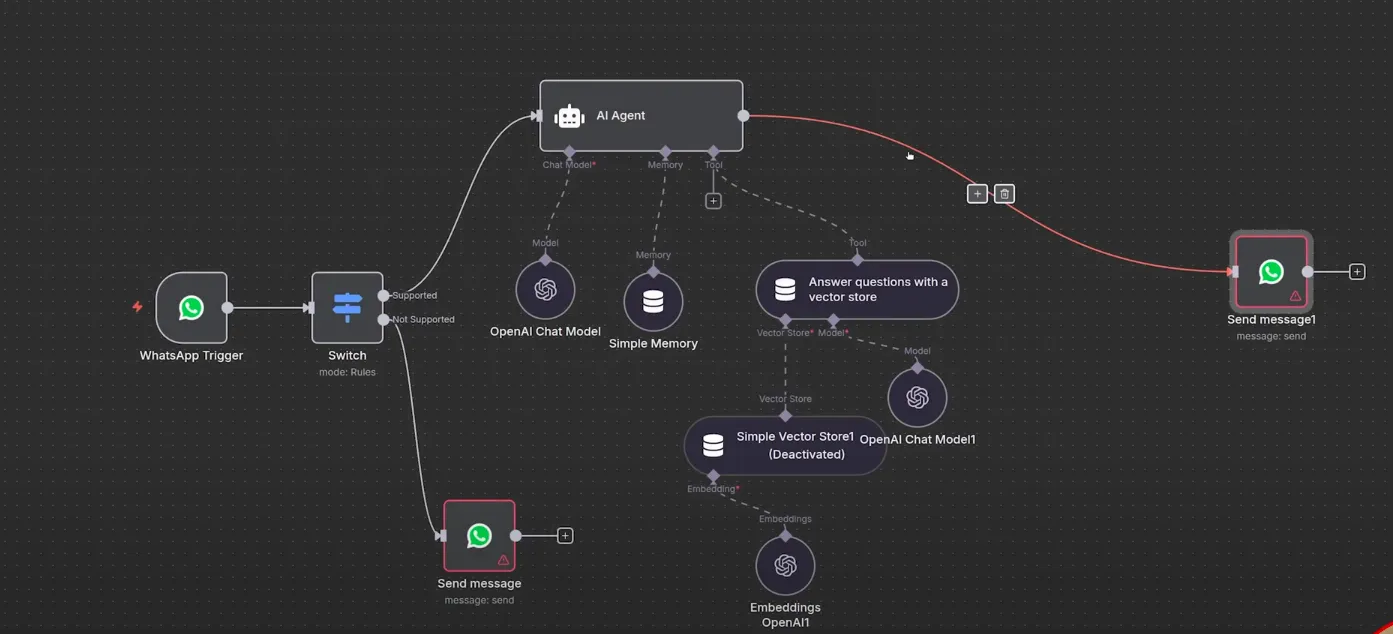
1. Add a WhatsApp Trigger Node
To initiate your agent when a message is received, add a WhatsApp Business Cloud trigger node. Select “on message” and enter your WhatsApp credentials.
2. Filter Messages with a Switch Node
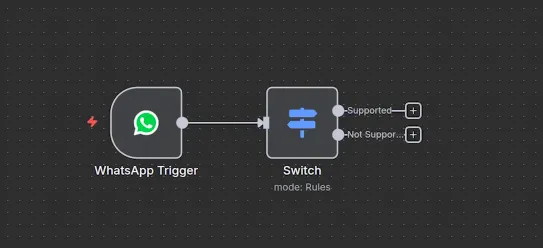
Since this workflow focuses on text-based questions, use a switch node to differentiate between text and non-text messages.
- Change the mode to “rules”.
- Set the first rule to check if the message value is “text,” renaming its output to “supported”.
- Add another rule to check if the message string expression is “not equal” to “text,” renaming its output to “not supported”. This will create two distinct routes
3. Handle Unsupported Questions
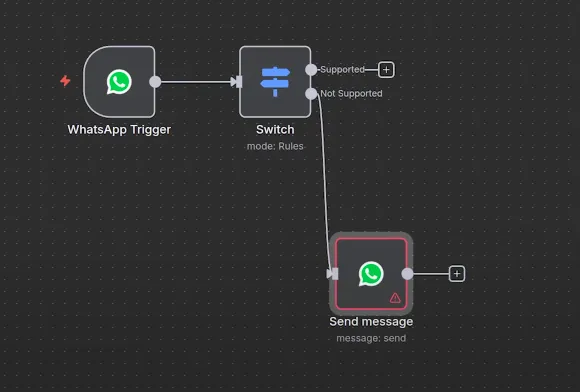
For the “not supported” route, simply reply to the user.
- Add a WhatsApp Business Cloud send message node.
- Provide your credentials, set the operation to “send,” and use an expression for the recipient phone number.
- For the text body, input a message like: “Sorry, we are unable to process your query”.
4. Build the AI Agent for Text Questions
This is where the magic happens for supported (text) questions.
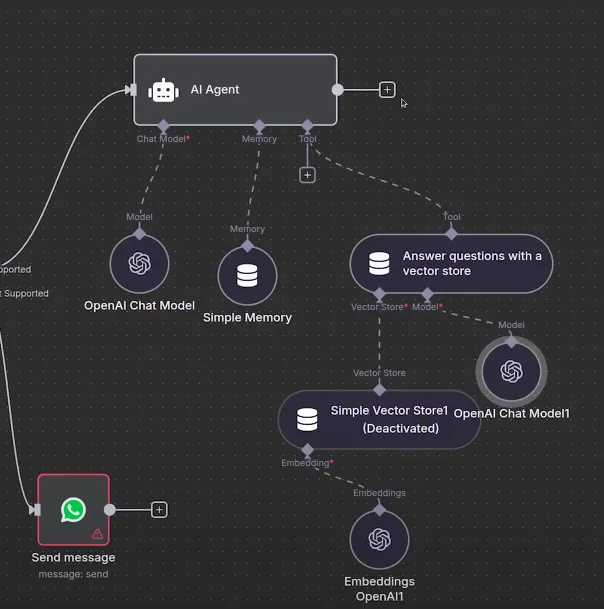
- Add an AI agent node: This agent is designed not only to use a Large Language Model (LLM) but also to leverage the vector store you created in Part 1.
- Connect to an OpenAI Model: Connect the AI agent to an OpenAI model, choosing your desired model and providing credentials. For memory, use “simple memory”. We opted for gpt-oss-20b.
- Integrate the Vector Store Tool: Connect a vector store search question answering tool to your AI agent.
– Crucially, use the exact same memory key (e.g., “data store one”) that you defined in the first part of the workflow. This ensures the agent accesses the correct product catalog data.
– Add your OpenAI embedding model credentials for this tool. - Set the Chat Model: For the main chat interaction, use the OpenAI chat model, adding your credentials and selecting the model.
5. Send the Agent’s Reply via WhatsApp
Finally, once your Agentic RAG (Retrieval-Augmented Generation) is ready with an answer, send it directly to the user.
- Add another WhatsApp Business Cloud send message node.
- Add your credentials, set the operation to “send,” and use expressions for both the recipient phone number and the text body (which will contain the agent’s answer).
With these steps, your workflow is complete! You now have a powerful, automated WhatsApp sales assistant, thoroughly trained on your product brochure and fully capable of handling real customer questions with instant, accurate responses, all made through n8n, OpenAI, and WhatsApp integration.
Conclusion
This agentic RAG WhatsApp chatbot naturally combines your specific product information from a vector store with the generative capabilities of an AI agent, such that every customer interaction is actionable, accurate, and effective. You are now prepared to handle real customer inquiries at any time of day, making your sales process and customer experience more robust.
I am a Data Science Trainee at Analytics Vidhya, passionately working on the development of advanced AI solutions such as Generative AI applications, Large Language Models, and cutting-edge AI tools that push the boundaries of technology. My role also involves creating engaging educational content for Analytics Vidhya’s YouTube channels, developing comprehensive courses that cover the full spectrum of machine learning to generative AI, and authoring technical blogs that connect foundational concepts with the latest innovations in AI. Through this, I aim to contribute to building intelligent systems and share knowledge that inspires and empowers the AI community.




