
Learning Python at the beginning feels deceptively simple. You write a few lines, the code runs, and it’s tempting to think you’ve got it. Then you try to build something on your own and… nothing works!? Turns out all the information you had learnt, didn’t find an outlet.
That’s where challenging projects matter. Not flashy ones. Not giant apps. Just projects that force you to think, break things, and slowly connect the dots between syntax and real behavior.
This list is about fundamentals. The Python projects that would kickstart your programming journey. If you’re not a beginner then these Python projects would serve as a checklist to go through.
Table of contents
- The Computer That Lies to You
- Skeptical Password Generator
- Honest Calculator
- A To-Do List That Reminds You
- Adaptive Rock, Paper, Scissors
- Useless Facts Generator
- Email Detective
- The Dice Game That Slowly Cheats
- A Quiz That Adapts to You
- E-Journalling
- The Dual Nature of… Projects!
- How to LEVEL UP
- Frequently Asked Questions
This list provides you with output screenshots. Use this as a guide for creating programs for each projects.
1. The Computer That Lies to You
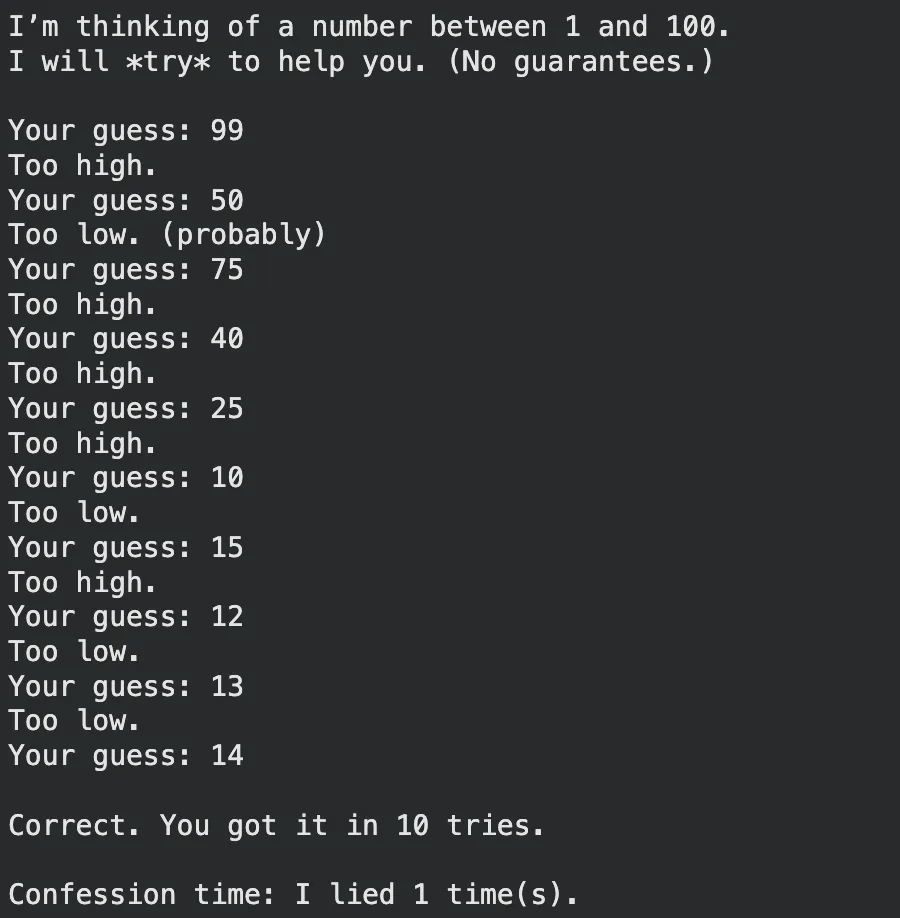
A number-guessing game where the computer sometimes gives the wrong hint on purpose. Later, it admits it was messing with you, and shows how many times it lied. This adds the much needed twist to the traditional high-low number guessing game.
You’d learn:
random+ ranges- loops + conditions
- counters and state
- input validation
Link: Code Link
2. Skeptical Password Generator
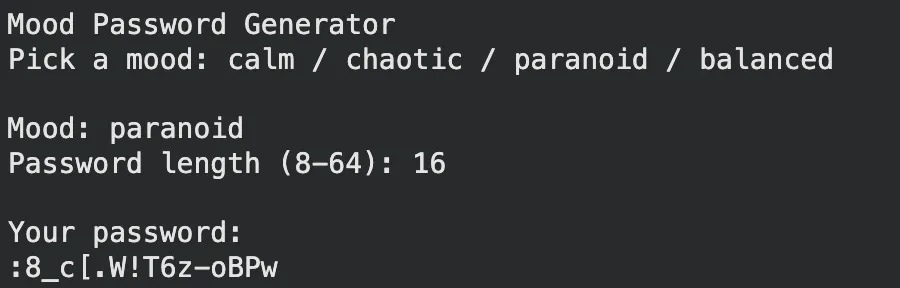
Instead of choosing a length and moving on, the user picks a mood like calm, chaotic, or balanced, and the generator changes its character mix accordingly. Caters to individuals looking for those extra-secure passwords.
You’d learn:
- strings + character sets
- randomness + weighting
- functions
- basic security intuition
Link: Code Link
3. Honest Calculator
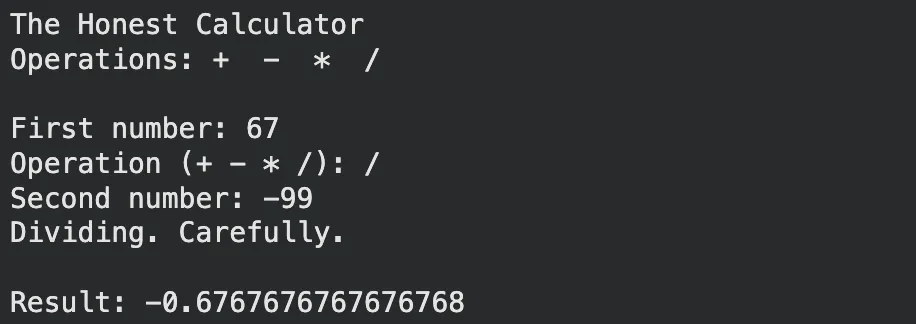
A calculator that does math correctly, but also comments on what you’re doing. Divide by zero? It refuses and roasts you gently. Promotes clean mathematical inputs.
You’d learn:
- functions for operations
try-except- input handling
- clean control flow
Link: Code Link
4. A To-Do List That Reminds You
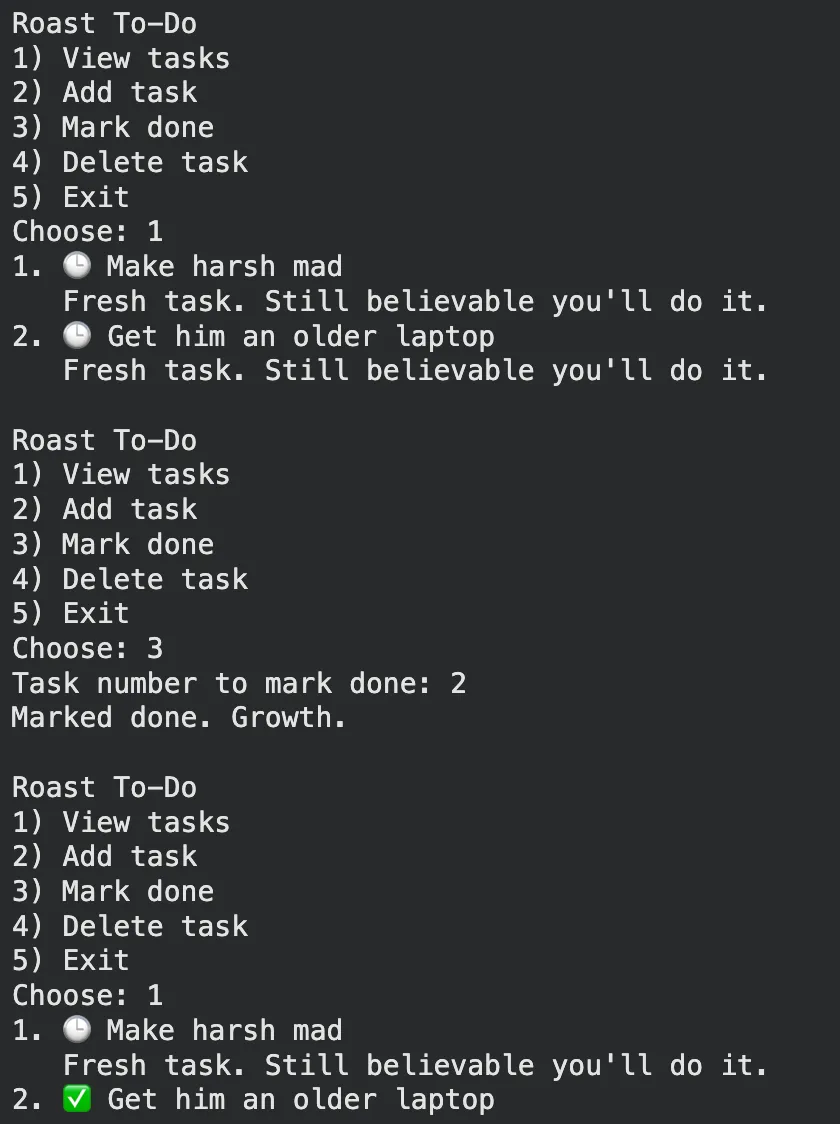
A to-do app that remembers tasks and calls you out when they’ve been ignored too long. It’s still supportive… kind of. Makes use of multiple beginner level concepts such as data structures, file I/O, timestamps, and many more.
You’d learn:
lists/dictsfor tasks- timestamps (basic)
- file saving (JSON/text)
- CRUD logic
Link: Code Link
5. Adaptive Rock, Paper, Scissors
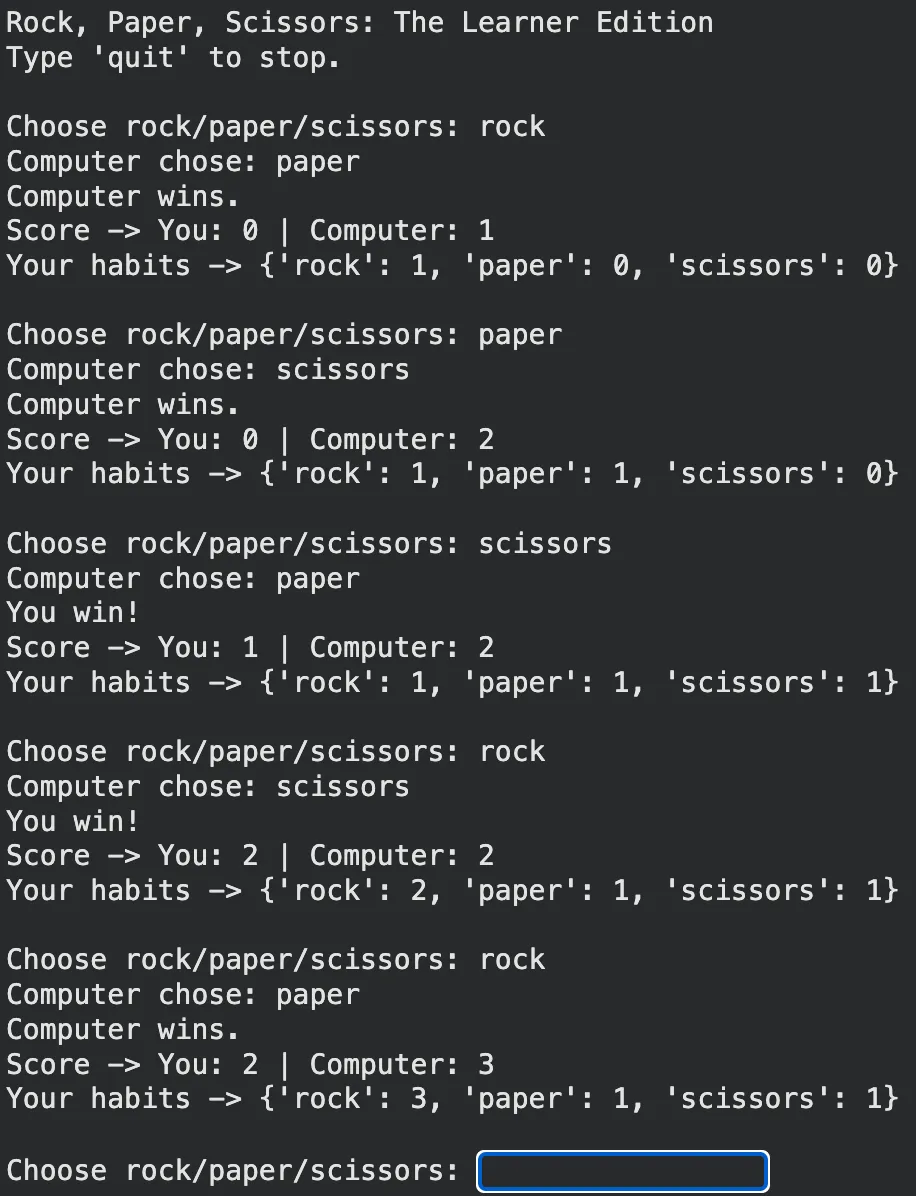
You play a normal RPS game, except the computer tracks your choices and starts countering your habits. Simple “learning”, surprisingly fun. The Ultimate Rock-Paper-Scissors emulator.
You’d learn:
- dictionaries for frequency
- game rules logic
- state across rounds
- basic probability thinking
Link: Code Link
6. Useless Facts Generator
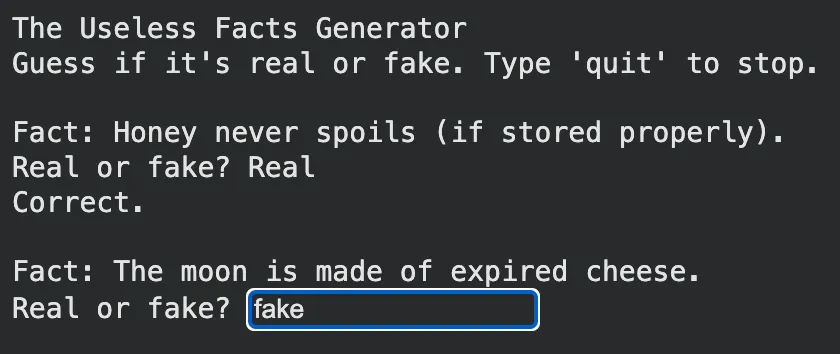
Reads quirky facts from a local file and serves them randomly. Some facts can be tagged fake/real, and the user tries to guess which. Tests knowledge as well as intuition.
You’d learn:
- file reading
- splitting/cleaning text
- randomness
- simple scoring
Link: Code Link
7. Email Detective
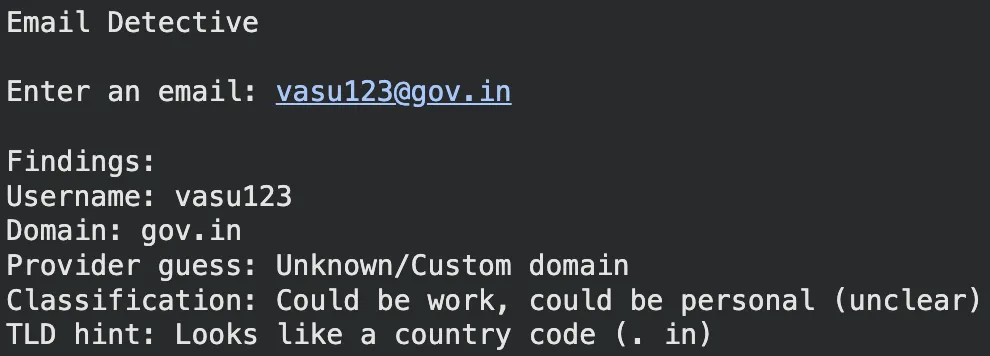
Given an email address, it extracts the username/domain and then makes guesses: personal vs work, likely provider, maybe region based on domain. Puts to test string parsing and pattern matching skills.
You’d learn:
- string parsing
- validation rules
- pattern matching
- writing clear output
Link: Code Link
8. The Dice Game That Slowly Cheats
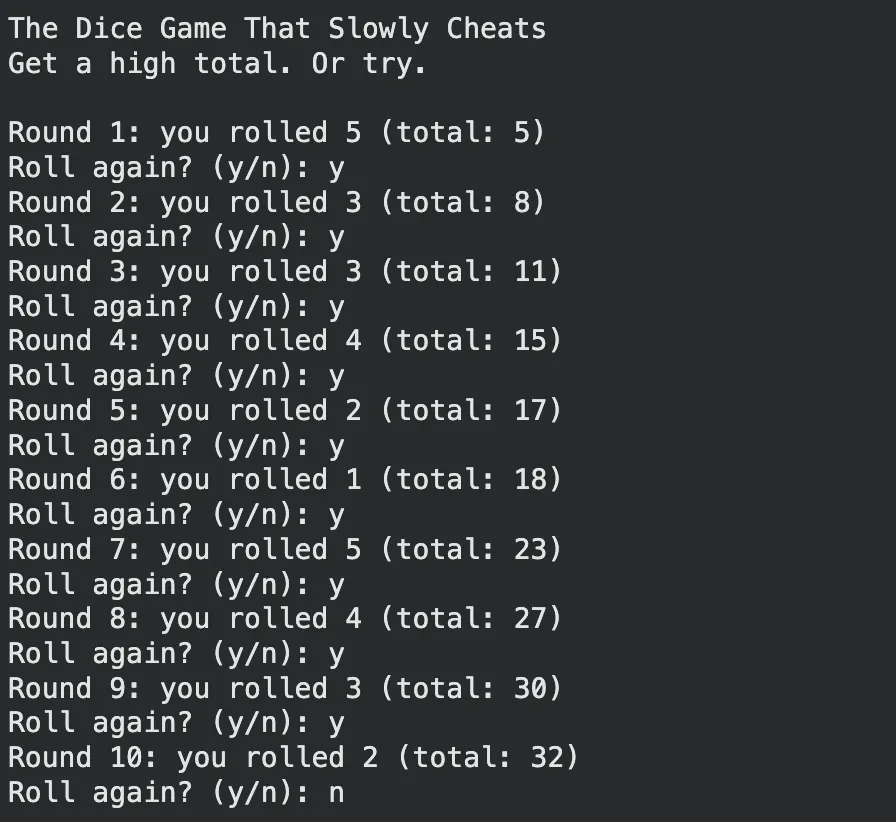
At first it’s fair. Then, gradually, the odds tilt against you. The challenge is noticing it, and the reveal at the end is the punchline. Adding slight biases in an unnoticeable way, emulating shady slot machines.
You’d learn:
- random distributions
- hidden state variables
- loops + scoring
- testing assumptions
Link: Code Link
9. A Quiz That Adapts to You

A quiz that gets harder when you’re doing well and eases up when you’re struggling. It feels personal, even though it’s just logic. Conditional branching at its finest using nested data structures.
You’d learn:
- data structures for questions
- scoring and levels
- conditional branching
- simple design of rules
Link: Code Link
10. E-Journalling
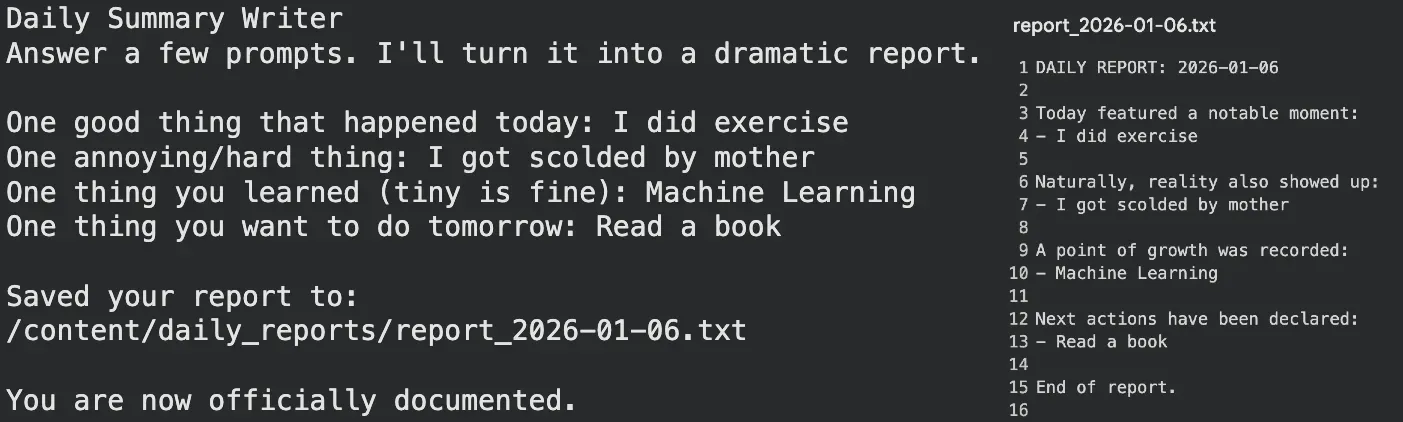
You answer a few prompts about your day, and the program writes a dramatic “daily report” and saves it with today’s date. E-journalling at its finest, without the hassle of picking up, pen and paper.
You’d learn:
- formatted text output
- file writing
- working with dates
- building a repeatable tool
Link: Code Link
The Dual Nature of… Projects!
These projects not only offer challenges for those testing their mettle, but would also serve as satisfactory mini-project that could be used to showcase skills. I’d suggest to only look at the Colab code links when:
- You’re unable to write the code for it.
- You’ve written a functional code, but looking for improvements/ideas.
How to LEVEL UP
Once you’re through this list—or skipped here—do the following to each code for added challenge:
- Add file saving instead of memory-only storage
- Improve input validation (
try-except) - Add a simple GUI using Tkinter
- Rewrite it using functions
These improvements assure that you create a functional code that doesn’t fall flat on its face encountering errors, is visually appealing, and in-line with the Python style guides.
If you were unable to work through this list, then you can consider taking a free course on Python.
Frequently Asked Questions
Q1. Why do beginner Python projects feel easy at first but hard later?
A. Writing small scripts works, but building real projects exposes gaps between knowing syntax and understanding behavior.
Q2. What makes these Python projects different from typical beginner apps?
A. They focus on fundamentals and thinking, not flashy features or oversized applications.
Q3. When should you look at the solution code for these projects?
A. Only if you’re stuck or want to improve a working solution, not before trying yourself.
I specialize in reviewing and refining AI-driven research, technical documentation, and content related to emerging AI technologies. My experience spans AI model training, data analysis, and information retrieval, allowing me to craft content that is both technically accurate and accessible.






