
Search engines like Google Images, Bing Visual Search, and Pinterest’s Lens make it seem very easy when we type in a few words or upload a picture, and instantly, we get back the most relevant similar images from billions of possibilities.
Under the hood, these systems use huge stacks of data and advanced deep learning models to transform both images and text into numerical vectors (called embeddings) that live in the same “semantic space.”
In this article, we’ll build a mini version of that kind of search engine, but with a much smaller animal dataset with images of tigers, lions, elephants, zebras, giraffes, pandas, and penguins.
You can follow the same approach with other datasets like COCO, Unsplash photos, or even your personal image collection.
Table of contents
What We’re Building
Our image search engine will:
- Use BLIP to automatically generate captions (descriptions) for every image.
- Use CLIP to convert both images and text into embeddings.
- Store those embeddings in a vector database (ChromaDB).
- Allows you to search by text query and retrieve the most relevant images.
Why BLIP and CLIP?
BLIP (Bootstrapping Language-Image Pretraining)
BLIP is a deep learning model capable of producing textual descriptions for photos (also known as image captioning). If our dataset doesn’t already have a description, BLIP can create one by looking at an image, such as a tiger, and producing something like “a large orange cat with black stripes lying on grass.”
This helps especially where:
- The dataset is just a folder of images without any labels assigned to them.
- And if you want richer, more natural generalised descriptions for your images.
Read more: Image Captioning Using Deep Learning
CLIP (Contrastive Language–Image Pre-training)
CLIP, by OpenAI, learns to connect text and images within a shared vector space.
It can:
- Convert an image into an embedding.
- Convert text into an embedding.
- Compare the two directly; if they’re close in this space, it means they match semantically.
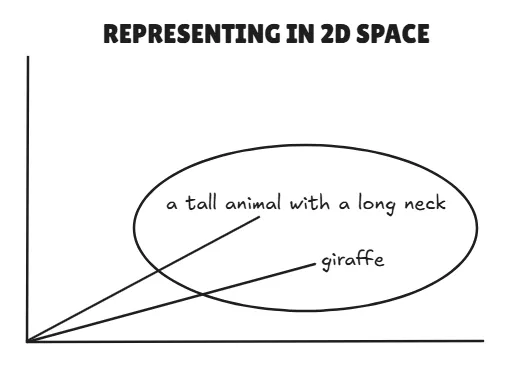
Example:
- Text: “a tall animal with a long neck” → vector A
- Image of a giraffe → vector B
- If vectors A and B are close, CLIP says, “Yes, this is probably a giraffe.”
Step-by-Step Implementation
We’ll do everything inside Google Colab, so you don’t need any local setup. You can access the notebook from this link: Embedding_Similarity_Animals
1. Install Dependencies
We’ll install PyTorch, Transformers (for BLIP and CLIP), and ChromaDB (vector database). These are the main dependencies for our mini project.
!pip install transformers torch -q

!pip install chromadb -q
2. Download the Dataset
For this demo, we’ll use the Animal Dataset from Kaggle.
import kagglehub

# Download the latest version

path = kagglehub.dataset_download("likhon148/animal-data")

print("Path to dataset files:", path)
Move to the /content directory in Colab:
!mv /root/.cache/kagglehub/datasets/likhon148/animal-data/versions/1 /content/Check what classes we have:
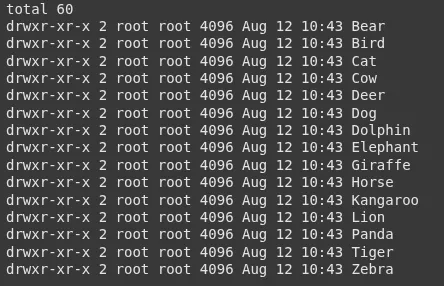
!ls -l /content/1/animal_dataYou’ll see folders like:
3. Count Images per Class
Just to get an idea of our dataset.
import os

base_path = "/content/1/animal_data"

for folder in sorted(os.listdir(base_path)):

    folder_path = os.path.join(base_path, folder)

    if os.path.isdir(folder_path):

        count = len([f for f in os.listdir(folder_path) if os.path.isfile(os.path.join(folder_path, f))])

        print(f"{folder}: {count} images")
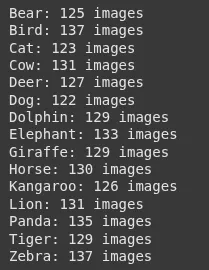
Output:
4. Load CLIP Model
We’ll use CLIP for embeddings.
from transformers import CLIPProcessor, CLIPModel

import torch

model_id = "openai/clip-vit-base-patch32"

processor = CLIPProcessor.from_pretrained(model_id)

model = CLIPModel.from_pretrained(model_id)

device = 'cuda' if torch.cuda.is_available() else 'cpu'

model.to(device)
5. Load BLIP Model for Image Captioning
BLIP will create a caption for each image.
from transformers import BlipProcessor, BlipForConditionalGeneration

blip_model_id = "Salesforce/blip-image-captioning-base"

caption_processor = BlipProcessor.from_pretrained(blip_model_id)

caption_model = BlipForConditionalGeneration.from_pretrained(blip_model_id).to(device)
6. Prepare Image Paths
We’ll gather all image paths from the dataset.
image_paths = []

for root, _, files in os.walk(base_path):

    for f in files:

        if f.lower().endswith((".jpg", ".jpeg", ".png", ".bmp", ".webp")):

            image_paths.append(os.path.join(root, f))
7. Generate Descriptions and Embeddings
For each image:
- BLIP generates a description for that image.
- CLIP generates an image embedding based on the pixels of the image.
import pandas as pd

from PIL import Image

records = []

for img_path in image_paths:

    image = Image.open(img_path).convert("RGB")

    # BLIP: Generate caption

    caption_inputs = caption_processor(image, return_tensors="pt").to(device)

    with torch.no_grad():

        out = caption_model.generate(**caption_inputs)

    description = caption_processor.decode(out[0], skip_special_tokens=True)

    # CLIP: Get image embeddings

    inputs = processor(images=image, return_tensors="pt").to(device)

    with torch.no_grad():

        image_features = model.get_image_features(**inputs)

        image_features = image_features.cpu().numpy().flatten().tolist()

    records.append({

        "image_path": img_path,

        "image_description": description,

        "image_embeddings": image_features

    })

df = pd.DataFrame(records)
8. Store in ChromaDB
We push our embeddings into a vector database.
import chromadb

client = chromadb.Client()

collection = client.create_collection(name="animal_images")

for i, row in df.iterrows():

    collection.add(    # upserting to our chroma collection

        ids=[str(i)],

        documents=[row["image_description"]],

        metadatas=[{"image_path": row["image_path"]}],

        embeddings=[row["image_embeddings"]]

    )

print("✅ All images stored in Chroma")
9. Create a Search Function
Given a text query:
- CLIP encodes it into an embedding.
- ChromaDB finds the closest image embeddings.
- We display the results.
import matplotlib.pyplot as plt

def search_images(query, top_k=5):

    inputs = processor(text=[query], return_tensors="pt", truncation=True).to(device)

    with torch.no_grad():

        text_embedding = model.get_text_features(**inputs)

        text_embedding = text_embedding.cpu().numpy().flatten().tolist()

    results = collection.query(

        query_embeddings=[text_embedding],

        n_results=top_k

    )

    print("Top results for:", query)

    for i, meta in enumerate(results["metadatas"][0]):

        img_path = meta["image_path"]

        print(f"{i+1}. {img_path} ({results['documents'][0][i]})")

        img = Image.open(img_path)

        plt.imshow(img)

        plt.axis("off")

        plt.show()

    return results
10. Test the Search Engine
Try some queries:
search_images("a large wild cat with stripes")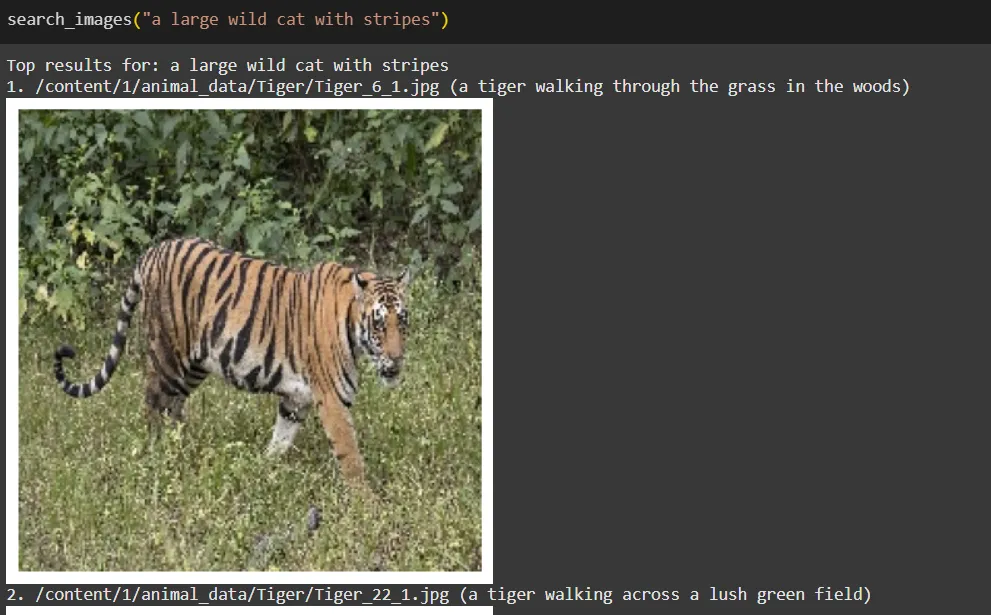
search_images("predator with a mane")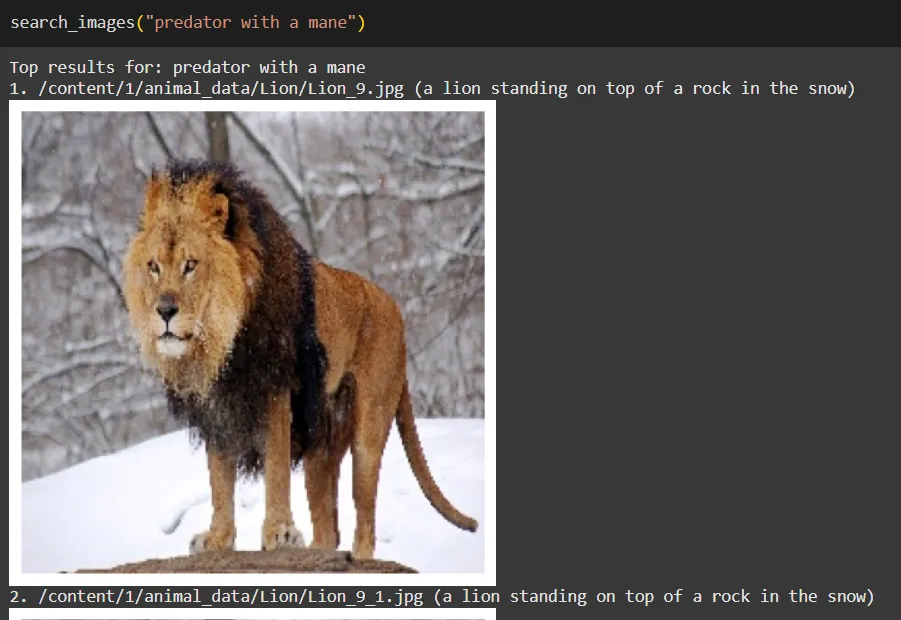
search_images("striped horse-like animal")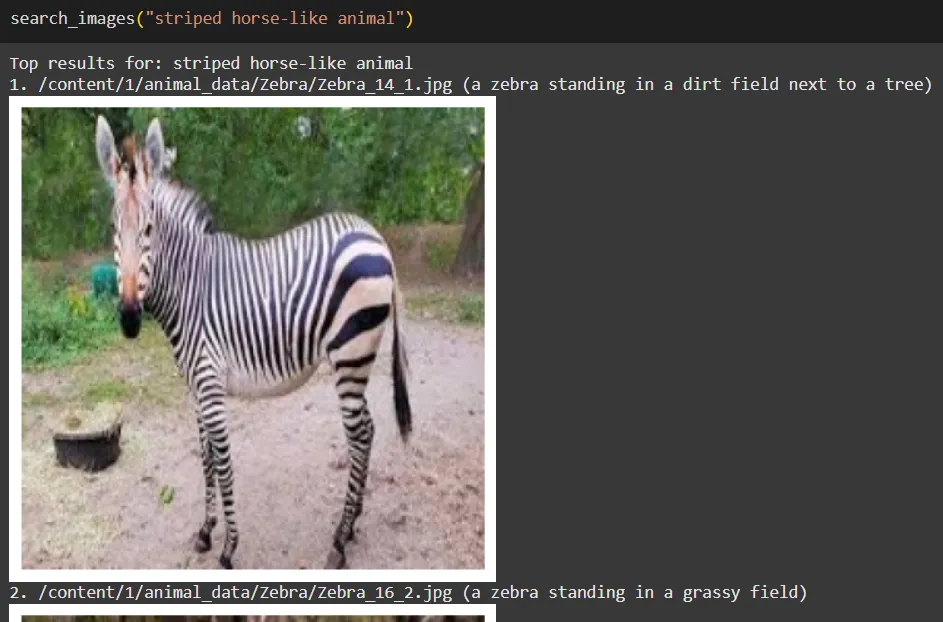
How It Works in Simple Terms
- BLIP: Looks at each image and writes a caption (this becomes our “text” for the image).
- CLIP: Converts both captions and images into embeddings in the same space.
- ChromaDB: Stores these embeddings and finds the closest match when we search.
- Search Function(Retriever): Turns your query into an embedding and asks ChromaDB: “Which images are closest to this query embedding?”
Remember, this Search Engine would be more effective if we had a much larger dataset, and if we utilised a better description for each image would make much effective embeddings within our unified representation space.
Limitations
- BLIP captions might be generic for some images.
- CLIP’s embeddings work well for general concepts, but might struggle with very domain-specific or fine-grained differences unless trained on similar data.
- Search quality depends heavily on the dataset size and diversity.
Conclusion
In summary, creating a miniature image search engine using vector representations of text and images offers exciting opportunities for enhancing image retrieval. By utilising BLIP for captioning and CLIP for embedding, we can build a versatile tool that adapts to various datasets, from personal photos to specialised collections.
Looking ahead, features like image-to-image search can further enrich user experience, allowing for easy discovery of visually similar images. Additionally, leveraging larger CLIP models and fine-tuning them on specific datasets can significantly boost search accuracy.
This project not only serves as a solid foundation for AI-driven image search but also invites further exploration and innovation. Embrace the potential of this technology, and transform the way we engage with images.
Frequently Asked Questions
Q1. How does BLIP help in building the image search engine?
A. BLIP generates captions for images, creating textual descriptions that can be embedded and compared with search queries. This is useful when the dataset doesn’t already have labels.
Q2. What role does CLIP play in this project?
A. CLIP converts both images and text into embeddings within the same vector space, allowing direct comparison between them to find semantic matches.
Q3. Why do we use ChromaDB in this project?
A. ChromaDB stores the embeddings and retrieves the most relevant images by finding the closest matches to a search query’s embedding.
GenAI Intern @ Analytics Vidhya | Final Year @ VIT Chennai
Passionate about AI and machine learning, I'm eager to dive into roles as an AI/ML Engineer or Data Scientist where I can make a real impact. With a knack for quick learning and a love for teamwork, I'm excited to bring innovative solutions and cutting-edge advancements to the table. My curiosity drives me to explore AI across various fields and take the initiative to delve into data engineering, ensuring I stay ahead and deliver impactful projects.







