AI and data science are two of the fastest-growing fields in the world today. If you realize that and are aiming to level up your portfolio, stand out in interviews, or simply understand them in detail, here is your ultimate wrap-up for 2025. In this article, we bring you 25+ fully solved, end-to-end AI and data science projects. These projects span across machine learning, NLP, computer vision, RAG systems, automation, multi-agent collaboration, and more (read their beginner’s guides in the link). While every AI and data science project listed here covers different topics, they all follow one structured format. With this, you can quickly understand what you will learn, what tools you’ll master, and how exactly to solve these AI and data science projects with a step-by-step approach.
In totality, these projects shall help beginners and professionals alike in the field of AI and data science to hone their skills, build production-grade applications, and stay ahead of the industry curve.
Ideally, I’d suggest you bookmark this article and learn any or every project as per your liking, one by one. For this, I have also shared the link to each of the projects. So without any delay, let’s dive right into the best AI and Data Science projects of 2025.
Table of contents
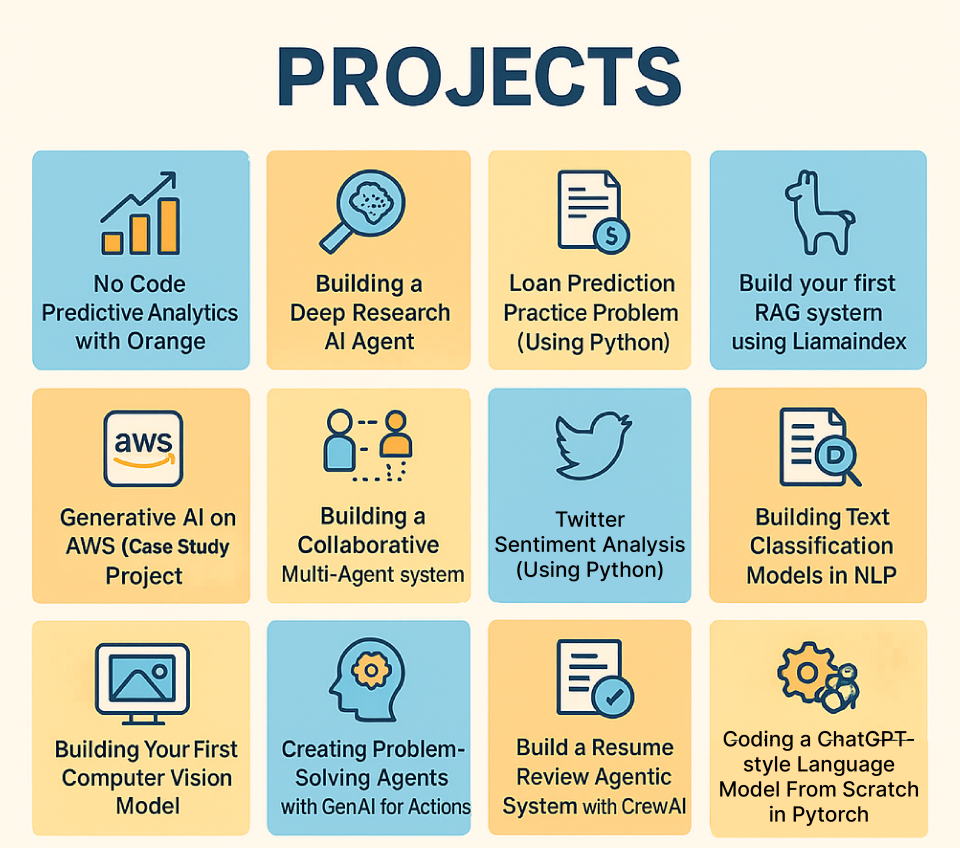
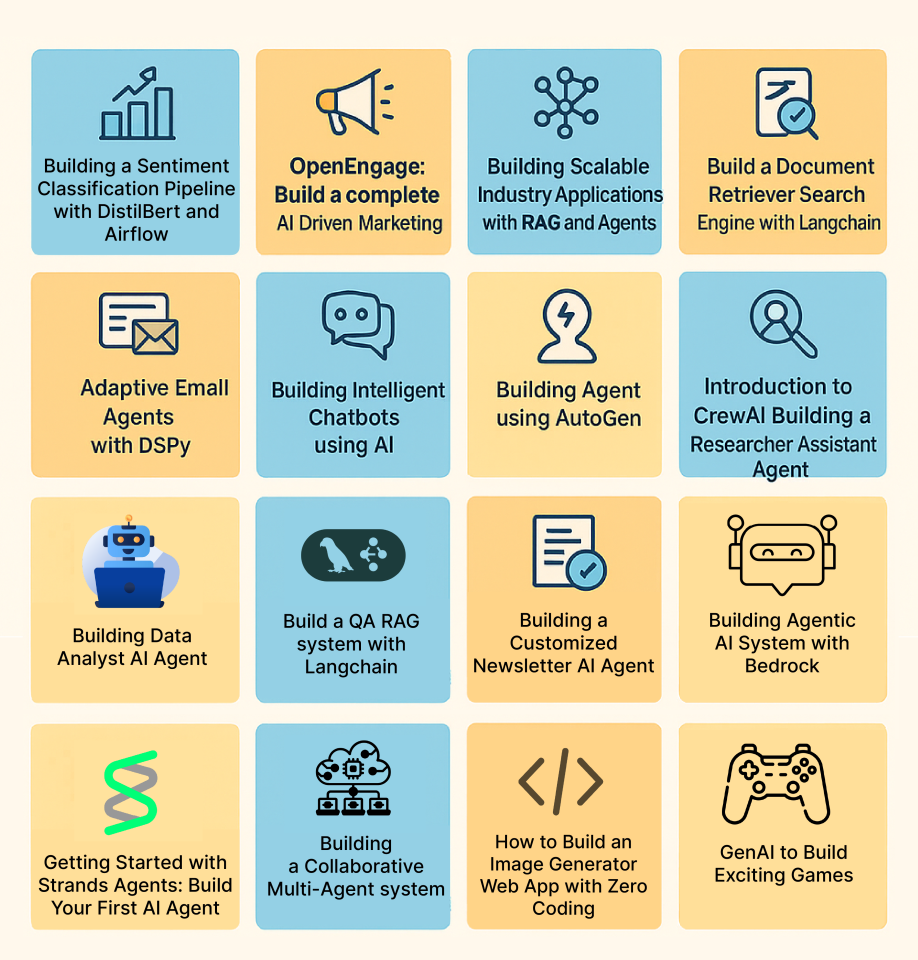
Classical ML / Core Data Science
1. Loan Prediction Practice Problem (Using Python)
This project takes a real-world loan-approval scenario and guides you to build a binary classification model in Python. You’ll predict whether a loan application gets approved or not based on applicant data. It gives you hands-on experience in an end-to-end data science workflow: from data exploration to model building and evaluation.
Key Skills to Learn
- Understanding binary classification and its use in real-life problems like loan approval.
- Exploratory Data Analysis (EDA): univariate and bivariate analysis to understand data distributions and relationships.
- Data preprocessing: handling missing values, outlier treatment, encoding categorical variables, and preparing data for modelling.
- Building classification models in Python (e.g., logistic regression, decision trees, random forest, etc.).
- Model evaluation & validation: using train-test split, metrics like accuracy (and optionally precision/recall), and comparing multiple models to choose the best performer.
Project Workflow
- Define the problem statement: decide to predict whether a loan application should be approved or denied based on applicant attributes (income, credit history, loan amount, etc.).
- Load the dataset in Python (e.g., with pandas) and perform initial inspection: checking data types, missing values, and summary statistics.
- Perform Exploratory Data Analysis (EDA: analyse distributions, relationships between features and target to get insights.
- Preprocess the data: handle missing values/outliers, encode categorical variables, and prepare data for modelling.
- Build multiple classification models: start with simple ones (like logistic regression), then try more advanced models (decision tree, random forest, etc.) to see which works best.
- Evaluate and compare models: split data into train and test sets, compute performance metrics, validate stability, and choose the model with the best performance.
- Interpret results and draw insights: understand which features influence loan approval predictions most, and reflect on the implications for real-world loan-approval systems.
Solved loan prediction problem.
2. Twitter Sentiment Analysis (Using Python)
This project teaches you how to perform sentiment analysis on Twitter data using Python. You’ll learn to fetch tweets, clean and preprocess text, build machine-learning models, and classify sentiments (positive, negative, neutral). It’s one of the most popular NLP starter projects because it combines real-world noisy text data with practical ML workflows.
Key Skills to Learn
- Text preprocessing: cleaning tweets, removing noise, tokenization, stop-word removal
- Understanding sentiment analysis fundamentals using NLP
- Feature engineering using techniques like TF-IDF or Bag-of-Words
- Building ML models for text classification (Logistic Regression, Naive Bayes, SVM, etc.)
- Evaluating NLP models using accuracy, F1-score, and confusion matrix
- Working with Python libraries like pandas, scikit-learn, and NLTK
Project Workflow
- Collect tweets: either using sample datasets or by fetching live tweets through APIs.
- Preprocess the text data: clean URLs, hashtags, mentions, emojis; tokenize and normalize the text.
- Convert text to numerical features using TF-IDF, Bag-of-Words, or other vectorization techniques.
- Build sentiment classification models: start with baseline algorithms like Logistic Regression or Naive Bayes.
- Train and evaluate the model using accuracy and F1-score to measure performance.
- Interpret results: understand the most influential words, patterns in sentiment, and how your model responds to different tweet types.
- Apply the model to unseen tweets to generate insights from live or stored Twitter data.
Find solution to twitter sentiment analysis here.
3. Building Text Classification Models in NLP
This project helps you understand how to build end-to-end text classification systems using core NLP techniques. You’ll work with raw text data, clean and transform it, and train machine-learning models that can automatically classify text into predefined categories. The project focuses on the fundamentals of NLP and serves as a strong entry point for anyone learning how text-based ML pipelines work.
Key Skills to Learn
- Text preprocessing: cleaning, tokenization, normalization
- Converting text into numerical features (TF-IDF, Bag-of-Words, etc.)
- Building ML models for text classification (Logistic Regression, Naive Bayes, SVM, etc.)
- Understanding evaluation metrics for NLP classification tasks
- Structuring an end-to-end NLP pipeline from data loading to model deployment
Project Workflow
- Start by loading and exploring the text dataset and understanding the target labels.
- Clean and preprocess the text: remove noise, tokenize, normalize, and prepare it for modelling.
- Convert text into numeric representations using TF-IDF or Bag-of-Words.
- Train classification models on the processed data and tune basic parameters.
- Evaluate model performance and compare results to choose the best approach.
Learn how to build text classification models in NLP here.
4. Building Your First Computer Vision Model
This project guides you to build your very first computer vision model using deep learning. You’ll learn how digital images are processed, how convolutional neural networks (CNNs) work, and then train a vision model on real image data. It’s designed for beginners – a strong entry point into image-based ML and deep learning.
Key Skills to Learn
- Fundamentals of image processing and how images are represented digitally (pixels, channels, arrays)
- Understanding Convolutional Neural Networks (CNNs): convolution layer, pooling/striding, downsampling, etc.
- Building deep-learning-based vision models using Python frameworks (e.g. TensorFlow, OpenCV)
- Training and evaluating image classification models on real datasets
- End-to-end CV pipeline: data loading, preprocessing, model design, training, inference
Project Workflow
- Load and preprocess the image dataset: read images, convert to arrays, normalize, and resize as needed.
- Build a CNN model: define convolution, pooling, and fully-connected layers to learn from image data.
- Train the model on training images and validate on a hold-out set to monitor performance.
- Evaluate results: check model accuracy (or other appropriate metrics), analyze misclassifications, iterate if needed.
- Use the trained model for inference on new/unseen images to test real-world performance.
Here’s your guide to building your first CV model.
GenAI, LLMs, and RAG
5. Building a Deep Research AI Agent
This AI project walks you through building a full-blown research-and-report generation agent using a graph-based agent framework (like LangGraph). Such an agent can automatically fetch data from the web, analyze it, and compile a structured research report. The project gives you a hands-on understanding of agentic AI workflows – where the agent autonomously breaks down a research task, gathers sources, and assembles a readable report.
Key Skills to Learn
- Understanding agent-based AI design: planning agents, task decomposition, sub-agent orchestration
- Integrating web-search tools/APIs to fetch real-time data for analysis
- Designing pipelines combining search, data collection, content generation, and report assembly
- Orchestrating parallel execution: enabling sub-tasks to run concurrently for faster results
- Prompt engineering and template design for structured report generation
Project Workflow
- Define your research objective: pick a topic or question for the agent to explore (e.g. “Latest trends in AI agents in 2025”).
- Set up the agent framework using a graph-based agent tool; create core modules such as a planner node, section-builder sub-agents, and a final report compiler.
- Integrate web-search capabilities so the agent can dynamically fetch data from the internet when needed.
- Design a report template that defines sections like introduction, background, insights, and conclusion, so the agent knows the structure ahead.
- Run the agent workflow: planner decomposes tasks > sub-agents fetch data, write sections > final compiler collates sections into a full report.
- Review and refine the generated report, validate sources/data, and tweak prompts or workflow for better coherence and reliability.
Learn how to build deep research agent here.
6. Build your first RAG System using LlamaIndex
This project helps you build a full Retrieval-Augmented Generation (RAG) system using LlamaIndex. You’ll learn how to ingest documents (PDFs, text, etc.), split them into manageable chunks, build a semantic search index (often vector-based), and then connect that index with a language model to serve context-aware responses or QA. The result: a system that can answer user queries based on your document collection. Such a system is smarter, more accurate, and grounded in actual data.
Key Skills to Learn
- Document ingestion and preprocessing: loading docs, cleaning text, chunking/splitting for indexing
- Working with indexing & embedding/vector stores to enable semantic retrieval
- Building a retrieval + generation pipeline: using LlamaIndex to fetch relevant context and feeding it to an LLM for answer synthesis
- Configuring retrieval parameters: chunk size, embedding model, and query engine settings to optimize retrieval quality
- Integrating retrieval and LLM-based generation into a seamless QA/application flow
Project Workflow
- Prepare your document corpus: PDFs, text files or any unstructured content you want the system to “know.”
- Preprocess and split documents into chunks or nodes so they can be effectively indexed.
- Build an index using LlamaIndex (vector-based or semantic), embedding the document chunks into a searchable store.
- Set up a query engine that retrieves relevant chunks given a user’s question or prompt.
- Integrate the index with an LLM: feed the retrieved context + user query to the LLM, let it generate a context-aware response.
- Test the system: ask varied questions, check response correctness and relevance. Adjust indexing or retrieval settings if needed (chunk size, embedding model, etc.).
Solution for building a RAG using LamaIndex.
7. Build a Document Retriever Search Engine with LangChain
This project helps you build a document retriever–style search engine using LangChain. You’ll learn how to process large text corpora, break them into chunks, create embeddings, and connect everything to a vector database so that user queries return the most relevant documents. It’s a compact but powerful introduction to retrieval systems that sit at the core of modern RAG applications.
Key Skills to Learn
- Fundamentals of document retrieval and search engines
- Using LangChain for document loading, chunking, and embedding generation
- Indexing documents into a vector database for efficient similarity search
- Implementing retrievers that fetch the most relevant chunks for a given query
- Understanding how such retrieval systems plug into larger RAG or QA pipelines
Project Workflow
- Load a text corpus (for example, Wikipedia-like documents or knowledge base content) using LangChain document loaders.
- Chunk documents into smaller pieces and generate embeddings for each chunk.
- Store these embeddings in a vector database or in-memory vector store.
- Implement a retriever that, given a user query, finds and returns the most relevant document chunks.
- Test the search engine with different queries and refine chunking, embeddings, or retrieval settings to improve relevance.
Solution for building a document retriever search engine with LangChain.
8. Build a QA RAG System with LangChain
This project walks you through building a complete Question-Answering RAG system using LangChain. You’ll combine retrieval (vector search) with an LLM to create a powerful pipeline where the model answers questions using context pulled from your documents – making responses factual, grounded, and context-aware.
Key Skills to Learn
- Fundamentals of Retrieval-Augmented Generation (RAG)
- Integrating LLMs with vector databases for context-aware QA
- Using LangChain’s retrievers, indexes, and chains
- Building end-to-end QA pipelines with prompt templates and retrieval logic
- Improving RAG performance through chunking, embedding choice, and prompt design
Project Workflow
- Load documents, chunk them, and embed them for vector storage.
- Build a retriever that fetches the most relevant chunks for any query.
- Connect the retriever with an LLM using LangChain’s QA or RAG-style chains.
- Configure prompts so that the model uses the retrieved context while answering.
- Test the QA system with various questions and refine chunking, retrieval, or prompts to improve accuracy.
Find project solution on how to build a QA RAG system here.
9. Coding a ChatGPT-style Language Model From Scratch in Pytorch
This project shows you how to build a transformer-based language model similar to ChatGPT from the ground up using PyTorch. You get hands-on with all components: tokenization, embeddings, positional encodings, masked self-attention, and a decoder-only transformer. By the end, you’ll have coded, trained, and even deployed your own simple language model capable of generating text.
Key Skills to Learn
- Fundamentals of transformer-based language models: embeddings, positional encoding, masked self-attention, decoder-only transformer architecture
- Practical PyTorch skills: data preparation, model coding, training, and fine-tuning
- NLP fundamentals for generative tasks: handling tokenization, language model inputs & outputs
- Training and evaluating a custom LLM: loss functions, overfitting avoidance, and inference pipeline setup
- Deploying a custom language model: understanding how to go from prototype code to an inference-ready model
Project Workflow
- Prepare your textual dataset and build tokenization + input-label pipelines.
- Implement core model components: embeddings, positional encodings, attention layers, and the decoder-only transformer.
- Train your model on the prepared data, monitoring training progress and tuning hyperparameters if needed.
- Validate the model’s text generation capability: sample outputs, inspect coherence, check for typical mistakes.
- Optionally fine-tune or iterate model parameters/data to improve generation quality before deployment.
Explore the complete implementation of Coding a ChatGPT-style Language Model From Scratch in PyTorch.
10. Building Intelligent Chatbots using AI
This project teaches you how to build a modern AI-powered chatbot capable of understanding user queries, retrieving relevant information, and generating intelligent, context-aware responses. You’ll work with LLMs, retrieval pipelines, and chatbot frameworks. You will create an assistant that can respond accurately, handle documents, and support multimodal interactions depending on your setup.
Key Skills to Learn
- Designing end-to-end conversational AI systems
- Building retrieval-augmented chatbot pipelines using embeddings and semantic search
- Loading documents, generating embeddings, and enabling contextual question-answering
- Structuring conversational flows and maintaining context
- Incorporating responsible-AI practices: safety, bias checks, and transparent responses
Project Workflow
- Start by loading your knowledge base: PDFs, text documents, or custom datasets.
- Preprocess your content and generate embeddings for semantic retrieval.
- Build a retrieval-plus-generation pipeline: retrieval provides context, and the LLM generates accurate answers.
- Integrate the pipeline into a chatbot interface that supports conversational interactions.
- Test the chatbot end-to-end, evaluate response accuracy, and refine prompts and retrieval settings for better performance.
Follow the step-by-step guide to build Intelligent Chatbots using AI.
Agentic / Multi-Agent / Automation
11. Building a Collaborative Multi-Agent System
This project teaches you how to build a collaborative multi-agent AI system using a graph-based framework. Instead of a single agent doing all tasks, you design multiple agents (nodes) that communicate, coordinate, and share responsibilities. Such cross-communication and coordinated action enable modular, scalable AI workflows for complex, multi-step problems.
Key Skills to Learn
- Understanding multi-agent architecture: how agents function as nodes and coordinate via message passing.
- Using LangGraph to define agents, their roles, dependencies, and interactions.
- Designing workflows where different agents specialize (for example: data retrieval, processing, summarization, or decision-making) and collaborate.
- Managing state and context across agents, enabling sequences of operations, information flow, and context sharing.
- Building modular and maintainable AI systems, which are easier to extend or debug compared to monolithic agent setups.
Project Workflow
- Define the overall task or problem that needs multiple capabilities (e.g., research + summarization + reporting, or data pipeline + analysis + alerting).
- Decompose the problem into sub-tasks, then design a set of agents where each agent handles a specific sub-task or role.
- Model the agents and their dependencies using LangGraph: set up nodes, define inputs/outputs, and specify communication or data flow between them.
- Implement agent logic for each node: for example, data fetcher agent, analyzer agent, summarizer agent, etc.
- Run the multi-agent system end-to-end: supply input, let agents collaborate according to story-defined flow, and capture the final output/result.
- Test and refine the workflow: evaluate output quality, debug agent interactions, and adjust data flows or agent responsibilities for better performance.
Learn how agents collaborate by working through Building a Collaborative Multi-Agent System.
12. Creating Problem-Solving Agents with GenAI for Actions
This project teaches you how to build GenAI-powered problem-solving agents that can think, plan, and execute actions autonomously. Instead of simply generating responses, these agents learn to break down tasks into smaller steps, compose actions intelligently, and complete end-to-end workflows. It’s an essential foundation for modern agentic AI systems used in automation, assistants, and enterprise workflows.
Key Skills to Learn
- Understanding agentic AI: how reasoning-driven agents differ from traditional ML models
- Task decomposition: breaking large problems into action-level steps
- Designing agent architectures that plan and execute actions
- Using GenAI models to enable reasoning, planning, and dynamic decision-making
- Building real, action-based AI workflows instead of static prompt-response systems
Project Workflow
- Start with the fundamentals of agentic systems. These include what agents are, how multi-agent structures work, and why reasoning matters.
- Define a clear problem the agent should solve, such as data extraction, chained automation, or multi-step tasks.
- Design the action-composition framework: how the agent decides steps, plans execution, and handles branching logic.
- Implement the agent using GenAI models to enable reasoning and action selection.
- Test the agent end-to-end and refine its planning or execution logic based on performance.
Understand autonomous reasoning workflows with Creating Problem-Solving Agents with GenAI for Actions.
13. Build a Resume Review Agentic System with CrewAI
This project guides you to build an AI-powered resume review system using an agent framework. The system automatically analyses submitted resumes, evaluates key attributes (skills, experience, relevance), and provides structured feedback or scoring. It mimics how a recruiter would screen applications, but in an automated, scalable way.
Key Skills to Learn
- Building agentic systems tailored for document analysis and evaluation
- Parsing and extracting structured information from unstructured documents (resumes)
- Designing evaluation criteria and scoring logic aligned with job requirements
- Combining NLP techniques with agent orchestration to assess content (skills, experience, education, etc.)
- Automating feedback generation and structured output (review reports)
Project Workflow
- Begin by defining the evaluation criteria or rubric your resume-review agent should apply (e.g. skill match, experience years, role relevance).
- Build or configure the agent framework (using CrewAI) to accept resumes as input — PDF, DOCX or text.
- Implement parsing logic to extract relevant fields (skills, experience, education, etc.) from the resume.
- Have the agent evaluate the extracted data against your criteria and generate structured feedback/scoring.
- Test the system with multiple resumes to check consistency, accuracy, and robustness – refine parsing and evaluation logic as needed.
See how automated resume evaluation works in Build a Resume Review Agentic System with CrewAI.
14. Building a Data Analyst AI Agent
This project teaches you how to build an AI-powered data analyst agent that can automate your entire data workflow. This spans from loading raw datasets to generating insights, visualizations, summaries, and reports. The agent can interpret user queries in natural language, decide what analytical steps to perform, and return meaningful results without requiring manual coding.
Key Skills to Learn
- Understanding the fundamentals of agentic AI and how agents can automate analytical tasks
- Building data-oriented agent workflows for cleaning, preprocessing, analysis, and reporting
- Automating core analytics functions: EDA, summarisation, visualization, and pattern detection
- Designing decision-making logic so the agent chooses the right analytical operation based on user queries
- Integrating natural-language interfaces so users can ask questions in plain English and get data insights
Project Workflow
- Define the analysis scope: the dataset, the types of insights needed, and typical questions the agent should answer.
- Set up the agent framework and configure modules for data loading, cleaning, transformation, and analysis.
- Implement analytical functions: summaries, correlations, charts, trend analysis, etc.
- Build a natural-language query interface that maps user questions to the relevant analytical steps.
- Test using real queries and refine the agent’s decision logic for accuracy and reliability.
Walk through a full analytics automation pipeline with Building a Data Analyst AI Agent.
15. Building Agent using AutoGen
This project teaches you how to use AutoGen, a multi-agent AI framework, to build intelligent agents that can plan, communicate, and solve tasks collaboratively. You’ll learn how to structure agents with specific roles, enable them to exchange messages, integrate tools or models, and orchestrate full end-to-end workflows using agentic intelligence.
Key Skills to Learn
- Fundamentals of agentic AI and multi-agent system design
- Creating AutoGen agents with defined roles and capabilities
- Structuring communication flows between agents
- Integrating tools, LLMs, and external functions into agents
- Designing multi-agent workflows for research, automation, coding tasks, and reasoning-heavy problems
Project Workflow
- Set up the AutoGen environment and understand how agents, messages, and tools fit together.
- Define agent roles such as planner, assistant, or executor based on the task you want to automate.
- Build a minimal agent team and configure their communication logic.
- Integrate tools (like code execution or retrieval functions) to extend agent capabilities.
- Run a collaborative workflow: let agents plan, delegate, and execute tasks through structured interactions.
- Refine prompts, agent roles, and workflow steps to improve reliability and performance.
Get hands-on with agent orchestration using Building Agent using AutoGen.
16. Getting Started with Strands Agents: Build Your First AI Agent
This project helps you build your first AI agent using Strands, a framework that enables agents to perform tasks, reason, and act. It’s designed for beginners, offering a hands-on introduction to building agentic systems that can perform structured tasks and workflows.
Key Skills to Learn
- Basics of agentic AI: what agents are, how they reason and act.
- Understanding the Strands framework for building AI agents.
- Setting up an agent pipeline: from input intake to output/action.
- Designing tasks and actions: how to define what the agent needs to do.
- Testing and refining agent behaviour for reliability and correctness.
Project Workflow
- Install and configure the Strands environment and dependencies.
- Define a simple task you want your agent to perform (e.g. information retrieval, data summarization, simple automation).
- Build the agent logic: define inputs, expected actions or outputs, and how the agent processes requests.
- Run and test the agent: feed sample input, observe outputs, evaluate correctness.
- Iterate and refine: adjust prompt logic, input/output formatting or agent behaviour for better results.
Start your agentic AI journey with Getting Started with Strands Agents: Build Your First AI Agent.
17. Building a Customized Newsletter AI Agent
This project teaches you how to build an AI-powered system that automatically generates customized newsletters. Using an agent framework, you’ll create a pipeline that fetches content, summarises and formats it, and delivers a ready-to-send newsletter — automating what’s traditionally a tedious, manual process.
Key Skills to Learn
- Understanding agentic AI design: goal-setting, constraint modelling, task orchestration
- Using modern frameworks (e.g. for agents + LLMs) to build workflow-based AI systems for content automation
- Automating content gathering and summarisation for dynamic content sources
- Deploying and delivering results: integration with deployment platforms (e.g. via Replit/Streamlit), generating output in newsletter format
- Hands-on practical pipeline creation: from data ingestion to final newsletter output
Project Workflow
- Define the newsletter’s objective: what content you want (e.g. news summary, AI-trends roundup, curated articles), frequency, and target audience.
- Fetch or ingest content: gather articles/news/posts from web sources or datasets.
- Use an AI agent to process content: summarise, filter, and format the information as per newsletter requirements.
- Generate the newsletter: compile summaries into a structured newsletter layout.
- Deploy the system – optionally on a platform (e.g. via a simple web app) so you can trigger newsletter generation and delivery easily.
Learn how to automate content delivery through Building a Customized Newsletter AI Agent.
18. Adaptive Email Agents with DSPy
This project teaches you how to build adaptive, context-aware email agents using DSPy. Unlike fixed prompt-based responders, these agents dynamically select relevant context, retrieve past interactions, optimize prompts, and generate polished email replies automatically. The focus is on making email automation smarter, adaptive, and more reliable using DSPy’s structured framework.
Key Skills to Learn
- Designing adaptive agents that can retrieve, filter, and use context intelligently
- Understanding DSPy workflows for building robust LLM pipelines
- Implementing context-engineering techniques: context selection, compression, and relevance filtering
- Using DSPy optimization techniques (like MePro-style refinement) to improve output quality
- Automating email responses end-to-end: reading inputs, retrieving context, generating coherent replies
Project Workflow
- Set up the DSPy environment and understand its core workflow components.
- Build the context-handling logic — how the agent selects emails, threads, and relevant information from past conversations.
- Create the adaptive email pipeline: retrieval → prompt formation → optimization → response generation.
- Test the agent on example email threads and evaluate the quality, tone, and relevance of responses.
- Refine the agent by tuning context rules and improving prompt-optimization strategies for more adaptive behaviour.
Discover how adaptive email automation works with Adaptive Email Agents with DSPy.
19. Building an Agentic AI System with Bedrock
This project shows you how to build production-ready agentic AI systems using Amazon Bedrock as the backend. You’ll learn how to combine multi-agent design, managed LLM services, orchestration and deployment to create intelligent, context-aware agents that can reason, collaborate, and execute complex workflows, all without heavy infrastructure overhead.
Key Skills to Learn
- Fundamentals of agentic AI systems: what makes an agentic system different from simple LLM apps
- How to use Bedrock for agents: creating agents, setting up agent orchestration, and leveraging managed AI services
- Multi-agent orchestration: designing workflows where multiple agents collaborate to solve tasks
- Integrating external tools/APIs with agents: enabling agents to interact with data stores, databases or other services for real-world use cases
- Building scalable, production-ready AI systems by combining agents + managed cloud infrastructure
Project Workflow
- Start by understanding the theory: what is “agentic AI,” and how Bedrock supports building such systems.
- Design the agent architecture: define the number of agents, their roles, and how they’ll communicate or collaborate to achieve goals.
- Set up agents on Bedrock: configure and initialize agents using Bedrock’s agent-management capabilities.
- Integrate required external tools/services (APIs, databases, etc.) as per task requirements, so agents can fetch data, persist state or interact with external systems.
- Implement orchestration logic so agents coordinate: pass context/state, trigger sub-agents, and handle dependencies.
- Test the full agentic workflow end-to-end: feed inputs, let agents collaborate, and inspect outputs.
- Iterate to refine logic, error-handling, orchestration, and integration to make the system robust and production-ready.
Build production-ready agentic workflows using Building an Agentic AI System with Bedrock.
20. Introduction to CrewAI Building a Researcher Assistant Agent
This project teaches you how to build a “Researcher Assistant” AI agent using CrewAI. You learn how agents are defined, how they collaborate within a crew, and how to automate research tasks such as information gathering, summarization, and structured note creation. It’s the perfect starting point for understanding CrewAI’s agent-based workflow.
Key Skills to Learn
- Fundamentals of agentic AI and how CrewAI structures agents, tasks, and crews
- Defining agent roles and responsibilities within a research workflow
- Using CrewAI components to orchestrate multi-step research tasks
- Automating research tasks such as data retrieval, summarization, note-making, and report generation
- Building a functional Research Assistant that can handle end-to-end research prompts
Project Workflow
- Understand CrewAI’s architecture: how agents, tasks, and crews interact to form a workflow.
- Define the Research Assistant Agent’s scope: what information it should gather, summarize, or compile.
- Set up agents and tools inside CrewAI, assigning each agent a clear role within the research flow.
- Assemble your agents into a crew so they can collaborate and pass information between steps.
- Run the agent on a research prompt: observe how it retrieves data, summarizes content, and generates structured output.
- Refine agent prompts, behaviour, or crew structure to improve accuracy and output quality.
Learn CrewAI fundamentals through Building a Researcher Assistant Agent.
Applied / Domain-Specific AI
21. No Code Predictive Analytics with Orange
One of the most beginner-friendly data science projects, this one teaches you how to perform predictive analytics using Orange. For those unaware, Orange is a completely no-code, drag-and-drop data-mining platform. You’ll learn to build machine-learning workflows, run experiments, compare models, and extract insights from data without writing a single line of code. It’s perfect for learners who want to understand ML concepts through visual, interactive workflows rather than programming.
Key Skills to Learn
- Core machine-learning concepts: supervised & unsupervised learning
- Data preprocessing and feature exploration
- Building regression, classification, and clustering models
- Model evaluation: accuracy, RMSE, train-test split, cross-validation
- Visual, workflow-based ML experimentation with Orange
Project Workflow
- Start with the problem statement: understand what you want to predict using your dataset.
- Load your data into Orange using its simple drag-and-drop widgets.
- Preprocess your dataset by handling missing values, selecting features, and visualizing patterns.
- Choose your ML approach: regression, classification, or clustering, depending on your task.
- Experiment with multiple models by connecting different model widgets and observing how each performs.
- Evaluate the results using built-in evaluation widgets, comparing accuracy or error metrics.
- Interpret the insights and learn how predictive analytics can guide decision-making in real-world scenarios.
Explore visual, no-code machine learning using No Code Predictive Analytics with Orange.
22. Generative AI on AWS (Case Study Project)
This project walks you through building generative AI applications on cloud infrastructure, using AWS services. You’ll learn how to leverage AWS’s AI/ML stack, including foundational model services, inference endpoints, and AI-driven tools. This shall help you learn how to build, host, and deploy gen-AI apps in a scalable, production-ready environment.
Key Skills to Learn
- Working with AWS AI/ML services, especially SageMaker and Amazon Bedrock
- Building and deploying generative AI applications (text, language, potentially multimodal) on AWS
- Integrating AWS tools/services (model hosting, inference, storage, API endpoints)
- Managing real-world deployment constraints: scalability, resource management, environment setup
- Understanding cloud-based ML workflows: from model selection to deployment and inference
Project Workflow
- Define your generative AI use case: decide what kind of gen-AI app you want (for example: text generation, summarisation, content creation).
- Select models via AWS services: use Bedrock (or SageMaker) to pick or load foundation / pre-trained models, suitable for your use case.
- Configure cloud infrastructure: set up compute resources, storage (for data and model artifacts), and inference endpoints through AWS.
- Deploy the model to AWS: host the model on AWS, create endpoints or APIs so the model can serve real requests.
- Integrate input/output pipelines: manage user inputs (text, prompts, data), feed them to the model endpoint, and handle generated outputs.
- Test and iterate on the system: run generative tasks, check results for correctness, latency, and reliability; tweak parameters or prompts as needed.
- Scale & optimize deployment: ensure the system is production-ready: manage security, efficient resource utilization, cost optimization, and reliability.
See how cloud-based GenAI systems are built with Generative AI on AWS – Case Study Project.
23. Building a Sentiment Classification Pipeline with DistilBert and Airflow
This project teaches you how to build an end-to-end sentiment-analysis pipeline using a modern transformer model (DistilBERT) combined with Apache Airflow for workflow automation. You’ll work with real review data, clean and preprocess it, fine-tune a transformer for sentiment prediction, and then orchestrate the entire pipeline so it runs in a structured, automated manner. You also build a simple local interface so users can input text and instantly get sentiment results.
Key Skills to Learn
- Using DistilBERT for transformer-based sentiment classification
- Text preprocessing and cleaning for real-world review datasets
- Workflow orchestration with Airflow: DAG creation, task scheduling, dependencies
- Automating ML pipelines end-to-end (data → model → inference)
- Building a simple local prediction interface for user-friendly model interaction
Project Workflow
- Load and clean the review dataset; preprocess text and prepare it for transformer inputs.
- Fine-tune or train a DistilBERT-based sentiment classifier on the cleaned data.
- Create an Airflow DAG that automates all steps: ingestion, preprocessing, inference, and output generation.
- Build a minimal local application to input new text and retrieve sentiment predictions from the model.
- Test the full pipeline end-to-end and refine steps for stability, accuracy, and efficiency.
Learn pipeline orchestration with transformers through Building a Sentiment Classification Pipeline with DistilBERT and Airflow.
24. OpenEngage: Build a complete AI-driven marketing Engine
This project/course shows you how to build an end-to-end AI-powered marketing engine that automates personalized customer journeys, engagement, and campaign management. You learn how large language models (LLMs) and automation can transform traditional marketing workflows into scalable, data-driven, and personalized marketing systems.
Key Skills to Learn
- How LLMs can be used to generate personalized content and tailor marketing messages at scale
- Designing and orchestrating customer journeys — mapping user behaviours to automated engagement flows
- Building AI-driven marketing pipelines: data capture, tracking user behaviour, segmentation, and multi-channel delivery (email, messages, etc.)
- Integrating AI-based personalization with traditional marketing/CRM workflows to optimize engagement and conversions
- Understanding how to build an AI marketing engine that reduces manual effort and scales with the user base
Project Workflow
- Understand the role of AI and LLMs in modern marketing systems and how they can improve personalization and engagement.
- Define marketing objectives and customer journey — what campaigns, what user interactions, what personalization logic.
- Build or configure the marketing engine’s components: data capture/tracking, user segmentation, content generation via LLMs, and delivery mechanisms.
- Design automated pipelines that trigger personalized messages based on user behaviour or segments, leveraging AI for content and timing.
- Test the pipelines with sample users/data, monitor performance (engagement, response rates), and refine segmentation or content logic.
Understand AI-driven personalization systems through OpenEngage: Build a Complete AI-Driven Marketing Engine.
25. How to Build an Image Generator Web App with Zero Coding
This project guides you to build a web application that generates images using generative AI — all without writing any code. It’s a drag-and-drop, no-programming route for anyone who wants to launch an image generator web app quickly, using prebuilt components and interfaces.
Key Skills to Learn
- Understanding generative AI for images: how AI models can create visuals from prompts
- Using no-code or low-code tools to build web applications that integrate AI image generation
- Designing user interface and user flow for a web app without coding
- Deploying a functioning web app that connects to an AI backend for real-time image generation
- Managing image input/output, prompt handling, and user requests in a no-code environment
Project Workflow
- Choose a no-code/low-code platform or tool that supports AI image generation + web-app building.
- Configure the backend with a generative AI model (pre-trained) that can generate images based on user prompts.
- Design the front-end using drag-and-drop UI components: input prompt field, generate button, display area for results.
- Link the front-end to the AI backend: ensure user inputs are passed correctly, and generated images are returned and displayed.
- Test the app thoroughly by submitting different prompts, checking output images, and verifying usability and performance.
- Optionally deploy/publish the web app so others can use it (on a hosting platform or a web-app hosting service).
Build and deploy an image-generation app using How to Build an Image Generator Web App with Zero Coding.
26. GenAI to Build Exciting Games
This project teaches you how to build fun and interactive games powered by Generative AI. You’ll explore how AI can drive game logic, generate dynamic content, respond to player inputs, and create engaging experiences, all without needing an advanced game-development background. It’s a creative, hands-on way to understand how GenAI can be used beyond traditional data or text applications.
Key Skills to Learn
- Applying Generative AI models to design game mechanics
- Integrating AI tools/APIs to create dynamic, responsive gameplay
- Designing user interaction flows for AI-powered games
- Handling prompt-based generation and varied user inputs
- Building lightweight interactive applications using AI as the core engine
Project Workflow
- Start by choosing a simple game concept where AI generation adds value — for example, a guessing game, storytelling challenge, or AI-generated puzzle.
- Define the game loop: how the user interacts, what input they give, and what the AI generates in response.
- Integrate a generative AI model to produce dynamic content, hints, storylines, or decisions.
- Build the interaction flow: capture user input, call the AI model, format outputs, and return results back to the player.
- Test the game with different inputs, refine prompts for better responses, and improve the overall gameplay experience.
Explore creative GenAI use cases with GenAI to Build Exciting Games.
Conclusion
If you have managed to follow all or any of the AI and data science projects above, I am sure you gained much more practical experience than you would’ve from just the theoretical understanding of these topics. The best part – these topics cover everything from classical ML to advanced agentic systems, RAG pipelines, and even game-building with GenAI. Each project is designed to help you turn skills into real, portfolio-ready outcomes. Whether you’re just starting out or levelling up as a professional, these projects are sure to help you understand how modern AI systems work in a whole new way.
This is your 2025 blueprint for learning AI and data science. Now dive into the ones that excite you most, follow the structured workflows, and create something extraordinary.







