Google DeepMind seems to be on a roll. Right on the heels of its Gemini 3 and Gemini 3 Pro AI models, the company has now announced Nano Banana Pro. Embedded within and powered by the latest Gemini 3 Pro, the new version of Nano Banana promises a whole new level of AI image generation and editing. And no, this is not your usual “this is the best AI model out there” deal. One look at its new and improved features, and you will know that the new Nano Banana is a powerful upgrade. Glimpse? It solves the brain-numbing, irritating-to-the-core, text-within-image problem that every AI image generator out there struggles with.
In case that wasn’t a big enough upgrade for you, here we shall explore all that’s new with the Nano Banana Pro, and how you can use it to edit your photos for the best possible results.
So without any delay, let’s begin.
Table of contents
Nano Banana Pro: What’s New?
Before we learn to put it to use, we must first understand what the new upgrade is all about. As I mentioned before, Nano Banana Pro forms a part of Gemini 3 Pro Image. This basically means that the new model uses Gemini’s real-world knowledge to “deliver precise results.” Those are the words of Google, not me, as shared in its release. And if we are to follow those, the upgrade now enables Nano Banana to generate anything “from complex infographics to historically accurate scenes.” This is also what brings its newfound “accurate text generation” capabilities.
In this article, we are more concerned about the editing abilities that come with the new Nano Banana AI model. We will come to those in a minute, once we know how to access the new Nano Banana Pro.
Nano Banana Pro: How to Access?
Thankfully for us, Google hasn’t hidden the new Nano Banana AI model behind obscure menus or long onboarding processes. If you’re already inside the Gemini ecosystem, Nano Banana Pro is just a click away, whether you want to try it casually, build with it, or integrate it into full-scale workflows.
Here are all the ways you can access Nano Banana Pro today:
- Gemini (Web or App): Jump straight into Nano Banana Pro inside the main Gemini experience. This is ideal for quick edits, experiments, or generating visuals on the fly.
- Google AI Studio: A more hands-on workspace where you can test prompts, tweak outputs, and explore its capabilities in detail.
- Gemini API: If you’re a developer, you can plug the new Nano Bananamodel into your own apps using the Gemini API and build custom image-editing or generation flows.
- Vertex AI Studio: For teams and enterprises, Nano Banana Pro is available through Vertex AI Studio, letting you test, tune, and deploy production-grade image pipelines.
I would suggest you try Nano Banana Pro within Gemini 3 first, through the web or the app. You can generate up to 4 high-resolution images within the basic (free) plan, post which you will have to subscribe to the paid versions that start with Rs 975 for 2 months.
Now that we know how to access the Nano Banana Pro, have a look at the complete set of features it brings – and how you can use them to edit your images like a pro.
How to edit your Photos with Nano Banana Pro
We are now right at the heart of this thing, and you will soon know why Nano Banana Pro is one of the most powerful AI image editors out there. Just follow along and be mind-blown by the possibilities. Just don’t forget to put them to use for your own good.
Here is how to use each of these editing options:
- Visit Google Gemini by clicking here.
- Click on the Create Image option below the text field to access the new Nano Banana model.
- Add a short prompt like: “Turn this scribble into a modern smartwatch product render in silver and black.”
- Watch Nano Banana Pro bring your dream visual to life.
1. Turn Scribbles into Products, Objects, or 3D Buildings
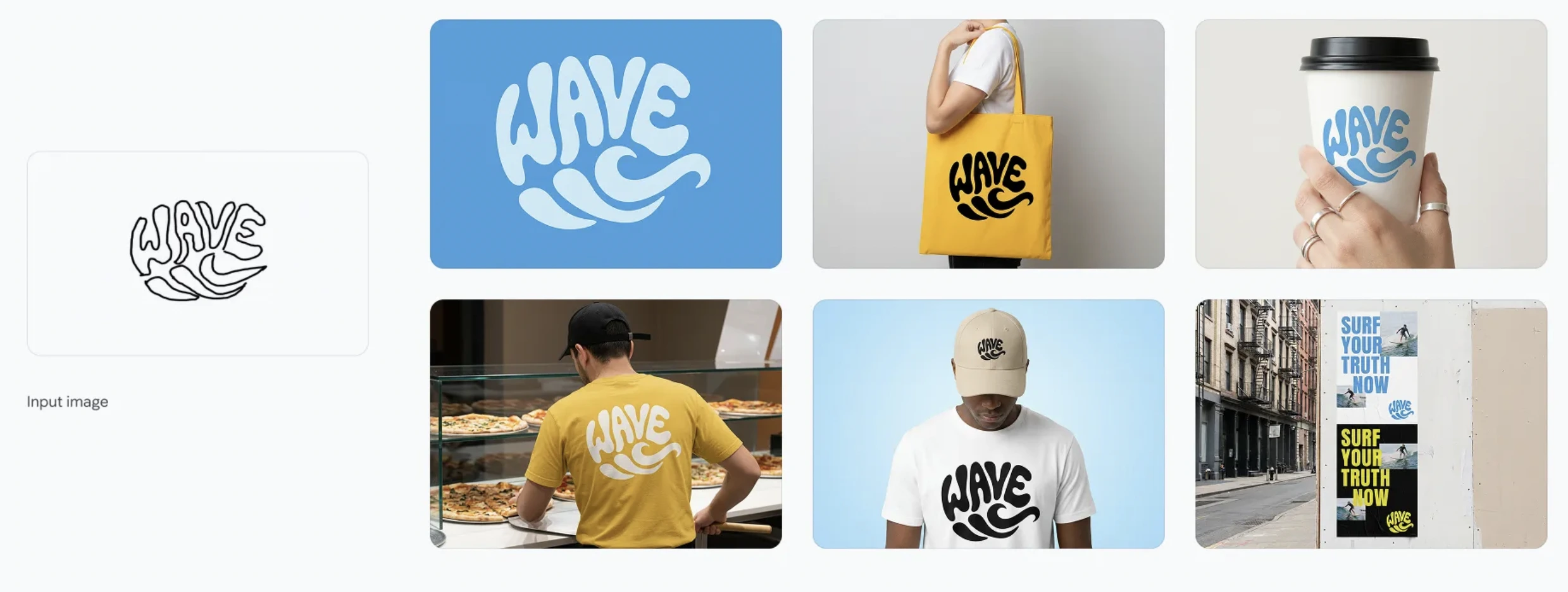
If your drawing skills peak at stick figures, Nano Banana Pro has your back. Just upload a rough sketch and prompt the model with what you actually want. Nano Banana Pro is able to generate a polished product mockup, a 3D building, or a realistic object render from a simple sketch. Go ahead, have a look at this in the example below and be mind-blown.
Prompt 1: Create a smooth logo in a graphic style is a vibrant and playful form of typographic illustration, deeply rooted in the retro aesthetics of the 1960s and 1970s loosely based on the sketch Its defining feature is a groovy, psychedelic-inspired typeface characterized by soft, rounded, and fluid letterforms. Don’t exactly follow the sketch, get inspired from it. The letters are skillfully distorted, stretched, and compressed, abandoning rigid structure to flow together and form a cohesive, recognizable shape.
This technique, known as a calligram, masterfully merges text and image, where the word’s form visually embodies its meaning. The word “WAVE” is artfully arranged into the fluid silhouette of a wave. The design is a clever visual pun, making the message instantly accessible and memorable.
The color palette reinforces the vintage feel, employing a simple two-toned scheme with warm, often muted or earthy colors light blue background and deep blue logo. This choice enhances the nostalgic charm of the artwork. The overall effect is one of whimsical nostalgia and clever graphic design. It’s a bold yet approachable style that communicates a simple, positive message through the seamless integration of shape and word, creating an immediate and delightful visual impact.
Prompt 2: Now create identity system one by one, use 10 high quality mockups with variety of relevant products, ads, billboards, bus stop, etc. generate one at a time, 16:9 each
Output:
2. Generate super high-resolution images
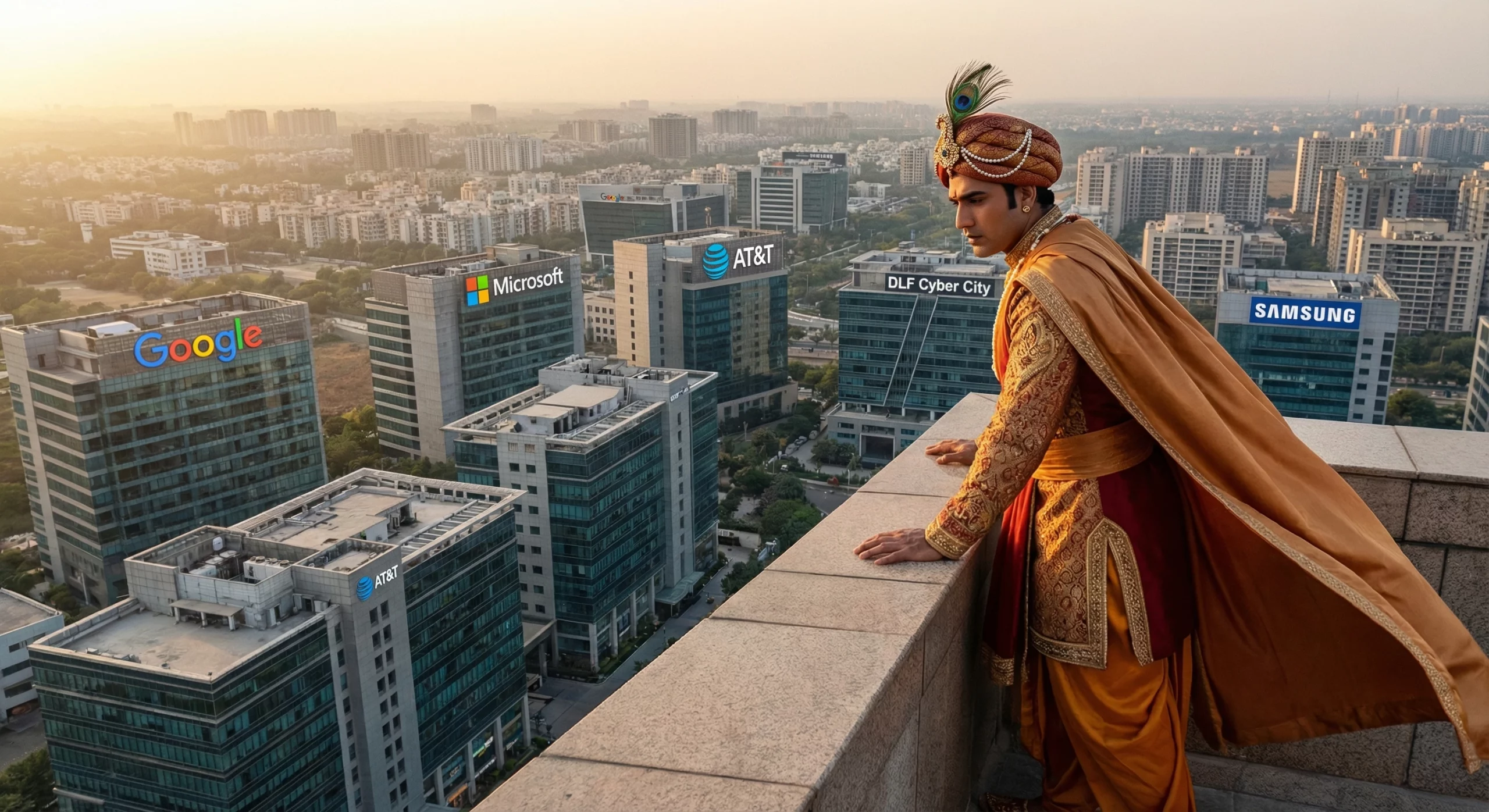
This doesn’t exactly lie within the “editing” category, though this is the obvious step to begin with for any graphic work. You can easily generate super high-resolution images with true-to-life quality with a single prompt on Nano Banana Pro. Just put your imagination into words and enter the prompt, and you will have a result unparalleled by any other AI image generator for sure. Here is an example for you in the form of a prompt I used.
Prompt: Create a hyper-realistic image of an Indian superhero, standing on top of a tall building in Gurugram, looking down at the rest of the city. The superhero is wearing an Indian king’s attire with a Dhoti and a long flowing Kurta, in a bright and royal colour scheme of our choice. At the top of some of the surrounding buildings, we see boards of companies like Google, Microsoft, AT&T, and others.
Output:
3. Play with colour and lighting
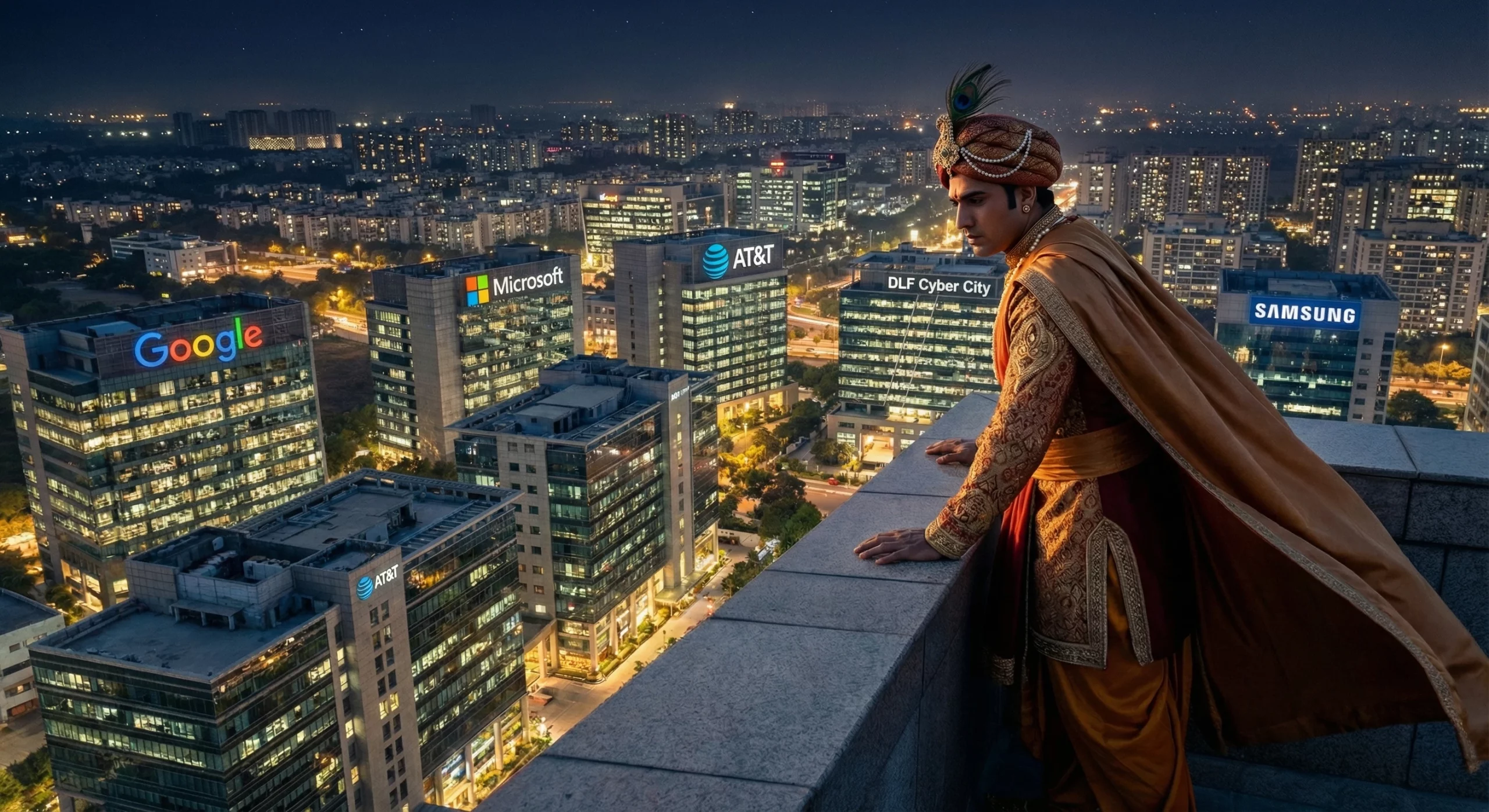
Nano Banana Pro supposedly excels in changing colours and lighting within a given image, keeping consistency with the objects and the overall look and feel of the image. This means you can transform your images from night to day, increase or decrease the lighting for brightness, or even create professional lighting effects like chiaroscuro. The possibilities are only limited by your imagination.
For you, we tested out this capability within the image generated above. Have a look at the results:
Prompt: can you create a night-time scene of this keeping the character locked but all the visible buildings lit up with lights within
Output:
4. Change angles and shot types
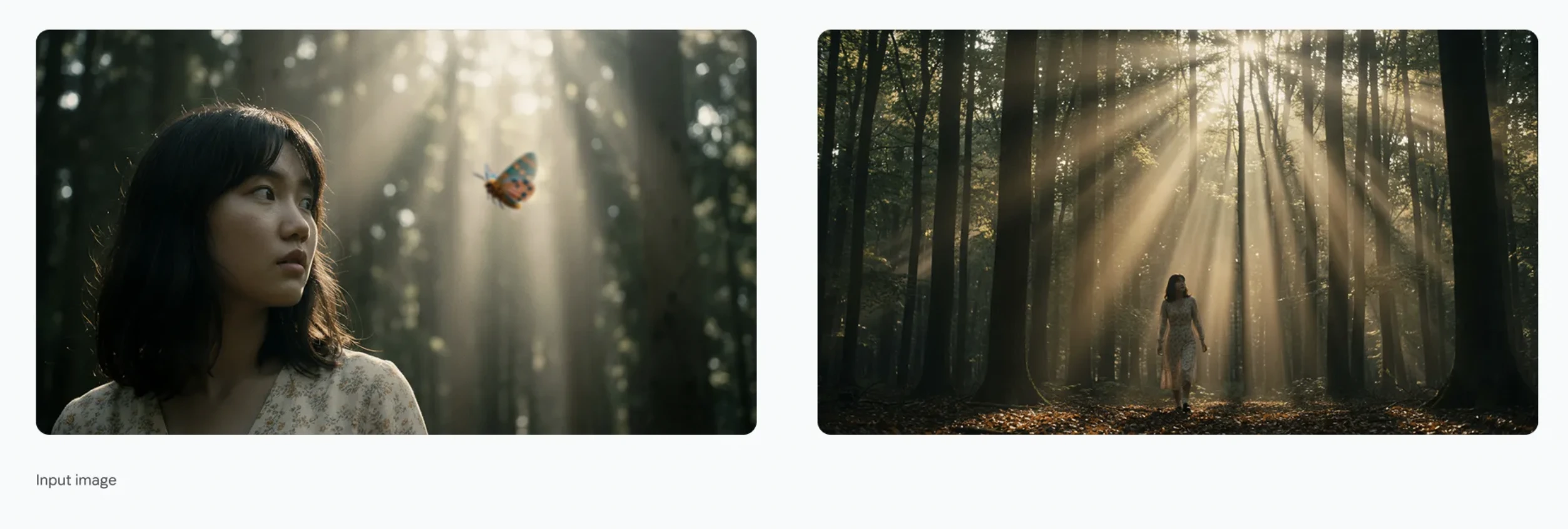
How about exploring a different angle for your generated (or existing) images? Nana Banana Pro now makes it possible with a single prompt. Just properly instruct the AI model on what you want, and it will bring it to life in the most vivid graphical manner possible. Here are a couple of examples for you to check out this feature in action.
Prompt: A wide shot of a woman walking in the forest, with sunbeams and volumetric lighting. 16:9 aspect ratio
Output:
5. Upscale resolution or change aspect ratios
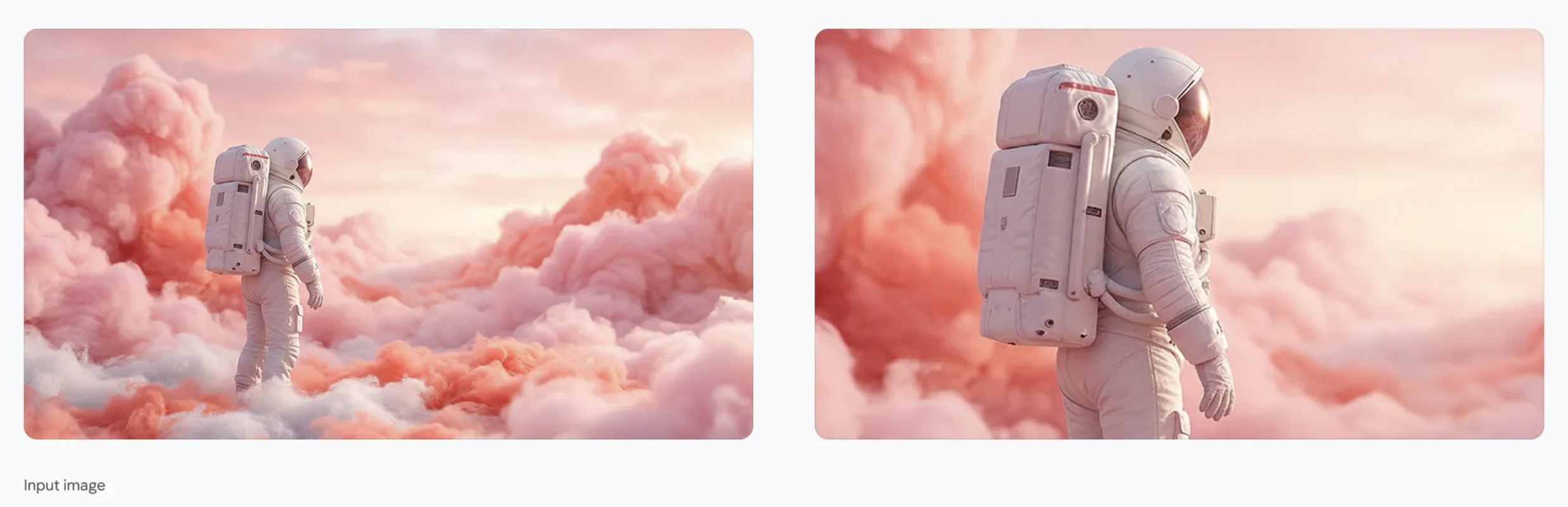
With the new Nano Banana AI model, you can now upscale any image to a 1k, 2k, or 4k resolution, based on your needs. To further complement this, you can even change the aspect ratios, making it super-easy to alter your photos for different platforms and use cases. The couple of examples below showcase these features in action.
Prompts: Zoom in on this image, maintaining a 16:9 aspect ratio
Output:
6. Translate text to localise ideas
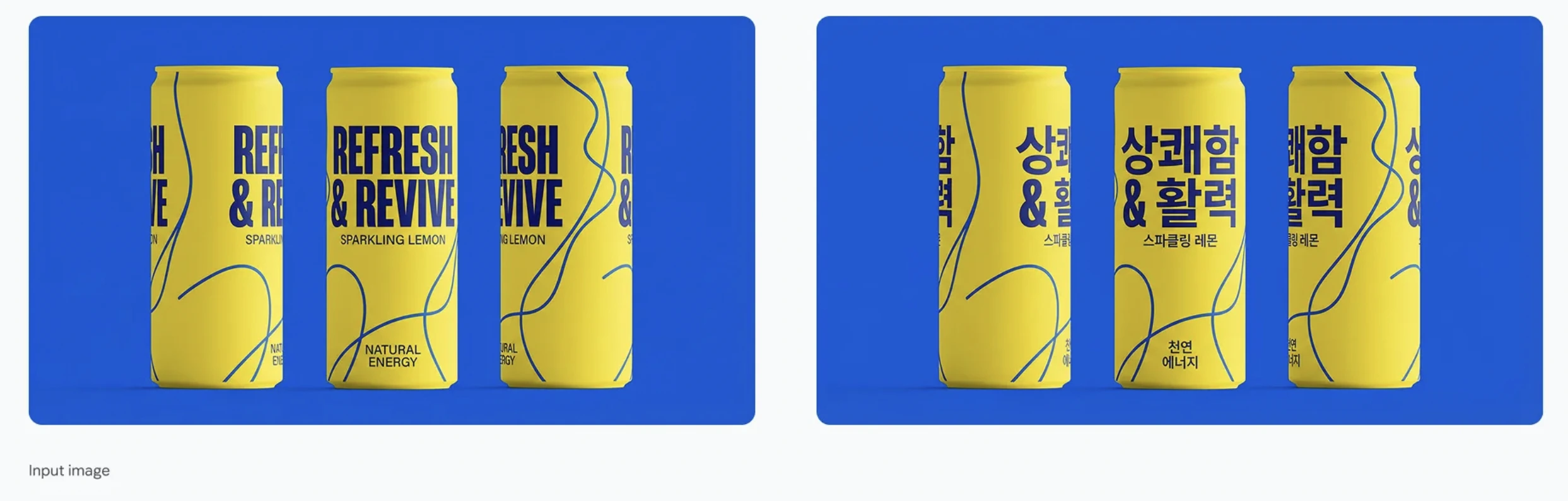
This one is for the marketers out there. While most other AI image generators/ editors still struggle with any text within an image, Google has seemingly made its Nano Banana Pro a genuine “pro” in this regard. Examples of its use show the AI model being able to convert all text within a product to the language of the user’s choice, all without a single flaw in the output. Needless to say, this is a game-changer for product advertisements and marketing, helping you localise any graphic experience with a single prompt.
Check it out in action in the example below.
Prompt: Translate all the English text on the three yellow and blue cans into Korean, while keeping everything else the same
Output:
7. Create several images at once
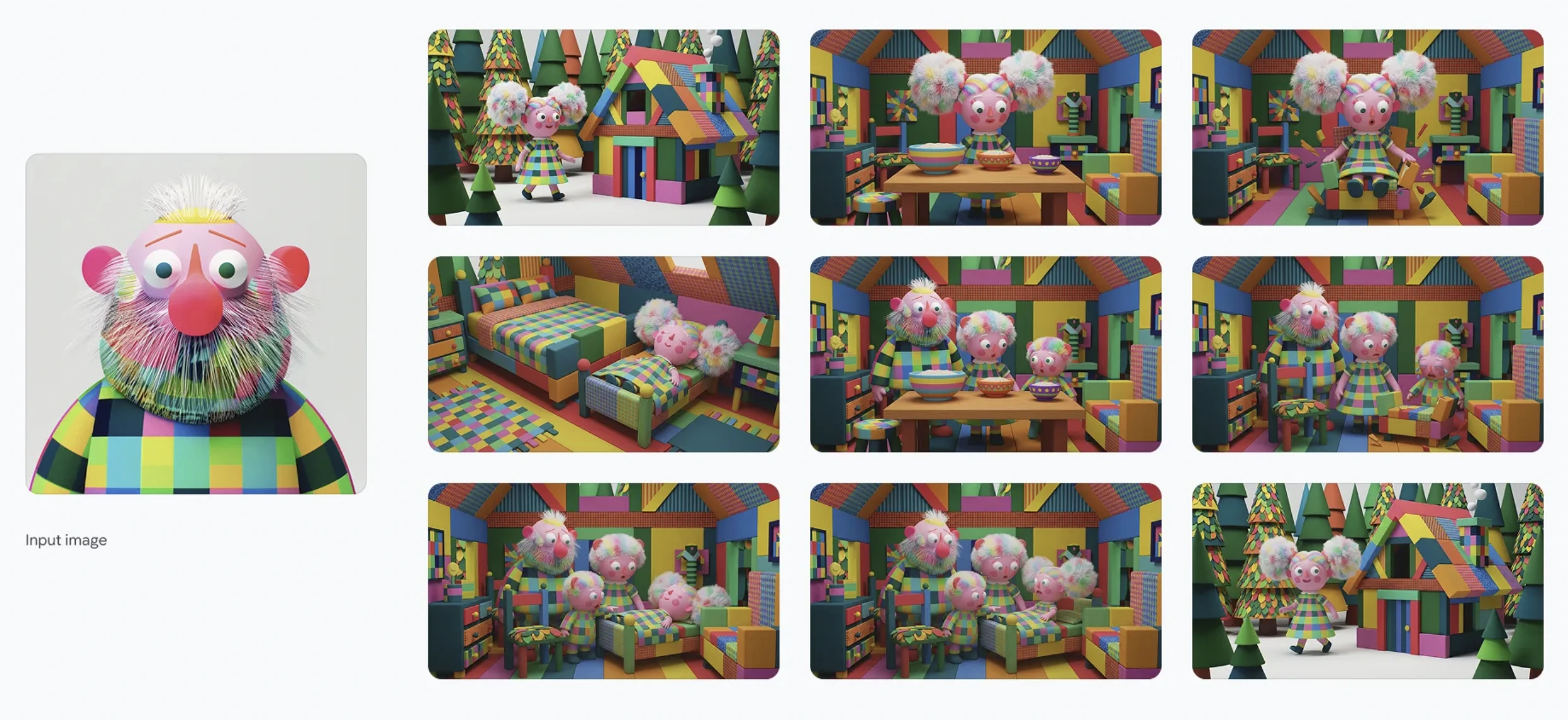
Time for the big reveal. Move over individual (or a couple of) image outputs with a single prompt. Nano Banana Pro now lets you create an entire reel of images with a single prompt. Imagine sketching out an entire story across a series of images, all with a single, well-detailed prompt. The same feature can also help you explore multiple creative ideas at once, meaning finding the right creative is no longer a game of hit and miss.
Here is a look at this in action:
Prompt: Famous childrens film in public domain in provided style and same color scheme. 10 frames one by one. no text. not a single comic strip, instead generate 10 frame one after the other, each it’s own prompt and server call. Each landscape 16:9
Output:
Conclusion
More than just another upgrade, the new Nano Banana model seems like Google’s way of saying that AI-powered editing has officially entered a new era. With its ability to rewrite lighting, fix text, shift camera angles, upscale to 4K, and even turn a scribble into a production-ready render, this tool takes every creative shortcut you wish existed and brings it to life with a single prompt. It’s fast, it’s flexible, and it’s frighteningly good at understanding what you meant, not just what you typed.
Whether you’re a designer, marketer, student, or someone who simply loves playing with visuals, the new Nano Banana gives you the kind of creative superpowers that used to require an entire creative team. And the best part? You don’t need to learn anything new. Just speak your ideas, and let the AI do the heavy lifting. The future of image editing is officially conversational, and Nano Banana Pro is the proof.







