Have you ever developed an app or thought of developing an app? I am sure you will get strained by the process of developing a single app and deploying it. The pain point of traditional app development is complexity, hosting costs, and deployment headaches. Let me introduce you to Claude’s revolutionary solution: Artifact, a zero-deployment AI app creation. The main advantage of this solution is, you don’t have to be experienced in coding. Its game-changing economics make it stand out; users pay for their own usage, not the creator. In this article, we will be going over practical examples and a step-by-step guide. Imagine you can turn your ideas into shareable apps instantly using AI. Let’s get started.
Table of contents
What Are Claude-Powered Artifacts?
Claude-based artifacts can be defined as the interactive AI-powered applications that run directly in Claude, with no external deployment required. These artifacts support the evolution of static content to dynamic content with an increase in interactive experiences. Its key differentiator is that it has a built-in API integration without any external setup. Artifacts enable real-time collaboration between users’ ideas and Claude’s outstanding coding capabilities. It also enables instant sharing capabilities through direct links; anyone with the link can use your app in real time.
The Revolutionary Economics Model
The key benefit of Claude’s Artifacts is its revolutionary economic model. The creator of the app pays nothing for the other users’ engagement. The users have to authenticate with their existing Claude accounts. The API usage counts will be against the user’s subscription, not the creator’s. Moreover, creators don’t have to manage the API keys; they will be managed automatically by Claude. These features eliminate the traditional hosting and scalability concerns and make sharing easy by providing direct links to the apps.
What You Can Build with Claude’s Artifacts
Claude Artifacts can be used to make several prototypes that help convert your ideas directly into interactive and shareable artifacts and apps. The Claude community has already used to build interactive artifacts like:
- AI-powered games with NPCs that remember conversations and adapt to player choices
- Learning tools that adjust to individual skill levels and provide personalized tutoring
- Data analysis apps where users upload CSVs and ask follow-up questions in natural language
- Writing assistants that help with everything from scripts to technical documentation
- Agent workflows that orchestrate multiple Claude calls for complex tasks
Some features available with Claude Artifacts that we can utilize to build new apps:
- Claude API integration within artifacts
- File processing and rich React UIs
- Real-time content generation and responses
- Multi-turn conversational interfaces
- Custom interactive experiences
Step by Step Implementation Guide
Phase 1: Setting up Artifacts
To enable Claude’s interactive Artifacts, follow the following steps:
1: Head over to https://claude.ai/
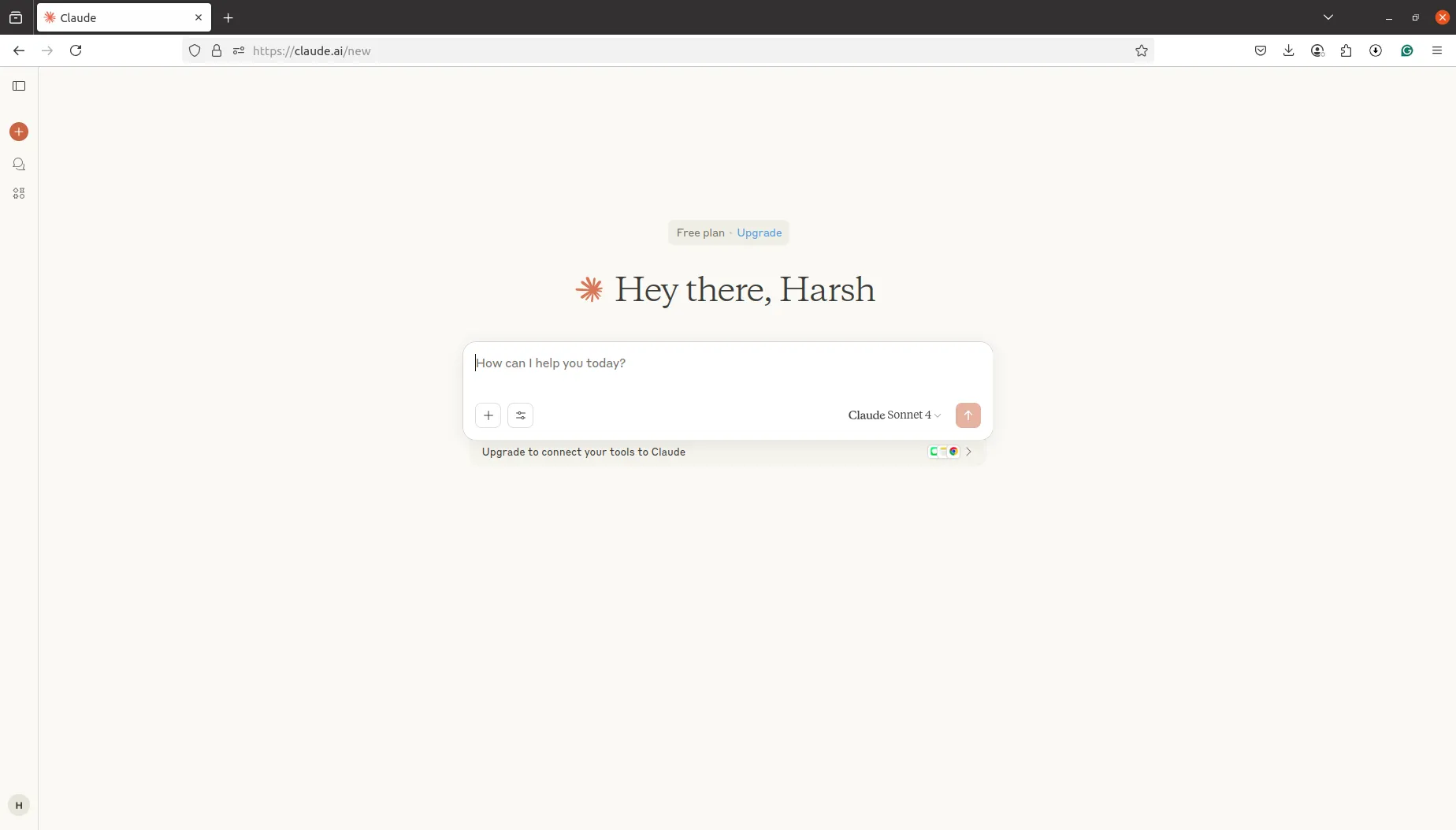
2: Click on the profile sections, and then on Settings
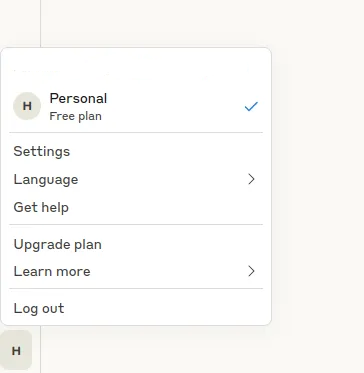
3: In the Settings tab, go to Connectors
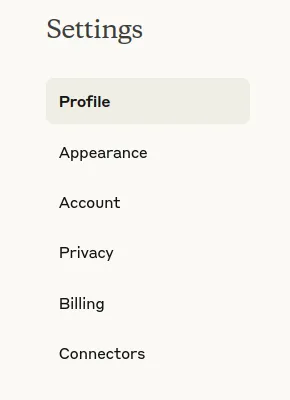
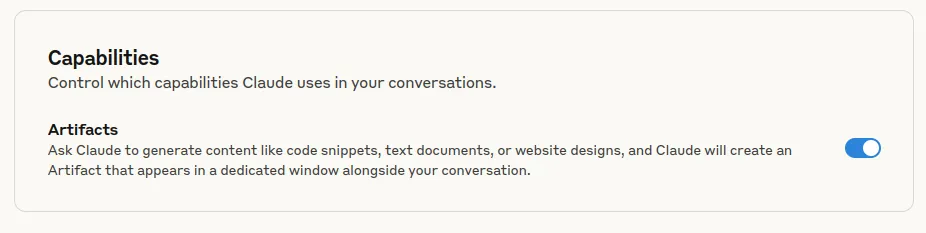
4: Now you will see Artifacts, enable it, and now you are ready to build interactive applications.
Phase 2: Building your first Artifact
Let’s start with building our first app with Artifacts. The following are some suggestions before we start building:
- Craft effective prompts for app creation
- Describe user interface requirements clearly
- Specify AI interaction patterns and responses
- Request specific React components and styling
1. AI-Powered Learning Companion
Prompt: “Create an interactive learning companion app that helps users master any subject. The app should allow users to input a topic they want to learn, then generate personalized study materials including explanations, practice questions, and adaptive quizzes. Include features for the AI to assess user understanding and adjust difficulty levels in real-time. Make the interface clean and engaging with progress tracking.”
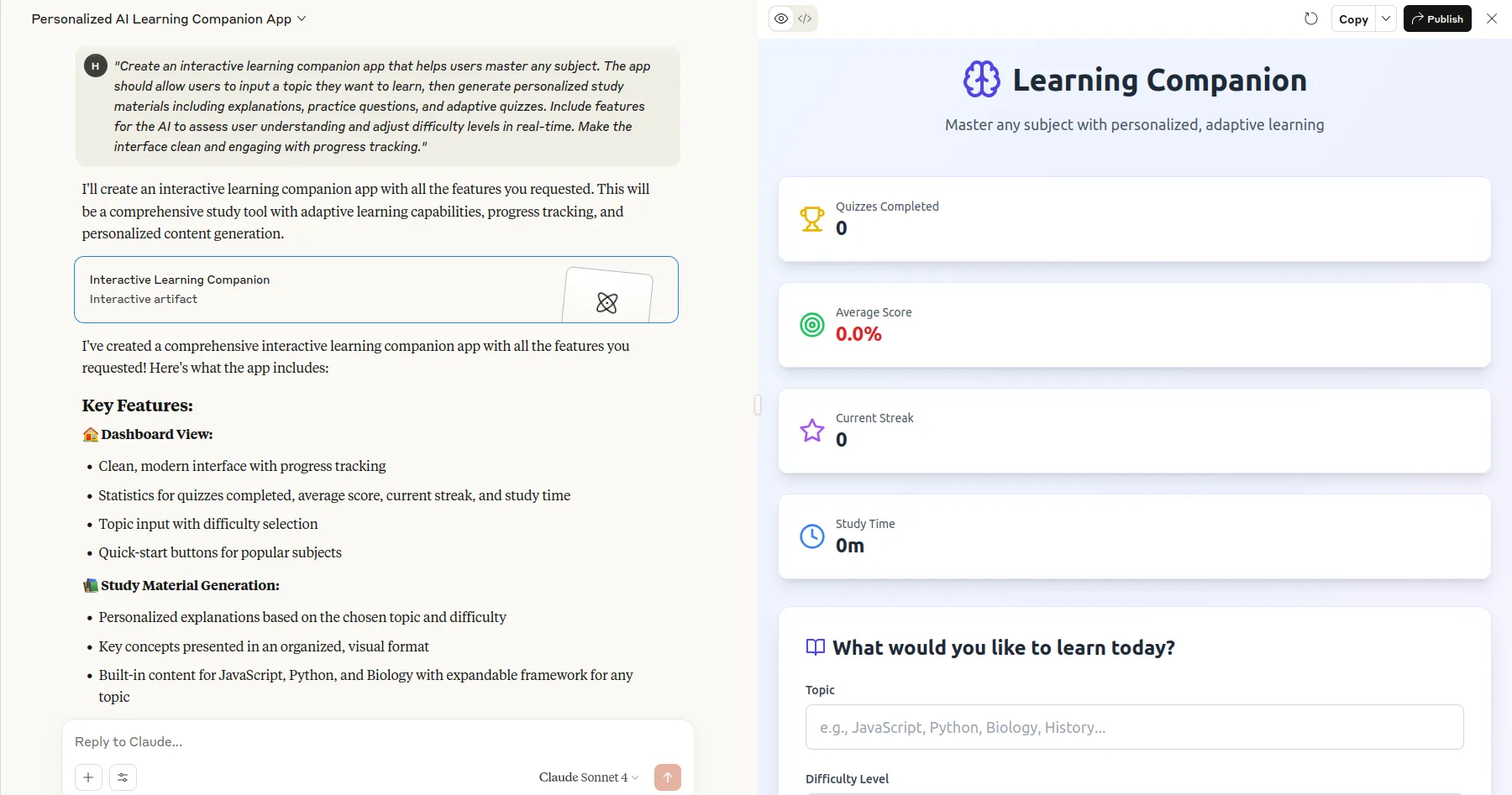
We entered the previous prompt, and Claude opened a new window and started coding. It was continuously writing React components. After some time, it was done with its work. As shown in the screenshot above, it rendered an interactive AI-powered learning Companion.
Let’s try to query it with “Machine Learning” and start the learning process.
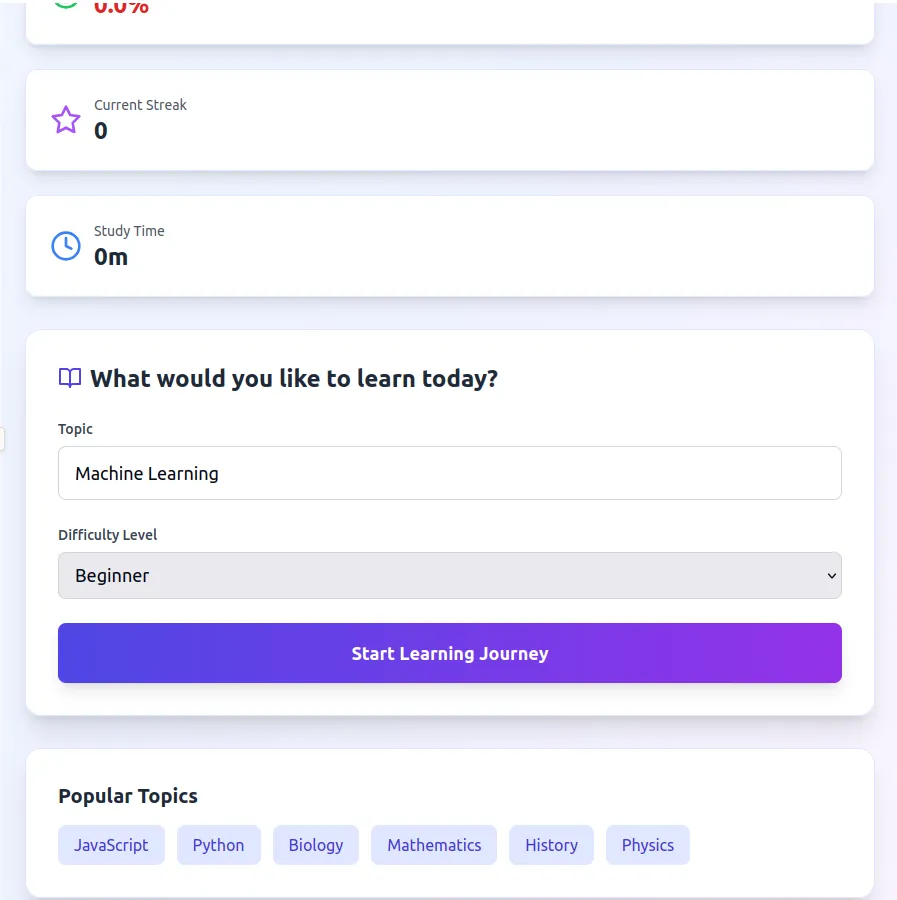
The following is the course material it gave:
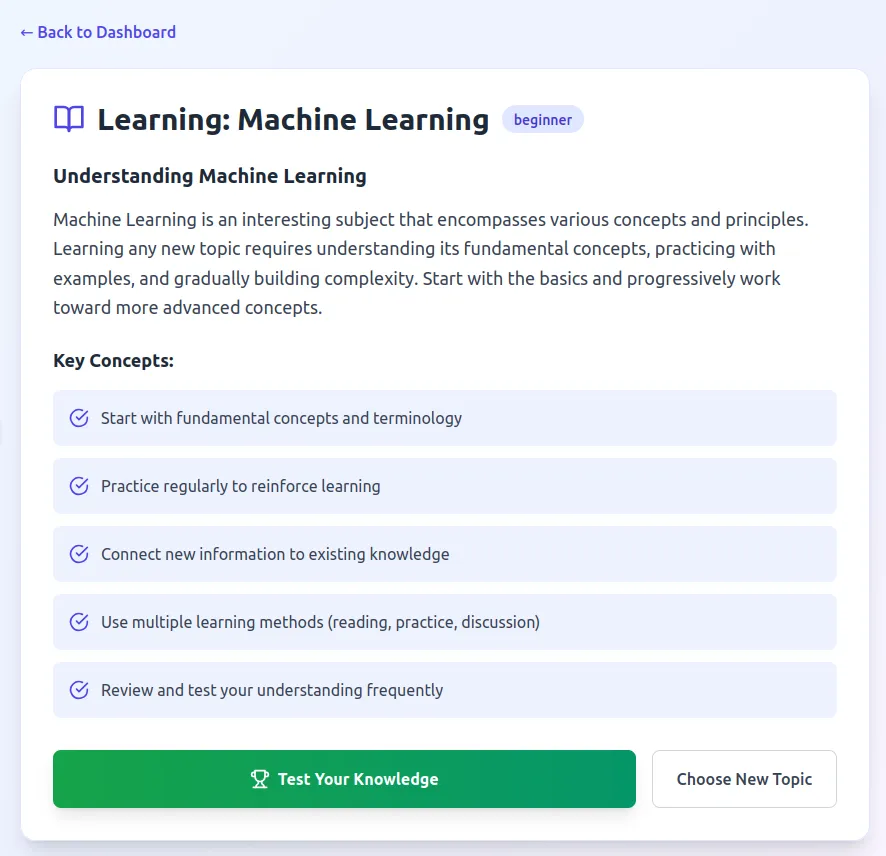
Then we started the quiz, and the questions were not even related to Machine Learning!
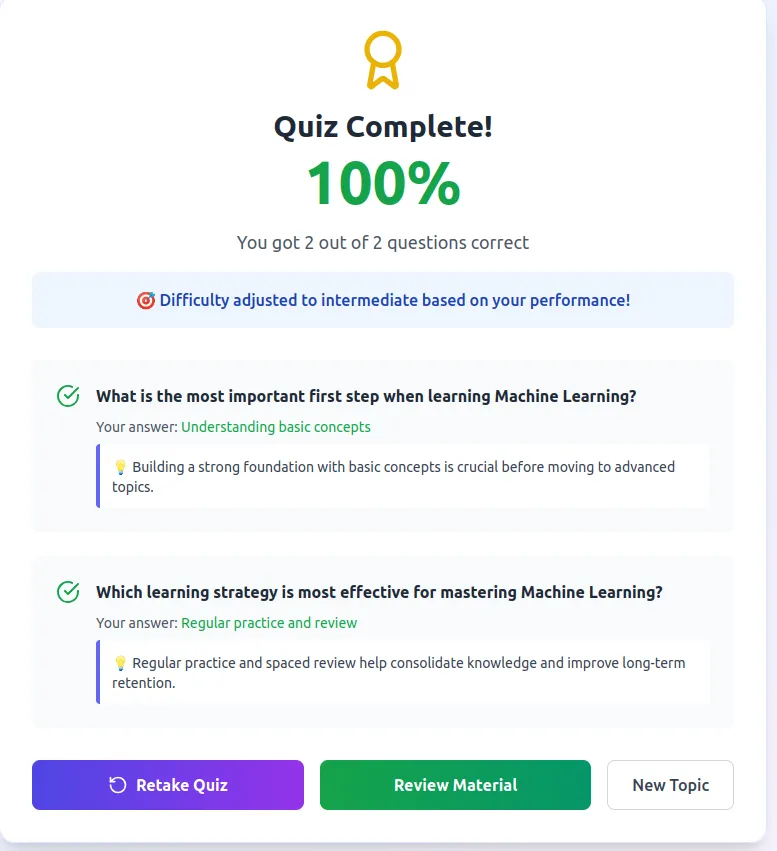
This demonstrates that the first iteration successfully developed the AI-powered learning app. However, there are some areas for improvement, which can be implemented in the later iterations.
This artifact demonstrates:
- Adaptive AI Responses: Demonstrates Claude’s ability to generate personalized content based on user input.
- Multi-turn Conversations: Shows how the AI can maintain context across interactions and adjust teaching approaches.
- Real-time Processing: Highlights the platform’s ability to process user responses and modify content dynamically.
- Educational Value: Creates immediate, practical value that users will want to share and revisit.
2. Interactive Creative Writing Workshop Prompt:
Prompt: “Create an AI-powered writing workshop that helps users develop stories, characters, and plots. Include tools for brainstorming, character development, plot structure analysis, and style improvement. The AI should be able to collaborate on writing, provide feedback on drafts, suggest plot twists, and help users overcome writer’s block. Add features for different writing genres (fantasy, sci-fi, romance, etc.) with genre-specific guidance.”
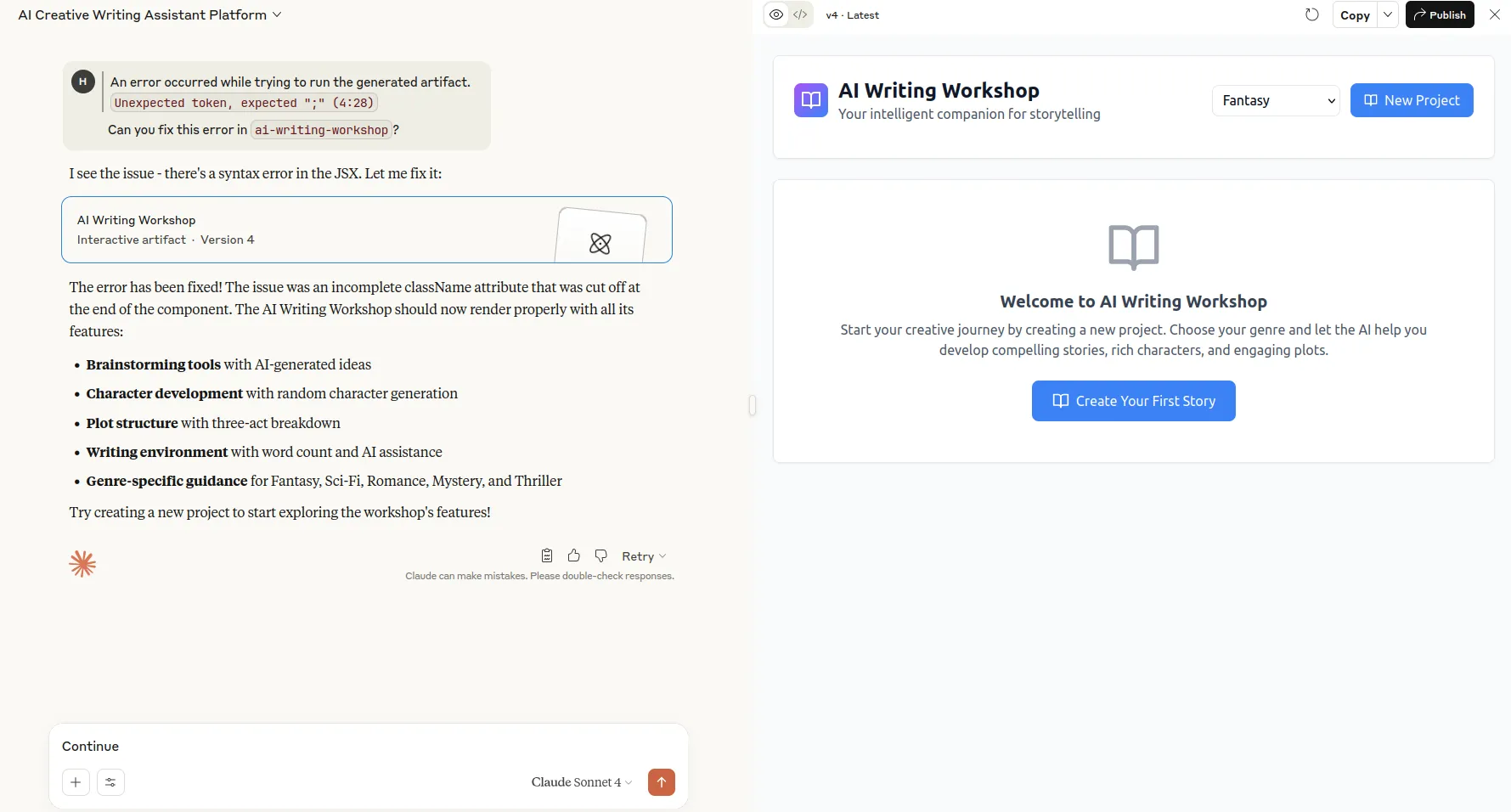
This prompt was a bit harder and took Claude some time to generate the code. However, the first iteration had some problems, as Claude stated that it had reached its output limit for a particular message. We were then prompted to continue the generation. The generated code had some syntax errors. We prompted Claude to fix that, which it did in two iterations. Hence, Claude took 4 iterations to generate this Artifact.
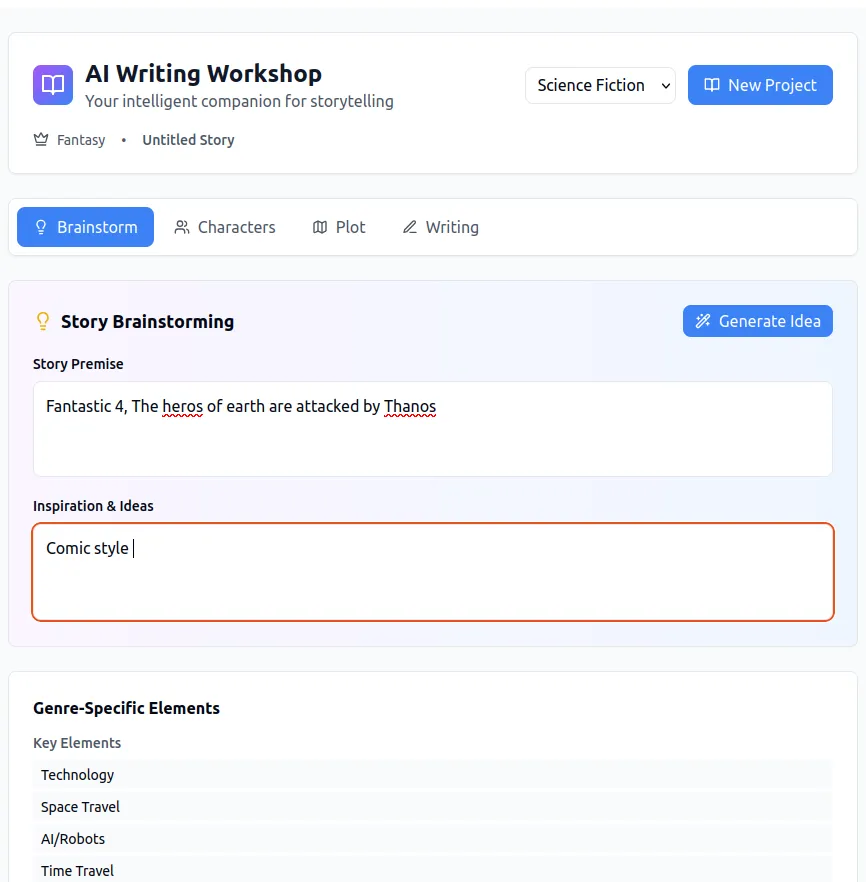
Let’s test this application. We tried several options. But unfortunately, only some of them were working, and others were non-responsive. Hence, we can conclude from the output that Claude requires a lot of iterations and a detailed prompting for developing a perfect app. We have to spend some time converting our ideas into apps.
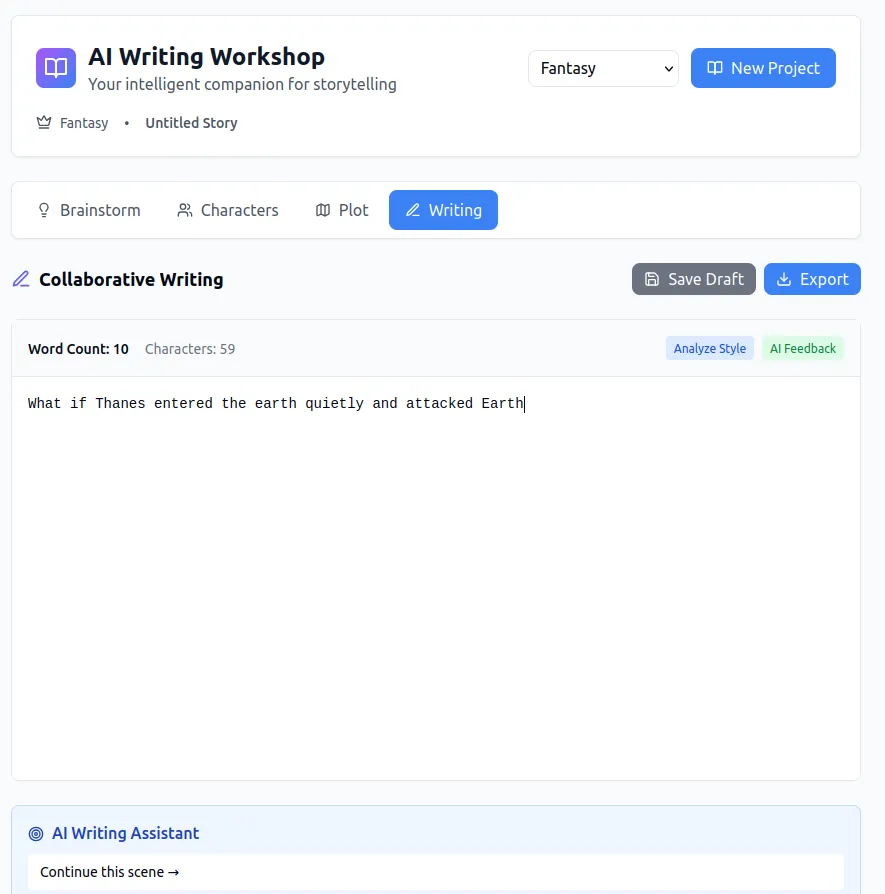
Still, Claude did a great job. Some of the things it excelled in are:
- Creative AI Collaboration: Highlights Claude’s ability to engage in creative processes beyond simple Q&A
- Multi-modal Assistance: Demonstrates various AI functions (brainstorming, editing, feedback) in one app
- Personalization: Shows how the AI can adapt to different writing styles and genres
- Iterative Improvement: Illustrates the platform’s strength in refining content through conversation
3. Personal AI Research Assistant
Prompt: “Build a research assistant that helps users explore complex topics by breaking them into manageable components. Users input a research question, and the AI creates an interactive research roadmap with key subtopics, suggests research methodologies, generates targeted questions, and helps organize findings. Include features for source evaluation, citation management, and synthesis of information across multiple perspectives. Make it useful for students, professionals, and curious learners.”
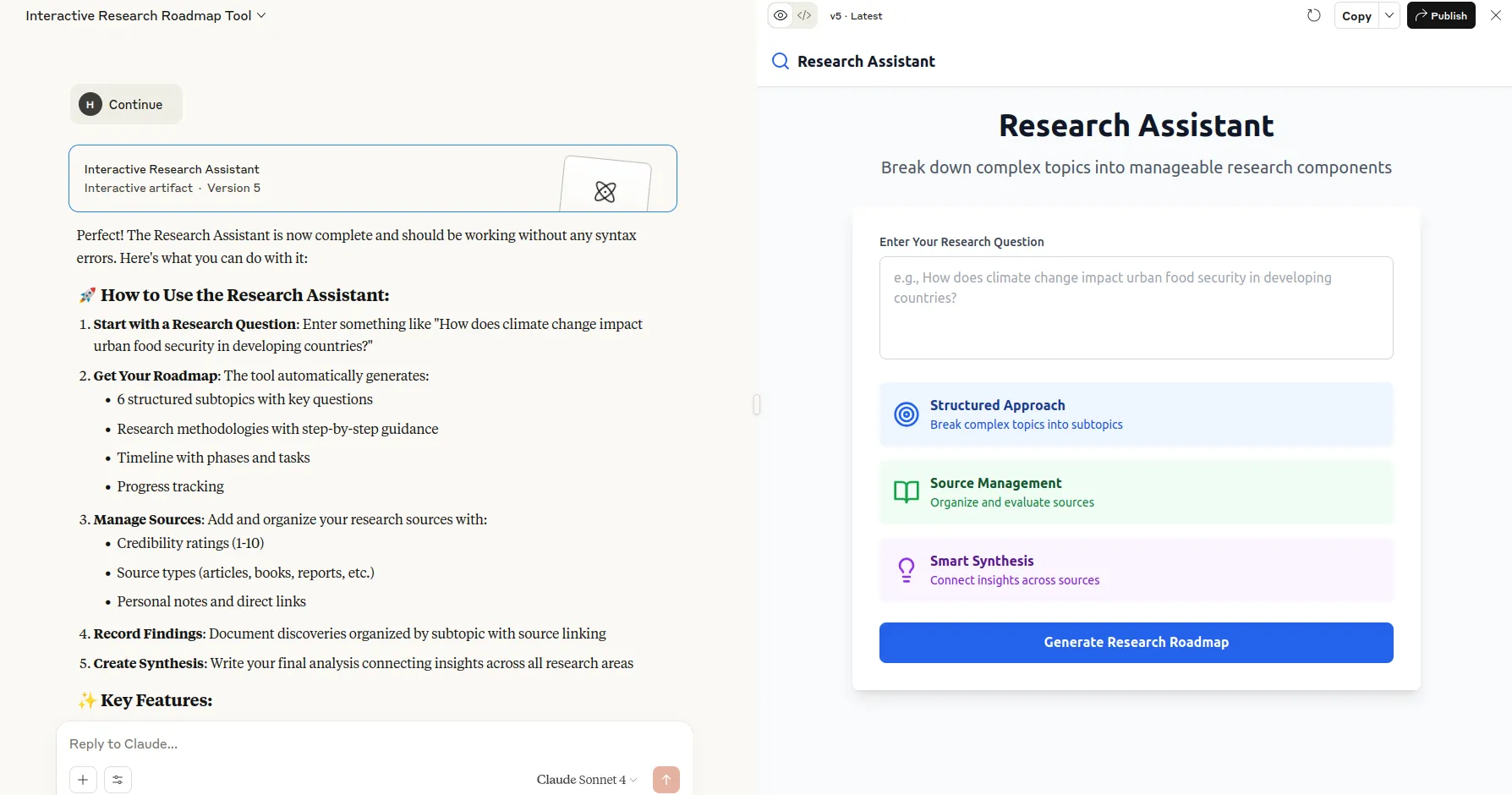
Just like the previous app, Claude took 5 iterations to complete this app. It fixed some syntax errors in these iterations. The final output looked good. Let’s test it!
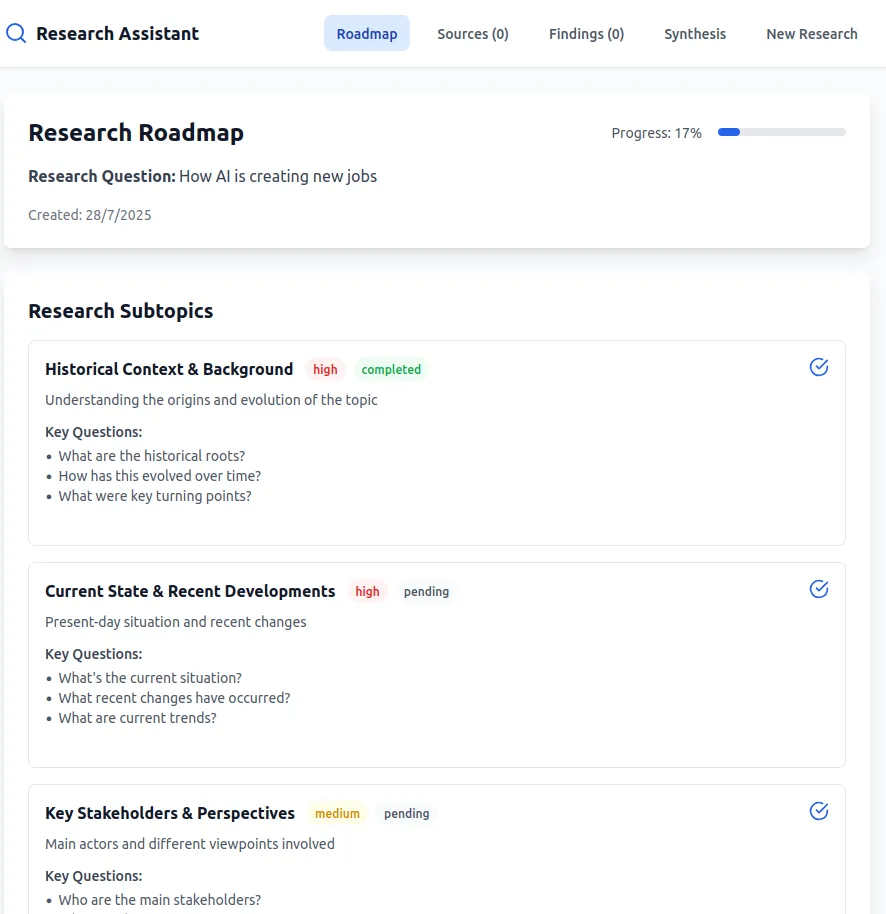
We prompted it with “How AI is creating new jobs“. It suddenly generated a very generic research plan. Then we tested it again with a new question it again generated the same research plan. It means Claude hardcoded a research plan and did not generate personalised plans. Hence, it is clear from the findings that Claude needs a more detailed plan to act and generate the required app.
However, there were some advantages :
- Knowledge Organization: Demonstrates Claude’s ability to structure complex information and create learning pathways
- Research Methodology: Shows the AI’s understanding of academic and professional research processes
- Interactive Guidance: Highlights the platform’s strength in providing step-by-step assistance for complex tasks
- Professional Utility: Creates tools that professionals and students will find immediately valuable
Phase 3: Iterative Development
After receiving the first version of your Artifact, it’s now time to improve it according to your needs. You just have to provide feedback to Claude to improve or debug it. Refine user experience through conversation, and Claude will add your advanced features incrementally.
Phase 4: Sharing and Distribution
Claude also ensures that your chat remains secure by keeping it private from the other users using Artifacts through the public link.
1: Click on the Publish button in the top right corner of the Artifacts screen.

2: Now this window will appear, just click on Publish & copy link
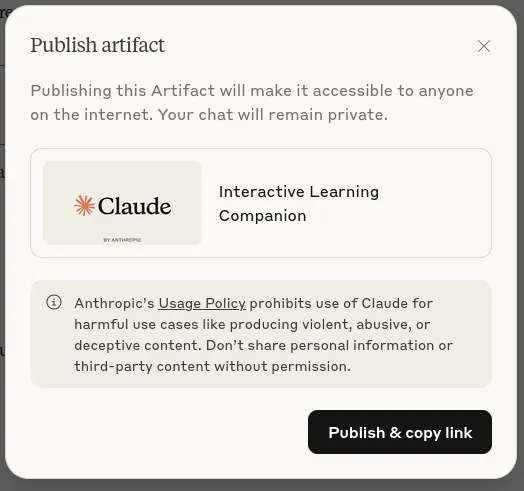
3: Your link is now copied. You can share this link with anybody, and they will be able to access your app through their Claude account.
The following are the links to the generated apps:
- AI-Powered Learning Companion: https://claude.ai/public/artifacts/62610c19-4d97-46d3-a675-39529c87b8a4
- Interactive Creative Writing Workshop Prompt: https://claude.ai/public/artifacts/9d2dc0ec-7a68-40de-a51a-21369f60aa5b
- Personal AI Research Assistant: https://claude.ai/public/artifacts/f69845f2-5fa7-4e13-91fc-ac0ff6f78e95
Current Limitations
Claude’s Artifacts is a great platform for converting your ideas into working applications quickly. But there are some constraints and limitations also. Let’s discuss them.
- No external API calls to third-party services: Claude does not allow external API’s such as OpenAI, Deepseek, Grok, etc. This makes Artifacts only available to Claude’s models, like Sonnet and Opus.
- No persistent storage capabilities: There are no storage capabilities in Artifacts as of now, so no information can be stored from the user side while using the application.
- Limited to text-based completion API: The Artifacts can be built only using the text-based completion API from Claude. There is no support for Image generation or Video generation.
- Beta availability across all plan tiers: The Artifacts functionality is in the Beta version. It may change completely in the future and can remove certain features and functionalities, which can affect the current Artifacts of the creators.
Conclusion
Claude’s Artfacts is a game-changing feature launched by Claude, which is changing how people used to make prototypes and deploy them. Artifacts democratize AI app development. They reduce the barriers to innovation and experimentation. The economic viability of AI-powered tool sharing is supported by these Artifacts. This will lead to fast AI app development and community growth, as well as collaborative development. This is a continuously developing feature; follow the latest updates to benefit from the growing community. This can entirely change how apps are developed traditionally.
Read more: Claude 4: Anthropic’s most Advanced LLM Offering
Frequently Asked Questions
Q1. Do I need coding experience to build Claude-powered apps?
A. No coding experience required – describe your idea to Claude, and it will write the code. You can see, modify, and customize the generated code if desired
Q2. How much does it cost to share my app with thousands of users?
A. You pay nothing for user engagement – each user’s API usage counts against their own subscription. This makes viral sharing economically feasible, unlike traditional hosting models
Q3. Can my Claude-powered app access external services or databases?
A. Currently limited to Claude’s text API with no external API calls or persistent storage. These limitations may be addressed in future updates as the platform evolves
Q4. How do users access my shared Claude-powered app?
A. Users access through a direct shareable link and authenticate with their Claude account; separate app installation or account creation is required for end users
Q5. What types of apps work best with Claude’s current capabilities?
A. Interactive tools, educational apps, writing assistants, and data analysis tools perform excellently. Apps requiring real-time AI responses and conversational interfaces are particularly well-suited
Harsh Mishra is an AI/ML Engineer who spends more time talking to Large Language Models than actual humans. Passionate about GenAI, NLP, and making machines smarter (so they don’t replace him just yet). When not optimizing models, he’s probably optimizing his coffee intake. 🚀☕