
The quality of data used is the cornerstone of any data science project. Bad quality of data leads to erroneous models, misleading insights, and costly business decisions. In this comprehensive guide, we’ll explore the construction of a powerful and concise data cleaning and validation pipeline using Python.
Table of contents
What is a Data Cleaning and Validation Pipeline?
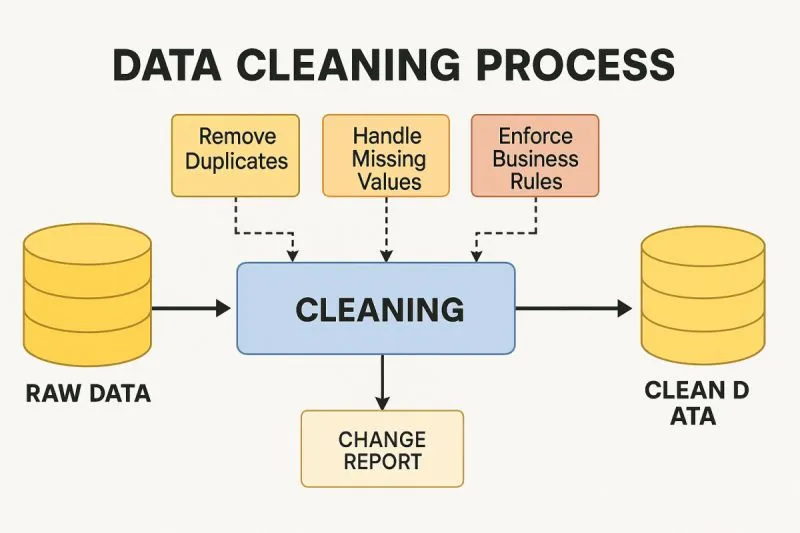
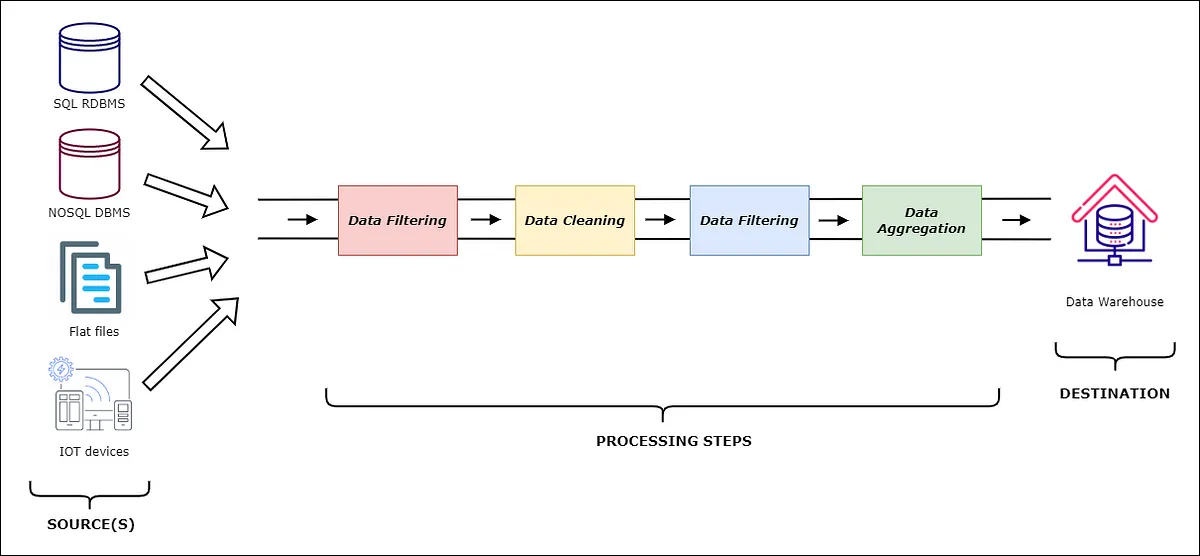
A data cleaning and validation pipeline is an automated workflow that systematically processes raw data to ensure its quality meets accepted criteria before it is subjected to analysis. Think of it as a quality control system for your data:
- Detecting and dealing with missing values – Detects gaps in your dataset and applies an appropriate treatment strategy
- Validates data types and formats – Makes sure each field contains information of the expected type
- Identifies and removes outliers – Detects outliers that may skew your analysis
- Enforces business rules – Applies domain-specific constraints and validation logic
- Maintains lineage – Tracks what transformations were made and when
The pipeline essentially acts as a gatekeeper to make sure that only clean and validated data flows into your analytics and machine learning workflows.
Why Data Cleaning Pipelines?
Some of the key advantages of automated cleaning pipelines are:
- Consistency and Reproducibility: Manual methods can introduce human error and inconsistency into the cleaning procedures. Automated pipelining implements the same cleaning logic over and over, thereby making the result reproducible and believable.
- Time and Resource Efficiency: Preparing the data can take between 70-80% of the time of a data scientist. Pipelines automate their data cleaning process, largely reducing this overhead, channeling the team towards the analysis and modeling.
- Scalability: For instance, as data volumes grow, manual cleaning becomes untenable. Pipelines optimize the processing of large datasets and cope with rising data loads almost automatically.
- Error Reduction: Automated validation picks up data quality issues that manual inspection may miss, hence reducing the risk of drawing wrong conclusions from falsified data.
- Audit Trail: Pipelines in place outline for you precisely what steps have been followed to clean the data, which would be very instrumental when it comes to regulatory compliance and debugging.
Setting Up the Development Environment
Before embarking upon the pipeline building, let us be sure that we have all the tools. Our pipeline shall take advantage of the Python powerhouse libraries:
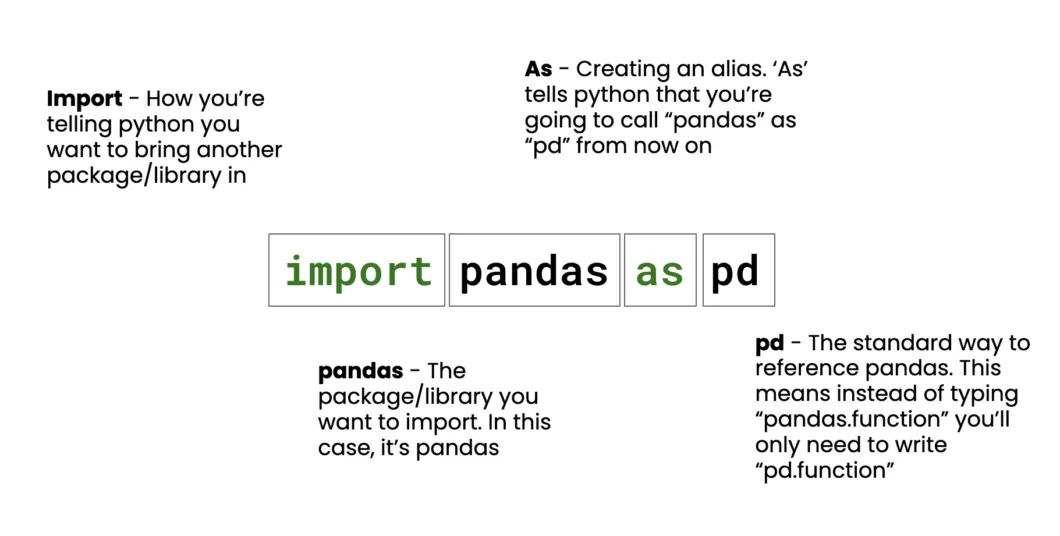
import pandas as pd

import numpy as np

from datetime import datetime

import logging

from typing import Dict, List, Any, Optional
Why these Libraries?
The following libraries will be used in the code, followed by the utility they provide:
- pandas: Robustly manipulates and analyzes data
- numpy: Provides fast numerical operations and array handling
- datetime: Validates and formats dates and times
- logging: Enables tracking of pipeline execution and errors for debugging
- typing: Virtually adds type hints for code documentation and avoidance of common errors
Defining the Validation Schema
A validation schema is essentially the blueprint defining the expectations of data as to the structure they are based and the constraints they observe. Our schema is to be defined as:
VALIDATION_SCHEMA = {

    'user_id': {'type': int, 'required': True, 'min_value': 1},

    'email': {'type': str, 'required': True, 'pattern': r'^[^@]+@[^@]+\.[^@]+$'},

    'age': {'type': int, 'required': False, 'min_value': 0, 'max_value': 120},

    'signup_date': {'type': 'datetime', 'required': True},

    'score': {'type': float, 'required': False, 'min_value': 0.0, 'max_value': 100.0}

}
The schema specifies a number of validation rules:
- Type validation: Checks the data type of the received value for every field
- Required-field validation: Identifies mandatory fields that must not be missing
- Range validation: Sets the minimum and maximum acceptable kind of value
- Pattern validation: Regular expressions for validation purposes, for example, valid email addresses
- Date validation: Checks whether the date field contains valid datetime objects
Building the Pipeline Class
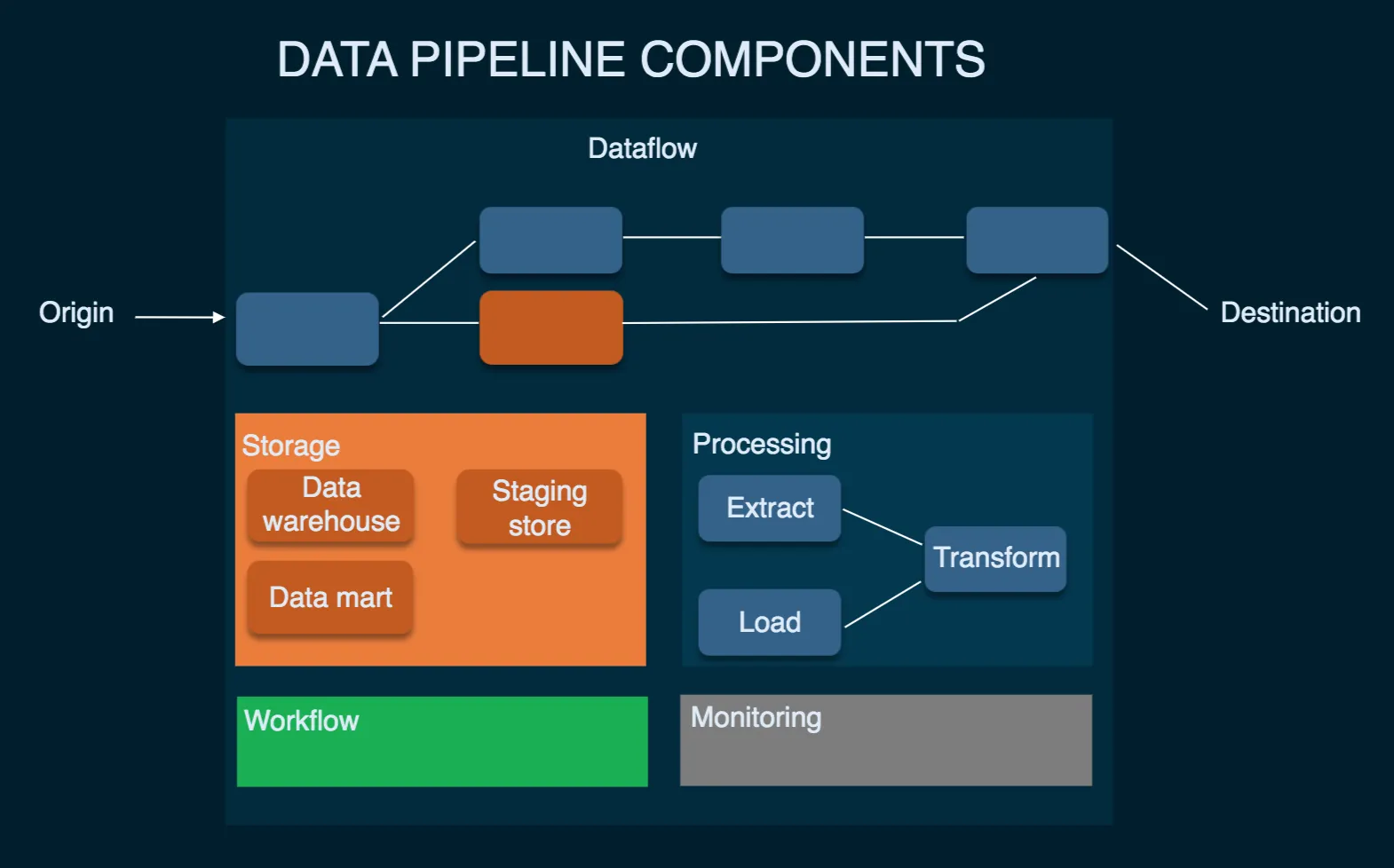
Our pipeline class will act as an orchestrator that coordinates all operations of cleaning and validation:
class DataCleaningPipeline:

    def __init__(self, schema: Dict[str, Any]):

        self.schema = schema

        self.errors = []

        self.cleaned_rows = 0

        self.total_rows = 0

        # Setup logging

        logging.basicConfig(level=logging.INFO)

        self.logger = logging.getLogger(__name__)

    def clean_and_validate(self, df: pd.DataFrame) -> pd.DataFrame:

        """Main pipeline orchestrator"""

        self.total_rows = len(df)

        self.logger.info(f"Starting pipeline with {self.total_rows} rows")

        # Pipeline stages

        df = self._handle_missing_values(df)

        df = self._validate_data_types(df)

        df = self._apply_constraints(df)

        df = self._remove_outliers(df)

        self.cleaned_rows = len(df)

        self._generate_report()

        return df
The pipeline follows a systematic approach:
- Initialize tracking variables to monitor cleaning progress
- Set up logging to capture pipeline execution details
- Execute cleaning stages in a logical sequence
- Generate reports summarizing the cleaning results
Writing the Data Cleaning Logic
Let’s implement each cleaning stage with robust error handling:
Missing Value Handling
The following code will drop rows with missing required fields and fill missing optional fields using median (for numerics) or ‘Unknown’ (for non-numerics).
def _handle_missing_values(self, df: pd.DataFrame) -> pd.DataFrame:

    """Handle missing values based on field requirements"""

    for column, rules in self.schema.items():

        if column in df.columns:

            if rules.get('required', False):

                # Remove rows with missing required fields

                missing_count = df[column].isnull().sum()

                if missing_count > 0:

                    self.errors.append(f"Removed {missing_count} rows with missing {column}")

                    df = df.dropna(subset=[column])

            else:

                # Fill optional missing values

                if df[column].dtype in ['int64', 'float64']:

                    df[column].fillna(df[column].median(), inplace=True)

                else:

                    df[column].fillna('Unknown', inplace=True)

    return df
Data Type Validation
The following code converts columns to specified types and removes rows where conversion fails.
def _validate_data_types(self, df: pd.DataFrame) -> pd.DataFrame:

    """Convert and validate data types"""

    for column, rules in self.schema.items():

        if column in df.columns:

            expected_type = rules['type']

            try:

                if expected_type == 'datetime':

                    df[column] = pd.to_datetime(df[column], errors='coerce')

                elif expected_type == int:

                    df[column] = pd.to_numeric(df[column], errors='coerce').astype('Int64')

                elif expected_type == float:

                    df[column] = pd.to_numeric(df[column], errors='coerce')

                # Remove rows with conversion failures

                invalid_count = df[column].isnull().sum()

                if invalid_count > 0:

                    self.errors.append(f"Removed {invalid_count} rows with invalid {column}")

                    df = df.dropna(subset=[column])

            except Exception as e:

                self.logger.error(f"Type conversion error for {column}: {e}")

    return df
Adding Validation with error tracking
Our constraint validation system assures that the data is within limits and the format is acceptable:
def _apply_constraints(self, df: pd.DataFrame) -> pd.DataFrame:

    """Apply field-specific constraints"""

    for column, rules in self.schema.items():

        if column in df.columns:

            initial_count = len(df)

            # Range validation

            if 'min_value' in rules:

                df = df[df[column] >= rules['min_value']]

            if 'max_value' in rules:

                df = df[df[column] <= rules['max_value']]

            # Pattern validation for strings

            if 'pattern' in rules and df[column].dtype == 'object':

                import re

                pattern = re.compile(rules['pattern'])

                df = df[df[column].astype(str).str.match(pattern, na=False)]

            removed_count = initial_count - len(df)

            if removed_count > 0:

                self.errors.append(f"Removed {removed_count} rows failing {column} constraints")

    return df
Constraint-Based & Cross-Field Validation
Advanced validation is usually needed when relations between multiple fields are considered:
def _cross_field_validation(self, df: pd.DataFrame) -> pd.DataFrame:

    """Validate relationships between fields"""

    initial_count = len(df)

    # Example: Signup date should not be in the future

    if 'signup_date' in df.columns:

        future_signups = df['signup_date'] > datetime.now()

        df = df[~future_signups]

        removed = future_signups.sum()

        if removed > 0:

            self.errors.append(f"Removed {removed} rows with future signup dates")

    # Example: Age consistency with signup date

    if 'age' in df.columns and 'signup_date' in df.columns:

        # Remove records where age seems inconsistent with signup timing

        suspicious_age = (df['age'] < 13) & (df['signup_date'] < datetime(2010, 1, 1))

        df = df[~suspicious_age]

        removed = suspicious_age.sum()

        if removed > 0:

            self.errors.append(f"Removed {removed} rows with suspicious age/date combinations")

    return df
Outlier Detection and Removal
The effects of outliers can be extreme on the results of the analysis. The pipeline has an advanced method for detecting such outliers:
def _remove_outliers(self, df: pd.DataFrame) -> pd.DataFrame:

    """Remove statistical outliers using IQR method"""

    numeric_columns = df.select_dtypes(include=[np.number]).columns

    for column in numeric_columns:

        if column in self.schema:

            Q1 = df[column].quantile(0.25)

            Q3 = df[column].quantile(0.75)

            IQR = Q3 - Q1

            lower_bound = Q1 - 1.5 * IQR

            upper_bound = Q3 + 1.5 * IQR

            outliers = (df[column] < lower_bound) | (df[column] > upper_bound)

            outlier_count = outliers.sum()

            if outlier_count > 0:

                df = df[~outliers]

                self.errors.append(f"Removed {outlier_count} outliers from {column}")

    return df
Orchestrating the Pipeline
Here’s our complete, compact pipeline implementation:
class DataCleaningPipeline:

    def __init__(self, schema: Dict[str, Any]):

        self.schema = schema

        self.errors = []

        self.cleaned_rows = 0

        self.total_rows = 0

        logging.basicConfig(level=logging.INFO)

        self.logger = logging.getLogger(__name__)

    def clean_and_validate(self, df: pd.DataFrame) -> pd.DataFrame:

        self.total_rows = len(df)

        self.logger.info(f"Starting pipeline with {self.total_rows} rows")

        # Execute cleaning stages

        df = self._handle_missing_values(df)

        df = self._validate_data_types(df)

        df = self._apply_constraints(df)

        df = self._remove_outliers(df)

        self.cleaned_rows = len(df)

        self._generate_report()

        return df

    def _generate_report(self):

        """Generate cleaning summary report"""

        self.logger.info(f"Pipeline completed: {self.cleaned_rows}/{self.total_rows} rows retained")

        for error in self.errors:

            self.logger.warning(error)
Example Usage
Let’s see a demonstration of a pipeline in action with a real dataset:
# Create sample problematic data

sample_data = pd.DataFrame({

    'user_id': [1, 2, None, 4, 5, 999999],

    'email': ['[email protected]', 'invalid-email', '[email protected]', None, '[email protected]', '[email protected]'],

    'age': [25, 150, 30, -5, 35, 28],  # Contains invalid ages

    'signup_date': ['2023-01-15', '2030-12-31', '2022-06-10', '2023-03-20', 'invalid-date', '2023-05-15'],

    'score': [85.5, 105.0, 92.3, 78.1, -10.0, 88.7]  # Contains out-of-range scores

})

# Initialize and run pipeline

pipeline = DataCleaningPipeline(VALIDATION_SCHEMA)

cleaned_data = pipeline.clean_and_validate(sample_data)

print("Cleaned Data:")

print(cleaned_data)

print(f"\nCleaning Summary: {pipeline.cleaned_rows}/{pipeline.total_rows} rows retained")
Output:
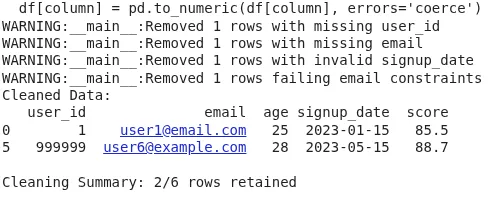
The output shows the final cleaned DataFrame after dropping rows with missing required fields, invalid data types, constraint violations (like out-of-range values or bad emails), and outliers. The summary line reports how many rows were retained out of the total. This ensures only valid, analysis-ready data moves forward, improving quality, reducing errors, and making your pipeline reliable and reproducible.
Extending the Pipeline
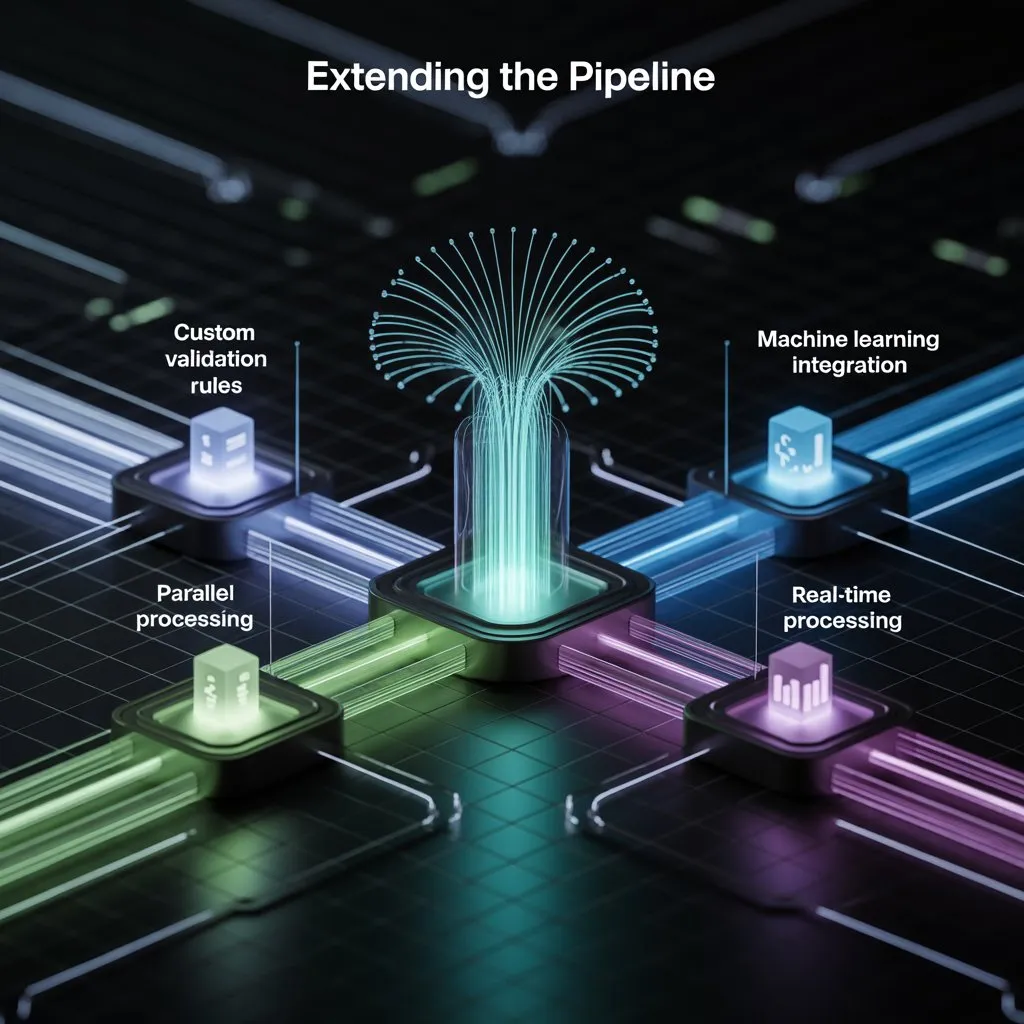
Our pipeline has been made extensible. Below are some ideas for enhancement:
- Custom Validation Rules: Incorporate domain-specific validation logic by extending the schema format to accept custom validation functions.
- Parallel Processing: Process large datasets in parallel across multiple CPU cores using appropriate libraries such as multiprocessing.
- Machine Learning Integration: Bring in anomaly detection models for detecting data quality issues too intricate for rule-based systems.
- Real-time Processing: Modify the pipeline for streaming data with Apache Kafka or Apache Spark Streaming.
- Data Quality Metrics: Design a broad quality score that factors multiple dimensions such as completeness, accuracy, consistency, and timeliness.
Conclusion
The notion of this type of cleaning and validation is to check the data for all the elements that can be errors: missing values, invalid data types or constraints, outliers, and, of course, report all this information with as much detail as possible. This pipeline then becomes your starting point for data-quality assurance in any sort of data analysis or machine-learning task. Some of the benefits you get from this approach include automatic QA checks so no errors go unnoticed, reproducible results, thorough error tracking, and simple installation of several checks with particular domain constraints.
By deploying pipelines of this sort in your data workflows, your data-driven decisions will stand a far greater chance of being correct and precise. Data cleaning is an iterative process, and this pipeline can be extended in your domain with extra validation rules and cleaning logic as new data quality issues arise. Such a modular design allows new features to be integrated without clashes with currently implemented ones.
Frequently Asked Questions
Q1. What is a data cleaning and validation pipeline?
A. It’s an automated workflow that detects and fixes missing values, type mismatches, constraint violations, and outliers to ensure only clean data reaches analysis or modeling.
Q2. Why use a pipeline instead of manual cleaning?
A. Pipelines are faster, consistent, reproducible, and less error-prone than manual methods, especially critical when working with large datasets.
Q3. What happens to rows with missing or invalid values
A. Rows with missing required fields or failed validations are dropped. Optional fields get default values like medians or “Unknown”.
Data Science Trainee at Analytics Vidhya
I am currently working as a Data Science Trainee at Analytics Vidhya, where I focus on building data-driven solutions and applying AI/ML techniques to solve real-world business problems. My work allows me to explore advanced analytics, machine learning, and AI applications that empower organizations to make smarter, evidence-based decisions.
With a strong foundation in computer science, software development, and data analytics, I am passionate about leveraging AI to create impactful, scalable solutions that bridge the gap between technology and business.
📩 You can also reach out to me at [email protected]






