I remember from my student days the plethora of subscriptions, fees, and payments to be made for a range of tasks. Be it learning a new skill, using the right environment for practice, or simply travelling to and from home, we had to shell money out of our pockets. But it is almost 2026 now, and gone are those days of spending huge amounts just to be a student. Thanks to a host of student discounts and benefits from service providers on a student ID, students have it much easier than ever before.
Don’t believe it? Well, here is a long list of free or discounted services you can avail on your student ID card. From productivity tools and developer software to cloud credits, music subscriptions, and travel savings. In this article, you are sure to find ways of saving thousands that you would have otherwise splurged.
So, without any delay, dive into the list, avail the benefits, and thank us later!
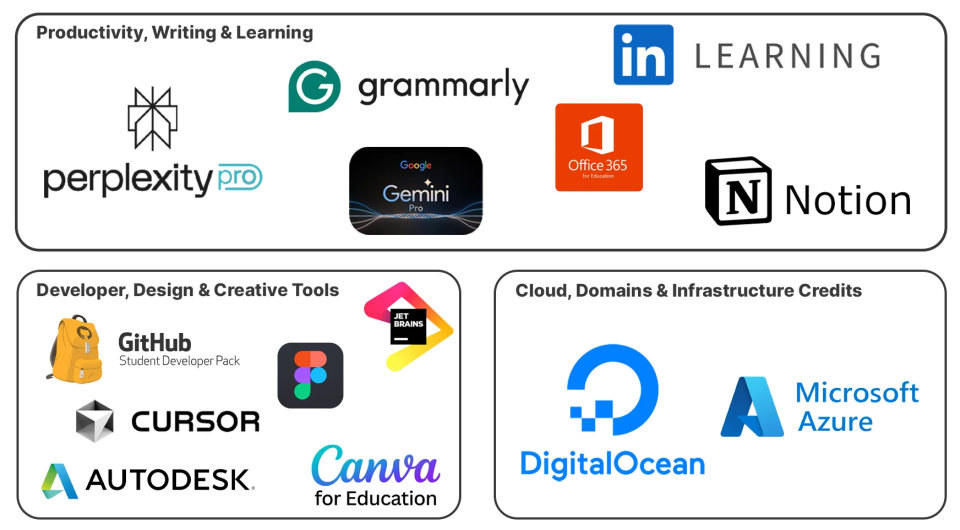
Table of contents
Productivity, Writing & Learning
These are tools that help you study smarter, write better, and learn faster, all without burning money.

1. Google Gemini Pro
Google Gemini Pro is Google’s most powerful AI chatbot. Beyond casual chatting, it is built for deep reasoning, long-form understanding, and serious work. It gained global attention ever since its launch for how well it handles complex questions, large documents, and technical tasks. All of this, while staying tightly integrated with Google Search, Docs, and Gmail.
For students, this turns into a massive advantage. Gemini Pro can break down tough concepts, summarise lengthy textbooks, draft assignments, help with coding errors, and even assist in project ideation. Instead of spending hours stuck on one problem, you get instant clarity and direction. Deadlines are now beat, just like that.
Student benefit page:
https://gemini.google/students/
2. Grammarly EDU
Grammarly Grammarly EDU is a premium writing assistant (check out the best ones here) designed to make your writing clear and confident. It became popular for catching grammar mistakes that humans often miss and for improving tone, clarity, and readability in real time.
For students, this is a lifesaver. Grammarly EDU helps polish assignments, essays, emails, and reports before submission. It points out awkward phrasing, weak sentences, and unclear arguments. You write. Grammarly cleans it up. This means fewer silly mistakes, better grades, and less stress before hitting “submit.”
Student benefit page:
3. Notion
Notion is an all-in-one workspace that combines notes, documents, databases, and task management in one place. It is famous for replacing multiple apps with a single, highly customisable system that actually adapts to how you work.
For students, Notion acts as an academic headquarters. You can organise class notes, track assignments, plan semesters, manage projects, and even build personal knowledge bases. Everything stays clean, searchable, and structured. No scattered files. No forgotten deadlines. Just one workspace that keeps your student life under control.
Student benefit page:
https://www.notion.so/students
4. Microsoft 365 Education
Microsoft 365 Education gives students free access to essential productivity tools like Word, Excel, PowerPoint, and OneDrive. It is a staple in education because it covers almost every academic need, from writing assignments to analysing data and building presentations.
For students, this means zero compromises. You can write essays in Word, crunch numbers in Excel, collaborate on group projects in real time, and store everything securely in the cloud. Submissions, group work, or simply practicing your stuff, Microsoft’s range of apps will take care of all your needs.
Student benefit page:
https://www.microsoft.com/education
5. LinkedIn Learning
LinkedIn Learning is an online learning platform packed with courses taught by industry professionals. It is popular for its practical, job-focused content covering everything from tech and business to design and personal growth.
For students, this is career prep on fast-forward. You can learn in-demand skills, explore new fields, and strengthen your resume before graduation. Courses are short, structured, and easy to follow. Once you start learning and add skills to your profile, you are sure to walk into internships and interviews better prepared than most.
Student benefit page:
https://www.linkedin.com/learning
6. Free Courses
Across the internet, there are high-quality courses you can access without paying a rupee, simply using your student ID. Many top platforms offer student-only access to premium learning material. You can check out our own courses at Analytics Vidhya here, made completely free for learners.
For students, this is free skill-building at scale. You can learn Python, data analysis, UI/UX, cloud, marketing, or even soft skills outside your syllabus. Without any pressure or deadlines, you can learn skills that actually help with internships, placements, and side projects.
Student benefit page:
https://www.coursera.org/courses
7. Perplexity Pro
Perplexity Pro is an AI-powered search and research tool that gives direct, source-backed answers instead of endless links. It became popular for combining chat-style responses with real citations, making research faster and more reliable.
For students, this changes how research feels. You can quickly understand topics, explore new concepts, and verify facts without falling into a browser rabbit hole, clicking link after link. This is especially great for assignments, presentations, and last-minute revisions, with less searching and more understanding.
Student benefit page:
https://www.perplexity.ai/students
Developer, Design & Creative Tools
Build real projects and real products. Learn tools professionals actually use.
8. GitHub Student Developer Pack
GitHub Student Developer Pack bundles premium developer tools, software, and cloud credits into one powerful student-only package. It gives students free access to tools that professionals pay hundreds of dollars for.
Needless to say, this is a goldmine for anyone learning to code. You get coding tools, hosting credits, learning resources, and developer services to build real-world projects. Perfect for portfolios, hackathons, and internships. If you code even a little, this pack alone is worth your student ID.
Student benefit page:
https://education.github.com/pack
9. JetBrains IDEs
JetBrains IDEs are professional-grade coding tools used by developers across the world. Tools like IntelliJ IDEA, PyCharm, and WebStorm are famous for smart code completion, deep language support, and powerful debugging features.
For students, this means learning with the same tools used in real jobs. You can write cleaner code, catch errors early, and build projects faster. No limitations or trial versions. Just full access to premium IDEs while you’re still learning the ropes.
Student benefit page:
https://www.jetbrains.com/community/education/
10. Cursor Pro
Cursor Pro is an AI-powered code editor built for developers who want to write code faster and smarter. It is popular for letting you chat with your codebase, generate functions, and rewrite code using simple prompts.
For students, Cursor Pro is completely free and feels like pair programming with AI. You can understand unfamiliar code, fix bugs, and experiment without fear. Great for learning new languages and completing projects quicker, with much less Googling.
Student benefit page:
11. Figma
Figma is a collaborative design tool used for UI, UX, and product design. It is known for letting teams design together in real time, directly in the browser, with zero setup.
For students, Figma is perfect for learning modern design. You can create app screens, websites, prototypes, and portfolios without expensive software. Group projects become easier. Feedback is instant. And your designs start looking industry-ready, even while you’re still in college.
Student benefit page:
https://www.figma.com/education/
12. Canva for Education
Canva for Education is Canva’s premium design suite made free for students and educators. It became very popular with its recent launch, as it made professional-looking designs possible for laymen everywhere.
For students, this is an unbelievably powerful visual tool. You can create presentations, resumes, posters, reports, and social media graphics in minutes. Even if you have no idea where to start, just pick a template, customise it, and you’re done. What’s more, it is often faster than writing the content itself.
Student benefit page:
https://www.canva.com/education/students/
13. Autodesk
Autodesk provides industry-standard software used in engineering, architecture, animation, and product design. Tools like AutoCAD, Fusion 360, and Maya are famous for being powerful and, of course, quite expensive.
For students, Autodesk flips the script. You get free access to these professional tools with your student ID. Perfect for coursework, design projects, and building a strong portfolio. You learn on the same software used in real companies, not watered-down student versions.
Student benefit page:
https://www.autodesk.com/education
Cloud, Domains and Infrastructure Credits
Build, host, and deploy real projects without paying for servers.

14. DigitalOcean
DigitalOcean is a popular cloud platform known for simple, developer-friendly hosting. It became famous for making cloud servers easy to understand, even for beginners. For students, this is hands-on cloud learning. You can deploy websites, host apps, run APIs, and experiment with backend projects using free credits. Perfect for portfolios and side projects.
Student benefit page:
https://www.digitalocean.com/github-students
15. Microsoft Azure
Azure is Microsoft’s cloud platform used by startups and enterprises worldwide. It’s known for powering everything from simple web apps to large-scale AI and data systems. For students, the $100 Azure credit is pure experimentation fuel. You can deploy apps, try databases, run AI models, and learn cloud computing hands-on, all without spending your own money.
Student benefit page:
https://azure.microsoft.com/free/students
16. Free Domains
Getting free domain names is one of the most underrated student perks, and it comes as part of the GitHub Student Developer Pack. Through GitHub’s partners like Namecheap, Name.com, and .TECH domains, students can claim free domains for a full year.
For students, this is huge. You can launch a personal website, portfolio, blog, or project demo on a real domain. This usually costs in thousands for an annual pack. Live hosting on real domains will instantly make your work look more professional, be it for resumes, internships, or side projects. Owning a domain early is quite a flex.
Student benefit page:
https://education.github.com/pack
Conclusion
Speaking from my student years, most such perks go unused simply because students do not know they exist. But the 20+ free or discounted offers above prove that a student ID is far more powerful than most students realise. It is not just proof of enrolment but a key that unlocks premium software, learning platforms, cloud credits, travel discounts, and entertainment subscriptions that would otherwise easily cost thousands.
Used right, these benefits can make your student life easier, cheaper, and far more productive. You can learn faster, build real projects, explore new skills, and even prepare for your career before you graduate. So if you have a valid student ID, put it to use now and explore the plethora of benefits that you are now aware of. Thank us later!






